UTM
UTM est un émulateur et gestionnaire de machines virtuelles conçu spécifiquement pour macOS, exploitant le framework de virtualisation natif d’Apple (Hypervisor) ainsi que QEMU pour offrir une large compatibilité. Il permet d’exécuter des systèmes d’exploitation modernes (Windows, Linux, macOS ARM64) sur des Mac Apple Silicon avec des performances proches du natif, tout en supportant aussi des architectures plus anciennes (ARM32, MIPS, PPC, RISC-V) ou des OS rétro (PowerPC, SPARC). La version pour macOS est optimisée pour les appareils récents, avec une interface épurée et des fonctionnalités de sécurité adaptées à l’écosystème Apple.
L’outil se distingue par sa simplicité d’utilisation malgré son potentiel technique, évitant la complexité de QEMU en proposant une configuration intuitive. Une version identique est disponible sur le Mac App Store, sans restriction fonctionnelle, mais avec des mises à jour automatiques. Notons que l’accélération graphique (GPU) pour les jeux sous Windows n’est pas supportée, bien qu’un essai limité existe pour Linux via Virgl. Une déclinaison iOS/visionOS est également disponible pour une gestion mobile des VM.
Dernière mise à jour :
Plateformes
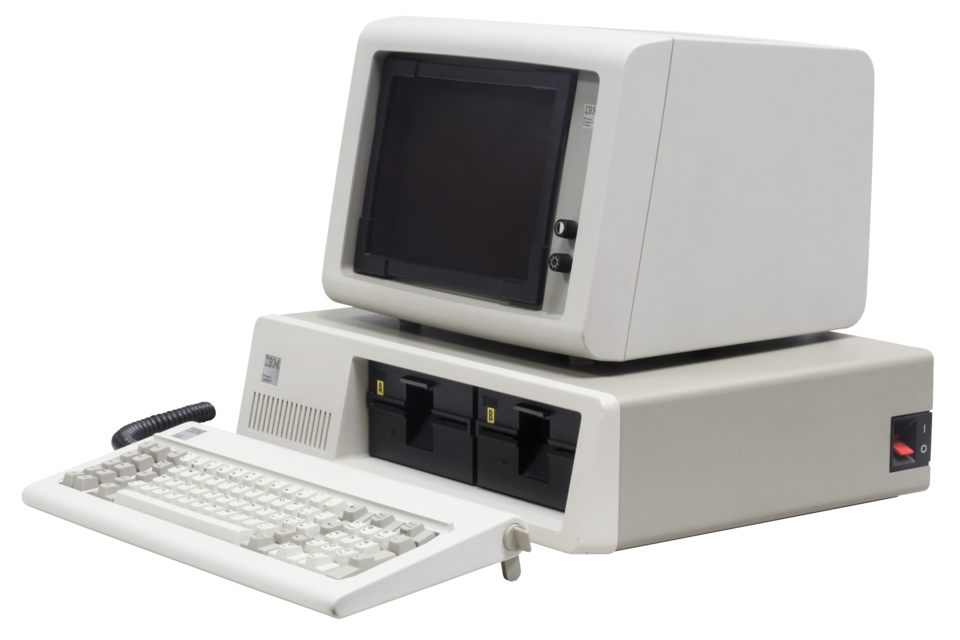 IBM PC
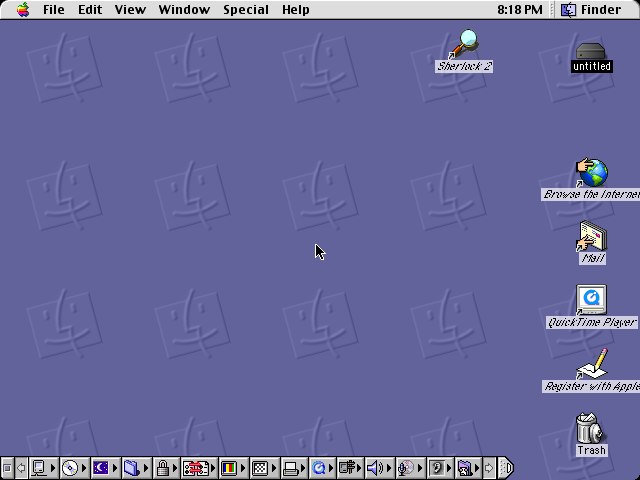
 Macintosh
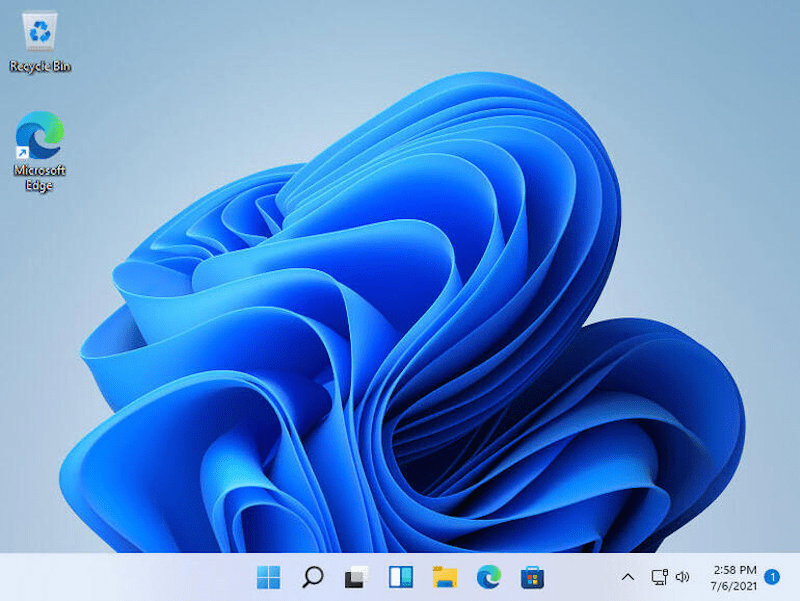
 Windows
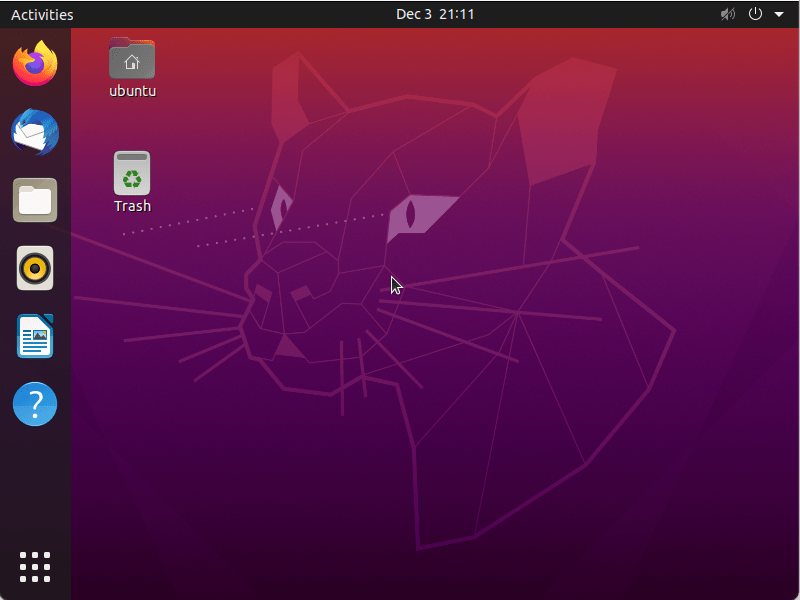
 Linux
Linux
Architecture
 Mac OS X - macOS
 iOS
iOS
 Intel x86
 Apple Silicon
 64 bits
Téléchargement et liens
- Télécharger UTM
- Version iOS
- Site officiel
- Code source
-
brew install --cask utm
Historique des versions
v5.0.5
-
Support du DirectX pour Windows 11 sur macOS : Intégration expérimentale d’un pilote accéléré (via DirectX 12 avec le backend D3DMetal et DirectX 11 avec DXMT), limité aux versions macOS 13.0+ et nécessitant une réinstallation propre du système invité (script de désinstallation fourni pour les mises à jour). Compatibilité jeux encore restreinte et risque d’instabilité.
-
Réversion de la contrainte minimale de macOS : Retour à la prise en charge de macOS 11.3 (et iOS 14.0) pour les fonctionnalités basiques, mais DirectX réservé à macOS 13.0+ (iOS 16.0 pour DirectX 11).
-
Améliorations spécifiques macOS :
- Gestion des VMs : Option pour éteindre proprement toutes les VMs en cours à la fermeture de l’application.
- Entrées/sorties : Prise en charge de la combinaison Cmd+Opt (équivalent à Ctrl+Alt) et maintien du Caps Lock pendant la capture d’entrée.
- Scripting : Ajout de commandes pour les snapshots dans l’API scriptable.
- Corrections graphiques :
- Résolution du problème de redimensionnement de fenêtre (texture incorrecte, curseur décalé) et de fenêtre à 0x0 avec le scaling natif.
- Meilleure détection des erreurs pour les versions macOS invités trop récentes (AVF).
-
Backends graphiques clarifiés :
- CoreGL (macOS) : Ne supporte ni Vulkan ni DirectX (à utiliser pour OpenGL 4.1 uniquement).
- MoltenVK reste recommandé pour Vulkan (KosmicKrisp en développement mais incomplet).
- VirGL Gallium imposé pour le rendu Vulkan sur Linux (limitation des geometry shaders).
-
Sécurité/Stabilité :
- Vérifications anti-path traversal et anti-symlinks lors du téléchargement de fichiers ZIP.
Changelog complet
v5.0.4
-
Nouveauté majeure pour macOS : Support expérimental du DirectX 11 pour Windows 11 via un pilote graphique accéléré (nécessite une installation fraîche et un script de désinstallation pour les systèmes existants).
-
Exigences système mises à jour : Version minimale requise de macOS 13 (Ventura) (les utilisateurs de versions antérieures doivent rester sur UTM 4).
-
Améliorations graphiques spécifiques :
- Support de Vulkan 1.3 pour les invités Linux (via VirtIO Venus) et OpenGL 4.1 pour macOS (backend Apple Core OpenGL, exclut Vulkan/DirectX).
- Correction des problèmes de redimensionnement de fenêtre (macOS) : affichage correct des textures et curseur après changement de résolution.
-
Corrections critiques pour macOS :
- Résolution du bug de redimensionnement à 0x0 avec le scaling natif activé.
- Fix du message d’erreur
HV_UNSUPPORTEDà l’initialisation avec Vulkan activé. - Ajout du support du backend Neptune dans
virglrendererpour le DirectX.
-
Stabilité et performances :
- Correction des fuites mémoire dans le rendu SPICE et le module AVF (installateur macOS).
- Régression corrigée dans le temps de rendu GRUB et optimisation du rendu Metal (CocoaSpice).
-
Détails techniques :
- MoltenVK reste recommandé pour Vulkan (KosmicKrisp en développement incomplet).
- Pour les invités Linux, le rendu Vulkan en desktop est désactivé (utiliser le pilote VirGL Gallium pour les shaders géométriques).
Changelog complet
v5.0.3
-
Nouveautés majeures pour macOS :
- Accélération graphique OpenGL 4.1 via le backend Apple Core OpenGL (exclusif macOS), améliorant les performances des invités Linux utilisant OpenGL.
-
Corrections critiques sur macOS :
- Résolution d’un problème de redimensionnement de fenêtre où une résolution d’affichage différente de l’invité provoquait des textures mal alignées, un curseur décalé ou des graphismes déformés (#5781).
- Correction d’un bug de redimensionnement à 0x0 lorsque le native scaling était activé.
- Suppression du message
HV_UNSUPPORTEDà l’initialisation avec Vulkan activé (#7579).
-
Limites et contournements spécifiques macOS :
- Le backend Apple CoreGL ne supporte pas Vulkan (à utiliser MoltenVK en alternative, bien que son support pour les geometry shaders reste incomplet).
- Recommandation : Pour les invités Linux avec Vulkan, privilégier le pilote VirGL Gallium (VirtIO Venus ou MoltenVK avec restrictions) en raison d’un manque de support pour les indirect draws dans les shaders géométriques.
-
Améliorations générales :
- Correction d’une régression dans le rendu GRUB liée au nouveau backend graphique.
- Ajout de la possibilité de récupérer l’adresse IP via les scripts pour les machines AVF.
- Optimisation du log des variables d’environnement lorsque le débogage est activé.
-
Stabilité audio :
- Correction d’une spike CPU et perte du micro due à la gestion de deux périphériques audio simultanés (AVF).
Changelog complet
v5.0.2
-
Nouveautés majeures pour macOS :
- Ajout du support OpenGL 4.1 via le backend Apple Core OpenGL (exclusif macOS), améliorant l’accélération graphique pour les invités Linux utilisant OpenGL.
- Correction d’une régression critique dans l’accélération graphique (OpenGL/Vulkan) où l’affichage du bureau Linux pouvait ne pas rendre correctement (#7626).
-
Corrections spécifiques à macOS :
- Résolution d’un problème de mauvaise résolution texturelle après redimensionnement de fenêtre, entraînant un curseur décalé et des graphismes déformés (#5781).
- Correction d’un bug où la fenêtre de l’invité s’affichait à 0x0 lorsque le native scaling était activé.
- Suppression d’un message d’erreur
HV_UNSUPPORTEDà l’initialisation avec Vulkan activé (#7579, v5.0.1). - FPS par défaut désormais égal au taux de rafraîchissement maximal de l’écran (macOS/iPadOS), avec possibilité de forcer 120Hz (ProMotion) via les paramètres.
-
Limites et avertissements macOS :
- Le backend Apple CoreGL ne supporte pas Vulkan (à utiliser avec MoltenVK en alternative, mais avec des limitations pour les shaders géométriques).
- Pour les invités Linux utilisant Vulkan, VirGL Gallium reste recommandé (Vulkan indirect draws non supporté dans Venus).
-
Améliorations générales (impact indirect sur macOS) :
- Ajout du support des geometry shaders dans MoltenVK, activant DXVK pour les invités Windows (#7575).
- Journalisation des variables d’environnement lorsque le log de débogage est activé.
Changelog complet
v5.0.1
-
Accélération graphique améliorée pour Linux :
- Support de Vulkan 1.3 sur les invités Linux avec les pilotes VirtIO Venus (Mesa).
- OpenGL 4.1 activé via le nouveau backend Apple Core OpenGL (exclusif macOS), mais Vulkan reste incompatible avec ce backend.
-
Améliorations spécifiques à macOS/iPadOS :
- Taux d’images par défaut ajusté dynamiquement au taux de rafraîchissement maximal de l’écran (jusqu’à 120 Hz sur iPad Pro, 60 Hz par défaut sur iPhone).
- Correction d’un crash (
HV_UNSUPPORTED) à l’initialisation avec Vulkan activé sur macOS. - Optimisation du rendu Metal dans CocoaSpice pour réduire la latence et améliorer les performances.
-
Corrections critiques sur macOS :
- Prise en charge des noms de fichiers BIOS contenant des commas (évitait un plantage).
- Compatibilité renforcée avec les architectures Apple Silicon (M1/M2/M3) via les backends graphiques dédiés.
-
Améliorations mineures (iOS) :
- Résolution et mise à l’échelle corrigées sur les écrans externes (scaling automatique, menu mis à jour).
- Pinch-to-zoom désactivé pour éviter les conflits avec la redimensionnement depuis l’invité.
- Terminaison propre du processus UTM après extinction de la VM (évitait un écran d’accueil bloquant).
Changelog complet
v5.0.0
- Prise en charge de l’accélération graphique OpenGL 4.1 sur macOS : Intégration du backend Apple Core OpenGL, limité à macOS (Vulkan reste non supporté via ce backend).
- Correction critique pour macOS 26 : Problème de démarrage des VMs (
HV_UNSUPPORTED) lié à Vulkan, résolu dans la prochaine version (travail autour : désactiver Vulkan dans les paramètres). - Support Vulkan étendu : Ajout des pilotes VirtIO Venus pour Vulkan 1.3 sous Linux (hors macOS), avec recommandation de MoltenVK pour macOS (KosmicKrisp en développement incomplet).
- DXVK non fonctionnel : Absence de fonctionnalités critiques bloquant son utilisation (à suivre via le dépôt GitHub).
- Stabilité des builds .dmg : Aucune modification majeure signalée, mais vérification recommandée pour macOS 26 (voir note ci-dessus).
Changelog complet
v4.7.5
-
Nouveautés majeures :
- Intégration de QEMU v10.0.2 avec des corrections de bugs et optimisations de performance en arrière-plan.
- Adoption du design Liquid Glass sur macOS 26.
- Ajout du support pour App Intents (automatisation via Shortcuts).
- Nouveaux raccourcis clavier personnalisables (ex. Ctrl+Alt+Del) envoyables aux VMs.
- Assistant amélioré : création simplifiée de configurations prévalidées (RISC-V64 Ubuntu, Mac OS 8.x/9.x, Windows 95/98) avec des options de boot floppy et PS/2 par défaut.
-
Corrections critiques (macOS uniquement) :
- Correction d’un crash lors de la fermeture en plein écran (#7377).
- Correction d’un bug bloquant le démarrage des VMs Apple Virtualization (#7355, build 112).
- App Intents fonctionnel sur macOS 26 (#7412).
- Correction d’une erreur de verrouillage de fichiers avec des supports amovibles sans image sélectionnée (#7527).
- Désynchronisation des dossiers partagés (AVF) résolue lors du redimensionnement de la fenêtre (#7488).
-
Stabilité et corrections générales :
- Correction de conditions rares provoquant un blocage infini au démarrage des VMs.
- Suppression de crashes post-arrêt de VMs.
- Correction des fuites mémoire dans les backends GLES et Metal (ANGLE).
- Gestion des arguments personnalisés : les guillemets ne sont plus supprimés (sauf si l’argument est entièrement entouré).
- USB : auto-connexion des périphériques sur macOS (#3400) et correction des connexions depuis des fenêtres secondaires.
- Scripting : nouvelle suite d’automatisation pour l’entrée clavier/souris et commande
versiondansutmctl.
Changelog complet
v4.7.4
-
Mise à jour majeure du backend QEMU : Passage à la version QEMU 10.0.2, intégrant des corrections de bugs et des améliorations de performance pour une meilleure stabilité et fluidité.
-
Nouveautés pour macOS :
- Correction d’un crash à l’initialisation d’une VM lié à la réinitialisation du menu de la barre d’outils (fixe dans la version 4.7.4 rééditée).
- Correction d’un crash lors de la sortie d’une VM avec un périphérique USB actif.
- Ajout de la détection automatique des périphériques USB au démarrage (option configurable).
- Correction de la connexion USB depuis des fenêtres secondaires.
- Ajout d’un menu "Virtual Machine" (macOS) redirigeant vers les actions accessibles via la barre d’outils.
- Correction de l’envoi de pressions simultanées de boutons de souris (problème spécifique à macOS).
- Ajout d’une commande
versiondansutmctlpour vérifier la version installée. - Option pour désactiver l’échange de touches sur les claviers ISO (paramétrable dans Settings > Input).
- Option pour randomiser les adresses MAC lors du clonage d’une VM.
-
Améliorations du Wizard :
- Simplification de la création de configurations fonctionnelles pour RISC-V64 (Ubuntu), Classic Mac OS 8.x/9.x, Windows 95/98, et autres systèmes anciens.
- Support natif du boot UEFI pour RISC-V64 et LoongArch64 (Ubuntu RISC-V64 prêt à l’emploi).
- Configuration par défaut du contrôleur PS/2 pour les anciennes versions de Windows (évite les conflits USB).
- Ajout du support du boot sur disquette pour Windows et des configurations matérielles compatibles (i440fx, isapc).
-
Corrections critiques :
- Fix d’un crash lors de l’arrêt d’une VM en cas d’erreur de périphérique de stockage (blocage de la machine).
- Correction des **
Changelog complet
v4.7.3
-
Nouveautés majeures pour macOS :
- Ajout d’une option pour auto-connecter automatiquement les périphériques USB au démarrage de la VM (fonctionnalité macOS uniquement).
- Correction d’un crash lors de la sortie de plein écran (#7377) et amélioration de la gestion des pressions simultanées de boutons de souris (#7068).
- Intégration d’un menu "Virtual Machine" (macOS) redondant avec les actions du toolbar, et suppression de l’icône des Keyboard Shortcuts par défaut (accessible via le menu ou via View → Customize Toolbar).
-
Corrections critiques sur macOS :
- Crash systématique lors du lancement de VM Apple Virtualization (#7355) : réparation urgente (relance de la version 4.7.2 avec build 112).
- Bug dans les commandes de script macOS dû à une collision de noms (#7360), corrigé pour restaurer la fonctionnalité.
-
Améliorations générales (impact indirect sur macOS) :
- Mise à jour du backend QEMU v10.0.2 avec des correctifs de stabilité et des gains de performance.
- Assistance renforcée pour les configurations legacy : support natif de Windows 95/98 (via PS/2, floppy boot, et matériel i440fx), et amélioration du Wizard pour les OS classiques (Mac OS 8.x/9.x, RISC-V64 Ubuntu).
- Automatisation étendue : intégration des App Intents pour les raccourcis (macOS/iOS), et gestion avancée des Keyboard Shortcuts (envoi de séquences comme Ctrl+Alt+Del).
-
Minimes (macOS) :
- Ajout d’une option pour désactiver l’échange des touches ISO dans les paramètres d’entrée (#6976).
- Ajout d’un commande
versiondansutmctlpour vérifier la version actuelle.
Changelog complet
v4.7.2
-
Améliorations majeures pour macOS et Apple Silicon :
- Ajout de la détection automatique des périphériques USB au démarrage (fonctionnalité absente dans les versions précédentes).
- Correction des problèmes de connexion USB depuis des fenêtres secondaires et amélioration de la gestion des périphériques USB en général.
- Ajout d’un menu dédié "Virtual Machine" (Menu > Machine Virtuelle) regroupant les actions accessibles via la barre d’outils, avec une meilleure intégration dans l’interface macOS.
- Correction des envois simultanés de clics de souris (problème récurrent sous macOS).
-
Corrections critiques pour macOS :
- Correction d’un crash systématique lors du lancement de machines Apple Virtualization (AVF) (bug majeur, justifiant une réédition de la version 4.7.2 avec le build 112).
- Suppression de l’icône du raccourci clavier par défaut dans la barre d’outils (mais accessible via le menu "Virtual Machine" ou personnalisable via View > Customize Toolbar).
-
Nouveautés pour l’émulation classique (incluant macOS ancien) :
- Assistance renforcée pour les systèmes legacy : le wizard génère désormais des configurations fonctionnelles pour Windows 95/98, classic Mac OS (M68K/PPC) et RISC-V64 Ubuntu, avec support natif du boot par disquette et du contrôleur PS/2 (pour éviter les conflits USB).
- Correction d’un BSoD sous Windows 98 lié à QEMU et amélioration de la configuration par défaut des périphériques (son, VGA, réseau) pour ces anciens systèmes.
-
Améliorations techniques et correctifs QEMU :
- Mise à jour vers QEMU 10.0.2 (correctifs de performance et stabilité en arrière-plan).
- Gestion améliorée des arguments personnalisés (les guillemets ne sont plus systématiquement supprimés).
- Correction des problèmes de floppy boot et de configuration du bootindex pour les modèles PC (i440fx, isapc).
- Ajout d’une **API
Changelog complet
v4.7.1
-
Améliorations majeures pour macOS :
- Interface redessinée : Adoption du design Liquid Glass sur macOS 14 (Sonoma) et refonte complète de la barre latérale pour une intégration native avec les autres apps macOS.
- Nouveaux paramètres spécifiques :
- Désactivation optionnelle du verrouillage des fichiers VM pour les partages réseau ou les systèmes de fichiers non compatibles (ex. : NAS).
- Désactivation complète des captures d’écran pour des raisons de confidentialité.
- Échange des touches Ctrl/Cmd dans les VMs (utile pour les utilisateurs habitués à Windows/Linux).
- Réseaux host-only améliorés : Possibilité de configurer plusieurs réseaux host-only (y compris ceux partagés par VMware) et d’y connecter plusieurs VMs simultanément.
-
Corrections critiques sur macOS :
- Stabilité :
- Correction d’un bug bloquant l’interface au démarrage (message d’erreur non géré).
- Correction du bouton Stop inactif sur macOS 11 (Big Sur).
- Correction des outils invités (guest tools) ne se montant pas correctement sur macOS 11.
- Installation macOS :
- Message d’erreur clair si l’utilisateur tente d’installer une beta macOS sans les outils de support beta les plus récents.
- Prise en charge des images de disque ASIF (format natif d’Apple Virtualization) sur macOS 14, créées par défaut dans ce cas.
- Stabilité :
-
Fonctionnalités techniques pour macOS :
- Gestion des disques : Option pour redimensionner (étendre) les images de disque via l’interface.
- Compatibilité Apple Silicon :
- Suppression du modèle de machine
vmapple(instable), mais maintien du support deapple-gfx-pcipour les VMs Intel. - Correction des noms des adaptateurs réseau affichés en localisé (ex. : "Wi-Fi" au lieu de "en0").
- Suppression du modèle de machine
- Automatisation : Intégration des App Intents pour les opérations VM (compatibilité
Changelog complet
v4.7.0
-
Mise à jour majeure du backend : Intégration de QEMU v10.0.2, apportant des corrections de bugs et des améliorations de performance, ainsi qu’une augmentation de la limite de RAM configurable jusqu’à 64 GiB (modifiable manuellement via le champ texte).
-
Améliorations spécifiques à macOS :
- Ajout du support pour plusieurs réseaux host-only, permettant de partager des réseaux entre VMs (y compris ceux de VMware) et de configurer des réseaux virtuels partagés.
- Intégration de vmapple (outil Apple) via QEMU pour une meilleure compatibilité avec les VMs Apple.
- Renommage de la fenêtre principale en "UTM Library" pour une meilleure clarté.
- Correction d’un crash lors de l’échec de chargement d’un IPSW (affichage d’une erreur au lieu d’une plantage).
- Support natif des disques ASIF (Apple Silicon Image Format) sur macOS 14 (Sonoma) et au-delà, avec création automatique des ASIF par défaut.
- Ajout d’une commande
utmctlpour démarrer une VM Apple en mode récupération.
-
Corrections critiques :
- Résolution d’un crash du wizard lorsque le nom de la VM est vide.
- Correction d’un problème de mise en page dans les paramètres (macOS).
-
Note importante pour iOS :
- iOS 17.6 (version 26) brise le JIT (Just-In-Time compilation) utilisé par AltJIT et outils similaires. Ne pas mettre à jour vers cette version si JIT est requis.
Changelog complet
v4.6.5
-
Améliorations majeures pour macOS 15 et Apple Silicon (M3+) :
- Activation par défaut de la virtualisation imbriquée pour les VM Linux utilisant le backend Apple Virtualization (macOS 15 + M3 ou supérieur).
- Activation de Total Store Ordering (TSO) dans QEMU pour macOS 15 (via les paramètres QEMU), améliorant les performances des émulations Intel dans les invités compatibles (ex. : Linux sous Rosetta).
-
Corrections critiques pour macOS/macOS guests :
- Résolution d’un problème de permissions (macOS 15.0/15.0.1) bloquant l’accès aux fichiers dans les VM (nécessite macOS 15.1+).
- Correction d’un bug sur les Mac M4 empêchant l’émulation de macOS < 13.4 (résolu avec macOS 15.2+).
- Restauration de la résolution (fenêtre/plein écran) pour les invités macOS prenant en charge la résolution dynamique.
- Prise en charge de l’éjection dynamique des supports amovibles et des dossiers partagés sans redémarrer la VM macOS.
- Correction du copier-coller bidirectionnel entre macOS 15 (hôte/guest) si les outils invités sont installés.
-
Stabilité et correctifs spécifiques macOS :
- Réversion partielle (vs 4.6.4) des changements liés à virtio-ramfb (risque de plantages/KP) et suppression temporaire de la prise en charge des correctifs pour Windows 11 24H2 (à venir via un pilote dédié).
- Désactivation automatique des options de partage de dossier en lecture/écriture si la modification échoue (évite les crashes).
- Correction d’un verrouillage du curseur pendant les modales (impossible de fermer une fenêtre).
- Optimisation de la détection du premier clic dans les VM QEMU même en arrière-plan (paramètre configurable).
- Amélioration de l’interface de configuration des dossiers part
Changelog complet
v4.6.4
-
Améliorations majeures pour macOS 15 et Apple Silicon (M3/M4) :
- Virtualisation imbriquée activée par défaut pour les VM Linux utilisant le backend Apple Virtualization sur macOS 15 et processeurs M3 ou ultérieurs.
- Prise en charge du Total Store Ordering (TSO) dans QEMU pour macOS 15, améliorant les performances des émulations Intel (ex. : Rosetta pour Linux) si le noyau invité le supporte dynamiquement.
- Stabilisation des fonctionnalités macOS invité :
- Restauration de la résolution (y compris plein écran) après redémarrage ou suspension.
- Éjection/modification de supports amovibles et dossiers partagés en cours d’exécution.
- Synchronisation copier-coller avec macOS 15 invité (si outils invités installés via CD dans la barre d’outils).
-
Corrections critiques pour macOS/Apple Silicon :
- Résolution des crashes :
- Lancement bloqué des VM ARM64 (QEMU virtualisées) sur macOS Monterey ou antérieur.
- Gel (deadlock) des VM Linux avec accélération GL après longue exécution.
- Problèmes de résolution/affichage :
- Restauration incorrecte de la résolution après pause/suspension (v4.6.3).
- Disparition du curseur lors de la pause d’une VM macOS invité (v4.6.4).
- Compatibilité matériel :
- Correction des problèmes de virtualisation sur les Mac M4 pour les macOS invités < 13.4 (nécessite macOS 15.2).
- Prise en charge des configurations > 32 GiB RAM pour QEMU (v4.6.2).
- Résolution des crashes :
-
Améliorations générales de performance/compatibilité :
- Mise à jour de QEMU v9.1.2 (corrections de bugs et optimisations).
- Détection automatique du modèle CPU (ex. : Skylake pour les Mac récents) pour améliorer la compatibilité des OS modernes (mais risque de problèmes avec les anciens OS).
-
**Bugs
Changelog complet
v4.6.3
-
Améliorations majeures pour macOS 15 et Apple Silicon (M3/M4) :
- Virtualisation imbriquée activée par défaut pour les VM Linux sous macOS 15 sur M3 ou versions ultérieures (via le backend Apple Virtualization).
- Activation du Total Store Ordering (TSO) dans QEMU pour macOS 15 (optionnel dans les paramètres QEMU), améliorant significativement les performances des émulations Intel (ex. : Rosetta pour Linux).
- Prise en charge dynamique des résolutions : la taille de la fenêtre (y compris en plein écran) est désormais restaurée pour les invités macOS compatibles. Les disques amovibles et les dossiers partagés peuvent être éjectés/modifiés sans redémarrer la VM.
- Copier-coller bidirectionnel entre macOS 15 (hôte) et invité, à condition que les guest tools soient installés (via l’icône CD dans la barre d’outils).
-
Corrections critiques pour macOS/macOS 15 :
- Résolution des problèmes de permissions avec macOS 15.0/15.0.1 (accès aux fichiers bloqués) : résolu avec macOS 15.1.
- Correction du redimensionnement incorrect de la fenêtre après restauration de la résolution (bug lié à l’échelle macOS).
- Contournement d’un bug de lecture du fichier BIOS sous QEMU, empêchant le démarrage des VM (affectait macOS 15).
- Fix des lenteurs de virtualisation sur les Mac Intel (issue #6325).
- Support des configurations > 32 GiB de RAM sous QEMU (macOS).
- Correction du mode TSO (non fonctionnel dans les versions précédentes sous macOS 15).
- Compatibilité avec macOS 15.2 beta sur M4 : résolution d’un message d’erreur lié à SME (Secure Memory Encryption).
-
Améliorations spécifiques à Apple Silicon (M1/M2/M3) :
- Détection automatique du CPU émulé :
Changelog complet
v4.6.2
-
Avertissement critique pour macOS : Une faille connue dans cette version empêche le fonctionnement des VMs QEMU. Mise à jour obligatoire vers la dernière version pour éviter les problèmes.
-
Améliorations majeures pour macOS 15 (M3 et +) :
- Activation par défaut de la virtualisation imbriquée pour les VMs Linux utilisant le backend Apple Virtualization.
- Activation de Total Store Ordering (TSO) pour les VMs QEMU (macOS 15 uniquement), améliorant les performances des émulations Intel (ex. : Rosetta pour Linux).
- Meilleure prise en charge des invités macOS :
- Restauration de la taille de fenêtre (y compris plein écran) lors de la redémarrage.
- Éjection/modification des supports amovibles et répertoires partagés en cours d’exécution.
- Synchronisation copier-coller avec macOS 15 (si outils invités installés).
-
Corrections spécifiques à macOS :
- Résolution d’un bug de permissions avec macOS 15.0/15.0.1 (nécessite 15.1+).
- Correction des problèmes de virtualisation sur les Mac M4 avec macOS < 13.4 (à résoudre côté Apple).
- Support de plus de 32 GiB de RAM dans QEMU (macOS).
- Fix du mode TSO et des lents problèmes de virtualisation sur Intel Macs.
- Correction des boot issues avec Windows 11 24H2 (x86_64).
- Sauvegarde/restoration de la résolution dynamique pour les invités QEMU/SPICE et Apple Virtualization.
-
Mise à jour de QEMU : Passage à la version 9.1.2 (améliorations de performance et corrections de bugs), avec des risques potentiels de régressions (surveillance recommandée).
-
Autres corrections critiques :
- Correction d’une crash lors de l’installation de Windows (x86_64) et d’une race condition bloquant le démarrage des VMs.
Changelog complet
v4.6.1
-
Améliorations majeures pour macOS 15 (Sequoia) et Apple Silicon (M3/M4) :
- Virtualisation imbriquée activée par défaut pour les VM Linux utilisant le backend Apple Virtualization sur macOS 15 et processeurs M3 ou ultérieurs.
- Prise en charge du Total Store Ordering (TSO) pour les VM QEMU sous macOS 15, améliorant les performances de l'émulation Intel (via Rosetta) dans les invités compatibles.
- Supports dynamiques améliorés pour macOS 15 :
- Restauration de la taille de la fenêtre (y compris plein écran) pour les invités compatibles.
- Éjection/modification de supports amovibles et dossiers partagés sans redémarrer la VM.
- Copie-collage bidirectionnel entre hôte (macOS) et invité (macOS 15) si les outils invités sont installés (via CD dans la barre d'outils).
-
Corrections critiques pour macOS :
- Résolution d’un problème de permissions systématique sous macOS 15.0/15.0.1 (accès aux fichiers bloqués) – nécessite macOS 15.1 ou ultérieur.
- Correction d’un bug sur les Mac M4 empêchant l’émulation de macOS < 13.4 (lié à SME), à résoudre via une future mise à jour d’Apple.
- Fix d’un message d’erreur "SME" lors de l’exécution de macOS 15.2 beta sur M4 (#6790).
- Résolution d’un problème de variables EFI lors d’installations via Nix (#6725).
- Correction d’une fuite mémoire liée à un écouteur d’événements non désenregistré après fermeture de la fenêtre VM.
-
Fonctionnalités spécifiques à macOS :
- Scripting Apple : Ajout de commandes pour importer/exporter des VMs et configurer des arguments QEMU via l’interface scriptable (#6716, #67
Changelog complet
v4.6.0
-
Mise à jour majeure du backend QEMU : Passage à la version QEMU v9.1.0, intégrant des corrections de bugs et des améliorations de performance, avec un risque accru de régressions ou de problèmes (crashes, lenteurs).
-
Virtualisation imbriquée activée par défaut pour Linux (macOS 15 uniquement) : Sur les machines Apple Silicon M3 ou ultérieur avec le backend Apple Virtualization, cette fonctionnalité est désormais activée automatiquement pour les VM Linux.
-
Prise en charge du Total Store Ordering (TSO) (macOS 15 uniquement) : Les VMs utilisant le backend QEMU peuvent activer le TSO (dans les paramètres QEMU) pour améliorer les performances des émulations Intel dans les systèmes invités compatibles (ex. : Linux sous Rosetta).
-
Problème critique connu sous macOS 15 : Échecs d’accès aux fichiers avec des erreurs de permissions (bug en investigation). Non recommandé pour l’instant sur cette version d’OS.
-
Correction de bugs spécifiques :
- Résolution du problème de "RPC timeout" lors de l’arrêt d’une VM.
- Correction d’une condition de course (race condition) lors de la suppression d’objets SPICE.
-
Amélioration locale : Mise à jour de la localisation en chinois (Hong Kong, simplifié).
Changelog complet
v4.5.4
-
Nouveauté majeure pour macOS : Ajout du UTM Server (macOS 13+) permettant de streamer des VMs QEMU vers des clients locaux ou distants via une interface dédiée (option activable depuis l’écran d’accueil ou Window → UTM Server). Configuration avancée (auto-démarrage, accès externe) et documentation future prévue.
-
Nouveauté majeure pour macOS/iOS : Client UTM Remote pour iOS/visionOS (App Store) permettant de contrôler les VMs hébergées sur un serveur macOS (sans backend QEMU local).
-
Correction critique macOS : Suppression du scheme URI automation (risque de sécurité) remplacé par une interface de script plus sécurisée.
-
Améliorations macOS :
- Correction des erreurs de verrouillage de fichiers lors de l’attachement d’ISO depuis un réseau ou un disque monté.
- Démarrage immédiat du serveur distant si l’option autostart est activée.
- Correction d’un crash sur spécification d’un port invalide pour le serveur.
-
Correction macOS (AVF) : Pour macOS 12+ et 14+, optimisation des synchronisations de fichiers (mode full sync pour éviter les corruptions sur NVMe virtuel).
-
Correction macOS : Suppression du message d’erreur bloquant l’ouverture immédiate d’une VM après création (bug #6398).
Changelog complet
v4.5.3
-
Nouveauté majeure pour macOS : Ajout du UTM Server (macOS 13+) permettant de streamer des VMs QEMU vers des clients externes (via une interface dédiée dans les préférences ou le menu Window → UTM Server). Fonctionnalités associées :
- Activation du serveur pour des connexions locales ou réseau externe.
- Client UTM Remote dédié pour iOS/visionOS (disponible gratuitement sur l’App Store), utilisant le même frontend que la version mobile mais sans backend QEMU.
-
Correction critique sur macOS : Résolution d’un problème de corruption de fichiers système dans les VMs Linux sous Apple Virtualization (AVF) :
- Montage optionnel d’un périphérique NVMe virtuel pour macOS 14+ (via une nouvelle option dans les préférences AVF).
- Activation du mode de synchronisation full pour les disques non-externes (macOS 12+), réduisant les risques de corruption.
-
Améliorations spécifiques macOS :
- Interface utilisateur : Correction des bugs liés à la sélection d’icônes (ouverture du sélecteur au clic, résolution de problèmes de layout).
- Performance : Suppression d’un ralentissement majeur lors du clonage/migration de VMs AVF (retour à la vitesse native de Finder).
- Sécurité : Retrait du scheme URI automation (remplacé par une interface de script plus sécurisée), supprimant un vecteur d’exploitation par lien malveillant.
- Compatibilité : Prise en charge explicite des tâches longues (clonage, réclamation d’espace) avec un indicateur de progression visible.
-
Corrections mineures mais impactantes sur macOS :
- Restauration du comportement du clavier/souris lors de l’affichage d’erreurs (libération correcte si "Capture automatique" est activé).
- Fix du glitch de curseur en plein écran : recapture automatique après un changement de workspace (ex. via gesture).
- Correction d’un crash du serveur lié à une erreur de formatage de chaîne.
Changelog complet
Captures d'écran