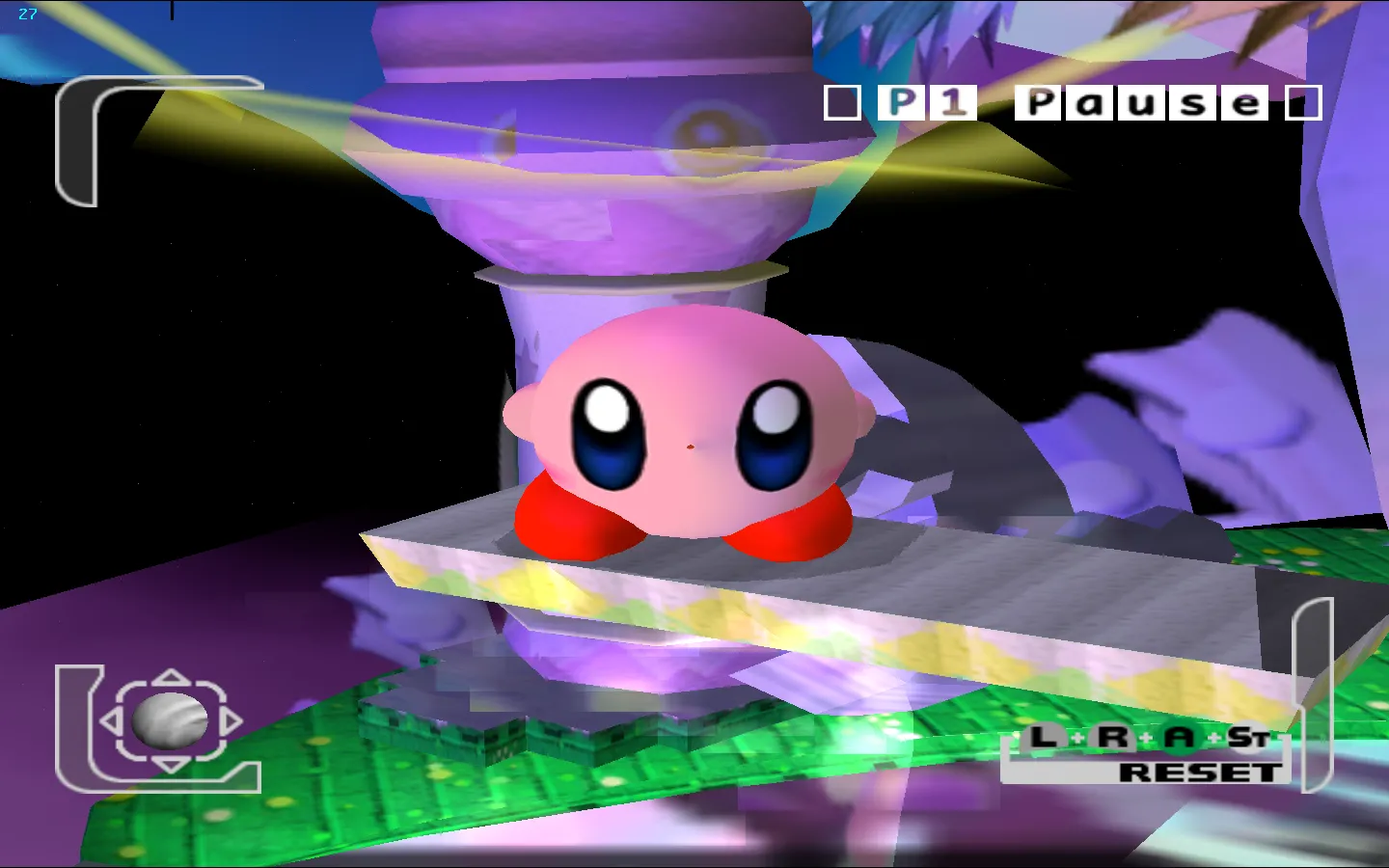
Dolphin
Dolphin emulates the Nintendo GameCube and Wii consoles on macOS and other platforms, with the 2503 version developed by the Dolphin Team; a fork for iOS, DolphiniOS, is also available.
Dolphin is an open-source emulator designed to replicate the Nintendo GameCube and Wii consoles, offering extensive compatibility with original games. Developed by the Dolphin Team, it runs on macOS, including recent models with Apple Silicon processors, as well as other platforms.
A derived version, DolphiniOS, exists for iOS, but Dolphin focuses on an optimized user experience for PC and Mac environments. The tool leverages advanced features such as support for modern controllers and graphical enhancements, while respecting the technical specifics of both consoles.
Last updated:
Platforms


Architecture
 Mac OS X - macOS
 Intel x86
 Apple Silicon
 64-bit
 Metal
Download and links
- Download Dolphin
- Official website
- Source code 15 845 GitHub stars
- Command copied to the clipboard.
- Homebrew page
Version history
2609
- NetPlay sur Android : Ajout d’un système de demande de permission réseau local pour NetPlay, avec une interface utilisateur simplifiée via Jetpack Compose.
- Correction de crash : Fix d’un bug provoquant des plantages du menu de configuration sur Android 9.0 et versions antérieures.
- Correction de crash : Résolution d’un problème où un contrôleur GameCube branché sur le port 1 d’un adaptateur de contrôleur GameCube ne fonctionnait pas en NetPlay.
- Correction de crash : Bug corrigé sur macOS entraînant des plantages de jeux au démarrage.
- Correction de sécurité : Limitation des risques de RAM excessive et d’écriture mémoire dans un fichier NAND Wii via NetPlay.
- Correction de sécurité : Empêchement d’un débordement de buffer lors du chargement d’un état de sauvegarde malveillant.
Welcome to Dolphin 2609's accompanying Progress Report! Like everyone else, we've been doing our best to weather the Techpocalypse brought on by AI, but it's really come after us in the past few months. Our website has been up and down repeatedly lately, as our defenses are barely holding out under the endless bombardment. But now AI has started to come for the emulator directly, with people using AI to mass-scan open source projects for potential vulnerabilities and overwhelm our volunteer team with very verbose reports. Though draining, once these vulnerabilities are out there, we can't ignore them. A lot of effort has had to be diverted to deal with them, both in patching them and adjusting our workflows to better manage them. For more information, zip directly to that section with this link here.
But that's not all. A vulnerability in macOS allowed our macOS buildbot to be briefly compromised by a generic cryptominer attack. We'll skip the quick summary and just point you toward the full story below, which you can reach by clicking here. The important thing is that we have determined that no builds were compromised.
We really just want to keep making Dolphin better. Fortunately, despite these headaches and roadbumps, there are still quite a few notable changes to go through, so let's get to it.
Hotfix Release 2609a
We released Dolphin 2609a on 7 October 2026. You can find the full change log below.
- Added a prompt on Android to request permission for local network access while using NetPlay.
- This permission is not required if you only want to play with others over the internet.
- Approved additional codes and patches in various games for use with RetroAchievements in hardcore mode.
- Fixed an issue on Google Play where Dolphin was accidentally listed as compatible with 32-bit ARM devices.
- 32-bit ARM support was removed in 2015. We have no plans to re-introduce support.
- Fixed a bug which caused the settings menu to crash on Android 9.0 (Pie) and older.
- Fixed a bug where a GameCube controller plugged into port 1 of a GameCube Controller Adapter did not work in NetPlay.
- Fixed a bug which could cause games to crash at boot on macOS.
Here are the security patches in this hotfix release.
- Fixed a bug where attempting to assemble certain syntactically invalid source causes Dolphin to crash.
- Fixed a bug where a malicious NetPlay host could cause clients in a room to reserve an excessive amount of RAM.
- Fixed a bug where a malicious NetPlay host could cause clients in a room to write part of their memory into a file on the Wii NAND.
- Fixed a bug where a maliciously crafted save state could cause Dolphin to write outside of a buffer when loaded.
Notable Changes
All changes below are available in Release 2609.
2606-91 - Android NetPlay by tom-pratt
Under the hood, our mobile and desktop builds are almost identical. Dolphin is simply Dolphin; the only difference is the UI that lays on top. Despite this, our Android release doesn't have feature parity with our flagship desktop builds. A lot of features that are missing in the Android GUI that are present in the desktop GUI are mostly missing because they'd be difficult to implement or would have limited value on Android.
NetPlay once fell into both camps.
For those unaware, Dolphin has lockstep NetPlay available to allow for online play in games that only had local multiplayer. Lockstep NetPlay requires perfect synchronization between each instance, and thus Dolphin has to run in a deterministic mode. This means forcing Single Core (or using a slower and even hackier version of Dual Core), setting the same starting time/seed, and making sure the same inputs make it to every machine. Optionally, save data and cheats can also be synchronized for use on NetPlay. If done right, each instance of the emulator will stay synchronized with no further intervention, with Dolphin only passing inputs.
All of these complexities make NetPlay an enticing, but often cumbersome-to-use feature. And given that it would be annoying to create a good GUI for NetPlay on Android and it would make games run slower on already limited hardware, there was no rush to implement it on Android.
In the 2020s, the scales started to tilt in the other direction. Android devices have gotten stronger and stronger, and though CPU governors and GPU drivers still confound us, many flagship devices can run games in Single Core just fine. Additionally, Jetpack Compose for Android allows for easier and faster development of Android GUIs.
Wanting to share some of his favorite childhood experiences with his own kids, tom-pratt stepped up to the challenge. Using Compose, he built up the NetPlay Android GUI across several pull requests, with an initial bare bones implementation. This made it easier to review and eventually merge, and was quickly followed up with more features, such as controller port configuration for the host, that brings it closer to parity with the desktop implementation.
And now, as of Dolphin 2609, NetPlay is ready for Android users!
Currently, Android NetPlay requires users to be on a standard network (Wi-Fi, Ethernet, etc), but work has been started on adding support for Wi-Fi Direct, which would allow Android NetPlay to function between nearby devices with no network, similar to how the Nintendo DS's local Wi-Fi play worked.
Note: Using NetPlay over mobile data is not recommended. Even if you can get it to work, the packet loss and latency are not particularly suitable for lockstep multiplayer.
Cross Platform NetPlay
Can Android and desktop Dolphin play together with NetPlay? Yes, they can! Players can mix and match devices with whatever they have, so phones and laptops can play together just fine! However, there are some limitations that must be kept in mind.
Most full-size desktops use x86-64 processors, while most phones use ARM processors, and Dolphin uses different JITs depending on the host CPU. While our ARM64 and x86-64 JITs are very similar, they are not completely identical, and those JIT differences are likely to cause desyncs. Mixing and matching CPU architectures isn't a guaranteed failure though - whether these differences lead to a desync or not depends on what instructions games use and in what order.
Ignoring the JIT problem, there is one more major source of potential desyncs: the Framebuffer! Games that use EFB Access and/or Store EFB/XFB Copies to RAM can get different results from different graphics drivers. If these results mismatch at all, even if it doesn't directly affect game logic, a timebase desync will usually be reported. Often this won't outright break NetPlay (at least immediately), but if the difference becomes big enough, the instances will diverge. Given how special Adreno and Mali drivers are, there may even be problems when playing between different kinds of phones in those games!
In many games, none of these limitations will come into play. Even the differences in the JITs may not end up mattering. However, keep these factors in mind if everything is set up correctly and you're still experiencing desyncs.
2603-394 and 2606-121 - Add XFB Resolution OSD Display by elyashue and JosJuice
As we have covered a few times before, GameCube and Wii games were made with analog displays in mind, where overscanning the edges of the screen away was the norm and the pixels didn't even need to be square! Since the only requirement was "close enough", GameCube and Wii games usually render around 640x480, but the exact rendering resolution will vary from game to game and even scene to scene.
Given this vague resolution reality, some users wanted a tool to know the exact resolution that a game was running at, but Dolphin didn't really have a way to tell them. The best existing method was to take a screenshot at Raw Internal Resolution, but that doesn't tell you what a game is doing right now, only what the game was doing when you took that shot. Plus, you have to check the screenshot to see the dimensions.
This simple change allows users to know in real time what a game is doing with resolution. Go to Config > On Screen Display and turn on "Show XFB Resolution", and the game's current resolution will be shown in our on-screen overlay. Now as games change resolutions, you can see exactly what is happening, as it happens!
Here are some NTSC examples.
The GameCube and Wii use non-square pixels, so the aspect ratio is not defined by the rendering resolution. With this new feature, you can see that for yourself in games like F-Zero GX.
As expected, 640x480 is prevalent across the GameCube and Wii library.
640x456 is common on Nintendo-developed Wii games.
The NES and SNES had a vertical resolution of 224 lines. This legacy can be found on the GameCube and Wii in the many games that use the doubling of that vertical resolution: 448.
But ultimately, games can do whatever they want!
Games can even change resolution during play! Rogue Leader uses 640x450 for normal gameplay. But its cutscenes are anti-aliased, which increases the memory needed per pixel, so cutscenes use a smaller framebuffer size of 640x304. This also gives these scenes a cinematic aspect ratio of 2.1:1 - turning a technical detail into a visual flourish is exactly what we've come to expect from Factor 5.
As should be pretty clear from the thumbnails, the statistic shown is specifically the resolution the game is telling the emulated console to output (XFB resolution), not what Dolphin is actually presenting. Dolphin's aspect ratio compensation, internal resolution multipliers, and output presentation after resampling are not demonstrated by this feature.
2606-186 - Android: Route DolphinBar Balance Board to the Balance Board slot by tommywaaf
When Dolphin on Android was being prototyped back in 2012, Wii Remote support was easy - use Dolphin's Real Wii Remote feature to connect it through the device's on-board Bluetooth adapter. Simple. Unfortunately, the Google Graveyard beat us to the punch. Android 4.2.1 made changes to the Bluetooth stack to improve Bluetooth controller support, and in the process broke Wii Remote support entirely. Since Android 4.2.1, no Android device has been able to use Wii Remotes with their native Bluetooth connection. So when Dolphin on Android Beta became available to the public in 2013, there was no way to use Wii Remotes.
Fortunately, the Mayflash DolphinBar came to the rescue. By integrating its own Bluetooth radio and passing HID reports directly to Dolphin, the Mayflash DolphinBar could allow Wii Remotes to connect even on uncooperative operating systems and Bluetooth stacks. In 4.0-8877, Dolphin Android gained the ability to connect to the Mayflash DolphinBar, finally allowing this tentpole feature to work on Android.
But something was missing in that update. The Wii Balance Board didn't work!
After Nintendo's grand experiment to expand beyond the standard gamer audience proved tremendously successful, Nintendo noticed that many people were using its new console's revolutionary motion controls for regular exercise. Naturally, Nintendo responded with a peripheral made specifically for that: the Wii Balance Board. Effectively four pressure sensors inside a big flat Wii Remote that you stand on, the Balance Board itself is incredibly simple, but it opened the doors to fitness software so successful that the Balance Board was genuinely used in hospitals for physical therapy! It was less successful outside of fitness, with Balance Board support in games like Super Monkey Ball: Step & Roll and Skate It mostly receiving a "meh" response from players, though it did establish a strong niche in party games.
Since the Wii Balance Board is basically just a Wii Remote, it was pretty trivial for Dolphin to support. Once Dolphin added the Balance Board device ID to its Real Wii Remote code, it connected just like a Wii Remote would. The same applies to the Mayflash DolphinBar. The Balance Board can connect to the Mayflash DolphinBar, and Dolphin can detect the Balance Board through it. Simple.
On Android though? The fun fitness-focused peripheral was able to connect to the Mayflash DolphinBar just fine, but Dolphin on Android simply didn't look for it, making the peripheral unusable and all of the games that required it unplayable! Where the code for the check should have been was simply // TODO. Oops.
A simple four line change makes Dolphin on Android aware that the Balance Board exists, allowing the peripheral and the 135 games that can use it to finally be playable in their balanced form for the first time ever on Dolphin Android.
At long last, you can use the Wii Balance Board with the device you take everywhere! It's very portable, as the Wii Balance Board only weighs as much as four laptops!
If you carry a Wii Balance Board in your backback, you can now play Wii Fit Plus's Bird's-Eye Bull's-Eye whenever the fancy takes you! At school, in the library, even at the park!
2606-215 - CMake: Replace the Visual Studio project by JoshuaVandaele
CMake is a core component of Dolphin's build infrastructure. It's what's known as a "meta build system" - rather than building anything itself, CMake writes out the project files that other tools then use to actually do the building. This heavily simplifies our build system and allows us to easily support many combinations of operating systems and build tools. We can generate Makefiles, Ninja build files, Xcode projects and more with just a single CMake script!
However, there has long been an outlier in our infrastructure: Windows. While CMake supports generating Visual Studio projects on Windows, Dolphin has always been built with our own custom Visual Studio project files. Even after CMake was introduced to Dolphin's repo in 2013, it was never used for our Windows builds. The decision to continue using our custom Visual Studio project has placed a long-term maintenance burden on the project. By having two separate build systems co-exist simultaneously, we're effectively doubling the work involved when someone adds or removes source code files, all for one operating system.
This has now changed! Dolphin now uses CMake on all platforms, with our Windows builds being built with a Visual Studio project file that is generated by CMake. By having CMake handle the Visual Studio stuff for us, we were able to remove over 12,000 lines of Visual Studio-specific build files, making our lives much easier. During this process, we also updated our Visual Studio version to the recently released Visual Studio 2026.
But how does all this impact users? Ideally, it shouldn't have any impact at all. The VS2026 update is the only thing that might affect anyone, as we are now using a newer version of the Visual C++ runtime. If you use our updater, it'll download the latest Visual C++ Redistributable for you automatically and all you'll need to do is press "Continue" on the installer. However, if you are updating your Dolphin instance manually, you may need to download and install the latest version of the Visual C++ Redistributable yourself. You can find a handy link right here (download the X64 version, or ARM64 if you are using Windows on ARM).
One thing of note: as part of this change, DSPTool is no longer being shipped with our Windows builds. You can compile this developer tool yourself if it is useful to you.
2606-321 - Android: Add global settings search by Simonx22
This change adds a search field to Dolphin's settings on Android. With our settings buried in submenu after submenu on Android, the ability to do a quick search for exactly the setting you are looking for is so nice. Just type part of the setting name, then tap a search result to jump directly to the right submenu.
2606-97, 2606-132, and 2606-328 - Android Rumble Fixes by JosJuice
JosJuice fixed three rumble issues in Android that combined make rumble substantially better on that OS.
On Android, all vibration has to go through an API called VibratorManager. However, Dolphin's handling of it was wrong ever since the 2023 input code rewrite. We would fetch the list of vibrator IDs correctly, but instead of passing a vibrator ID to the VibratorManager, we passed the index of the ID in the list. This happened to work on most devices because the only vibrator had both an ID and an index of 0. But users of Retroid devices weren't as lucky - the ID there is 1. Dolphin would try to request the vibrator that has ID 0, but since there was no vibrator with that ID, no vibrations would happen. 2606-97 correctly passes the ID as we should, and vibration should work on all devices that support rumble. (Your Nvidia Shield TV won't rumble even if you want it to, because it lacks the necessary hardware!)
As of 2606-132, Dolphin now uses the vibration attribute USAGE_MEDIA. This tells VibratorManager that our vibrations are for games and not touch feedback. With this change, users who disable touch feedback in their Android settings will no longer also be disabling all rumble in Dolphin. If you prefer to play your games without rumble, you can still unmap rumble in Dolphin's controller settings.
GameCube and Wii games use a variety of different rumble lengths, but Dolphin used to ignore this on Android and vibrate for exactly 100 ms for any and all vibrations. The reason comes down to a mismatch in how Android handles rumble. A GameCube controller or Wii Remote starts rumbling when an "on" command is sent, and stops when an "off" command is sent. Games can delay the off command to get a longer rumble, or even switch back and forth between on and off to get a weaker rumble, but no matter what, the game has to send an off command eventually to make the rumbling stop. Android, on the other hand, requires apps to say up front how long a vibration should last. Because Dolphin can't look into the future to know when the game will send its off command, we used to simply tell Android to vibrate for 100 milliseconds. With 2606-328 and newer, whenever a game asks for rumble, Dolphin tells Android to vibrate for 10 seconds, and when the game says to stop rumbling, Dolphin tells Android to cancel the vibration. With this, GameCube and Wii rumble feels much closer to the original intent.
This Release's Contributors...
Special thanks to all of the contributors that incremented Dolphin by 388 commits after Release 2606!
Brace for Impact! - The AI vulnerability reporting wave crashes into Dolphin
In 2024, we received one report about a security issue in Dolphin, and it was notable enough that it got its own Progress Report section. In 2025, we received zero reports. In 2026, we've received more than 10 reports, and that's only so far. Something has changed, and reading the reports makes it obvious: it's AI.
LLMs and the tooling built around them have become better and better at finding security issues in software. A person who's interested in finding vulnerabilities can spin up AI agents and leave them running to discover issues on their own, and because of the subsidized prices that AI companies are offering for now, it's relatively affordable. This capability is both a good and a bad thing. On one hand, attackers can now find vulnerabilities more easily. On the other hand, defenders can also find vulnerabilities more easily, helping them keep software secure... But the number of vulnerabilities being found means a lot of time has to be spent validating, triaging and fixing them. In Dolphin, that all falls on our volunteers.
As with most things AI nowdays, not only are LLMs leading to more reports, but also longer, worse and outright incorrect reports. For example, curl has gotten so many bad reports that they announced an end to paying out bug bounties, and later, a vacation for the maintainers. Google Chrome has vastly more resources and uses less confrontative wording in blog posts, but they too are announcing bug bounty changes, like "revising our program scope" and "shifting our program's focus to prioritize concrete proof that a bug exists". Due to the sheer volume of security issues being found, they're even going to make two security releases per week.
As for Dolphin, almost all the writeups we've received this year were clearly written by AI, containing an overkill amount of detail. But fortunately, nobody has sent us complete hallucinations (yet)! Every report contained some kind of valid bug, with some being more exploitable than others. Most of them were simple buffer overflows like the one reported back in 2024, and those are easy for us to understand and fix.
Still, this is an order of magnitude more security reports than we've ever had to deal with before, and security bugs come with extra coordination constraints. Publishing a security bug means attackers can start trying to exploit it, so we want to minimize the gap between making a bug public and making a release that includes the fix. Unfortunately, this is basically the opposite of how we're used to working. Uploading a patch that fixes a bug reveals what the bug is, but we normally fix bugs by uploading a patch as soon as we have one and then waiting days or weeks for someone else to review it, usually without taking into account when the next release will be. This year we've tried a few different ways of handling this, like reviewing patches in private, starting a normal review process once the next release is a few days away, and in some cases (mostly for less serious bugs), doing things more or less as usual. So far we haven't settled on any particular process, but it's something we'll continue thinking about.
Making changes right before a release means the new code doesn't get as much testing as it otherwise would have, and we did unfortunately have issues sneak in from some of the bigger changes we made in response to security issues. A rewrite of Wii NAND save stating that landed in Dolphin 2606 broke loading save states in certain Wii games like Donkey Kong Country Returns (fixed in Dolphin 2606-292 and 2606a) and broke loading save states while TASing any Wii game (fixed in Dolphin 2606-379 and 2609). Added validity checks for DOL files that landed in Dolphin 2606a broke loading Wii Menus that had been patched with Priiloader (fixed in Dolphin 2606-308/2606-325 and 2609).
Security issues will likely keep being found in the future, so to cap off, we have two important things to say:
If you've found a security problem in Dolphin: To handle reports in an orderly way, we recently opened up GitHub's vulnerability reporting flow. Please use it to report any security bugs you find! While dealing with security reports does use up some of the precious hours we're able to spend on Dolphin, we prefer fixing vulnerabilities over letting them linger. If you have a bug that isn't a security issue, please report it on the bug tracker instead.
If you're a Dolphin user: Please keep your Dolphin install up to date! We had several security fixes in Dolphin 2606, many additional ones in Dolphin 2606a, and a few more in Dolphin 2609. If you're running a version of Dolphin other than the latest release or a recent development build, you'll have to assume it contains known security bugs, so don't open any untrusted files with it or use it to play NetPlay with untrusted people. Fortunately, so far we haven't seen anyone trying to maliciously exploit Dolphin, but we suggest not taking any unnecessary risks.
The macOS Cryptominer Incident
Dolphin has supported macOS for almost as long as Dolphin has been open source. As part of this support, we create official macOS builds for each development and release version and post them on our website. Because a Mac is generally required to create apps for macOS, we have a partnership with MacStadium, a hosting provider that specializes in cloud-based Mac infrastructure. MacStadium provides us with access to a Mac mini through their Free and Open-Source Software sponsorship program, and we use it to produce builds of Dolphin, run ARM64 unit tests, and to perform automated graphics testing through FifoCI.
When using a Mac as a server, the Screen Sharing feature is very helpful for system administrators. Screen Sharing allows one to remotely connect to a Mac and control it as if it was actually in front of them. While servers running Unix-like OSes like Linux are often solely managed through a command line, it is more difficult to manage a Mac with a command line exclusively. Screen Sharing provides full access to the macOS GUI, making many administration tasks easier. Because Macs provided through MacStadium are physically located in a data center, Screen Sharing is enabled by default on their machines.
The Attack
On August 6, Apple released macOS Tahoe 26.6.1. The user-facing patch notes were rather vague, with the only listed change being "security fixes". More detailed patch notes were posted a day later, revealing that a bug was fixed where Screen Sharing could be manipulated into allowing someone to connect to the machine without valid credentials. On affected macOS versions, someone could use this vulnerability to log in as an administrator on any machine that had Screen Sharing enabled, and wreak as much havoc as they wanted. This was a critical vulnerability for Macs being used as servers, as these machines often have Screen Sharing enabled for management purposes and may be directly exposed to the internet.
Not long after the update was released, an attacker reverse engineered the patch and figured out how the vulnerability worked. They quickly took advantage of it and started compromising any vulnerable machine that they could find on the Internet. First, they would use Screen Sharing to add their own SSH key as an authorized key for the root user, allowing them to administrate the computer via the SSH protocol. Next, they would block the Screen Sharing port with a firewall rule to prevent others from re-compromising the machine. Finally, using their new SSH entry point, the attacker would deploy a cryptominer to mine Monero. Even though the vulnerability was already patched in an update, this attacker was able to quickly leverage it to spread a cryptominer to tons of unpatched Macs all over the internet.
Compromised
Unfortunately, due to our macOS system administrator being busy with personal matters, this important security update went unnoticed initially and our build machine was not patched in time. MacStadium blocked Screen Sharing in their networks after the attacks ramped up, but this was too late for us. On August 8, the attacker compromised our macOS build machine through the Screen Sharing vulnerability. The observed payload was the same Monero cryptominer found on other affected machines. We believe that this attack was not targeted specifically towards Dolphin, as all indicators of compromise matched other machines infected with the cryptominer, and we did not observe any indications of data exfiltration or other payloads on the machine.
We eventually noticed that the machine was compromised on August 15 and shut it down. Because we were unaware that there was malware on the machine from August 8 to 15, we were using it during that period of time to produce new builds of Dolphin. This includes development versions between 2606-294 and 2606-302, as well as the 2606a hotfix release. Since the attacker had full control over the machine when these builds were produced, we became very concerned over the possibility that they could have been infected with malware.
Thankfully, after manually analyzing the contents of each build, we can report that none of the builds appear to be compromised with any malware. We also ran each build through VirusTotal and found no evidence of anything suspicious. However, if you are running any of these macOS builds, we recommend that users should update to the latest development or release version, out of an abundance of caution. We would also like to reiterate that only our macOS build machine was compromised during this incident, so users on Windows, Android, and Linux are unaffected.
Remediation
On August 16, we requested that MacStadium support delete all data on the Mac and re-install macOS from scratch. Our macOS build machine was eventually restored on August 18. In total, it took 4 days to fully recover from the incident. After getting access to the fresh installation of macOS on the 16th, we decided to take the time to improve our security measures. For example, we no longer expose Screen Sharing directly to the Internet and now require an additional layer of security before it can be accessed.
We have learned many lessons from this incident, and it has also motivated us to thoroughly audit our infrastructure. We will be making further improvements in the future to reduce the risk of anything like this happening again.
2606a
- Support officiel du Game Boy Player : Ajout de l'émulation du périphérique Game Boy Player pour la GameCube, permettant de jouer à des jeux Game Boy via Dolphin avec jusqu'à cinq instances simultanées pour le multi-joueur.
- Correction de bugs critiques de sécurité : Correction de plusieurs vulnérabilités (overflows de mémoire, fuites d'informations, débordements de tampon) dans le traitement des fichiers GCZ, DOL, ELF et LZO, ainsi que dans le module DSP-HLE.
- Correction des sauvegardes Wii : Résolution d'un problème empêchant le chargement des sauvegardes Wii lorsque des fichiers étaient ouverts dans le jeu.
- Amélioration des effets de bloom : Correction d'un problème visuel majeur dans les effets de bloom pour les jeux GameCube/Wii à haute résolution, grâce à un nouveau module Graphics Mods nommé Bloom Blurred.
- Prise en charge du mixeur audio Wiimote : Ajout d'un mixeur audio pour les haut-parleurs intégrés des Wiimotes, permettant de rediriger le son vers d'autres périphériques audio compatibles.
- Activation de CCache pour les builds macOS : Ajout d'une option pour activer CCache dans les builds universels pour macOS, améliorant potentiellement les performances de compilation.
Welcome to the Progress Report for Dolphin Release 2606. We usually prefer to launch toward the beginning of the month, but a slew of important, large, and technically challenging changes had us working overtime. Strap in, because we have a lot to cover!
For April Fool's we teased that Dolphin now had support for the Game Boy Player, but the joke was that it was real! We'll detail exactly how it happened and the challenges that surrounded getting the emulated hardware and software working together. The last unplayable Triforce game, The Key of Avalon, no longer has that title! It is now functional in Dolphin, supporting up to five instances of the emulator together for 4 player (and a server) action. And Graphics Mods quietly fixed a major visual issue at high resolution that has plagued many flagship games for Dolphin's entire existence!
All of that and more in this Dolphin Progress Re-
✱ knock knock knock ✱
Huh, someone's at the door. Could you get that?
That's right! Since the last Dolphin Progress Report, RetroAchievements support has come to Wii games. You can now waggle your way up the leaderboard! We'll go over some statistics of the launch in a section down below, which you can reach with this handy link!
Without further ado, let's get to the Notable Changes for Dolphin 2606!
Hotfix Release 2606a
We released Dolphin 2606a on 11 August 2026 with some important security patches and a fix for Wii save states. You can find the full change log below.
- Fixed several heap overflow bugs when reading a malformed GCZ file. (GHSA-7pvc-j9pm-c2rp)
- Fixed a heap information disclosure bug when reading a malformed DOL file. (GHSA-27c8-xjgc-74mj)
- Fixed several bugs where malformed ELF files can read and write outside of a buffer.
- Fixed a buffer overflow when receiving a malformed LZO block during NetPlay save synchronization.
- Fixed a bug in DSP-HLE where software using the AX μcode can write outside the bounds of a buffer in host memory. (GHSA-4q28-hhjv-hf3f)
- Fixed several bugs in DSP-HLE where software using the Zelda μcode can read and write outside the bounds of buffers in host memory. (GHSA-983q-fjjx-96h3)
- Fixed a bug where the
/dev/net/ip/topIOS device can leak uninitialized host memory to the guest. (GHSA-5fqv-9qrg-gm4j) - Fixed an issue where loading save states for Wii software can fail when the software has open files.
- Added a flag to enable CCache in the macOS universal binary build script.
Notable Changes
All changes below are available in Release 2606.
2603-175 - HW: Game Boy Player Support by Billiard and endrift
The Game Boy family of handhelds are legends of a bygone era. Under the crushing weight of incredibly primitive technology, Nintendo chose to focus on portability and great games rather than pushing the latest and greatest hardware. They were right. The Game Boy line outsold every single competitor they ever faced!
However, as great games accumulated on the platform, demand began to build for a way to play them on nicer, larger, lit screens. Nintendo eventually answered it with the Super Game Boy for the Super Famicom/Super Nintendo, and its Advance'd successor, the Game Boy Player for the Nintendo GameCube.
These devices were literally Game Boys without a screen that plugged into a home console, transmitting audio and video to the host console and receiving input from its controller. Software running on the host console would handle interfacing between the two systems and sometimes could add additional features if a game supported it.
We imagine that Nintendo chose to use actual Game Boy hardware because of the difficulty of making a general-purpose software emulator. The perfect demonstration of this is a third-party competitor to the Game Boy Player, the Advance Game Port, which attempted just that! By creating a Game Boy Advance emulator, Datel was able to ship a lower cost way to play GBA games on a GameCube. It was very ahead of its time, but also very flawed.
Nintendo showed that they could do emulation better on a per-game basis with titles like Pokémon Box, but they didn't see it as a plausible solution for the entire library. By shipping actual GBA hardware, the Game Boy Player was able to bypass all performance and compatibility concerns.
Being a peripheral for the GameCube, emulating the Game Boy Player has always been in the back of our minds. There was even an feature request for it for over 16 years! But it languished on the issue tracker and became the oldest open issue for one simple reason: emulating the Game Boy Player would essentially mean emulating a Game Boy Advance (which potentially involves making a new GBA emulator from scratch) and how it communicates to the GameCube. There was no way anyone would be willing to volunteer the gargantuan effort necessary just for an amusing curiosity.
Ultimately, the feature request was accepted, but there was really no path forward for it back then. We just recommended that users use one of the many available GB/GBC/GBA emulators already available, and figured that would be the end of it. They could even use the Advance Game Port in Dolphin if they really needed to run GBA games in Dolphin, as that peripheral has been partially supported since the 4.0 era.
For the longest time, the feature request was completely dormant, until around five years ago. Support for the Game Boy Player became a bit more realistic when mGBA was integrated into Dolphin. It was the ultimate solution to emulating the Game Boy Advance connectivity features found in some GameCube games, fixing all of the synchronization and communication issues that had plagued the feature for years in one fell swoop. With this, the tables had turned on Game Boy Player emulation. Couldn't we just use the integrated mGBA to emulate the Game Boy Player hardware?
The answer was yes, and endrift got to work on a Game Boy Player implementation in Dolphin! However, for various reasons, the project stalled out. And so it sat as years went by, forgotten by everyone... except the users who would occasionally ask us why we teased it as coming soon at the end of the integrated mGBA article. Oops.
Fast forward to 2026, and in the waning days of March, Billiard stumbled upon endrift's mostly-finished Game Boy Player project, and had an idea. A wonderful, awful idea: wouldn't it be funny to complete the work and add Game Boy Player support to Dolphin on April Fools' Day? With just days until the first of April, the plan rapidly unfurled and developers pounced on the code, rushing to polish things up for a quick pull request, review, test, and merge. Game Boy Player support ended up being merged a few hours into April Fools' Day.
Post by @dolphin@dolphin-emu.orgView on Mastodon
The final part of the gag was this image, which we posted without explanation on our social media and Discord on the first day of April. Watching the confusion and disbelief give way to excitement was delightful.
While we did a lot of testing to make sure Game Boy Player support was working, when legendary GameCube sage extrems started typing in our developer chat shortly after the pull request was merged, we knew we had !#@%ed up. Not only are they a living reference book for GameCube hardware, they are also the author of the definitive Game Boy Player homebrew software, Game Boy Interface (GBI). And Game Boy Interface exposed a lot of problems in Dolphin's Game Boy Player implementation.
How did we miss this? During the rush to polish and test the code, we primarily used the official Game Boy Player Start-Up Disc. That software heavily processes everything from the Game Boy Advance hardware, crushing its video contrast and applying filters to its audio. The processing was so heavy that the audio issues went unnoticed during our rushed testing - the audio sounded a little muddy rather than piercing.
In all honesty, Game Boy Player support really should have gone through a lengthy review process to allow people like endrift and extrems to test and comment heavily on the code and implementation. But if we did that, it probably would have just sat around in our open pull requests and ended up bitrotting again. By pushing things straight to production, we forced ourselves into the position of needing to fix the issues fast.
And after at least a few very minor fixes and improvements, the situation wasn't nearly as dire.
All of that work has paid off. As Game Boy Player support enters a Dolphin release and sees wider availability, we think it is ready.
To use the Game Boy Player in Dolphin, simply load a Game Boy game into the Game Boy Player via the "Game Boy Player ROM" setting in our GUI, then run the Game Boy Player Start-Up disc or Game Boy Interface. That's it!
You can find the Game Boy Player ROM setting within the GameCube settings.
And that's all there is to it. Dolphin will automatically attach the Game Boy Player hardware when necessary through INI settings. If desired, users can manually attach the emulated Game Boy Player by adding HSPDevice = 2 under [Core] in Dolphin.ini or a GameINI. This should do nothing to actual GameCube games though. ...Probably.
Note: For importing/exporting saves from other Game Boy emulators, the Game Boy Player technically counts as GBA slot 5 in Dolphin (after the 4 Integrated GBAs) and will load saves that have "-5" appended to them.
Now, we need to take a moment to go over the limitations of our Game Boy Player support.
Dolphin is not a Game Boy emulator; we emulate the GameCube, Wii, and Triforce. Our integrated GBA is only there to support things that a GameCube can do, such as connecting a Game Boy Advance to the controller port in supported games, or attaching a Game Boy hardware peripheral and funneling its audio and video to a large screen. As such, we are not trying to replicate every part of the Game Boy experience. We are only trying to recreate the Game Boy Player experience specifically, along with all of its quirks.
Game Boy Player support in Dolphin should be considered a curiosity rather than the premier way to run these handheld games in an emulator. Not only does Dolphin have much higher system requirements, but dedicated Game Boy emulators will provide a superior experience in almost every way, with better fitting UIs and support for many more Game Boy features. They also don't need additional software to use their Game Boy hardware. But if you have a Game Boy Player and Start-Up Disc lying around and desire some nostalgic fun, or want to explore the Game Boy Player experience with GBI in Dolphin, or if you just really need those sweet borders (we get it), Dolphin's Game Boy Player emulation is for you.
2603-37 and 2603-100 - Triforce: Implement Necessary Hardware for The Key of Avalon by Billiard and Crediar
The Key of Avalon games on the Triforce represent an incredible emulation challenge unlike anything else that Dolphin has encountered before. And it's not because the game itself is difficult to run; at its core, it's a relatively simple game to emulate. There's no crazy graphical effects, wacky CPU tricks, or any MMU manipulation. It's just a basic game.
The problem we encountered was that this game is so rare that we were never able to actually get our hands on the cabinets, only the GD-ROMs that the games came on. And this is a pretty big problem, because the unique hardware was the whole point of the game - four satellite Triforces with touchscreens and card readers that communicated with a central Triforce connected to a large screen to allow for multiplayer trading card monster battling in full 3D!
The biggest hurdle was the touchscreens inside the pedestals. They were completely foreign to anything we've ever seen, Triforce or GameCube! As it became increasingly clear that we may never get a chance to see the real hardware, we employed the tried and true strategy of "poke at it until you find something". It's not a particularly efficient way forward, but it was the only option available. Any signs of life moved us closer, and after a few weeks of throwing stuff at the wall, we eventually made a breakthrough. We had stumbled across the Elo SmartSet Data Protocol for touchscreens, which ended up being similar to the protocol the game actually uses. That lead didn't get us all the way there, but it was close enough that we could get to the finish line on our own.
Finally, we could push that "START" button on the touchscreen and go in-game... right?
After all of the work to get the touchscreen functional, this was a heartbreaking moment. However, it wasn't all bad. We could finally access the game's tutorial if we don't insert an IC Card. This allowed us to reach some delicious scripted gameplay and told us that we couldn't be that far away.
The problem was that we didn't know exactly what was causing the hang. There could be more oddities with the touchscreen, problems with the deck/card readers, and it also had to communicate with a server in order to proceed to gameplay. Given that the tutorial didn't use any networking, the client-server networking was the first target of our attention.
As detailed in our Rise of the Triforce article, this game uses a server-client architecture, where the touchscreen pedestals are the clients and the central Triforce is the server that actually controls the game state. We thought that perhaps there was some issue with the network, but as far as we could tell, the game wasn't even trying to communicate with the server yet. It initially synced up on power-on, but didn't spam any network commands during the hang. However, thanks to a patch that allowed us to see some debug output from the game, we were able to see some IC Card commands repeating indefinitely.
For a quick refresher, IC Cards are physical cards that can be used to save your progress in some Triforce games. We initially assumed that IC Cards would work fine in Avalon, as they already functioned properly in Virtua Striker 4 and Gekitou Pro Yakyuu. But the logs weren't lying - something was wrong, and some quick hacks to the IC Card handling code changed the behavior.
Undeterred by setback after setback, Billiard ended up rewriting a good chunk of the IC Card handling code in order to make it behave more logically. While we can't say for sure this is how real hardware would behave without having access to it, the responses make a lot more sense. But with the rewrite, we also broke both Virtua Striker 4 and Gekitou Pro Yakyuu. Great.
Thankfully, these regressions were more a consequence of rewriting a lot of code at once, and didn't end up being much more than bumps on the road. After fixing them and tightening up the code a little bit more, it was time to try The Key of Avalon once again.
Finally, it was in-game!
However, even though we could control the game, we still didn't implement enough of this game's weird hardware to make it truly playable. The game was giving us a deck of mostly starter cards and other garbage because the deck reader wasn't fully working. crediar had already started efforts on implementing the deck reader and did hardcode a list of cards to give the player. This worked for 27 of the 30 cards, and the game generously filled out the rest of the deck with starter cards. But to play a trading card game, you really need to be able to build your own deck.
An elegant solution would be to have a GUI deck editor where you can construct and load multiple decks for playing the game. However, that would be a lot of work, and we were still understanding the game at this point. Instead, Billiard added a quick and dirty method to load a deck of cards into the game using a JSON file.
{
  "cards": [
    {
      "index": 12
    },
    {
      "table": 1,
      "index": 13
    },
    {
      "index": 18,
      "quantity": 3
    }
  ]
}
This file demonstrates the different ways to set cards. Index defaults to 0, quantity defaults to 1.
With all of this, it is finally at least possible to play The Key of Avalon in Dolphin. Full matches against other players and the CPU both work, and players can save their progress to IC Cards. But this isn't to say it's a perfect experience quite yet.
Currently, entering the Segaboot menu will essentially softlock the game as it cannot reboot normally for unknown reasons. The game does not detect that prize cards have been dispensed, meaning there's a message at the top of the screen after rounds telling you to take your prize cards. This message can be reset in the Segaboot menu. We hope to fix these problems in the future.
2603-215 - Graphics Mods: Enhance Bloom by iwubcode
For a large set of GameCube and Wii games, including many flagship titles, a broken effect has significantly impaired their visual fidelity at high resolutions for Dolphin's entire existence. Yet under everyone's radar, iwubcode has slipped in a fix for this problem, quietly producing one of Dolphin's biggest graphical enhancements in years! But to explain this, we need to go over what the effect was trying to achieve in the first place.
Let's talk a bit about light.
Camera sensors and film have a limited dynamic range, so the photographer must adjust the incoming light with the aperature and shutter speed so the subject is within the dynamic range of the media (properly exposed). However, photography sensors and even film cannot capture the entire dynamic range of the world. This can result in an artifact. If a spot of light in the scene is much brighter than the dynamic range of the sensor/media, it will not only peak out the spot it falls on, but also bleed a little bit into dark areas around the light, softening and rounding highlights.
This phenomenon is the overexposure artifact halation in film and CCD saturation or "charge bleeding" in digital photography. There are differences between the two but we'll just refer to halation for convenience from here on.
Haze (atmospheric light scattering) is a visual phenomenon caused by light bouncing on particles suspended in the air or the air itself, resulting in a diffuse glow around intensely bright objects. ✱ Flare and other optical phenomenon can add glow as well.
All combined, these artifacts result in "bloom", the glow around bright objects as seen in photos.
We have all been exposed to a bazillion photos and videos from real life on a limited range display. Our brains have learned to pick up on the artifacts that brightness beyond the dynamic range creates in the camera, and given the correct context, they can interpret this as brighter than just white alone.
This illusion means that bloom is essential for making objects look bright on a standard dynamic range display.
Yet for a long time, games were not able to reproduce these artifacts. They were limited to "SDR rendering" - their engines were internally limited to the same tiny dynamic range as a typical CRT. The brightest white a game could comprehend was the same white as the screen, same with black. With this limitation, game engines could not understand dynamic range at all, let alone recreate the artifacts that result from it! This manifested in games having a flat, low-contrast, and "cartoon-background" look. Artists could still make games look amazing, of course, but due to the difficulty of manually lighting every single scene, SDR rendering's limitations still largely drove the look of lighting in the games industry.
This changed with the advent of High Dynamic Range Rendering (HDRR) in 2004. With HDR Rendering, game engines could now understand and render way beyond the limitations of SDR, and then tone map down to SDR for display. In effect, the game's camera now percieved light akin a camera looking at the real world. In-camera effects such as crushed blacks, halation, haze, flares, specular highlights, sparkles, aperture and exposure, bokeh, and more could be properly recreated in games!
The effect this had on the gaming industry was transformational. HDR Rendering has become ubiquitous, so much so that the term has largely disappeared - it's just rendering now!
So, what did all this mean for our favorite purple cube and waggle stick?
The GameCube and the Wii were built on top of ArtX graphics technology from the tailend of the 1990s. Their graphics hardware, while very capable and flexible, was fundamentally limited to SDR rendering. As HDR rendering was revolutionizing game lighting in the mid-2000s on PC and the "next generation" of consoles, GameCube and Wii games were starting to look... old fashioned. How could developers for the GameCube and Wii keep their games looking fresh?
If you don't have the tech, just art it instead!
The GameCube and Wii were not capable of understanding dynamic range, so the game engine cannot determine when a pixel is "brighter than bright" on its own. But what if we just let artists tell the game engine instead? If a texture mapped the light emission that goes beyond the standard dynamic range, an emission map if you will, then the game engine could use that information in the scene to create effects that look like HDR Rendering! Keep in mind that this isn't actually HDR Rendering, and it's limited in what it can do. For example, you can forget about dynamic lighting in a system like this, as it is by definition not dynamic. But if the game is baking all the lighting anyway, as most GameCube and Wii games did, they could use this trick to tremendous effect.
This "fake HDR bloom" showed up all over the place, including flagship games! Twilight Princess, Metroid Prime 3 and Trilogy, Xenoblade Chronicles, Super Mario Galaxy 1 and 2, Ōkami, Sonic Colors, The Last Story, Rogue Squadron III (of course), Donkey Kong Country Returns, Shadow the Hedgehog, and dozens more all use this effect, either in specific areas or throughout the whole game!
How the effect is built by the game engine is fairly straightforward - it's just smart artistry combined with the brute force blending power of the Flipper/Hollywood. To explain, let's walk through how Prime 3 does it.
- After primary rendering is done, the game has a whole frame in memory, sans the bloom and HUD and a few other bits.
- Then, it renders an quarter resolution EFB Copy of the screen, but samples the "emissions textures" ✱ instead of diffuse textures.
- Prime 3 darkens the emissions EFB Copy, then it creates a slightly offset duplicate, which it dims and blurs. It does this six times, three offset copies to right and three to the left, while increasing dimming as the copies move away from center.
- It additively merges all these EFB Copies together, dims it, then repeats the offset duplication step again but vertically.
- Finally, Prime 3 additively blends the completed bloom image over the screen, and then renders the HUD and other remaining bits to finish.
Here are all of those steps as shown by our FIFO Player one after another, slowed down and enlarged for your viewing convenience.
...But there is trouble for Dolphin lurking in this bloom effect. Sharp-eyed readers may have noticed that the demonstration images above are all 1x Native. What happens when we increase the internal resolution in Dolphin?
We can see duplicate copies of the lights all over the place!
What is going wrong here? The blurring. These games blur the bloom EFB Copies by an arbitrary value, a number with no relation to the rendered screen that the developers hand-calibrated for a 480p image. Since it's just a number, one of the thousands of numbers spread throughout the game's code, Dolphin has no awareness of this arbitrary value and cannot change it. So when Dolphin raises the resolution of the EFB Copies with Scaled EFB Copies, the bloom is no longer blurred enough for the new higher resolution, exposing the layers that compose the bloom.
And Dolphin largely hasn't had a way to deal with this. For about a decade, the only options players had were to play a game with fake HDR bloom at 1x Native... or live with this.
Frustrated by this reality, savvy users began creating "No Bloom" Action Replay codes. Removing the bloom altogether certainly removes the broken effect, but it achieves that by outright removing a feature of the game's lighting. It could never look right.
It was quickly realized that a better solution was to keep the bloom EFB Copies at native resolution while the rest of the game could run at higher resolutions. "Native Bloom" experiments worked decently well, improving on the bloom separation while roughly maintaining the correct look of the game... until the player moved.
And... that's it. If you wanted to play one of these games in Dolphin 2603, those were your options. It wasn't great.
Enter iwubcode. They have been working on their Graphics Mods system for a while now, slowly building and expanding its capabilities over the past few years. Rather than hijacking the game's code with PowerPC assembly (game patches) or general memory editing (Action Replay codes), graphics mods work inside Dolphin's rendering pipeline, altering Dolphin's output exclusively. Graphics Mods work in two parts - the action, and the target. The action is how the graphics mod should affect Dolphin's rendering pipeline, i.e. "delete an EFB Copy", while the target is the only thing that is specific to a given game, such as "this is the hash for the EFB Copy I want to remove." This is a very simple example for demonstration purposes, but Graphics Mods are able to do a lot within Dolphin's rendering system, such as apply any shader to an EFB Copy.
Early on, iwubcode implemented No Bloom and Native Bloom as graphics mod actions. Since then, iwubcode and many other contributors have been adding targets for bloom (called "bloom definitions") in game after game, with over 50 games so far! However, No Bloom and Native Bloom still have the same compromises as before - they either seriously change the look of the game, or create flashing that may be worse than the problem it's trying to solve.
But now, finally, we have a true solution with iwubcode's new graphics mod, Bloom Blurred. This mod targets the source of the bloom problem directly by making Dolphin perform its own blur on the bloom effect, one that accounts for the current resolution. With this graphics mod, fake HDR bloom effects can be rendered at any internal resolution without any issues.
And thanks to all the bloom definitions that have been contributed over the past four years, Dolphin already knows the EFB Copies for the bloom effects of over fifty games. Every game that had a native bloom or no bloom graphics mod now also has blurred bloom!
At long last, the crown jewels of the GameCube and Wii can shine in high definition!
To use Bloom Blurred, all you need to do is have Graphics Mods enabled, then access the properties for a game (right click > properties on desktop, long press on Android) with the Graphics Mod, and enable Bloom Blurred.
If you run into a game with a fake HDR Bloom effect that doesn't have bloom Graphics Mods available, please record the scene in a FIFO log and send it to us!
2603-379 - AudioCommon: Add individual Wiimote audio mixer by TheShrubMaster
The Wii Remote had a lot going on. It was Nintendo's Hail Mary after the GameCube floundered, and they threw a lot of things at the wall to see what stuck. While it was the motion controls, infrared pointer, and attachments like the Nunchuk that really caught on, there were even more features in the legendary controller that didn't take the world by storm.
Case in point: the Wii Remote's speaker. Having a speaker built into the controller allowed games to do cool things like send an audio cue to a specific player, or have sound from your weapon come from near you to add immersion. It's a really cool feature, and while speakers didn't become a standard controller feature the way motion controls have, the idea has continued in various forms to this day, from the speaker in the DualSense to haptic audio in Nintendo Switch 1/2 controllers and the Steam Controllers.
However, this early implementation was... not very good. The Wii Remote's speaker is very low quality and it suffers from Bluetooth connection issues, so sound is choppy and unreliable. Because it was spotty on the best of days, most games didn't use the Wii Remote's speaker for essential audio, or if they did, they also had the ability to play it over the television speakers.
And that was how Dolphin handled speaker audio. If the player wasn't using a physical Wii Remote (via Real Wii Remote or Bluetooth Passthrough), all audio intended for the Wii Remote would be piped over the main speakers instead. But now we have another option! TheShrubMaster has added a mixer so Wii Remote speaker audio can be played over any additional speaker device, including controllers that expose an audio output!
The Wii Remote speaker mixer needs an additional audio output to do anything. USB audio devices, Bluetooth speakers/headphones, monitor speakers, or a controller with a speaker (if it exposes the audio output) can work. We haven't tested haptic audio, but if there is a way to expose haptics as an audio output, it should just work. Please let us know if you try that.
This feature is currently only available on our desktop Qt interface.
2603-388 - Expand and Enhance Dolphin's Cropping Capabilities by adamscott
Over ten years ago, Dolphin stopped assuming games were 4:3 or 16:9, and actually began to emulate the weird arbitrary analog aspect ratios of GameCube and Wii games. However, we then had to decide how to handle the small mismatch with your screen's aspect ratio. After some deliberation, we decided that by default, Dolphin will show everything the game renders and have tiny black bars if required. But if desired, the user could turn on "Crop" and zoom in a tiny bit to fill their entire screen, à la overscan.
While this was fine for most games, there were many edge cases that left users wanting more out of our Crop feature.
Now you can finally do something about it! adamscott has expanded Dolphin's crop feature with custom cropping support. With this, you can crop the screen however you want!
There is nothing limiting you to removing black bars. For instance, if using NetPlay, you can crop your screen so that only your screen is visible in split-screen multiplayer. Unlike viewport cheats that some NetPlay communities have used, cropping doesn't affect the game whatsoever and doesn't risk desyncing. The downside is that menus and other parts of the game get cropped too, so you may need to enable/disable the setting while playing the game.
You can find the custom crop options in Graphics -> Advanced, in both our Qt and Android GUIs. The previous crop feature remains, but has been renamed to "Crop to Aspect Ratio".
This Release's Contributors...
Special thanks to all of the contributors that incremented Dolphin by 443 commits after Release 2603!
Android minimum version bumped to Android 7
We've covered several minimum OS version bumps here on the blog, but Android has always stayed the same, locked to Android 5 Lollipop (API level 21) since 2015! But Android's time has finally come. As of 2603-57 and the latest release with 2606, Dolphin's minimum Android version is now Android 7 Nougat (API level 24). The reason for the increase is a familiar one - the old version was preventing Dolphin from adopting new features and forced us to maintain messy code for compatibility with older Android versions.
As we always do when we bump the minimum version of an operating system, here is a graph showing the percentage of affected users, according to our analytics.
Dolphin and the Revenge of the Aggressive AI Scraper Bots
In the Dolphin 2506 Progress Report, we talked about how aggressive AI training scraper bots were effectively DDoSing our websites. This problem was mitigated with Anubis, which uses proof of work checks, cookies, and other techniques in an attempt to verify that a request is coming from a real browser before allowing it to hit our servers.
While we have deployed Anubis to our websites that are heavy on dynamic user content, like our wiki and forums, we tried to avoid deploying it to our main website to avoid unnecessary user friction. The first time that a user visits a website protected by Anubis, it shows an interstitial page, forcing users to wait as their browser crunches numbers for an unspecified amount of time. Anubis also requires cookies and even JavaScript support in the more stricter bot check modes. While it has been very effective on the sites we have deployed it on, we wanted as many people to be able to access our main website as possible, and Anubis was a little too intrusive for our liking. So, we decided to leave our main website without Anubis and see how it would cope.
Unfortunately, the AI onslaught has only gotten worse over the past year. The amount of traffic hitting our main website has continued to grow and has now become unsustainable. At one point In March, our hosting provider recommended that we upgrade to a new plan that would better suit our traffic needs. Their suggested plan was over €1,000 per year more expensive than what we were currently paying. To avoid having to upgrade while we decided on a course of action, we temporarily added strict limits on the amount of CPU that our main website could consume. While this was effective, it also significantly reduced the number of requests that the website could handle, which caused slow loading and a number of full outages throughout the subsequent weeks. It was clear that something had to change.
Bunny
When this issue was brought up in one of our chats, a former Dolphin developer suggested that we should give Bunny a try.
Bunny is a platform that offers Content Delivery Network (CDN) services. A CDN is a network of servers located all over the world that act as intermediaries between a user and our server. When a device attempts to connect to a server behind a CDN, the request first reaches a CDN server. The CDN server then reaches out to us, forwards the response to the user, and then caches the response locally. If another request comes in for the exact same page, the CDN will simply serve what it has cached instead of reaching out to our server again. With this setup, most user interactions can be served by the CDN itself, spreading out the load through a highly optimized cache network, and most importantly, keeping that load off of our server.
Bunny also offers Web Application Firewall (WAF) services. A WAF allows us to inspect all traffic that is inbound for our server and only allow requests that we deem to be acceptable. Bunny's WAF product includes bot protection, which automatically detects requests from suspicious users and challenges the user to prove that they are human. We are also making these challenges appear for all users specifically on pages that cause high server load when being scraped, like our build list pages and download pages for individual builds. Using the WAF's log inspector, we were also able to find and remove a quirk of our website's localization system that some scrapers were (accidentally) abusing to increase the load on our server.
We never thought that we would ever get into a situation where our relatively small and simple website would need a CDN or a WAF. CDNs are more often used by websites that need to deliver a lot of data fast (like Netflix, for example), and our website hasn't been a target for any kind of abuse that necessitates a WAF until recently. But the Internet has changed significantly since we first launched our website in 2012. We are now being forced to adapt to a new reality where bots are generating more traffic on the Internet than humans.
Please note that we are still tweaking and optimizing our Bunny setup. If you find anything broken on our main website, do let us know.
A Note to the Nicer Kind of Scrapers
We have noticed that there are several well-meaning bots which scrape our website to find the latest version of Dolphin. While we are trying to keep some of these bots working by adding exceptions for them in Bunny's WAF, we can't guarantee that this type of scraping will continue to function in the future.
If you are operating one of these scrapers, we highly recommend that you switch to the API endpoints used by Dolphin's auto-updater. They allow you to query the latest Dolphin version and get direct links to the build artifacts. Most importantly though, the endpoints are exempt from Bunny's bot protection.
Use the endpoint GET /update/latest/(track name) to fetch the latest Dolphin version. The beta track is for releases, and the dev track is for development builds.
{
  "shortrev": "2603a",
  "date": "2026-03-17T23:16:19.910Z",
  "hash": "5e7cc91d8c9a43ca189b288937f65c9763af9c22",
  "changelog_html": "...",
  "artifacts": [
    {
      "system": "Windows x64",
      "url": "..."
    },
    {
      "system": "Android",
      "url": "..."
    },
    ...
  ]
}
This is a sample response from the endpoint.
For more information on our updater API, please check this GitHub wiki page.
A New Iteration of Redump
Dolphin's websites are far from the only ones facing an onslaught of AI scrapers. Redump.org, which is a catalog of metadata about video game discs, has been hit so hard it often becomes completely unavailable. Dolphin's Redump integration has worked pretty well for many years, but if you use it nowadays, you might get unlucky and find that no data was returned!
Unfortunately, the only person who has direct access to the Redump.org website has been inactive for years. Not only does the site lack any kind of protection against AI scrapers as a result, but there are many other problems that have gone unaddressed: no HTTPS support, registration emails not reaching common email providers like Gmail and Hotmail, and a lack of many things that could make the process of submitting and moderating discs smoother. So the staff (absent website administrator not included) banded together and moved Redump to a new and improved website! You'll find it at the new address Redump.info.
Of course, Dolphin has been updated to match! If you go to the Verify section of a game's properties, Dolphin will now fetch information from Redump.info. It works just like before, except the site is online more often and the connection is encrypted.
A Quarter of Wii RetroAchievements
Last but not least, the RetroAchievements team has shared with us a bunch of statistics for the first three months of Wii RetroAchievement support. You can find the full statistics on their forum but here are some highlights!
To return to the Notable Changes, click or tap here.
Top Ten Games by Player Count
| Game | Players |
|---|---|
| Super Mario Galaxy | 5408 |
| New Super Mario Bros. Wii | 4052 |
| Mario Kart Wii | 3744 |
| Super Smash Bros. Brawl | 3445 |
| Animal Crossing: City Folk | 2132 |
| Who Wants to Be a Millioniare: 1st Edition | 2034 |
| Super Mario Galaxy 2 | 1816 |
| Learning with the PooYoos: Episode 1 | 1805 |
| Rhythm Heaven Fever | 1772 |
| Kirby's Return to Dream Land | 1769 |
Top Ten Most Beaten Games
| Game | Times Beaten |
|---|---|
| Super Mario Galaxy | 2055 |
| Who Wants to Be a Millionaire: 1st Edition | 1960 |
| Super Smash Bros. Brawl | 1830 |
| New Super Mario Bros. Wii | 1824 |
| Learning with the PooYoos: Episode 1 | 1794 |
| Pinocchio's Puzzle | 1547 |
| Thomas & Friends: Hero of the Rails | 1502 |
| Golden Balls | 1300 |
| Grill-Off with Ultra Hand! | 1213 |
| Learning with the PooYoos: Episode 3 | 1129 |
Top Ten Most Mastered Games
| Game | Masteries |
|---|---|
| Who Wants to Be a Millioniare: 1st Edition | 1831 |
| Learning with the PooYoos: Episode 1 | 1783 |
| Pinocchio's Puzzle | 1547 |
| Thomas & Friends: Hero of the Rails | 1478 |
| Grill-Off with Ultra Hand! | 1189 |
| Golden Balls | 1176 |
| Learning with the PooYoos: Episode 3 | 1114 |
| Freddi Fish: Kelp Seed Mystery | 1056 |
| Pajama Sam: Don't Fear the Dark | 1031 |
| Xmas Puzzle | 942 |
2606
- Support du Game Boy Player : Ajout de l'émulation du périphérique Game Boy Player pour la GameCube, permettant de jouer à des jeux Game Boy/Color/Advance via Dolphin.
- Correction majeure pour The Key of Avalon : Implémentation complète du matériel spécifique du Triforce, rendant le jeu The Key of Avalon jouable, y compris avec jusqu’à cinq instances simultanées pour le multi-joueur.
- Correction de sécurité (Hotfix 2606a) : Résolution de vulnérabilités critiques (fuites mémoire, débordements de tampon) dans le traitement des fichiers GCZ, DOL, ELF et LZO, ainsi que dans le module DSP-HLE.
- Amélioration graphique majeure : Correction définitive du problème de bloom à haute résolution pour plus de 50 jeux GameCube/Wii via le système de Graphics Mods, utilisant un flou dynamique adapté à la résolution.
- Mélangeur audio individuel pour les Wiimotes : Ajout d’un mélangeur audio pour les haut-parleurs intégrés des Wiimotes, compatible avec les périphériques audio externes (USB, Bluetooth, etc.).
- Amélioration des capacités de recadrage : Extension des options de recadrage pour un contrôle précis, incluant un recadrage personnalisé sans affecter le jeu (utile pour le NetPlay).
Welcome to the Progress Report for Dolphin Release 2606. We usually prefer to launch toward the beginning of the month, but a slew of important, large, and technically challenging changes had us working overtime. Strap in, because we have a lot to cover!
For April Fool's we teased that Dolphin now had support for the Game Boy Player, but the joke was that it was real! We'll detail exactly how it happened and the challenges that surrounded getting the emulated hardware and software working together. The last unplayable Triforce game, The Key of Avalon, no longer has that title! It is now functional in Dolphin, supporting up to five instances of the emulator together for 4 player (and a server) action. And Graphics Mods quietly fixed a major visual issue at high resolution that has plagued many flagship games for Dolphin's entire existence!
All of that and more in this Dolphin Progress Re-
✱ knock knock knock ✱
Huh, someone's at the door. Could you get that?
That's right! Since the last Dolphin Progress Report, RetroAchievements support has come to Wii games. You can now waggle your way up the leaderboard! We'll go over some statistics of the launch in a section down below, which you can reach with this handy link!
Without further ado, let's get to the Notable Changes for Dolphin 2606!
Hotfix Release 2606a
We released Dolphin 2606a on 11 August 2026 with some important security patches and a fix for Wii save states. You can find the full change log below.
- Fixed several heap overflow bugs when reading a malformed GCZ file. (GHSA-7pvc-j9pm-c2rp)
- Fixed a heap information disclosure bug when reading a malformed DOL file. (GHSA-27c8-xjgc-74mj)
- Fixed several bugs where malformed ELF files can read and write outside of a buffer.
- Fixed a buffer overflow when receiving a malformed LZO block during NetPlay save synchronization.
- Fixed a bug in DSP-HLE where software using the AX μcode can write outside the bounds of a buffer in host memory. (GHSA-4q28-hhjv-hf3f)
- Fixed several bugs in DSP-HLE where software using the Zelda μcode can read and write outside the bounds of buffers in host memory. (GHSA-983q-fjjx-96h3)
- Fixed a bug where the
/dev/net/ip/topIOS device can leak uninitialized host memory to the guest. (GHSA-5fqv-9qrg-gm4j) - Fixed an issue where loading save states for Wii software can fail when the software has open files.
- Added a flag to enable CCache in the macOS universal binary build script.
Notable Changes
All changes below are available in Release 2606.
2603-175 - HW: Game Boy Player Support by Billiard and endrift
The Game Boy family of handhelds are legends of a bygone era. Under the crushing weight of incredibly primitive technology, Nintendo chose to focus on portability and great games rather than pushing the latest and greatest hardware. They were right. The Game Boy line outsold every single competitor they ever faced!
However, as great games accumulated on the platform, demand began to build for a way to play them on nicer, larger, lit screens. Nintendo eventually answered it with the Super Game Boy for the Super Famicom/Super Nintendo, and its Advance'd successor, the Game Boy Player for the Nintendo GameCube.
These devices were literally Game Boys without a screen that plugged into a home console, transmitting audio and video to the host console and receiving input from its controller. Software running on the host console would handle interfacing between the two systems and sometimes could add additional features if a game supported it.
We imagine that Nintendo chose to use actual Game Boy hardware because of the difficulty of making a general-purpose software emulator. The perfect demonstration of this is a third-party competitor to the Game Boy Player, the Advance Game Port, which attempted just that! By creating a Game Boy Advance emulator, Datel was able to ship a lower cost way to play GBA games on a GameCube. It was very ahead of its time, but also very flawed.
Nintendo showed that they could do emulation better on a per-game basis with titles like Pokémon Box, but they didn't see it as a plausible solution for the entire library. By shipping actual GBA hardware, the Game Boy Player was able to bypass all performance and compatibility concerns.
Being a peripheral for the GameCube, emulating the Game Boy Player has always been in the back of our minds. There was even an feature request for it for over 16 years! But it languished on the issue tracker and became the oldest open issue for one simple reason: emulating the Game Boy Player would essentially mean emulating a Game Boy Advance (which potentially involves making a new GBA emulator from scratch) and how it communicates to the GameCube. There was no way anyone would be willing to volunteer the gargantuan effort necessary just for an amusing curiosity.
Ultimately, the feature request was accepted, but there was really no path forward for it back then. We just recommended that users use one of the many available GB/GBC/GBA emulators already available, and figured that would be the end of it. They could even use the Advance Game Port in Dolphin if they really needed to run GBA games in Dolphin, as that peripheral has been partially supported since the 4.0 era.
For the longest time, the feature request was completely dormant, until around five years ago. Support for the Game Boy Player became a bit more realistic when mGBA was integrated into Dolphin. It was the ultimate solution to emulating the Game Boy Advance connectivity features found in some GameCube games, fixing all of the synchronization and communication issues that had plagued the feature for years in one fell swoop. With this, the tables had turned on Game Boy Player emulation. Couldn't we just use the integrated mGBA to emulate the Game Boy Player hardware?
The answer was yes, and endrift got to work on a Game Boy Player implementation in Dolphin! However, for various reasons, the project stalled out. And so it sat as years went by, forgotten by everyone... except the users who would occasionally ask us why we teased it as coming soon at the end of the integrated mGBA article. Oops.
Fast forward to 2026, and in the waning days of March, Billiard stumbled upon endrift's mostly-finished Game Boy Player project, and had an idea. A wonderful, awful idea: wouldn't it be funny to complete the work and add Game Boy Player support to Dolphin on April Fools' Day? With just days until the first of April, the plan rapidly unfurled and developers pounced on the code, rushing to polish things up for a quick pull request, review, test, and merge. Game Boy Player support ended up being merged a few hours into April Fools' Day.
Post by @dolphin@dolphin-emu.orgView on Mastodon
The final part of the gag was this image, which we posted without explanation on our social media and Discord on the first day of April. Watching the confusion and disbelief give way to excitement was delightful.
While we did a lot of testing to make sure Game Boy Player support was working, when legendary GameCube sage extrems started typing in our developer chat shortly after the pull request was merged, we knew we had !#@%ed up. Not only are they a living reference book for GameCube hardware, they are also the author of the definitive Game Boy Player homebrew software, Game Boy Interface (GBI). And Game Boy Interface exposed a lot of problems in Dolphin's Game Boy Player implementation.
How did we miss this? During the rush to polish and test the code, we primarily used the official Game Boy Player Start-Up Disc. That software heavily processes everything from the Game Boy Advance hardware, crushing its video contrast and applying filters to its audio. The processing was so heavy that the audio issues went unnoticed during our rushed testing - the audio sounded a little muddy rather than piercing.
In all honesty, Game Boy Player support really should have gone through a lengthy review process to allow people like endrift and extrems to test and comment heavily on the code and implementation. But if we did that, it probably would have just sat around in our open pull requests and ended up bitrotting again. By pushing things straight to production, we forced ourselves into the position of needing to fix the issues fast.
And after at least a few very minor fixes and improvements, the situation wasn't nearly as dire.
All of that work has paid off. As Game Boy Player support enters a Dolphin release and sees wider availability, we think it is ready.
To use the Game Boy Player in Dolphin, simply load a Game Boy game into the Game Boy Player via the "Game Boy Player ROM" setting in our GUI, then run the Game Boy Player Start-Up disc or Game Boy Interface. That's it!
You can find the Game Boy Player ROM setting within the GameCube settings.
And that's all there is to it. Dolphin will automatically attach the Game Boy Player hardware when necessary through INI settings. If desired, users can manually attach the emulated Game Boy Player by adding HSPDevice = 2 under [Core] in Dolphin.ini or a GameINI. This should do nothing to actual GameCube games though. ...Probably.
Note: For importing/exporting saves from other Game Boy emulators, the Game Boy Player technically counts as GBA slot 5 in Dolphin (after the 4 Integrated GBAs) and will load saves that have "-5" appended to them.
Now, we need to take a moment to go over the limitations of our Game Boy Player support.
Dolphin is not a Game Boy emulator; we emulate the GameCube, Wii, and Triforce. Our integrated GBA is only there to support things that a GameCube can do, such as connecting a Game Boy Advance to the controller port in supported games, or attaching a Game Boy hardware peripheral and funneling its audio and video to a large screen. As such, we are not trying to replicate every part of the Game Boy experience. We are only trying to recreate the Game Boy Player experience specifically, along with all of its quirks.
Game Boy Player support in Dolphin should be considered a curiosity rather than the premier way to run these handheld games in an emulator. Not only does Dolphin have much higher system requirements, but dedicated Game Boy emulators will provide a superior experience in almost every way, with better fitting UIs and support for many more Game Boy features. They also don't need additional software to use their Game Boy hardware. But if you have a Game Boy Player and Start-Up Disc lying around and desire some nostalgic fun, or want to explore the Game Boy Player experience with GBI in Dolphin, or if you just really need those sweet borders (we get it), Dolphin's Game Boy Player emulation is for you.
2603-37 and 2603-100 - Triforce: Implement Necessary Hardware for The Key of Avalon by Billiard and Crediar
The Key of Avalon games on the Triforce represent an incredible emulation challenge unlike anything else that Dolphin has encountered before. And it's not because the game itself is difficult to run; at its core, it's a relatively simple game to emulate. There's no crazy graphical effects, wacky CPU tricks, or any MMU manipulation. It's just a basic game.
The problem we encountered was that this game is so rare that we were never able to actually get our hands on the cabinets, only the GD-ROMs that the games came on. And this is a pretty big problem, because the unique hardware was the whole point of the game - four satellite Triforces with touchscreens and card readers that communicated with a central Triforce connected to a large screen to allow for multiplayer trading card monster battling in full 3D!
The biggest hurdle was the touchscreens inside the pedestals. They were completely foreign to anything we've ever seen, Triforce or GameCube! As it became increasingly clear that we may never get a chance to see the real hardware, we employed the tried and true strategy of "poke at it until you find something". It's not a particularly efficient way forward, but it was the only option available. Any signs of life moved us closer, and after a few weeks of throwing stuff at the wall, we eventually made a breakthrough. We had stumbled across the Elo SmartSet Data Protocol for touchscreens, which ended up being similar to the protocol the game actually uses. That lead didn't get us all the way there, but it was close enough that we could get to the finish line on our own.
Finally, we could push that "START" button on the touchscreen and go in-game... right?
After all of the work to get the touchscreen functional, this was a heartbreaking moment. However, it wasn't all bad. We could finally access the game's tutorial if we don't insert an IC Card. This allowed us to reach some delicious scripted gameplay and told us that we couldn't be that far away.
The problem was that we didn't know exactly what was causing the hang. There could be more oddities with the touchscreen, problems with the deck/card readers, and it also had to communicate with a server in order to proceed to gameplay. Given that the tutorial didn't use any networking, the client-server networking was the first target of our attention.
As detailed in our Rise of the Triforce article, this game uses a server-client architecture, where the touchscreen pedestals are the clients and the central Triforce is the server that actually controls the game state. We thought that perhaps there was some issue with the network, but as far as we could tell, the game wasn't even trying to communicate with the server yet. It initially synced up on power-on, but didn't spam any network commands during the hang. However, thanks to a patch that allowed us to see some debug output from the game, we were able to see some IC Card commands repeating indefinitely.
For a quick refresher, IC Cards are physical cards that can be used to save your progress in some Triforce games. We initially assumed that IC Cards would work fine in Avalon, as they already functioned properly in Virtua Striker 4 and Gekitou Pro Yakyuu. But the logs weren't lying - something was wrong, and some quick hacks to the IC Card handling code changed the behavior.
Undeterred by setback after setback, Billiard ended up rewriting a good chunk of the IC Card handling code in order to make it behave more logically. While we can't say for sure this is how real hardware would behave without having access to it, the responses make a lot more sense. But with the rewrite, we also broke both Virtua Striker 4 and Gekitou Pro Yakyuu. Great.
Thankfully, these regressions were more a consequence of rewriting a lot of code at once, and didn't end up being much more than bumps on the road. After fixing them and tightening up the code a little bit more, it was time to try The Key of Avalon once again.
Finally, it was in-game!
However, even though we could control the game, we still didn't implement enough of this game's weird hardware to make it truly playable. The game was giving us a deck of mostly starter cards and other garbage because the deck reader wasn't fully working. crediar had already started efforts on implementing the deck reader and did hardcode a list of cards to give the player. This worked for 27 of the 30 cards, and the game generously filled out the rest of the deck with starter cards. But to play a trading card game, you really need to be able to build your own deck.
An elegant solution would be to have a GUI deck editor where you can construct and load multiple decks for playing the game. However, that would be a lot of work, and we were still understanding the game at this point. Instead, Billiard added a quick and dirty method to load a deck of cards into the game using a JSON file.
{
  "cards": [
    {
      "index": 12
    },
    {
      "table": 1,
      "index": 13
    },
    {
      "index": 18,
      "quantity": 3
    }
  ]
}
This file demonstrates the different ways to set cards. Index defaults to 0, quantity defaults to 1.
With all of this, it is finally at least possible to play The Key of Avalon in Dolphin. Full matches against other players and the CPU both work, and players can save their progress to IC Cards. But this isn't to say it's a perfect experience quite yet.
Currently, entering the Segaboot menu will essentially softlock the game as it cannot reboot normally for unknown reasons. The game does not detect that prize cards have been dispensed, meaning there's a message at the top of the screen after rounds telling you to take your prize cards. This message can be reset in the Segaboot menu. We hope to fix these problems in the future.
2603-215 - Graphics Mods: Enhance Bloom by iwubcode
For a large set of GameCube and Wii games, including many flagship titles, a broken effect has significantly impaired their visual fidelity at high resolutions for Dolphin's entire existence. Yet under everyone's radar, iwubcode has slipped in a fix for this problem, quietly producing one of Dolphin's biggest graphical enhancements in years! But to explain this, we need to go over what the effect was trying to achieve in the first place.
Let's talk a bit about light.
Camera sensors and film have a limited dynamic range, so the photographer must adjust the incoming light with the aperature and shutter speed so the subject is within the dynamic range of the media (properly exposed). However, photography sensors and even film cannot capture the entire dynamic range of the world. This can result in an artifact. If a spot of light in the scene is much brighter than the dynamic range of the sensor/media, it will not only peak out the spot it falls on, but also bleed a little bit into dark areas around the light, softening and rounding highlights.
This phenomenon is the overexposure artifact halation in film and CCD saturation or "charge bleeding" in digital photography. There are differences between the two but we'll just refer to halation for convenience from here on.
Haze (atmospheric light scattering) is a visual phenomenon caused by light bouncing on particles suspended in the air or the air itself, resulting in a diffuse glow around intensely bright objects. ✱ Flare and other optical phenomenon can add glow as well.
All combined, these artifacts result in "bloom", the glow around bright objects as seen in photos.
We have all been exposed to a bazillion photos and videos from real life on a limited range display. Our brains have learned to pick up on the artifacts that brightness beyond the dynamic range creates in the camera, and given the correct context, they can interpret this as brighter than just white alone.
This illusion means that bloom is essential for making objects look bright on a standard dynamic range display.
Yet for a long time, games were not able to reproduce these artifacts. They were limited to "SDR rendering" - their engines were internally limited to the same tiny dynamic range as a typical CRT. The brightest white a game could comprehend was the same white as the screen, same with black. With this limitation, game engines could not understand dynamic range at all, let alone recreate the artifacts that result from it! This manifested in games having a flat, low-contrast, and "cartoon-background" look. Artists could still make games look amazing, of course, but due to the difficulty of manually lighting every single scene, SDR rendering's limitations still largely drove the look of lighting in the games industry.
This changed with the advent of High Dynamic Range Rendering (HDRR) in 2004. With HDR Rendering, game engines could now understand and render way beyond the limitations of SDR, and then tone map down to SDR for display. In effect, the game's camera now percieved light akin a camera looking at the real world. In-camera effects such as crushed blacks, halation, haze, flares, specular highlights, sparkles, aperture and exposure, bokeh, and more could be properly recreated in games!
The effect this had on the gaming industry was transformational. HDR Rendering has become ubiquitous, so much so that the term has largely disappeared - it's just rendering now!
So, what did all this mean for our favorite purple cube and waggle stick?
The GameCube and the Wii were built on top of ArtX graphics technology from the tailend of the 1990s. Their graphics hardware, while very capable and flexible, was fundamentally limited to SDR rendering. As HDR rendering was revolutionizing game lighting in the mid-2000s on PC and the "next generation" of consoles, GameCube and Wii games were starting to look... old fashioned. How could developers for the GameCube and Wii keep their games looking fresh?
If you don't have the tech, just art it instead!
The GameCube and Wii were not capable of understanding dynamic range, so the game engine cannot determine when a pixel is "brighter than bright" on its own. But what if we just let artists tell the game engine instead? If a texture mapped the light emission that goes beyond the standard dynamic range, an emission map if you will, then the game engine could use that information in the scene to create effects that look like HDR Rendering! Keep in mind that this isn't actually HDR Rendering, and it's limited in what it can do. For example, you can forget about dynamic lighting in a system like this, as it is by definition not dynamic. But if the game is baking all the lighting anyway, as most GameCube and Wii games did, they could use this trick to tremendous effect.
This "fake HDR bloom" showed up all over the place, including flagship games! Twilight Princess, Metroid Prime 3 and Trilogy, Xenoblade Chronicles, Super Mario Galaxy 1 and 2, Ōkami, Sonic Colors, The Last Story, Rogue Squadron III (of course), Donkey Kong Country Returns, Shadow the Hedgehog, and dozens more all use this effect, either in specific areas or throughout the whole game!
How the effect is built by the game engine is fairly straightforward - it's just smart artistry combined with the brute force blending power of the Flipper/Hollywood. To explain, let's walk through how Prime 3 does it.
- After primary rendering is done, the game has a whole frame in memory, sans the bloom and HUD and a few other bits.
- Then, it renders an quarter resolution EFB Copy of the screen, but samples the "emissions textures" ✱ instead of diffuse textures.
- Prime 3 darkens the emissions EFB Copy, then it creates a slightly offset duplicate, which it dims and blurs. It does this six times, three offset copies to right and three to the left, while increasing dimming as the copies move away from center.
- It additively merges all these EFB Copies together, dims it, then repeats the offset duplication step again but vertically.
- Finally, Prime 3 additively blends the completed bloom image over the screen, and then renders the HUD and other remaining bits to finish.
Here are all of those steps as shown by our FIFO Player one after another, slowed down and enlarged for your viewing convenience.
...But there is trouble for Dolphin lurking in this bloom effect. Sharp-eyed readers may have noticed that the demonstration images above are all 1x Native. What happens when we increase the internal resolution in Dolphin?
We can see duplicate copies of the lights all over the place!
What is going wrong here? The blurring. These games blur the bloom EFB Copies by an arbitrary value, a number with no relation to the rendered screen that the developers hand-calibrated for a 480p image. Since it's just a number, one of the thousands of numbers spread throughout the game's code, Dolphin has no awareness of this arbitrary value and cannot change it. So when Dolphin raises the resolution of the EFB Copies with Scaled EFB Copies, the bloom is no longer blurred enough for the new higher resolution, exposing the layers that compose the bloom.
And Dolphin largely hasn't had a way to deal with this. For about a decade, the only options players had were to play a game with fake HDR bloom at 1x Native... or live with this.
Frustrated by this reality, savvy users began creating "No Bloom" Action Replay codes. Removing the bloom altogether certainly removes the broken effect, but it achieves that by outright removing a feature of the game's lighting. It could never look right.
It was quickly realized that a better solution was to keep the bloom EFB Copies at native resolution while the rest of the game could run at higher resolutions. "Native Bloom" experiments worked decently well, improving on the bloom separation while roughly maintaining the correct look of the game... until the player moved.
And... that's it. If you wanted to play one of these games in Dolphin 2603, those were your options. It wasn't great.
Enter iwubcode. They have been working on their Graphics Mods system for a while now, slowly building and expanding its capabilities over the past few years. Rather than hijacking the game's code with PowerPC assembly (game patches) or general memory editing (Action Replay codes), graphics mods work inside Dolphin's rendering pipeline, altering Dolphin's output exclusively. Graphics Mods work in two parts - the action, and the target. The action is how the graphics mod should affect Dolphin's rendering pipeline, i.e. "delete an EFB Copy", while the target is the only thing that is specific to a given game, such as "this is the hash for the EFB Copy I want to remove." This is a very simple example for demonstration purposes, but Graphics Mods are able to do a lot within Dolphin's rendering system, such as apply any shader to an EFB Copy.
Early on, iwubcode implemented No Bloom and Native Bloom as graphics mod actions. Since then, iwubcode and many other contributors have been adding targets for bloom (called "bloom definitions") in game after game, with over 50 games so far! However, No Bloom and Native Bloom still have the same compromises as before - they either seriously change the look of the game, or create flashing that may be worse than the problem it's trying to solve.
But now, finally, we have a true solution with iwubcode's new graphics mod, Bloom Blurred. This mod targets the source of the bloom problem directly by making Dolphin perform its own blur on the bloom effect, one that accounts for the current resolution. With this graphics mod, fake HDR bloom effects can be rendered at any internal resolution without any issues.
And thanks to all the bloom definitions that have been contributed over the past four years, Dolphin already knows the EFB Copies for the bloom effects of over fifty games. Every game that had a native bloom or no bloom graphics mod now also has blurred bloom!
At long last, the crown jewels of the GameCube and Wii can shine in high definition!
To use Bloom Blurred, all you need to do is have Graphics Mods enabled, then access the properties for a game (right click > properties on desktop, long press on Android) with the Graphics Mod, and enable Bloom Blurred.
If you run into a game with a fake HDR Bloom effect that doesn't have bloom Graphics Mods available, please record the scene in a FIFO log and send it to us!
2603-379 - AudioCommon: Add individual Wiimote audio mixer by TheShrubMaster
The Wii Remote had a lot going on. It was Nintendo's Hail Mary after the GameCube floundered, and they threw a lot of things at the wall to see what stuck. While it was the motion controls, infrared pointer, and attachments like the Nunchuk that really caught on, there were even more features in the legendary controller that didn't take the world by storm.
Case in point: the Wii Remote's speaker. Having a speaker built into the controller allowed games to do cool things like send an audio cue to a specific player, or have sound from your weapon come from near you to add immersion. It's a really cool feature, and while speakers didn't become a standard controller feature the way motion controls have, the idea has continued in various forms to this day, from the speaker in the DualSense to haptic audio in Nintendo Switch 1/2 controllers and the Steam Controllers.
However, this early implementation was... not very good. The Wii Remote's speaker is very low quality and it suffers from Bluetooth connection issues, so sound is choppy and unreliable. Because it was spotty on the best of days, most games didn't use the Wii Remote's speaker for essential audio, or if they did, they also had the ability to play it over the television speakers.
And that was how Dolphin handled speaker audio. If the player wasn't using a physical Wii Remote (via Real Wii Remote or Bluetooth Passthrough), all audio intended for the Wii Remote would be piped over the main speakers instead. But now we have another option! TheShrubMaster has added a mixer so Wii Remote speaker audio can be played over any additional speaker device, including controllers that expose an audio output!
The Wii Remote speaker mixer needs an additional audio output to do anything. USB audio devices, Bluetooth speakers/headphones, monitor speakers, or a controller with a speaker (if it exposes the audio output) can work. We haven't tested haptic audio, but if there is a way to expose haptics as an audio output, it should just work. Please let us know if you try that.
This feature is currently only available on our desktop Qt interface.
2603-388 - Expand and Enhance Dolphin's Cropping Capabilities by adamscott
Over ten years ago, Dolphin stopped assuming games were 4:3 or 16:9, and actually began to emulate the weird arbitrary analog aspect ratios of GameCube and Wii games. However, we then had to decide how to handle the small mismatch with your screen's aspect ratio. After some deliberation, we decided that by default, Dolphin will show everything the game renders and have tiny black bars if required. But if desired, the user could turn on "Crop" and zoom in a tiny bit to fill their entire screen, à la overscan.
While this was fine for most games, there were many edge cases that left users wanting more out of our Crop feature.
Now you can finally do something about it! adamscott has expanded Dolphin's crop feature with custom cropping support. With this, you can crop the screen however you want!
There is nothing limiting you to removing black bars. For instance, if using NetPlay, you can crop your screen so that only your screen is visible in split-screen multiplayer. Unlike viewport cheats that some NetPlay communities have used, cropping doesn't affect the game whatsoever and doesn't risk desyncing. The downside is that menus and other parts of the game get cropped too, so you may need to enable/disable the setting while playing the game.
You can find the custom crop options in Graphics -> Advanced, in both our Qt and Android GUIs. The previous crop feature remains, but has been renamed to "Crop to Aspect Ratio".
This Release's Contributors...
Special thanks to all of the contributors that incremented Dolphin by 443 commits after Release 2603!
Android minimum version bumped to Android 7
We've covered several minimum OS version bumps here on the blog, but Android has always stayed the same, locked to Android 5 Lollipop (API level 21) since 2015! But Android's time has finally come. As of 2603-57 and the latest release with 2606, Dolphin's minimum Android version is now Android 7 Nougat (API level 24). The reason for the increase is a familiar one - the old version was preventing Dolphin from adopting new features and forced us to maintain messy code for compatibility with older Android versions.
As we always do when we bump the minimum version of an operating system, here is a graph showing the percentage of affected users, according to our analytics.
Dolphin and the Revenge of the Aggressive AI Scraper Bots
In the Dolphin 2506 Progress Report, we talked about how aggressive AI training scraper bots were effectively DDoSing our websites. This problem was mitigated with Anubis, which uses proof of work checks, cookies, and other techniques in an attempt to verify that a request is coming from a real browser before allowing it to hit our servers.
While we have deployed Anubis to our websites that are heavy on dynamic user content, like our wiki and forums, we tried to avoid deploying it to our main website to avoid unnecessary user friction. The first time that a user visits a website protected by Anubis, it shows an interstitial page, forcing users to wait as their browser crunches numbers for an unspecified amount of time. Anubis also requires cookies and even JavaScript support in the more stricter bot check modes. While it has been very effective on the sites we have deployed it on, we wanted as many people to be able to access our main website as possible, and Anubis was a little too intrusive for our liking. So, we decided to leave our main website without Anubis and see how it would cope.
Unfortunately, the AI onslaught has only gotten worse over the past year. The amount of traffic hitting our main website has continued to grow and has now become unsustainable. At one point In March, our hosting provider recommended that we upgrade to a new plan that would better suit our traffic needs. Their suggested plan was over €1,000 per year more expensive than what we were currently paying. To avoid having to upgrade while we decided on a course of action, we temporarily added strict limits on the amount of CPU that our main website could consume. While this was effective, it also significantly reduced the number of requests that the website could handle, which caused slow loading and a number of full outages throughout the subsequent weeks. It was clear that something had to change.
Bunny
When this issue was brought up in one of our chats, a former Dolphin developer suggested that we should give Bunny a try.
Bunny is a platform that offers Content Delivery Network (CDN) services. A CDN is a network of servers located all over the world that act as intermediaries between a user and our server. When a device attempts to connect to a server behind a CDN, the request first reaches a CDN server. The CDN server then reaches out to us, forwards the response to the user, and then caches the response locally. If another request comes in for the exact same page, the CDN will simply serve what it has cached instead of reaching out to our server again. With this setup, most user interactions can be served by the CDN itself, spreading out the load through a highly optimized cache network, and most importantly, keeping that load off of our server.
Bunny also offers Web Application Firewall (WAF) services. A WAF allows us to inspect all traffic that is inbound for our server and only allow requests that we deem to be acceptable. Bunny's WAF product includes bot protection, which automatically detects requests from suspicious users and challenges the user to prove that they are human. We are also making these challenges appear for all users specifically on pages that cause high server load when being scraped, like our build list pages and download pages for individual builds. Using the WAF's log inspector, we were also able to find and remove a quirk of our website's localization system that some scrapers were (accidentally) abusing to increase the load on our server.
We never thought that we would ever get into a situation where our relatively small and simple website would need a CDN or a WAF. CDNs are more often used by websites that need to deliver a lot of data fast (like Netflix, for example), and our website hasn't been a target for any kind of abuse that necessitates a WAF until recently. But the Internet has changed significantly since we first launched our website in 2012. We are now being forced to adapt to a new reality where bots are generating more traffic on the Internet than humans.
Please note that we are still tweaking and optimizing our Bunny setup. If you find anything broken on our main website, do let us know.
A Note to the Nicer Kind of Scrapers
We have noticed that there are several well-meaning bots which scrape our website to find the latest version of Dolphin. While we are trying to keep some of these bots working by adding exceptions for them in Bunny's WAF, we can't guarantee that this type of scraping will continue to function in the future.
If you are operating one of these scrapers, we highly recommend that you switch to the API endpoints used by Dolphin's auto-updater. They allow you to query the latest Dolphin version and get direct links to the build artifacts. Most importantly though, the endpoints are exempt from Bunny's bot protection.
Use the endpoint GET /update/latest/(track name) to fetch the latest Dolphin version. The beta track is for releases, and the dev track is for development builds.
{
  "shortrev": "2603a",
  "date": "2026-03-17T23:16:19.910Z",
  "hash": "5e7cc91d8c9a43ca189b288937f65c9763af9c22",
  "changelog_html": "...",
  "artifacts": [
    {
      "system": "Windows x64",
      "url": "..."
    },
    {
      "system": "Android",
      "url": "..."
    },
    ...
  ]
}
This is a sample response from the endpoint.
For more information on our updater API, please check this GitHub wiki page.
A New Iteration of Redump
Dolphin's websites are far from the only ones facing an onslaught of AI scrapers. Redump.org, which is a catalog of metadata about video game discs, has been hit so hard it often becomes completely unavailable. Dolphin's Redump integration has worked pretty well for many years, but if you use it nowadays, you might get unlucky and find that no data was returned!
Unfortunately, the only person who has direct access to the Redump.org website has been inactive for years. Not only does the site lack any kind of protection against AI scrapers as a result, but there are many other problems that have gone unaddressed: no HTTPS support, registration emails not reaching common email providers like Gmail and Hotmail, and a lack of many things that could make the process of submitting and moderating discs smoother. So the staff (absent website administrator not included) banded together and moved Redump to a new and improved website! You'll find it at the new address Redump.info.
Of course, Dolphin has been updated to match! If you go to the Verify section of a game's properties, Dolphin will now fetch information from Redump.info. It works just like before, except the site is online more often and the connection is encrypted.
A Quarter of Wii RetroAchievements
Last but not least, the RetroAchievements team has shared with us a bunch of statistics for the first three months of Wii RetroAchievement support. You can find the full statistics on their forum but here are some highlights!
To return to the Notable Changes, click or tap here.
Top Ten Games by Player Count
| Game | Players |
|---|---|
| Super Mario Galaxy | 5408 |
| New Super Mario Bros. Wii | 4052 |
| Mario Kart Wii | 3744 |
| Super Smash Bros. Brawl | 3445 |
| Animal Crossing: City Folk | 2132 |
| Who Wants to Be a Millioniare: 1st Edition | 2034 |
| Super Mario Galaxy 2 | 1816 |
| Learning with the PooYoos: Episode 1 | 1805 |
| Rhythm Heaven Fever | 1772 |
| Kirby's Return to Dream Land | 1769 |
Top Ten Most Beaten Games
| Game | Times Beaten |
|---|---|
| Super Mario Galaxy | 2055 |
| Who Wants to Be a Millionaire: 1st Edition | 1960 |
| Super Smash Bros. Brawl | 1830 |
| New Super Mario Bros. Wii | 1824 |
| Learning with the PooYoos: Episode 1 | 1794 |
| Pinocchio's Puzzle | 1547 |
| Thomas & Friends: Hero of the Rails | 1502 |
| Golden Balls | 1300 |
| Grill-Off with Ultra Hand! | 1213 |
| Learning with the PooYoos: Episode 3 | 1129 |
Top Ten Most Mastered Games
| Game | Masteries |
|---|---|
| Who Wants to Be a Millioniare: 1st Edition | 1831 |
| Learning with the PooYoos: Episode 1 | 1783 |
| Pinocchio's Puzzle | 1547 |
| Thomas & Friends: Hero of the Rails | 1478 |
| Grill-Off with Ultra Hand! | 1189 |
| Golden Balls | 1176 |
| Learning with the PooYoos: Episode 3 | 1114 |
| Freddi Fish: Kelp Seed Mystery | 1056 |
| Pajama Sam: Don't Fear the Dark | 1031 |
| Xmas Puzzle | 942 |
2603a
- Ajout du support de l'arcade Triforce (Sega/Namco/Nintendo), incluant des fonctionnalités comme l'insertion automatique de cartes magnétiques pour les vérifications de nettoyage.
- Optimisation majeure de l'émulation de la MMU (Management Memory Unit) avec des mappings de page table en fastmem, permettant aux jeux comme Rogue Squadron III: Rebel Strike de tourner à pleine vitesse sur du matériel puissant.
- Correction d'un crash sur macOS lors du changement de paramètres si le backend graphique était invalide.
- Correction d'un blocage lors de la prise de capture d'écran pendant la lecture d'un log FIFO.
- Correction d'un problème de liage avec les bibliothèques système sur macOS, pouvant provoquer un crash lors de l'ouverture d'un fichier ZIP dans les builds officielles de 2603 sur macOS 14 et versions antérieures.
- Correction d'un problème de build lié à une dépendance à une version récente de {fmt} (11.0+), malgré la version minimale requise (10.1).
Dolphin started out as a GameCube emulator in 2003. In 2008, experimental Wii support was added. And now in 2026, Dolphin enters the realm of arcade emulation with support for the Triforce, a joint Sega, Namco, and Nintendo arcade effort. Want to learn more about the Triforce? Check out our deep dive into the Triforce and how support for it ended up back in Dolphin!
Emulating a new system and library of games for the first time in 18 years is big news, and we'll dive into some details and updates on that later in the report. However, there are two other major additions that would have been flagship changes on their own in any other report. Optimizations to Dolphin's MMU emulation have brought major performance uplifts to games that rely on custom page table mappings. In fact, on powerful hardware, all Full MMU games can run full speed, including the legendary Rogue Squadron III: Rebel Strike.
On the other side of things is a targeted fix that was an epic tale spanning years of frustration. In the end, the incredible efforts of the Mario Strikers Charged community combined with several CPU emulation experts finally cracked the case of a minor physics bug that would normally be impossible to see or test.
All that and more awaits in this release's jam-packed notable changes!
Hotfix Release 2603a
We released 2603a on March 17, 2026 to resolve some issues found in 2603. This release is required to use RetroAchievements.
Here's what changed:
- Fixed some issues with RetroAchievements support in preparation for the launch of Wii achievements.
- Temporarily disabled page table fastmem in TimeSplitters: Future Perfect to work around a bug that caused the game to crash.
- Fixed an issue where Dolphin might crash on macOS when changing settings if the current graphics backend was set to an invalid value.
- Fixed an issue where Dolphin would hang when taking a screenshot while replaying a FIFO log.
-
Fixed a build-time issue where Dolphin could link to system libraries even if disabled.
- This issue may have caused official Dolphin builds of 2603 running on macOS 14 and older to crash when opening a ZIP file.
- Fixed a build-time issue where Dolphin used a header only available in {fmt} 11.0 or newer, despite our minimum requirement being 10.1.
Notable Changes
All changes below are available in Release 2603.
2512-285 - Core: Create Fastmem Mappings for Page Table Addresses by JosJuice
"Fastmem" is one of Dolphin's biggest performance tricks. The GameCube and Wii's MMIO (Memory-Mapped Input and Output) memory mappings do not directly translate to the host system, and without a way to sort ordinary RAM accesses from MMIO accesses, Dolphin would need to manually translate every memory access at tremendous cost. Enter fastmem, where Dolphin exploits the host CPU's exception handler to sort accesses for us. If we map the entire GC/Wii address space to host memory, mappings for main memory will just work, no intervention needed. But attempting to access an address assigned to MMIO will trigger a CPU fault. When that happens, Dolphin can catch this fault and immediately backpatch the affected JIT code to manually translate the address instead. Just like that, Dolphin will only spend the effort translating memory accesses that it actually needs to translate, and the rest will be performed natively by the host CPU at incredible speeds.
However, fastmem didn't cover everything - it only supported memory mapped with Block Address Translation (BAT). Any time a game accessed memory mapped with a page table, the other way to map memory on the GameCube, Dolphin would always have to manually translate it.
This may sound problematic, but thanks to tricks like the MMU Speedhack, the vast majority of games see no performance penalty from page table accesses. In order for this lack of support to actually impact performance, a game would have to have a custom memory handler that resists our hacks and heavily relies on the page table. But what developer would be crazy enough to do all of that?
Factor 5 is a recurring villain frenemy here on the Dolphin blog for a reason. If there's a trick to squeeze more power out of a GameCube, Factor 5 probably invented it. In this case, they went through all that trouble to get extra RAM.
The GameCube is a memory starved machine - its paltry 24MiB of RAM is tiny compared to its capabilities and storage media, which limited what developers could do with the machine. However, there is an additional 16MiB of RAM connected to the DSP, known as Audio RAM (ARAM). On a memory starved machine, an extra 66% of memory is extremely tempting.
There's a problem, though - the GameCube's CPU does not have direct access to ARAM. All the GameCube's CPU can do with ARAM is tell the DSP to use Direct Memory Access (DMA) to copy data from a range of main memory to ARAM, or vice versa. This is normally used for various DSP functions, such as loading audio samples.
For a game to use Audio RAM as general purpose RAM, some setup is required. If a game configures a range in the page table to point to invalid memory addresses, when it tries to access this memory, the invalid memory access triggers a CPU fault. That invokes the game's page fault handler, which uses DMA transfers to swap data between main memory and ARAM as needed. When the game resumes, the memory access will return data as if it were stored in valid memory all along. Through this process, data can be copied to/from ARAM in an automated fashion outside of the primary game logic, allowing games to more or less treat a range of invalid memory as if it were extra RAM. Audio RAM used this way is significantly slower than main memory due to its reliance on DMA transfers, but it's orders of magnitude faster than waiting for data from a spinning optical disc, so it's still a huge win.
Notably, the GameCube can only perform the above setup with the page table, as the hardware has too few BATs and their granularity is too large for this technique.
Halfway into the GameCube's life, Nintendo standardized this ARAM access process with a library provided in the GameCube developer support tools, so that developers didn't need to waste time creating their own solution. All games that utilize this library configure the page table in the exact same predictable way. Since we know exactly what they are going to do and we aren't bound to a GameCube's hardware limitations, Dolphin can just cheat for these games and set up a BAT pointing to extra memory that the GameCube doesn't have, bypassing all of that trouble while still getting the full benefits of fastmem. This trick is the aforementioned MMU Speedhack, and it has been enabled by default since 2014.
But years before Nintendo standardized this process, Factor 5 did it all themselves with their own custom memory handler in Rogue Squadron II. And, even though Nintendo's library existed by the time Rogue Squadron III came out, Factor 5 went above and beyond in that game with an even more optimized custom memory handler to squeeze as much as they possibly could out of ARAM. Tricks like this are what allowed Factor 5 to push the GameCube to such ridiculous levels.
Factor 5 may have gone to the extreme, but they weren't alone. Star Wars: The Clone Wars, Spider-Man 2, and Ultimate Spider-Man also use custom memory handlers.
On the Wii, none of this is necessary as ARAM is directly accessible to the Wii's CPU as "MEM2". But that didn't stop some games from being weird. As we recently covered, the Disney Trio of Destruction™ use the typical memory addresses that any other Wii game would use, but they remove the default BATs and recreate them with the page table. Dolphin now patches out that behavior by default, but we know that they also use the page table for... (checks notes) memory defragmentation?
Since these games use custom memory handlers, their usage of memory on the system is entirely unique. We can't predict what they are doing and we need to properly emulate their page table mappings. And since page table mappings weren't implemented in fastmem, every access to memory handled by the page table had to be manually translated, with a varying performance impact depending on whatever the game was doing.
Admittedly, this didn't affect a lot of games. But one of those titles is Rogue Squadron III: Rebel Strike, a game that has effectively never been playable at full speed in Dolphin. We knew that implementing page table mappings in fastmem would be the key to making these games go faster, and we were more than willing to put in the effort to do it. Unfortunately, we just didn't know how. We've even attempted it a few times over the years, but we never created a successful, let alone fast, implementation.
We were missing something.
While we were trying to defang the Disney Trio of Destruction™, JosJuice noticed that every time Cars 2 manipulated the page table, it executed the instruction tlbie. According to the publicly available PowerPC 750 user manual, after any page table modification tlbie must be used to clear the relevant part of the TLB (the page table cache). If Dolphin paid attention to when this instruction was executed, it would have a way to keep track of every page table modification. Dolphin could use this information to map the page table in fastmem!
Upon this realization, JosJuice immediately began implementing page table mappings in fastmem. However, knowing how to do something and actually doing it are two different things. Even with a plan, this required loads of tricky, low-level work with tons of trial and error. And it wasn't immediately successful! An early implementation was actually slower than manually translating everything! But after a lot of thinking and experimentation, JosJuice implemented incremental updates to page table mappings in fastmem, where we compare the new mappings with the old ones in 64-byte chunks, and then do a bunch of logic to figure out which mappings need to be removed or added.
This secret sauce is still heavy, but it's faster than manually translating every page table access! At least, usually. It depends on the game and how often it uses tlbie. Rogue Squadron II and especially III hit ARAM so hard that they will always see a performance boost from page table fastmem. Meanwhile, some games with custom memory handlers, like Spider-Man 2, actually lose a little bit of performance due to the overhead of tracking page table updates. On the flipside, when those games do load from ARAM, the hitches that once plagued them are greatly reduced or completely removed in many cases, so their overall playability is better than before.
Now, this is the part where we show you some fancy performance graphs. However, JosJuice wasn't quite done yet. After implementing Page Table Fastmem Mappings, they unleashed a flurry of optimizations targeting the Rogue Squadron games specifically. So, we've opted to bundle all of the Rogue Squadron results into the next section. For now though, here's our Spider-Man 2 and Cars 2 performance test results.
As mentioned earlier, Spider-Man 2 is slightly slower with this change, but it has fewer traversal stutters so it feels more fluid in motion. Given that performance is not really an issue with this game - our eight year old low end laptop can run it easily - the trade is more than worth it. As for Cars 2, while we patch out the over 10,000 page table mapped entries that the Trio performs when it remaps the standard BATs with the page table, it turns out that they still have 400-800 page table mapping entries remaining. Now that these mappings can go through fastmem, Cars 2 has become a fairly accessible game. The old low end laptop in the test above is almost able to play it at full speed now. Compared to a year ago when Cars 2's performance was barely in the double digits on that hardware, this is an amazing turnaround!
Now, back to Rogue Squadron!
Even More Rogue Squadron II & III Optimizations by JosJuice
Even with page table fastmem mappings, Rogue Squadron II and III are still among the most demanding games in the entire GameCube and Wii library. Fortunately, by removing that primary performance bottleneck, a lot of optimization opportunities revealed themselves.
One major complaint in Rogue Squadron II: Rogue Leader specifically is that swapping between cockpit view and chase view results in a serious stutter. For some reason (we haven't fully investigated it, but it's likely related to ARAM swapping), the game forces Dolphin to both invalidate and JIT an enormous amount of code all at once. The sheer volume of what it's doing in a short time bottlenecks CPU emulation and causes a hard stutter.
JosJuice took multiple measures to speed up this particular case. First, they disabled a feature known as Branch Following for this game. This feature makes the JIT follow branch instructions to create larger blocks of code to process all at once, making it possible for the JIT to output more optimized code. Especially in games with tricky to detect idle loops, such as Xenoblade Chronicles, the larger blocks vastly improve performance. But it also causes the JIT to output more code, making both JIT-ing and invalidating slower, which is very bad in Rogue Squadron II's case! This feature is why the view change stuttering suddenly got worse soon after 5.0, and disabling Branch Following in the Rogue Squadron games resolves this regression.
Second, JosJuice found ways to optimize invalidating code! By using a more efficient data structure to keep track of JIT blocks, this part of CPU emulation becomes faster and Dolphin has more time to JIT the new code. All combined, the stutter is substantially improved.
The next improvement centers around the other demanding part of emulating these games - their graphics. Rogue Squadron renders stages in a rather unorthodox way. The terrain is divided into squares, and the game draws one square at a time, changing out the active texture for each square. Dolphin has to process hundreds of these squares per frame, with each one triggering Dolphin's texture lookup code. But it's not like the terrain is the only thing in the game - ships, ground troops, and lots of other things are being drawn too. Combined, this creates a huge number of draw calls and texture lookups.
JosJuice found a regression where Dolphin was creating extra objects in memory whenever the game used textures. In most games, this regression was essentially invisible. But in the land stages in Rogue Squadron II and III, the affected texture code can run over 300,000 times per second! Even a tiny optimization makes a sizeable difference when the affected code path runs that many times!
Next, these two games saw several changes in Dolphin's GameSettings database. We already mentioned disabling Branch Following, but several more settings have been changed to improve performance in these games. CPU Vertex Culling is now enabled, letting Dolphin skip rendering 3D objects that wouldn't be visible anyway, which among other things cuts down on how many of those terrain squares Dolphin has to process.
And finally, Store EFB Copies to Texture Only is no longer being forced off for this game. Why was it forced off, you ask? Back when Rogue Squadron II and III first became playable, turning this off was necessary to get paletted EFB copies working, which are used by the targeting computer. But paletted EFB copies started working with the setting turned on just a month later! Aside from that, the only other effects we're aware of that needs the setting off are some of the menu fadeouts in Rogue Squadron II. These fadeouts are a relatively minor thing, so we've decided to not force a value for the setting. Instead, each user can choose whether they prefer higher performance or nice menu fadeouts.
And now for the big question: with page table mappings in fastmem and all these optimizations summed up, how much faster do Rogue Squadron II and III run?
The performance benefits are absolutely massive. Of particular note is Rogue Squadron III, which doubled in performance! On our top-of-the-line desktop, it can even be played at full speed for the very first time! And it's not just raw performance that improved - these changes help minimize hitching when the games are loading from ARAM. Even on the most powerful hardware, it's still not uncommon to drop a frame or two on loading screens and transitions. But compared to before, it's a night and day difference.
The caveat is that Rogue Squadron II and III still require extremely powerful hardware to get consistently playable speeds. Furthermore, the new default settings sacrifice graphical accuracy for performance, and disabling Store EFB/XFB Copies to Texture Only and Skip EFB Access from CPU lowers performance by roughly 12% to 15% in a demanding scene. That's still full speed on strong enough hardware, but it does raise the barrier of entry that much more for players that want everything to look just right.
With strategic victories on all fronts, we fly home, having destroyed the once impenetrable Death Star of performance problems. Yet, it is unlikely we'll have ever truly won. Not only do these games still have some minor problems, but we know that something much more fearsome was in the works. Isolated from the rest of the galaxy, Factor 5 scientists built a Rogue Squadron game for the Wii that was never released. We know it exists, lurking in the maw of someone's hard drive. If it ever comes online, Dolphin may be crushed by a threat more devastating than any before...
2512-395 - Core: Add Triforce Support by crediar
Since Triforce support was added to Dolphin a few weeks ago, the community has been tremendously helpful, with multiple users who own fully operational Triforce cabinets coming forward to give us more information on how they work or to help us run hardware tests. It's only been a few weeks, so the feature article is still mostly up to date with our current Triforce efforts, but there have been a few changes already merged with more on the horizon:
- Dolphin now automatically inserts Magnetic Cards for cleaning checks. This change is available in 2603.
- Regions are currently hardcoded for games. A setting that allows the user to change regions will be added to the GUI soon.
- Several bugs in Dolphin's multicabinet emulation have been identified and are being worked on. These fixes will make multicabinet emulation work on a much wider range of hardware.
- F-Zero AX GameCube Memory Card support has been solved and will be coming soon.
- Work on integrated namcam2 support for Mario Kart Arcade GP and GP 2 has been started, which will allow the games to work without the need of a separate program to emulate the camera.
- The touchscreen protocol used by The Key of Avalon has been identified and solved.
- Users with multiple original F-Zero AX cabinets have submitted packet dumps to assist with implementing network emulation. We've already made some basic progress, though multiple instances still cannot join each other.
A lot of our effort after merging Triforce support has gone toward solving The Key of Avalon. Despite our best efforts, finding hardware for this game has proven impossible, so we've had to reverse engineer the game to determine what the hardware does. Thanks to tools like Ghidra, this is actually doable, though it is very time consuming and monotonous.
This approach isn't ideal, but we've made a lot of progress and had a few breakthroughs. Notably, we've identified the touchscreen protocol as being similar to Elo's SmartSet Data Protocol. By hacking in the appropriate responses, we managed to start a new game! ...Only for it to immediately hang on the next screen.
We assumed that the problem was networking related, as the host and client didn't appear to be synced up, but that was a red herring. It turned out that the game only syncs up the attract mode occasionally between the clients and the host, and the behavior we were seeing was normal. With no leads, we were essentially stuck once again. That was going to be the end of this entry, but serendipitously, Billiard stumbled across a disabled debug logging function built into the game! We patched the game to re-enable it, and the game started spitting out information on exactly what was going wrong. The game told us directly that the culprit was IC Card initialization.
Over the following days, we identified many problems with Dolphin's IC Card emulation code. So much so that we couldn't quite get everything done in time for the 2603 release. For now, here's a teaser of what's to come.
We also plan to bring multiple IC Card fixes to Virtua Striker 4, Virtua Striker 4 ver. 2006, and Gekitou Pro Yakyuu, which will restore card functionality to them. In the Triforce article, we mentioned there were some modes that we couldn't find in Gekitou Pro Yakyuu. Well, we found them. They're locked behind IC Cards! There's a whole team building mode, complete with a character creator, RPG elements where you level up your player, and the aforementioned homerun contest. The points that are used for high scores are saved to your card and can be used to upgrade your created player.
There will likely be a lot of updates to Triforce emulation in the next Progress Report, but until then, we'll leave our readers with another question that has us stumped. The Key of Avalon has code to detect special OWABI cards, and through hackery, we can get the game to acknowledge a card as an OWABI card. Unfortunately, we don't actually know what these cards are for, and the game hangs shortly afterward. If anyone has used an OWABI card or knows how they work, please let us know.
2506-372 and 2512-211 - The Mario Strikers Charged Saga by Geotale and JosJuice
Sometimes a lot of big changes hit all at once. Triforce compatibility is huge. Nearly doubling the performance of the Rogue Squadron games is massive. But, this change here? It was a five year project with tons of twists and turns. Our reaction to seeing this in the changelog can be summed up by this comment from someone on the blog staff:
Oh boy.
Back in the August 2021 Progress Report, we talked about a bug fix for Inazuma Eleven GO: Strikers 2013. In this soccer game, if you used a Nintendo Wi-Fi Connection replacement service like Wiimmfi to play an online match between Dolphin and a real Wii, the two players would desync when performing certain actions. This slightly hindered the online experience!
The investigation was rather difficult because we couldn't debug it offline. Since Dolphin had to be connected over the internet with a real Wii, we couldn't just pause the emulator and use our usual debugging tools. Thankfully, the game's community narrowed down the issue and eventually found that the fnmsubs CPU instruction was implemented incorrectly in Dolphin's JIT but worked correctly in our interpreter.
Armed with that information, JosJuice just had to make the JIT implementation match the interpreter implementation, rather than having to debug an online game. Once the differences were fixed, online play worked fine even when using the JIT.
So, why are we bringing up a problem that was fixed five years ago? It turns out that Inazuma Eleven GO: Strikers 2013 wasn't the only Wi-Fi enabled Wii soccer game that desynced when playing between Dolphin and real hardware. Mario Strikers Charged suffered from a very similar problem and their community reached out to us following that Progress Report.
Unfortunately, it wasn't good news. Mario Strikers Charged still desynced shortly after the match started. And unlike Inazuma Eleven, there is no desync mitigation - if a desync happens, it's game over.
There was a small upside: the fnmsubs fix did allow the game to stay synced for slightly longer. But since desyncs continued to occur after the fix, something was still horribly broken.
JosJuice and JMC47 both already had the game and quickly launched an investigation thinking it wouldn't be very hard to narrow down the issue. With JosJuice on a Wii U and JMC on Dolphin, they set up a transatlantic Wiimmfi session and tried to play a few matches. Everything worked fine for a while! ...Until two players touched one another. And even if that didn't happen, eventually the game would desync anyway.
To debug the problem, different JIT instructions on the Dolphin side were disabled so that they would fallback to interpreter.
What exactly are fallbacks? Dolphin is able to emulate the PowerPC CPU in two ways: using a Just-In-Time (JIT) recompiler, or using the interpreter. JIT recompilers are a lot faster than the interpreter, but it is much easier to program an interpreter and understand how it works. As such, the interpreter also contains some extra accuracy improvements that we haven't wanted to put in the JIT, either because it would hurt performance or because it would be too complicated.
It can be convenient to use the interpreter when investigating CPU emulation issues, but completely forgoing the JIT is very slow! To deal with this, the JIT has a feature called interpreter fallbacks, where one or more CPU instructions can be set to run using the interpreter, while all other CPU instructions run using the JIT as normal. This reduces performance anywhere from 0% to over 50% depending on what instructions are handled by the interpreter and how the game uses them, but even a 50% slowdown is a lot faster than not using the JIT at all.
After trying interpreter fallbacks for every category of instructions, we still had no answer. But if no single category fixed it, there was always the chance that the issue spanned multiple categories. We first tried combinations of floating point instruction fallbacks, to no avail. Then, we outright disabled everything and used the Cached Interpreter instead. This made Dolphin run so slowly that we expected the Wii to kick Dolphin out of the match. But surprisingly, the game was able to cope with the horrible lag! Or at least it did, until it popped up a network synchronization error like in every previous attempt.
This is why the Strikers issue couldn't be easily fixed. Dolphin had no correct implementation to reference. And with the test case requiring Wiimmfi, a real Wii/Wii U, and a network connection from Dolphin, the issue was essentially impossible to debug.
And so Strikers continued to haunt us. Different developers took stabs at trying to fix it over the years, but again and again we would hit a wall. We were at a loss. But as we despaired, the Mario Strikers Charged community did not give up. If we needed a testable case, they would make us one.
The Mario Strikers Charged labbers are insane. They know more about how the game works than we will ever understand. They've mapped out parts of the physics, character stats, and modded in their own features to balance the game to their liking. In order to try to solve this issue, they implemented a new mode into the game: AI vs AI spectator mode! This way, we could watch a match with zero player input. Combined with a patch to freeze RNG, we finally had our test case that we could use to analyze the problem!
By recording a match on console and comparing it to Dolphin, we could see where the game desynced. They even changed the scoreboard functions to print out debug information, so that we would know exactly when things went wrong. The final push was a major collaboration between Geotale, flacs, and most importantly ace Strikers reverse engineer Feder. Together, they managed to narrow the problem down to an extremely small set of instructions that allowed for the creation of a hardware test.
The culprit? fmadds. Again.
fmadds is closely related to the fnmsubs instruction that Inazuma Eleven GO: Strikers 2013 had problems with, since they're both Fused Multiply-Add (FMA) instructions. Like all respectably powerful CPUs, the PowerPC CPU in the GameCube and Wii has normal addition and multiplication instructions for both integers and floating point numbers. But with FMA, it also had a type of instruction that x86 CPUs didn't get until the 2010s: multiplying two floating point numbers and adding or subtracting a third floating point number, all in one go. Doing this in a single instruction not only improves performance, but also boosts accuracy.
When a CPU performs a floating point calculation, the result might end up having more decimals than the CPU can store in its registers, which forces the CPU to round the result. If a calculation is done using a multiplication instruction followed by an addition instruction, this results in double rounding. But if the calculation is done using a Fused Multiply-Add instruction, the result only has to be rounded once, reducing the rounding error. This difference in rounding error has the potential to cause desyncs!
But by the time this issue was investigated, pretty much every CPU running Dolphin was already emulating FMA instructions using FMA instructions. The problem had to be something else. And it couldn't be the same problem as Inazuma Eleven GO: Strikers 2013 used to have, because that problem only happens as a result of negation, and the mnemonic fmadds conspicuously doesn't contain n (for "negate") or sub. Yes, the letter soup in instruction mnemonics actually means something!
To explain the problem, we have to go further back than a Progress Report from 2021. We have to go all the way back to the year the Progress Reports began and revisit the August 2014 Progress Report.
This ancient tome describes the valiant efforts of two legends from Dolphin's olden days, magumagu and FioraAeterna. Through their work, Dolphin's emulation of multiplication instructions like fmuls and fmadds became more accurate, fixing replay desyncs in Mario Kart Wii, F-Zero GX, and many other games. Unfortunately, the tome is rather light on details about the specific inaccuracy they fixed, but through an archeological technique known as "reading the commit history", we were able to fill in the blanks.
On PowerPC, floating point instructions come in two variants: 32-bit and 64-bit. (The instructions we've been talking about so far are all 32-bit, as indicated by their mnemonics ending in s for "single precision".) 32-bit instructions take 32-bit inputs and produce a 32-bit output, and 64-bit instructions take 64-bit inputs and produce a 64-bit output.
But what would happen if you tried to give a 64-bit input to a 32-bit instruction? IBM's manuals say that you shouldn't do this, but GameCube and Wii games do it all the time, likely due to compiler quirks. And it does work, kind of! Many other CPU architectures would have read half of the 64 bits of the inputs, resulting in a nonsensical number, but PowerPC almost does the desired behavior. The least significant 28 bits of the right-hand side operand are truncated, but other than that, you get the result you would expect! Fiora's change implemented this truncation, making Dolphin more accurate to a real console.
But hold on. This is an operation that takes in 64-bit inputs but results in a 32-bit output. There aren't any x86-64 or AArch64 instructions that do that! Instead, Dolphin emulates the operation using a 64-bit instruction, and rounds to 32-bit afterwards. This results in double rounding! Fortunately, it has been mathematically proven that double rounding is safe when feeding 32-bit inputs into a 64-bit addition, subtraction, multiplication, or division instruction, as it doesn't change the result at all. There may be rounding errors when using 64-bit inputs, but Dolphin's approach is still more accurate than the alternative of using a 32-bit instruction.
But hold on once again. What about feeding 32-bit inputs into a 64-bit Fused Multiply-Add instruction?
This is where we return to Feder's investigation. They had discovered a specific set of 32-bit inputs to fmadds that resulted in -0.83494705 (hexadecimal 0xbf55bf17) on console but -0.83494711 (hexadecimal 0xbf55bf18) on Dolphin. That's a difference of just one in the hexadecimal representation, which is indicative of a rounding error! Geotale immediately knew what was going on, thanks to her experience of investigating how math works both in Dolphin and on original hardware. The type of double rounding that Dolphin does is in fact unsafe for Fused Multiply-Add.
Geotale quickly implemented a solution in Dolphin's interpreter: if none of the inputs lose precision if converted to 32-bit, the interpreter converts them to 32-bit and uses a 32-bit FMA instruction. Otherwise, it uses a 64-bit FMA instruction like before. Not long after, the Mario Strikers Charged community were able to confirm that this change solved their desync issue. But the change also had the potential to negatively impact performance. To make Dolphin run different code depending on whether all inputs are safe to convert to 32-bit, a conditional branch instruction is needed. If the result of the condition is the same almost every time, the CPU's branch predictor can do a very good job, which minimizes the performance impact of the conditional branch. But an incorrect guess from the branch predictor costs tens of cycles of execution time, which adds up quickly with how often games use FMA instructions.
JosJuice therefore came up with another idea: Dolphin could perform the calculation using a 64-bit FMA instruction as before, and then use the 2Sum algorithm to calculate the difference between the mathematically correct result and the 64-bit rounded result. Using a conditional branch, the result would then be nudged by a tiny bit if there was a difference, to make sure the result is rounded in the correct direction. Finally, Dolphin would convert the 64-bit result to 32-bit. Geotale improved on this idea by making the branch conditional not only on whether there was a difference, but also on whether the 64-bit result is exactly halfway between two numbers that can be represented as 32-bit - the exact case that's troublesome for double rounding. It's very unlikely for both of these two be true at once, which makes the branch predictor happy. On top of that, this method also increases accuracy for 64-bit inputs! There are still some 64-bit inputs that aren't handled correctly, mostly involving denormals and numbers so large they can get rounded into infinity, but games shouldn't trigger these cases unless they're intentionally trying to be mean to us. We hope.
Unfortunately, the code for this solution is a bunch of math soup that confuses everyone not willing to spend hours trying to understand what's going on. But Geotale and JosJuice persevered. Thanks to their work, and the multi-year effort of everyone investigating the issue, floating point numbers are now rounded a tiny bit differently for certain instructions. All of this just to let Dolphin play online with real Wii consoles in a game whose official servers are since long dead and whose replacement servers have a peak of only 15 concurrent online players.
But did you know that there's still a desync if you connect Dolphin and a GameCube through LAN and play 1080° Avalanche together? This is now the last known physics desync in a multiplayer game between Dolphin and console! Keep an eye out for it in a future Dolphin Progress Report!
2512-59 - Wii Menu Data Management Timings by Billiard
The Wii Menu is one of the hardest to run pieces of Wii software on Dolphin for one simple reason - Dolphin is too fast. A lot of the memory operations that the Wii does, specifically with NAND management, don't have proper timings in Dolphin. On console, a lot of these operations are pretty slow, but Dolphin will attempt to complete them as fast as possible and then lag when host hardware can't keep up even though it's going many times faster than a real Wii!
In order to make things a little more palatable, Billiard added some very rough timings to ease the difficulty of emulating this menu. Dolphin is still faster than a real Wii, but it's now slow enough that it shouldn't bring even the most powerful hardware to its knees anymore. For a full fix, hardware testing and real timing data needs to be used to make the Wii Menu do these operations at a reasonable speed.
2512-19 - Core: Ability to Load Games into Memory by Billiard
Many times over the years, users have asked us to implement a way to load games into RAM. Drives are slow, RAM is fast, it seems like a no brainer. However, every time we would respond by telling them that there would be no difference.
For compatibility reasons, Dolphin emulates the disc read rates of GameCube and Wii optical drives, even down to the Constant Angular Velocity. And those drives are tremendously slow by modern standards. The Wii's DVD drive was capable of an up to ~8.5MiB per second transfer rate. An ATA133 hard drive, which uses a standard that was superseded years before the Wii released, is over ten times faster!
Whether an Ultra ATA hard drive, a default-speed SD Card, or a Memory Stick, it doesn't matter - they are all faster than a Wii's optical disc drive. Even seek times (the bane of spinning rust) didn't affect Dolphin much, as the seek times of a Wii drive are even worse! Dolphin's game loading has effectively never been bottlenecked by current storage devices, so there was no reason to implement a way to load games into RAM. There was simply no benefit.
Except, for one specific scenario that is becoming increasingly common these days - playing from a hard drive over a network. As people adopt more and more devices, home intranets have become increasingly complex. At the heart of these intranets is often a Network Attached Storage (NAS) device. These dedicated storage appliances allow their files to be accessed by any device on the network, and feature large storage capacity, redundancy, and integrity verification - everything needed to be very good at long term digital storage. NASes are perfect for storing things like game disc backups.
But playing games from a NAS in Dolphin has often been an annoying experience. The NAS isn't aware of what some device far away on the network is doing, and since GameCube and Wii games need so little data so infrequently, it may decide to put a hard drive to sleep while someone is actively playing a game that's on it. This results in a hard stutter the next time the game asks to read the disc, as now Dolphin has to wait for the NAS to wake up the drive. There are ways for NASes to work around issues like this, such as SSD storage pools and RAM caches, but the most common NASes are simple hard drive boxes with little if any caching.
Fortunately, we already knew of a solution that could solve this. All we had to do was provide a way to load the game disc into the host's system memory. When enabled, Dolphin will continuously copy the disc in the background until the entire game is cached in RAM, and then the NAS can turn off the drive whenever it wants and the player will be none the wiser.
We never thought we'd ever actually implement this feature, but sometimes new problems can be solved by old solutions.
This feature is currently only available in our desktop builds.
2512-403 - Core: Add SDL Hints Settings by TixoRebel
SDL hints are a useful mechanism that allows Dolphin to tell SDL how to handle certain controllers. Recently, we've been having trouble with some controllers and have been using SDL hints in an attempt to work around them. For example, having an 8BitDo Ultimate 2 controller plugged in causes Dolphin to hang on shutdown in some cases. To fix this, we disabled SDL's DirectInput support as a temporary remediation. Unfortunately, that also broke hotplug support for DualSense and DualShock 4 controllers. Given that other programs don't seem to be having this issue, it's fairly apparent that Dolphin is doing something wrong, we just don't know what.
Users could modify Dolphin's SDL hints through setting an environment variable, but that's not really something the average user knows how to do. So TixoRebel added a GUI for enabling certain SDL hints. However, their intended use case wasn't for fixing either of those bugs! They wanted to use SDL hints to change how Nintendo Switch Joy-Cons are handled. By default, SDL will combine a left Joy-Con and a right Joy-Con into one controller. If you want to separate left and right Joy-Cons into two different controllers to emulate the Wii and Nunchuk, you need to use an SDL hint.
Realizing the opportunity to kill two birds with one stone, we had TixoRebel implement a way to add any SDL hint directly in the Controller Settings GUI. That way, it could be used for Joy-Con handling, working around the 8BitDo/DS4/DS5 bugs, or anything else the user wants!
There's one caveat we should note: changes to SDL hints will only apply after restarting Dolphin. Please keep that in mind when modifying these settings.
More Performance Patches by Billiard
More games have been identified with behaviors that are problematic for Dolphin. For more information on how these patches are made and what they do, please refer to the previous Progress Report. All of the following games are of the variety that run uncapped internally, and each of them have been patched to force the games to synchronize to the Vertical Blanking Interrupt (VBI).
- Need For Speed: Hot Pursuit 2
- Monster 4x4 Stunt Racer
- 4x4 Evo 2
- Rabbids Go Home - Only the NTSC, PAL 1.0 and 1.1 versions are patched. The Japanese and UK specific versions are still unpatched.
- Rabbids Lab
- 007: Quantum of Solace - This particular game suffers even more than others due to the lightweight menus sometimes pushing out thousands of frames per second with Dolphin's improper GPU timings. The problem would subside in busier scenes, but the game was still rendered all but unplayable. It now runs normally.
This Release's Contributors...
Special thanks to all of the contributors that incremented Dolphin by 465 commits after Release 2512!
2603
- Ajout du support pour l'arcade Triforce, incluant des corrections sur les cartes magnétiques, des améliorations des multicabines et des protocoles de communication.
- Optimisation majeure de l'émulation MMU avec prise en charge des mappages de table de pages en fastmem, améliorant significativement les performances de jeux comme Rogue Squadron III: Rebel Strike (exécution à pleine vitesse sur matériel puissant).
- Correction d'un bug physique mineur dans Mario Strikers Charged après des années d'investigation communautaire et technique, résolvant un désynchronisation en ligne.
- Correction d'un crash sur macOS lors du changement de paramètres si le backend graphique était invalide.
- Correction d'un blocage lors de la prise de capture d'écran avec un log FIFO en cours.
- Correction d'un problème de build sur macOS 14 et versions antérieures, évitant un crash lors de l'ouverture de fichiers ZIP.
- Correction d'un problème de dépendance avec la bibliothèque {fmt} en forçant une version compatible malgré la version minimale requise.
Dolphin started out as a GameCube emulator in 2003. In 2008, experimental Wii support was added. And now in 2026, Dolphin enters the realm of arcade emulation with support for the Triforce, a joint Sega, Namco, and Nintendo arcade effort. Want to learn more about the Triforce? Check out our deep dive into the Triforce and how support for it ended up back in Dolphin!
Emulating a new system and library of games for the first time in 18 years is big news, and we'll dive into some details and updates on that later in the report. However, there are two other major additions that would have been flagship changes on their own in any other report. Optimizations to Dolphin's MMU emulation have brought major performance uplifts to games that rely on custom page table mappings. In fact, on powerful hardware, all Full MMU games can run full speed, including the legendary Rogue Squadron III: Rebel Strike.
On the other side of things is a targeted fix that was an epic tale spanning years of frustration. In the end, the incredible efforts of the Mario Strikers Charged community combined with several CPU emulation experts finally cracked the case of a minor physics bug that would normally be impossible to see or test.
All that and more awaits in this release's jam-packed notable changes!
Hotfix Release 2603a
We released 2603a on March 17, 2026 to resolve some issues found in 2603. This release is required to use RetroAchievements.
Here's what changed:
- Fixed some issues with RetroAchievements support in preparation for the launch of Wii achievements.
- Temporarily disabled page table fastmem in TimeSplitters: Future Perfect to work around a bug that caused the game to crash.
- Fixed an issue where Dolphin might crash on macOS when changing settings if the current graphics backend was set to an invalid value.
- Fixed an issue where Dolphin would hang when taking a screenshot while replaying a FIFO log.
-
Fixed a build-time issue where Dolphin could link to system libraries even if disabled.
- This issue may have caused official Dolphin builds of 2603 running on macOS 14 and older to crash when opening a ZIP file.
- Fixed a build-time issue where Dolphin used a header only available in {fmt} 11.0 or newer, despite our minimum requirement being 10.1.
Notable Changes
All changes below are available in Release 2603.
2512-285 - Core: Create Fastmem Mappings for Page Table Addresses by JosJuice
"Fastmem" is one of Dolphin's biggest performance tricks. The GameCube and Wii's MMIO (Memory-Mapped Input and Output) memory mappings do not directly translate to the host system, and without a way to sort ordinary RAM accesses from MMIO accesses, Dolphin would need to manually translate every memory access at tremendous cost. Enter fastmem, where Dolphin exploits the host CPU's exception handler to sort accesses for us. If we map the entire GC/Wii address space to host memory, mappings for main memory will just work, no intervention needed. But attempting to access an address assigned to MMIO will trigger a CPU fault. When that happens, Dolphin can catch this fault and immediately backpatch the affected JIT code to manually translate the address instead. Just like that, Dolphin will only spend the effort translating memory accesses that it actually needs to translate, and the rest will be performed natively by the host CPU at incredible speeds.
However, fastmem didn't cover everything - it only supported memory mapped with Block Address Translation (BAT). Any time a game accessed memory mapped with a page table, the other way to map memory on the GameCube, Dolphin would always have to manually translate it.
This may sound problematic, but thanks to tricks like the MMU Speedhack, the vast majority of games see no performance penalty from page table accesses. In order for this lack of support to actually impact performance, a game would have to have a custom memory handler that resists our hacks and heavily relies on the page table. But what developer would be crazy enough to do all of that?
Factor 5 is a recurring villain frenemy here on the Dolphin blog for a reason. If there's a trick to squeeze more power out of a GameCube, Factor 5 probably invented it. In this case, they went through all that trouble to get extra RAM.
The GameCube is a memory starved machine - its paltry 24MiB of RAM is tiny compared to its capabilities and storage media, which limited what developers could do with the machine. However, there is an additional 16MiB of RAM connected to the DSP, known as Audio RAM (ARAM). On a memory starved machine, an extra 66% of memory is extremely tempting.
There's a problem, though - the GameCube's CPU does not have direct access to ARAM. All the GameCube's CPU can do with ARAM is tell the DSP to use Direct Memory Access (DMA) to copy data from a range of main memory to ARAM, or vice versa. This is normally used for various DSP functions, such as loading audio samples.
For a game to use Audio RAM as general purpose RAM, some setup is required. If a game configures a range in the page table to point to invalid memory addresses, when it tries to access this memory, the invalid memory access triggers a CPU fault. That invokes the game's page fault handler, which uses DMA transfers to swap data between main memory and ARAM as needed. When the game resumes, the memory access will return data as if it were stored in valid memory all along. Through this process, data can be copied to/from ARAM in an automated fashion outside of the primary game logic, allowing games to more or less treat a range of invalid memory as if it were extra RAM. Audio RAM used this way is significantly slower than main memory due to its reliance on DMA transfers, but it's orders of magnitude faster than waiting for data from a spinning optical disc, so it's still a huge win.
Notably, the GameCube can only perform the above setup with the page table, as the hardware has too few BATs and their granularity is too large for this technique.
Halfway into the GameCube's life, Nintendo standardized this ARAM access process with a library provided in the GameCube developer support tools, so that developers didn't need to waste time creating their own solution. All games that utilize this library configure the page table in the exact same predictable way. Since we know exactly what they are going to do and we aren't bound to a GameCube's hardware limitations, Dolphin can just cheat for these games and set up a BAT pointing to extra memory that the GameCube doesn't have, bypassing all of that trouble while still getting the full benefits of fastmem. This trick is the aforementioned MMU Speedhack, and it has been enabled by default since 2014.
But years before Nintendo standardized this process, Factor 5 did it all themselves with their own custom memory handler in Rogue Squadron II. And, even though Nintendo's library existed by the time Rogue Squadron III came out, Factor 5 went above and beyond in that game with an even more optimized custom memory handler to squeeze as much as they possibly could out of ARAM. Tricks like this are what allowed Factor 5 to push the GameCube to such ridiculous levels.
Factor 5 may have gone to the extreme, but they weren't alone. Star Wars: The Clone Wars, Spider-Man 2, and Ultimate Spider-Man also use custom memory handlers.
On the Wii, none of this is necessary as ARAM is directly accessible to the Wii's CPU as "MEM2". But that didn't stop some games from being weird. As we recently covered, the Disney Trio of Destruction™ use the typical memory addresses that any other Wii game would use, but they remove the default BATs and recreate them with the page table. Dolphin now patches out that behavior by default, but we know that they also use the page table for... (checks notes) memory defragmentation?
Since these games use custom memory handlers, their usage of memory on the system is entirely unique. We can't predict what they are doing and we need to properly emulate their page table mappings. And since page table mappings weren't implemented in fastmem, every access to memory handled by the page table had to be manually translated, with a varying performance impact depending on whatever the game was doing.
Admittedly, this didn't affect a lot of games. But one of those titles is Rogue Squadron III: Rebel Strike, a game that has effectively never been playable at full speed in Dolphin. We knew that implementing page table mappings in fastmem would be the key to making these games go faster, and we were more than willing to put in the effort to do it. Unfortunately, we just didn't know how. We've even attempted it a few times over the years, but we never created a successful, let alone fast, implementation.
We were missing something.
While we were trying to defang the Disney Trio of Destruction™, JosJuice noticed that every time Cars 2 manipulated the page table, it executed the instruction tlbie. According to the publicly available PowerPC 750 user manual, after any page table modification tlbie must be used to clear the relevant part of the TLB (the page table cache). If Dolphin paid attention to when this instruction was executed, it would have a way to keep track of every page table modification. Dolphin could use this information to map the page table in fastmem!
Upon this realization, JosJuice immediately began implementing page table mappings in fastmem. However, knowing how to do something and actually doing it are two different things. Even with a plan, this required loads of tricky, low-level work with tons of trial and error. And it wasn't immediately successful! An early implementation was actually slower than manually translating everything! But after a lot of thinking and experimentation, JosJuice implemented incremental updates to page table mappings in fastmem, where we compare the new mappings with the old ones in 64-byte chunks, and then do a bunch of logic to figure out which mappings need to be removed or added.
This secret sauce is still heavy, but it's faster than manually translating every page table access! At least, usually. It depends on the game and how often it uses tlbie. Rogue Squadron II and especially III hit ARAM so hard that they will always see a performance boost from page table fastmem. Meanwhile, some games with custom memory handlers, like Spider-Man 2, actually lose a little bit of performance due to the overhead of tracking page table updates. On the flipside, when those games do load from ARAM, the hitches that once plagued them are greatly reduced or completely removed in many cases, so their overall playability is better than before.
Now, this is the part where we show you some fancy performance graphs. However, JosJuice wasn't quite done yet. After implementing Page Table Fastmem Mappings, they unleashed a flurry of optimizations targeting the Rogue Squadron games specifically. So, we've opted to bundle all of the Rogue Squadron results into the next section. For now though, here's our Spider-Man 2 and Cars 2 performance test results.
As mentioned earlier, Spider-Man 2 is slightly slower with this change, but it has fewer traversal stutters so it feels more fluid in motion. Given that performance is not really an issue with this game - our eight year old low end laptop can run it easily - the trade is more than worth it. As for Cars 2, while we patch out the over 10,000 page table mapped entries that the Trio performs when it remaps the standard BATs with the page table, it turns out that they still have 400-800 page table mapping entries remaining. Now that these mappings can go through fastmem, Cars 2 has become a fairly accessible game. The old low end laptop in the test above is almost able to play it at full speed now. Compared to a year ago when Cars 2's performance was barely in the double digits on that hardware, this is an amazing turnaround!
Now, back to Rogue Squadron!
Even More Rogue Squadron II & III Optimizations by JosJuice
Even with page table fastmem mappings, Rogue Squadron II and III are still among the most demanding games in the entire GameCube and Wii library. Fortunately, by removing that primary performance bottleneck, a lot of optimization opportunities revealed themselves.
One major complaint in Rogue Squadron II: Rogue Leader specifically is that swapping between cockpit view and chase view results in a serious stutter. For some reason (we haven't fully investigated it, but it's likely related to ARAM swapping), the game forces Dolphin to both invalidate and JIT an enormous amount of code all at once. The sheer volume of what it's doing in a short time bottlenecks CPU emulation and causes a hard stutter.
JosJuice took multiple measures to speed up this particular case. First, they disabled a feature known as Branch Following for this game. This feature makes the JIT follow branch instructions to create larger blocks of code to process all at once, making it possible for the JIT to output more optimized code. Especially in games with tricky to detect idle loops, such as Xenoblade Chronicles, the larger blocks vastly improve performance. But it also causes the JIT to output more code, making both JIT-ing and invalidating slower, which is very bad in Rogue Squadron II's case! This feature is why the view change stuttering suddenly got worse soon after 5.0, and disabling Branch Following in the Rogue Squadron games resolves this regression.
Second, JosJuice found ways to optimize invalidating code! By using a more efficient data structure to keep track of JIT blocks, this part of CPU emulation becomes faster and Dolphin has more time to JIT the new code. All combined, the stutter is substantially improved.
The next improvement centers around the other demanding part of emulating these games - their graphics. Rogue Squadron renders stages in a rather unorthodox way. The terrain is divided into squares, and the game draws one square at a time, changing out the active texture for each square. Dolphin has to process hundreds of these squares per frame, with each one triggering Dolphin's texture lookup code. But it's not like the terrain is the only thing in the game - ships, ground troops, and lots of other things are being drawn too. Combined, this creates a huge number of draw calls and texture lookups.
JosJuice found a regression where Dolphin was creating extra objects in memory whenever the game used textures. In most games, this regression was essentially invisible. But in the land stages in Rogue Squadron II and III, the affected texture code can run over 300,000 times per second! Even a tiny optimization makes a sizeable difference when the affected code path runs that many times!
Next, these two games saw several changes in Dolphin's GameSettings database. We already mentioned disabling Branch Following, but several more settings have been changed to improve performance in these games. CPU Vertex Culling is now enabled, letting Dolphin skip rendering 3D objects that wouldn't be visible anyway, which among other things cuts down on how many of those terrain squares Dolphin has to process.
And finally, Store EFB Copies to Texture Only is no longer being forced off for this game. Why was it forced off, you ask? Back when Rogue Squadron II and III first became playable, turning this off was necessary to get paletted EFB copies working, which are used by the targeting computer. But paletted EFB copies started working with the setting turned on just a month later! Aside from that, the only other effects we're aware of that needs the setting off are some of the menu fadeouts in Rogue Squadron II. These fadeouts are a relatively minor thing, so we've decided to not force a value for the setting. Instead, each user can choose whether they prefer higher performance or nice menu fadeouts.
And now for the big question: with page table mappings in fastmem and all these optimizations summed up, how much faster do Rogue Squadron II and III run?
The performance benefits are absolutely massive. Of particular note is Rogue Squadron III, which doubled in performance! On our top-of-the-line desktop, it can even be played at full speed for the very first time! And it's not just raw performance that improved - these changes help minimize hitching when the games are loading from ARAM. Even on the most powerful hardware, it's still not uncommon to drop a frame or two on loading screens and transitions. But compared to before, it's a night and day difference.
The caveat is that Rogue Squadron II and III still require extremely powerful hardware to get consistently playable speeds. Furthermore, the new default settings sacrifice graphical accuracy for performance, and disabling Store EFB/XFB Copies to Texture Only and Skip EFB Access from CPU lowers performance by roughly 12% to 15% in a demanding scene. That's still full speed on strong enough hardware, but it does raise the barrier of entry that much more for players that want everything to look just right.
With strategic victories on all fronts, we fly home, having destroyed the once impenetrable Death Star of performance problems. Yet, it is unlikely we'll have ever truly won. Not only do these games still have some minor problems, but we know that something much more fearsome was in the works. Isolated from the rest of the galaxy, Factor 5 scientists built a Rogue Squadron game for the Wii that was never released. We know it exists, lurking in the maw of someone's hard drive. If it ever comes online, Dolphin may be crushed by a threat more devastating than any before...
2512-395 - Core: Add Triforce Support by crediar
Since Triforce support was added to Dolphin a few weeks ago, the community has been tremendously helpful, with multiple users who own fully operational Triforce cabinets coming forward to give us more information on how they work or to help us run hardware tests. It's only been a few weeks, so the feature article is still mostly up to date with our current Triforce efforts, but there have been a few changes already merged with more on the horizon:
- Dolphin now automatically inserts Magnetic Cards for cleaning checks. This change is available in 2603.
- Regions are currently hardcoded for games. A setting that allows the user to change regions will be added to the GUI soon.
- Several bugs in Dolphin's multicabinet emulation have been identified and are being worked on. These fixes will make multicabinet emulation work on a much wider range of hardware.
- F-Zero AX GameCube Memory Card support has been solved and will be coming soon.
- Work on integrated namcam2 support for Mario Kart Arcade GP and GP 2 has been started, which will allow the games to work without the need of a separate program to emulate the camera.
- The touchscreen protocol used by The Key of Avalon has been identified and solved.
- Users with multiple original F-Zero AX cabinets have submitted packet dumps to assist with implementing network emulation. We've already made some basic progress, though multiple instances still cannot join each other.
A lot of our effort after merging Triforce support has gone toward solving The Key of Avalon. Despite our best efforts, finding hardware for this game has proven impossible, so we've had to reverse engineer the game to determine what the hardware does. Thanks to tools like Ghidra, this is actually doable, though it is very time consuming and monotonous.
This approach isn't ideal, but we've made a lot of progress and had a few breakthroughs. Notably, we've identified the touchscreen protocol as being similar to Elo's SmartSet Data Protocol. By hacking in the appropriate responses, we managed to start a new game! ...Only for it to immediately hang on the next screen.
We assumed that the problem was networking related, as the host and client didn't appear to be synced up, but that was a red herring. It turned out that the game only syncs up the attract mode occasionally between the clients and the host, and the behavior we were seeing was normal. With no leads, we were essentially stuck once again. That was going to be the end of this entry, but serendipitously, Billiard stumbled across a disabled debug logging function built into the game! We patched the game to re-enable it, and the game started spitting out information on exactly what was going wrong. The game told us directly that the culprit was IC Card initialization.
Over the following days, we identified many problems with Dolphin's IC Card emulation code. So much so that we couldn't quite get everything done in time for the 2603 release. For now, here's a teaser of what's to come.
We also plan to bring multiple IC Card fixes to Virtua Striker 4, Virtua Striker 4 ver. 2006, and Gekitou Pro Yakyuu, which will restore card functionality to them. In the Triforce article, we mentioned there were some modes that we couldn't find in Gekitou Pro Yakyuu. Well, we found them. They're locked behind IC Cards! There's a whole team building mode, complete with a character creator, RPG elements where you level up your player, and the aforementioned homerun contest. The points that are used for high scores are saved to your card and can be used to upgrade your created player.
There will likely be a lot of updates to Triforce emulation in the next Progress Report, but until then, we'll leave our readers with another question that has us stumped. The Key of Avalon has code to detect special OWABI cards, and through hackery, we can get the game to acknowledge a card as an OWABI card. Unfortunately, we don't actually know what these cards are for, and the game hangs shortly afterward. If anyone has used an OWABI card or knows how they work, please let us know.
2506-372 and 2512-211 - The Mario Strikers Charged Saga by Geotale and JosJuice
Sometimes a lot of big changes hit all at once. Triforce compatibility is huge. Nearly doubling the performance of the Rogue Squadron games is massive. But, this change here? It was a five year project with tons of twists and turns. Our reaction to seeing this in the changelog can be summed up by this comment from someone on the blog staff:
Oh boy.
Back in the August 2021 Progress Report, we talked about a bug fix for Inazuma Eleven GO: Strikers 2013. In this soccer game, if you used a Nintendo Wi-Fi Connection replacement service like Wiimmfi to play an online match between Dolphin and a real Wii, the two players would desync when performing certain actions. This slightly hindered the online experience!
The investigation was rather difficult because we couldn't debug it offline. Since Dolphin had to be connected over the internet with a real Wii, we couldn't just pause the emulator and use our usual debugging tools. Thankfully, the game's community narrowed down the issue and eventually found that the fnmsubs CPU instruction was implemented incorrectly in Dolphin's JIT but worked correctly in our interpreter.
Armed with that information, JosJuice just had to make the JIT implementation match the interpreter implementation, rather than having to debug an online game. Once the differences were fixed, online play worked fine even when using the JIT.
So, why are we bringing up a problem that was fixed five years ago? It turns out that Inazuma Eleven GO: Strikers 2013 wasn't the only Wi-Fi enabled Wii soccer game that desynced when playing between Dolphin and real hardware. Mario Strikers Charged suffered from a very similar problem and their community reached out to us following that Progress Report.
Unfortunately, it wasn't good news. Mario Strikers Charged still desynced shortly after the match started. And unlike Inazuma Eleven, there is no desync mitigation - if a desync happens, it's game over.
There was a small upside: the fnmsubs fix did allow the game to stay synced for slightly longer. But since desyncs continued to occur after the fix, something was still horribly broken.
JosJuice and JMC47 both already had the game and quickly launched an investigation thinking it wouldn't be very hard to narrow down the issue. With JosJuice on a Wii U and JMC on Dolphin, they set up a transatlantic Wiimmfi session and tried to play a few matches. Everything worked fine for a while! ...Until two players touched one another. And even if that didn't happen, eventually the game would desync anyway.
To debug the problem, different JIT instructions on the Dolphin side were disabled so that they would fallback to interpreter.
What exactly are fallbacks? Dolphin is able to emulate the PowerPC CPU in two ways: using a Just-In-Time (JIT) recompiler, or using the interpreter. JIT recompilers are a lot faster than the interpreter, but it is much easier to program an interpreter and understand how it works. As such, the interpreter also contains some extra accuracy improvements that we haven't wanted to put in the JIT, either because it would hurt performance or because it would be too complicated.
It can be convenient to use the interpreter when investigating CPU emulation issues, but completely forgoing the JIT is very slow! To deal with this, the JIT has a feature called interpreter fallbacks, where one or more CPU instructions can be set to run using the interpreter, while all other CPU instructions run using the JIT as normal. This reduces performance anywhere from 0% to over 50% depending on what instructions are handled by the interpreter and how the game uses them, but even a 50% slowdown is a lot faster than not using the JIT at all.
After trying interpreter fallbacks for every category of instructions, we still had no answer. But if no single category fixed it, there was always the chance that the issue spanned multiple categories. We first tried combinations of floating point instruction fallbacks, to no avail. Then, we outright disabled everything and used the Cached Interpreter instead. This made Dolphin run so slowly that we expected the Wii to kick Dolphin out of the match. But surprisingly, the game was able to cope with the horrible lag! Or at least it did, until it popped up a network synchronization error like in every previous attempt.
This is why the Strikers issue couldn't be easily fixed. Dolphin had no correct implementation to reference. And with the test case requiring Wiimmfi, a real Wii/Wii U, and a network connection from Dolphin, the issue was essentially impossible to debug.
And so Strikers continued to haunt us. Different developers took stabs at trying to fix it over the years, but again and again we would hit a wall. We were at a loss. But as we despaired, the Mario Strikers Charged community did not give up. If we needed a testable case, they would make us one.
The Mario Strikers Charged labbers are insane. They know more about how the game works than we will ever understand. They've mapped out parts of the physics, character stats, and modded in their own features to balance the game to their liking. In order to try to solve this issue, they implemented a new mode into the game: AI vs AI spectator mode! This way, we could watch a match with zero player input. Combined with a patch to freeze RNG, we finally had our test case that we could use to analyze the problem!
By recording a match on console and comparing it to Dolphin, we could see where the game desynced. They even changed the scoreboard functions to print out debug information, so that we would know exactly when things went wrong. The final push was a major collaboration between Geotale, flacs, and most importantly ace Strikers reverse engineer Feder. Together, they managed to narrow the problem down to an extremely small set of instructions that allowed for the creation of a hardware test.
The culprit? fmadds. Again.
fmadds is closely related to the fnmsubs instruction that Inazuma Eleven GO: Strikers 2013 had problems with, since they're both Fused Multiply-Add (FMA) instructions. Like all respectably powerful CPUs, the PowerPC CPU in the GameCube and Wii has normal addition and multiplication instructions for both integers and floating point numbers. But with FMA, it also had a type of instruction that x86 CPUs didn't get until the 2010s: multiplying two floating point numbers and adding or subtracting a third floating point number, all in one go. Doing this in a single instruction not only improves performance, but also boosts accuracy.
When a CPU performs a floating point calculation, the result might end up having more decimals than the CPU can store in its registers, which forces the CPU to round the result. If a calculation is done using a multiplication instruction followed by an addition instruction, this results in double rounding. But if the calculation is done using a Fused Multiply-Add instruction, the result only has to be rounded once, reducing the rounding error. This difference in rounding error has the potential to cause desyncs!
But by the time this issue was investigated, pretty much every CPU running Dolphin was already emulating FMA instructions using FMA instructions. The problem had to be something else. And it couldn't be the same problem as Inazuma Eleven GO: Strikers 2013 used to have, because that problem only happens as a result of negation, and the mnemonic fmadds conspicuously doesn't contain n (for "negate") or sub. Yes, the letter soup in instruction mnemonics actually means something!
To explain the problem, we have to go further back than a Progress Report from 2021. We have to go all the way back to the year the Progress Reports began and revisit the August 2014 Progress Report.
This ancient tome describes the valiant efforts of two legends from Dolphin's olden days, magumagu and FioraAeterna. Through their work, Dolphin's emulation of multiplication instructions like fmuls and fmadds became more accurate, fixing replay desyncs in Mario Kart Wii, F-Zero GX, and many other games. Unfortunately, the tome is rather light on details about the specific inaccuracy they fixed, but through an archeological technique known as "reading the commit history", we were able to fill in the blanks.
On PowerPC, floating point instructions come in two variants: 32-bit and 64-bit. (The instructions we've been talking about so far are all 32-bit, as indicated by their mnemonics ending in s for "single precision".) 32-bit instructions take 32-bit inputs and produce a 32-bit output, and 64-bit instructions take 64-bit inputs and produce a 64-bit output.
But what would happen if you tried to give a 64-bit input to a 32-bit instruction? IBM's manuals say that you shouldn't do this, but GameCube and Wii games do it all the time, likely due to compiler quirks. And it does work, kind of! Many other CPU architectures would have read half of the 64 bits of the inputs, resulting in a nonsensical number, but PowerPC almost does the desired behavior. The least significant 28 bits of the right-hand side operand are truncated, but other than that, you get the result you would expect! Fiora's change implemented this truncation, making Dolphin more accurate to a real console.
But hold on. This is an operation that takes in 64-bit inputs but results in a 32-bit output. There aren't any x86-64 or AArch64 instructions that do that! Instead, Dolphin emulates the operation using a 64-bit instruction, and rounds to 32-bit afterwards. This results in double rounding! Fortunately, it has been mathematically proven that double rounding is safe when feeding 32-bit inputs into a 64-bit addition, subtraction, multiplication, or division instruction, as it doesn't change the result at all. There may be rounding errors when using 64-bit inputs, but Dolphin's approach is still more accurate than the alternative of using a 32-bit instruction.
But hold on once again. What about feeding 32-bit inputs into a 64-bit Fused Multiply-Add instruction?
This is where we return to Feder's investigation. They had discovered a specific set of 32-bit inputs to fmadds that resulted in -0.83494705 (hexadecimal 0xbf55bf17) on console but -0.83494711 (hexadecimal 0xbf55bf18) on Dolphin. That's a difference of just one in the hexadecimal representation, which is indicative of a rounding error! Geotale immediately knew what was going on, thanks to her experience of investigating how math works both in Dolphin and on original hardware. The type of double rounding that Dolphin does is in fact unsafe for Fused Multiply-Add.
Geotale quickly implemented a solution in Dolphin's interpreter: if none of the inputs lose precision if converted to 32-bit, the interpreter converts them to 32-bit and uses a 32-bit FMA instruction. Otherwise, it uses a 64-bit FMA instruction like before. Not long after, the Mario Strikers Charged community were able to confirm that this change solved their desync issue. But the change also had the potential to negatively impact performance. To make Dolphin run different code depending on whether all inputs are safe to convert to 32-bit, a conditional branch instruction is needed. If the result of the condition is the same almost every time, the CPU's branch predictor can do a very good job, which minimizes the performance impact of the conditional branch. But an incorrect guess from the branch predictor costs tens of cycles of execution time, which adds up quickly with how often games use FMA instructions.
JosJuice therefore came up with another idea: Dolphin could perform the calculation using a 64-bit FMA instruction as before, and then use the 2Sum algorithm to calculate the difference between the mathematically correct result and the 64-bit rounded result. Using a conditional branch, the result would then be nudged by a tiny bit if there was a difference, to make sure the result is rounded in the correct direction. Finally, Dolphin would convert the 64-bit result to 32-bit. Geotale improved on this idea by making the branch conditional not only on whether there was a difference, but also on whether the 64-bit result is exactly halfway between two numbers that can be represented as 32-bit - the exact case that's troublesome for double rounding. It's very unlikely for both of these two be true at once, which makes the branch predictor happy. On top of that, this method also increases accuracy for 64-bit inputs! There are still some 64-bit inputs that aren't handled correctly, mostly involving denormals and numbers so large they can get rounded into infinity, but games shouldn't trigger these cases unless they're intentionally trying to be mean to us. We hope.
Unfortunately, the code for this solution is a bunch of math soup that confuses everyone not willing to spend hours trying to understand what's going on. But Geotale and JosJuice persevered. Thanks to their work, and the multi-year effort of everyone investigating the issue, floating point numbers are now rounded a tiny bit differently for certain instructions. All of this just to let Dolphin play online with real Wii consoles in a game whose official servers are since long dead and whose replacement servers have a peak of only 15 concurrent online players.
But did you know that there's still a desync if you connect Dolphin and a GameCube through LAN and play 1080° Avalanche together? This is now the last known physics desync in a multiplayer game between Dolphin and console! Keep an eye out for it in a future Dolphin Progress Report!
2512-59 - Wii Menu Data Management Timings by Billiard
The Wii Menu is one of the hardest to run pieces of Wii software on Dolphin for one simple reason - Dolphin is too fast. A lot of the memory operations that the Wii does, specifically with NAND management, don't have proper timings in Dolphin. On console, a lot of these operations are pretty slow, but Dolphin will attempt to complete them as fast as possible and then lag when host hardware can't keep up even though it's going many times faster than a real Wii!
In order to make things a little more palatable, Billiard added some very rough timings to ease the difficulty of emulating this menu. Dolphin is still faster than a real Wii, but it's now slow enough that it shouldn't bring even the most powerful hardware to its knees anymore. For a full fix, hardware testing and real timing data needs to be used to make the Wii Menu do these operations at a reasonable speed.
2512-19 - Core: Ability to Load Games into Memory by Billiard
Many times over the years, users have asked us to implement a way to load games into RAM. Drives are slow, RAM is fast, it seems like a no brainer. However, every time we would respond by telling them that there would be no difference.
For compatibility reasons, Dolphin emulates the disc read rates of GameCube and Wii optical drives, even down to the Constant Angular Velocity. And those drives are tremendously slow by modern standards. The Wii's DVD drive was capable of an up to ~8.5MiB per second transfer rate. An ATA133 hard drive, which uses a standard that was superseded years before the Wii released, is over ten times faster!
Whether an Ultra ATA hard drive, a default-speed SD Card, or a Memory Stick, it doesn't matter - they are all faster than a Wii's optical disc drive. Even seek times (the bane of spinning rust) didn't affect Dolphin much, as the seek times of a Wii drive are even worse! Dolphin's game loading has effectively never been bottlenecked by current storage devices, so there was no reason to implement a way to load games into RAM. There was simply no benefit.
Except, for one specific scenario that is becoming increasingly common these days - playing from a hard drive over a network. As people adopt more and more devices, home intranets have become increasingly complex. At the heart of these intranets is often a Network Attached Storage (NAS) device. These dedicated storage appliances allow their files to be accessed by any device on the network, and feature large storage capacity, redundancy, and integrity verification - everything needed to be very good at long term digital storage. NASes are perfect for storing things like game disc backups.
But playing games from a NAS in Dolphin has often been an annoying experience. The NAS isn't aware of what some device far away on the network is doing, and since GameCube and Wii games need so little data so infrequently, it may decide to put a hard drive to sleep while someone is actively playing a game that's on it. This results in a hard stutter the next time the game asks to read the disc, as now Dolphin has to wait for the NAS to wake up the drive. There are ways for NASes to work around issues like this, such as SSD storage pools and RAM caches, but the most common NASes are simple hard drive boxes with little if any caching.
Fortunately, we already knew of a solution that could solve this. All we had to do was provide a way to load the game disc into the host's system memory. When enabled, Dolphin will continuously copy the disc in the background until the entire game is cached in RAM, and then the NAS can turn off the drive whenever it wants and the player will be none the wiser.
We never thought we'd ever actually implement this feature, but sometimes new problems can be solved by old solutions.
This feature is currently only available in our desktop builds.
2512-403 - Core: Add SDL Hints Settings by TixoRebel
SDL hints are a useful mechanism that allows Dolphin to tell SDL how to handle certain controllers. Recently, we've been having trouble with some controllers and have been using SDL hints in an attempt to work around them. For example, having an 8BitDo Ultimate 2 controller plugged in causes Dolphin to hang on shutdown in some cases. To fix this, we disabled SDL's DirectInput support as a temporary remediation. Unfortunately, that also broke hotplug support for DualSense and DualShock 4 controllers. Given that other programs don't seem to be having this issue, it's fairly apparent that Dolphin is doing something wrong, we just don't know what.
Users could modify Dolphin's SDL hints through setting an environment variable, but that's not really something the average user knows how to do. So TixoRebel added a GUI for enabling certain SDL hints. However, their intended use case wasn't for fixing either of those bugs! They wanted to use SDL hints to change how Nintendo Switch Joy-Cons are handled. By default, SDL will combine a left Joy-Con and a right Joy-Con into one controller. If you want to separate left and right Joy-Cons into two different controllers to emulate the Wii and Nunchuk, you need to use an SDL hint.
Realizing the opportunity to kill two birds with one stone, we had TixoRebel implement a way to add any SDL hint directly in the Controller Settings GUI. That way, it could be used for Joy-Con handling, working around the 8BitDo/DS4/DS5 bugs, or anything else the user wants!
There's one caveat we should note: changes to SDL hints will only apply after restarting Dolphin. Please keep that in mind when modifying these settings.
More Performance Patches by Billiard
More games have been identified with behaviors that are problematic for Dolphin. For more information on how these patches are made and what they do, please refer to the previous Progress Report. All of the following games are of the variety that run uncapped internally, and each of them have been patched to force the games to synchronize to the Vertical Blanking Interrupt (VBI).
- Need For Speed: Hot Pursuit 2
- Monster 4x4 Stunt Racer
- 4x4 Evo 2
- Rabbids Go Home - Only the NTSC, PAL 1.0 and 1.1 versions are patched. The Japanese and UK specific versions are still unpatched.
- Rabbids Lab
- 007: Quantum of Solace - This particular game suffers even more than others due to the lightweight menus sometimes pushing out thousands of frames per second with Dolphin's improper GPU timings. The problem would subside in busier scenes, but the game was still rendered all but unplayable. It now runs normally.
This Release's Contributors...
Special thanks to all of the contributors that incremented Dolphin by 465 commits after Release 2512!
2512
- Ajout de deux options de présentation de trame (Rush Frame Presentation et Smooth Frame Presentation) pour réduire la latence et améliorer la fluidité dans les jeux souffrant de pacing irrégulier.
- Correction de problèmes majeurs de SD card emulation (CID/CSD) limitant la taille des cartes virtuelles à ~10,7 Go, désormais supportée jusqu’à 32 Go.
- Support emulé du microphone Logitech Wii via USB, compatible avec les microphones PC standards (sauf sur Android pour l’instant).
- Ajout d’un profil SDL "Stock" pour le contrôleur GameCube, simplifiant la configuration des mappings.
- Réinitialisation des paramètres via un bouton dédié, accessible aussi sur Android.
- Patches de jeu pour corriger des comportements problématiques (boucles inutiles, jeux non limités en FPS) améliorant performances et stabilité.
With the holiday season reaching its apex, we have a few surprises for those of you that have been patiently waiting. The latest release of Dolphin is stuffed with treats. Our first present is presentation - frame presentation, that is. Two new options have arrived and will help users both reduce latency and smooth out games that struggle with frame pacing.
Some games do outright naughty things that make emulation difficult. A slew of them are being coerced onto the nice list this year thanks to a sack full of patches that bypass their troublesome behaviors. Fans of the Broadband Adapter (BBA) have a great present tailored just to them: a new local mode BBA! Designed for allowing multiple instances of Dolphin on the same computer to connect together, it's perfect for use with Parsec or other similar services. And perhaps another gift will have you singing your favorite Wii hits?
But alas, what fun would the holiday season be if we spoiled all the gifts? Read on to unwrap the latest edition of the Dolphin Progress Report.
...
...
Huh? We've received word that apparently the Android users have made the nice list? Really? That can't be right... but this gift is addressed to them.
After more than a couple bumps in the road, RetroAchievements support has finally arrived on the Android version of Dolphin! In Release 2512, the core achievement experience is now available in your pocket. This initial version hasn't quite reached parity yet with the desktop experience, but we didn't want to hold things up any longer. The important thing for Android RetroAchievements users is that you can log in and unlock achievements in supported GameCube games. Because some menus are incomplete, it may be best to have the RetroAchievements website open in the background for achievement lists and other things while we finish up the in-app UI.
Notable Changes
All changes below are available in Release 2512.
2509-493 - Add Rush Frame Presentation and Smooth Frame Presentation Options by Billiard
Latency was once a huge challenge for emulators, and it is still a major concern. At one point not too long ago, it was pretty much infeasible for most emulators to match the latency of their console counterparts. Compared to a dedicated game console racing the beam on a CRT television, emulators had to deal with sluggish OS window managers with on-by-default triple-buffer V-Sync holding three frames back, first-gen wireless controllers that added latency right at the source of input, slower displays that added several additional frames of latency (much more if that display was a TV without game mode), and on top of everything the emulator still needed to do its job and take time to actually emulate everything.
Dolphin just missed out on the worst of this. By the time Dolphin's performance and compatibility were good enough for users to worry about things like latency, the overall situation had improved dramatically. Low latency and high refresh rate monitors paired with features like Exclusive Fullscreen removed most of the major bottlenecks that emulators had to fight against.
The designs of the GameCube and Wii also afford Dolphin some opportunities that other emulators don't have. The GameCube/Wii are double buffer V-Sync'd by default, resulting in a final input latency of roughly 60ms on a CRT in an optimized 60fps title. However, because of how the XFB Output Pipeline works, Dolphin has the opportunity to bypass the buffers and grab those XFB copies early, and immediately present them directly to the screen. We call this feature Immediately Present XFB, and it cuts out quite a bit of the latency present on the console.
Tricks like these let Dolphin match console latency as long as the host device is capable enough. On extremely optimal setups with low latency VRR monitors combined with Immediately Present XFB, Dolphin could even dip a frame below real console latency!
There are some caveats, though. While Immediately Present XFB is a powerful tool for reducing latency, it is also a hack that relies on games behaving in a specific manner. If a game messes with the XFB pipeline, such as if it applies post processing using the CPU, or stitches together multiple XFB Copies, the hack will cause Dolphin to output nonsensical garbage.
Even when Immediate isn't outright breaking the game, the XFB pipeline is a big part of how some games handle frame pacing, so bypassing it can make the game feel less smooth. For the best experience in many games, a user probably would prefer superior latency and good frame pacing.
And that was Billiard's goal. He saw an opportunity to improve the situation and started work on two new options. One feature was a way to reduce latency without disrupting how the game rendered, and the other would allow smoother frame pacing even in games that struggled on real console. How would he accomplish these feats? Well, by making the emulator throttle smarter.
Modern computers are powerful enough to emulate most GameCube and Wii games faster than the original hardware could run them. Disable the framelimiter and try it for yourself! To keep emulation on pace, Dolphin’s Throttle function stalls emulation to produce a mostly properly paced simulation of the original hardware. Throttling is necessary for playable emulation on modern systems, but making the host CPU wait adds time. If input from the user and stalls are aligned poorly, throttling can add a small amount of latency.
To address this, Billiard has added a new throttling mode called Rush Frame Presentation, where throttling becomes centered around presenting the frame as soon as it can after the input is read. In theory, this reduces the time between click and photon and can have a very noticeable effect, especially in lower frame rate titles. To the end user, all of this is completely invisible. All of this is happening sub-frame, so Dolphin still will throttle the appropriate amount of time to maintain the correct frame rate.
The faster your computer, the more of an effect this will have because it will be able to emulate the part of the frame faster. We can easily catch the difference in The Legend of Zelda: Wind Waker and Super Mario Sunshine by using a high speed camera, for example.
Some games will also see a further benefit by combining Immediately Present XFB with Rush Frame Presentation. Unfortunately, this combination can lead certain games to looking gnarly as they will just be spitting out the image at whatever point they're finished rendering during a frame. That's why the second new option is important.
Smoothing Things Out
Immediately Present XFB could already cause poor frame pacing, and now Rush Frame Presentation could make it even worse. In some games, it can get so poor that VRR monitors will fall out of their operating range!
Smooth Frame Presentation allows Dolphin to delay presentation by roughly 1-2ms so that it can more consistently output frames, using previous frame times as a heuristic. This option can be used in any game that has poor frame pacing in order to try to improve the situation.
The results of Smooth Frame Presentation are good enough that a lot of games that needed the XFB Output Pipeline enabled by default because of frame pacing issues can now take advantage of the lower input latency provided by Immediately Present XFB and Rush Frame Presentation without any noticeable side-effects.
Even if you're using neither of the latency features, some games just have bad frame pacing even on real console. Smooth Frame Presentation can help them, too. There are rare cases, especially when using Rush Frame Presentation alongside Immediately Present XFB, where a game's output will be so inconsistent that smoothing won't help. We're looking at you, Dragon Ball Z: Budokai.
Outside Verification
All of these results sound great, but outside of a few camera tests on lower frame rate games, we were mostly trusting latency offset numbers provided by Dolphin. Testers did also report better latency, but given that the placebo effect exists and these are such small differences, we wanted more concrete data. But other than just game feel, how do you test latency?
In the past, we've used the light sensor present on Rock Band 3 guitars alongside an in-game synchronization test to get some very rough offset values. The problem with that is that it will only ever test one game, and the guitar controller isn't particularly viable in most games outside of unusual controller runs.
Before making any claims about our latency, we wanted to do our due dilligence in respect to both Dolphin and real hardware. To accomplish this, we contacted some professionals that have been fighting against latency for quite some time. Fizzi from Slippi.gg and adapter expert Arte graciously donated their time and helped us measure latency in the latest version of Dolphin versus console. Arte specifically developed a GameCube controller adapter with a photon sensor designed to determine controller latency, which is rather convenient because that's exactly what we want to measure.
Their GameCube controller adapter polls the controller at 1000Hz, and a light sensor on it can be programmed to look for certain changes in output from the game. By having access to both the source of the input and the change on the screen, the adapter can provide a real world measurement of how exactly how long it takes for a user input to result in a change on the display - what is commonly referred to as "click to photon". As an added bonus, the adapter can also be hooked up to real console with no conversion or added latency, letting us compare directly with games running on real hardware and a CRT.
The exciting thing about these numbers is that they confirm our experience. Dolphin's latency compares favorably to console. To be fair to the GameCube, Arte's emulation setup included a modern low-latency 144Hz monitor and the lowest latency controller adapter. Dolphin couldn't quite compete with Slippi, but most of that can be attributed to deep modifications to how Super Smash Bros. Melee outputs.
For all the samples above, an input bug present in the original game has been patched out. This is to make getting consistent results a little bit easier. That fix did mean that combining Rush Frame Presentation and Immediately Present XFB no longer benefited that title when testing. However, Arte modified the test to work with other games, and some games respond incredibly well when combining Rush and Immediate.
Due to time constraints with holiday vacations, adjusting the photon sensor for different games, we weren't able to gather all of the numbers we wanted from other games. However, with Wind Waker the numbers were interesting enough that we managed to get enough samples right under the wire, at least in Dolphin. The graph above shows latency with default settings, Immediately Present XFB and the combined efforts of Immediately Present XFB and Rush Frame Presentation. Note that the default settings were measured last, and as such the error range is estimated.
The reason why we wanted to squeeze in this particular case is because it demonstrates that combining Rush Frame Presentation and Immediately Present XFB can result in lower latency than what was possible before. This is not always true, and this 10ms reduction is from an ideal example. Unmodified Melee, for instance, showed the combination reducing latency by less than 4ms. Some games saw no benefit from combining both features together.
In the end, how much these two new options will help varies greatly depending on the game and setup. Currently, we've left them both disabled by default in the Configuration -> Advanced Tab, but that may change as the settings get more testing and we gauge what users want the most.
2509-74 - GameCube - Add SDL Stock Profile by Samb
Unlike the wacky Wii Remote and its mess of attachments, the GameCube Controller mostly mirrors modern controllers. Sure, the sticks can't be pushed in, it's missing a shoulder button, the two stage analog+digital triggers can be tricky, and the face buttons are weird. But at the end of the day, it's a four face button, twin stick controller with a D-pad. Close enough?
So we have added an SDL Profile that players can use to speed up their GameCube controller mapping.
Using the profile is simple:
- Go the GameCube "Standard Controller" mapping window.
- Select your controller from the Device dropdown. Pick the variant that starts with "SDL".
- Select the
SDL Gamepad (Stock)Profile and click Load. - Optional: Calibrate your joysticks (please don't skip this Hall effect users!) and set up deadzone.
- Enjoy.
Since the GameCube controller doesn't map 1:1 to modern controllers, this is a best guess stock profile that will reasonably work for most people, most controllers, and most games. If a game demands a button combination that doesn't work with your hands on your controller, or if the face buttons or any other button simply aren't to your liking, you can build from the stock profile and adjust everything until it's just right.
2509-237 and 2509-339 - Add Option to Reset Settings Back to Default by JoshuaVandaele and Simonx22
Dolphin is a complicated emulator with a lot of options. Some of it is definitely our fault, and some of it is just the reality of trying to emulate something as complicated as the GameCube and Wii. To the average user, a lot of these settings aren't immediately obvious, even with descriptions.
"Emulated Memory this? EFB, XFB that, VBI what?"
The most experienced users (and even developers) can sometimes get frustrated enough with an issue that percussive maintenance is necessary, leading to one changing lots of settings around until something happens. Sometimes this works, leading to a temporary moment of joy, before it all comes crashing down when none of your other games will boot. Some people might be able to backtrack and figure out what went wrong, but a lot of users are left lost.
Until recently, users had to delete the Dolphin settings files from their computer to restore everything to default. No one liked that, but a button to reset settings was non-trivial thanks to Dolphin's multiple layers of settings that are a handful to manage.
Thankfully, JoshuaVandaele was finally able to sort out all of the implementation details and give us the long awaited "Reset All Settings" button.
Thanks to Simonx22, Android users also get access to this feature. It can be found in the advanced settings menu in the Android GUI.
2509-217 - GamePatch: Modify Certain Games to Behave Better in Dolphin by SuperSamus with additional contributors
Some games are more strenuous to emulate than others. Sometimes it's because the game pushes the console, and other times it's because the game does something annoying to emulate - maliciously or not.
The latter situation can be especially frustrating, as sometimes 99% of what the game does is fine, with just one little behavior, design decision, or sometimes even an underlying bug causing problems for Dolphin.
SuperSamus identified a few common game behaviors that causes Dolphin a lot of headaches. Properly fixing these issues would difficult, with some requiring large rewrites to the emulator that probably will never come. Fortunately, there is a simpler solution: patch out the difficult to emulate game behaviors. These small patches increase emulation performance, and sometimes even work around other unwanted behaviors.
Complex Idle Loops
Idle loops are a sequence of instructions that makes the CPU run laps doing nothing while it waits for something to happen. Obviously, emulating a CPU burning cycles doing nothing isn't efficient for an emulator, so one of Dolphin's earliest optimizations was the ability to detect and skip these idle loops. This feature is fairly standard among emulators and is called Idle Skipping.
Idle loops are more common than you might think. It's very rare for a game to absolutely max out the console's CPU, so for the majority of frames the CPU will idle a bit. And as long as Dolphin can detect the idle loops, they can be skipped to increase overall performance. Idle Skipping is one of the key things that make some areas of a game more demanding than others, especially on the CPU side of things. Essentially, Idle Skipping is less effective the more that the CPU has to do.
Dolphin can't detect all idle loops, and the scope of what it can find is rather limited. We have to find as many idle loops as accurately as possible while also ensuring that we don't invest too much time and resources into finding them. The more complex the heuristic is, the more of an impact it will have on the JIT. As such, some games have annoying idle loops that we know about but are not worth detecting.
Need for Speed: Nitro and Rayman Raving Rabbids are two such games with these complex idle loops. After examining their code in detail, SuperSamus realized that their idling behaviors could be modified with a patch that would allow Dolphin to more easily detect and skip them.
This results in massive performance boosts, especially in lighter areas, with some menus running at four times as fast. Of course, heavier areas see less of a benefit. We'll have a chart showing some of the raw numbers at the end.
Running Uncapped
Dolphin is not a cycle accurate emulator. In fact, Dolphin is fundamentally not designed to be cycle accurate, especially with GPU operations. Dolphin's emulated GPU was designed to be infinitely fast, only being limited by other factors like CPU emulation or the maximum performance of the host device. Nowadays, it has been tamed a bit with synchronization points that provide a rough approximation of the timings of the original command processor, but it is still by no means accurate, let alone cycle accurate. Also, rendering is still infinitely fast, as the only thing that limits it is the speed of your host GPU.
And yet, most games run at the correct frame rate, because they limit themselves.
The GameCube and Wii were designed for analog TVs, so they used the analog television's sign to start a new frame as a synchronization point called the Vertical Blanking Interupt (VBI). All a game had to do was start a new frame every time it saw a VBI and finish the frame before the next VBI, and it would be perfectly synchronized to the frame rate of the display. That's it. It was simple and efficient, so the vast majority of GameCube and Wii library tie their frame rates to the VBI. Thanks to that, Dolphin's early developers didn't even need to care about how fast the emulated GPU runs; as long Dolphin emits VBIs at the correct frequency, most games will just run at the correct frame rate regardless of what's going on under the hood. And this gives Dolphin bonuses like not emulating GPU slowdown, allowing games that struggled on console to perform much better in Dolphin.
But the GameCube and Wii don't have operating systems. Games run on the bare metal and have full control of the machine, so developers could do whatever they wanted. And some games eschew the VBI and run uncapped.
Uncapped games break Dolphin's assumptions. They can render way, way too fast. For example, when running Hulk (2003) in Dolphin, it only displays at 60 FPS, but the physics engine could be doing hundreds of steps per second behind the scenes. This is cool because technically a game like this can easily be hacked to run at higher frame rates, but terrible because it hammers people's devices with all kinds of unnecessary work!
It gets even worse from here. The physics engine's independence from the output frame rate isn't perfect. If the number of steps per second gets too high, small rounding and math errors start to accumulate, and parts of the game not properly tuned to run at these higher frame rates start to break. This mostly results in dialogue timing issues, but in one stage halfway through the game, it causes a physics calculation issue where a required ledge can't be climbed, essentially softlocking the player.
Some other games choose to synchronize to the VBI, but don't bother in incredibly simple scenes where the frame rate doesn't matter. This is most commonly seen with splash screens and loading screens. One such game with this behavior is Bully: Scholarship Edition. Most of the time it is perfectly stable, but because the loading screens are uncapped, it can actually cause the game to randomly hang on transitions. The Simpsons Hit & Run also has this issue, but only during the initial load. While most desktop computers are able to handle the initial load relatively well, Android users have reported tremendous slowdowns where the loading time would take more than 45 seconds.
SuperSamus identified these problems and either created patches for these behaviors themselves, or helped others with those titles create patches. Most of these patches are only one or two lines and simply limit the game's frame rate to the VBI frequency. The patches prevent the game from slamming Dolphin's overpowered emulated GPU, greatly increasing performance while fixing issues caused by the games running internally at too high of a frame rate.
This comes with a little bonus - since they are now bound to the VBI frequency, you can now use VBI Frequency Override to adjust their frame rate up or down as desired, allowing Dolphin to take advantage of the fact that these games "support" running at higher frame rates.
In addition to the games above that had emulation bugs caused by framelimiting, SuperSamus and Billiard also created limiter patches for the following games purely for performance reasons:
Somewhat ironically, by slowing down uncapped games we improve their performance in Dolphin, so when turning off Dolphin's framelimiter they go much faster. ...ignore that and use this as a measure of their performance improvement. If a game's frame rate doubled in this chart, then the performance required to run that game at fullspeed has been roughly halved.
These numbers don't tell the whole story on some of these games. Hulk (2003) and other games which ran uncapped would get progressively worse performance in Dolphin depending on how light the scene was to render.
As a final reminder, these patches should not be considered proper solutions to fixing uncapped games. They are purely to increase playability of these titles.
Eggmania: Eggstream Madness
The Force Progressive Output patch we included for the Japanese version of this game was causing it to crash on boot. Since we were adding new patches and extrems had already pointed us to a correct version of the patch, we decided to update it alongside all of the other patches.
Despite being the Japanese version of a rather obscure game, this crash was somehow reported multiple times by different users. For the two of you out there waiting, the fix is finally here.
2509-242 - BBA: IPC for BBA Between Multiple Instances of Dolphin on the Same Machine by cristian64
The Broadband Adapter (BBA) for the GameCube was all about connecting games to a network. Whether across the hall with a Local Area Network (LAN) or across the continent with the information superhighway, the BBA brought Nintendo consoles together like nothing before it! Well, except the Modem Adapter, but we're not talking about that today.
Dolphin has supported the BBA emulation for many years. An early LLE implementation was fairly accurate, but required the user to setup TAP servers and suffered from performance bottlenecks with said TAP servers depending on the operating system. It wasn't until BBA-HLE in 2022 that BBA emulation became readily accessible to the average user.
BBA-HLE is great if you want to connect Dolphin to another computer or real hardware. But if you want to run multiple instances on the same computer, things get more complicated. While it was technically possible through networking trickery, it was far beyond what we'd expect of the average user.
cristian64 realized that this problem could be pretty cleanly solved by using a library called cpp-ipc. This library would allow separate instances of Dolphin on the same machine to share data easily and efficiently through Inter-Process Communication (IPC). Instead of using a network stack, we can just simulate the instances of Dolphin being in their very own network and let them communicate without the need for any outside support.
With BBA-IPC added, here's a quick rundown of the many options you have for BBA.
- Broadband Adapter (TAP): Dolphin's LLE solution for the Broadband Adapter that requires a TAP interface.
- Broadband Adapter (XLink-Kai): LLE solution that can connect to the Xlink-Kai service to allow players on separate networks to connect together. Success highly depends on each game's latency tolerance and the latency between the players.
- Broadband Adapter (HLE): HLE solution that hooks the Broadband Adapter up to the host's network interface to connect with other devices on the network or to a server for certain online games.
- Broadband Adapter (IPC): HLE solution that allows Dolphin instances on the same machine to share memory and communicate directly without the need for a host network.
BBA-IPC allows for easy testing of BBA features on a single PC, and can also be used in conjunction with game streaming services like Parsec to play BBA titles over the internet without needing to meet the strict latency requirements of emulating the BBA over the internet. This is admittedly a rather niche usecase for BBA, but the feature is relatively compact and easy to maintain.
Currently, only Windows and Linux are supported by BBA-IPC, but if there is enough interest, cristian64 has already found another library that could let us support this in other operating systems.
2509-250 - IP/Top: Make InetAToN async by sepalani
Playing Mario Kart Wii online in Dolphin back when WFC support was first added was a rather rough experience. It was functional, but slow and stuttery, just enough to be playable and help players with preserving traffic to the official WFC in the final months before the servers were finally shut down.
But that wasn't the end. Thanks to revival efforts, many Wii games still have online communities, with Mario Kart Wii being quite possibly the biggest. In the years since, Dolphin's Wi-Fi emulation has gotten to the point that users can play alongside real Wiis in most games without any issues.
Well, most users. Unfortunately, even in modern builds of Dolphin there were a couple of users having severe stuttering and freezing problems, and all of them were using Android devices. These problems were handwaved away as typical Android performance issues at first, but after closer examination, it was obvious that there was something else going wrong. One user recorded us tons of examples and helped narrow down what was happening.
They (accurately!) surmized that it had something to do with a player joining or leaving the online lobby. In Mario Kart Wii, players can join or leave a race mid-match, with new players spectating until the next race began. The only mystery left was figuring out why this was only happening to a couple of users while everyone else was fine.
Using their wealth of knowledge from working on the Monster Hunter Tri replacement Wi-Fi servers, sepalani jumped in and investigated the issue. Same as us, they couldn't find any issues at first. They were able to play without any kind of freezing, even on their phone. However, after unlocking the frame rate on a desktop computer, sepalani noticed a small hitch when the function InetAToN was called. This hitch was impossible to see when running at normal speed, but when running at 1000%+ speed, the dip was just barely noticeable.
InetAToN is a standard networking function that takes an IP address string and converts it into its equivalent binary form. For example, the string 192.51.100.50 would be transformed into the hexadecimal number 0xC0336432. On the Wii, InetAToN has some additional functionality that is unusual: in addition to text-based IPs, it also accepts hostnames as inputs. This means that a developer can choose to pass a hostname like google.com into InetAToN, and the function will perform a Domain Name System (DNS) lookup to resolve the hostname into an IP address.
sepalani figured out that if a hostname was provided to InetAToN and the resulting DNS lookup was slow enough, the function would cause a stutter because Dolphin waits for the result of the lookup before continuing. The time it takes for a DNS lookup to finish varies depending on various factors, such as the user's internet connection. On a desktop PC connected to home internet, the lookup would complete before the user even saw a frame drop. But many of our Android users are connected to the internet via cellular data, which can have particularly poor latency depending on signal strength and network congestion.
Therefore, sepalani changed InetAToN to be non-blocking so that DNS resolution can take as long as it wants without locking up the emulator.
2509-481 - SDIO: Fix CSD/CID emulation by Naim2000
There's no way to sugarcoat this one. This was a pretty bad %$#& up. Dolphin's SD card emulation was broken, and has been broken for a very long time. Yet somehow, it worked. This is one of the dangers of emulation - sometimes you can do something very wrong yet the software just trudges on.
The modern Wii homebrew scene lives off of SD Cards. It's a convenient tool available on most Wiis, and can be used in conjunction with the Homebrew Channel, BootMii, and other essential homebrew. It's not uncommon to see a 32GB SD card in a Wii loaded with homebrew emulators, software, and game mods.
One oddity about the Wii is that it was released without support for the then new SDHC standard (2GB to 32GB SD cards). This would be rectified in an update three years later, but the damage was done. Thanks to the way Nintendo designed the Wii's software stack, games released prior to SDHC support being added would be forced to use older IOSes that lacked SDHC support. Even if your System Menu, homebrew, and newer games worked with your big SD card, a game like Super Smash Bros. Brawl wouldn't. At least without some help.
The Brawl community refused to be restricted by Nintendo's paltry limitations. They used homebrew to load the game with newer IOS versions and even patched the game to remove the nonsensical 3 minute time limit on replays. Small patches like these were just the beginning, as the community started making bigger changes to the game, like balance patches Brawl+ and Brawl-, and eventually full game overhauls like Project M and its offspring.
The Smash Bros. community is still pushing the limits of homebrew on both the Wii and Dolphin. One such effort is Super Smash REX. REX has an astounding amount of stages, music, and characters to the point that just the base mod is over 8GB in size. And that's where we come into all of this.
A developer from REX reached out to us about how they were reaching some kind of limit with the virtual SD card in Dolphin. Once the amount of data on the SD card exceeded 10.7GiB, Dolphin's SD card support would completely fall apart.
This actually wasn't too surprising. There have been scattered reports from Rock Band 3 and Just Dance failing when too much DLC was installed to the SD card. However, reproducing those issues required owning a mountain of DLC, which none of us did. With REX, everything was readily available and the actual launcher was just a homebrew application. This made reproducing the issue much easier, and they did most of the work for us.
The key detail was that the files on the SD card didn't even have to relate to the mod. We could just fill it with cat pictures, load up the Homebrew Channel or any other homebrew that relied on the SD card, and watch the fireworks. What could be going wrong?
In a community as old as the GameCube/Wii scene, there are some voices that must be heeded. Before the REX developers reached out to us, one of the Supreme GameCube/Wii Sages, extrems, hadst been prognosticating doom since the new year if a bug with the card ID (CID) and card-specific data (CSD) registers in our SD card emulation was not mended. Verily, it came to pass.
The problem was extremely straightforward. When the emulated Wii queried the virtual SD card for its capabilities, such as size and speed, Dolphin would return complete garbage due to the reports being in the wrong byte order. The strange part of this was that SD card emulation even worked at all.
When REX reported there were SD card issues, we quickly thought of the flaws that extrems pointed out to us. However, knowing the problem and fixing it were two very different things. Our attempts to make things right only made things worse. Two different developers took a stab at it, and both left SD card emulation completely non-functional. We were left defeated and efforts on the problem slowed.
In mid-November, Billiard was perusing Pull Requests ancient tomes of knowledge that fell through the cracks. One such tome was named "SDIO: report write lock status". Emulating a SD card's write lock switch was a rather unimportant implementation detail that would not affect emulation. As such, there was no rush to review it. But when Billiard did finally get to reviewing it, he saw that it also fixed Dolphin's CID and CSD byte ordering.
A few quick reviews and a rebase later, and the bug was finally quelled. Now Dolphin properly works with virtual SD cards up to 32GB in size.
2509-542 - USB: Emulated Support for Logitech Microphone for Wii by Biendeo
The Logitech Microphone is an iconic accessory for the Nintendo Wii. Roughly 100 games, including popular titles in the Guitar Hero and Rock Band series, support the peripheral.
Dolphin has had support for the physical Logitech Microphone via USB Passthrough for years, but even as other USB peripherals received their emulated counterparts, those wanting to sing into an emulated Wii using generic microphones had to wait. Even the maligned Wii Speak received support before the Logitech Microphone, despite the fact that it supported far fewer games and was much more complicated to implement. This is just how emulation works sometimes. The more complicated, less useful accessory was just far more interesting than the popular, yet generic accessory.
But the foundation created for emulating the Wii Speak did lend itself well toward implementing a second microphone accessory in Dolphin. After all, the Wii Speak was a microphone, so a few people took shots at adapting the Wii Speak code to work with the Logitech Microphone.
First, supermilkdude67 posted a WIP fork with very basic support that fizzled out. A few months later, a certain announcement brought renewed interest toward making the many singing games more accessible to users. Biendeo took over the mantle using the initial fork as a base. With some help from veteran Dolphin developers, a few fixes, and some upgrades to the GUI, it was ready to go.
You can now emulate the Logitech Microphone with any standard PC microphone! The exact volume levels might need to be adjusted depending on the input source, so make sure you properly calibrate before your first jam session. Given that this is a new feature, compatiblity isn't perfect, and some games may take more fiddling than others.
For our Android users, things aren't ready yet. While the core feature should be mostly compatible between the two environments, it will need a completely different GUI. As such, it might be a while before everything gets ported over to our Android builds.
2509-406 - On-Screen Display: Add New Default Font by TryTwo
Dolphin's On-Screen Display is an important part of communicating with users, whether it's statistics, performance metrics, or notifications from features like RetroAchievements. Unfortunately, the pixel font we were using could be hard to read, especially for some users with HiDPI screens. TryTwo improved the situation by adding the ability to change the font size of on-screen display messages, but this didn't solve the problem - making a pixel font larger can look quite bad, especially at non-integer scales. Dolphin needed a new font that could scale to arbitrary resolutions while still looking clear.
With this change, Dolphin's OSD now uses a proper vector font!
Vera Sans Mono is the new default font. We think that in pretty much every scenario, it's easier to read than our old font. However, TryTwo figured that since we were adding a font anyway, that Dolphin could just provide the ability for users to override the font. So if you're unsatisfied with our typography tastes, add the font of your choice to the "Load" folder of your User directory and name it "OSD_Font.ttf". Any TrueType font will work!
Now that the On-Screen Display has even more options, we've decided to consolidate them within their own config section. So if you're looking to adjust what is displayed, font size, or if you want them disabled altogether, the settings can now be found in one place within the On-Screen Display section of the Configuration window.
2509-554 - AX-HLE: Fix Low Pass Filter Edge Case by flacs
If you were an arcade junkie in the late 90s and early 2000s, then you're probably familiar with the Midway classic NFL Blitz. Authentic teams thrust into a deliberately inaccurate simulation with colorful gameplay and flashy graphics made the series a bombastic hit in arcades. And of course, the blisteringly difficult AI that would absolutely cheat drained quarters from avid players, making it enticing for arcade owners as well.
In this, we're not talking about beloved or hated arcade games, but instead the home console exclusive NFL Blitz Pro. This attempt to adapt to the console landscape was a commercial failure that lacked the charm and personality of the earlier titles. And we can confirm the popularity thing - this title had broken audio by default in Dolphin for over four years with no one making a formal bug report and only two forgotten comments throughout our community.
It wasn't until Billiard was testing games to see if they worked with Immediately Present XFB that we became aware that the game's sound was broken.
After doing some quick testing, Billiard realized that DSP-LLE resolved the issue, and with no further leads he made a setting adjustment and disabled HLE audio for this game by default in 2509-551.
The very next day, flacs saw the audio regression, found what build broke it, figured out why it was broken, and fixed the issue. NFL Blitz Pro is another game that uses the low-pass filter. In Dolphin, the low-pass filter was notoriously broken and left completely disabled for many, many years. During the process in which the feature was finally fixed and re-enabled, no one thought to test this game. If we had, we would have noticed that it hit an edge-case in the HLE implementation of the low-pass filter.
When the game reserves a region of memory, its memory allocator sets all bytes within the region to 0xAB. This behavior isn't necessarily abnormal, as the initial state of the memory shouldn't matter. When using freshly allocated memory, it is best practice to first initialize it with sane default values before attempting to use it. Unfortunately, the developers of NFL Blitz Pro forgot to perfom this initialization when reserving memory for the game's audio engine. The MusyX library determines if the low-pass filter is enabled by checking if the appropriate bytes within its assigned memory region are not zero. Because 0xAB is not zero, the library assumes that the low-pass filter should be enabled.
Because most audio related memory is still in the default state of 0xAB, the two low pass filter coefficients are also set to 0xABAB. When DSP-HLE goes to calculate how much the low-pass filter should quiet or amplify things, it adds these values together. For our purposes, the values are interpreted by the game as 16-bit fixed point values, so the coefficients would be roughly 1.341156. These two values added together are supposed to add up to about 1.0, but in this case the result is roughly 2.682312. DSP-HLE sees this number and boosts the volume accordingly, making things sound rather unpleasant.
The programmers were using uninitialized memory by accident, which is a game bug. Regardless of their intent, these were the values that the game used. So why was Dolphin broken? flacs figured out that the second filter value is actually a signed value. For a typical 16-bit fixed point value, this means positive values are 0x0000 to 0x7FFF, and negative values are 0x8000 to 0xFFFF. 0xABAB is supposed to be interpreted as a negative value.
With the bug fixed, the equation changes to 1.34 + (-0.66), giving us a coefficient sum of roughly 0.68. The filter is still active and now lowering the volume of the game, but this is accurate to real hardware. It seems that the developers worked around the filter's unintentional activation by just making the game louder to compensate. By handling these uninitialized values correctly, DSP-HLE now produces proper audio in this title.
This Release's Contributors...
Special thanks to all of the contributors that incremented Dolphin by 585 commits after Release 2509!
2509
- Dual Core désactivé par défaut sur desktop : Mode instable et source majeure de crashes, remplacé par Single Core pour privilégier la stabilité malgré une légère perte de performance.
- Correction des jeux Disney "Trio of Destruction" (Toy Story 3, Cars 2, Disney Infinity) : Suppression des "suicides de cache" (trucs anti-émulation) et optimisation des BAT dynamiques pour un rendu fluide à pleine vitesse.
- Améliorations Bluetooth Passthrough : Support des adaptateurs Realtek (ex. TP-Link, Asus) via chargement automatique de firmware, réduisant les incompatibilités matérielles.
- Gestion des textures HD optimisée : Nouveau système de Resource Manager multithreadé pour éviter les stutters et les problèmes de RAM lors du chargement.
- Option "Correct Time Drift" : Compensation automatique des retards pour synchroniser le temps simulé avec le temps réel, utile pour les jeux en ligne ou le speedrunning.
The Dolphin Blog is filled with stories about games, their development, and the challenges they present for emulation. And in these stories, we sometimes encounter recurring characters that we understand better over time. Factor 5 and their Star Wars: Rogue Squadron games continue to impress us time and time again as we discover new ways they push the hardware to its limits. The Legend of Zelda: The Wind Waker employs many graphical tricks to create a timeless style, surprising us again and again with the level of detail put into every aspect. And, of course, the Metroid Prime series frequently appears due to its sensitivity to even minor changes in emulation.
However, as with every story, there have to be villains as well. One such villain is the The Disney Trio of Destruction™. For years, users have waited for the final confrontation with these games. And guess what? They're finally playable right now. But are these games truly villains? Or were they just misunderstood? In this report, we delve into The Disney Trio of Destruction™ once and for all to uncover their true nature.
Not every returning character is a game. Sometimes we also have to address our own issues, such as Dual Core mode. It constantly causes games to crash, is disabled by default in many popular games, and is the source of most crashes in Dolphin. But is Dual Core really a hack? Or is Dolphin simply doing something wrong? In this report, we'll explore the history of Dual Core and implement a change that was long overdue.
On top of all this, several long-standing features in Dolphin also received major upgrades, and we'll cover those throughout the Dolphin Progress Report. With that, let us begin.
NSOh No
Since the release of the Nintendo Switch 2, we have been repeatedly asked if Dolphin supports the Nintendo Switch 2 NSO GameCube Controller. The short answer is not yet. The long answer is that Switch 2 controllers do some weird things; rather than take this on ourselves, we are waiting for the professionals at SDL to figure it all out. Currently they have an implementation, but it's early and missing features. Once they get it to a good place and it is in an SDL release, we will adopt it into Dolphin.
For now, please be patient.
Notable Changes
All changes below are available in Release 2509.
2506-334 - Desktop: Enable Single Core by Default by JoshuaVandaele
It is no secret that Dual Core mode in Dolphin is unstable. If you've ever had Dolphin randomly crash while going into fullscreen, switching windows, or simply for no apparent reason, you've likely encountered a Dual Core crash. In fact, pretty much any time someone comes to us with a crash, the first thing we tell them is to turn off Dual Core.
However, we doubt users understand the full extent of the problem.
But if Dual Core mode is so bad, why haven't we removed it?
Despite all its downsides, Dual Core is fast. Dolphin is largely limited by single-thread performance, leaving the many cores of a modern CPU underutilized. Splitting our primary emulation thread in two can distribute the load across more cores and better match modern CPU designs. This was very effective and, in fact, necessary in the early days to achieve playable speeds at all, and some users still rely on it even today.
Instead, we have tried to fix Dual Core repeatedly over the years. The most successful of those efforts was Synchronize GPU Thread (SyncGPU). Never heard of it before? Well, that's because despite being the most successful of our efforts, it didn't exactly gain traction.
In a typical game, SyncGPU is in-between Dual Core and Single Core, in every sense. And that's the feature's biggest failing. It's neither as stable as Single Core nor as fast as Dual Core, and ends up appealing to neither group. In a game with Dual Core instability that SyncGPU was designed to solve - Metroid Prime 2 in the graph above - it performs no better than Single Core mode, yet isn't as stable. To make matters worse, the additional synchronization between threads creates stutters, so SyncGPU feels worse than Single Core or Dual Core.
So, what's the solution to this problem? We can't make Single Core mode faster without making it less stable, and we can't make Dual Core mode more stable without slowing it down. This has been troubling us for many years.
Fortunately, time has provided us with an alternative. You may have noticed from the graph above that all three processor emulation techniques are way beyond full speed. In 2025, most of our desktop users have PCs that are overpowered for Dolphin. We are at the point where many of our users can comfortably use Single Core at full speed, but most don't because it's not the default. So why not do just that?
We have finally made the decision to disable Dual Core mode by default on desktop. We'd much rather have users complain about Dolphin being slower than be heartbroken over lost save data caused by a setting they didn't even realize existed. If your computer isn't powerful enough and you need the speed, feel free to turn it back on at your own risk.
If you are on Android, we realize the situation is a bit different on that platform. With all the other things that Android users have to deal with - suspect graphics drivers, aggressive CPU governors, and generally weaker hardware, to name a few - we don't think it's time to swap the default there yet. As such, Dual Core will remain enabled by default on Android for the foreseeable future.
Now, you may be reading this and thinking why is Dual Core bad? In the process of writing this article, we decided to split the more technical discussion into its own section. You can find an in-depth dive into Dual Core mode and why it is so unstable at the bottom of this report. Feel free to zip straight to it with this handy link if you're interested!
2506-23 - DSP-LLE - Fix Recompiler Hangs by AdmiralCurtiss
Back in 2022, xperia64 made a series of improvements to Dolphin's DSP accelerator code. Unfortunately, due to the difficulty of reviewing such code and the fact that it showed little visible impact, it wasn't merged immediately. Additionally, earlier this year, a bug was discovered in the original pull request that caused audio to be missing in certain cases.
However, after finally receiving approvals from several reviewers along with additional fixes and testing, it was eventually merged as 2503-509 as a seemingly low-risk addition before the next release. Even though this code would globally affect DSP-HLE, DSP-LLE Recompiler, and DSP-LLE Interpreter, we unfortunately didn’t test the less commonly used backends nearly enough.
While DSP-HLE and DSP-LLE Interpreter remained stable, oversights in how DSP-LLE Recompiler handled exceptions caused hangs in certain titles after the improvements. Although we don’t recommend using the DSP-LLE backends due to their high performance demands, there is one key reason to do so: Surround Sound support. Users relying on DSP-LLE Recompiler for this feature found their games failing to boot in the 2506 release.
After identifying the issue, AdmiralCurtiss quickly implemented two hotfixes to address how the DSP-LLE Recompiler managed exceptions.
One was simply updating the recompiler to allow for exceptions on store instructions, while the other had to do with exception flag handling in specific cases.With these updates, our DSP-LLE Recompiler users can finally relax, as it is again functioning how it always has: slowly, but reliably.
2506-29 - Game Patch: Defang the Disney Trio of Destruction by JosJuice and Billiard
The Disney Trio of Destruction™. Much like the Four Horsemen of the Apocalypse before them, the Trio of Destruction™ are a fearsome group that bring despair in their wake. Once thought to just be ordinary games, we learned very quickly not to underestimate them. First, Toy Story 3 appeared. Then, Cars 2. And finally, Disney Infinity. By the year 2013, the unholy trinity was complete.
Each game challenged what was expected of a Wii game. Our efforts started with Toy Story 3, as it was the first of the trio to hit the market in 2010 and didn’t work in Dolphin! The rest would release before any of them worked. However, in 2014, Toy Story 3 would seemingly be defeated. A crack in the armor of the impenetrable three, we thought. Soon the others would fall, we thought.
How foolish we were.
Even after fixing Toy Story 3, the other two games would still fail shortly after boot. The failure was so spectacular that everyone thought Dolphin had to be doing something very wrong. Never did we consider that perhaps we were doing exactly what the game wanted us to do.
Over the years, we've been lucky enough to talk to a few developers who worked on various GameCube and Wii games. Most developers are very open toward emulation and happy to see us fix emulation bugs in the games they worked so hard on. However, we're going to go out on a limb and say that Avalanche Software, the team behind the Trio of Destruction™, weren’t so fond of us. Not only did they leave crude messages hidden in game data for "hackers" to find, but we also suspect that someone on their team was actively monitoring us.
While Toy Story 3 took a few years to get working, the writing was on the wall for quite some time that eventually it would be solved. So, for Avalanche’s next two games, we believe they left a trap specifically designed to defeat Dolphin: the dcache suicide pill.
It takes (relatively) a lot of time to move data between RAM and the CPU.
To improve memory operations, the GameCube and Wii's CPU features something called the dcache (a special L1 cache). This "data cache" stores the contents of recently accessed memory. Any subsequent reads or writes to that memory can be handled by the dcache instead of RAM, significantly boosting performance. Until 2022, Dolphin did not emulate the dcache at all and simply processed all memory operations directly through RAM.This created a vulnerability.
All Avalanche had to do was instruct the CPU to write garbage data into a memory region where critical game code was stored. However, the game would write just enough garbage data to fill the dcache without the CPU automatically flushing the changes to RAM. Then, the game would tell the CPU "forget it" and clear the dcache. Overwriting critical game code with garbage should render the game non-functional, but the cache clearing would prevent the garbage from ever reaching RAM. Dolphin, however, did not emulate the dcache, so the instruction would immediately overwrite the critical code in RAM and disable the game.
This trick is dirty, devious, and very effective at stopping Dolphin, but it doesn’t really do much else. While Dolphin has run into various anti-piracy techniques over the years, all of them were intended to detect USB/SD loaders on real hardware. The dcache suicide pill will never trigger on console, even when using the shoddiest of USB loaders. We can’t think of any other reason for it to exist except to stop Dolphin from emulating Cars 2 and Disney Infinity.
Once we figured this out, we had two options: leave the games broken and hope someone would eventually implement dcache emulation, or fight fire with fire and create a hack that prevents the game from overwriting itself. We chose to do the latter, as it should have been enough to make the games fully playable. While Dolphin later gained the ability to actually emulate the dcache, enabling it incurs a significant performance penalty, so it is best avoided whenever possible.
Nowadays, those who demand accuracy and those who want performance can both be happy, right? Unfortunately, by the time all of this was solved, the games ran terribly in Dolphin. Even Toy Story 3 had poor performance, despite it supposedly running okay at one point. So what the heck was going on now?
The answer... was Dynamic BATs.
Star Wars: The Clone Wars earned its place as the final GameCube game Dolphin booted by doing something no other GameCube game did. It not only allocated the BATs (Block Address Translations) to non-standard locations, but it also did so dynamically during execution. Dolphin's memory management emulation was designed on the assumption that it knew where valid virtual memory would be in advance, and games that defied these expectations outright broke Dolphin. Supporting Dynamic BATs required a complete rewrite of Dolphin's memory management emulation.
As tends to happen during a large-scale rewrite, there was so much to do that a few things slipped through the cracks. And while working on Dynamic BATs and preparing the massive article on booting the last GameCube game, we overlooked something important.
Dynamic BATs destroyed performance in Toy Story 3, despite it not affecting any other Wii games. To make matters worse, the dcache suicide pills in Cars 2 and Disney Infinity were removed after Dynamic BATs was finished. As far as we knew, these games were always incredibly slow.
All of the clues were there for us to solve the final mystery, but we didn't connect the dots until a few months ago, when a user complained that Toy Story 3 ran a lot better in Dolphin 5.0 than in newer releases. That, combined with a bisect to Dynamic BATs, prompted some investigation.
With the blunt force of a wrecking ball, Billiard decided to try removing Dynamic BATs from the latest builds and see if that restored performance. It was a quick and dirty hack that broke several other games. But it worked. Not only was Toy Story 3's performance issue resolved, but the entire Trio now ran at reasonable speeds!
After some discussion, we had an eureka moment. Dynamic BATs made the games slower because we started emulating them more accurately.
The Disney Trio of Destruction™ use the typical memory addresses that any other Wii game would use. However, they remove the default BATs and rely on Page Tables in those areas of memory. Memory accesses via Page Tables always go through our slowmem code, meaning that they don't benefit from fastmem – one of Dolphin's biggest performance optimizations. That's why the Trio was so slow! This is also why simply disabling MMU didn't speed up the Trio. Dolphin still supported moving the BATs to different locations, so disabling MMU ended up doing exactly nothing.
Upon seeing the success of the hack, JosJuice took action. They had an idea that would allow Dolphin to leverage the power of BATs without needing to overhaul the emulator. After identifying the game code that actually set up the BATs, JosJuice forced the games to place them back at the default locations. And since the Trio all use nearly identical code, the same patch works in all three games, with the only differences being the instruction locations.
This means that in 2025, you can finally emulate Toy Story 3, Cars 2, and Disney Infinity on powerful hardware at full speed. These games are still demanding despite being defanged, but a modern gaming PC should be able to handle them. If your PC is absolutely unhinged, you can even use VBI Frequency Override to push them beyond 60 FPS for high refresh rate gaming!
For those of you who have been waiting for this moment, we hope you enjoy it. It's been a lot of fun investigating and wondering what could be wrong with Toy Story 3, Cars 2, and Disney Infinity.
While our battle with the Disney Trio of Destruction™ is finally over, we have yet to defeat the final bosses of all final bosses: Star Wars: Rogue Squadron II: Rogue Leader and Star Wars: Rogue Squadron III: Rebel Strike. Both of these games heavily rely on Page Tables, and a simple patch isn't going to fix either one. Their design was not out of malice, but because Factor 5 had no choice but to use Page Tables if they wanted to tap into the extra memory available in the GameCube's ARAM chip. And this was Factor 5, so of course they did. Thus, while we were able to hack the Disney Trio of Destruction™, if we ever want to make the Rogue Squadron games fast, we need to get good at Page Tables.
And for one final twist, a developer close to Avalanche Software during the development of these games reached out to us back in 2021. While they couldn't speak on the dcache suicide pill, they claimed that the interesting behaviors in the Trio of Destruction™'s memory managers weren't anti-emulation tricks. Instead, they had simply taken inspiration from a presentation at GDC 2002 on virtual memory... by the Director of Technology at Factor 5.
The developer who reached out to us had a pretty good point, to be honest. After we encountered the dcache suicide pill, we were very quick to blame almost every unusual behavior in these games as being anti-Dolphin tricks. In this case, using Page Tables instead of BATs as an anti-emulation trick doesn’t really make sense. After all, replacing the default BATs with Page Tables would have done nothing to stop Dolphin in 2010. The default BATs were hardcoded at the time and would have always been used regardless of what the game requested.
2506-171 and 2506-330 - Bluetooth Passthrough Improvements and Realtek Firmware Loading by Billiard
While Wii Remotes (and Balance Boards) connect using standard Bluetooth, they have some quirks that make them difficult to use with other devices. Connecting Wii Remotes works pretty well on Linux, though it’s rather unreliable on Windows. macOS has issues with even pairing Wii Remotes initially, as its Bluetooth stack doesn’t accept Nintendo’s non-standard PIN codes. And forget about Android entirely—while connecting Wii Remotes did work in the distant past, it has been prohibited for some time. Sometimes, a Wii Remote will even just refuse to connect for unknown reasons, especially on Windows.
Assuming we can get the Wii Remotes connected, we still have to make some compromises to get things working. Nintendo chose to use the power-saving Bluetooth feature called “sniff mode” to adjust the Wii remote’s polling rate from 100Hz to 200Hz. Because “sniff mode” is a low-level feature generally handled by the Bluetooth stack, regular applications cannot control it. This effectively halves the rate at which we can poll the Wii Remote. Dolphin can duplicate input reports to “simulate” 200Hz and prevent games from getting upset over dropped inputs, but doing so can cause problems with motion control detection. This is why titles like Sonic and the Secret Rings can be even more cumbersome when using real Wii Remotes, and why Wii Remote speaker audio is far worse when compared to a real Wii.
Wii Remotes also don’t use a standard HID (USB Human Interface Device) descriptor, making them unusable as standard game controllers without special drivers. Dolphin mostly works around this by communicating with them at the HID layer. Unfortunately, this does come with some downsides. For example, other programs running on the host device can disrupt communication. We most often see this with Steam on Windows.
Thankfully, a solution was devised almost a decade ago to deal with all of these problems. In 2016, leoetlino added the ability to "pass through" a Bluetooth adapter directly to the emulated Wii with a little bit of extra setup. Bluetooth Passthrough avoids the headaches of dealing with unwieldy operating system Bluetooth stacks by simply giving the emulated Wii full control over the adapter. Because the Wii’s Bluetooth adapter operates using the standard HCI protocol, many off-the-shelf Bluetooth adapters can be used with minimal adjustments. We could achieve proper 200Hz input polling, support off-brand Wii Remotes that standard Bluetooth stacks cannot, and even handle the Wii Remote speaker data properly. You could even attach a real Wii’s Bluetooth adapter to a USB port and get perfect or near-perfect Wii Remote support!
Bluetooth Passthrough does have some downsides, though. Because the emulated Wii has full control over the Bluetooth adapter, you can't connect other Bluetooth devices like headphones or controllers unless you have a second adapter. In addition, certain Dolphin features are not accessible when using Bluetooth Passthrough, such as save states. Windows users are also required to install a special driver to override the manufacturer's driver and prevent it from loading. Despite these problems, however, Bluetooth Passthrough remains a popular feature because of all the benefits it brings.
Unfortunately, we've recently observed that more and more modern Bluetooth adapters aren't compatible with Bluetooth Passthrough, and it wasn't immediately apparent why.
While helping users out in our Discord, Billiard noticed that many of the support requests seemed to be coming from users with Bluetooth adapters built off the Realtek RTL8761 chipset. Once he got his hands on one for himself, Billiard quickly found the problem. This particular chipset expects to have its firmware loaded by the operating system every time it is connected. When Dolphin has control over the adapter during Bluetooth Passthrough, the operating system doesn't get the chance to load that necessary firmware!
Billiard took action to rectify this issue. First, 2506-171 overhauled the Bluetooth Passthrough code to improve general performance through better timing of packets and other minor tweaks. These changes affect every adapter. Most importantly, it also separated Dolphin's emulation logic from the LibUSB logic as a step toward fixing the Realtek firmware problem.
2506-330 built upon the previous changes to add the ability to load Realtek firmware. When attempting to use a Realtek adapter with Bluetooth Passthrough for the first time, you will be prompted to allow Dolphin to download the appropriate firmware file from the internet. Once the firmware is downloaded, it is silently loaded on the device, just like the operating system would do.
This brings what was previously an entirely unsupported chipset to work with Bluetooth Passthrough.
While fixing a single chipset might not seem significant, given how common it is in modern Bluetooth adapters, this fix has greatly improved Bluetooth Passthrough's overall compatibility. Popular adapters like the TP-Link Bluetooth 5.3 Nano and Asus USB-BT500 can now work with Bluetooth Passthrough!
2506-121 - DolphinQt/InputCommon: Make the "Calibrate" button also map inputs by Billiard
You may have noticed our desktop settings UI has been changing over the past few months. This is part of a broader overhaul that we will detail further in the future.
In the meantime, a new feature in Dolphin's Qt GUI is the "Map and Calibrate" button.
The Map and Calibrate option lets you map and calibrate your joystick simultaneously—just click and rotate the stick clockwise a couple of times. For most joysticks, you'll achieve perfectly matched ranges to those of a GameCube Controller, Classic Controller, or Nunchuck with a single click and a spin. For users requiring specialized setups, manual mapping followed by calibration is still possible.
2506-62 - VideoCommon: Add Resource Manager by iwubcode
HD Texture Packs are one of the most impactful improvements you can apply to GameCube and Wii games. Constrained by storage and memory, developers at the time prioritized texture resolution for key assets like heroes and main locations, often leaving background elements with N64-level detail. These choices work fine at SD resolutions, but when upscaled to 4K, low-resolution textures become noticeably prominent.
As a result, it’s no surprise that Dolphin has supported HD textures since 2009, and the feature has continued to refine over the years.
We've added several texture formats (many that can run natively on the GPU itself without conversion, optional preloading, resource packs, and reduced duplication through smarter handling of mipmaps and more over the last fifteen years.
The biggest fundamental change to how custom textures were loaded was just two years ago, when we quietly added a new asset management system that allowed for loading textures without blocking emulation. This change didn’t really amount to much, except that now instead of performance stuttering while textures are loaded, any custom textures that weren’t loaded in time would pop-in. Depending on your computer, you might not have noticed this change at all!
The resource manager is a further evolution of this change. It further allows Dolphin to manage custom textures to ensure that HD Texture Packs can work on a wider variety of hardware. The resource manager tracks the requests per frame and orders them based on what was requested last. The newest requests get serviced first, leading to better perceived performance for loading textures. The resource manager also tracks memory usage and can purge textures that haven’t been used as much if the machine is low on RAM in order to prevent out-of-memory issues.
One more bonus is that custom texture loading is now multithreaded. This ensures that texture loading no longer needs to borrow resources from Dolphin’s main CPU emulation thread and can run on its own CPU core. This greatly improves the performance of loading many textures at once and reduces pop-in on modern multi-core CPUs.
Combined with the other improvements the resource manager brings, HD Texture Packs should no longer cause performance issues in most cases.2506-33 - Add Option to Pursue Accurate Overall Runtime by Billiard
One of the reasons that various Mario Kart Wii online services struggle with Dolphin users isn't just the ease with which it enables cheating, but that even innocent users can also cause issues. While you might think that lagging during a race would be a disadvantage, due to the way Mario Kart Wii operates, it can actually put you ahead. During the race, you'll be in a lower position, collecting better items and avoiding blue shells. But when you finish, the game only uses your final time to determine your finish position. If you lagged for three seconds throughout the race and visually finished two seconds behind the leader, you will end up winning the race on the results screen. Yikes.
Modern Mario Kart Wii fan servers have protections against this, but it remains an annoying behavior and can definitely cause problems in other games that lack patches to address Dolphin's quirks.
For this situation and others like it, Billiard has introduced a new option to help mitigate small lag spikes. Correct Time Drift allows Dolphin to speed up after a lag spike to keep Dolphin aligned with real-time progression.
If something causes emulation to slow down or stutter for a short period, Dolphin will use the next opportunity to speed up and catch back up to real time. For temporary issues like network packet drops during NetPlay, shader compilation, and JIT cache flushing, this feature can keep Dolphin locked to the actual time. Outside of certain online games like Mario Kart Wii, this can also be useful for speedrunners to ensure that the emulated time is synchronized to the real time even during any minor bobbles in emulation.
Note that some actions will cause Dolphin to abandon time correction. If you disable the speed limiter (holding TAB by default) at any point, Dolphin will not try to slow down for the duration that you are bypassing the speed limit and will choose a new "par time" once the limit is restored.
This Release's Contributors...
Special thanks to all of the contributors who incremented Dolphin by 433 commits after Release 2506!
A Dual Core Correction
It has become established within the Dolphin project that Dual Core mode is a hack. It's well known that it is unstable, current developers have called it a hack, we've said it repeatedly here on the blog, and ector (one of Dolphin's founders) has said he regretted Dual Core. That really sounds like a hack! However, in the process of writing this article, we consulted with retired Dolphin developers about Dual Core, and had an enlightening conversation.

They told us that Dual Core mode is not a hack. In fact, Dual Core mode is more like the original hardware than Single Core mode. And yet, Single Core mode is more accurate.
To explain this, we need to go into detail on what Dual Core mode and Single Core mode actually do.
Processor Processing
The following are the processors on the GameCube, and how Dolphin emulates them.
The Wii does have some differences, but most of them are minor outside of the addition of the Starlet processor. For simplicity, we will be focusing on the GameCube throughout this section.
- Central Processing Unit - A single PowerPC CPU core. The emulated software runs within this core, and Dolphin, for the most part, isn’t aware of what’s happening inside. To Dolphin, everything the emulated CPU does is just instructions. A lot of instructions that pass by very very fast. Dolphin translates the instructions (via recompilation or interpretation) into something the host CPU can understand, but for the most part it doesn’t know what they are doing.
- NOTE: Dual Core mode does not split the emulated CPU across two host CPU cores. We can't do that.
- Graphics Processing Unit
- Command Processor - A simple integrated circuit that sits between the CPU and the GPU. The CPU creates lists of commands for the GPU and sends them to the command processor, then continues with its tasks. The command processor parses the command list and prepares the GPU to perform the work, such as configuring the TEV unit and setting up registers. Dolphin emulates the command processor, and assuming a hardware graphics backend is being used, it converts the GameCube GPU commands into commands for the selected graphics API (Vulkan, OpenGL, etc) and then passes the work to the host's graphics driver.
- Rendering Components (TEV/XF/EFB/etc) - Continuing from above, once the host GPU driver has received commands, it converts them into the specific instructions and shaders that will actually run on the host GPU. This is still work for the host CPU, but it is done outside of Dolphin. The actual rendering, and thus most of the GPU emulation, occurs on the host GPU (when using a hardware graphics backend).
- Digital Signal Processor - A Macronix DSP that handles various audio processing tasks.
All of the processors listed above work asynchronously - each processor performs its work independently of all the others. To coordinate and prevent race conditions, synchronization points must be used, communicating things like "VBlank just happened and we should start a new frame", or "there is work for you waiting in this memory region", or "the work I was assigned is now completed and I am waiting for more".
What is analogous to this in a modern PC? A multi-core processor. While cores may share some resources, they are more or less separate processors that operate asynchronously, and multithreaded applications need to synchronize across their threads. So of course, if a programmer wants to emulate a console with several processors running asynchronously, their very first thought would be to have separate threads for each emulated processor. This makes the host hardware behave like the original hardware, plus those threads can spread out across the many CPU cores of the host, better utilizing the host hardware and easing the emulator's CPU requirements. Makes perfect sense!
That's Dual Core mode. ﹡
Dual Core mode isn't a hack, because it closely mimics the original hardware!
Dual Core, Dual Problems
But then, why is Dual Core so unstable? There are two reasons for that.
Game Development is Hard
The GameCube does not have an operating system. While it does have SDKs and various Nintendo-provided assistance, ultimately, games run on the bare metal, and they have complete control over the system. They can do whatever they want.
And the software controls synchronization.
A game following best practices will set a synchronization point whenever there is potential for a race and will not ignore interrupts that the hardware sends back. If done correctly, the asynchronous processors cannot race at all.
Games made by Nintendo's development teams, such as Super Mario Galaxy, are rock solid ﹡ in Dual Core mode because they safely and thoroughly synchronize. But game development is hard, and "best practices" are an early casualty of crunch. All too often games run the hardware a little loose. For example, a common occurrence is that the game will have the CPU send work to the GPU before the game has completely scheduled all of the GPU's resources. If the CPU can return and fill out the rest of those resources before the command processor and GPU are finished with the work they were already assigned, this won't cause any problems. And since each GameCube should behave more or less identically to any other GameCube, if it is fine on the developer's GameCube, it should be fine on any GameCube. However, this is a race condition, and coding like this is asking for trouble. And unfortunately for us...Your Computer Is Not A GameCube
In Dual Core mode, the emulated processors are spread across the host CPU cores, and Dolphin synchronizes at least as much as the original console. However, the time it takes for the host cores to do work could be literally anything. Modern CPUs adjust clock speeds on a per-core basis and change their frequency all the time based on heuristics entirely outside of our control, the operating system will constantly move our threads around the host CPU and can decide to put one of our threads to sleep without warning, the CPU could be heterogeneous and another program competing for resources could convince the OS to elevate one of its threads to the big cores and kick one of our threads to the little cores, and so on. Race conditions are inherently unsafe on modern hardware! Even Dolphin itself can unbalance the race.
Normal emulation scenarios, such as a large burst of shader compilation or emulation threads stalling due to saving state or capturing a screenshot, are more than enough to alter the outcome of racing threads.
So if a game relies on thread races, the predictable and consistent race they expected on the original hardware becomes an unpredictable and inconsistent race in Dolphin. And if the race's outcome differs from the original hardware, the game and/or Dolphin may crash!
And despite our many attempts, there isn't really anything we can do about it. Assuming we behave like the original hardware, that is.
The Solution: Don't Act Like A GameCube
In Single Core mode, Dolphin does not distribute the emulated processors across the host's processors. Instead, it consolidates all of those processors and emulates them in a single host CPU thread. This gives Dolphin full control over synchronization, allowing Dolphin to enforce work consumption at the same granularity as the original hardware. Even if a game runs a little too loosely, even if the host OS interferes, even if syncing with another instance of Dolphin on the other side of the world, Single Core can handle it.
This is not at all how the original hardware operates, but the result is higher accuracy and stability. The only downside, of course, is performance.
Lessons Learned
This experience has reminded us that the developers who founded Dolphin really knew their stuff. Splitting the GameCube's processors across host CPU cores is inherently risky. The fact that Dual Core was stable enough to be Dolphin's default for over fifteen years is a testament to the capabilities of Dolphin's early developers. Dual Core mode is more or less as good as this implementation can get—as our repeated failures to improve it can attest.
And Dual Core mode was extremely influential. After Dolphin went open source, it could run some games at full speed. It was extremely buggy, it required top-tier hardware of the time, and it was only a few games, but Dolphin could be used for play. That was a possibility given to us by Dual Core mode, as Single Core wouldn't reach playable speeds on high-end systems for another ten years or so. This was incredibly important in Dolphin's early days, as the ability to play attracted users, which attracted more developers, which attracted more users, giving Dolphin momentum to take off after it went open source. Dolphin would not be where it is now without Dual Core mode.
That being said, times have changed.
Our predecessors had to deal with Dual Core mode's instability to achieve playable performance, but, as we covered earlier, we don’t have to. Dual Core is no longer necessary for most of our desktop users and should no longer be the default on desktop.So, what has changed now that we know all this? We will never refer to Dual Core mode as a hack again.
Aside: Why Not Just Synchronize More?
That is what SyncGPU does. Specifically, in addition to all the synchronization points already present in Dual Core, SyncGPU will only allow the processors to race for a certain amount of emulated time before forcing its own synchronization.
In practice, SyncGPU was neither as fast as Dual Core nor as stable as Single Core, leaving it in a position where it simply didn’t matter. But you already saw the charts.