Beginner’s Guide to Emulating macOS Classic (Mac OS 8 & Mac OS 9) on macOS

Despite the years, the principle of emulation hasn’t really changed over time and remains essentially the same regardless of the machine you want to emulate.
For example, I’ll use the Super Nintendo emulator named Snes9X.

- Of course, to make this interesting, you need Super Nintendo ROMs. We’ll use our dump of Super Mario All-Stars.

- Most of the time, we’re not fooled; you’ll retrieve dumps or ROMs in zip format, but know that StuffIt Expander can unpack files in this format.
- Unzip the emulator, which is also compressed.
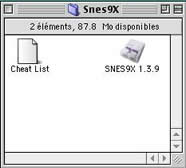
- Next, create a folder named "roms". It’s not mandatory, but it’s better if you have multiple ROMs and if they create a save file.
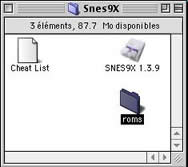
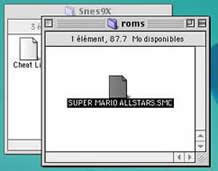
- Unzip the ROM as well and place the file (usually in .smc format) into the "roms" folder.
- Then, launch the emulator.

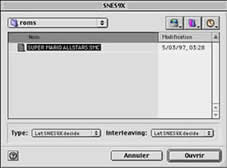
- In most cases, it will ask you which ROM to open; if not, use the menus to open the ROMs.
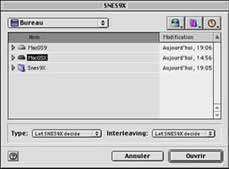
- Choose your game ROM.
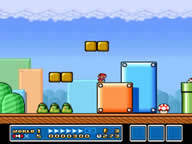
- And there you go, you can play.
- But this isn’t quite finished; you might want to change the keys?
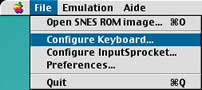
- The menu below, titled "Configure Input Sprocket", will allow you to configure your controller if it is compatible. If not, check the options available in older versions of [Usboverdrive](https://example.com/dossiers/usb-overdrive-mode-demploi) or GamepadCompanion. You can still configure keyboard keys via the "Configure Keyboard" menu. The "Preferences" menu lets you change certain emulator settings, such as graphical filters, audio quality, or even some hacks to improve compatibility with certain games.
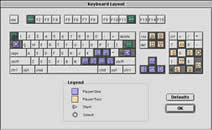
- In the most common case where you will be playing with the keyboard, you just need to drag the buttons onto the keys displayed.
That’s it—you’re now ready for most emulators on a "Classic" Mac.
Here’s a small table matching ROM types with their extensions:
| ROM Type | Extension(s) |
|---|---|
| Gameboy | *.gb |
| Gameboy Color | *.gbc |
| Gameboy Advance | *.gba |
| Game Gear | *.gg |
| Master System | *.sms |
| Megadrive | *.bin, *.smd |
| N64 | *.v64, *.rom |
| NeoGeo Pocket | *.ngp |
| NES | *.nes |
| PC Engine | *.pce |
| Super Nintendo | *.smc, *.sfc, *.058, *.078 |
Reply on the forum
A question or a hands-on report? Open the discussion on the forum.