KOTOR Modern Restoration Patch (KMRP)
Correctif d'interface pour Star Wars : Knights of the Old Republic, avec un installeur macOS.
KMRP adapte l'interface de Star Wars : Knights of the Old Republic à 66 résolutions, de 800×600 au 32:9, avec les polices, l'inventaire et la carte redimensionnés, et la prise en charge des manettes. Un installeur macOS est publié à chaque version.
Last updated:
Architecture
 Mac OS X - macOS
 64-bit
Download and links
- Download KOTOR Modern Restoration Patch (KMRP)
- Source code 90 GitHub stars
- License : GPL-3.0
Version history
1.6.1-beta.1
Beta for Linux only. This is a test build of the native Linux AppImage. Windows and macOS players should stay on KMRP 1.6.0.
Fixed
- Steam Deck: "This display reports no resolution KMRP can use" (#102). The Deck's screen is a portrait 800x1280 panel that SteamOS turns to 1280x800, and the 1.6.0 AppImage only saw the portrait size. It now reads it as 1280x800, in desktop mode and in game mode. Other monitors are unchanged.
Everything else is the same as 1.6.0.
Confirmed on Steam Deck
@lincfletch confirmed that the Linux AppImage installed successfully using the Steam Deck’s internal display in issue #102.
| File | Bytes | SHA-256 |
|---|---|---|
KMRP-Linux-1.6.1-beta.1-x86_64.AppImage |
70,195,704 | b172c17bd51aa75ed84c24688a674342ae40632b2ca1b79e87126148cd329d7d |
1.6.0
Full changelog
KMRP 1.6 is the biggest update since 1.0. It brings the original Xbox controls to the pad, with remapping, Pazaak and swoop racing; text, HUD and icon sizes of your choice with a new sharp HD Original font; menus laid out live for your screen, a mod's menus included; and a native Linux installer. The Mac version is updated to 1.6 as well.
Every change is in the CHANGELOG, entry by entry, with what was and was not seen in play.
Download
| Platform | File |
|---|---|
| Windows (Steam, GOG, disc 1.03) | KMRP-Windows-1.6.0.exe |
| Linux (Steam with Proton, SteamOS) | KMRP-Linux-1.6.0-x86_64.AppImage, or the Windows installer through Protontricks |
| macOS (Steam, Mac App Store) | KMRP-macOS-1.6.0.dmg |
| File | Size | SHA-256 |
|---|---|---|
KMRP-Windows-1.6.0.exe |
59,700,224 bytes | C96EC1201BA37CE428DD174080A5DACE3A9985A3AB80BF04B4939DB39A1820C5 |
KMRP-Linux-1.6.0-x86_64.AppImage |
70,199,800 bytes | 76AB2ED6FBBD82D8943542F4BF8D812EDEB33ABABD3C9171EA41F93E43D9AF3F |
KMRP-macOS-1.6.0.dmg |
76,280,999 bytes | B2AD134AA944FAD8E6A29AC3E2EA25C13FB2853EC7DCFEC7586D5EE36866106D |
Windows: run KMRP-Windows-1.6.0.exe and press Start Patching. Over 1.5 or 1.5.1 it offers Upgrade, which keeps your settings; there is no need to restore first. Restore Original puts everything back.
Linux: make the AppImage executable and run it. It finds the Steam game, installs and restores like the Windows installer, and prepares KMRP's art before the first start. The Windows installer still works too: protontricks-launch --appid 32370 KMRP-Windows-1.6.0.exe. Set KOTOR's controller layout in Steam to Gamepad.
macOS: open the disk image and drag KMRP Installer onto Applications. KMRP is not signed by an Apple developer account, so the first time macOS asks you to allow it (System Settings, Privacy & Security, Open Anyway). Needs macOS 10.13 or later, and Rosetta 2 on Apple Silicon. Full steps: macos/PLAYER-README.md.
Controller
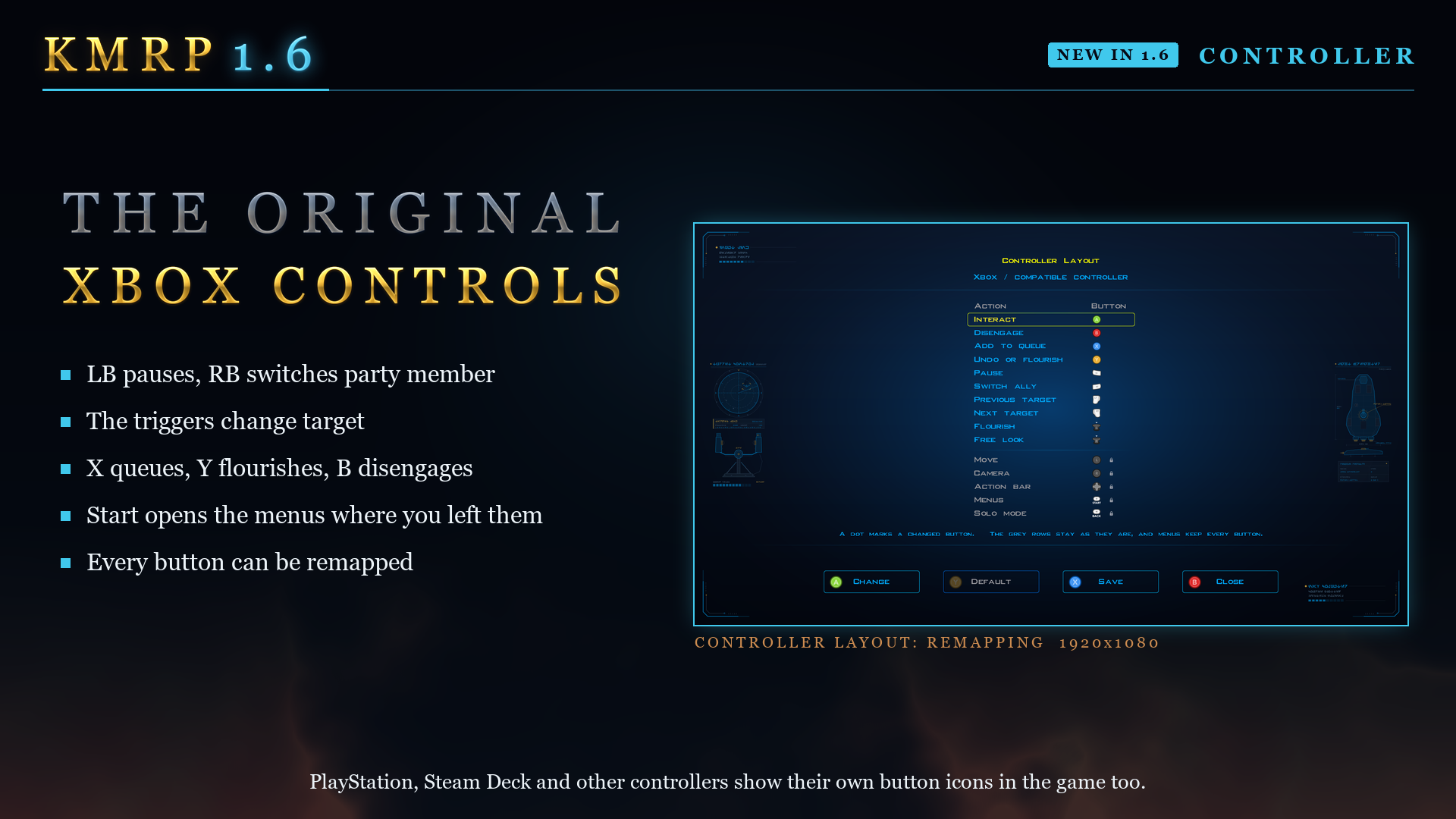
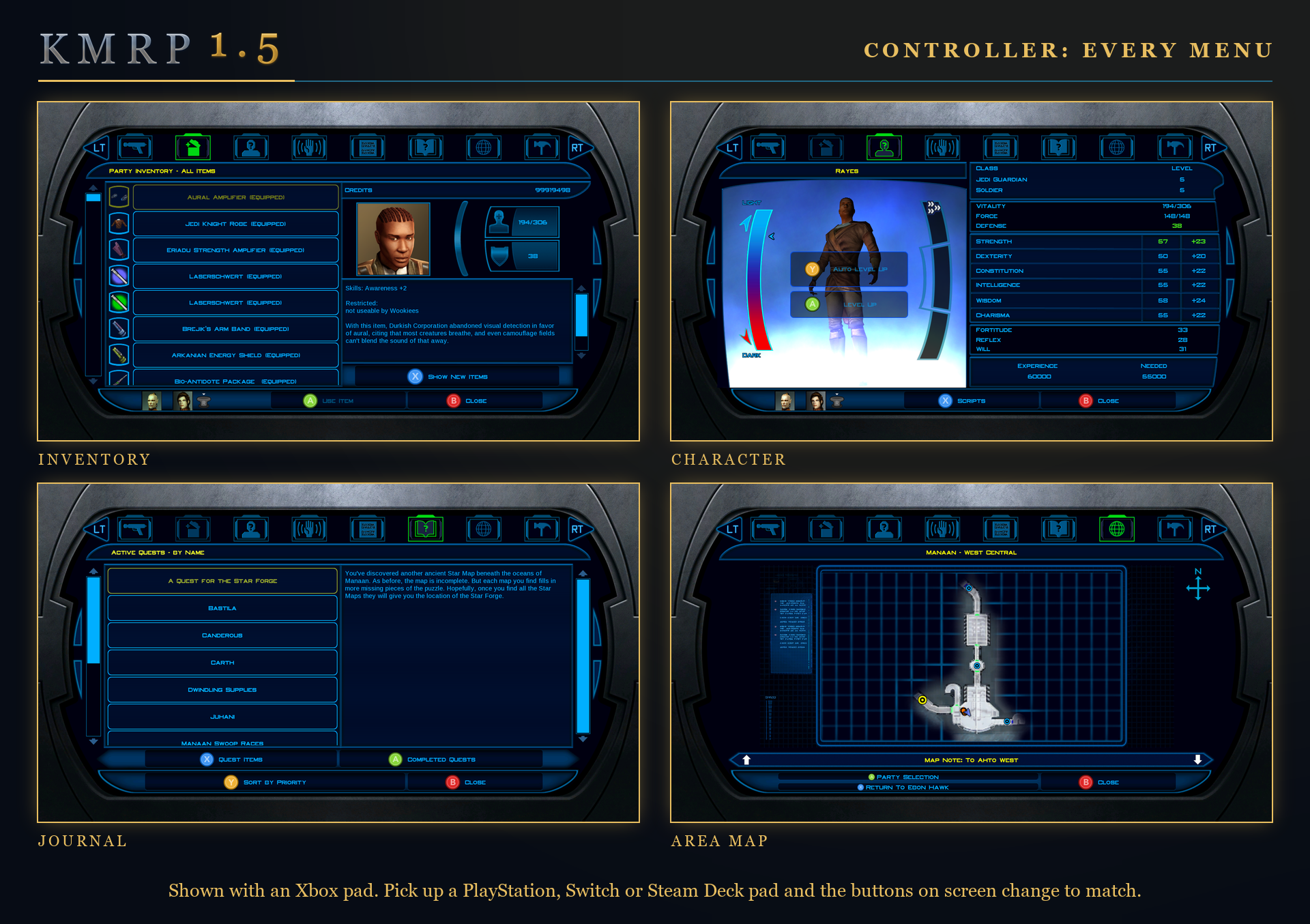
- The original Xbox game's controls everywhere (issue 49). Its White and Black buttons are LB and RB: LB pauses and RB switches party member; the triggers change target; X adds what A does to the queue; B disengages when there is nothing to let go of; Y flourishes your weapon when there is nothing to undo. Start opens the menus on the screen you used last. In menus RB switches party member and the Journal is the game's own again.
- Remapping: every main button can be given to another action on the Controller Layout screen, in a table, with Save, Default (it asks first) and a warning for unsaved changes.
- The Xbox-style HUD's action row is the Xbox manual's six places (issues 50, 55): with an enemy targeted you can still pick your own Force powers, such as Heal and Burst of Speed, and Stealth is in the row whenever it would work. Only one place lights at a time (issue 56).
- Combat buttons: Y and B always work, the D-pad cycles actions, X queues, A on an action slot works, and the action bar ignores bark bubbles (issues 87, 88, 90).
- Pazaak with the pad, as on the Xbox: X plays the card you picked, LB flips it, A ends the turn and Y stands, in one row. The side deck screen is drawn as the Xbox drew it.
- Swoop racing and the gun turret (issues 47, 62): the left stick steers and aims; A starts, shifts and shoots; the triggers shoot in the turret; Start pauses. At the shift point the race shows the pad's button instead of "Space". Holding one fire button no longer blocks another. The stray red chevron on wide screens is gone.
- Button pictures drawn sharp at every size (issue 68), from vector outlines at the exact size shown, each letter centred on its button. The Xbox HUD's frames, the tab arrows, the Controller Layout diagram and the swoop prompt are drawn the same way, so the controller patch is much smaller.
- Moving: a quick flick into a corner of the stick no longer runs faster or the wrong way, and a long diagonal no longer spins the character (issue 46). Free look looks up and down with the right stick (issue 45).
- The left stick walks conversation replies (issue 58) and moves the selection in character creation and other screens that move by themselves.
- Menus with the pad: the galaxy map moves planet to planet and its description follows (issue 57); saving keeps the name popup up; character creation has Cancel and a Select button; X is OK on Advanced Graphics and Sound, and V-Sync and Frame Buffer Effects chosen with A are saved; A on Resolution no longer closes Graphics Options too; A on a message box no longer clicks the button behind it; always-shown buttons such as "B Close" are hints the D-pad never lands on; Text Size and HUD Size can be used fully with the pad.
- Switching: moving the mouse takes over from the pad at once. The mouse no longer turns the camera while the pad is in use under Proton, a stray cursor at the top of the screen is hidden (issue 85), and the pad no longer loses the menus to a mouse nobody touched at low resolutions.
- A Bluetooth DualSense switched off by Steam's idle timer is found again when it comes back (issue 71).
- Movies: the A that skips a movie no longer presses the next screen's button, and rumble stops when a movie starts.
- The controller patch on its own gives a GUI mod's screens their button prompts instead of replacing them.
Text, HUD and icon size
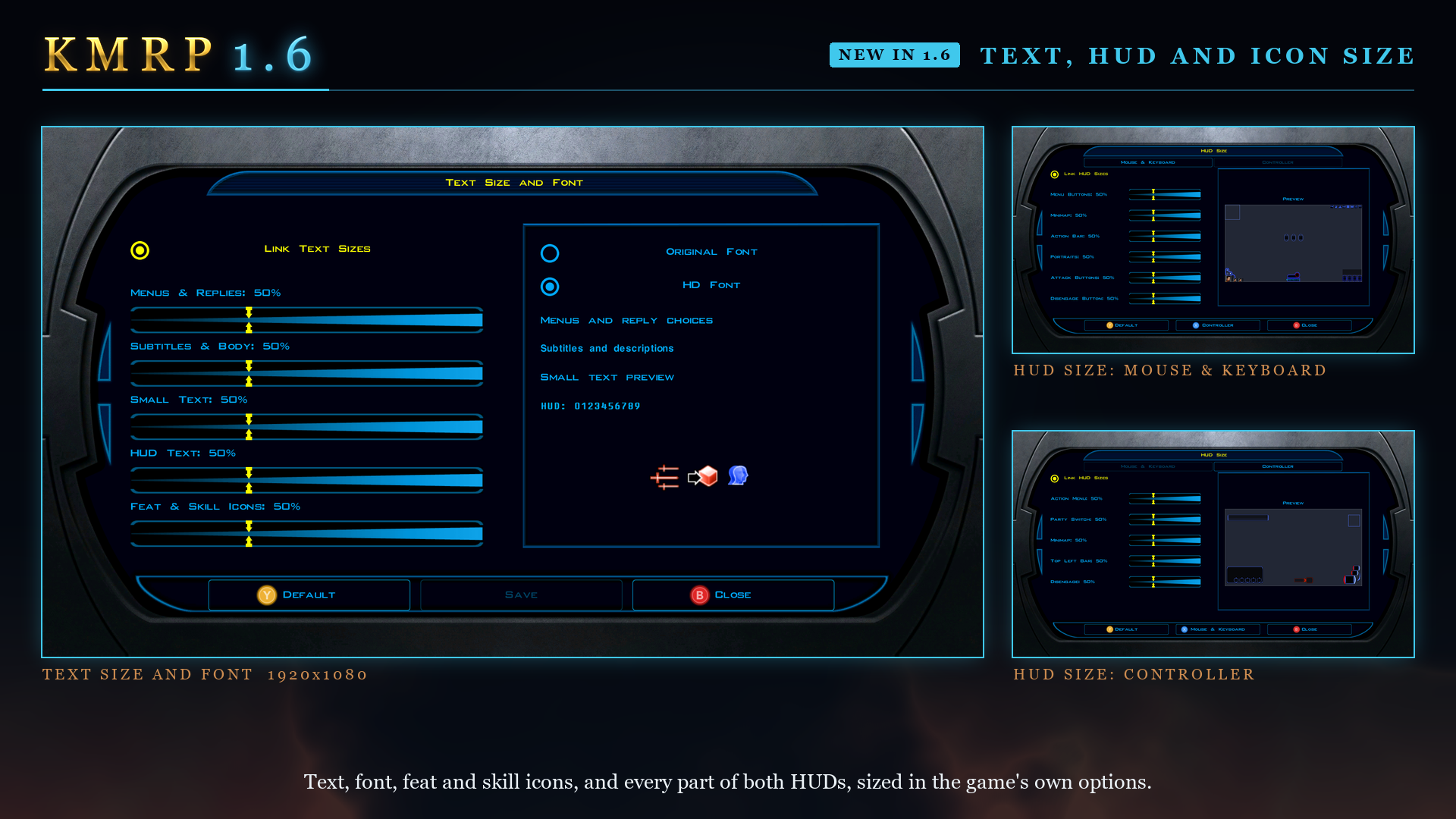
- Text Size and Font in Graphics Options (issues 51, 65): four sliders (menus and replies, subtitles and body text, small text, HUD text), 50% is the original size, "Link Text Sizes" moves them together, and Save applies them.
- Text fits its space: a label too small for its text draws it at the largest size that fits; list rows, item, feat, power and skill icons and the feat and power charts grow with the text; conversation text uses the bottom bar down to the screen's edge, so subtitles are not cut. The letterbox bars stay as they are.
- Fonts: HD Font, the new default, is KMRP's own redraw of the game's font at its original sizes and spacing (issue 52), free under the SIL Open Font License, with every character of the original, the HUD's black outline and kerning. Original Font is the game's own. Modded Font appears when your Override folder holds fonts, which are fitted to the size they are drawn at, and fonts from translations and mods wrap correctly (issue 63).
- Icon Size for feat, Force power and skill icons (issue 80).
- HUD Size: each part of each HUD larger or smaller, 25% to 100% (twice the normal size), with a preview, for the mouse and keyboard HUD and the Xbox-style HUD. The action description grows with the text size, and a long name makes the Xbox HUD's name bar taller.
- These pages explain themselves in the description box.
Menus laid out live: Live Adaptive Layout
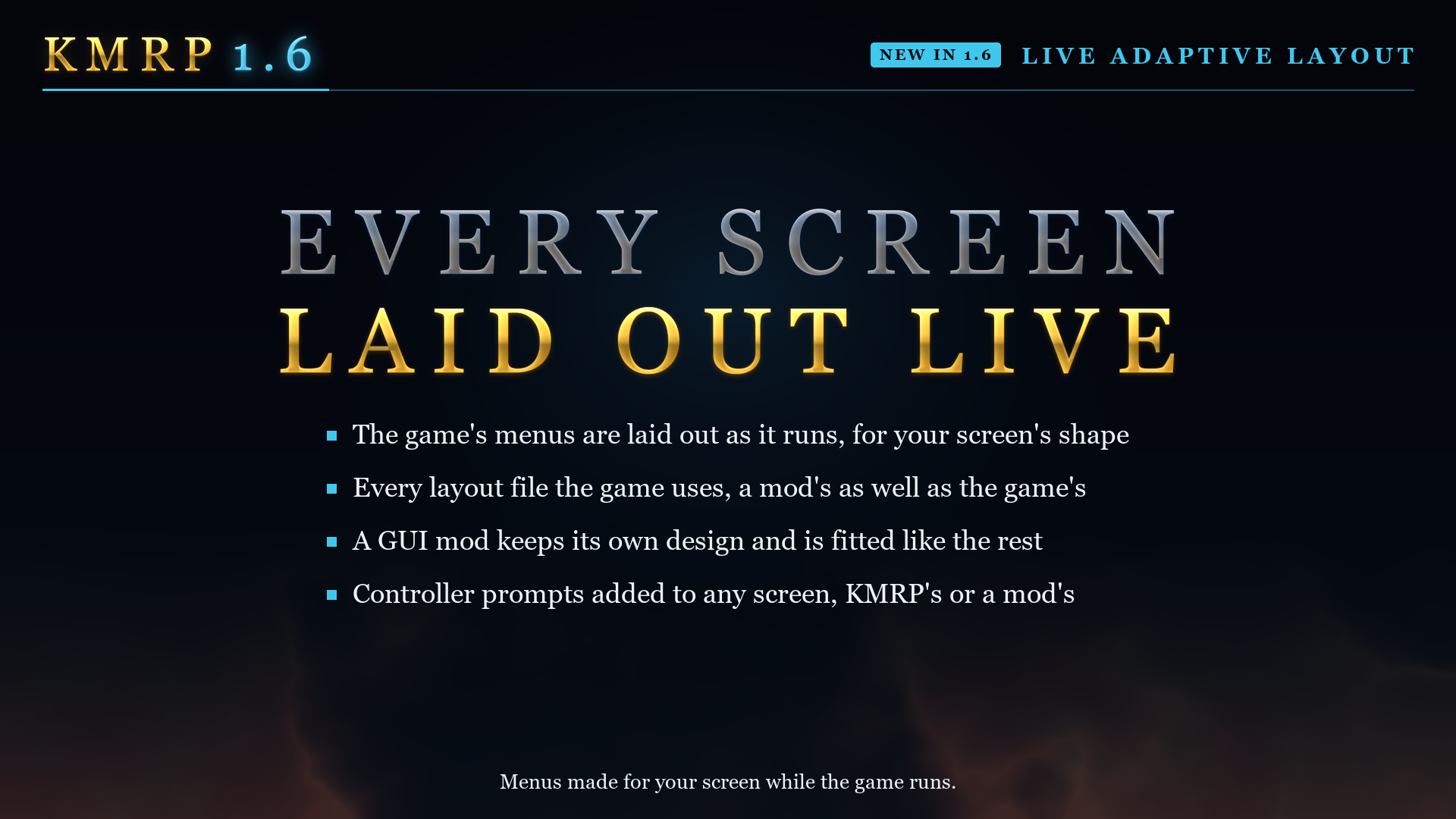
- 73 of the game's 85 menu layouts are laid out as the game runs, for your screen, from the game's file or a mod's: the main menu, options, Inventory, Equipment, Character, Abilities, Feats, Powers, Journal, Store, Container, workbench, Terminal, class selection, party selection, tooltips, message boxes, the area map, the conversation box and more. A GUI mod's screens are no longer forced to 640x480, and a mod's screen already made for your size stays as its author made it.
- A mod's copy of a file KMRP changes keeps both (issue 79): tables, pictures, models and layouts are merged, and the mod wins where the two disagree.
- Captions sit in the middle of their bars, the main menu's included.
- Shops: the item list stays on the screen (issue 61). Galaxy map: the planets sit where the game has them, and a mod's moved destinations are kept (issue 67). Party Roster Limit 32: KOTOR Patch Manager's 32-slot roster gets a layout of 16 slots a page, with its portraits repaired (issue 38).
- Marked Empty Containers (issue 43): a footlocker or body with nothing left says "(empty)". ShaeMyName's mod, with permission, on by default.
Graphics, movies and Alt-Tab
- Every frame is drawn offscreen and shown when finished. Menus no longer flash on NVIDIA's "Prefer layered on DXGI Swapchain" (issue 14), so KMRP no longer changes that NVIDIA setting, and Windows Auto HDR and RTX HDR keep working (issue 73). An install removes the "Prefer native" that earlier versions set. It runs under Proton too (issue 93). If a driver refuses it, the game falls back to drawing in the window;
window-drawn=1under[Offscreen]inconfigs\kmrp.initurns it off. - K1 Modern Driver Compatibility 2.0.1, installed as its KOTOR Patch Manager patch, so it works under Proton with no launch option (issue 44), with its author's own build on Windows 7 and 8. Screens with KMRP's art no longer stall on opening with it (the workbench: about 0.9 s down to under 0.1 s), and a black screen at any brightness but the default with anti-aliasing on is fixed.
- Movies: no screen reset after a movie; on screens wider than 16:9 a movie plays at its 16:9 size in the middle; the startup movies draw with GDI, meant for black movies on Windows 7 with an AMD card (issue 48).
original-movie-mode=1under[Movies]inconfigs\kmrp.inibrings back the 640x480 switch. - Keyboard and mouse are no longer lost after the startup movies.
- Alt-Tab in full screen (issue 96): coming back keeps the game's window, so it no longer rebuilds the picture and reloads every texture first, and your brightness comes back. Inspired by J's Alt Tab Patch for KOTOR Patch Manager.
rebuild=1under[Alt-Tab]inconfigs\kmrp.inibrings the old way back. - A saved resolution or refresh rate the display no longer has is replaced by the best one it does have (issue 92).
- The 3D models on class selection and the main menu are no longer black on first opening.
Installing
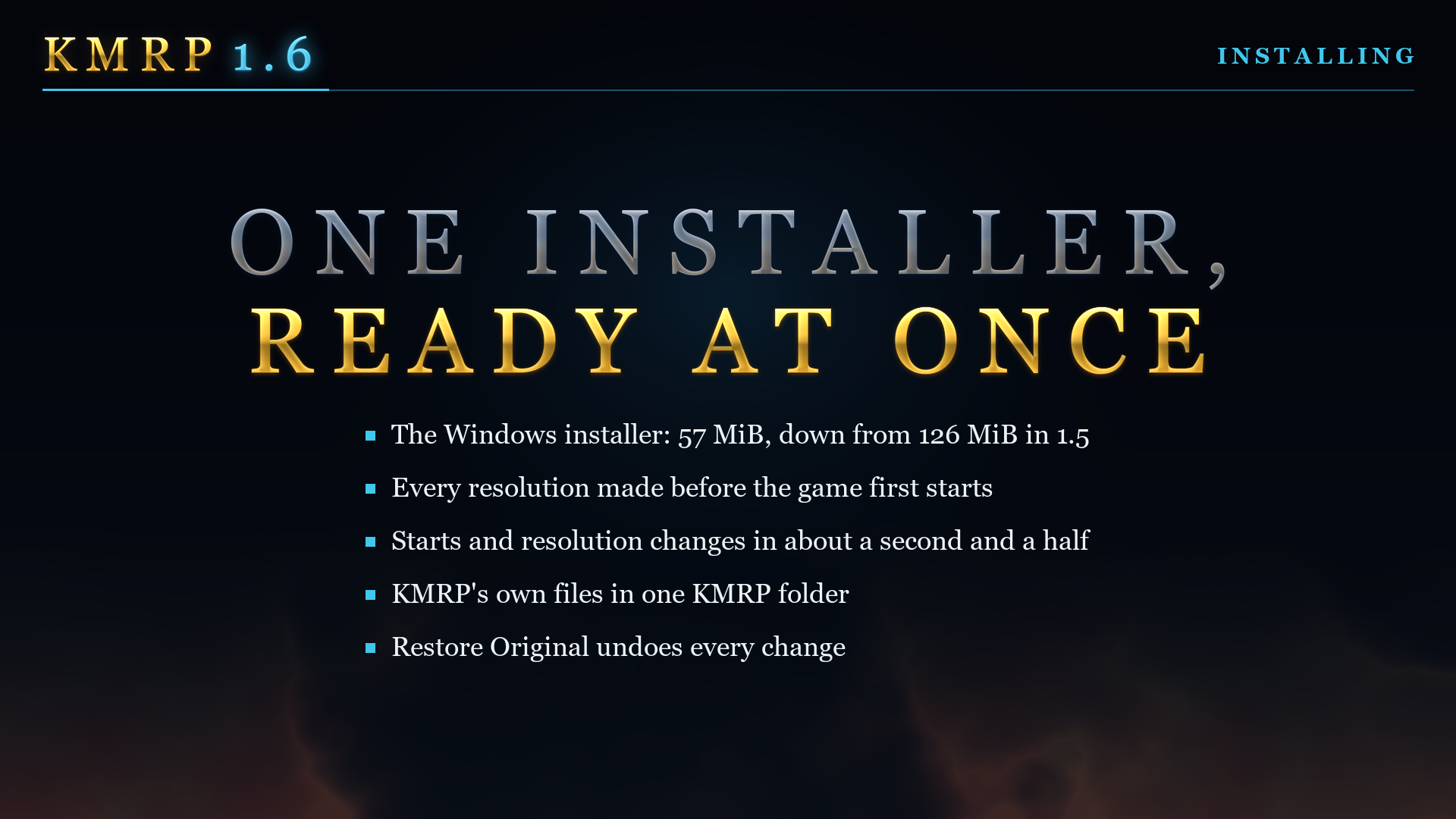
- An installer of 57 MiB instead of 1.5.1's 140. The installer prepares every resolution your display offers before the first start, with a time-left countdown; after that, starts and resolution changes take about a second and a half.
- Upgrade over an older KMRP keeps your settings. Apply New Settings (Windows) changes only what you changed in Advanced Settings, without installing again.
- KMRP's own files are in one
KMRPfolder in the game folder, with its logs, backups andcontroller.ini. - Windows compatibility mode on
swkotor.exeis turned off when it would break the game (issue 39), and Restore Original puts it back. - Safer: the installer checks before it starts, refuses cleanly while the game runs, says what it could not do, and shows Repair when an install needs it. An install that is stopped or fails leaves nothing it cannot undo. Restore Original with the game running gives a plain message instead of a stack trace (issue 75), and no longer leaves KOTOR Patch Manager's runtime behind. Installing over KMRP 1.0 works again.
- Robust art cache: two installs no longer spoil each other's art, a file a virus scanner takes away is made again, a failed helper is tried again, and KMRP works for a Windows user name in any script.
- The installer's step icons are vectors, sharp at any display scale.
Linux
- A native Linux installer (issue 76),
KMRP-Linux-1.6.0-x86_64.AppImage. It finds the Steam game, installs, restores and prepares KMRP's art as the Windows installer does, silently, with its progress shown. Apply New Settings is Windows only for now. - K1 Modern Driver Compatibility and the offscreen frame now run under Proton.
macOS
- KMRP 1.6 for the Mac (issue 81): the art pack, Live Adaptive Layout, Text Size and Font with Modded Font, HUD Size, the Xbox controls and HUD, Pazaak with the pad, Apply New Settings, and a disk image of 76 MB instead of 115.
- The Mac App Store version is supported: the installer adds a "KOTOR with KMRP" app that starts the unchanged App Store game with KMRP.
- Anti-aliasing is switched off at 3840x2160 and above without changing your setting.
Built on FTD's work. The Mac version stands on FTD's KotOR Patch Manager patches for the Mac game, and 1.6 brings his latest:
- Widescreen Patch (FTD and RaymanGT), the base KMRP's Mac version is built on: the resolution, the video mode and the letterbox bars. FTD's update of 2026-11-09 places the menus' background picture again.
- Stray Bug Fixes (RaymanGT and FTD), which carries the engine fixes that hold at any resolution. FTD's update of 2026-11-09 brings back the menus' hover and click sounds on the Mac and stops a crash in Dantooine's Ebon Hawk vision and in Carth's conversation.
- K1 Shader Fixes (FTD, J, Synchro and Vriff), new in KMRP: fog, grass fog, reflections, overbright lightmaps, particle textures and bump mapping as Aspyr's port lost them. Steam's game only; the App Store's file has nothing for it to match.
- MP3 Playback Fix (Synchro, FTD, Vriff and Lane): loose
.mp3music, as music mods ship it. - Anti-Crash Prophylactics: protection against crashes and hangs from flawed mod models.
Thank you, FTD.
Not seen in play yet
Much of 1.6 was played by the maintainer at 3440x1440 on Windows with an NVIDIA card, and the Linux and Mac installers were run on SteamOS and on Macs. These were not seen in play when the release was made, and reports are welcome:
- Windows 7, AMD and Intel graphics, HDR displays, and the Steam Deck.
- The movie changes and the keyboard and mouse fix after the startup movies.
- A fight with a physical pad on the Mac; the swoop race and the turret on the Mac.
- Remapping and Modded Font in play on Windows; translations with the new text sizes.
The CHANGELOG says, entry by entry, what was seen.
Still open
- The "PAUSED" box in a swoop race is small and see-through (issue 47).
- The player's icon on the minimap at different resolutions (issue 66); below 121 pixels the minimap shows less area.
- Crashes on loading an area with some mods (issue 15).
Moved out of KMRP
- The KOTOR Modern Gamesave Editor (KMSE), first made here as the KMRP Save Editor, has its own repository.
- The KMRP Font Converter and the KMRP Original HD fonts have their own repository. KMRP still ships its HD fonts.
Thanks
FTD for Widescreen Patch, Stray Bug Fixes and the Mac patches above, Synchro for K1 Modern Driver Compatibility, D3M0 for High FPS Fixes, ShaeMyName for K1 Marked Empty Containers, the KOTOR Patch Manager project, J for the Alt Tab Patch idea, and everyone who reported issues and tested.
1.5.1
Full changelog
KMRP 1.5.1 is a hotfix for 1.5.0. It fixes the game not starting on Linux, makes your other mods and translations work alongside KMRP, and fixes several controller problems. Nothing else about KMRP changes: same installer, one click to install, one click to undo.
If you are on 1.5.0, please update. If you are on Linux, you need this version: 1.5.0 does not start there.
Download
| Platform | Version | File |
|---|---|---|
| Windows / Linux (Proton) | KMRP 1.5.1 | KMRP-Windows-1.5.1.exe |
| macOS (Steam) | KMRP 1.5.1 | KMRP-macOS-1.5.1.dmg |
The 1.5.1 hotfix applies only to Windows and Linux (Proton). None of the problems it fixes is in the Mac version, so the latest macOS build is still 1.5.0. Its installer is attached here as well, so every download is on this page. It is the same file as on the 1.5.0 release, byte for byte.
Windows and Linux: download KMRP-Windows-1.5.1.exe below, run it, and press Start Patching. You can run it over an existing 1.5.0 install; there is no need to restore first. Restore Original still puts everything back. It works with the Steam, GOG and disc 1.03 versions.
macOS: download KMRP-macOS-1.5.1.dmg below. This Mac installer includes automatic GUI-files mode selection for the compatible K1Widescreen patch.
| File | Size | SHA-256 |
|---|---|---|
KMRP-Windows-1.5.1.exe |
146,916,352 bytes | E9657FBCCFA2403456E655CBB961EDCA3FB667D1818A1B340B09C621BE3D7F1E |
KMRP-macOS-1.5.1.dmg |
113,591,588 bytes | 6F2425F85D91C337D7C018F21C3B3127CD16D4FC3C0006D4897B557D49503240 |
What was fixed
Linux and SteamOS
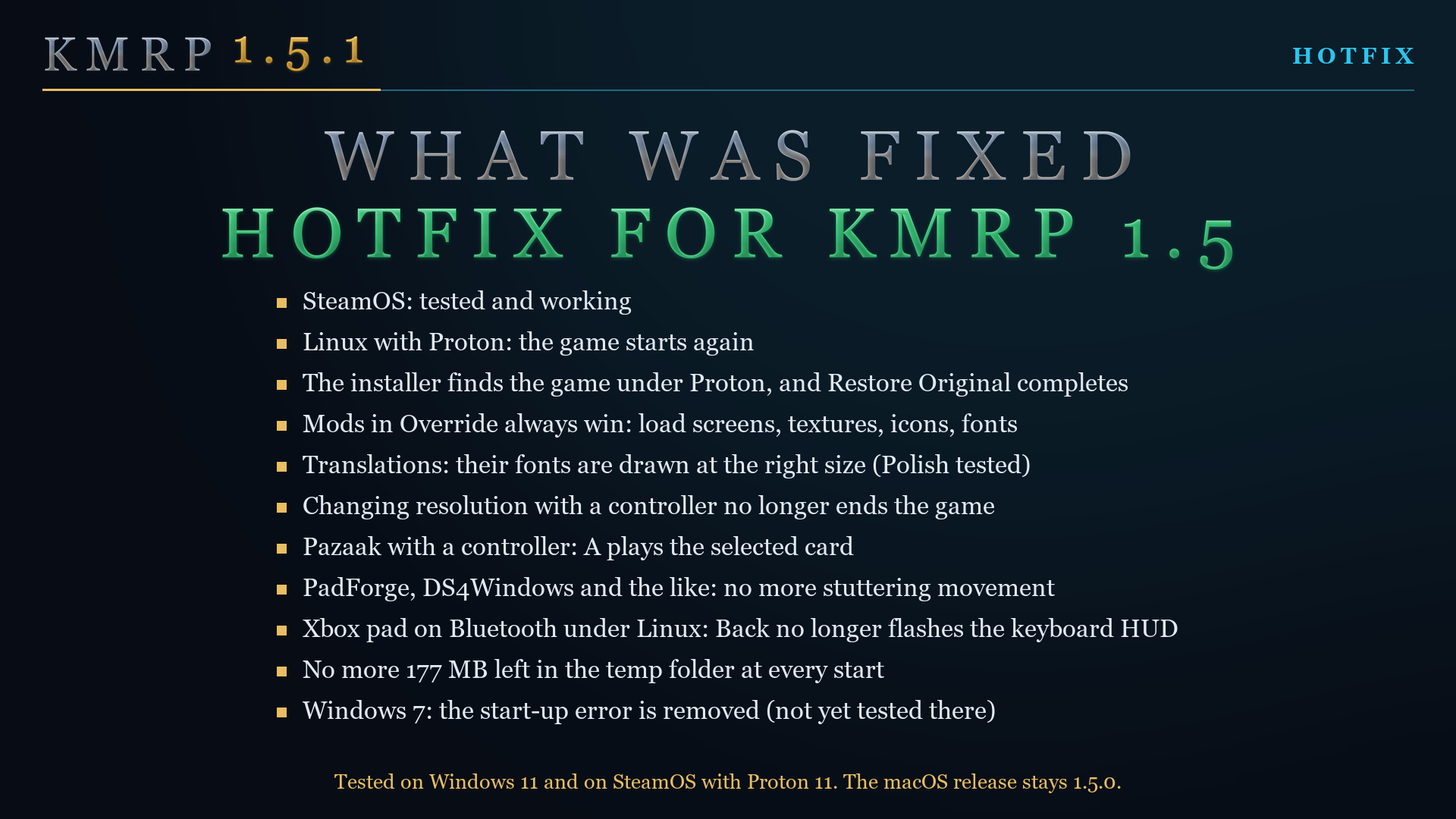
- The game starts again under Proton. In 1.5.0 it closed a few seconds after launch.
- SteamOS is tested and working.
- The installer finds your Steam game by itself. You no longer have to put it in the game folder.
- Restore Original completes. In 1.5.0 it could stop with a "high DPI manifest" message.
- With an Xbox controller on Bluetooth, the Back button no longer flashes the keyboard and mouse HUD.
Mods and translations
- Your files in the
Overridefolder now always win over KMRP's. In 1.5.0 a mod's file was ignored whenever KMRP had one of the same name, which is why load screen mods, texture mods and custom fonts seemed to do nothing. - Translations work. A translation's own fonts are used, with all their letters, and drawn at the right size for your resolution. Tested with the Polish translation.
Controller
- Changing the resolution in the game with a save loaded no longer ends the game.
- Pazaak: A now plays the selected card. Before, it ended your turn.
- No more stuttering movement with PadForge, DS4Windows and similar tools that sit between your controller and the game.
Everything else
- KMRP no longer leaves 177 MB in your temp folder every time the game starts. The first start of 1.5.1 also removes what 1.5.0 left behind.
- Windows 7: the "ordinal 40 not found in Cabinet.dll" error is removed. This has not been tested on Windows 7 yet, and Modern Driver Compatibility has to stay off there.
- A new controller log for bug reports. Turn on Debug logs in the installer's settings and attach
kmrp-controller-events.logfrom the game folder.
Linux and SteamOS: how to install
- Run the installer inside the game's Proton environment:
protontricks-launch --appid 32370 KMRP-Windows-1.5.1.exe - Press Start Patching.
- Set KOTOR's controller layout in Steam to Gamepad. Steam gives KOTOR a keyboard and mouse layout by default, and the game then gets no controller at all. The installer reminds you of this.
The full guide is in docs/linux-proton-steam-deck.md.
Not fixed yet
- The left stick on the 2026 Steam Controller (#32, #37).
- Crashes on loading an area with some mods (#15).
- The black square after patching (#39).
- Swoop racing and the turret with a controller.
- Modern Driver Compatibility on Linux needs a launch option and may not be needed at all (#44).
Tested, and not
- Windows 11: the disc 1.03 game at 3440x1440, with a controller, with K1 Community Patch 1.10.0 and with the Polish translation.
- SteamOS: the Steam game on SteamOS 3.8, on a desktop PC with Proton 11.0 and an NVIDIA RTX 3080: installed, played with a controller, resolution changed in the game, restored.
- Not tested: a Steam Deck itself, other Linux distributions, Windows 7, and translations other than Polish.
Thanks
To everyone who reported these problems and sent logs: DNater98, waverion, Shinzhon113, KleinerWuuki, crocer211, CascaCure, Mortikus1, Firestorm808, the players on r/kotor and Deadly Stream, and the reporter of the Windows 7 error. Every fix here started with one of your reports.
Every change, as it was written on its day: CHANGELOG.md.
1.5.0
Full changelog
KMRP 1.5 makes Star Wars: Knights of the Old Republic fit a modern screen and play with a controller: one installer, one click, and one click to undo everything. It changes how the game looks, fits and controls, and nothing about its story, quests or balance.
Download
Windows: download KMRP-Windows-1.5.0.exe below, run it, and press Start Patching. Restore Original puts everything back. It works with the Steam, GOG and disc 1.03 versions. Install any other content mods first, then KMRP.
| File | KMRP-Windows-1.5.0.exe |
| Size | 146,894,848 bytes |
| SHA-256 | 7FF9DAE460545E4544A63D88D674627E78A3EA0F92ED76FF33DA48EB4F5ABFFA |
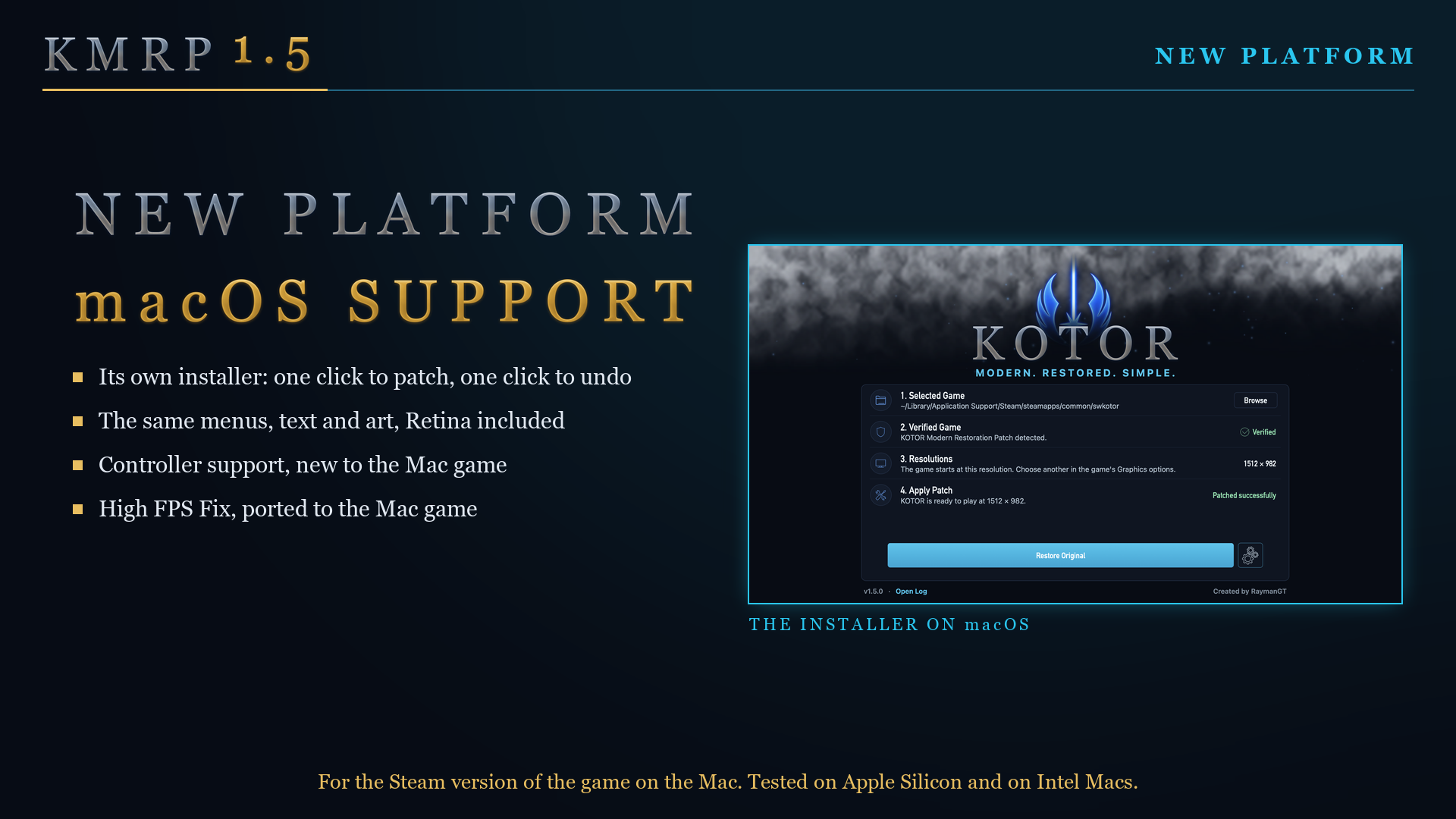
macOS: download KMRP-macOS-1.5.0.dmg below. KMRP 1.5 is the first version for the Mac: the Steam game (Aspyr's build, unmodified), macOS 10.13 or later, on Intel and Apple Silicon Macs. Quit KOTOR, open the file, drag KMRP Installer onto Applications and open it from there. KMRP is not signed by an Apple developer account, so macOS asks you to allow it the first time; the steps are in the Mac player guide.
| File | KMRP-macOS-1.5.0.dmg |
| Size | 113,583,593 bytes |
| SHA-256 | 4D0DD61EB3A2C9501B2522142420E16006D8CC9D83A28E97C107A68BBBC3C226 |
What is new since 1.0
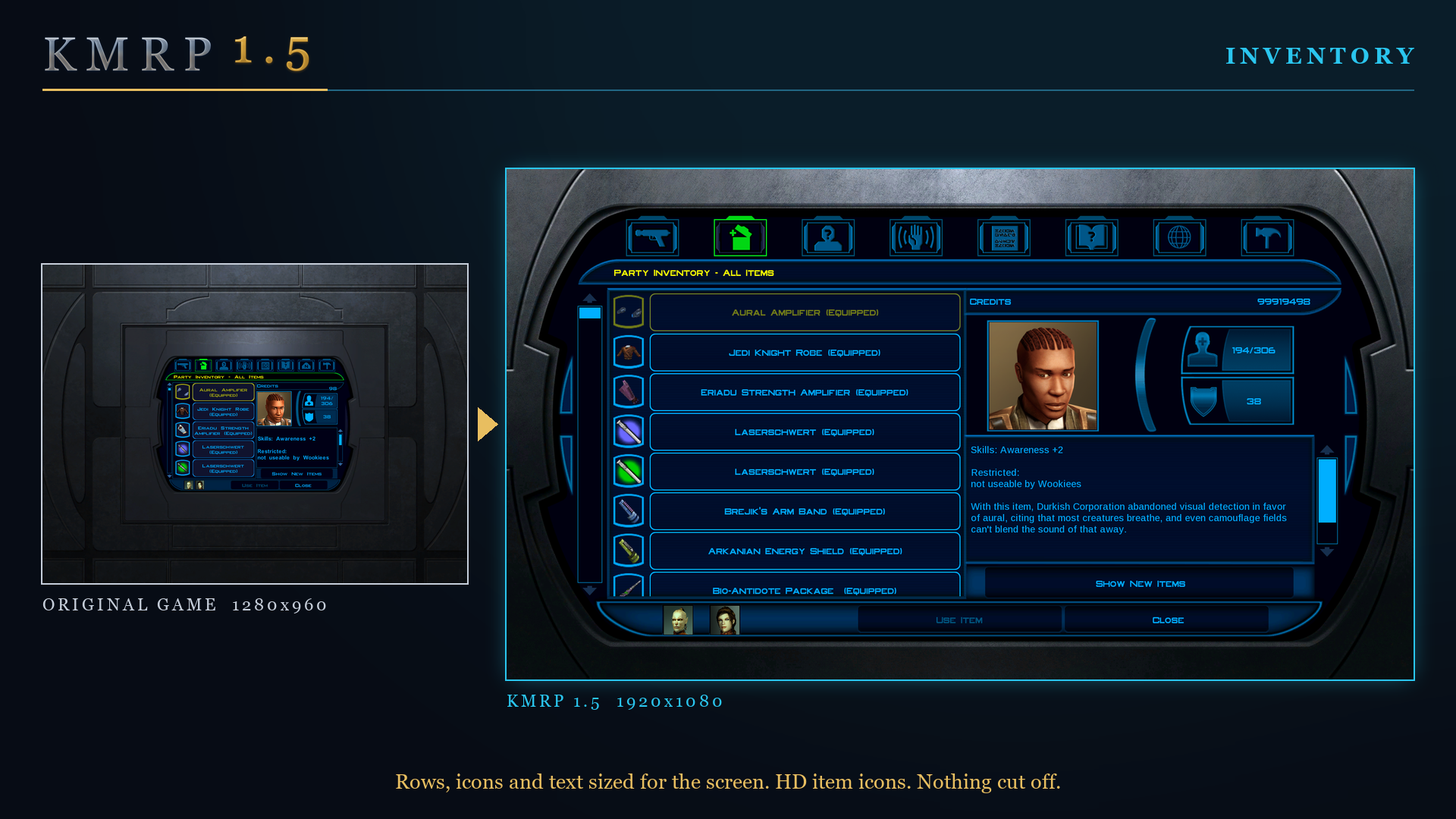
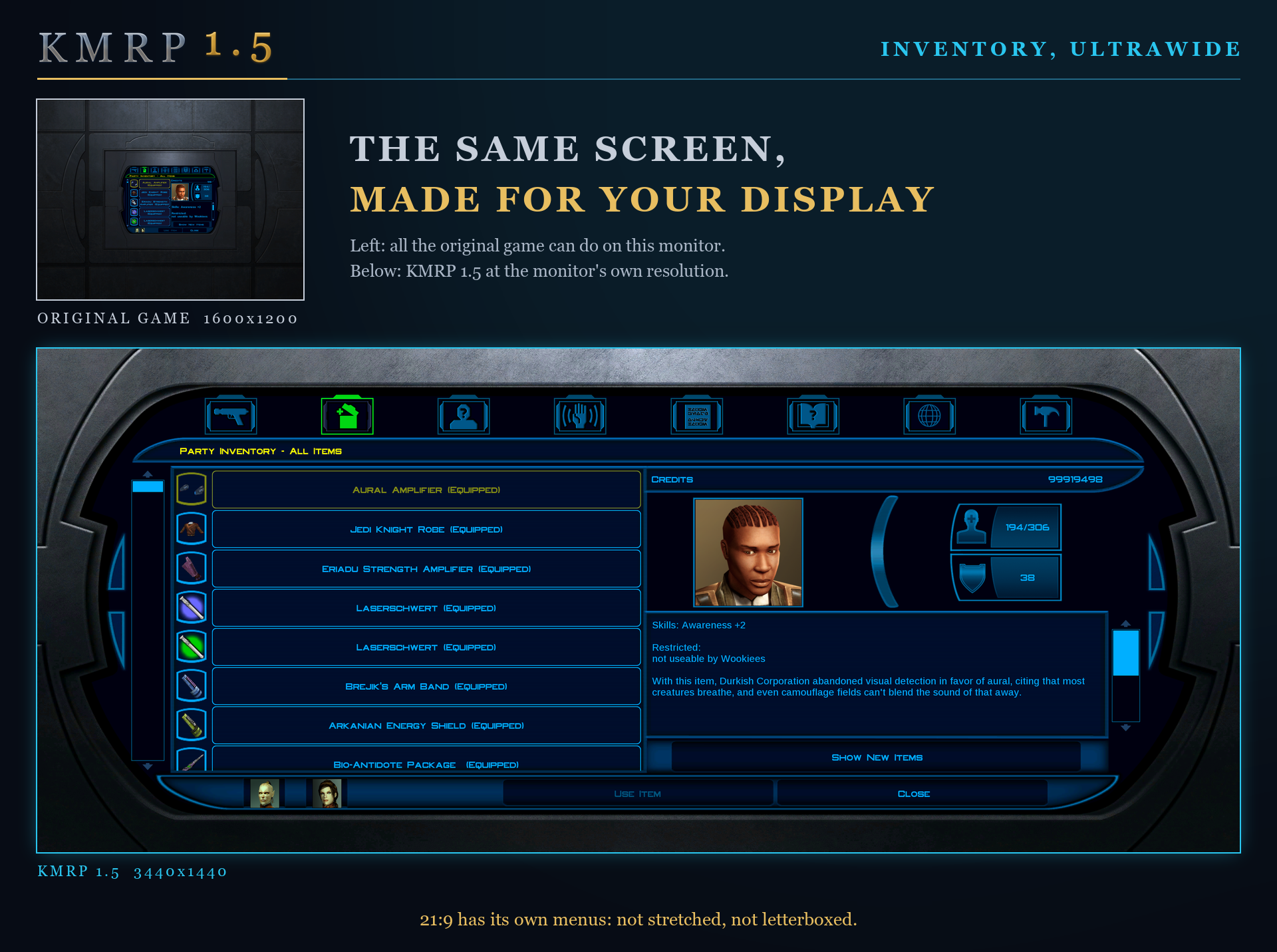
No resolution to choose. The game starts at your display's own resolution, and its Screen Resolution setting lists every size and refresh rate your display supports. Changing it in the game takes effect at once, with no restart and no patching again. Every shape from 4:3 to 32:9 is covered, from 800x600 up to 8K: 66 common resolutions have menus built for them, and any other size gets menus fitted to it.
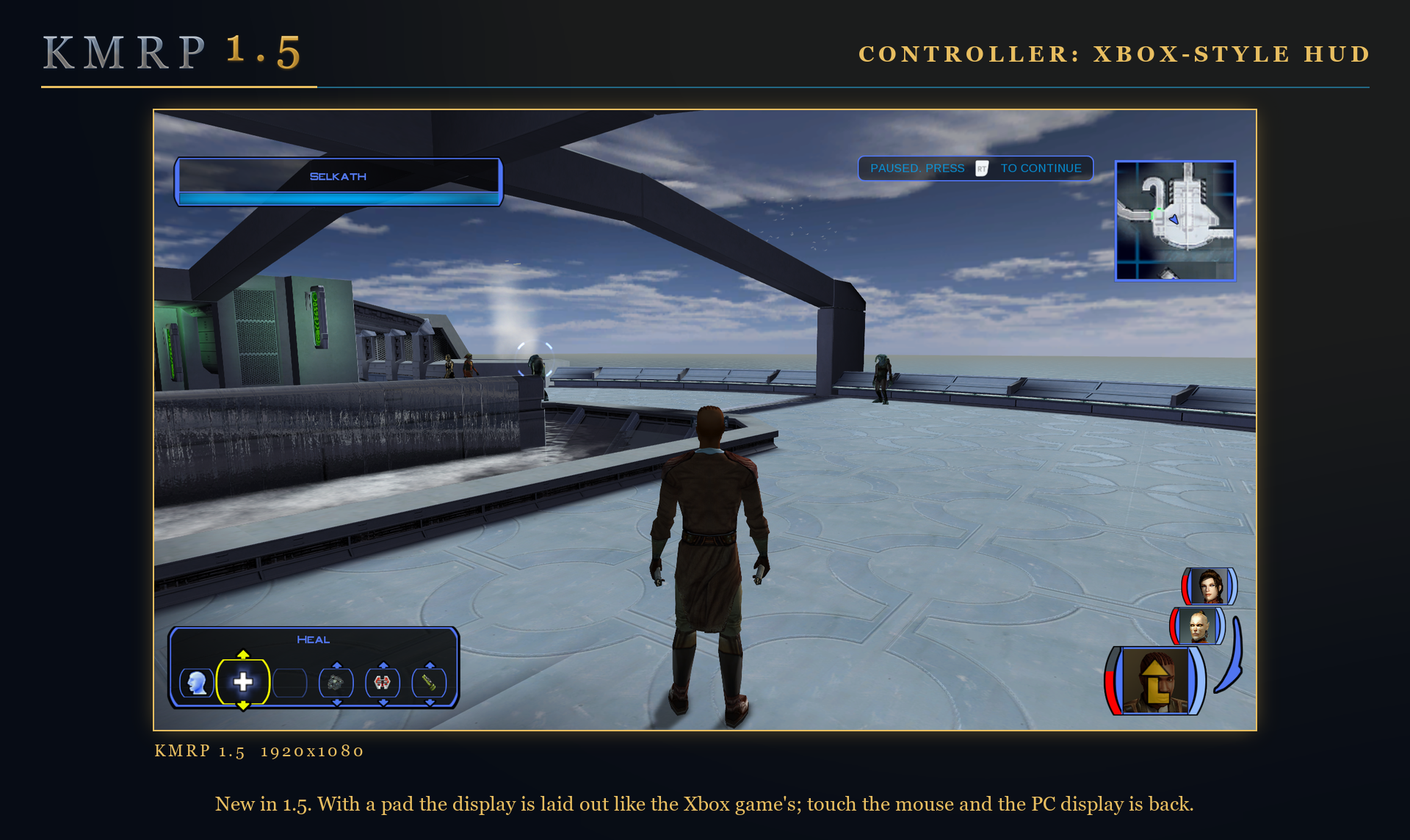
Controller support, built in. A controller works everywhere in the game, with the right button pictures for your pad on every menu, rumble, and a Controller Layout screen. An Xbox-style HUD, modelled on the console version, is on by default and can be switched off. The controller part is also a patch of its own that works without the rest of KMRP.
Above 60 frames per second. With High FPS Fix on, KMRP also installs D3M0's High FPS Fixes. The installer switches it on by itself when your display runs above 60 Hz.
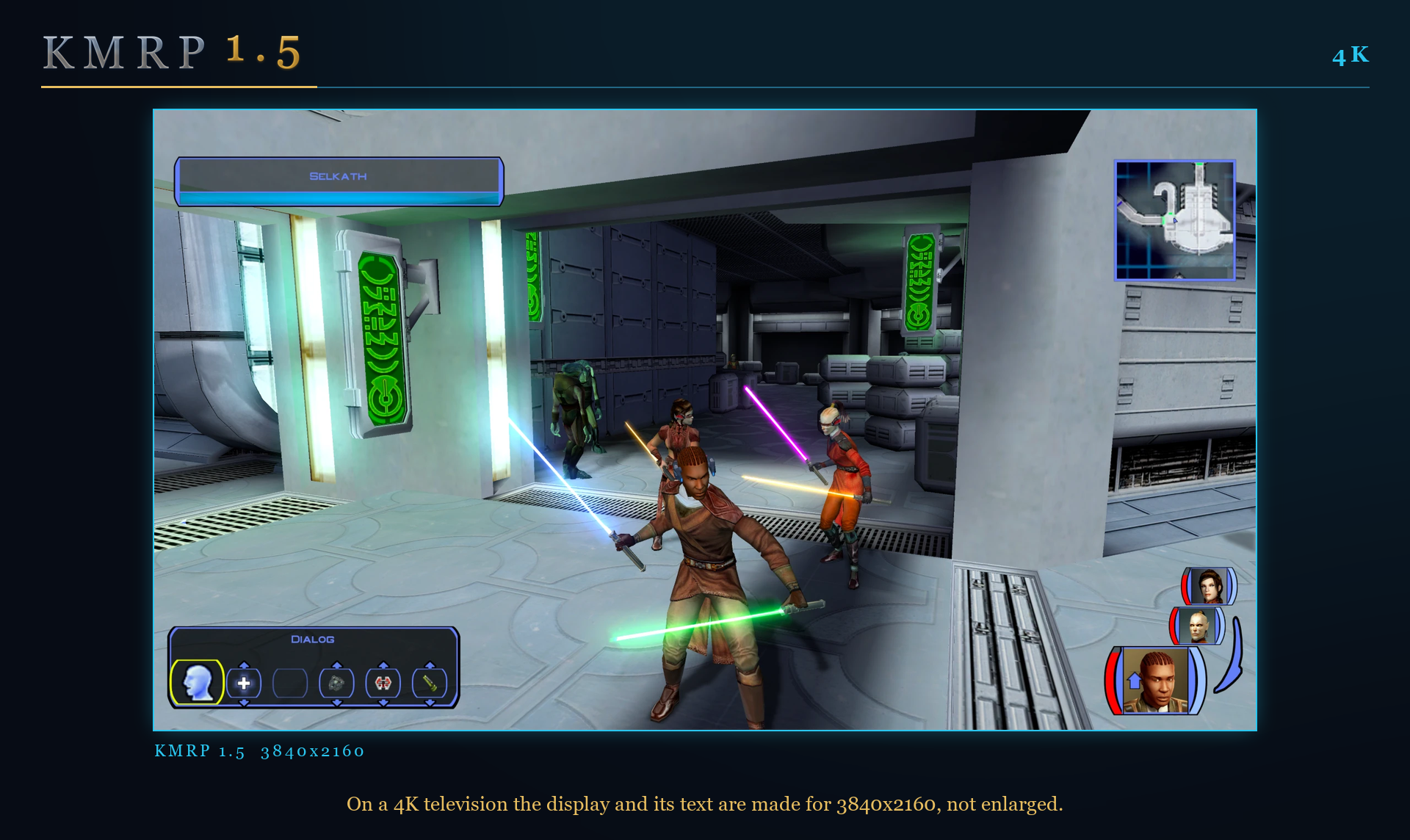
4K. Text, rows, icons, popups, the map and the movies are sized for the screen at 3840x2160 as at every other size.
macOS and Linux. A Mac version for the Steam game, tested on Intel and on Apple Silicon Macs. On Linux the Windows installer was tested on Ubuntu with Proton; no Steam Deck was tested.
Also new:
- The game's own file is no longer rewritten. KMRP's changes are applied in memory each time the game starts, through KOTOR Patch Manager's runtime, and the two patch files are placed where KOTOR Patch Manager lists them, so other patches can be added beside them.
- HD item icons are an option, on by default (JackInTheBox's icon pack and MadDerp's party portraits, with their authors' permission).
What KMRP changes, in full
- Everything a player gets, in plain words: docs/features.md
- How each item is done: docs/features-technical.md
- Every change since 1.0, as it was written on its day: CHANGELOG.md
- The press kit, twelve pages: releases/v1.5.0/press-kit
Tested, and not
- Windows: this installer was tested on the Steam game at 3440x1440 on the day of release, with and without the controller patch.
- macOS: on Apple Silicon and on Intel, the Steam game.
- Linux: Ubuntu with Proton (stable and Experimental). No Steam Deck.
Thanks
KMRP stands on other people's work, credited with its licences in THIRD_PARTY_NOTICES.md: KOTOR Patch Manager, High FPS Fixes (D3M0), K1 Modern Driver Compatibility (Synchro), KOTOR High Resolution Menus, K1 Area Map Fixes (Derslok), the KOTOR 1 HD Icon Pack (JackInTheBox), Party Portraits (MadDerp), Xelu's Free Controller & Key Prompts, and SDL3.
1.0.0
Full changelog
KMRP makes KOTOR's 2003 interface work on a modern screen — at 48 resolutions from 4:3 to 32:9, not just the one it was tuned on.
Download KMRP - KOTOR Modern Restoration Patch.exe, run it, pick your resolution, and press Start Patching. Restore Original puts everything back. Install any other content mods first, then KMRP.
What it fixes
- Text is legible instead of tiny, and list rows grow with it, so save/load and dialogue entries stop overlapping.
- Inventory, Abilities and Store rows and icons are sized to match — they are driven by hardcoded constants no
.guiedit can reach, which is why editing the interface files alone never moved them. - Item stack counts are visible again. Two engine guards blanked any one- or two-character string too narrow for its box, and the larger font made the fixed 21px stack label too narrow to pass them.
- No more crash on items with long descriptions.
- The area map fills its frame, fog of war covers all of it instead of stopping 242px short on the right, and clicking a marker hits the marker — clicks used to land 141px to the right.
- 250 map notes point at the right place, correcting a content bug present in every unmodded install since 2003.
- Dialogue letterboxing, tutorial popups and interface artwork all follow your actual resolution rather than 640x480.
What else it installs
| Component | By | Optional |
|---|---|---|
| K1 Modern Driver Compatibility 1.2.0 | Synchro | yes — Advanced Settings |
| Area map note corrections (250 entries) | Derslok | yes — Advanced Settings |
| Party Portraits | MadDerp | no |
| KOTOR 1 HD Icon Pack 1.0 | JackInTheBox | no |
All four are bundled with their authors' permission. Bundled artwork defers to files another mod already installed, so K1CP's own icons survive. Tested against K1 Community Patch 1.10.0 and K1R 1.2.
Verifying the download
0d0eace79609c411078932716ec74326e5844286ba31128be7182a8c16106a02
The patcher refuses to touch an executable it does not recognise by hash and length, and refuses to restore one it did not create.
For the curious
KMRP changes 893 bytes inside the 4,042,752-byte executable — 0.022% — and appends ten 4KB sections for the code the original has no room for. Every one of those bytes is enumerated in reverse-engineering/binary-inventory.md, which is generated by a tool that refuses to pass if any changed byte lacks a technical write-up.
Full detail in CHANGELOG.md; credits and licences in THIRD_PARTY_NOTICES.md.
Reply on the forum
A question or a hands-on report? Open the discussion on the forum.