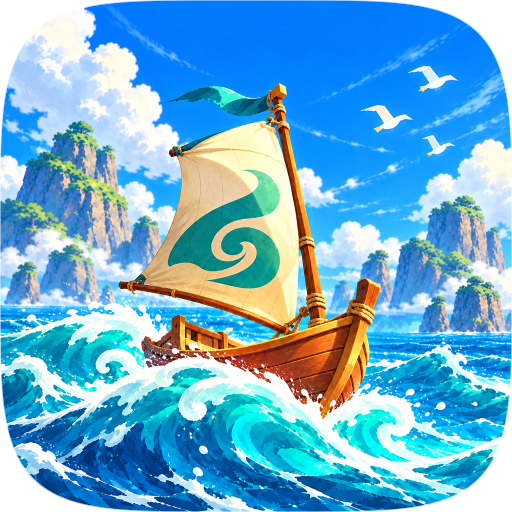
The Legend of Zelda : The Wind Waker HD
Portage macOS natif de The Legend of Zelda : The Wind Waker HD avec un mode VR.
VR-WakerHD est un portage natif de The Legend of Zelda : The Wind Waker HD pour macOS, compilé depuis ses sources. Le mode VR n'est pas fonctionnel sur Mac.
Architecture
 Mac OS X - macOS
Original game
The Legend of Zelda : The Wind Waker HD Wii U
No prebuilt binary is distributed here. The source code is available: this software is obtained by building it, or by sideloading.
Download and links
- Source code 5 GitHub stars
- License : MPL-2.0
Version history
0.6.0
Full changelog
# VR-WakerHD 0.6.0VR mode by VR-WakerHD (https://github.com/VR-WakerHD/)**The Legend of Zelda: The Wind Waker HD, in VR.** VR-WakerHD is an unofficial VR version of *The Wind Waker HD* built on the [ZeldaWWHDRecomp](https://github.com/ZeldaWWHDRecomp/ZeldaWWHDRecomp) native port. You play in first person at Link's eyes, with head tracking, motion controls and a physical sword, on PC VR (OpenXR) and standalone on Meta Quest 3 / 3S.> **No game is included.** You need your own, legally obtained copy of the Wii U game. Setup builds the game on your > device from your own files; these downloads contain no game code, game data or keys.0.6.0 brings much better sword play, arrow swapping on the bow made simple, and a new **True size** mode that lets you play at your own height, plus a long list of fixes.## Downloads| Platform | File | |---|---| | Windows PC (x86-64) | `VR-WakerHD-Windows-0.6.0-x86_64.zip` | | Linux PC (x86-64, glibc 2.35+) | `VR-WakerHD-Linux-0.6.0-x86_64.AppImage` | | Meta Quest 3 / 3S (standalone) | `VR-WakerHD-Quest3-0.6.0.apk` | | Steam Frame (SteamOS, arm64) | `VR-WakerHD-SteamOS-aarch64-0.6.0.AppImage` | | What to install on Linux, per distribution | `required_packages.txt` |New here? [How to install](https://github.com/VR-WakerHD/VR-WakerHD/blob/main/docs/INSTALLATION.md) · [Compatibility](https://github.com/VR-WakerHD/VR-WakerHD/blob/main/docs/COMPATIBILITY.md) · [Quest guide](https://github.com/VR-WakerHD/VR-WakerHD/blob/main/docs/QUEST.md) · [Tutorial video](https://youtu.be/a98maOC3x24)## Highlights**Better sword play** - Every swing is yours: in first person the blade cuts exactly where you swing it, locked on too, without the game taking over with its own attack animation. B attacks, parries and the spin attack stay on their buttons. - Only real swings count: the blade has to move fast enough and far enough, so moving your arm around doesn't attack. Thrusts (pushing the sword tip first) work too. - Hits follow the blade's whole arc, not just where it ends up, and the controller's vibration follows how hard you hit. - Link yells only on hard swings. Tune it in Settings > VR > Sword and items: "Swing speed for Link's yell".**Arrow swapping on the bow** - Fire, ice and light arrows can now be chosen in first person. With no arrow on the bow, press the **right trigger** to pick the next arrow type; while aiming, **push the right stick down** to change the arrow on the bow. - All arrow types aim and fly exactly like normal arrows.**New: True size** - Play at your own height instead of Link's. Your eyes are at your real height in his world, so you stand taller than him, and his hands move freely with your controllers. Your height comes from the headset when it tracks the floor, or from the new "Your height" setting. - Turn it on in Settings > VR (or the launcher's Camera and comfort tab): "True size (your own height)". Recentre after turning it on.## Fixes- On the boat, drawing the bow no longer takes out the cannon or the grappling hook, and the view turns while you draw. - With the Deku Leaf out, pushing the right stick down no longer brings out the shield. - The Skull Hammer's free hand no longer flips around when you move and turn. - The sun's glow and rays no longer turn with your head (the moon was fixed in 0.5.1). - The Master Sword's sheath is hidden in first person. - All the boat's views work in the Tower of the Gods, as on the Great Sea. - Link's head comes back in cutscenes that hold him still. - In cutscenes, moving your head moves the view a little (up to half a metre). - A crash when a controller feature read an empty game pointer is fixed.## Smoother frames- Frames are now paced by your headset's runtime (OpenXR), which keeps them on time more evenly. - SteamVR on Linux: several fixes for its stutter. The runtime has a Vulkan queue of its own, the GPU starts on each frame earlier, and the game recovers from SteamVR's slow state without dropping to a lower frame rate.## Known issues- Streaming headsets (Virtual Desktop, Air Link): turn on Streaming optimal, try 90 Hz with Capped 45 first, and use a cable if you can. - True size is new: in low doorways and ceilings the view can reach through the ceiling, so duck if you're tall. - On Quest, frame synthesis can look smeary or jittery when the headset can't keep up. Set it to Off, or use 72 Hz.## Special thanksSpecial thanks to [legaiaflame](https://www.youtube.com/@legaiaflame) for all the bug-fix testing and last minute supporting making sure this release was possible## License and creditThe VR mode is **GPL-3.0-or-later with a credit term**: if you share it, changed or not, keep the credit **"VR mode by VR-WakerHD (https://github.com/VR-WakerHD/)"** in the source and where users see it. The original port's code stays **MPL-2.0**. Built on [ZeldaWWHDRecomp](https://github.com/ZeldaWWHDRecomp/ZeldaWWHDRecomp). The game itself belongs to Nintendo; this is an unofficial fan project.
0.5.1
Full changelog
# VR-WakerHD 0.5.1VR mode by VR-WakerHD (https://github.com/VR-WakerHD/)0.5.1 is a stability and smoothness update. The big themes are Quest 3 / 3S performance, crash fixes, smoother motion in the headset, and a long list of hand, weapon and item fixes.As always, releases contain no game code: setup builds the game on your own machine from your own copy.## Highlights**Quest 3 / 3S: faster and sharper** - Foveated rendering by shading-rate maps: the edges of the view are drawn at lower detail. - The GPU now runs at a higher clock level. - Field of view slider, lowering FOV helps increase FPS and overall smoothness, so try it first. - New Quest defaults: 90 Hz with Capped 30 FPS, headset resolution 0.70, slightly shorter draw distance, lens flare off. If it doesn't feel smooth enough try 72 Hz with 36 fps and frame syn on. - Sharpening (CAS) with built-in edge smoothing (FXAA) is the Quest's default upscaler, so there are fewer jagged edges. - Menus, dialogue and the HUD are drawn at the headset's full sharpness, even at 0.70 resolution. - Frame synthesis auto by default, but turn off if you are experience jitter.**Crash fixes** - Quest: safeguards against the recurring driver crash during drawing, and crash logs now record the last draw. - PC: fixed a crash when the GamePad/menu panel was recreated. - Fixed a crash when dropping arrows.**Smoother motion** - Steady hands while turning (on by default): Link's hands, sword and shield stay steady while the world turns. - Smooth Camera while Turning, including over streamed headsets such as Virtual Desktop. - New, experimental: **Head movement smoothing** (off by default). At 45 or 36 fps, near objects no longer step back and forth as you look around. It works on any headset, wired or streamed. - Fewer mid-game hitches.**Headsets and controllers** - Choosing 90 or 120 Hz now really switches the headset to that refresh rate; the game asks again until it does. - Quest 3 and Quest 3S have their own controller profiles and calibration. - Hands are measured from a clean idle pose, fixing hands rotated wrong on some headsets. - The launcher sets the PS VR2 Sense controller binding in SteamVR. On the Index, the menu is on the trackpad and System button. - Steam Frame - Native gets the Quest's tuned settings: foveation, edge smoothing, 8x texture filtering.**Controls and comfort** - New **Move where you look** option - Shield: free rotation and front-facing blocks. Fixed the sword grip flipping. - Bow: - better follows your hand; - the arrow sits square on the bow; - the bow is raised again after a hit or roll. - Ropes: - the swing direction follows Link in first person; - the left grip holds the rope; - the rope you just let go of no longer catches you again. - The Wind Waker: conducting the beat is easier - After a menu, a conversation or a cutscene, the boat returns to the view you were sailing in. B returns to Link from command mode.**Visual fixes** - The telescope: - its eyepiece is sized better; - draw distance matches the game's setting; - fixed black fill. - Fade and picture transitions no longer show a double image. - The night sky has stars all around you, and the sun and moon no longer turn with your head. - Fixed black and rainbow-coloured hands on the boat, and a black figurehead at the Tower of the Gods.**Setup and bug reports** - Releases are installers: setup builds the game on your machine, then opens the VR launcher. - On Quest, the app asks to extract the game disc when game files are missing. - New bug report form on GitHub. Please attach your `wwhd.log`; the form shows where to find it on each platform.## Known issues - Streaming Headset API (VDXR, Meta Link) make sure to turn on Streaming optimal and depth for VD in Graphics settings, try 90 Hz 45 fps capped mode first and for best results use a wired connection, WiFi is working better now based on some testers but is still considered experimental. - Head movement smoothing is new and hasn't had much headset testing yet. Edges behind near objects, and water or smoke, may shimmer slightly. - On Quest, frame synthesis can look smeary or jittery when the headset can't keep up. If it does, set VR frame synthesis to Off, or use 72 Hz.## Special thanks Special thanks to [legaiaflame](https://www.youtube.com/@legaiaflame) for all the help testing and finding bugs.
0.5.0
Full changelog
**The Legend of Zelda: The Wind Waker HD, in VR.** VR-WakerHD adds a full OpenXR VR mode to the native PC port of *The Wind Waker HD*: your view at Link's eyes, tracked head and hands, a physical sword, and the HUD on Link's wrists. Runs on PC VR, standalone on Meta Quest 3/3S, and on Steam Frame.> **No game is included.** You need your own, legally obtained copy of the Wii U game. The installer builds the game on your device from your own game files on first start; these downloads contain no game code, game data or keys.## Downloads | Platform | File | |---|---| | Linux PC (x86-64, glibc 2.35+: Arch/CachyOS, Fedora 36+, Ubuntu 22.04+, Debian 12+) | `VR-WakerHD-Linux-0.5.0-x86_64.AppImage` | | Steam Frame (SteamOS, arm64) | `VR-WakerHD-SteamOS-aarch64-0.5.0.AppImage` | | Meta Quest 3 / 3S (standalone) and Android | `VR-WakerHD-Quest3-0.5.0.apk` | | Windows PC (x86-64) | `VR-WakerHD-Windows-0.5.0-x86_64.zip` | | What to install on Linux, per distro | `required_packages.txt` |## Windows The Windows build is coming soon and will be added to this release. It works the same way: unzip it, start `wind-waker-hd-vr.exe`, set up the game once from your own game files, and the VR launcher opens. It works with SteamVR, Meta Quest Link, Virtual Desktop and other OpenXR runtimes.## Getting started 1. **Start it.** Linux: `chmod +x` the AppImage and run it. Quest / phone: install the APK and open it. Windows: unzip and start `wind-waker-hd-vr.exe`. 2. **Set up the game, once.** The installer opens: choose your game files (an extracted folder, or a `.wua` / `.wud` / `.wux` image). It compiles the game for your device (a few minutes on a PC, longer on a headset). 3. **Play.** When setup finishes the **VR launcher** opens: headset settings, then **Play VR** (or **Play Flat**). Every later start goes straight to the VR launcher.## Playing in VR - **First-person view at Link's eyes**: full 6DoF head tracking, leaning, world scale matched to Link's arms; Link turns to face where you look. - **Third person**: right stick click; the game's own camera, turned by your head. - **Your arms are Link's arms**: inverse kinematics with natural elbows and shoulders; hands keep their poses through brief tracking loss. - **Physical sword**: draw it over your shoulder; the blade cuts and hits along its tracked path; full swings play the game's attacks; hit vibration; spin attacks turn the view with Link. - **Combat**: lock-on with the trigger; automatic parry (your A starts it, the game rolls you around the enemy, your swing makes the finishing cut); the shield raises and guards on its own while locked on and lets go for attacks; grip-to-block. - **Held items in your hands**: the bow (pull the string with your drawing hand), Skull Hammer, the **Wind Waker** (conduct with your hand or the sticks), boomerang and grappling hook aimed from your view with lock-on, telescope and Picto Box in their own frames. - **Item wheel at your shoulder**: reach over your shield hand's shoulder, pick with the stick, pull the item out. - **Wrist HUD**: hearts, items, rupees and the magic bar on Link's wrists, shown when you look at them. - **Menus in VR**: pause, map, bag and the GamePad screen on a panel in front of you; dialogue, subtitles and tutorials in the headset; an in-headset settings menu (left stick click). - **Getting around**: smooth or snap turning, sidle on A, ledge shimmy, extra sailing views on the Great Sea. - **Comfort options**: depth of field, bloom and ambient occlusion can be turned off for VR (AO off by default on Quest).## Graphics and performance - **Multithreaded rendering**: the sun shadow atlas and the main scene recorded on their own drawing threads beside the render thread; thread-safe shader, pipeline and buffer caches; fewer locks. - **Fewer draws**: same-state draws batched into runs, neighbouring index ranges merged, rain and weather drawn as one draw (about 850 fewer draws per frame), faster texture detiling. - **Multiview (both eyes in one pass)** on Quest and Steam Frame, including draws that sample their own picture (each eye gets its own copy). - **Headset resolution setting** with quick choices (0.65x / 0.70x / 0.75x / 1.00x standalone; 0.75x to 1.50x PC). On PC each eye is drawn at the headset's exact size and copied 1:1, no stretching. - **Upscaling**: Quest Super Resolution receiving each eye's picture at its own size (nothing in between), SGSR1, SGSR2, FSR 1. - **Dynamic resolution** (Quality / Balanced / Performance / Custom). - **Frame pacing**: auto 72/90 Hz with a half-rate mode, optional frame synthesis, a "Streaming optimal" mode for Wi-Fi headsets (Virtual Desktop). - **Anisotropic filtering** on by default in VR (16x PC, 4x standalone). - **Prepare shaders at start** to avoid stutter.## Also included - **VR launcher** (Linux, SteamOS, Windows, Android): headset detection, refresh rate, controls and graphics, Play VR / Play Flat. - **Texture packs**, loaded on their own thread and the GPU's copy queue, with prefetching. - **DLL loader** for extra DLLs. - **VR test environment**: every item and full resources in one place, to check every interaction. - Everything from the base port: 60 fps interpolation, save states, mods, the randomizer and more; every VR feature has a flat-screen counterpart via Play Flat.## Known limits - **Experimental.** Tested most on PS VR2 through SteamVR and on Quest 3 (wired cable meta link); other OpenXR headsets should work but are less tested. - **Steam Frame:** Not tested, the SteamOS (arm64) AppImage is built but has not been run on a Steam Frame yet. - **First start on a headset** takes a while: the game is compiled on the device. - **Quest**: the GPU is the limit; higher headset resolutions cost frame rate. (Use 72hz refresh rate and capped 36fps first) - **Streaming** (Virtual Desktop, Air Link) can lag or stutter, using Streaming optimal setting might help. Use a wired connection if possible for best experience.## License and credit The VR mode is **GPL-3.0-or-later with a credit term**: if you share it, changed or not, keep the credit **"VR mode by VR-WakerHD (https://github.com/VR-WakerHD/)"** in the source and where users see it. The original port's code stays **MPL-2.0**. Built on [ZeldaWWHDRecomp](https://github.com/ZeldaWWHDRecomp/ZeldaWWHDRecomp). The game itself belongs to Nintendo; this is an unofficial fan project.
Reply on the forum
A question or a hands-on report? Open the discussion on the forum.