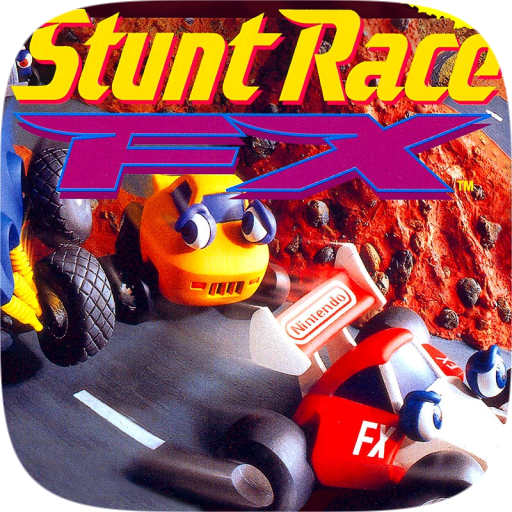
Stunt Race FX Remastered est un portage natif de Stunt Race FX pour macOS, distribué en binaire dans ses releases.
Architecture
 Mac OS X - macOS
 64-bit
Original game
Stunt Race FX Super Nintendo
Download and links
- Download Stunt Race FX
- Source code 76 GitHub stars
- License : CC0-1.0
Version history
0.991
Full changelog
Stunt Race FX Builder makes a native build of **Stunt Race FX** (Super Nintendo, 1994) from your own copy of the cartridge: the game as C, compiled for your machine and running on nativeshvc, with everything drawn by the GPU. On a Mac it builds the game for the Mac, or for the iPhone and iPad; on Windows, for Windows; on Linux, for Linux.The game's data is copyrighted, so the builder does not include it: you provide your ROM, the builder checks it by MD5, takes the data the game reads from it (the ROM's code is not used: the C stands for it), and produces a game that runs on its own. The ROM is not needed once the build is done.### New in 0.991 - **Full screen by default**, on every computer, Linux and the Steam Deck included; the pause screen switches between full screen and a window (or F11 and Alt+Enter on Windows and Linux), and the game remembers your choice. - **FPS counter on or off** from the pause screen. - **Any controller is player 1**: the first controller you press a button on drives, so a controller added to a Steam Deck works. - **Player 2's controls remapped too**: PLAYER 1 and PLAYER 2 buttons on the pause screen switch which player's keys and buttons it shows and changes. - **Click on the pause screen**: the mouse chooses a control to remap and presses its buttons. - **Tunnels open onto the outside**: no black going into or out of a tunnel; the land and sky show through its mouths, and solid rock covers it outside. - **Textures sit cleanly on their surfaces**: signs and markings no longer flicker or break up against the faces they are painted on. - **The results screen fills the window**: its blue background to the window's edges at any shape, the panels where the race puts them, and its black opening and closing over the whole window. - Auto-Accelerate, a touch-screen option, is now only on the iPhone and iPad. - The builder's finished page lists the keys the game has now, and a game run without its data says to build it with the builder.### Features - **Native**: the game's own C for your machine, no emulator; its 3D is drawn by the GPU (Metal on the Mac, iPhone and iPad, Vulkan on Windows and Linux). - **Any window, any shape**: the race and the menus fill the window, wide or tall, and the 3D is drawn at the window's own resolution, sharp at any size. - **60 frames a second**: the race runs the cartridge's own physics step for step, and the 3D is drawn on every frame between its steps. - **The courses' ground as polygon scenery**: green polygon mountains, oceans of waves, snowfields, to the horizon; solid 3D tyres and trees, and no distance where the scenery is cut off. - **Its own pause screen** (Escape, Select + Start, or the corner button): remap the keyboard and each player's controller, switch full screen, and show or hide the FPS counter; on the iPhone and iPad, a menu to resume, turn Auto-Accelerate or the FPS counter on or off, or quit the race. - **A view from above**: the view button beside the pause button switches the race between the view behind the car and an angled view from above. - **Depth-tested 3D**: the courses, cars and scenery drawn at their true depths, the cars riding on the track itself. - **Touch controls** on the iPhone and iPad: a steering wheel under your right thumb, brake and boost pedals under your left, the gas held for you while you drive, a pause button; swipes and taps in the menus. - **Game controllers** and the keyboard, on every system. - **Records kept** as the cartridge's battery saved them, in your user folder, so a rebuild never loses them.### Download - **macOS** (12 or later, Apple silicon and Intel; the game it builds needs the same): `StuntRaceFXBuilder-0.991-macOS.zip`. Unzip and open Stunt Race FX Builder. It is not notarized: if macOS refuses to open it, Control-click it and choose Open, or allow it in System Settings, Privacy & Security. - **Windows** (10 or later, 64-bit; the game it builds needs the same, and a graphics driver with Vulkan): `StuntRaceFXBuilder-0.991-Windows.zip`. Unzip it and run `StuntRaceFXBuilder.exe` from the unzipped folder (the `game` folder beside it holds the game's code). It is not signed: if SmartScreen stops it, choose More info, then Run anyway. - **Linux** (x86_64 or arm64; glibc 2.35 or later, which is Ubuntu 22.04, Debian 12, Fedora 36 and anything newer; X11 or XWayland; a graphics driver with Vulkan; GTK 3 for the builder's window): `StuntRaceFXBuilder-0.991-Linux-x86_64.tar.gz` or `StuntRaceFXBuilder-0.991-Linux-arm64.tar.gz`. Extract it and run `StuntRaceFXBuilder` in the extracted folder (the `game` folder beside it holds the game's code). Without a desktop it builds from the terminal: `./StuntRaceFXBuilder --rom YOUR_ROM.sfc --dest FOLDER --build`. Run the builder, not the program in its `game` folder: that is the builder's copy of the game, without its data. - **Steam Deck**: in Desktop Mode, run the Linux x86_64 builder and build the game; then in Steam choose Add a Non-Steam Game and pick `Stunt Race FX` in the folder it made, to play it in Gaming Mode. It starts full screen.### What it needs | Your dump | MD5 | |---|---| | The No-Intro ROM of Stunt Race FX (USA) (Rev 1), `.sfc` (a `.smc` with a copier's 512-byte header is accepted) | `128b316a74caf17fdc216b3ab46d4a9a` |The first release (Rev 0) and the European and Japanese cartridges are not supported yet.### What it makes - Mac: `Stunt Race FX.app`. - iPhone and iPad (iOS 15 or later), from the Mac builder: `Stunt Race FX.ipa`. When your Mac has Xcode signing (a development certificate with a provisioning profile for it), the .ipa is signed with it, ready to install from Xcode (Devices and Simulators) or Apple Configurator. Otherwise the builder says so in red and the .ipa is unsigned, for you to sign and install with a tool such as AltStore or Sideloadly. - Windows: a folder, `Stunt Race FX`, with `Stunt Race FX.exe` in it. - Linux: a folder, `Stunt Race FX`, with the program `Stunt Race FX` in it, and `Stunt Race FX.desktop` to copy to `~/.local/share/applications` to list the game with your other programs.### Playing - A keyboard or a game controller drives; on the iPhone and iPad, touch, or a game controller. The pause screen shows and changes what each key and button does (on a computer). - Full screen is the default; the pause screen's FULL SCREEN switches to a window and back, as do View, Enter Full Screen (Control-Command-F) on a Mac and Alt+Enter or F11 on Windows and Linux. - Records and settings live in your user folder (Application Support on macOS, the iPhone and the iPad, AppData on Windows, ~/.local/share on Linux), so rebuilding never touches them.Source: [builder/](https://github.com/jeff-strutb/stuntracefx/tree/bbb7a2d1788b88866068a73a55d0bf86577070fa/builder), [native/stuntracefx/](https://github.com/jeff-strutb/stuntracefx/tree/bbb7a2d1788b88866068a73a55d0bf86577070fa/native/stuntracefx).
Reply on the forum
A question or a hands-on report? Open the discussion on the forum.