TouchHLE

Émulateur v0.2.2

TouchHLE est un émulateur HLE (High-Level Emulation) conçu pour exécuter des applications et jeux développés pour les iPhone et iPod touch sous iPhone OS 3.0. Il se concentre sur la compatibilité des titres mobiles, avec une priorité marquée pour les jeux, tout en reproduisant l’environnement original avec une approche logicielle optimisée.

Sur macOS, il fonctionne sur les processeurs Apple Silicon via Rosetta, offrant une solution accessible pour les utilisateurs équipés de matériel récent. Développé initialement par hikari-no-yume et maintenu par une communauté, il reste un outil orienté pratique, sans affiliation avec Apple. La compatibilité et les performances varient selon les applications, comme le précise sa base de données dédiée.

Dernière mise à jour :

Plateformes

Architecture
Mac OS X - macOS Mac OS X - macOS Intel x86 Intel x86 64 bits 64 bits

Téléchargement et liens

Historique des versions

v0.2.3
  • Amélioration majeure de la compatibilité : Prise en charge de plus de 300 applications mobiles (notées ≥ 3 étoiles sur l’AppDB), incluant des titres variés comme Dungeon Hunter, Resident Evil 4: Mobile Edition, Assassin’s Creed, FIFA 10, ou Battlefield: Bad Company 2, avec des contributions ciblées sur des jeux populaires et niche.

  • Nouveautés API critiques :

    • Saisie textuelle native via clavier physique (Windows/macOS) ou clavier système (Android) pour UITextField, améliorant l’ergonomie des jeux textuels ou de dialogue.
    • Transformations affines (rotation) pour Core Animation et UIKit, indispensable à des jeux comme Crusade of Destiny ou Nanosaur 2 (rotation d’éléments UI), bien que l’auto-rotation reste inexistante.
    • Support partiel pour UIScrollView et UITextView, ainsi que pour des animations explicites en Core Animation.
    • Librairies dynamiques : Intégration de libz (zlib) compilée depuis une source propre, et support des codecs audio ALAC et IMA ADPCM via Audio Toolbox.
  • Améliorations utilisateur :

    • Options par défaut pour des jeux spécifiques, et fonction "Quick options" dans le sélecteur d’applications pour configurer rapidement des paramètres courants.
    • Simulation du gyroscope via la souris (maintenir le bouton droit et déplacer le curseur), utile pour les jeux de tilt sans contrôleur physique.
  • Corrections techniques :

    • Passage aux versions ARMv7 de libstdc++ et libgcc pour une meilleure stabilité sur architectures récentes.
    • Support limité pour le multi-joueur local via Wi-Fi dans certains titres (ex : jeux de course ou de tir).
    • Adaptation partielle aux changements de format binaire iPhone OS 3.1 (compatibilité non officielle avec ces anciennes versions).
Changelog complet
Hello everyone! The touchHLE team is proud to announce the new release! Compatibility has grown from dozens of games to [over 300 apps with 3+ stars support](https://appdb.touchhle.org/) :tada: Many thanks to all of the contributors who made this release possible :pray: ~ ciciplusplus and hikari_no_yume --- Compatibility: - New working apps: - [Dungeon Hunter](https://appdb.touchhle.org/apps/313) (@ciciplusplus) - [Crystal Defenders: Vanguard Storm](https://appdb.touchhle.org/apps/100) (@ciciplusplus) - [Zombie Infection](https://appdb.touchhle.org/apps/347) (@ciciplusplus) - [Gangstar: West Coast Hustle](https://appdb.touchhle.org/apps/351) (@ciciplusplus) - [Asphalt 4: Elite Racing](https://appdb.touchhle.org/apps/96) (@ciciplusplus) - [Prince of Persia: Warrior Within](https://appdb.touchhle.org/apps/127) (@ciciplusplus) - [Resident Evil 4: Mobile Edition](https://appdb.touchhle.org/apps/91) (@alborrajo) - [Command & Conquer: Red Alert](https://appdb.touchhle.org/apps/404) (@ciciplusplus) - [SimCity](https://appdb.touchhle.org/apps/250) (@ciciplusplus) - [Asphalt 5](https://appdb.touchhle.org/apps/411) (@ciciplusplus, @hikari-no-yume) - [Cut the Rope](https://appdb.touchhle.org/apps/124) (@ciciplusplus) - [Skater Nation](https://appdb.touchhle.org/apps/424) (@ciciplusplus) - [Iron Man 2](https://appdb.touchhle.org/apps/451) (@ciciplusplus) - [Shrek Forever After](https://appdb.touchhle.org/apps/427) (@ciciplusplus) - [Spore Origins](https://appdb.touchhle.org/apps/302) (@ciciplusplus, @hikari-no-yume, @teromene) - [Defender Chronicles](https://appdb.touchhle.org/apps/267) (@hujerhoe) - [Real Racing](https://appdb.touchhle.org/apps/188) (@ciciplusplus) - [Tom Clancy's Splinter Cell: Conviction](https://appdb.touchhle.org/apps/416) (@ciciplusplus) - [Assassin's Creed](https://appdb.touchhle.org/apps/413) (@ciciplusplus) - [N.O.V.A. Near Orbit Vanguard Alliance](https://appdb.touchhle.org/apps/443) (@ciciplusplus) - [Brothers in Arms 2: Global Front](https://appdb.touchhle.org/apps/464) (@ciciplusplus) - [Ferrari GT: Evolution](https://appdb.touchhle.org/apps/116) (@ciciplusplus) - [Castle Frenzy](https://appdb.touchhle.org/apps/463) (@ciciplusplus) - [Hero of Sparta 2](https://appdb.touchhle.org/apps/453) (@ciciplusplus) - [Hero of Sparta](https://appdb.touchhle.org/apps/452) (@ciciplusplus) - [Bridge Odyssey](https://appdb.touchhle.org/apps/465) (@ciciplusplus) - [Terminator Salvation](https://appdb.touchhle.org/apps/344) (@ciciplusplus) - [Brothers In Arms: Hour Of Heroes](https://appdb.touchhle.org/apps/369) (@ciciplusplus) - [Crusade Of Destiny](https://appdb.touchhle.org/apps/792) (@ciciplusplus) - [Arvale](https://appdb.touchhle.org/apps/671) (@ciciplusplus) - [Battlefield: Bad Company 2](https://appdb.touchhle.org/apps/817) (@ciciplusplus) - [Ms. PAC-MAN](https://appdb.touchhle.org/apps/63) (@acieslewicz) - [Dark Nebula](https://appdb.touchhle.org/apps/910) (@ciciplusplus) - [FIFA 10](https://appdb.touchhle.org/apps/496) (@ciciplusplus) - [Crash Bandicoot Nitro Kart 2](https://appdb.touchhle.org/apps/670) (@ciciplusplus) - [Driver](https://appdb.touchhle.org/apps/247) (@ciciplusplus) - [Sacred Odyssey: Rise of Ayden](https://appdb.touchhle.org/apps/431) (@ciciplusplus) - [Nanosaur 2](https://appdb.touchhle.org/apps/991) (@ciciplusplus) - [Cro-Mag Rally](https://appdb.touchhle.org/apps/992) (@ciciplusplus) - [Bugdom 2](https://appdb.touchhle.org/apps/995) (@ciciplusplus) - API support improvements: - Various small contributions. (@hikari-no-yume, @alborrajo, @ciciplusplus, @atasro2, @abnormalmaps, @hujerhoe, @acieslewicz, @WhatAmISupposedToPutHere, @JaGoTu, @apexad, @chyyran, @mistydemeo, @bognarit80, @RMZeroFour) - UITextField now supports real text input with a keyboard. On Windows/macOS physical keyboard is used, on Android it's done via a system soft keyboard. (@ciciplusplus) - UIScrollView and UITextView partial implementations. (@Skryptonyte, @ciciplusplus) - Core Animation and UIKit now support affine transforms, allowing UI elements to be rotated, a feature needed by [several games](https://github.com/touchHLE/touchHLE/issues/388). Note however that auto-rotation is not yet supported. (@hikari-no-yume) - Partial support for Core Animation explicit animations has been added. (@alborrajo) - The libz dynamic library is now available, [compiled from source](https://github.com/touchHLE/zlib-dylib) using a [clean open-source toolchain](https://github.com/touchHLE/common-3.0-sdk). (@acieslewicz) - ALAC and Microsoft IMA ADPCM are now supported in Audio Toolbox, with the same caveats as other compressed codecs. (@abnormalmaps) - Switched to ARMv7 rather than ARMv6 versions of libstdc++ and libgcc. (@acieslewicz) - Added support for certain iPhone OS 3.1 binary format changes (iPhone OS 3.1 apps are still considered unsupported). (@bognarit80) - Limited support for local multiplayer via Wi-Fi in some games. (@ciciplusplus) Usability: - Default options for various games have been added or improved. (@celerizer, @nighto) - The app picker now has a “Quick options” feature. This provides a quicker and easier way to set some common options. (@hikari-no-yume) - App icons in the app picker are now sorted by the display name of the app, case-insensitively. (@hikari-no-yume) - The accelerometer (tilt controls) can now be simulated using a mouse, instead of a game controller or real accelerometer. Simply hold down the right mouse button and move the mouse cursor. (@alborrajo) - The new `--disable-analog-stick-tilt-controls` option can be used to disable the use of the game controller's analog sticks for accelerometer simulation. This is useful on devices with both an integrated game controller and an integrated accelerometer, as touchHLE by default will only use the real accelerometer if no game controller is detected. (@hikari-no-yume) - Android builds and releases of touchHLE now have an icon and meaningful version metadata. They also now use a different package name for preview builds versus releases, which means you can install them side-by-side. (@hikari-no-yume) - macOS builds and releases of touchHLE now come as an application bundle (`.app` directory) rather than as a bare “Unix executable” file. This should fix problems some users encountered with running touchHLE outside of a terminal, and allows putting touchHLE in the Applications folder like a normal graphical app. To support this, user data (apps, options, etc) is now stored in “Application Support” rather than the current directory, and the bundled files (fonts, dylibs, etc) are now part of the app bundle. If you prefer the old layout, you can still get it if you move all the files out of the bundle. (@hikari-no-yume) - The “File manager” button on Android now works more reliably, especially the first time it is tapped. (@hikari-no-yume) - The new `--force-composition=` option has been added, which is a workaround that may solve rendering issues in some games, at the cost of performance. For some games it is applied by the default options. (@ciciplusplus) - Most errors causing touchHLE to crash now produce a graphical message box, rather than the error message only being found in the log. (@abnormalmaps) - touchHLE now writes log messages to a file on all platforms, not just on Android. The file has been renamed from `log.txt` to `touchHLE_log.txt`. (@hikari-no-yume) - Two new options for input handling of analog stick (`--stick-to-touch=`) and 8-directional DPad (`--dpad-to-touch=`) via a game controller. (@celerizer) Quality: - Fixed an issue on some Android phones where the accelerometer was not usable. (@Oscar1640) - Fixed multi-touch in some games. (@ciciplusplus) - App icons are now displayed with a glossy sheen where required. (@hikari-no-yume) - The app icons and labels in the app picker are now displayed at integer pixel offsets, making them sharper and more symmetrical. (@hikari-no-yume) Other: - MP3 decoding now uses Symphonia rather than dr\_mp3. We do not expect this to affect compatibility. (@abnormalmaps)
v0.2.2
  • Nouveautés majeures en compatibilité :

    • Ajout du support pour 4 applications (Rayman 2, Tony Hawk’s Pro Skater 2, Earthworm Jim, Castle of Magic).
    • Prise en charge des applications iPhone OS 3.0 (en plus des 2.x) :
      • Gestion des fat binaries (ARMv6/ARMv7) sans crash, avec sélection automatique de la version la plus adaptée.
      • Mise à jour des bibliothèques dynamiques ARMv6 (libgcc, libstdc++) vers leurs versions iPhone OS 3.0.1.
      • Suppression des avertissements pour les apps ciblant iPhone OS 3.0 (seulement pour 3.1+ désormais).
  • Améliorations techniques :

    • Support du format audio AAC-LC (conteneurs MPEG-4) via Audio Toolbox (solution temporaire, compatibilité variable).
    • Contributions API étendues par plusieurs contributeurs (optimisations mineures).
  • Usabilité :

    • Option --button-to-touch= étendue pour mapper les boutons Start et LeftShoulder (en plus de A/B/X/Y et D-pad).
    • Ajustements des paramètres par défaut pour certains jeux.
Changelog complet
Hi everyone! I'm sorry this release took a while, but it's here. This release (including the date) was @ciciplusplus's idea, and they now have more power in the project than before. We hope you enjoy! ~ hikari_no_yume ---- Compatibility: - New working apps: - [Rayman 2](https://appdb.touchhle.org/apps/279) (@ciciplusplus) - [Tony Hawk's Pro Skater 2](https://appdb.touchhle.org/apps/75) (@ciciplusplus) - [Earthworm Jim](https://appdb.touchhle.org/apps/280) (@ciciplusplus) - [Castle of Magic](https://appdb.touchhle.org/apps/281) (@ciciplusplus) - API support improvements: - Various small contributions. (@alborrajo, @WhatAmISupposedToPutHere, @ciciplusplus, @hikari-no-yume, @LennyKappa, @Skryptonyte, @teromene) - AAC audio files (AAC-LC in a typical MPEG-4 container) are now supported in Audio Toolbox. This is done in a fairly hacky way so it might not work for some apps. (@hikari-no-yume) - There is now support for iPhone OS 3.0 apps, in addition to the existing support for iPhone OS 2.x apps: - Support for fat binaries has been added. touchHLE will no longer crash when trying to run an app with both ARMv6 and ARMv7 versions, and instead will try to pick the best available option (ARMv7, or failing this, ARMv6). This improves compatibility with iPhone OS 3.0 apps, many of which use fat binaries in order to improve performance on the iPhone 3GS and iPod touch (3rd generation). (@WhatAmISupposedToPutHere) - The bundled ARMv6 dynamic libraries, libgcc and libstdc++, have been updated to their iPhone OS 3.0.1 versions. Previously the iPhone OS 2.2.1 versions were used. (@hikari-no-yume) - touchHLE will no longer output a warning when trying to run an app with iPhone OS 3.0 as its minimum OS version. The warning now only appears for apps requiring iPhone OS 3.1 and later. (@hikari-no-yume) Usability: - The `--button-to-touch=` option now supports the Start and the LeftShoulder buttons in addition to the A/B/X/Y buttons and D-pad. Certain games' default options have been adjusted to use them. (@nighto) - Default options for various games (@nighto)
v0.2.1
  • Nouveautés majeures :

    • Base de données collaborative de compatibilité : Remplacement de l’ancienne liste d’apps supportées par une base de données communautaire (appdb.touchhle.org).
    • Support multi-touch : Ajout officiel pour une meilleure compatibilité avec les jeux utilisant plusieurs points de contact.
  • Améliorations de compatibilité :

    • Ajout de 4 nouvelles applications fonctionnelles : Doom, Doom II RPG, I Love Katamari, et Wolfenstein RPG.
    • Améliorations API : Contributions mineures pour renforcer la stabilité des apps existantes.

(Aucun changement spécifique à macOS ou Apple Silicon dans ce changelog.)

Changelog complet
Hi everyone! I'm happy to announce a new release, two months after the previous one. Before I get to the changelog, some special notes: - From this release onwards, the old list of supported apps is replaced by the new, crowdsourced [touchHLE app compatibility database](https://appdb.touchhle.org/). - In case you missed it, the [touchHLE app archive](https://touchhle.org/app-archive/) was recently launched. It only has one app at the moment, but that's hopefully just the start. If you were an indie developer in the early iPhone days, please get in touch! - If you want to get notified about future releases, you might want to join the [Discord server](https://discord.gg/sVMXc8z3eS). You can't post there, but you'll be @'d with updates. There's also a [YouTube channel](https://www.youtube.com/@touchHLE) where I post short gameplay videos with new releases. - If you want to help me keep working on this full time, please consider [supporting me financially](https://liberapay.com/hikari_no_yume). Finally, a big thanks to all the other contributors who made this release what it was! If it weren't for them, there might not have been any new game support in this release. Happy Halloween! 🎃 ~ hikari_no_yume ---- Compatibility: - API support improvements: - Various small contributions. (@hikari-no-yume, @ciciplusplus, @alborrajo) - New working apps: - [Doom](https://appdb.touchhle.org/apps/56) (@ciciplusplus) - [Doom II RPG](https://appdb.touchhle.org/apps/57) (@alborrajo) - [I Love Katamari](https://appdb.touchhle.org/apps/55) (@ciciplusplus) - [Wolfenstein RPG](https://appdb.touchhle.org/apps/58) (@alborrajo) Quality: - Multi-touch is now supported. (@ciciplusplus) Usability: - The Android version of touchHLE now has a _documents provider_. Thanks to a mere three hundred lines of boilerplate code [originally written for the emulator Skyline](https://github.com/skyline-emu/skyline/blob/dc20a615275f66bee20a4fd851ef0231daca4f14/app/src/main/java/emu/skyline/provider/DocumentsProvider.kt) (RIP), it is now possible for you, as the owner of a device running a newer Android version, to move ~~files~~ _documents_ in and out of touchHLE's ~~directory~~ _location_ on your device with relative ease. For example, it is now possible to download an ~~.ipa file~~ _`application/octet-stream` document_ to the Downloads folder of your device, then, using an appropriate app, move this _document_ to the touchHLE _location_. Users of normal operating systems and [older versions of Android](https://developer.android.com/about/versions/11/privacy/storage#other-apps-data) continue to be able to access a superior version of the same functionality via a so-called “file manager”. (@hikari-no-yume) - There is now an “Open file manager” button in the app picker, to make it easier to find where touchHLE stores your apps and settings. On most operating systems this opens the relevant directory in a file manager, and on Android it opens some sort of app for managing _documents_ in the touchHLE _location_. (@hikari-no-yume) - The Android version of touchHLE now writes all log messages to a file called `log.txt`, in addition to outputting them to logcat. (@hikari-no-yume) - The new `--stabilize-virtual-cursor=` option makes the analog stick-controlled virtual cursor appear more stable to the emulated app, which is helpful in some games with overly sensitive menu scrolling. In some titles it is applied by default. (@hikari-no-yume; special thanks: @wareya) - Automatic language detection now works on all platforms, and supports a list of languages in order of preference, rather than just one. The `LANG` environment variable is no longer supported, and instead the new `--preferred-languages=` option can be used. Note that it is the emulated app itself that decides what to do with this list, and whether particular languages are supported. (@hikari-no-yume) - The app picker now has multiple pages, so it is no longer limited to 16 apps. (@hikari-no-yume) - The framerate is now limited to 60fps by default, which matches the original iPhone OS and fixes issues with some games where the game ran too fast or consumed excessive energy and CPU time. This limit can be adjusted or disabled with the new `--limit-fps=` option. (@hikari-no-yume; special thanks: @wareya) - The `--button-to-touch=` option now supports D-pad mappings in addition to the A/B/X/Y buttons. (@alborrajo) - Default game controller button mappings have been added for Wolfenstein RPG and Doom II RPG, including for the D-pad. (@alborrajo)

Captures d'écran

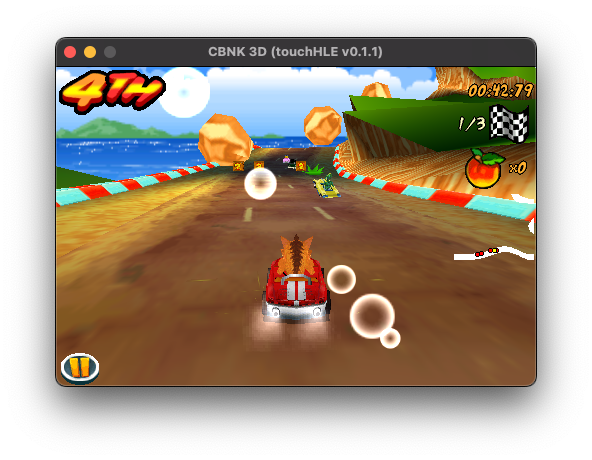
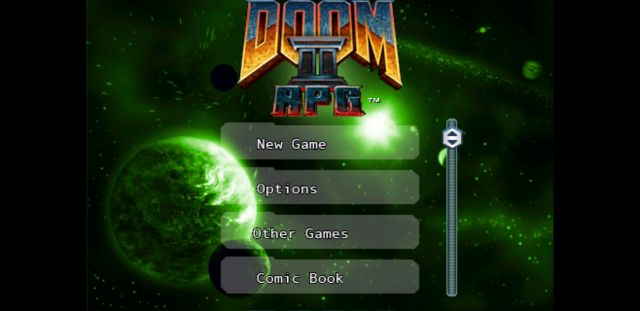
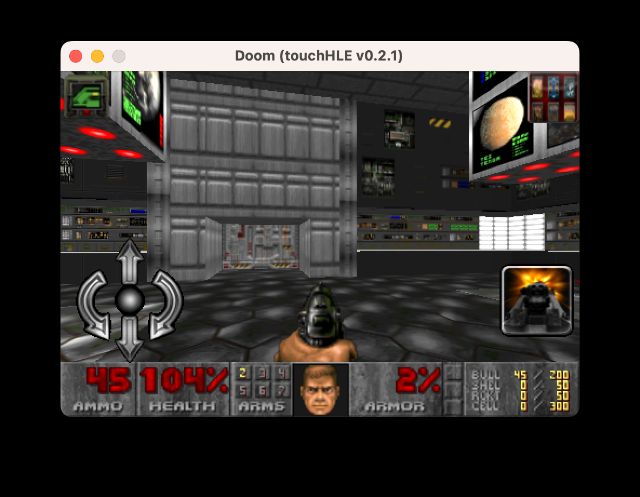
Crash Bandicoot Nitro dans touchHLE Doom II RPG dans touchHLE Doom dans touchHLE