MartyPC
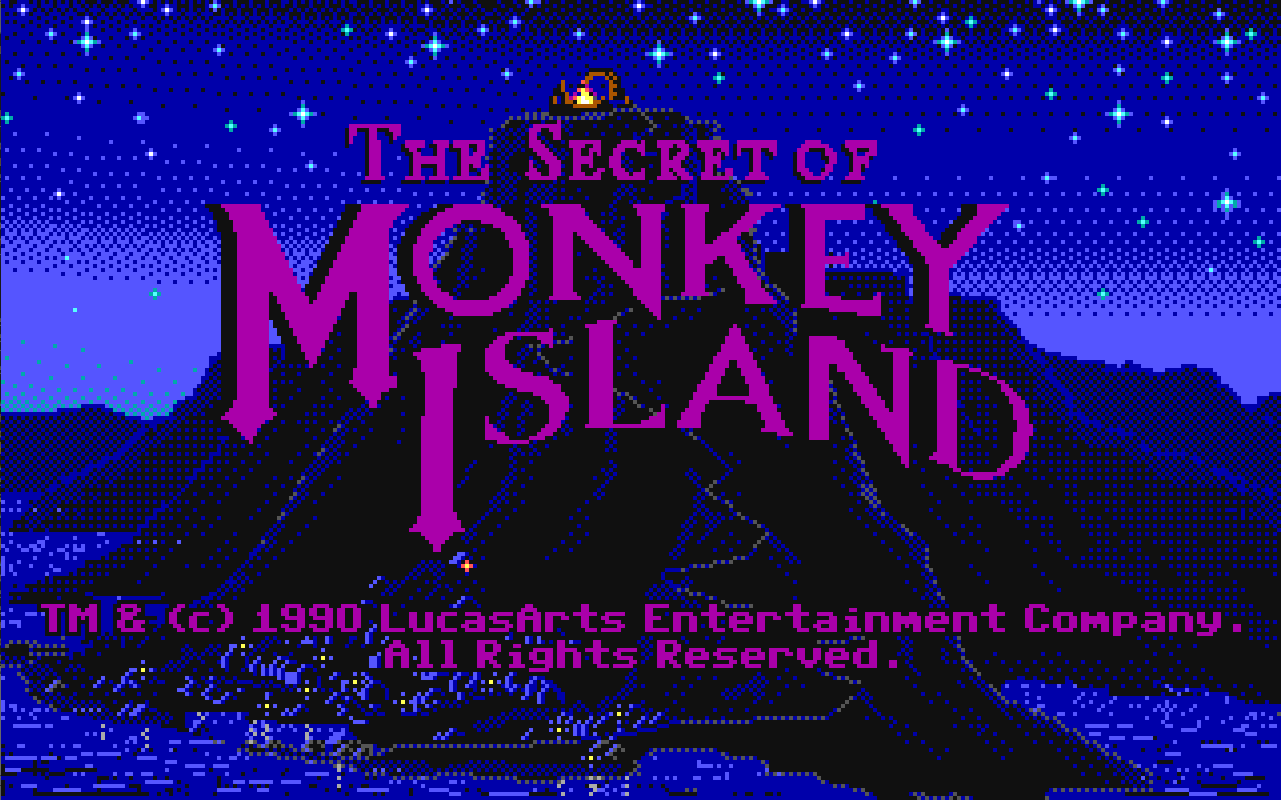
MartyPC est un émulateur d’ordinateurs IBM PC compatibles, conçu pour reproduire fidèlement l’architecture matérielle des machines anciennes, notamment autour du processeur Intel 8088. Développé en Rust, il cible principalement les développeurs et passionnés de rétro-informatique, offrant des outils avancés de débogage et de traçage cycle par cycle pour analyser ou tester du code pour l’Intel 8088.
Distribué uniquement sous forme de code source, il fonctionne sur macOS Intel et Apple Silicon, à condition de le compiler localement. Son approche rigoureuse, validée par des tests matériels (comme un Arduino connecté à un vrai 8088), garantit une précision élevée, avec un taux de fidélité proche de 100 % pour l’émulation CPU. Bien que moins accessible aux utilisateurs occasionnels, il se distingue par sa capacité à exécuter des démos techniques exigeantes, comme 8088 MPH.
Dernière mise à jour :
Plateformes
Architecture
 Mac OS X - macOS
 Intel x86
 Apple Silicon
 64 bits
Téléchargement et liens
Historique des versions
v0.4.1
-
Nouveauté majeure :
- Ajout d’un mode d’émulation 8080 pour le processeur V20, avec des tests préliminaires (à valider par la communauté).
-
Corrections critiques :
- Correction du bit de désactivation du curseur VGA (référence Ferraro inversée).
- Résolution des problèmes de contrôleurs sur Windows 7 (compatibilité matérielle).
-
Améliorations frontales :
- Ajout d’un flag "custom ROM" pour simplifier le chargement de ROMs personnalisées.
- Mise à jour des définitions ROM pour les BIOS 5160 (1982) via un champ "repeat".
- Correction de l’affichage de la fenêtre CPU Status lors des pauses ou étapes manuelles.
-
Optimisations techniques :
- Gestion améliorée des géométries de disques durs pour le contrôleur Xebec.
- Optimisation de la génération de noms de fichiers (complexité réduite de O(n) à O(log N) ou O(1) avec indice).
Changelog complet
v0.4.0
-
Nouveautés majeures pour l'émulation PC/XT et compatibilité disque :
- Ajout d’un système audio complet avec support des cartes AdLib (OPL2 via nuked-opl3), SN76489 (3 voix pour PCjr/Tandy 1000) et Disney Sound Source (pour jeux parallèles comme Wolfenstein 3D).
- Émulation bitstream des disquettes via fluxfox : prise en charge de 10 formats d’images (IMD, MFM, HFE, 86f, etc.) et des protections anti-copie, avec chargement multithreadé et écriture en 86f/PRI. Montage dynamique de ZIP en disquettes FAT12 (via rust-fatfs).
-
Améliorations matérielles critiques :
- VGA émulé (modes 13h/ModeX/Y, débogueur des registres/palette en temps réel) et PCjr/Tandy Graphics Adapter (TGA) améliorés.
- Contrôleurs de disque avancés :
- XT-IDE Rev 2 (BIOS open-source, configuration par défaut
ibm5160_xtide) et jr-IDE (ATA LBA + 736 Ko de RAM pour PCjr). - Interopérabilité avec les VHD de 86Box (bidirectionnelle pour les disques fixes).
- XT-IDE Rev 2 (BIOS open-source, configuration par défaut
- Cartes mémoire personnalisables : expansion non contiguë et overlay pour PCjr (
pcjr_memory_sidecar).
-
Interface utilisateur et fiabilité :
- Frontend redessiné basé sur eframe (suppression des dépendances obsolètes), avec boîtes de dialogue natives (via RFD) pour macOS/Windows/Linux.
- Messages d’erreur systémiques (boîte de dialogue au démarrage au lieu des logs en console).
-
Débogage et outils :
- Visualiseurs graphiques : mémoire (textes/pixels 1/2/4/8bpp), disquettes
Changelog complet
v0.2.2
-
Nouveautés majeures :
- Ajout de l’émulation de la carte EMS LoTech 2MB (via l’overlay
lotech_ems), avec prise en charge des paramètres de fenêtre segment et d’adresse de base (doivent correspondre aux valeurs matérielles supportées). - Intégration d’un port de jeu IBM et d’une émulation de joystick basique (clavier) :
- Active/désactive via un raccourci (
Ctrl-F9) ou la configuration (joystick_keys). - Installation automatique sur les machines PCjr et Tandy 1000 ; ajout possible via l’overlay
game_port. - Deux joysticks à 2 boutons/2 axes supposés connectés par défaut.
- Active/désactive via un raccourci (
- Support des slots de cartouches PCjr (format JRipCart) :
- Insertion/retrait déclenche un redémarrage ; visible uniquement sur la machine PCjr.
- Interface utilisateur dédiée pour gérer les cartouches (menu et sélection).
- Ajout de l’émulation de la carte EMS LoTech 2MB (via l’overlay
-
Corrections importantes :
- Série (8250 UART) : Résolution de multiples bugs (PCjr boot sans erreur "D", passage des diagnostics Checkit2).
- Port terminal : Ajout d’une option de configuration (
terminal_port) pour afficher les écritures sur le terminal hôte. - MC6845 : Correction d’un blocage lors de l’ajustement de la période totale verticale (valeur 127).
- Hercules : Augmentation de la taille du champ d’affichage pour compatibilité avec certains émulateurs CGA (ex. : BBSIMCGA).
- Debugger :
- Fenêtre de statut série : affichage des registres et statistiques.
- Fenêtre de statut IO : bouton de réinitialisation des compteurs, affichage de la dernière valeur lue par port, et correction des crashes lors de réinitialisation avec défilement actif.
-
Spécifique macOS / Apple Silicon :
- Problème connu : Utilisateurs Intel en plein écran : bandes colorées à l’écran → activer l’option `macos_stripe_fix
Changelog complet
v0.2.1
-
Nouveau framework CPU modulaire : prise en charge de plusieurs types de processeurs (ex. NEC V20) avec une légère pénalité de performance, mais des optimisations prévues pour la réduire.
-
Ajout du processeur NEC V20 : implémentation native (mode V20) et outils de test automatisés pour améliorer l’exactitude (mode 8080 à venir). Pas de support macOS spécifique ici.
-
Machines supplémentaires :
- Tandy 1000 : fonctionnelle (compatible avec le contrôleur de disque Xebec). Pas de correctif ou build dédié pour macOS.
- IBM PCjr : support basique des cartouches et contrôleur de disquettes (mode PIO en cours).
-
Améliorations du débogage :
- Chronomètre de cycles pour mesurer l’exécution entre deux points (UI dans la fenêtre de contrôle CPU).
- Historique des instructions enrichi (surlignage des sauts, interruptions, etc.).
Pas de mention de macOS, Apple Silicon, builds .dmg ou versions minimales dans ce changelog.
Changelog complet
v0.2.0b
-
Nouveau système de gestion graphique :
- Abstraction d’un backend graphique (futur support potentiel pour SDL) avec 4 modes d’affichage (Fixed, Integer, Fit, Stretch) et 4 options d’overscan (débogage inclus).
- Multi-fenêtrage : gestion de fenêtres indépendantes (taille fixe, redimensionnable, "toujours au-dessus"), basculable en plein écran via
CTRL+ALT+ENTREE. - Shaders intégrés : correction matérielle de l’aspect ratio (moins de charge CPU), effets CRT (distorsion, bords arrondis, simulation phosphor, scanlines synchronisées).
-
Nouveau cadre de configuration matérielle :
- Définition et sélection de configurations machine nommées (via fichier de config ou ligne de commande), avec personnalisation fine (RAM, disques flexibles, cartes vidéo, ports série, etc.).
-
Support des cartes vidéo EGA et MDA :
- EGA : émulation fonctionnelle des 5 puces LSI (compatible CGA, panning de pixels, registre de comparaison de ligne, polices logicielles).
- MDA : prise en charge du 9ème caractère et des attributs de soulignement, avec détection du port LPT (optimisation nécessaire pour les performances).
- Problèmes connus : glitches avec certains pilotes Windows 3.0, registers non implémentés, lenteur potentielle (optimisation SIMD à venir).
-
Nouveau système de clavier :
- Émulation bas-niveau d’un clavier IBM Model F (typematic configurable), support des layouts internationaux (fichiers de traduction basés sur les codes W3C).
- À venir : émulation Model M, hotkeys configurables.
-
Améliorations du débogueur/GUI :
- Interface réorganisée, affichage amélioré de l’état CPU, trace d’instructions en CSV avec table scrollable, annotations pour les entrées IVT.
- Visualisation mémoire étendue (régions mappées), créateur de VHD simplifié, thèmes graphiques et système de notifications (opérations
Changelog complet
v0.1.3
-
Correction majeure pour les claviers non-US : Résolution d’un bug critique lié aux dispositions de claviers non-américains (via une mise à jour de Winit 0.29), permettant enfin l’entrée correcte des caractères spécifiques.
-
Amélioration des performances et de la précision visuelle :
- Remplacement du code de simulation composite CGA par l’algorithme de reenigne (3x plus rapide et couleurs plus précises).
- Ajout de contrôles pour ajuster le contraste, la phase et le type de CGA dans la fenêtre dédiée.
-
Corrections mineures et ajustements techniques :
- Désactivation automatique du window doubling si la fenêtre ne tient pas à l’écran (problème lié au DPI).
- Réduction de la taille minimale de la fenêtre.
- Renommage du flag
autostartenauto_poweronavec une logique corrigée.
-
Mises à jour de dépendances :
- Pixels → 0.13, egui/egui-wgpu → 0.22, Winit → 0.29 (incluant des fixes pour Linux et Wayland).
- Fork d’egui-winit pour compatibilité avec Winit 0.29.
(Aucune modification spécifique à macOS ou Apple Silicon dans cette version.)
Changelog complet
v0.1.2
-
Améliorations majeures de performance :
- Optimisations matérielles : passage à la bibliothèque
glam(remplaçantcgmath) et utilisation debytemuckpour accélérer les conversions CGA (jusqu’à 3x pour l’index→RGBA) et 30% de gain sur la simulation composite. - Traitement graphique : utilisation de
fast_image_resizepour une correction d’aspect 5x plus rapide (qualité équivalente), et amélioration globale des calculs vectoriels.
- Optimisations matérielles : passage à la bibliothèque
-
Corrections critiques sur le matériel émulé :
- Cartes graphiques CGA : suppression d’un bug dans la gestion de la palette (corrige le mode CGAMORE de California Games), ajout de port mirrors et de dynamic clocking (basculement cycle/character), et centrage horizontal des écrans dans tous les modes.
- Périphériques : fixes des logiques du PIT (latch), du PIC (IRR), et du PPI (ligne keyboard enable), résolvant des halts au démarrage (ex. : 5160) et une inaccuracy du registre de shift du clavier.
- Disquettes : prise en charge native des images 1.44 MB (lecture confirmée) et option pour sauvegarder les modifications apportées aux images chargées.
-
Améliorations logicielles et UX :
- Ajout de démos et jeux préinstallés, d’un guide utilisateur dédié, et d’une option CTRL+ALT+DEL dans le menu.
- Réorganisation du code : émulateur core refactorisé en bibliothèque Rust, ajout de benchmarks via Criterion, et mise à jour de la bibliothèque Pixels (v0.12.1).
-
Corrections mineures mais impactantes :
- CPU : traçage des cycles corrigé et performance améliorée lors des halts.
- Mode texte : gestion correcte du flag mode enable.
- Compatibilité : ajustements des défauts de composite pour correspondre à *8088
Changelog complet
v0.1.1
- Première sortie publique : publication de la première version binaire officielle, limitée pour l’instant uniquement à Windows (pas de support pour macOS ou Linux à ce stade).
- Restriction technique : l’émulation est limitée au mode CGA (Color Graphics Adapter) en raison d’une implémentation EGA/VGA incomplète.
- Documentation : un guide utilisateur basique (User Guide.txt) est fourni, mais des ressources plus détaillées sont annoncées ultérieurement.
- Appel à la communauté : invitation à signaler les bugs rencontrés pour améliorer le projet.
Changelog complet
Captures d'écran