Neo Geo Arcade Stick Pro
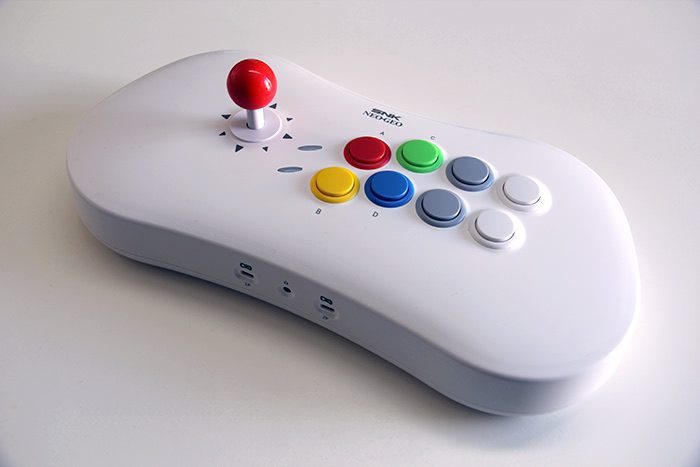
For a long time, I had wanted to get an arcade stick, whether for RetroPie, Mac, or the various PS4 or PS3 consoles.
I watched the market for quite some time, unsure which model to choose. I hesitated for a long time between sticks from the market leader Hori, or those of its main competitors, MayFlash or Qanba. In recent years, new competitors have entered the market, such as Bigben, Razer, or Mad Catz. It must be said that despite the niche nature of the market, there are still many enthusiasts for these controllers.
At the end of 2019, SNK announced the release of an in-house arcade stick, the Neo Geo Arcade Stick Pro. And it was ultimately this model that I decided to go for.

Connected via USB to a computer or console, it can be used as an arcade stick. But once connected via HDMI, it transforms into a console that can be directly plugged into an HDMI input on a TV or monitor.
Released at the end of 2020 to celebrate the 30th anniversary of Neo Geo, I opted for the Christmas edition, which includes an additional controller, an exclusive booklet for the 30th anniversary of Neo Geo, and 20 extra games.
Design and Ergonomics
The Neo Geo Arcade Stick Pro stands out with its rounded design and white color, while competing sticks are more angular and dark. The stick is quite thick and rather bulky. You need to plan for some space to fully enjoy it.
The joystick follows the style of arcade cabinets, as does the placement of the buttons. The 8 large buttons are easily accessible, at least the first six. Fortunately, the last two are rarely used.
The secondary buttons and switches are located on the right side of the stick and do not detract from the very clean design of the upper cover.
Upon first use, I immediately felt the same sensation as when playing on arcade cabinets, and I even got goosebumps.
It's a huge nostalgic pleasure I should have indulged in much earlier.
Attention for the uninitiated, used to playing with a keyboard or even a modern controller, the learning curve is slightly different. This is especially true for fighting games, where special moves require a sequence of key presses. Despite your usual skills, the hado-ken won't come as easily. You'll need a bit of time to adapt, as handling the stick isn't as easy or fast as pressing keys on a keyboard (especially with Apple's ultra-thin keyboards). But it's the price to pay to enjoy arcade sensations at home.
Usage in Console Mode
Using it as a gaming console is quite simple: just plug it into a TV with an HDMI port, connect the power supply via a USB-C cable, and then activate the console mode with the dedicated switch.
The stick starts up quite quickly, almost instantly. It then offers an interface listing the 40 games (for this Christmas model). The interface isn't particularly well-designed graphically; it looks like it was thrown together quickly, but that doesn’t matter much as it remains ergonomic and allows quick access to the games.
Once in a game, there's nothing to complain about—it's smooth, playable, just like any Neo Geo emulator over the past 20 years on Mac or PC, or how a Raspberry Pi would handle it.
The stick comes with an additional controller with the Christmas version, which doesn’t seem to be the case for the classic version—something to verify. It’s a nice surprise! This allows you to play two-player games directly, as all tested games are designed for multiplayer.
This was the hallmark of the console back then: the vast majority of games are 2D fighting games. The King of Fighters series is well-represented, with no less than 6 games, as are the Samurai Shodown titles, with 5 games. Personally, I quickly dove into Garou: Mark of the Wolves, my favorite on this console for years.
Another Neo Geo classic, the stick includes all the Metal Slug episodes. It would have been a huge oversight on SNK’s part not to include them, given their impact on video game history.
Personally, I would have been very disappointed by the absence of these video game masterpieces.It also includes a few rare sports games, a category that could have been expanded a bit. Among the 3 available, only Super Sidekicks deserves a bit of attention, even though I would have preferred Neo Geo Cup '98. However, despite its age, Super Sidekicks still offers fun, even for younger players accustomed to the latest FIFA and PES. The learning curve is quick, it is obviously much less technical than recent games, but still requires some skill to score goals.
In the end, 40 games is already quite a lot, but I would have liked more variety. On my part, I would have preferred many more Run and Gun or Beat'em Up titles, possibly a bit more sports game options (such as Neo Drift Out, for example), even though it wasn’t the original console’s strong suit.
Here is the list of the 40 available games in console mode
- Art Of Fighting
- Fatal Fury
- Fatal Fury 2
- Fatal Fury 3
- Fatal Fury Special
- Garou: Mark Of The Wolves
- Kizuna Encounter
- League Bowling
- Metal Slug 1
- Metal Slug 2
- Metal Slug 3
- Metal Slug 4
- Metal Slug 5
- Metal Slug X
- Ninja Combat
- Ninja Masters
- Real Bout Fatal Fury Special
- Samurai Shodown
- Samurai Shodown II
- Samurai Shodown III
- Samurai Shodown IV
- Samurai Shodown V Special
- Savage Reign
- Shock Troopers
- Shock Troopers 2nd Squad
- Soccer Brawl
- Super Sidekicks
- The King Of Fighters '95
- The King Of Fighters '97
- The King Of Fighters '98
- The King Of Fighters '99
- The King Of Fighters '2000
- The King Of Fighters '2002
- The Last Blade
- The Last Blade 2
- The Path of the Warrior Art Of Fighting 3
- The Super Spy
- World Heroes 2
- World Heroes 2 Jet
- World Heroes Perfect
Usage as a Joystick on the Mac
Now that we’ve covered the console mode, let’s dive into the main topic and connect the Neo Geo Arcade Stick Pro to a Mac. Connecting to a computer is simpler, as it only requires plugging in the USB cable hidden inside the case.
Switching the mode switch, and without wasting time, it's obviously the emulators that we turn to, starting with OpenEmu.
Opening OpenEmu, the application quickly reminds us why we appreciate it so much. The multi-emulator recognizes the stick immediately as a controller, and in OpenEmu's preferences, configuring the stick's buttons is very quick. However, you will need to configure it as a controller for each console you want to use it on.
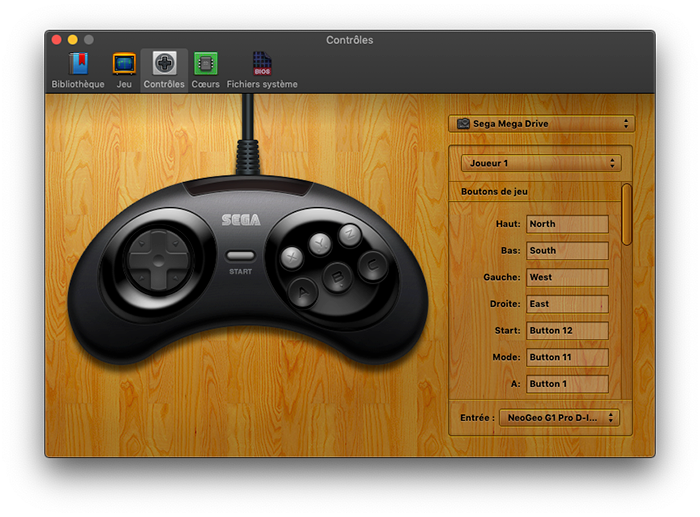
The joystick is ideal for all 8-bit console games (NES, Master System…) and the following 16-bit generation (Super NES, Megadrive…). After that, it shows its limitations as a "simple" stick. Indeed, on 32-bit and 64-bit consoles (PlayStation, Nintendo 64…), controllers become more complex, with the addition of an extra joystick and the multiplication of buttons. However, on many games, it is possible to enjoy yourself with the stick.
If you are a MAME user, the Arcade emulator, you will immediately suspect that it won't be as simple, and you will be right. The configuration is not really as easy, and may potentially need to be adapted for each game. Fortunately, like with OpenEmu, the stick is perfectly recognized, and once plugged in, you just need to take the time to configure all the buttons.
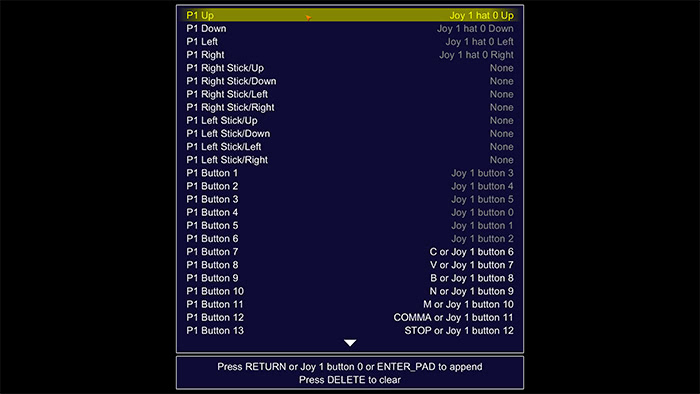
Once in place, the result is simply delightful. I have never enjoyed replaying old arcade games as much. I found myself having gaming sessions much longer than usual. My daughter, seeing her father acting like a madman in front of the screen, eventually joined in with the Neo Geo Mini controller.
The controller included with the stick is also compatible with the Mac. It works without issues with OpenEmu and MAME, and is recognized in the same way as the stick. The only thing I don't understand is why the stick is USB, with the classic shape, while the controller is USB-C. Knowing that on Mac, depending on its age, you'll need an adapter for the stick or the controller.
Together, we finished Sunset Riders, on which we had a great time. I'm looking forward to launching other Beat 'em Up and Run and Gun games, including Metal Slug, even though we also have access in console mode.
To go even further, I tried launching a few carefully selected games with the stick. Unfortunately, the results were far less successful. Indeed, both Horizon Chase Turbo and Street of Rage 4 had issues.
Regardless of the game, the arcade stick is strangely recognized. While Horizon Chase Turbo detects the stick, it's impossible to validate the configuration, which immediately reverts to the keyboard. This seems to be a bug in the game, rather than the stick. As for SoR4, the buttons work, but the joystick doesn't respond.
I did try using Enjoyable (thanks Emuzone), which allows mapping keyboard keys to the stick. In this case, the stick functions as desired, or almost... The configuration works without issues, but once in-game, the joystick seems locked to the left. It is therefore impossible to control the vehicle or character, and thus to play.
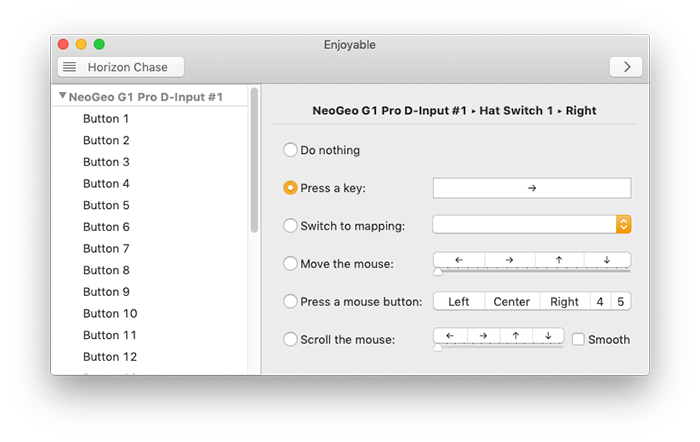
Without going as far as playing a game, I tested with another tool: gamepad-tool. This one has its own joystick management system, completely different from Steam and games using it. Unfortunately, the result is the same; it seems to have no effect. The application even indicates that the stick is locked at the top, in addition to the left. Too bad.
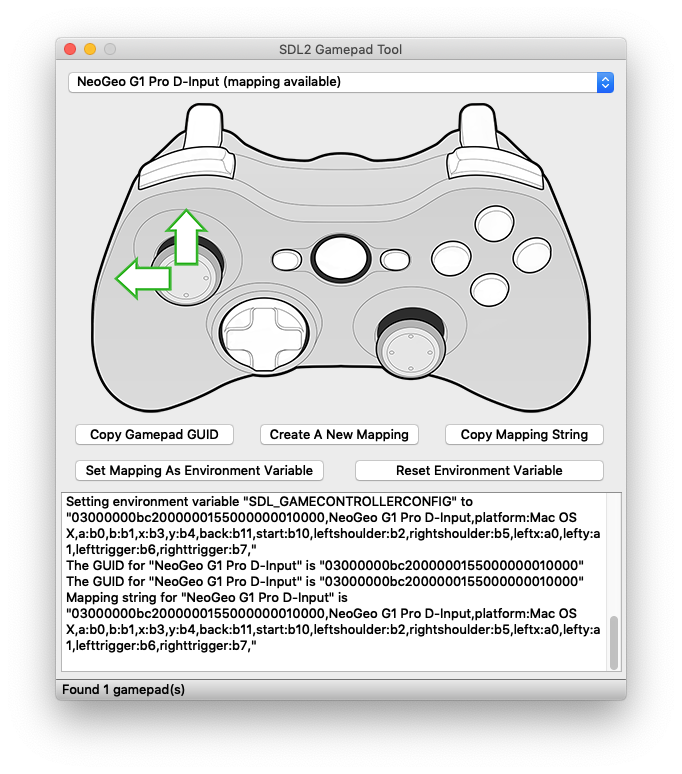
Note that the controller reacts exactly like the stick, whether in emulators (positively) or in applications (negatively).
Joystick Mode Usage with a Console
It is also possible to connect the Neo Geo Arcade Stick Pro to a console.
For this, you will need to equip yourself with an additional adapter to connect between the console and the USB port of the stick.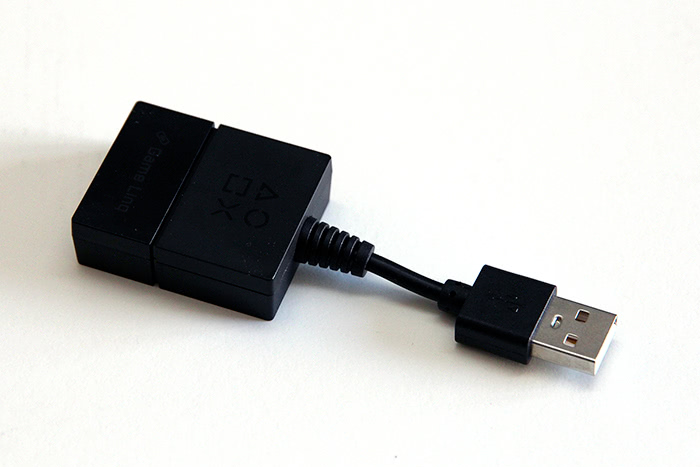
You will encounter the same issues as with the emulation of fifth-generation consoles. The lack of buttons and the single joystick do not allow for a full replacement of controllers for all games. The games that can be played with the stick are also much rarer. However, for these exceptions, it will likely be significantly better.
This is the case, for example, with fighting games, which is fortunate since Street Fighter V was included with PlayStation Plus a few months ago. Here, the learning curve is immediate, as it remains very close to what you would experience in console mode or on the various emulators tested on Mac.
We still have PlayStation Plus games: Sonic Mania was offered a few years ago, and this title takes on a whole new dimension with the arcade stick compared to a controller.
Forget flight simulation games; they do not appreciate the binary nature of the stick and prefer a HOTAS setup, which allows for progressive control during maneuvers.
The stick is rated as compatible with the Nintendo Switch, still requiring the adapter, though I have no games capable of taking full advantage of it. I will not hesitate to update this article if I find a game where this could be useful.
You really need a specific need to equip yourself with this, as the adapter costs 40€, and you won’t buy it just for fun.
Want more?
For those who are not afraid and are interested in a more complete console mode, there are several hacks that allow adding more NEO GEO games. Some have even gone further by adding other platforms and their games. Ultimately, they have managed to install several hundred games, instead of the original 40. Of course, there is always a risk in applying such hacks. For my part, since the same games are available in emulation on Mac and that’s how I primarily use it, I did not take the risk.
The Mac remains more powerful than the stick's hardware, so the result is always better.
But if you enjoy Console Mode for playing in front of the TV or at friends' places, applying a hack can be an option to turn the Neo Geo Arcade Stick Pro into the ultimate retro home console.
This is quite easy to find by doing a quick search online. Apply the patch at your own risk! You'll be solely responsible for your mistakes—or your success. If you try it out, don’t hesitate to share your feedback with us, especially if you apply the patch from a Mac.
The Neo Geo Arcade Stick Pro is simply an outstanding product. It’s a high-quality arcade stick that replicates the feel of a cabinet at home. It’s the perfect choice for retro-gaming enthusiasts, whether they're SNK fans or not.
Connecting it to a TV, along with the second controller provided, allows quick access to the few built-in games via the internal emulator, very convenient for a quick game session with friends.
Once connected as a simple arcade stick, it reaches its full potential on Mac (or PC) or console. It’s just pure joy to use it with OpenEmu emulators, but especially with MAME, to relive the arcade gaming sensations of the '90s.
Don’t be fooled by its old-school look—it’s easy to share nostalgic gaming experiences with younger people used to PS4 standards. After all, what matters most is having fun, regardless of pixel size.
The few criticisms one might have are the limited and unvaried selection of games available in Console Mode, and the fact that on Mac, outside the emulators mentioned above, there’s a recognition issue preventing its use.
Reply on the forum
A question or a hands-on report? Open the discussion on the forum.