Getting Started with MAME on macOS - Part 8 - Sorting ROMs by Genres and Categories

And here we go for the eighth episode of this series dedicated to MAME, the multi-emulator.
With MAME, we can enjoy over 40,000 pieces of video game history. 40,000—that's a lot! Of course, everyone has their favorite games, but when searching for a new gem to discover and having a fairly complete collection, it quickly becomes a nightmare.
Fortunately, MAME is well-designed and allows for various sorting options. In particular, it allows sorting games by genres and/or categories. Unfortunately, when you go into the Category menu of MAMEUI, you end up with a nice message telling you that the folder is empty and that it cannot find any INI files.
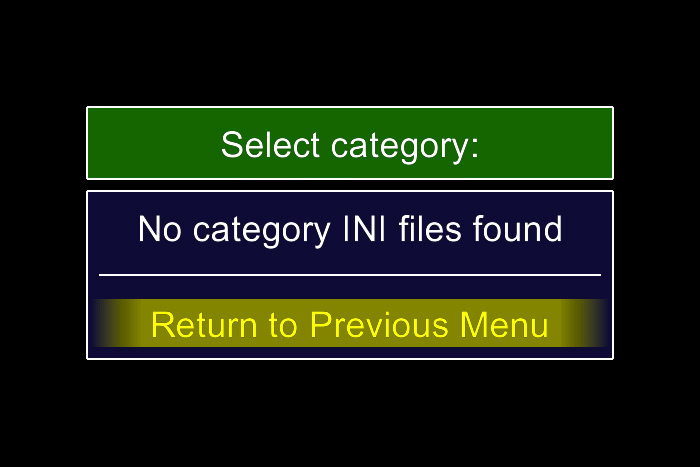
But which folder is it referring to? What files does it expect?
Well, simply put, MAME cannot sort games by genres or categories on its own. You need to provide it with the files containing the desired organization.
To begin, you need to configure the folder where you will place your files. As usual, there are two options: either you configure the folder via the interface. To do this, follow the path
Configure Options > Configure Folders > Category INIsand insert your folder of choice.
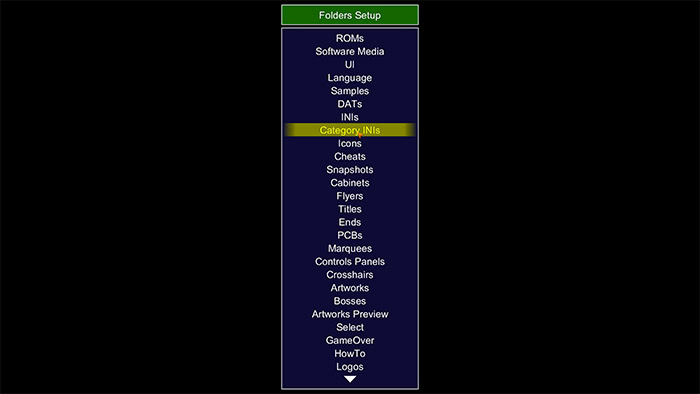
Personally, configuring via the interface is too cumbersome. I prefer to manually modify the folder by editing the configuration file.
As seen in the third article of the series, you need to modify the `ui.ini` file and insert the desired path next to the `categorypath` valuecategorypathFor my part, I chose to place it next to the configuration files, in my account's library, so I insert the path
"$HOME/Library/Application Support/mame/categories"next to `categorypath` and obviously create the `categories` folder
categorieswithin the `mame` folder.
As before, place the folders wherever you find most convenient. The goal is to make it easily accessible for you.
Now that the folder is ready along with the configuration, all that remains is to create the file(s) containing the sorting.
For this, you just need to define the categories or genres you want, test the 40,000 games, and insert them into a file...
No, I'm joking, the purpose of this article is to provide you with a simple solution. Not to overwhelm you!
In fact, there are files created by MAME fans that can be downloaded from the Internet and directly placed into the folder.
For my part, I use those from the Progetto Snaps site, which I've already mentioned to you, again in the third episode of the series. It is maintained with each update of MAME and new games are added.
You just need to download the archive, extract it, and then place the files into the newly created folder.
Upon restarting MAME, the result is immediate in the Category filter, and now the files are available, allowing you to use one of the available sorts.
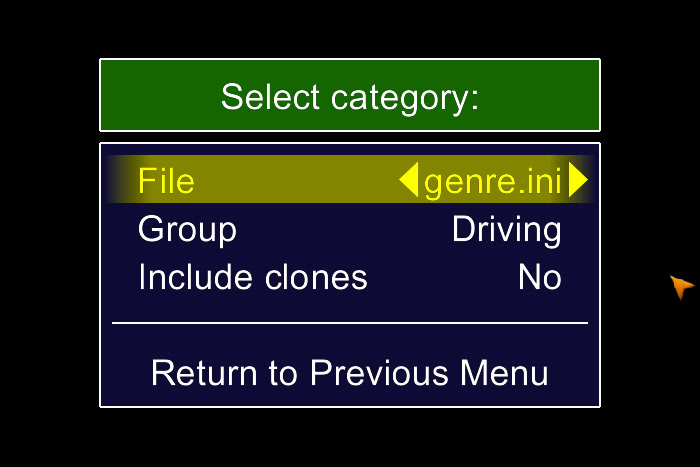
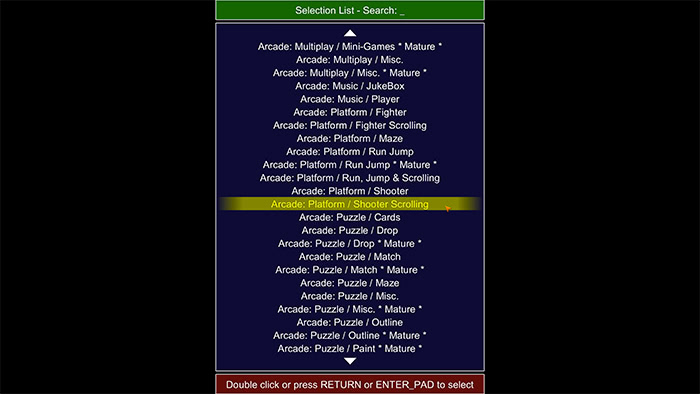
You are not required to add all the files; they may not all be useful to you.
You can choose the ones that suit you best.
Once again, this is just one source among others; you can easily find other websites with different filter files or even create your own file based on your own goals. In either case, feel free to share your findings or creations in the comments.
Related software
Reply on the forum
A question or a hands-on report? Open the discussion on the forum.