Getting Started with MAME on macOS - Part 5b - Simulating a Cathode Ray Tube Display

This article serves as a complement to Part 5 - Graphics Settings. It is a tip initiated by Noxx, an eminent member of the Mac-Emu.net forums. It allows simulating the display of a cathode-ray tube on modern screens for MAME.
The principle is simple: add an overlay image to provide an additional effect.
To perform this action, you will need to download the appropriate file and configure the mame.ini file to specify the file to be taken into account.
1/ Configure the artworks folder
The path to the file must be specified relative to the "artwork" folder of MAME. To be compatible with SDLMAME and the mame application via Homebrew, it is necessary to configure this "artwork" folder in a location accessible by both applications.
The simplest solution is to configure it in your Library folder alongside the configuration files.
Go to the folder containing the MAME configuration
~/Library/Application Support/mameAnd add a folder named artworks.
Then open the configuration file mame.ini and, at the value artpath, line 14 if everything goes well, add the path to the created folder
artpath "$HOME/Library/Application Support/mame/artworks"Keep the file open.
2/ Add the file
Noxx proposed a file that is part of a pack. Here is a link to download the pack of 3 images.
In the artworks folder, create a folder named effects and place the 3 images there.
Nota bene: The shared files have been circulating on the internet for many years, making it very difficult to determine the author for proper credit and thanks for their work.
3/ Configure the file to use
Resume editing your configuration file.
Go to the CORE SCREEN OPTIONS section, and in the effects value, remove "none" to add the name of the file you want to test, making sure to prefix it with the "effects" folder name.
effect effects/rgb3_kb.png
4/ Launch MAME
Launch your version of mame without worrying about additional parameters, everything is set in the configuration.
If you don't see any change, quit mame. Normally, you should see in your terminal:
Unable to load effect PNG file 'effects/rgb3_kb.png'If that's the case, it means you made a mistake in the folder names, file names, or in the configuration of both elements. It is necessary to review the configuration from the beginning of the article.
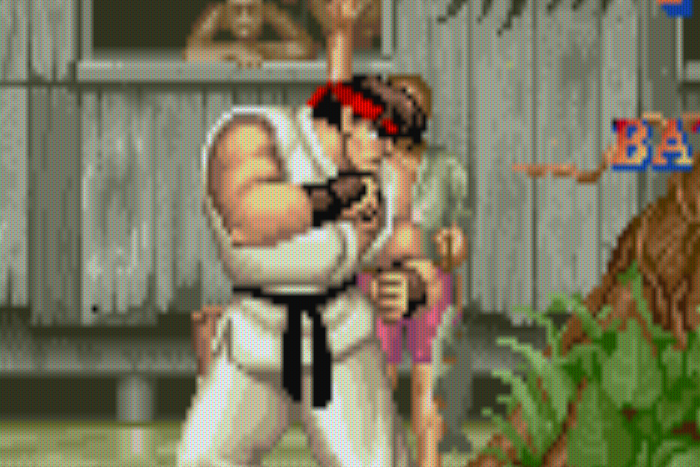
Otherwise, you should see the effect on all launched games. Here is the result.
Related software
Reply on the forum
A question or a hands-on report? Open the discussion on the forum.