RigelEngine
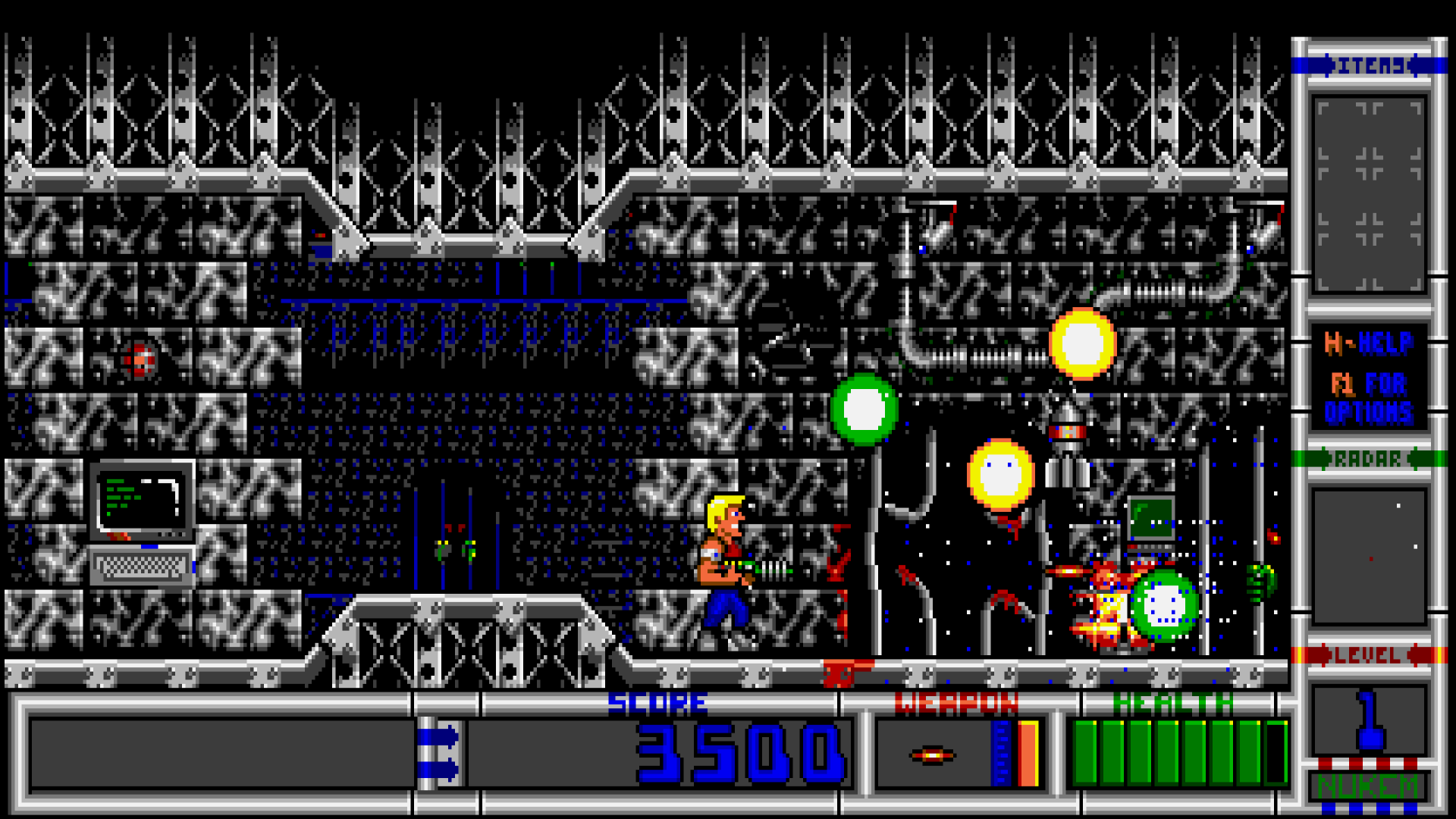
Clone du jeu MS-DOS, Duke Nukem II.
Demande au minimum un Mac 64 bits.
Dernière mise à jour :
Plateformes
Architecture
 Mac OS X - macOS
 Intel x86
 64 bits
Téléchargement et liens
Historique des versions
v0.9.1
⚠️ Have a look at [platform-specific info](https://github.com/lethal-guitar/RigelEngine/wiki/Platform-specific-info) for info on which build to download, installation instructions, troubleshooting etc.
🍎 For Mac OS, consider using the [3rd party build from macsourceports.com](https://macsourceports.com/game/duke2). Unlike the build attached here, it's a universal build for both Intel and Apple Silicon (ARM64) Macs, and it's also signed and notarized.
ℹ️ Also see [Steam Deck guide](https://github.com/lethal-guitar/RigelEngine/wiki/Steam-Deck-setup), [Flatpak version](https://flathub.org/apps/details/io.github.lethal_guitar.RigelEngine), [Raspberry Pi/Odroid Go guide](https://github.com/lethal-guitar/RigelEngine/wiki/Running-on-Raspberry-Pi-and-Odroid-Go-Advance)
# Overview
This is a small bugfix release, addressing a serious issue (crash during gameplay) found in the previous release. See [v0.9.0](https://github.com/lethal-guitar/RigelEngine/releases/tag/v0.9.0).
# Release notes
## Bug fixes
* Fixed a crash that could occur in level 1 of episode 2, in theory also in other levels but it was so far only observed in E2L1.
* Fixed being able to shoot destructible walls through 4-tile wide walls using the regular shot.
v0.9.0
A crash bug was found in this release, which is fixed in [v0.9.1](https://github.com/lethal-guitar/RigelEngine/releases/tag/v0.9.1) - I recommend downloading that one instead.
(Not updated yet) ~For Mac OS, consider using the [3rd party build from macsourceports.com](https://macsourceports.com/game/duke2). Unlike the build attached here, it's a universal build for both Intel and Apple Silicon (ARM64) Macs, and it's also signed and notarized.~
There is a crash in level 1 of episode 2 (fixed in v0.9.1)
Framerate drops could cause the game to advance a few frames into the future without respecting player input. This is now improved.
In terms of bug fixes, several issues related to handling of file paths with Unicode characters on Windows have been addressed, alongside some other smaller problems.
Hint machine messages cannot be interrupted by other messages in the original game, but this was possible in Rigel - now fixed.
Fixed incorrect animation speeds for Rigelatin space ship engine fire, shallow water, and rotating floor spikes.
Fixed (very) minor discrepancies in the color palette.
(Not updated yet) ~For Mac OS, consider using the [3rd party build from macsourceports.com](https://macsourceports.com/game/duke2). Unlike the build attached here, it's a universal build for both Intel and Apple Silicon (ARM64) Macs, and it's also signed and notarized.~
There is a crash in level 1 of episode 2 (fixed in v0.9.1)
Framerate drops could cause the game to advance a few frames into the future without respecting player input. This is now improved.
In terms of bug fixes, several issues related to handling of file paths with Unicode characters on Windows have been addressed, alongside some other smaller problems.
Hint machine messages cannot be interrupted by other messages in the original game, but this was possible in Rigel - now fixed.
Fixed incorrect animation speeds for Rigelatin space ship engine fire, shallow water, and rotating floor spikes.
Fixed (very) minor discrepancies in the color palette.
Changelog complet
⚠️ ⚠️ ⚠️ ⚠️ ⚠️ ⚠️ ⚠️ ⚠️ ⚠️ ⚠️ ⚠️ ⚠️ ⚠️ ⚠️ ⚠️
A crash bug was found in this release, which is fixed in [v0.9.1](https://github.com/lethal-guitar/RigelEngine/releases/tag/v0.9.1) - I recommend downloading that one instead.
⚠️ ⚠️ ⚠️ ⚠️ ⚠️ ⚠️ ⚠️ ⚠️ ⚠️ ⚠️ ⚠️ ⚠️ ⚠️ ⚠️ ⚠️
⚠️ Have a look at [platform-specific info](https://github.com/lethal-guitar/RigelEngine/wiki/Platform-specific-info) for info on which build to download, installation instructions, troubleshooting etc.
🍎 (Not updated yet) ~For Mac OS, consider using the [3rd party build from macsourceports.com](https://macsourceports.com/game/duke2). Unlike the build attached here, it's a universal build for both Intel and Apple Silicon (ARM64) Macs, and it's also signed and notarized.~
ℹ️ Also see [Steam Deck guide](https://github.com/lethal-guitar/RigelEngine/wiki/Steam-Deck-setup), [Flatpak version](https://flathub.org/apps/details/io.github.lethal_guitar.RigelEngine), [Raspberry Pi/Odroid Go guide](https://github.com/lethal-guitar/RigelEngine/wiki/Running-on-Raspberry-Pi-and-Odroid-Go-Advance)
# Overview
This release adds the gameplay demo and a few visual effects that were still missing in RigelEngine. Parity with the original is also improved in terms of gameplay, with various smaller inconsistencies now fixed and a newly added "Classic" mode which replicates every single quirk, glitch and bug found in the original (game-breaking bugs excluded).
In terms of bug fixes, several issues related to handling of file paths with Unicode characters on Windows have been addressed, alongside some other smaller problems.
# Known issues
* There is a crash in level 1 of episode 2 (fixed in v0.9.1)
* On Windows, Unicode characters in mod directories are displayed as `?` in the mod manager. This is only a visual issue, the mods in these directories can still be loaded. Workaround: Give ASCII-only names to mod directories.
* In enhanced mode, the player position is slightly off after dismounting ladders while facing left. This doesn't cause any noticeable problems, it's just an inconsistency with the original. This does not occur in Classic mode.
# Release notes
## New features
* Added a "Classic" gameplay style/mode. It doesn't support widescreen mode or smooth motion, but is 100% accurate to the original. Quick-saving and high-resolution mods are still supported. See [Classic Mode vs. Enhanced Mode](https://github.com/lethal-guitar/RigelEngine/wiki/Classic-mode-vs.-enhanced-mode) for more details.
* Implemented the gameplay demo (plays during the attract mode loop at the beginning of the game or after waiting for 30 seconds in the main menu).
* Implemented the original game's cloak effect, replacing the previously used alpha transparency.
* Implemented the original game's slide-in animation when showing message boxes.
* Added an option to disable the radar overlay when using the "Remixed 1" HUD style.
* Added an option to disable aspect ratio correction when using pixel-perfect upscaling (aka integer scaling). This is to allow running RigelEngine on a 4:3 CRT at original (or close to) resolution.
* It's now possible to confirm quitting by pressing enter instead of `Y` (but the latter also still works).
* Pressing ESC while in-game now brings up the in-game menu (this was previously only accessible by using a gamepad). Pressing Q now does what ESC used to do, i.e. bringing up the "Quit" dialog without going through the menu.
## Parity improvements
* Fixed (very) minor discrepancies in the color palette.
* Added missing horizontal parallax for vertically autoscrolling backdrops.
* Fixed oversight in player movement: In the original, Duke cannot move left/right when hanging from a pipe as long as the fire button is held down.
* It was possible for an enemy to get hit by multiple player shots per frame, but this isn't possible in the original. Now Rigel doesn't allow that anymore either.
* Hint machine messages cannot be interrupted by other messages in the original game, but this was possible in Rigel - now fixed.
* Handling of shootable walls now matches the original.
* The watchbot (jumpy robot with a big eye) was jumping too frequently, it now matches the original.
* Fixed discrepancies in behavior for the wall walker enemy.
* Fixed discrepancies in behavior for the green cat/dog creature.
* Fixed discrepancies in behavior for the spiked dragon/lizard creature.
* Fixed discrepancy in the cooldown period for manual scrolling after firing a shot.
* Fixed player starting location being off by one in levels where the player starts out facing left.
* Fixed incorrect animation speeds for Rigelatin space ship engine fire, shallow water, and rotating floor spikes.
* After being released from their box, certain items have a brief period during which they can't be picked up yet. This was missing in RigelEngine.
## Bug fixes
* On Windows, RigelEngine couldn't store saved games, options, or the location of the game files if the Windows username contained Unicode characters. This is now fixed.
* Fixed loading mods from paths with Unicode characters on Windows.
* Fixed saving screenshots to paths with Unicode characters on Windows.
* Fixed graphical glitches (bright lines appearing next to certain sprites) that could occur on some systems when high-res graphic replacements were used.
* Fixed being able to walk through walls under specific circumstances.
* In widescreen mode, when using one of the remixed HUD options, the classic HUD will be shown as fallback in case the current screen resolution's aspect ratio is not wide enough for the selected HUD style. In that case, it was possible to walk behind the right side of the HUD (i.e., the gameplay area extended beyond the HUD). This is now fixed.
* Framerate drops could cause the game to advance a few frames into the future without respecting player input. This is now improved.
v0.8.5
For Mac OS, consider using the [3rd party build from macsourceports.com](https://macsourceports.com/game/duke2). Unlike the build attached here, it's a universal build for both Intel and Apple Silicon (ARM64) Macs, and it's also signed and notarized.
The following issues will be fixed in the next release (most are already fixed in the source code):
Improved the look of the classic HUD in widescreen mode, by extending the left side to cover the length of the screen.
Fixed destructible level geometry remaining visible after being destroyed in certain cases
Fixed game not starting if the game data was in a path with certain special characters (Windows only)
Fixed brief camera movement after turning wide-screen mode on/off or changing the window size
Fixed slime blob containers sometimes not animating (Linux only)
Fixed sprites flickering in and out of existence in certain circumstances
The following issues will be fixed in the next release (most are already fixed in the source code):
Improved the look of the classic HUD in widescreen mode, by extending the left side to cover the length of the screen.
Fixed destructible level geometry remaining visible after being destroyed in certain cases
Fixed game not starting if the game data was in a path with certain special characters (Windows only)
Fixed brief camera movement after turning wide-screen mode on/off or changing the window size
Fixed slime blob containers sometimes not animating (Linux only)
Fixed sprites flickering in and out of existence in certain circumstances
Changelog complet
# Overview
⚠️⚠️⚠️ **Note:** Gamepad controls have changed slightly in this version. See below for more info. ⚠️⚠️⚠️
⚠️ Have a look at [platform-specific info](https://github.com/lethal-guitar/RigelEngine/wiki/Platform-specific-info) for info on which build to download, installation instructions, troubleshooting etc.
🍎 For Mac OS, consider using the [3rd party build from macsourceports.com](https://macsourceports.com/game/duke2). Unlike the build attached here, it's a universal build for both Intel and Apple Silicon (ARM64) Macs, and it's also signed and notarized.
ℹ️ Also see [Steam Deck guide](https://github.com/lethal-guitar/RigelEngine/wiki/Steam-Deck-setup), [Flatpak version](https://flathub.org/apps/details/io.github.lethal_guitar.RigelEngine), [Raspberry Pi/Odroid Go guide](https://github.com/lethal-guitar/RigelEngine/wiki/Running-on-Raspberry-Pi-and-Odroid-Go-Advance)
This release adds a built-in mod manager and further improves the HUD in widescreen mode, along with some smaller additions. With the mod manager, it's now possible to organize mods into directories, and select mods to use from within the game. Regarding the HUD, additional styles are now available, which increase the size of the gameplay area. Finally, there are also a few bug fixes, including a critical one.
# Known issues
The following issues will be fixed in the next release (most are already fixed in the source code):
* On Windows, if your username contains non-ASCII characters, the game won't be able to save any options, saved games, or other settings.
* On Windows, mods must be in directories with ASCII-only names.
* When one of the remixed HUD styles is selected, but the classic HUD is used as fallback (because the screen/window isn't wide enough for the chosen HUD style), the gameplay area incorrectly extends beyond the right side of the HUD - i.e. you/enemies can walk behind the HUD. This does not happen when the classic HUD is selected.
* Under certain circumstances, it's possible to walk through walls. This doesn't happen in any of the original levels, but it can happen in custom levels.
# Release notes
## New features
* Implemented a mod manager. Mods can now be organized into directories, and each mod can be enabled/disabled in the options menu. See [Modding Support](https://github.com/lethal-guitar/RigelEngine/wiki/Modding-support) for more details.
* Added additional "remixed" HUD styles in widescreen mode. Thanks to @OpenRift412 and [Roobar](https://youtube.com/user/JBWhiskey) for creating the art assets.
* Added additional upscaling filters: Sharp bilinear, pixel perfect (integer scaling). Note that using mods with high-res replacement graphics currently forces nearest neighbor filtering.
* The game now writes a log file into the user directory.
* Gamepad controls are now explained in the options menu.
* The top-level in-game menu (reachable via gamepad) now shows the current episode, level and difficulty in the title.
## Improvements
* Improved the look of the classic HUD in widescreen mode, by extending the left side to cover the length of the screen.
* Reworked quick saving/loading gamepad controls, to make loading quick saves possible without needing to open the menu. The select/back button now acts as a modifier. When pressed together with shoot, a quick save is made. Pressing the button together with jump loads the last quick save.
## Bug fixes
* Fixed destructible level geometry remaining visible after being destroyed in certain cases
* Fixed game not starting if the game data was in a path with certain special characters (Windows only)
* Fixed brief camera movement after turning wide-screen mode on/off or changing the window size
* Fixed slime blob containers sometimes not animating (Linux only)
* Fixed sprites flickering in and out of existence in certain circumstances
* The episode 2 boss would keep flying when killed in mid-flight. This is now fixed.
v0.8.4
Improved performance on Raspberry Pi, especially when under water areas are visible.
Further improved digitized sound effect quality by replacing the ADPCM decoding code with the exact same algorithm as implemented in the SoundBlaster firmware, based on disassembly of the latter
Improved the sound test UI
There's an issue in E2L5 and E3L5: Parts of destructible/burnable walls stay visible even after they have been destroyed. This is purely visual, the walls do not have collision. Fixed in v0.8.5.
On Windows, RigelEngine can't load game data from paths with certain special characters/symbols. Fixed in v0.8.5.
Fixed glitches (jittering top part) with the smash hammer and grabber claw.
Fixed camera moving too far down when falling into a bottomless pit in widescreen mode
Fixed important parts at the bottom of the level being hidden in certain cases in widescreen mode (e.g. platforms between lava pools in E3L1)
Further improved digitized sound effect quality by replacing the ADPCM decoding code with the exact same algorithm as implemented in the SoundBlaster firmware, based on disassembly of the latter
Improved the sound test UI
There's an issue in E2L5 and E3L5: Parts of destructible/burnable walls stay visible even after they have been destroyed. This is purely visual, the walls do not have collision. Fixed in v0.8.5.
On Windows, RigelEngine can't load game data from paths with certain special characters/symbols. Fixed in v0.8.5.
Fixed glitches (jittering top part) with the smash hammer and grabber claw.
Fixed camera moving too far down when falling into a bottomless pit in widescreen mode
Fixed important parts at the bottom of the level being hidden in certain cases in widescreen mode (e.g. platforms between lava pools in E3L1)
Changelog complet
# Overview
⚠️ Have a look at [platform-specific info](https://github.com/lethal-guitar/RigelEngine/wiki/Platform-specific-info) for info on which build to download, installation instructions, troubleshooting etc.
This release improves the smooth movement and motion mode by making dynamic level geometry smooth, and fixing some issues. Modding support is enhanced as well, and there are a few other improvements and bug fixes. Finally, the HUD in widescreen mode has changed: The area to the left of the HUD is not used for showing parts of the level anymore, since this would often show out-of-bounds parts of the map. The previous release (v0.8.3) attempted to minimize that by keeping the camera higher up than normal when near the bottom of the map, but that caused other issues. So ultimately, I decided to roll back the camera changes and block off the area to the left of the HUD to avoid the out-of-bounds issue completely.
# Known issues
* There's an issue in E2L5 and E3L5: Parts of destructible/burnable walls stay visible even after they have been destroyed. This is purely visual, the walls do not have collision. Fixed in v0.8.5.
* On Windows, RigelEngine can't load game data from paths with certain special characters/symbols. Fixed in v0.8.5.
# Release notes
## Smooth motion mode improvements
* Moving parts of the level (falling rocks, doors, ...) are now moving smoothly as well.
* Fixed glitches (jittering top part) with the smash hammer and grabber claw.
## Modding support improvements
* It's now possible to replace `STATUS.MNI` with a PNG image that can be original or higher resolution. This allows changing various fonts and UI elements, including parts of the HUD.
* Replacements for actors used by the HUD can now be high resolution.
## Other improvements
* Improved performance on Raspberry Pi, especially when under water areas are visible.
* Blocked off the area to the left of the HUD in widescreen mode to avoid potentially showing out-of-bounds parts of the map
* Further improved digitized sound effect quality by replacing the ADPCM decoding code with the exact same algorithm as implemented in the SoundBlaster firmware, based on disassembly of the latter
* Improved the sound test UI
## Bug fixes
* Fixed camera moving too far down when falling into a bottomless pit in widescreen mode
* Fixed important parts at the bottom of the level being hidden in certain cases in widescreen mode (e.g. platforms between lava pools in E3L1)
* Fixed visual glitches on GL ES devices like Raspberry Pi and Odroid Go (overly pixelated backdrop during scrolling, white lines visible next to certain enemies during the damage flash effect)
* Fixed missing fade-in effect when using the teleporter
* Fixed incorrect rendering of high-res replacement backdrops when vertical auto-scrolling is used
* Fixed position of dialog boxes (quit confirm, game paused etc.) in widescreen mode
* Fixed visual glitch when entering a menu while smooth motion is enabled
v0.8.3
This is another release primarily focused on bug fixes. In addition, some smaller improvements are made, mainly in the area of sound and music playback quality.
Improved sound effect quality for certain digital sounds (`SB_nn.MNI` files in VOC format) by using a more accurate ADPCM decoding algorithm (same as DosBox's SoundBlaster emulation).
Slightly improved sound effect quality for AdLib sounds by running the emulator at the native OPL2 frequency (49716 Hz).
Fixed a soft-lock that could occur when killing a ceiling sucker at exactly the same time as it sucked up Duke.
When dying due to shooting an airlock and then respawning at a checkpoint, Duke would remain in the spinning animation. This is now fixed.
Fixed a small visual glitch appearing during the fade-out of the intro movie.
The credits screen shown during the attract mode loop didn't react to any key press aside from ESC, this is now fixed.
Under certain circumstances, the main menu would respond to a keypress that happened during the intro or another menu. This is now fixed.
Improved sound effect quality for certain digital sounds (`SB_nn.MNI` files in VOC format) by using a more accurate ADPCM decoding algorithm (same as DosBox's SoundBlaster emulation).
Slightly improved sound effect quality for AdLib sounds by running the emulator at the native OPL2 frequency (49716 Hz).
Fixed a soft-lock that could occur when killing a ceiling sucker at exactly the same time as it sucked up Duke.
When dying due to shooting an airlock and then respawning at a checkpoint, Duke would remain in the spinning animation. This is now fixed.
Fixed a small visual glitch appearing during the fade-out of the intro movie.
The credits screen shown during the attract mode loop didn't react to any key press aside from ESC, this is now fixed.
Under certain circumstances, the main menu would respond to a keypress that happened during the intro or another menu. This is now fixed.
Changelog complet
# Overview
⚠️ Have a look at [platform-specific info](https://github.com/lethal-guitar/RigelEngine/wiki/Platform-specific-info) for info on which build to download, installation instructions, troubleshooting etc.
This is another release primarily focused on bug fixes. In addition, some smaller improvements are made, mainly in the area of sound and music playback quality.
# Release notes
## New features
* Added the Nuked OPL3 AdLib emulator as an alternative to DBOPL (selectable in the Sound options). Nuked OPL3 is more accurate but also uses more CPU. The difference in CPU load has little impact on most systems, but it does matter on low-end devices like Raspberry Pi Zero.
* Added a "sound test" button to the Sound options (play a chosen sound effect)
## Improvements
* Improved sound effect quality for certain digital sounds (`SB_nn.MNI` files in VOC format) by using a more accurate ADPCM decoding algorithm (same as DosBox's SoundBlaster emulation).
* Slightly improved sound effect quality for AdLib sounds by running the emulator at the native OPL2 frequency (49716 Hz).
* In widescreen mode, the camera now tries to avoid showing out-of-bounds parts of the map if possible, by restricting downward scrolling unless it's necessary to keep the player on screen.
* Added 75 to the list of pre-defined FPS limits for the FPS limiter.
## Bug fixes
* Fixed a soft-lock that could occur when killing a ceiling sucker at exactly the same time as it sucked up Duke.
* When dying due to shooting an airlock and then respawning at a checkpoint, Duke would remain in the spinning animation. This is now fixed.
* Fixed a small visual glitch appearing during the fade-out of the intro movie.
* The credits screen shown during the attract mode loop didn't react to any key press aside from ESC, this is now fixed.
* Under certain circumstances, the main menu would respond to a keypress that happened during the intro or another menu. This is now fixed.
* Fixed visual glitches (bright lines between tiles) that could occur at certain resolutions/window sizes when using high-res replacement graphics.
* Fixed an issue that made high-resolution backdrop replacements appear as low resolution under certain circumstances.
* Fixed right side of the HUD being partially cut off at certain window sizes/resolutions.
v0.8.2
Added information about currently active gamepads to the options menu
Fixed the ["wall dance" glitch](https://youtu.be/WMA2J3gtpsQ?t=4855). This glitch allows Duke to move through walls using a specific sequence of moves.
Fixed spiders sometimes not latching on to Duke when touching him
Fixed items getting stuck in the ceiling when the box was shot while hidden behind a rock that would later fall down (e.g. in N2).
Fixed missing animation for the Computer merchandise pickup.
Fixed a glitch when starting a level while having high resolution mods enabled, where the graphics would briefly show as low resolution.
Fixed in-game messages not being affected by screen shake when in widescreen mode
Added an option to the Enhancements tab to skip the intro when RigelEngine starts (same as the `-s` command line option).
Fixed the ["wall dance" glitch](https://youtu.be/WMA2J3gtpsQ?t=4855). This glitch allows Duke to move through walls using a specific sequence of moves.
Fixed spiders sometimes not latching on to Duke when touching him
Fixed items getting stuck in the ceiling when the box was shot while hidden behind a rock that would later fall down (e.g. in N2).
Fixed missing animation for the Computer merchandise pickup.
Fixed a glitch when starting a level while having high resolution mods enabled, where the graphics would briefly show as low resolution.
Fixed in-game messages not being affected by screen shake when in widescreen mode
Added an option to the Enhancements tab to skip the intro when RigelEngine starts (same as the `-s` command line option).
Changelog complet
# Overview
⚠️ Have a look at [platform-specific info](https://github.com/lethal-guitar/RigelEngine/wiki/Platform-specific-info) for info on which build to download, installation instructions, troubleshooting etc.
The biggest change in this release is the addition of a smooth scrolling & movement option (aka 60 FPS mode). This feature is still in development, but already adds a lot to the game, which is why I decided to include it in this minor release. In addition, some bugs were fixed and a few small features/improvement were added.
# Release notes
## New features
* Added a smooth scrolling and movement mode. When this is enabled, the game is taking full advantage of the display framerate (60 FPS or higher) by interpolating object and camera movement during rendering (internal game logic is still running at 15 FPS). This is currently still work in progress, see [known issues](https://github.com/lethal-guitar/RigelEngine/wiki/Smooth-scrolling-&-movement:-Known-issues).
* The engine has a built-in screenshot function now. Press F12 to take a screenshot. It will be saved as PNG in either your Duke Nukem II game files directory, or in the user profile directory if the former is not writable.
* It's now possible to skip the bonus screen after finishing a level by pressing Enter or Esc (or controller button A or B).
* Added an option to the Enhancements tab to skip the intro when RigelEngine starts (same as the `-s` command line option).
* Added information about currently active gamepads to the options menu
## Improvements
* In widescreen mode, out of bounds areas are now drawn in black instead of showing the background.
* Replacement backgrounds (mods) can now be wider than the original art they are replacing, and will be displayed correctly (without distortion)
* For auto-scrolling backgrounds, the scroll position is now saved/restored when quick saving/loading.
* The game will now run even if the intro movie files (`NUKEM2.F1`, `.F2` etc.) are missing. The movies will be skipped instead of exiting the game.
* Game physics are more correct now w.r.t. the original code when it comes to items falling down.
## Bug fixes
* Fixed the ["wall dance" glitch](https://youtu.be/WMA2J3gtpsQ?t=4855). This glitch allows Duke to move through walls using a specific sequence of moves.
* Fixed spiders sometimes not latching on to Duke when touching him
* Fixed items getting stuck in the ceiling when the box was shot while hidden behind a rock that would later fall down (e.g. in N2).
* Fixed missing animation for the Computer merchandise pickup.
* Fixed a glitch when starting a level while having high resolution mods enabled, where the graphics would briefly show as low resolution.
* Fixed in-game messages not being affected by screen shake when in widescreen mode
v0.8.1
# Overview
⚠️ Have a look at [platform-specific info](https://github.com/lethal-guitar/RigelEngine/wiki/Platform-specific-info) for info on which build to download, installation instructions, troubleshooting etc.
This is a small bug fix follow-up to v0.8.0, fixing a bug that was introduced shortly before releasing. See [0.8.0](https://github.com/lethal-guitar/RigelEngine/releases/tag/v0.8.0) for full release notes.
# Release notes
## Bug fixes
* Fixed laser turrets beings destructible with Duke's regular weapon after loading a quick save
v0.8.0
There are many new features, bug fixes, and improvements in this release. Some of the highlights are extended modding support (swap in high fidelity replacements for graphics and sound) and more sound options (AdLib only, combined AdLib/SoundBlaster).
Added support for multiple gamepads/controllers: When multiple gamepads are connected at the same time, the game will react to inputs from all of them.
Fixed crash in wide-screen mode when the screen was too wide (wider than the level)
Known issues (fixed in [0.8.1](https://github.com/lethal-guitar/RigelEngine/releases/tag/v0.8.1))
Improved layout of the options menu (the game path selection is now bottom-aligned, and thus doesn't move around anymore when switching between tabs)
Gamepad support and usability improvements
Added a "Quick Save" entry to the gamepad in-game menu as an alternative to using the "select"/"back" button
The Windows build now ships with a much newer version of SDL (2.0.14 instead of 2.0.4).
Added support for multiple gamepads/controllers: When multiple gamepads are connected at the same time, the game will react to inputs from all of them.
Fixed crash in wide-screen mode when the screen was too wide (wider than the level)
Known issues (fixed in [0.8.1](https://github.com/lethal-guitar/RigelEngine/releases/tag/v0.8.1))
Improved layout of the options menu (the game path selection is now bottom-aligned, and thus doesn't move around anymore when switching between tabs)
Gamepad support and usability improvements
Added a "Quick Save" entry to the gamepad in-game menu as an alternative to using the "select"/"back" button
The Windows build now ships with a much newer version of SDL (2.0.14 instead of 2.0.4).
Changelog complet
# Overview
⚠️ ⚠️ ⚠️ **See known issues below before downloading** ⚠️ ⚠️ ⚠️
⚠️ Have a look at [platform-specific info](https://github.com/lethal-guitar/RigelEngine/wiki/Platform-specific-info) for info on which build to download, installation instructions, troubleshooting etc.
There are many new features, bug fixes, and improvements in this release. Some of the highlights are extended modding support (swap in high fidelity replacements for graphics and sound) and more sound options (AdLib only, combined AdLib/SoundBlaster).
What's more, this is also the first release to include pre-built binaries for Mac OS and Linux! And there is now an icon for RigelEngine thanks to [@LunarLoony](https://github.com/LunarLoony).
Many thanks to everyone who tested the game, reported bugs and made suggestions!
# Known issues (fixed in [0.8.1](https://github.com/lethal-guitar/RigelEngine/releases/tag/v0.8.1))
Laser turrets destructible with regular weapon after quickloading (https://github.com/lethal-guitar/RigelEngine/issues/736)
# Release notes
## New features
* Extended modding support: It's now possible for sprites, tilesets, backdrops, sound effects, and music to be replaced with higher fidelity assets in modern formats. See [modding support](https://github.com/lethal-guitar/RigelEngine/wiki/Modding-support) for more info.
* More sound options: In addition to SoundBlaster sound effects, AdLib and combined AdLib + SB effects can now be chosen, like in the original game
* Added a "About" tab to the options menu with version information and credits
* Added an option to disable screen flash effects
* Added an optional bilinear filtering up-scaling mode (only works if no high-res replacement graphics are used)
## Gamepad support and usability improvements
* More types of gamepads are supported out of the box in the Windows and Mac versions (on Linux, it depends on the SDL version installed in the system)
* Added support for multiple gamepads/controllers: When multiple gamepads are connected at the same time, the game will react to inputs from all of them.
* Added a "Quick Save" entry to the gamepad in-game menu as an alternative to using the "select"/"back" button
* The Mac build now supports high DPI displays (e.g. Retina). Previously, the game would appear slightly blurry on these kinds of displays.
* The Windows build now ships with a much newer version of SDL (2.0.14 instead of 2.0.4).
* The Windows build doesn't pop up a console window in the background anymore.
* Errors during initialization (e.g. because of missing OpenGL support) are now popping up a message box with the error message
* Improved boss health bar in episode 3: In the original game, the health bar is too big to fit on screen, causing it to not move for most of the boss battle. In RigelEngine, the health bar now shows this particular boss' health as a percentage instead of showing one pixel per unit of health, making the health bar always fit on screen.
* It's now possible to switch between windowed and fullscreen modes in the OpenGL ES version, when running in a Desktop environment (e.g. X11/Wayland).
* Improved layout of the options menu (the game path selection is now bottom-aligned, and thus doesn't move around anymore when switching between tabs)
* The numpad arrow keys can now be used for menu navigation.
## Bug fixes
* Fixed alt-tabbing on Linux (the game would freeze after alt-tabbing away and back)
* Fixed broken backdrop flash effect when destroying the reactors in L5
* Fixed sound/music toggles in options menu not fitting on screen at very small resolutions (e.g. on OGA)
* Fixed a problem in wide-screen mode where some sprites in the lower left part of the screen (to the left of the HUD) would sometimes not be rendered
* Fixed incorrect background after quick loading in L1, when the quick save was made before using the teleporter but the loading was triggered after using it (i.e. from outside the prison environment back into the prison environment)
* Fixed sound effect that kept playing after exiting the intro movie at the right moment
* When switching to windowed mode for the first time, the window was stuck in the top-left corner with the title bar off screen, making it hard to move the window. This is now fixed.
* Fixed crash in wide-screen mode when the screen was too wide (wider than the level)
* Fixed an issue where switching wide-screen on while in windowed mode and then resizing the window afterwards would sometimes result in parts of the window not being drawn (remaining black)
* Fixed spiders incorrectly animating while waiting in ambush (e.g. in L8)
* Fixed Duke briefly hovering in the air when unlocking a key/force field while in the air
* Small bombs (e.g. dropped by 1st episode boss) were incorrectly damaging the player on touch (only the explosion is meant to be damaging). This is now fixed.
* Fixed incorrect death animation for final boss (episode 4)
* Fire bombs (from red boxes) didn't destroy laser turrets, only stunning them like Duke's regular shot. This is now fixed.
* Fixed a soft-lock related to the snake enemy that eats Duke: Killing a snake at the exact moment that it started swallowing Duke would result in Duke disappearing and the level not being playable anymore
v0.7.1-beta
Vastly improved performance: At 1080p, a Pi Zero or Pi 3 model B now manages a steady 60 FPS (previously only 18). Pi 1 and 2 are still stuck at 50 FPS for now due to their lower GPU clock, but run fine at 720p or when overclocked.
This release is primarily focused on bug fixes and better Raspberry Pi support. Additionally, the original game's cheat codes have been implemented.
Picking up rapid fire or cloak while already having the corresponding item didn't reset the item timer like in the original, but instead added a 2nd instance to the inventory. This is now fixed.
Known issues (fixed in [0.8](https://github.com/lethal-guitar/RigelEngine/releases/tag/v0.8.1))
It was possible to freeze the game (no reaction to user input, only quitting via Alt+F4 working) by pressing space bar instead of enter in the save game menu. This is now fixed.
Fixed visual artifacts with the "under water" effect
Fixed mouse interaction (the options menu didn't respond to mouse clicks)
Fixed visual glitch where a black rectangle was sometimes visible in the menus
This release is primarily focused on bug fixes and better Raspberry Pi support. Additionally, the original game's cheat codes have been implemented.
Picking up rapid fire or cloak while already having the corresponding item didn't reset the item timer like in the original, but instead added a 2nd instance to the inventory. This is now fixed.
Known issues (fixed in [0.8](https://github.com/lethal-guitar/RigelEngine/releases/tag/v0.8.1))
It was possible to freeze the game (no reaction to user input, only quitting via Alt+F4 working) by pressing space bar instead of enter in the save game menu. This is now fixed.
Fixed visual artifacts with the "under water" effect
Fixed mouse interaction (the options menu didn't respond to mouse clicks)
Fixed visual glitch where a black rectangle was sometimes visible in the menus
Changelog complet
# Overview
:warning: If you encounter missing DLL errors, install the [Visual Studio 2019 Redistributable](https://aka.ms/vs/16/release/vc_redist.x64.exe).
This release is primarily focused on bug fixes and better Raspberry Pi support. Additionally, the original game's cheat codes have been implemented.
# Known issues (fixed in [0.8](https://github.com/lethal-guitar/RigelEngine/releases/tag/v0.8.1))
There are a few known issues in this release:
* The window cannot be moved after switching to windowed mode. Workaround: Press Windows key and a direction key to snap the window to one side of the screen, this brings the window title bar into view and the window can now be resized. Alternatively, edit the [config file](https://github.com/lethal-guitar/RigelEngine/wiki/FAQ#where-are-saved-games-settings-etc-stored).
* In level 1 of episode 1, the wrong background is sometimes shown after quick loading
* In wide-screen mode, sprites in the lower left part of the screen are sometimes not shown
* The game will abort with an error if wide-screen mode is on and the window is wider than the width of the current level (this happens in tall but narrow levels, like N3, and at extremely wide aspect ratios on regular levels.)
# Release notes
## New features
* Implemented the original game's cheat codes found in the registered version
* Added a loading screen during application startup. Mainly meant for slower devices like Raspberry Pi and Odroid Go Advance, where startup can take a few seconds.
## Raspberry Pi improvements
* Vastly improved performance: At 1080p, a Pi Zero or Pi 3 model B now manages a steady 60 FPS (previously only 18). Pi 1 and 2 are still stuck at 50 FPS for now due to their lower GPU clock, but run fine at 720p or when overclocked.
* Fixed visual artifacts with the "under water" effect
* Fixed mouse interaction (the options menu didn't respond to mouse clicks)
## Bug fixes
* It was possible to freeze the game (no reaction to user input, only quitting via Alt+F4 working) by pressing space bar instead of enter in the save game menu. This is now fixed.
* Picking up rapid fire or cloak while already having the corresponding item didn't reset the item timer like in the original, but instead added a 2nd instance to the inventory. This is now fixed.
* The in-game message/boss health bar was positioned incorrectly when not in wide-screen mode
* The in-game message/boss health bar was not affected by screen shake
* It was not possible to select a different game path if the path stored in the profile became invalid, was moved etc. Now, the path selection dialog is shown again in case of an invalid path in the profile.
* Fixed visual glitch where a black rectangle was sometimes visible in the menus
* Fixed visual glitch where a previously shown menu screen was briefly visible during the transition from bonus screen to high score entry upon finishing the game
v0.7.0-beta
This release adds keyboard control rebinding, a new quick save feature, and a few other missing features. Plus, some minor discrepancies with the original game have been fixed.
Improved menu navigation: Pressing ESC (or button B on a gamepad) while on the saved game name entry goes back to the save slot selection, instead of leaving the menu entirely like in the original
Added switch to intro/demo sequence after sitting on the main menu without any input for a while
Fixed sporadic time skips that could occur on some platforms (e.g. Odroid Go Advance)
Fixed incorrect starting position for rockets fired downwards by the player while hanging on a pipe
Fixed incorrect rocket smoke position for downwards-facing rockets fired by Duke
Fixed a discrepancy in behavior for the Blue Guard
Fixed a player control discrepancy: It was possible to fire a shot during the first frame of a jump and during landing, which is not possible in the original
Improved menu navigation: Pressing ESC (or button B on a gamepad) while on the saved game name entry goes back to the save slot selection, instead of leaving the menu entirely like in the original
Added switch to intro/demo sequence after sitting on the main menu without any input for a while
Fixed sporadic time skips that could occur on some platforms (e.g. Odroid Go Advance)
Fixed incorrect starting position for rockets fired downwards by the player while hanging on a pipe
Fixed incorrect rocket smoke position for downwards-facing rockets fired by Duke
Fixed a discrepancy in behavior for the Blue Guard
Fixed a player control discrepancy: It was possible to fire a shot during the first frame of a jump and during landing, which is not possible in the original
Changelog complet
# Overview
:warning: If you encounter missing DLL errors, install the [Visual Studio 2019 Redistributable](https://aka.ms/vs/16/release/vc_redist.x64.exe).
This release adds keyboard control rebinding, a new quick save feature, and a few other missing features. Plus, some minor discrepancies with the original game have been fixed.
Also worth noting is that game options are now stored in a human-readable text file, next to the user profile file.
# Release notes
## New features
* Added a "Keyboard controls" tab to the options menu, to allow customizing key bindings for in-game controls. On first launch, key bindings from the original game are imported (if present).
* Added the Duke Nukem 3D teaser screen that appears after beating episode 4
* Added the "hype" message shown when launching the game for the first time
* Added switch to intro/demo sequence after sitting on the main menu without any input for a while
## Enhancements
* Temporary quick saving: Press F5 to quick save, F7 to load. On a gamepad, press "back" (small button left of Xbox button/Dualshock touchpad/...) to quick save, and load via the in-game menu. For now, quick saves are not stored on disk, meaning quitting or finishing the current level will delete the last quick save. Permanently storing quick saves is planned for a future update. Quick saving is an optional enhancement that needs to be enabled in the options menu first.
* Improved menu navigation: Pressing ESC (or button B on a gamepad) while on the saved game name entry goes back to the save slot selection, instead of leaving the menu entirely like in the original
## Bug fixes
* Duke's ship was incorrectly drawn behind other objects like item boxes
* Fixed sporadic time skips that could occur on some platforms (e.g. Odroid Go Advance)
* Fixed incorrect starting position for rockets fired downwards by the player while hanging on a pipe
* Fixed incorrect rocket smoke position for downwards-facing rockets fired by Duke
* Fixed a discrepancy in behavior for the Blue Guard
* Fixed a player control discrepancy: It was possible to fire a shot during the first frame of a jump and during landing, which is not possible in the original
* Player movement now more accurately matches the original with regards to changing direction while looking up/crouching/aiming down from a pipe
v0.6.2-beta
This release further improves gamepad support, making the game fully usable without a keyboard or mouse being present. Thanks to this, RigelEngine is now playable on hand-held devices like the Odroid Go Advance.
In addition, there is now preliminary support for running the game in a web browser (via Webassembly) thanks to @pratikone, and a few bug fixes.
Gamepad support improvements
General improvements
More robust sound format handling, fixing issues on some platforms where the audio device does not support 16-bit signed integer PCM output (e.g. web browsers)
:warning: If you encounter missing DLL errors, install the [Visual Studio 2019 Redistributable](https://aka.ms/vs/16/release/vc_redist.x64.exe).
All menus, including the options menu, can now be navigated via gamepad.
The highscore name entry screen can now be exited using a gamepad.
In addition, there is now preliminary support for running the game in a web browser (via Webassembly) thanks to @pratikone, and a few bug fixes.
Gamepad support improvements
General improvements
More robust sound format handling, fixing issues on some platforms where the audio device does not support 16-bit signed integer PCM output (e.g. web browsers)
:warning: If you encounter missing DLL errors, install the [Visual Studio 2019 Redistributable](https://aka.ms/vs/16/release/vc_redist.x64.exe).
All menus, including the options menu, can now be navigated via gamepad.
The highscore name entry screen can now be exited using a gamepad.
Changelog complet
# Overview
:warning: If you encounter missing DLL errors, install the [Visual Studio 2019 Redistributable](https://aka.ms/vs/16/release/vc_redist.x64.exe).
This release further improves gamepad support, making the game fully usable without a keyboard or mouse being present. Thanks to this, RigelEngine is now playable on hand-held devices like the Odroid Go Advance.
In addition, there is now preliminary support for running the game in a web browser (via Webassembly) thanks to @pratikone, and a few bug fixes.
# Release notes
## General improvements
* More robust sound format handling, fixing issues on some platforms where the audio device does not support 16-bit signed integer PCM output (e.g. web browsers)
* It's now possible to navigate the options menu using a keyboard
## Gamepad support improvements
* All menus, including the options menu, can now be navigated via gamepad.
* The highscore name entry screen can now be exited using a gamepad.
* When in-game, the "start" button on a gamepad now brings up a pause menu, allowing saving, loading, modifying options etc. without needing a keyboard.
* When saving the game using a gamepad, a name is automatically generated for the saved game to avoid the need for a keyboard. The name contains episode, level, and difficulty.
## Bug fixes
* When dying in a boss level after activating the boss, the music was not reset back to the pre-boss music.
* The hint machine could be activated even without having the hint globe (by pressing up)
v0.6.1-beta
This is a small bugfix release, plus some OpenGL compatibility improvements.
OpenGL ES support was broken and is now fixed, allowing the game to run on some older GPUs and on a Raspberry Pi (not optimized yet)
Fixed a crash when running the game on Linux with Mesa software rendering
OpenGL support improvements
Fixed camera position being wrong upon respawning
Fixed missing animation for walking turkey
General improvements
The minimum required GLSL version is now 130 instead of 150, allowing the game to run on older GPUs which support OpenGL 3.0 but not GLSL 150.
OpenGL ES support was broken and is now fixed, allowing the game to run on some older GPUs and on a Raspberry Pi (not optimized yet)
Fixed a crash when running the game on Linux with Mesa software rendering
OpenGL support improvements
Fixed camera position being wrong upon respawning
Fixed missing animation for walking turkey
General improvements
The minimum required GLSL version is now 130 instead of 150, allowing the game to run on older GPUs which support OpenGL 3.0 but not GLSL 150.
Changelog complet
# Overview
:warning: If you encounter missing DLL errors, install the [Visual Studio 2019 Redistributable](https://aka.ms/vs/16/release/vc_redist.x64.exe).
This is a small bugfix release, plus some OpenGL compatibility improvements.
# Release Notes
## General improvements
* It's now possible to set the difficulty when launching into a specific level via the command line (example: `-l L2 --difficulty easy`)
## OpenGL support improvements
* The minimum required GLSL version is now 130 instead of 150, allowing the game to run on older GPUs which support OpenGL 3.0 but not GLSL 150.
* More robust OpenGL initialization error handling
* OpenGL ES support was broken and is now fixed, allowing the game to run on some older GPUs and on a Raspberry Pi (not optimized yet)
* Fixed a crash when running the game on Linux with Mesa software rendering
## Bug fixes
* Fixed camera position being wrong upon respawning
* Fixed missing animation for walking turkey
v0.6.0-beta
In addition, gamepad/controller support was further improved.
It was possible for a ceiling sucker to try to eat Duke while he was already dying, which would lead to a crash. This is now fixed.
Improved analog stick sensitivity for piloting Duke's ship
The water effect shader did not compile for OpenGL ES, making the game unplayable in GL ES mode (e.g. on a Raspberry Pi). This is now fixed.
As of this release, the full game (Shareware and registered version content) can be completed without any known issues, making RigelEngine feature complete in terms of gameplay.
Gamepad support improvements
Fixed an inconsistency in the way blowing fans work. This was making certain areas in the game harder to reach than intended (e.g. the upper left edge allowing access to a laser pickup near the exit of O7)
Duke would fail to attach to climbing pipes in certain circumstances, making some jumps in O1 harder than intended. This is now fixed.
It was possible for a ceiling sucker to try to eat Duke while he was already dying, which would lead to a crash. This is now fixed.
Improved analog stick sensitivity for piloting Duke's ship
The water effect shader did not compile for OpenGL ES, making the game unplayable in GL ES mode (e.g. on a Raspberry Pi). This is now fixed.
As of this release, the full game (Shareware and registered version content) can be completed without any known issues, making RigelEngine feature complete in terms of gameplay.
Gamepad support improvements
Fixed an inconsistency in the way blowing fans work. This was making certain areas in the game harder to reach than intended (e.g. the upper left edge allowing access to a laser pickup near the exit of O7)
Duke would fail to attach to climbing pipes in certain circumstances, making some jumps in O1 harder than intended. This is now fixed.
Changelog complet
# Overview
:warning: If you encounter missing DLL errors, install the [Visual Studio 2019 Redistributable](https://aka.ms/vs/16/release/vc_redist.x64.exe).
As of this release, the full game (Shareware and registered version content) can be completed without any known issues, making RigelEngine feature complete in terms of gameplay.
In addition, gamepad/controller support was further improved.
# Release notes
## Gamepad support improvements
* Force field card readers, door locks, and teleporters can be triggered by moving the analog stick up. Previously, this worked only with the D-Pad
* Improved analog stick sensitivity for piloting Duke's ship
* It's now possible to use the analog stick for menu navigation, in addition to the D-Pad
## Bug fixes
* It was possible for a ceiling sucker to try to eat Duke while he was already dying, which would lead to a crash. This is now fixed.
* Fixed an inconsistency in the way blowing fans work. This was making certain areas in the game harder to reach than intended (e.g. the upper left edge allowing access to a laser pickup near the exit of O7)
* Duke would fail to attach to climbing pipes in certain circumstances, making some jumps in O1 harder than intended. This is now fixed.
* Fixed initial camera offset being slightly wrong on some levels.
* Fixed red birds sometimes getting stuck after reaching the ground
* Fixed some inconsistencies in how the red bird behaves
* The water effect shader did not compile for OpenGL ES, making the game unplayable in GL ES mode (e.g. on a Raspberry Pi). This is now fixed.
* Fixed cloak not being removed when dying while cloaked
v0.5.3-beta
This is primarily a bug fix release, fixing a lot of issues discovered while playing through episodes 3 and 4, and some other problems.
Additionally, game pad support is improved.
Debugging functionality is now disabled by default. This prevents accidentally hitting one of the debug feature keys (like single step mode) during gameplay. It can be reenabled with a command line option (`-d`).
Gamepad support improvements
Inconsistencies in climbing pipe movement which caused problems in level O1 are now fixed
General improvements
:warning: If you encounter missing DLL errors, install the [Visual Studio 2019 Redistributable](https://aka.ms/vs/16/release/vc_redist.x64.exe).
Analog stick movement is more reliable, especially on a PS4 controller, and there is much less unintended up/down motion
Additionally, game pad support is improved.
Debugging functionality is now disabled by default. This prevents accidentally hitting one of the debug feature keys (like single step mode) during gameplay. It can be reenabled with a command line option (`-d`).
Gamepad support improvements
Inconsistencies in climbing pipe movement which caused problems in level O1 are now fixed
General improvements
:warning: If you encounter missing DLL errors, install the [Visual Studio 2019 Redistributable](https://aka.ms/vs/16/release/vc_redist.x64.exe).
Analog stick movement is more reliable, especially on a PS4 controller, and there is much less unintended up/down motion
Changelog complet
# Overview
:warning: If you encounter missing DLL errors, install the [Visual Studio 2019 Redistributable](https://aka.ms/vs/16/release/vc_redist.x64.exe).
This is primarily a bug fix release, fixing a lot of issues discovered while playing through episodes 3 and 4, and some other problems.
Additionally, game pad support is improved.
# Release notes
## General improvements
* Debugging functionality is now disabled by default. This prevents accidentally hitting one of the debug feature keys (like single step mode) during gameplay. It can be reenabled with a command line option (`-d`).
## Gamepad support improvements
* Analog stick movement is more reliable, especially on a PS4 controller, and there is much less unintended up/down motion
* The trigger buttons (LT/RT aka L2/R2) can now be used for jumping/shooting in addition to LB/RB (aka L1/R1)
* The game will now detect a gamepad if it's plugged in or turned on
during gameplay
## Bug fixes
* Conveyor belts with an upward slope (as found in level N7) did not work
* Cloak was not effective when eaten by a snake or ceiling sucker
* When cloaked, enemy shots were flying through the player instead of disappearing
* Enemy rocket shots were missing acceleration
* Explosion effect was missing for enemy rocket shots
* Nuclear waste barrels were not affected by gravity or conveyor belts
* Inconsistencies in climbing pipe movement which caused problems in level O1 are now fixed
* Hover bot spawn machine was spawning indefinitely, instead of stopping after 30 bots
* Bonuses 2 and 7 were potentially given incorrectly if the player died before reaching a checkpoint
* Watchbot container would disappear if the carrier was destroyed after it had released the container
* Stair stepping movement wasn't fully matching the original, causing an inconsistency with the conveyor belts found in O5 and O6
* Physics for items released from item boxes were incorrect, causing problems in O5 and O6
v0.5.2-beta
_Note:_ This release still has a bug which makes conveyor belts work incorrectly in the 7th level of the 3rd episode (N7). This bug is already fixed on the `master` branch.
This release adds a graphical UI for selecting a Duke Nukem II installation to use for loading game data, improving usability (thanks to contributor @pratikone!). Also fixes a couple of bugs.
Fixed missing water animations
Fixed collision detection for player shots. Now it's possible to properly shoot the first burnable wall in M5 with a rocket launcher
Fixed collision detection for dynamic geometry, which fixed issues in N5
Added missing rocket fire sounds for episode 3 boss enemy
:warning: If you encounter missing DLL errors, install the [Visual Studio 2019 Redistributable](https://aka.ms/vs/16/release/vc_redist.x64.exe).
This release adds a graphical UI for selecting a Duke Nukem II installation to use for loading game data, improving usability (thanks to contributor @pratikone!). Also fixes a couple of bugs.
Fixed missing water animations
Fixed collision detection for player shots. Now it's possible to properly shoot the first burnable wall in M5 with a rocket launcher
Fixed collision detection for dynamic geometry, which fixed issues in N5
Added missing rocket fire sounds for episode 3 boss enemy
:warning: If you encounter missing DLL errors, install the [Visual Studio 2019 Redistributable](https://aka.ms/vs/16/release/vc_redist.x64.exe).
Changelog complet
# Overview
:warning: If you encounter missing DLL errors, install the [Visual Studio 2019 Redistributable](https://aka.ms/vs/16/release/vc_redist.x64.exe).
This release adds a graphical UI for selecting a Duke Nukem II installation to use for loading game data, improving usability (thanks to contributor @pratikone!). Also fixes a couple of bugs.
_Note:_ This release still has a bug which makes conveyor belts work incorrectly in the 7th level of the 3rd episode (N7). This bug is already fixed on the `master` branch.
# Release notes
## New features
* When starting RigelEngine for the first time, a graphical file browser UI is shown. This allows choosing the location of the Duke Nukem II data files required for playing the game. The chosen location is stored in the user profile, so this only has to be done once.
* Adds a button to the options menu to choose a different Duke Nukem II installation (only in main menu's options menu).
## Bug fixes
* Added missing rocket fire sounds for episode 3 boss enemy
* Stopped explosion sprites from incorrectly appearing in N4 and N8
* Fixed missing water animations
* Fixed collision detection for player shots. Now it's possible to properly shoot the first burnable wall in M5 with a rocket launcher
* Fixed collision detection for dynamic geometry, which fixed issues in N5
v0.5.1-beta
# Overview
:warning: If you encounter missing DLL errors, install the [Visual Studio 2019 Redistributable](https://aka.ms/vs/16/release/vc_redist.x64.exe).
⚠️ _Note_: This release doesn't include the UI for selecting your Duke Nukem II installation yet. To make RigelEngine find the game data, copy `RigelEngine.exe` (and accompanying DLLs) into the directory of your Duke Nukem II installation, and launch `RigelEngine.exe` instead of `NUKEM2.EXE`.
This release completes registered version support, but there are still some bugs left to fix before reaching full parity with the original. Another update will hopefully follow soon!
In addition, a few bugs have been fixed, and the game can now be played using a game pad (e.g. Xbox controller, PS4 controller).
# Release notes
## New features
* Gamepad support (thanks to contributor @pratikone!)
## New enemies
* Boss enemy for episode 2
* Boss enemy for episode 3
* Boss enemy for episode 4
## New game mechanics
* Duke's flying ship
* "Airlock death" (Duke gets sucked into space when shooting certain walls)
## Bug fixes
* Boss health bar now disappears when level is restarted due to player death
* Parallax background had an incorrect vertical offset, this is now fixed.
* Previously, the level wouldn't restart if the player died and fell into a bottomless pit while in the death animation. This is now fixed.
* Fixed another climbing pipe issue which prevented progress in M4.
* Added missing impact effect for reactor debris
* Fixed a couple of assertions in certain circumstances
v0.5.0-beta
# Overview
This release adds an options menu to the game, and an optional wide-screen mode (thanks to contributor @pratikone!). Adding game options required a *breaking change* in the way the user profile is stored, which means that user profiles created from v0.5.0 or newer can't be loaded by older versions. Older profiles will be imported fine by v0.5.0, however. So if you've been using v0.4.x before, and switch to v0.5.0 now, the user profile will seamlessly carry over.
In addition, all the registered version enemies aside from the bosses have been implemented, making most of the levels from the registered version playable.
⚠️This release requires the [Visual Studio 2019 redistributable](https://aka.ms/vs/16/release/vc_redist.x64.exe).
# Release notes
## New features
* Options menu: The "game options" entry in the main menu as well as pressing F1 during gameplay are now bringing up a UI to control various game options.
* Can switch between full-screen and windowed mode
* Can toggle v-sync on and off
* Can enable a frame rate limit when v-sync is off
* Can control sound/music volume, and toggle sound/music on/off
* Wide-screen mode: The game can now optionally be played in wide-screen mode, which will use the full width of the screen to show the game world instead of pillarboxing (aka black bars). This changes the gameplay experience somewhat, since the levels weren't designed to be played this way, but it's also a lot of fun. Wide-screen mode can be toggled on and off in the options menu.
## New HUD elements
* Duke's radar (shows close by enemies/items)
## New enemies/hazards
* Wall-mounted flame thrower bot
* Ceiling-mounted grabber claw
* Lava fountain hazard
* Small unicycle bot
* Robot walking on wall
* Big green cat
* Spiked green creature, disguised as stone statue
* Small flying ships
* Rotating floor spikes hazard
## Bug fixes
* Fixed various minor visual glitches
* Fixed a bug that prevented Duke from reaching certain climbable pipes
* It wasn't possible to destroy burnable walls with the rocket launcher, this is now fixed
v0.4.2-beta
UPDATE:* An earlier version of this release had a wrong version of `SDL2_mixer.dll`, which required other DLLs to function. This is now fixed.
Fixes potential sound playback issues on Windows.
Replicates the original game's modding support: Files from the game data archive (`NUKEM2.CMP`) can be replaced by putting a file with the same name in the game's directory.
Fixes potential sound playback issues on Windows.
Replicates the original game's modding support: Files from the game data archive (`NUKEM2.CMP`) can be replaced by putting a file with the same name in the game's directory.
Changelog complet
*UPDATE:* An earlier version of this release had a wrong version of `SDL2_mixer.dll`, which required other DLLs to function. This is now fixed.
# Release notes
* Replicates the original game's modding support: Files from the game data archive (`NUKEM2.CMP`) can be replaced by putting a file with the same name in the game's directory.
* Fixes potential sound playback issues on Windows.
v0.4.1-beta
When exiting the game and having a new high score, pressing the `y` key to confirm quitting the game would sometimes lead to a letter `y` getting input into the high score name entry field. This is now fixed.
This is a minor bug fix release.
This is a minor bug fix release.
Changelog complet
# Release notes
This is a minor bug fix release.
* Killing a Rigelatin soldier enemy will now produce sound effects
* When exiting the game and having a new high score, pressing the `y` key to confirm quitting the game would sometimes lead to a letter `y` getting input into the high score name entry field. This is now fixed.
v0.4.0-beta
New non-game features
Fixed a sound glitch at the start of L4
New game mechanics
This release lifts RigelEngine to beta status: The entire shareware version (i.e. first episode) is now fully playable with all game mechanics and enemies, the game can be saved & loaded, and high scores can be entered into the high score list.
Fixed a sound glitch at the start of L4
New game mechanics
This release lifts RigelEngine to beta status: The entire shareware version (i.e. first episode) is now fully playable with all game mechanics and enemies, the game can be saved & loaded, and high scores can be entered into the high score list.
Changelog complet
# Shareware episode fully playable, entering beta state
This release lifts RigelEngine to beta status: The entire shareware version (i.e. first episode) is now fully playable with all game mechanics and enemies, the game can be saved & loaded, and high scores can be entered into the high score list.
When launched for the first time, RigelEngine imports any existing saved games and high score lists from the original game's directory. From then on, these are saved in a user-specific user profile, which means several users on the same computer can have their own saved games and high score lists.
Major pieces still missing are the options menu, the in-game enemy radar, and demo playback.
# Release notes
## New non-game features
* In-game menu system
* Saving & loading
* High score lists
* Episode end story screens
## New game mechanics
* Flame thrower jetpack (flying up when shooting downwards with the flame thrower)
## New enemies
* Boss enemy for episode 1
## Bug fixes
* Fixed a sound glitch at the start of L4
v0.3.1-alpha
Jump button presses would sometimes get lost, especially when walking down slopes. This is now fixed.
Also improves the camera when on ladders/elevator etc.
New game mechanics
Various minor correctness fixes
This release implements almost all remaining game mechanics and enemies for the shareware episode, only the episode boss and the flame thrower jetpack are still missing. This means levels L1 to L7 are now fully playable.
Also improves the camera when on ladders/elevator etc.
New game mechanics
Various minor correctness fixes
This release implements almost all remaining game mechanics and enemies for the shareware episode, only the episode boss and the flame thrower jetpack are still missing. This means levels L1 to L7 are now fully playable.
Changelog complet
# Release notes
This release implements almost all remaining game mechanics and enemies for the shareware episode, only the episode boss and the flame thrower jetpack are still missing. This means levels L1 to L7 are now fully playable.
Also improves the camera when on ladders/elevator etc.
## New effects
* Duke's somersault when jumping
## New game mechanics
* Cloaking device
* Super force field (disabled by cloak)
* Conveyor belts
* Blowing fan (propels Duke upwards)
* Flammable tiles (burn away when shot)
## New enemies
* Floating laser gun ball robot
## Bug fixes
* Jump button presses would sometimes get lost, especially when walking down slopes. This is now fixed.
* Various minor correctness fixes
v0.2.1-alpha
This release fixes one show-stopper issue, a couple smaller bugs, and adds a few new mechanics.
Under certain circumstances, RigelEngine would only show a blank screen, very easy to reproduce on Windows 10 for example. This is now fixed.
The soda can rocket would get stuck at the top of the screen, until the camera moved up. This is now fixed
Level 5 features all enemies now (but still not all mechanics, yet).
New game mechanics
Watch bot carrier (launches a small container, which explodes to release a watch bot)
Under certain circumstances, RigelEngine would only show a blank screen, very easy to reproduce on Windows 10 for example. This is now fixed.
The soda can rocket would get stuck at the top of the screen, until the camera moved up. This is now fixed
Level 5 features all enemies now (but still not all mechanics, yet).
New game mechanics
Watch bot carrier (launches a small container, which explodes to release a watch bot)
Changelog complet
# Release notes
This release fixes one show-stopper issue, a couple smaller bugs, and adds a few new mechanics.
Level 5 features all enemies now (but still not all mechanics, yet).
## New effects
* Explosion next to Duke's cell in L1
## New game mechanics
* Ceiling-mounted smash hammer
* Level-end bonuses
## New enemies
* Watch bot carrier (launches a small container, which explodes to release a watch bot)
## Bug fixes
* Under certain circumstances, RigelEngine would only show a blank screen, very easy to reproduce on Windows 10 for example. This is now fixed.
* Blue guards won't shoot Duke anymore while he's riding an elevator
* The soda can rocket would get stuck at the top of the screen, until the camera moved up. This is now fixed
v0.2.0-alpha
Improved player control
New game mechanics
Note:** In order to run the included Windows binary, installing the [Visual Studio 2017 Redistributable](https://aka.ms/vs/15/release/vc_redist.x64.exe) is required.
This release adds all the game mechanics and enemies required to make levels 2 and 3 fully playable. Levels 4 and 5 are also playable and can be completed, but are still missing a few enemies/mechanics at this point. Levels 6, 7 and 8 cannot be completed yet.
Hint machine/hint globe
New game mechanics
Note:** In order to run the included Windows binary, installing the [Visual Studio 2017 Redistributable](https://aka.ms/vs/15/release/vc_redist.x64.exe) is required.
This release adds all the game mechanics and enemies required to make levels 2 and 3 fully playable. Levels 4 and 5 are also playable and can be completed, but are still missing a few enemies/mechanics at this point. Levels 6, 7 and 8 cannot be completed yet.
Hint machine/hint globe
Changelog complet
# Release Notes
**Note:** In order to run the included Windows binary, installing the [Visual Studio 2017 Redistributable](https://aka.ms/vs/15/release/vc_redist.x64.exe) is required.
This release adds all the game mechanics and enemies required to make levels 2 and 3 fully playable. Levels 4 and 5 are also playable and can be completed, but are still missing a few enemies/mechanics at this point. Levels 6, 7 and 8 cannot be completed yet.
Overall, only 4 more enemies and 7 game mechanics are missing in order to make the shareware episode completely playable.
Aside from adding features, the project saw many small improvements and bug fixes, bringing the experience closer to the original. The player control code saw a complete rewrite, making it easier to add new mechanics and matching the original behavior much more closely. The code base was upgraded to C++ 17, which allowed me to remove dependencies, clean up code, and opened the door to many future improvements.
## Detailed overview
### Improved player control
* Variable jump heights (low/high)
* Jump arc matches original
* Flame thrower can fire continuously regardless of having rapid fire
* Death animation matches original
### New effects
* Water (L2)
* Water dropping from ceiling (L2)
* Wind-blown spiders (L2)
* Slime drop ground impact animation
* Soda can rocket creates debris & plays sound when hitting ceiling
* Proper destruction animation for item boxes and nuclear waste barrels
### New game mechanics
* Reactor destruction event (L5)
* Climbing on pipes
* Hint machine/hint globe
* Locked door (opened by blue key)
* Wall-destroying missile
* Dynamic geometry (parts of the level falling down)
### New enemies
* Spider
* Ceiling sucker
* Rigelatin soldier
* Bomber plane
* Jumpy watch bot
* Eye ball thrower
* Player eating snake
### Bugfixes
* Fire bomb would sometimes not spawn all fires
* Destroying a box with a fire bomb inside didn't give score
* Shootable walls couldn't be destroyed when off-screen
* Destruction effects with a time delay would spawn at the wrong time
* Player projectiles would spawn in slightly incorrect positions
* Particles would have an incorrect offset on the Y axis
* Background wasn't reset on L1 when dieing after using the teleporter when the checkpoint was activated
* Cooked turkey wasn't animating anymore
* Gravity worked incorrectly for non-player objects
v0.1.0-alpha
Adjusted game speed - now closer to how the original game runs on a 486 DOS machine
Changelog complet
Changelog:
- Make it possible to override the graphics used for "actors", i.e. enemies, items, Duke etc.
- Implement in-game tutorial and information messages
- Implement enemy radar dishes
- Implement restart beacon
- The atom powerup now correctly gives a higher score when collected while at full health
- FPS display is now off by default. Can be toggled with the F6 key
- Adjusted game speed - now closer to how the original game runs on a 486 DOS machine
v0.0.1
First Alpha release of RigelEngine. The first level of the game is fully playable with only very minor differences. For all other levels of the game to be playable, more work is required.
Changelog complet
First Alpha release of RigelEngine. The first level of the game is fully playable with only very minor differences. For all other levels of the game to be playable, more work is required.
Running the included Windows binary requires installing the [Visual Studio 2015 Redistributable](https://www.microsoft.com/en-us/download/details.aspx?id=53587) - look for the `x64` version of the installer.
Captures d'écran