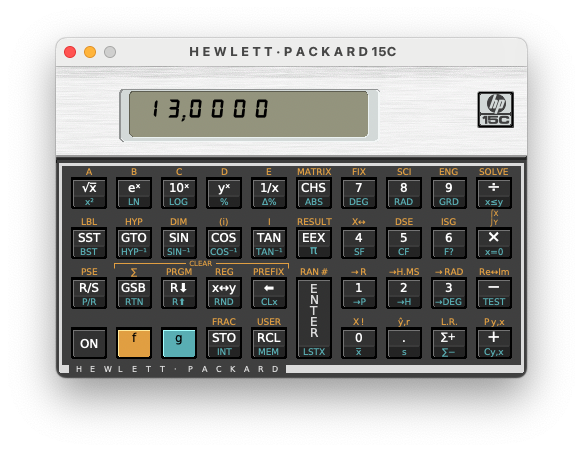
HP-15c
Simulateur de calculette HP-15C. L'application demande 10.13 minimum mais un build pour les macOS inférieurs sont disponibles sur le site officiel (lien mort).
Dernière mise à jour :
Plateformes
Architecture
 Mac OS X - macOS
 Intel x86
 Apple Silicon
 64 bits
Téléchargement et liens
Historique des versions
Version 4.6.00, Build 6414
- Bug fixes
- When starting the simulator, the simulator window could be outside of the visible area when the monitor layout had changed after saving the window position.
- Program description dialogue: When the Search and Replace window was closed, the input focus was not set to the edit window.
- The mnemonics in the program popup menu did not respect the current setting for the comma and the thousands separator.
- Changes
- Key sequences with a decimal point, e.g. STO . 3, are now formatted as
{ 45 .3 }or{ 45 ,3 }in the program files. The actual format depends on the settings for comma and period. In previous versions the sequence was formatted using the key code ('48') for the decimal point, e.g.{ 45 48 3 }. - The entire simulator documentation was checked using DeepL Write. The use of nouns, such as button vs. key, and verbs , such as show vs. display, is now more consistent.
- Program description dialogue:
- The statistics registers R2 to R7 are now automatically added to the program description, when the program uses the commands Σ+ or Σ-.
- Selected text in the Usage field now remains highlighted, when the field looses the focus. For example when you open the Search and Replace window.
- The preview mode now supports text that is formatted in bold and italic at the same time.
- The symbols menu can be opened at the cursor position with the shortcut Control–B3 (not for macOS).
- Key sequences with a decimal point, e.g. STO . 3, are now formatted as
- Known issues
- macOS
- When minimising the description dialogue, it becomes immediately maximised again
- Artifacts along the top and bottom edge of the simulator keys for some font sets
- Some users got errors when they installed the HP-15C Simulator Font. It is recommended to deinstall all versions of the font before installing it again.
- Linux, macOS:
- The behaviour described on page 144 of the Owner's Handbook when a letter key is 'held down for longer than about 3 seconds', works on all systems when you use the mouse. When you use the keyboard, it works on Windows, but not on macOS and Linux.
- macOS
Captures d'écran