Flycast Dojo
Dérivé de l'émulateur Flycast permettant de jouer en réseau par https://www.fightcade.com notamment.
Dernière mise à jour :
Plateformes
Architecture
 Mac OS X - macOS
 Intel x86
 Apple Silicon
 64 bits
Téléchargement et liens
Historique des versions
vdojo-7-preview4
**This version is not compatible with Fightcade at the moment. If you would like the latest bug fixes for Fightcade, please use the latest Flycast Dojo 6 release to maintain compatibility.**
Flycast Dojo 7 is a complete rewrite of Flycast Dojo on top of Flycast 2.3.2 to maintain compatibility with existing netplay savestates while maintaining a closer codebase with upstream Flycast changes. Consider this the bleeding edge release with the latest optimizations and cleaned up code. This version is bundled with [Dojo Lobby](https://lobby.dojo.ooo/).
**Preview 4 Changes**
- Fix build scripts to compile on the latest version of CMake 4 & GCC 15
- Move Quick Match functionality to Dojo Lobby, remove from emulator
- Allow stateless game start calls for card games from the command line
**Preview 3 Changes**
- Virtua Fighter 4 Final Tuned: Card Match mode, Quick Match w/ Savestate & NVMEM Disabled
- Quick Match: Force Relay tunneling when enabled for either player
**Preview 2 Changes**
- GGPO: Ignore incoming relay ping messages after connection established
- Temporarily remove automatic relay server detection button
- Fix Replay JSON downloading and parsing
- Replays: Show Resume button in command menu
- Spectate Request: Use current Quark & SpectateKey values
vdojo-6.53
Flycast Dojo 6.53 adds a "First To" indicator to the Player Name overtlay for Netplay games when this is defined. This release also adds the ability for Lua scripts to play back recorded inputs saved from files generated in Training Mode.

### Flycast Dojo 6.53 Changelog
* Training, Lua: Load & Play Record Slots from files
* Netplay Overlay: Add First To "FT" Indicator when defined next to names.
---
Flycast Dojo 6.52 is primarily a bug fix release. In Training Mode, simulated inputs are now disabled when operating the in-game menu (Thanks to SIlentscope88 for the report). This release also adds corrected files for Training & Game Value export for Marvel vs. Capcom 2 stages.
### Flycast Dojo 6.52 Changelog
* Training, Lua: Disable simulated button presses when menu is toggled. Releases inputs for controlling player.
* Training & Game Value Scripts: Fix MvC2 stages
---
Flycast Dojo 6.50 introduces an adjustable numeric limit for session output, the ability to read custom game values determined by game-specific JSON files, as well as bug fixes.

### Custom Game Values for Text Output
You can define a file for any game with the internal game values you want for text export. No need for Lua scripting if you know memory addresses or have presets made. Custom JSON files for NAOMI Capcom vs SNK 2 (`cvs2.json`) and Dreamcast Marvel vs Capcom 2 (`Marvel vs. Capcom 2 (USA).json`) are included in the `data/game_values` directory for reference.
### Flycast Dojo 6.50 Changelog
* Custom Session Text Output: Values set via per-game JSON files
* Input Recordings: Same/Load from Game-Specific Directories (`recordings/`)
* Stream Text Output, Max Sessions
* Fix netplay game launch for games without savestates
* miniupnpc: update UPNP_GetValidIGD call for new API versions
* Peer Verification Error: Add button to FAQ entry for more info
* Game Entry: Add MvC2 2022 Ratio
---
**Flycast Dojo 6.48** adds an overhaul to the in-game menu, Training Mode Recording enhancements, the ability to output session text for multiple instances of the emulator, and various bug fixes.
### In-Game Menu Redesign
The in-game menu has been redesigned to accommodate more buttons, and adds icons to make the various available functions stand out.
### Training Mode: Recording Slot Expansion, Loading & Saving
Training Mode input recording slots have now increased from 3 to 6. You can either assign them to individual buttons, or cycle through them through a button of your choice.
You can now save and load your Training Mode input recordings as files. 10 recording slots are available, and are saved in the data directory. You can save your recording slots for use between sessions, or even share the files with your friends to help them out! With 6 recording slots and 10 files they may be saved to, you can save and load up to 60 input sequences during any active training session.
### For Streamers, Output Match Text for Multiple Sessions
You can have Flycast Dojo export game details like game name, player names, and current score to the `out` directory in your data, now separated by numbered session folders. This allows you to save old sessions, or even run multiple instances of the emulator with unique files for each open session.
### Bug Fixes
* Proper player name order for Fightcade guests and P2P games
* Fix mode selection in main menu when opened via Test Game mode
---
### Flycast Dojo 6.48 Changelog
* Settings: Fix Output Text for Multriple Sessions Description
### Flycast Dojo 6.47 Changelog
* Training: Save/Load Recordings as Files
* Training: Increase recording slots from 3 to 6
* Output Text for Multiple Sessions, Folders separated by session count
* In-Game Menu: Redesign, Add Colored Training Mode Buttons & Icons
* Fix Match Code Cancel
* Test Game: Fix Main Menu Mode Selection
* Online: Fix player name order when player info message is not sent
vdojo-6.52
Flycast Dojo 6.52 is primarily a bug fix release. In Training Mode, simulated inputs are now disabled when operating the in-game menu (Thanks to SIlentscope88 for the report). This release also adds corrected files for Training & Game Value export for Marvel vs. Capcom 2 stages.
### Flycast Dojo 6.52 Changelog
* Training, Lua: Disable simulated button presses when menu is toggled. Releases inputs for controlling player.
* Training & Game Value Scripts: Fix MvC2 stages
Flycast Dojo 6.50 introduces an adjustable numeric limit for session output, the ability to read custom game values determined by game-specific JSON files, as well as bug fixes.

### Custom Game Values for Text Output
You can define a file for any game with the internal game values you want for text export. No need for Lua scripting if you know memory addresses or have presets made. Custom JSON files for NAOMI Capcom vs SNK 2 (`cvs2.json`) and Dreamcast Marvel vs Capcom 2 (`Marvel vs. Capcom 2 (USA).json`) are included in the `data/game_values` directory for reference.
### Flycast Dojo 6.50 Changelog
* Custom Session Text Output: Values set via per-game JSON files
* Input Recordings: Same/Load from Game-Specific Directories (`recordings/`)
* Stream Text Output, Max Sessions
* Fix netplay game launch for games without savestates
* miniupnpc: update UPNP_GetValidIGD call for new API versions
* Peer Verification Error: Add button to FAQ entry for more info
* Game Entry: Add MvC2 2022 Ratio
---
**Flycast Dojo 6.48** adds an overhaul to the in-game menu, Training Mode Recording enhancements, the ability to output session text for multiple instances of the emulator, and various bug fixes.
### In-Game Menu Redesign
The in-game menu has been redesigned to accommodate more buttons, and adds icons to make the various available functions stand out.
### Training Mode: Recording Slot Expansion, Loading & Saving
Training Mode input recording slots have now increased from 3 to 6. You can either assign them to individual buttons, or cycle through them through a button of your choice.
You can now save and load your Training Mode input recordings as files. 10 recording slots are available, and are saved in the data directory. You can save your recording slots for use between sessions, or even share the files with your friends to help them out! With 6 recording slots and 10 files they may be saved to, you can save and load up to 60 input sequences during any active training session.
### For Streamers, Output Match Text for Multiple Sessions
You can have Flycast Dojo export game details like game name, player names, and current score to the `out` directory in your data, now separated by numbered session folders. This allows you to save old sessions, or even run multiple instances of the emulator with unique files for each open session.
### Bug Fixes
* Proper player name order for Fightcade guests and P2P games
* Fix mode selection in main menu when opened via Test Game mode
---
### Flycast Dojo 6.48 Changelog
* Settings: Fix Output Text for Multriple Sessions Description
### Flycast Dojo 6.47 Changelog
* Training: Save/Load Recordings as Files
* Training: Increase recording slots from 3 to 6
* Output Text for Multiple Sessions, Folders separated by session count
* In-Game Menu: Redesign, Add Colored Training Mode Buttons & Icons
* Fix Match Code Cancel
* Test Game: Fix Main Menu Mode Selection
* Online: Fix player name order when player info message is not sent
vdojo-6.50
Flycast Dojo 6.50 introduces an adjustable numeric limit for session output, the ability to read custom game values determined by game-specific JSON files, as well as bug fixes.

### Custom Game Values for Text Output
You can define a file for any game with the internal game values you want for text export. No need for Lua scripting if you know memory addresses or have presets made. Custom JSON files for NAOMI Capcom vs SNK 2 (`cvs2.json`) and Dreamcast Marvel vs Capcom 2 (`Marvel vs. Capcom 2 (USA).json`) are included in the `data/game_values` directory for reference.
### Flycast Dojo 6.50 Changelog
* Custom Session Text Output: Values set via per-game JSON files
* Input Recordings: Same/Load from Game-Specific Directories (`recordings/`)
* Stream Text Output, Max Sessions
* Fix netplay game launch for games without savestates
* miniupnpc: update UPNP_GetValidIGD call for new API versions
* Peer Verification Error: Add button to FAQ entry for more info
* Game Entry: Add MvC2 2022 Ratio
---
**Flycast Dojo 6.48** adds an overhaul to the in-game menu, Training Mode Recording enhancements, the ability to output session text for multiple instances of the emulator, and various bug fixes.
### In-Game Menu Redesign
The in-game menu has been redesigned to accommodate more buttons, and adds icons to make the various available functions stand out.
### Training Mode: Recording Slot Expansion, Loading & Saving
Training Mode input recording slots have now increased from 3 to 6. You can either assign them to individual buttons, or cycle through them through a button of your choice.
You can now save and load your Training Mode input recordings as files. 10 recording slots are available, and are saved in the data directory. You can save your recording slots for use between sessions, or even share the files with your friends to help them out! With 6 recording slots and 10 files they may be saved to, you can save and load up to 60 input sequences during any active training session.
### For Streamers, Output Match Text for Multiple Sessions
You can have Flycast Dojo export game details like game name, player names, and current score to the `out` directory in your data, now separated by numbered session folders. This allows you to save old sessions, or even run multiple instances of the emulator with unique files for each open session.
### Bug Fixes
* Proper player name order for Fightcade guests and P2P games
* Fix mode selection in main menu when opened via Test Game mode
---
### Flycast Dojo 6.48 Changelog
* Settings: Fix Output Text for Multriple Sessions Description
### Flycast Dojo 6.47 Changelog
* Training: Save/Load Recordings as Files
* Training: Increase recording slots from 3 to 6
* Output Text for Multiple Sessions, Folders separated by session count
* In-Game Menu: Redesign, Add Colored Training Mode Buttons & Icons
* Fix Match Code Cancel
* Test Game: Fix Main Menu Mode Selection
* Online: Fix player name order when player info message is not sent
vdojo-6.48
**Flycast Dojo 6.48** adds an overhaul to the in-game menu, Training Mode Recording enhancements, the ability to output session text for multiple instances of the emulator, and various bug fixes.
### In-Game Menu Redesign
The in-game menu has been redesigned to accommodate more buttons, and adds icons to make the various available functions stand out.
### Training Mode: Recording Slot Expansion, Loading & Saving
Training Mode input recording slots have now increased from 3 to 6. You can either assign them to individual buttons, or cycle through them through a button of your choice.
You can now save and load your Training Mode input recordings as files. 10 recording slots are available, and are saved in the data directory. You can save your recording slots for use between sessions, or even share the files with your friends to help them out! With 6 recording slots and 10 files they may be saved to, you can save and load up to 60 input sequences during any active training session.
### For Streamers, Output Match Text for Multiple Sessions
You can have Flycast Dojo export game details like game name, player names, and current score to the `out` directory in your data, now separated by numbered session folders. This allows you to save old sessions, or even run multiple instances of the emulator with unique files for each open session.
### Bug Fixes
* Proper player name order for Fightcade guests and P2P games
* Fix mode selection in main menu when opened via Test Game mode
---
### Flycast Dojo 6.48 Changelog
* Settings: Fix Output Text for Multriple Sessions Description
### Flycast Dojo 6.47 Changelog
* Training: Save/Load Recordings as Files
* Training: Increase recording slots from 3 to 6
* Output Text for Multiple Sessions, Folders separated by session count
* In-Game Menu: Redesign, Add Colored Training Mode Buttons & Icons
* Fix Match Code Cancel
* Test Game: Fix Main Menu Mode Selection
* Online: Fix player name order when player info message is not sent
vdojo-6.46
### Flycast Dojo 6.46 Changelog
* Session Transmission: Send Spectate Start Message Once. Fixes Replays/Spectating.
### Flycast Dojo 6.45 Changelog
* Fightcade: Hide player names until received from service. Show correct order.
* Session Stream: Enable guest score transmission
### Flycast Dojo 6.44 Release Notes
* Test Game: Fix Offline Game Launch
_Flycast Dojo 6.43 includes various enhancements to Test Game mode, including loading controller profiles in the Settings prior to game launch for previews, as well as a Main Menu button to enter the emulator's main interface from the Test Game screen off of Fightcade. This new version also includes improved netplay savestate tracking for replays in preparation for netplay savestate auto-updating._

### Flycast Dojo 6.43 Release Notes
* Test Game: Fix Game Launch, Main Menu, Emulator Exit
### Flycast Dojo 6.42 Release Notes
* Netplay Savestates: Download list of commits locally with savestate download
* Replays/Spectating: If commit from header unavailable, use Commit based on Quark Epoch
### Flycast Dojo 6.39 Release Notes
* Replays/Spectating: Get commit by Quark Epoch time & Game Name when missing from header
* Replays/Spectating: Record current Savestate Commit on Session Start
* Netplay Savestate Download: Make copy with commit extension for Replay versioning
* Test Game: Add Main Menu Button
### Flycast Dojo 6.36 Release Notes
* Test Game: Load Button Names in Settings
* Linux: Copy missing shared memory (EEPROM/NVMEM/VMU) from shared directory before game launch
_Flycast Dojo 6.35 introduces more enhancements and bug fixes for controller mapping and button check. Button Check now also supports macro buttons, finally giving an accurate picture of what is seen in-game. To make button mapping more intuitive, the hovered row is now highlighted._

### Flycast Dojo 6.35 Release Notes
* Marvel vs. Capcom 2 (NAOMI): Change Button Names (Assist A/B -> 1/2, Strong -> Heavy)
* Controller Mapping: Highlight hovered row for Button Assignment
### Flycast Dojo 6.34 Release Notes
* Macros: Refactor Macro Assignment, Show in Button Check
_Flycast Dojo 6.33 is a minor update for Mac OS that fixes launching Dreamcast games from Fightcade and other clients using the included file definitions._
### Flycast Dojo 6.33 Release Notes
- Mac OS & Linux: Fix Game Entry JSON location, Use base directory env vars when available
_Flycast Dojo 6.32 includes bug fixes and features based on the feedback of the last Fightcade release. Test Game now loads all button and system definitions for the target game upon launch, and system selection is disabled in the controller mapping menu when a game is loaded to prevent player confusion._

_Many Lua functions were also added to give the modding community a head start in making interesting Training scripts in Flycast Dojo. You can now read signed integers and floats from memory, read frame number, draw color progress bars, as well as draw lines and rectangles for hitboxes. Special thanks to N-Bee, mountainmanjed, & Magnetro for suggestions and help._

_Lastly, for those of you who want to stay on your controller during Training Mode dummy recording, I added buttons for cycling between input slots, playing, and recording your selection. They can be found in the Training Mode section of your Controller Mapping settings._

### Flycast Dojo 6.32 Release Notes
- Linux: Copy Default VMU from shared dir when supported game is detected.
- Lua: Rectangles, Lines; Support Floating point numbers
### Flycast Dojo 6.31 Release Notes
- Lua: Get Frame Number
- Training: Dummy Recording, Select/Record/Play Input Slot Button
- Match Codes/Relays: Hide Code/Key command line toggle
- Lua: Rectangles, Lines (`rect`, `line`)
- Lua: Color Progress Bars (`bargraphColor`)
- Lua: Read Signed Integers from Memory (`read8s`, `read16s`, `read32s`)
- Lua: Read Float from Memory (`read32f`)
- Game Entries: Add all DC multiplayer game filenames (according to MobyGames) from Redump collection
- Test Game: Show Button Names without launching game. Leaving Button Check goes back to Test Game screen.
- Training: Switch Player, Check for null gamepad
- Credits: Update Patrons
- Test Game: Restrict input mapping to target game system
- Controller Mapping: Disable system select when in game. Default to loaded game platform.
- Training: Load Lua scripts in Paxtez MvC2 mods
_Flycast Dojo 6.30 contains more bug fixes, and the ability to spectate & watch replays from sessions held on relays in addition to Match Codes._

_I also added an A+Start macro intended for Capcom vs SNK 2 players to perform a one-button taunt when playing the Dreamcast version._
### Flycast Dojo 6.30 Release Notes
* Stream Receive: Force virtual assignment when mode toggled. Should not be saved.
### Flycast Dojo 6.29 Release Notes
* GUI, Spectate Match Code Sessions & Relays, convert to Popup
* Relays: Allow mode selection after GUI cancel
* Rename SpectateMatchCode option to SpectateKey
* Training, Replays: Disable "Show Hotkeys" button (Fixes crashes)
* Relay Match Spectating & Replay streaming
* A+Start Macro, for DC CvS2 one button taunt
* Add proper ROM path to parent when data folder is detected
* Match Codes, Relays: Send all netplay steps to stdout
_Flycast Dojo 6.28 serves as a bug fix release for Flycast Dojo 6.26. This release fixes Match Code & Relay launching from command line, the Windows internal updater to accept new releases, allows games without savestates to be played online again, and cleans up integration details needed for matchmaking frontends. Special thanks to Ren, ToastRider, & pof for reporting bugs, integration, and debugging assistance._
### Flycast Dojo 6.28 Release Notes
* Mac: Set proper Content Path when `DOJO_BASE_DIR` is assigned
* Relays, CMD: Use Relay Key entered in arguments (Thanks Ren)
* Relays: Fix Relay command line start
* Savestate Download: Don't show successful save if file is not found
* Client Join: send to stdout
### Flycast Dojo 6.27 Release Notes
* Savestate Download: Fix flickering screen, allow game to be launched when missing savestate
* Internal Updater, Windows: Fix Updater, Accepts `application/zip` content type (Thanks ToastRider)
* Match Codes: Start matchmaking session after host/join selection
* Match Codes, Relay Keys: Send codes to stdout
* GGPO: Send session start to stdout
_Flycast Dojo 6.26 introduces a new connection method: relay servers. For users on networks where a direct P2P connection over Match Codes do not work, relay servers will allow you to tunnel all game traffic through a server visible by both parties on the open internet. Just point to your server of choice, and exchange codes with your opponent like you would with Match Codes. This should serve as an alternative to Fightcade's own tunnels or using a Virtual LAN with Direct IP._

_New UI changes where also made in this go-around. All modes and connection methods are now available in the drop-down on the main menu, and helpful description text is available for each selection. Icons now adorn the interface, and the netplay flow has been cleaned up for all connection methods._

_Since this is the first release with relays, this will be the first time they will be tested in the wild. I have put up 7 servers around the world according to the most active regions where Match Codes have been used. Once relays are in a solid place, I'll be releasing the server code so that people can host their own. Server capacity and new locations will be determined after initial testing and feedback of what is up now. (An extra special thanks to our [Patreon contributors](https://www.patreon.com/projectdojo), who make server deploys possible!)_
_In future releases, I plan on combining the hole punching used in Match Codes with relays through automatic detection. In the mean time, you can start with Match Codes and switch over to a relay when that doesn't work._

**Relay Servers**
* us-west-1.match.dojo.ooo (Hillsboro, OR, USA)
* us-east-1.match.dojo.ooo (Ashburn, VA, USA)
* chl-1.match.dojo.ooo (Santiago, Chile)
* esp-1.match.dojo.ooo (Madrid, Spain)
* fin-1.match.dojo.ooo (Helsinki, Finland)
* kor-1.match.dojo.ooo (Seoul, South Korea)
* aus-1.match.dojo.ooo (Sydney, Australia)
_For news, support, and potential matchmaking, head over to the [Dojo Project Discord](https://discord.gg/JKBJhjea3J). I'll be looking over the server performance and taking feedback there. Enjoy!_
### Flycast Dojo 6.26 Release Notes
* Relay Servers
* Font Awesome Icon Integration
* Connection Flow UI Overhaul
* Match Codes
* IP Entry
* Main Screen: Mode & Connection Method Selection
* Main Screen: Mode Descriptions
* Savestate Download: Remove stuck modal on main menu return
vdojo-6.45
### Flycast Dojo 6.45 Changelog
* Fightcade: Hide player names until received from service. Show correct order.
* Session Stream: Enable guest score transmission
### Flycast Dojo 6.44 Release Notes
* Test Game: Fix Offline Game Launch
_Flycast Dojo 6.43 includes various enhancements to Test Game mode, including loading controller profiles in the Settings prior to game launch for previews, as well as a Main Menu button to enter the emulator's main interface from the Test Game screen off of Fightcade. This new version also includes improved netplay savestate tracking for replays in preparation for netplay savestate auto-updating._

### Flycast Dojo 6.43 Release Notes
* Test Game: Fix Game Launch, Main Menu, Emulator Exit
### Flycast Dojo 6.42 Release Notes
* Netplay Savestates: Download list of commits locally with savestate download
* Replays/Spectating: If commit from header unavailable, use Commit based on Quark Epoch
### Flycast Dojo 6.39 Release Notes
* Replays/Spectating: Get commit by Quark Epoch time & Game Name when missing from header
* Replays/Spectating: Record current Savestate Commit on Session Start
* Netplay Savestate Download: Make copy with commit extension for Replay versioning
* Test Game: Add Main Menu Button
### Flycast Dojo 6.36 Release Notes
* Test Game: Load Button Names in Settings
* Linux: Copy missing shared memory (EEPROM/NVMEM/VMU) from shared directory before game launch
_Flycast Dojo 6.35 introduces more enhancements and bug fixes for controller mapping and button check. Button Check now also supports macro buttons, finally giving an accurate picture of what is seen in-game. To make button mapping more intuitive, the hovered row is now highlighted._

### Flycast Dojo 6.35 Release Notes
* Marvel vs. Capcom 2 (NAOMI): Change Button Names (Assist A/B -> 1/2, Strong -> Heavy)
* Controller Mapping: Highlight hovered row for Button Assignment
### Flycast Dojo 6.34 Release Notes
* Macros: Refactor Macro Assignment, Show in Button Check
_Flycast Dojo 6.33 is a minor update for Mac OS that fixes launching Dreamcast games from Fightcade and other clients using the included file definitions._
### Flycast Dojo 6.33 Release Notes
- Mac OS & Linux: Fix Game Entry JSON location, Use base directory env vars when available
_Flycast Dojo 6.32 includes bug fixes and features based on the feedback of the last Fightcade release. Test Game now loads all button and system definitions for the target game upon launch, and system selection is disabled in the controller mapping menu when a game is loaded to prevent player confusion._

_Many Lua functions were also added to give the modding community a head start in making interesting Training scripts in Flycast Dojo. You can now read signed integers and floats from memory, read frame number, draw color progress bars, as well as draw lines and rectangles for hitboxes. Special thanks to N-Bee, mountainmanjed, & Magnetro for suggestions and help._

_Lastly, for those of you who want to stay on your controller during Training Mode dummy recording, I added buttons for cycling between input slots, playing, and recording your selection. They can be found in the Training Mode section of your Controller Mapping settings._

### Flycast Dojo 6.32 Release Notes
- Linux: Copy Default VMU from shared dir when supported game is detected.
- Lua: Rectangles, Lines; Support Floating point numbers
### Flycast Dojo 6.31 Release Notes
- Lua: Get Frame Number
- Training: Dummy Recording, Select/Record/Play Input Slot Button
- Match Codes/Relays: Hide Code/Key command line toggle
- Lua: Rectangles, Lines (`rect`, `line`)
- Lua: Color Progress Bars (`bargraphColor`)
- Lua: Read Signed Integers from Memory (`read8s`, `read16s`, `read32s`)
- Lua: Read Float from Memory (`read32f`)
- Game Entries: Add all DC multiplayer game filenames (according to MobyGames) from Redump collection
- Test Game: Show Button Names without launching game. Leaving Button Check goes back to Test Game screen.
- Training: Switch Player, Check for null gamepad
- Credits: Update Patrons
- Test Game: Restrict input mapping to target game system
- Controller Mapping: Disable system select when in game. Default to loaded game platform.
- Training: Load Lua scripts in Paxtez MvC2 mods
_Flycast Dojo 6.30 contains more bug fixes, and the ability to spectate & watch replays from sessions held on relays in addition to Match Codes._

_I also added an A+Start macro intended for Capcom vs SNK 2 players to perform a one-button taunt when playing the Dreamcast version._
### Flycast Dojo 6.30 Release Notes
* Stream Receive: Force virtual assignment when mode toggled. Should not be saved.
### Flycast Dojo 6.29 Release Notes
* GUI, Spectate Match Code Sessions & Relays, convert to Popup
* Relays: Allow mode selection after GUI cancel
* Rename SpectateMatchCode option to SpectateKey
* Training, Replays: Disable "Show Hotkeys" button (Fixes crashes)
* Relay Match Spectating & Replay streaming
* A+Start Macro, for DC CvS2 one button taunt
* Add proper ROM path to parent when data folder is detected
* Match Codes, Relays: Send all netplay steps to stdout
_Flycast Dojo 6.28 serves as a bug fix release for Flycast Dojo 6.26. This release fixes Match Code & Relay launching from command line, the Windows internal updater to accept new releases, allows games without savestates to be played online again, and cleans up integration details needed for matchmaking frontends. Special thanks to Ren, ToastRider, & pof for reporting bugs, integration, and debugging assistance._
### Flycast Dojo 6.28 Release Notes
* Mac: Set proper Content Path when `DOJO_BASE_DIR` is assigned
* Relays, CMD: Use Relay Key entered in arguments (Thanks Ren)
* Relays: Fix Relay command line start
* Savestate Download: Don't show successful save if file is not found
* Client Join: send to stdout
### Flycast Dojo 6.27 Release Notes
* Savestate Download: Fix flickering screen, allow game to be launched when missing savestate
* Internal Updater, Windows: Fix Updater, Accepts `application/zip` content type (Thanks ToastRider)
* Match Codes: Start matchmaking session after host/join selection
* Match Codes, Relay Keys: Send codes to stdout
* GGPO: Send session start to stdout
_Flycast Dojo 6.26 introduces a new connection method: relay servers. For users on networks where a direct P2P connection over Match Codes do not work, relay servers will allow you to tunnel all game traffic through a server visible by both parties on the open internet. Just point to your server of choice, and exchange codes with your opponent like you would with Match Codes. This should serve as an alternative to Fightcade's own tunnels or using a Virtual LAN with Direct IP._

_New UI changes where also made in this go-around. All modes and connection methods are now available in the drop-down on the main menu, and helpful description text is available for each selection. Icons now adorn the interface, and the netplay flow has been cleaned up for all connection methods._

_Since this is the first release with relays, this will be the first time they will be tested in the wild. I have put up 7 servers around the world according to the most active regions where Match Codes have been used. Once relays are in a solid place, I'll be releasing the server code so that people can host their own. Server capacity and new locations will be determined after initial testing and feedback of what is up now. (An extra special thanks to our [Patreon contributors](https://www.patreon.com/projectdojo), who make server deploys possible!)_
_In future releases, I plan on combining the hole punching used in Match Codes with relays through automatic detection. In the mean time, you can start with Match Codes and switch over to a relay when that doesn't work._

**Relay Servers**
* us-west-1.match.dojo.ooo (Hillsboro, OR, USA)
* us-east-1.match.dojo.ooo (Ashburn, VA, USA)
* chl-1.match.dojo.ooo (Santiago, Chile)
* esp-1.match.dojo.ooo (Madrid, Spain)
* fin-1.match.dojo.ooo (Helsinki, Finland)
* kor-1.match.dojo.ooo (Seoul, South Korea)
* aus-1.match.dojo.ooo (Sydney, Australia)
_For news, support, and potential matchmaking, head over to the [Dojo Project Discord](https://discord.gg/JKBJhjea3J). I'll be looking over the server performance and taking feedback there. Enjoy!_
### Flycast Dojo 6.26 Release Notes
* Relay Servers
* Font Awesome Icon Integration
* Connection Flow UI Overhaul
* Match Codes
* IP Entry
* Main Screen: Mode & Connection Method Selection
* Main Screen: Mode Descriptions
* Savestate Download: Remove stuck modal on main menu return
vdojo-6.44
### Flycast Dojo 6.44 Release Notes
* Test Game: Fix Offline Game Launch
_Flycast Dojo 6.43 includes various enhancements to Test Game mode, including loading controller profiles in the Settings prior to game launch for previews, as well as a Main Menu button to enter the emulator's main interface from the Test Game screen off of Fightcade. This new version also includes improved netplay savestate tracking for replays in preparation for netplay savestate auto-updating._

### Flycast Dojo 6.43 Release Notes
* Test Game: Fix Game Launch, Main Menu, Emulator Exit
### Flycast Dojo 6.42 Release Notes
* Netplay Savestates: Download list of commits locally with savestate download
* Replays/Spectating: If commit from header unavailable, use Commit based on Quark Epoch
### Flycast Dojo 6.39 Release Notes
* Replays/Spectating: Get commit by Quark Epoch time & Game Name when missing from header
* Replays/Spectating: Record current Savestate Commit on Session Start
* Netplay Savestate Download: Make copy with commit extension for Replay versioning
* Test Game: Add Main Menu Button
### Flycast Dojo 6.36 Release Notes
* Test Game: Load Button Names in Settings
* Linux: Copy missing shared memory (EEPROM/NVMEM/VMU) from shared directory before game launch
_Flycast Dojo 6.35 introduces more enhancements and bug fixes for controller mapping and button check. Button Check now also supports macro buttons, finally giving an accurate picture of what is seen in-game. To make button mapping more intuitive, the hovered row is now highlighted._

### Flycast Dojo 6.35 Release Notes
* Marvel vs. Capcom 2 (NAOMI): Change Button Names (Assist A/B -> 1/2, Strong -> Heavy)
* Controller Mapping: Highlight hovered row for Button Assignment
### Flycast Dojo 6.34 Release Notes
* Macros: Refactor Macro Assignment, Show in Button Check
_Flycast Dojo 6.33 is a minor update for Mac OS that fixes launching Dreamcast games from Fightcade and other clients using the included file definitions._
### Flycast Dojo 6.33 Release Notes
- Mac OS & Linux: Fix Game Entry JSON location, Use base directory env vars when available
_Flycast Dojo 6.32 includes bug fixes and features based on the feedback of the last Fightcade release. Test Game now loads all button and system definitions for the target game upon launch, and system selection is disabled in the controller mapping menu when a game is loaded to prevent player confusion._

_Many Lua functions were also added to give the modding community a head start in making interesting Training scripts in Flycast Dojo. You can now read signed integers and floats from memory, read frame number, draw color progress bars, as well as draw lines and rectangles for hitboxes. Special thanks to N-Bee, mountainmanjed, & Magnetro for suggestions and help._

_Lastly, for those of you who want to stay on your controller during Training Mode dummy recording, I added buttons for cycling between input slots, playing, and recording your selection. They can be found in the Training Mode section of your Controller Mapping settings._

### Flycast Dojo 6.32 Release Notes
- Linux: Copy Default VMU from shared dir when supported game is detected.
- Lua: Rectangles, Lines; Support Floating point numbers
### Flycast Dojo 6.31 Release Notes
- Lua: Get Frame Number
- Training: Dummy Recording, Select/Record/Play Input Slot Button
- Match Codes/Relays: Hide Code/Key command line toggle
- Lua: Rectangles, Lines (`rect`, `line`)
- Lua: Color Progress Bars (`bargraphColor`)
- Lua: Read Signed Integers from Memory (`read8s`, `read16s`, `read32s`)
- Lua: Read Float from Memory (`read32f`)
- Game Entries: Add all DC multiplayer game filenames (according to MobyGames) from Redump collection
- Test Game: Show Button Names without launching game. Leaving Button Check goes back to Test Game screen.
- Training: Switch Player, Check for null gamepad
- Credits: Update Patrons
- Test Game: Restrict input mapping to target game system
- Controller Mapping: Disable system select when in game. Default to loaded game platform.
- Training: Load Lua scripts in Paxtez MvC2 mods
_Flycast Dojo 6.30 contains more bug fixes, and the ability to spectate & watch replays from sessions held on relays in addition to Match Codes._

_I also added an A+Start macro intended for Capcom vs SNK 2 players to perform a one-button taunt when playing the Dreamcast version._
### Flycast Dojo 6.30 Release Notes
* Stream Receive: Force virtual assignment when mode toggled. Should not be saved.
### Flycast Dojo 6.29 Release Notes
* GUI, Spectate Match Code Sessions & Relays, convert to Popup
* Relays: Allow mode selection after GUI cancel
* Rename SpectateMatchCode option to SpectateKey
* Training, Replays: Disable "Show Hotkeys" button (Fixes crashes)
* Relay Match Spectating & Replay streaming
* A+Start Macro, for DC CvS2 one button taunt
* Add proper ROM path to parent when data folder is detected
* Match Codes, Relays: Send all netplay steps to stdout
_Flycast Dojo 6.28 serves as a bug fix release for Flycast Dojo 6.26. This release fixes Match Code & Relay launching from command line, the Windows internal updater to accept new releases, allows games without savestates to be played online again, and cleans up integration details needed for matchmaking frontends. Special thanks to Ren, ToastRider, & pof for reporting bugs, integration, and debugging assistance._
### Flycast Dojo 6.28 Release Notes
* Mac: Set proper Content Path when `DOJO_BASE_DIR` is assigned
* Relays, CMD: Use Relay Key entered in arguments (Thanks Ren)
* Relays: Fix Relay command line start
* Savestate Download: Don't show successful save if file is not found
* Client Join: send to stdout
### Flycast Dojo 6.27 Release Notes
* Savestate Download: Fix flickering screen, allow game to be launched when missing savestate
* Internal Updater, Windows: Fix Updater, Accepts `application/zip` content type (Thanks ToastRider)
* Match Codes: Start matchmaking session after host/join selection
* Match Codes, Relay Keys: Send codes to stdout
* GGPO: Send session start to stdout
_Flycast Dojo 6.26 introduces a new connection method: relay servers. For users on networks where a direct P2P connection over Match Codes do not work, relay servers will allow you to tunnel all game traffic through a server visible by both parties on the open internet. Just point to your server of choice, and exchange codes with your opponent like you would with Match Codes. This should serve as an alternative to Fightcade's own tunnels or using a Virtual LAN with Direct IP._

_New UI changes where also made in this go-around. All modes and connection methods are now available in the drop-down on the main menu, and helpful description text is available for each selection. Icons now adorn the interface, and the netplay flow has been cleaned up for all connection methods._

_Since this is the first release with relays, this will be the first time they will be tested in the wild. I have put up 7 servers around the world according to the most active regions where Match Codes have been used. Once relays are in a solid place, I'll be releasing the server code so that people can host their own. Server capacity and new locations will be determined after initial testing and feedback of what is up now. (An extra special thanks to our [Patreon contributors](https://www.patreon.com/projectdojo), who make server deploys possible!)_
_In future releases, I plan on combining the hole punching used in Match Codes with relays through automatic detection. In the mean time, you can start with Match Codes and switch over to a relay when that doesn't work._

**Relay Servers**
* us-west-1.match.dojo.ooo (Hillsboro, OR, USA)
* us-east-1.match.dojo.ooo (Ashburn, VA, USA)
* chl-1.match.dojo.ooo (Santiago, Chile)
* esp-1.match.dojo.ooo (Madrid, Spain)
* fin-1.match.dojo.ooo (Helsinki, Finland)
* kor-1.match.dojo.ooo (Seoul, South Korea)
* aus-1.match.dojo.ooo (Sydney, Australia)
_For news, support, and potential matchmaking, head over to the [Dojo Project Discord](https://discord.gg/JKBJhjea3J). I'll be looking over the server performance and taking feedback there. Enjoy!_
### Flycast Dojo 6.26 Release Notes
* Relay Servers
* Font Awesome Icon Integration
* Connection Flow UI Overhaul
* Match Codes
* IP Entry
* Main Screen: Mode & Connection Method Selection
* Main Screen: Mode Descriptions
* Savestate Download: Remove stuck modal on main menu return
vdojo-6.43
_Flycast Dojo 6.43 includes various enhancements to Test Game mode, including loading controller profiles in the Settings prior to game launch for previews, as well as a Main Menu button to enter the emulator's main interface from the Test Game screen off of Fightcade. This new version also includes improved netplay savestate tracking for replays in preparation for netplay savestate auto-updating._

### Flycast Dojo 6.43 Release Notes
* Test Game: Fix Game Launch, Main Menu, Emulator Exit
### Flycast Dojo 6.42 Release Notes
* Netplay Savestates: Download list of commits locally with savestate download
* Replays/Spectating: If commit from header unavailable, use Commit based on Quark Epoch
### Flycast Dojo 6.39 Release Notes
* Replays/Spectating: Get commit by Quark Epoch time & Game Name when missing from header
* Replays/Spectating: Record current Savestate Commit on Session Start
* Netplay Savestate Download: Make copy with commit extension for Replay versioning
* Test Game: Add Main Menu Button
### Flycast Dojo 6.36 Release Notes
* Test Game: Load Button Names in Settings
* Linux: Copy missing shared memory (EEPROM/NVMEM/VMU) from shared directory before game launch
_Flycast Dojo 6.35 introduces more enhancements and bug fixes for controller mapping and button check. Button Check now also supports macro buttons, finally giving an accurate picture of what is seen in-game. To make button mapping more intuitive, the hovered row is now highlighted._

### Flycast Dojo 6.35 Release Notes
* Marvel vs. Capcom 2 (NAOMI): Change Button Names (Assist A/B -> 1/2, Strong -> Heavy)
* Controller Mapping: Highlight hovered row for Button Assignment
### Flycast Dojo 6.34 Release Notes
* Macros: Refactor Macro Assignment, Show in Button Check
_Flycast Dojo 6.33 is a minor update for Mac OS that fixes launching Dreamcast games from Fightcade and other clients using the included file definitions._
### Flycast Dojo 6.33 Release Notes
- Mac OS & Linux: Fix Game Entry JSON location, Use base directory env vars when available
_Flycast Dojo 6.32 includes bug fixes and features based on the feedback of the last Fightcade release. Test Game now loads all button and system definitions for the target game upon launch, and system selection is disabled in the controller mapping menu when a game is loaded to prevent player confusion._

_Many Lua functions were also added to give the modding community a head start in making interesting Training scripts in Flycast Dojo. You can now read signed integers and floats from memory, read frame number, draw color progress bars, as well as draw lines and rectangles for hitboxes. Special thanks to N-Bee, mountainmanjed, & Magnetro for suggestions and help._

_Lastly, for those of you who want to stay on your controller during Training Mode dummy recording, I added buttons for cycling between input slots, playing, and recording your selection. They can be found in the Training Mode section of your Controller Mapping settings._

### Flycast Dojo 6.32 Release Notes
- Linux: Copy Default VMU from shared dir when supported game is detected.
- Lua: Rectangles, Lines; Support Floating point numbers
### Flycast Dojo 6.31 Release Notes
- Lua: Get Frame Number
- Training: Dummy Recording, Select/Record/Play Input Slot Button
- Match Codes/Relays: Hide Code/Key command line toggle
- Lua: Rectangles, Lines (`rect`, `line`)
- Lua: Color Progress Bars (`bargraphColor`)
- Lua: Read Signed Integers from Memory (`read8s`, `read16s`, `read32s`)
- Lua: Read Float from Memory (`read32f`)
- Game Entries: Add all DC multiplayer game filenames (according to MobyGames) from Redump collection
- Test Game: Show Button Names without launching game. Leaving Button Check goes back to Test Game screen.
- Training: Switch Player, Check for null gamepad
- Credits: Update Patrons
- Test Game: Restrict input mapping to target game system
- Controller Mapping: Disable system select when in game. Default to loaded game platform.
- Training: Load Lua scripts in Paxtez MvC2 mods
_Flycast Dojo 6.30 contains more bug fixes, and the ability to spectate & watch replays from sessions held on relays in addition to Match Codes._

_I also added an A+Start macro intended for Capcom vs SNK 2 players to perform a one-button taunt when playing the Dreamcast version._
### Flycast Dojo 6.30 Release Notes
* Stream Receive: Force virtual assignment when mode toggled. Should not be saved.
### Flycast Dojo 6.29 Release Notes
* GUI, Spectate Match Code Sessions & Relays, convert to Popup
* Relays: Allow mode selection after GUI cancel
* Rename SpectateMatchCode option to SpectateKey
* Training, Replays: Disable "Show Hotkeys" button (Fixes crashes)
* Relay Match Spectating & Replay streaming
* A+Start Macro, for DC CvS2 one button taunt
* Add proper ROM path to parent when data folder is detected
* Match Codes, Relays: Send all netplay steps to stdout
_Flycast Dojo 6.28 serves as a bug fix release for Flycast Dojo 6.26. This release fixes Match Code & Relay launching from command line, the Windows internal updater to accept new releases, allows games without savestates to be played online again, and cleans up integration details needed for matchmaking frontends. Special thanks to Ren, ToastRider, & pof for reporting bugs, integration, and debugging assistance._
### Flycast Dojo 6.28 Release Notes
* Mac: Set proper Content Path when `DOJO_BASE_DIR` is assigned
* Relays, CMD: Use Relay Key entered in arguments (Thanks Ren)
* Relays: Fix Relay command line start
* Savestate Download: Don't show successful save if file is not found
* Client Join: send to stdout
### Flycast Dojo 6.27 Release Notes
* Savestate Download: Fix flickering screen, allow game to be launched when missing savestate
* Internal Updater, Windows: Fix Updater, Accepts `application/zip` content type (Thanks ToastRider)
* Match Codes: Start matchmaking session after host/join selection
* Match Codes, Relay Keys: Send codes to stdout
* GGPO: Send session start to stdout
_Flycast Dojo 6.26 introduces a new connection method: relay servers. For users on networks where a direct P2P connection over Match Codes do not work, relay servers will allow you to tunnel all game traffic through a server visible by both parties on the open internet. Just point to your server of choice, and exchange codes with your opponent like you would with Match Codes. This should serve as an alternative to Fightcade's own tunnels or using a Virtual LAN with Direct IP._

_New UI changes where also made in this go-around. All modes and connection methods are now available in the drop-down on the main menu, and helpful description text is available for each selection. Icons now adorn the interface, and the netplay flow has been cleaned up for all connection methods._

_Since this is the first release with relays, this will be the first time they will be tested in the wild. I have put up 7 servers around the world according to the most active regions where Match Codes have been used. Once relays are in a solid place, I'll be releasing the server code so that people can host their own. Server capacity and new locations will be determined after initial testing and feedback of what is up now. (An extra special thanks to our [Patreon contributors](https://www.patreon.com/projectdojo), who make server deploys possible!)_
_In future releases, I plan on combining the hole punching used in Match Codes with relays through automatic detection. In the mean time, you can start with Match Codes and switch over to a relay when that doesn't work._

**Relay Servers**
* us-west-1.match.dojo.ooo (Hillsboro, OR, USA)
* us-east-1.match.dojo.ooo (Ashburn, VA, USA)
* chl-1.match.dojo.ooo (Santiago, Chile)
* esp-1.match.dojo.ooo (Madrid, Spain)
* fin-1.match.dojo.ooo (Helsinki, Finland)
* kor-1.match.dojo.ooo (Seoul, South Korea)
* aus-1.match.dojo.ooo (Sydney, Australia)
_For news, support, and potential matchmaking, head over to the [Dojo Project Discord](https://discord.gg/JKBJhjea3J). I'll be looking over the server performance and taking feedback there. Enjoy!_
### Flycast Dojo 6.26 Release Notes
* Relay Servers
* Font Awesome Icon Integration
* Connection Flow UI Overhaul
* Match Codes
* IP Entry
* Main Screen: Mode & Connection Method Selection
* Main Screen: Mode Descriptions
* Savestate Download: Remove stuck modal on main menu return
vdojo-6.35
_Flycast Dojo 6.35 introduces more enhancements and bug fixes for controller mapping and button check. Button Check now also supports macro buttons, finally giving an accurate picture of what is seen in-game. To make button mapping more intuitive, the hovered row is now highlighted._

### Flycast Dojo 6.35 Release Notes
* Marvel vs. Capcom 2 (NAOMI): Change Button Names (Assist A/B -> 1/2, Strong -> Heavy)
* Controller Mapping: Highlight hovered row for Button Assignment
### Flycast Dojo 6.34 Release Notes
* Macros: Refactor Macro Assignment, Show in Button Check
_Flycast Dojo 6.33 is a minor update for Mac OS that fixes launching Dreamcast games from Fightcade and other clients using the included file definitions._
### Flycast Dojo 6.33 Release Notes
- Mac OS & Linux: Fix Game Entry JSON location, Use base directory env vars when available
_Flycast Dojo 6.32 includes bug fixes and features based on the feedback of the last Fightcade release. Test Game now loads all button and system definitions for the target game upon launch, and system selection is disabled in the controller mapping menu when a game is loaded to prevent player confusion._

_Many Lua functions were also added to give the modding community a head start in making interesting Training scripts in Flycast Dojo. You can now read signed integers and floats from memory, read frame number, draw color progress bars, as well as draw lines and rectangles for hitboxes. Special thanks to N-Bee, mountainmanjed, & Magnetro for suggestions and help._

_Lastly, for those of you who want to stay on your controller during Training Mode dummy recording, I added buttons for cycling between input slots, playing, and recording your selection. They can be found in the Training Mode section of your Controller Mapping settings._

### Flycast Dojo 6.32 Release Notes
- Linux: Copy Default VMU from shared dir when supported game is detected.
- Lua: Rectangles, Lines; Support Floating point numbers
### Flycast Dojo 6.31 Release Notes
- Lua: Get Frame Number
- Training: Dummy Recording, Select/Record/Play Input Slot Button
- Match Codes/Relays: Hide Code/Key command line toggle
- Lua: Rectangles, Lines (`rect`, `line`)
- Lua: Color Progress Bars (`bargraphColor`)
- Lua: Read Signed Integers from Memory (`read8s`, `read16s`, `read32s`)
- Lua: Read Float from Memory (`read32f`)
- Game Entries: Add all DC multiplayer game filenames (according to MobyGames) from Redump collection
- Test Game: Show Button Names without launching game. Leaving Button Check goes back to Test Game screen.
- Training: Switch Player, Check for null gamepad
- Credits: Update Patrons
- Test Game: Restrict input mapping to target game system
- Controller Mapping: Disable system select when in game. Default to loaded game platform.
- Training: Load Lua scripts in Paxtez MvC2 mods
_Flycast Dojo 6.30 contains more bug fixes, and the ability to spectate & watch replays from sessions held on relays in addition to Match Codes._

_I also added an A+Start macro intended for Capcom vs SNK 2 players to perform a one-button taunt when playing the Dreamcast version._
### Flycast Dojo 6.30 Release Notes
* Stream Receive: Force virtual assignment when mode toggled. Should not be saved.
### Flycast Dojo 6.29 Release Notes
* GUI, Spectate Match Code Sessions & Relays, convert to Popup
* Relays: Allow mode selection after GUI cancel
* Rename SpectateMatchCode option to SpectateKey
* Training, Replays: Disable "Show Hotkeys" button (Fixes crashes)
* Relay Match Spectating & Replay streaming
* A+Start Macro, for DC CvS2 one button taunt
* Add proper ROM path to parent when data folder is detected
* Match Codes, Relays: Send all netplay steps to stdout
_Flycast Dojo 6.28 serves as a bug fix release for Flycast Dojo 6.26. This release fixes Match Code & Relay launching from command line, the Windows internal updater to accept new releases, allows games without savestates to be played online again, and cleans up integration details needed for matchmaking frontends. Special thanks to Ren, ToastRider, & pof for reporting bugs, integration, and debugging assistance._
### Flycast Dojo 6.28 Release Notes
* Mac: Set proper Content Path when `DOJO_BASE_DIR` is assigned
* Relays, CMD: Use Relay Key entered in arguments (Thanks Ren)
* Relays: Fix Relay command line start
* Savestate Download: Don't show successful save if file is not found
* Client Join: send to stdout
### Flycast Dojo 6.27 Release Notes
* Savestate Download: Fix flickering screen, allow game to be launched when missing savestate
* Internal Updater, Windows: Fix Updater, Accepts `application/zip` content type (Thanks ToastRider)
* Match Codes: Start matchmaking session after host/join selection
* Match Codes, Relay Keys: Send codes to stdout
* GGPO: Send session start to stdout
_Flycast Dojo 6.26 introduces a new connection method: relay servers. For users on networks where a direct P2P connection over Match Codes do not work, relay servers will allow you to tunnel all game traffic through a server visible by both parties on the open internet. Just point to your server of choice, and exchange codes with your opponent like you would with Match Codes. This should serve as an alternative to Fightcade's own tunnels or using a Virtual LAN with Direct IP._

_New UI changes where also made in this go-around. All modes and connection methods are now available in the drop-down on the main menu, and helpful description text is available for each selection. Icons now adorn the interface, and the netplay flow has been cleaned up for all connection methods._

_Since this is the first release with relays, this will be the first time they will be tested in the wild. I have put up 7 servers around the world according to the most active regions where Match Codes have been used. Once relays are in a solid place, I'll be releasing the server code so that people can host their own. Server capacity and new locations will be determined after initial testing and feedback of what is up now. (An extra special thanks to our [Patreon contributors](https://www.patreon.com/projectdojo), who make server deploys possible!)_
_In future releases, I plan on combining the hole punching used in Match Codes with relays through automatic detection. In the mean time, you can start with Match Codes and switch over to a relay when that doesn't work._

**Relay Servers**
* us-west-1.match.dojo.ooo (Hillsboro, OR, USA)
* us-east-1.match.dojo.ooo (Ashburn, VA, USA)
* chl-1.match.dojo.ooo (Santiago, Chile)
* esp-1.match.dojo.ooo (Madrid, Spain)
* fin-1.match.dojo.ooo (Helsinki, Finland)
* kor-1.match.dojo.ooo (Seoul, South Korea)
* aus-1.match.dojo.ooo (Sydney, Australia)
_For news, support, and potential matchmaking, head over to the [Dojo Project Discord](https://discord.gg/JKBJhjea3J). I'll be looking over the server performance and taking feedback there. Enjoy!_
### Flycast Dojo 6.26 Release Notes
* Relay Servers
* Font Awesome Icon Integration
* Connection Flow UI Overhaul
* Match Codes
* IP Entry
* Main Screen: Mode & Connection Method Selection
* Main Screen: Mode Descriptions
* Savestate Download: Remove stuck modal on main menu return
vdojo-6.33
_Flycast Dojo 6.33 is a minor update for Mac OS that fixes launching Dreamcast games from Fightcade and other clients using the included file definitions._
### Flycast Dojo 6.33 Release Notes
- Mac OS & Linux: Fix Game Entry JSON location, Use base directory env vars when available
_Flycast Dojo 6.32 includes bug fixes and features based on the feedback of the last Fightcade release. Test Game now loads all button and system definitions for the target game upon launch, and system selection is disabled in the controller mapping menu when a game is loaded to prevent player confusion._

_Many Lua functions were also added to give the modding community a head start in making interesting Training scripts in Flycast Dojo. You can now read signed integers and floats from memory, read frame number, draw color progress bars, as well as draw lines and rectangles for hitboxes. Special thanks to N-Bee, mountainmanjed, & Magnetro for suggestions and help._

_Lastly, for those of you who want to stay on your controller during Training Mode dummy recording, I added buttons for cycling between input slots, playing, and recording your selection. They can be found in the Training Mode section of your Controller Mapping settings._

### Flycast Dojo 6.32 Release Notes
- Linux: Copy Default VMU from shared dir when supported game is detected.
- Lua: Rectangles, Lines; Support Floating point numbers
### Flycast Dojo 6.31 Release Notes
- Lua: Get Frame Number
- Training: Dummy Recording, Select/Record/Play Input Slot Button
- Match Codes/Relays: Hide Code/Key command line toggle
- Lua: Rectangles, Lines (`rect`, `line`)
- Lua: Color Progress Bars (`bargraphColor`)
- Lua: Read Signed Integers from Memory (`read8s`, `read16s`, `read32s`)
- Lua: Read Float from Memory (`read32f`)
- Game Entries: Add all DC multiplayer game filenames (according to MobyGames) from Redump collection
- Test Game: Show Button Names without launching game. Leaving Button Check goes back to Test Game screen.
- Training: Switch Player, Check for null gamepad
- Credits: Update Patrons
- Test Game: Restrict input mapping to target game system
- Controller Mapping: Disable system select when in game. Default to loaded game platform.
- Training: Load Lua scripts in Paxtez MvC2 mods
_Flycast Dojo 6.30 contains more bug fixes, and the ability to spectate & watch replays from sessions held on relays in addition to Match Codes._

_I also added an A+Start macro intended for Capcom vs SNK 2 players to perform a one-button taunt when playing the Dreamcast version._
### Flycast Dojo 6.30 Release Notes
* Stream Receive: Force virtual assignment when mode toggled. Should not be saved.
### Flycast Dojo 6.29 Release Notes
* GUI, Spectate Match Code Sessions & Relays, convert to Popup
* Relays: Allow mode selection after GUI cancel
* Rename SpectateMatchCode option to SpectateKey
* Training, Replays: Disable "Show Hotkeys" button (Fixes crashes)
* Relay Match Spectating & Replay streaming
* A+Start Macro, for DC CvS2 one button taunt
* Add proper ROM path to parent when data folder is detected
* Match Codes, Relays: Send all netplay steps to stdout
_Flycast Dojo 6.28 serves as a bug fix release for Flycast Dojo 6.26. This release fixes Match Code & Relay launching from command line, the Windows internal updater to accept new releases, allows games without savestates to be played online again, and cleans up integration details needed for matchmaking frontends. Special thanks to Ren, ToastRider, & pof for reporting bugs, integration, and debugging assistance._
### Flycast Dojo 6.28 Release Notes
* Mac: Set proper Content Path when `DOJO_BASE_DIR` is assigned
* Relays, CMD: Use Relay Key entered in arguments (Thanks Ren)
* Relays: Fix Relay command line start
* Savestate Download: Don't show successful save if file is not found
* Client Join: send to stdout
### Flycast Dojo 6.27 Release Notes
* Savestate Download: Fix flickering screen, allow game to be launched when missing savestate
* Internal Updater, Windows: Fix Updater, Accepts `application/zip` content type (Thanks ToastRider)
* Match Codes: Start matchmaking session after host/join selection
* Match Codes, Relay Keys: Send codes to stdout
* GGPO: Send session start to stdout
_Flycast Dojo 6.26 introduces a new connection method: relay servers. For users on networks where a direct P2P connection over Match Codes do not work, relay servers will allow you to tunnel all game traffic through a server visible by both parties on the open internet. Just point to your server of choice, and exchange codes with your opponent like you would with Match Codes. This should serve as an alternative to Fightcade's own tunnels or using a Virtual LAN with Direct IP._

_New UI changes where also made in this go-around. All modes and connection methods are now available in the drop-down on the main menu, and helpful description text is available for each selection. Icons now adorn the interface, and the netplay flow has been cleaned up for all connection methods._

_Since this is the first release with relays, this will be the first time they will be tested in the wild. I have put up 7 servers around the world according to the most active regions where Match Codes have been used. Once relays are in a solid place, I'll be releasing the server code so that people can host their own. Server capacity and new locations will be determined after initial testing and feedback of what is up now. (An extra special thanks to our [Patreon contributors](https://www.patreon.com/projectdojo), who make server deploys possible!)_
_In future releases, I plan on combining the hole punching used in Match Codes with relays through automatic detection. In the mean time, you can start with Match Codes and switch over to a relay when that doesn't work._

**Relay Servers**
* us-west-1.match.dojo.ooo (Hillsboro, OR, USA)
* us-east-1.match.dojo.ooo (Ashburn, VA, USA)
* chl-1.match.dojo.ooo (Santiago, Chile)
* esp-1.match.dojo.ooo (Madrid, Spain)
* fin-1.match.dojo.ooo (Helsinki, Finland)
* kor-1.match.dojo.ooo (Seoul, South Korea)
* aus-1.match.dojo.ooo (Sydney, Australia)
_For news, support, and potential matchmaking, head over to the [Dojo Project Discord](https://discord.gg/JKBJhjea3J). I'll be looking over the server performance and taking feedback there. Enjoy!_
### Flycast Dojo 6.26 Release Notes
* Relay Servers
* Font Awesome Icon Integration
* Connection Flow UI Overhaul
* Match Codes
* IP Entry
* Main Screen: Mode & Connection Method Selection
* Main Screen: Mode Descriptions
* Savestate Download: Remove stuck modal on main menu return
vdojo-6.32
_Flycast Dojo 6.32 includes bug fixes and features based on the feedback of the last Fightcade release. Test Game now loads all button and system definitions for the target game upon launch, and system selection is disabled in the controller mapping menu when a game is loaded to prevent player confusion._

_Many Lua functions were also added to give the modding community a head start in making interesting Training scripts in Flycast Dojo. You can now read signed integers and floats from memory, read frame number, draw color progress bars, as well as draw lines and rectangles for hitboxes. Special thanks to N-Bee, mountainmanjed, & Magnetro for suggestions and help._

_Lastly, for those of you who want to stay on your controller during Training Mode dummy recording, I added buttons for cycling between input slots, playing, and recording your selection. They can be found in the Training Mode section of your Controller Mapping settings._

### Flycast Dojo 6.32 Release Notes
- Linux: Copy Default VMU from shared dir when supported game is detected.
- Lua: Rectangles, Lines; Support Floating point numbers
### Flycast Dojo 6.31 Release Notes
- Lua: Get Frame Number
- Training: Dummy Recording, Select/Record/Play Input Slot Button
- Match Codes/Relays: Hide Code/Key command line toggle
- Lua: Rectangles, Lines (`rect`, `line`)
- Lua: Color Progress Bars (`bargraphColor`)
- Lua: Read Signed Integers from Memory (`read8s`, `read16s`, `read32s`)
- Lua: Read Float from Memory (`read32f`)
- Game Entries: Add all DC multiplayer game filenames (according to MobyGames) from Redump collection
- Test Game: Show Button Names without launching game. Leaving Button Check goes back to Test Game screen.
- Training: Switch Player, Check for null gamepad
- Credits: Update Patrons
- Test Game: Restrict input mapping to target game system
- Controller Mapping: Disable system select when in game. Default to loaded game platform.
- Training: Load Lua scripts in Paxtez MvC2 mods
_Flycast Dojo 6.30 contains more bug fixes, and the ability to spectate & watch replays from sessions held on relays in addition to Match Codes._

_I also added an A+Start macro intended for Capcom vs SNK 2 players to perform a one-button taunt when playing the Dreamcast version._
### Flycast Dojo 6.30 Release Notes
* Stream Receive: Force virtual assignment when mode toggled. Should not be saved.
### Flycast Dojo 6.29 Release Notes
* GUI, Spectate Match Code Sessions & Relays, convert to Popup
* Relays: Allow mode selection after GUI cancel
* Rename SpectateMatchCode option to SpectateKey
* Training, Replays: Disable "Show Hotkeys" button (Fixes crashes)
* Relay Match Spectating & Replay streaming
* A+Start Macro, for DC CvS2 one button taunt
* Add proper ROM path to parent when data folder is detected
* Match Codes, Relays: Send all netplay steps to stdout
_Flycast Dojo 6.28 serves as a bug fix release for Flycast Dojo 6.26. This release fixes Match Code & Relay launching from command line, the Windows internal updater to accept new releases, allows games without savestates to be played online again, and cleans up integration details needed for matchmaking frontends. Special thanks to Ren, ToastRider, & pof for reporting bugs, integration, and debugging assistance._
### Flycast Dojo 6.28 Release Notes
* Mac: Set proper Content Path when `DOJO_BASE_DIR` is assigned
* Relays, CMD: Use Relay Key entered in arguments (Thanks Ren)
* Relays: Fix Relay command line start
* Savestate Download: Don't show successful save if file is not found
* Client Join: send to stdout
### Flycast Dojo 6.27 Release Notes
* Savestate Download: Fix flickering screen, allow game to be launched when missing savestate
* Internal Updater, Windows: Fix Updater, Accepts `application/zip` content type (Thanks ToastRider)
* Match Codes: Start matchmaking session after host/join selection
* Match Codes, Relay Keys: Send codes to stdout
* GGPO: Send session start to stdout
_Flycast Dojo 6.26 introduces a new connection method: relay servers. For users on networks where a direct P2P connection over Match Codes do not work, relay servers will allow you to tunnel all game traffic through a server visible by both parties on the open internet. Just point to your server of choice, and exchange codes with your opponent like you would with Match Codes. This should serve as an alternative to Fightcade's own tunnels or using a Virtual LAN with Direct IP._

_New UI changes where also made in this go-around. All modes and connection methods are now available in the drop-down on the main menu, and helpful description text is available for each selection. Icons now adorn the interface, and the netplay flow has been cleaned up for all connection methods._

_Since this is the first release with relays, this will be the first time they will be tested in the wild. I have put up 7 servers around the world according to the most active regions where Match Codes have been used. Once relays are in a solid place, I'll be releasing the server code so that people can host their own. Server capacity and new locations will be determined after initial testing and feedback of what is up now. (An extra special thanks to our [Patreon contributors](https://www.patreon.com/projectdojo), who make server deploys possible!)_
_In future releases, I plan on combining the hole punching used in Match Codes with relays through automatic detection. In the mean time, you can start with Match Codes and switch over to a relay when that doesn't work._

**Relay Servers**
* us-west-1.match.dojo.ooo (Hillsboro, OR, USA)
* us-east-1.match.dojo.ooo (Ashburn, VA, USA)
* chl-1.match.dojo.ooo (Santiago, Chile)
* esp-1.match.dojo.ooo (Madrid, Spain)
* fin-1.match.dojo.ooo (Helsinki, Finland)
* kor-1.match.dojo.ooo (Seoul, South Korea)
* aus-1.match.dojo.ooo (Sydney, Australia)
_For news, support, and potential matchmaking, head over to the [Dojo Project Discord](https://discord.gg/JKBJhjea3J). I'll be looking over the server performance and taking feedback there. Enjoy!_
### Flycast Dojo 6.26 Release Notes
* Relay Servers
* Font Awesome Icon Integration
* Connection Flow UI Overhaul
* Match Codes
* IP Entry
* Main Screen: Mode & Connection Method Selection
* Main Screen: Mode Descriptions
* Savestate Download: Remove stuck modal on main menu return
vdojo-6.30
_Flycast Dojo 6.30 contains more bug fixes, and the ability to spectate & watch replays from sessions held on relays in addition to Match Codes._

_I also added an A+Start macro intended for Capcom vs SNK 2 players to perform a one-button taunt when playing the Dreamcast version._
### Flycast Dojo 6.30 Release Notes
* Stream Receive: Force virtual assignment when mode toggled. Should not be saved.
### Flycast Dojo 6.29 Release Notes
* GUI, Spectate Match Code Sessions & Relays, convert to Popup
* Relays: Allow mode selection after GUI cancel
* Rename SpectateMatchCode option to SpectateKey
* Training, Replays: Disable "Show Hotkeys" button (Fixes crashes)
* Relay Match Spectating & Replay streaming
* A+Start Macro, for DC CvS2 one button taunt
* Add proper ROM path to parent when data folder is detected
* Match Codes, Relays: Send all netplay steps to stdout
_Flycast Dojo 6.28 serves as a bug fix release for Flycast Dojo 6.26. This release fixes Match Code & Relay launching from command line, the Windows internal updater to accept new releases, allows games without savestates to be played online again, and cleans up integration details needed for matchmaking frontends. Special thanks to Ren, ToastRider, & pof for reporting bugs, integration, and debugging assistance._
### Flycast Dojo 6.28 Release Notes
* Mac: Set proper Content Path when `DOJO_BASE_DIR` is assigned
* Relays, CMD: Use Relay Key entered in arguments (Thanks Ren)
* Relays: Fix Relay command line start
* Savestate Download: Don't show successful save if file is not found
* Client Join: send to stdout
### Flycast Dojo 6.27 Release Notes
* Savestate Download: Fix flickering screen, allow game to be launched when missing savestate
* Internal Updater, Windows: Fix Updater, Accepts `application/zip` content type (Thanks ToastRider)
* Match Codes: Start matchmaking session after host/join selection
* Match Codes, Relay Keys: Send codes to stdout
* GGPO: Send session start to stdout
_Flycast Dojo 6.26 introduces a new connection method: relay servers. For users on networks where a direct P2P connection over Match Codes do not work, relay servers will allow you to tunnel all game traffic through a server visible by both parties on the open internet. Just point to your server of choice, and exchange codes with your opponent like you would with Match Codes. This should serve as an alternative to Fightcade's own tunnels or using a Virtual LAN with Direct IP._

_New UI changes where also made in this go-around. All modes and connection methods are now available in the drop-down on the main menu, and helpful description text is available for each selection. Icons now adorn the interface, and the netplay flow has been cleaned up for all connection methods._

_Since this is the first release with relays, this will be the first time they will be tested in the wild. I have put up 7 servers around the world according to the most active regions where Match Codes have been used. Once relays are in a solid place, I'll be releasing the server code so that people can host their own. Server capacity and new locations will be determined after initial testing and feedback of what is up now. (An extra special thanks to our [Patreon contributors](https://www.patreon.com/projectdojo), who make server deploys possible!)_
_In future releases, I plan on combining the hole punching used in Match Codes with relays through automatic detection. In the mean time, you can start with Match Codes and switch over to a relay when that doesn't work._

**Relay Servers**
* us-west-1.match.dojo.ooo (Hillsboro, OR, USA)
* us-east-1.match.dojo.ooo (Ashburn, VA, USA)
* chl-1.match.dojo.ooo (Santiago, Chile)
* esp-1.match.dojo.ooo (Madrid, Spain)
* fin-1.match.dojo.ooo (Helsinki, Finland)
* kor-1.match.dojo.ooo (Seoul, South Korea)
* aus-1.match.dojo.ooo (Sydney, Australia)
_For news, support, and potential matchmaking, head over to the [Dojo Project Discord](https://discord.gg/JKBJhjea3J). I'll be looking over the server performance and taking feedback there. Enjoy!_
### Flycast Dojo 6.26 Release Notes
* Relay Servers
* Font Awesome Icon Integration
* Connection Flow UI Overhaul
* Match Codes
* IP Entry
* Main Screen: Mode & Connection Method Selection
* Main Screen: Mode Descriptions
* Savestate Download: Remove stuck modal on main menu return
vdojo-6.28
_Flycast Dojo 6.28 serves as a bug fix release for Flycast Dojo 6.26. This release fixes Match Code & Relay launching from command line, the Windows internal updater to accept new releases, allows games without savestates to be played online again, and cleans up integration details needed for matchmaking frontends. Special thanks to Ren, ToastRider, & pof for reporting bugs, integration, and debugging assistance._
### Flycast Dojo 6.28 Release Notes
* Mac: Set proper Content Path when `DOJO_BASE_DIR` is assigned
* Relays, CMD: Use Relay Key entered in arguments (Thanks Ren)
* Relays: Fix Relay command line start
* Savestate Download: Don't show successful save if file is not found
* Client Join: send to stdout
### Flycast Dojo 6.27 Release Notes
* Savestate Download: Fix flickering screen, allow game to be launched when missing savestate
* Internal Updater, Windows: Fix Updater, Accepts `application/zip` content type (Thanks ToastRider)
* Match Codes: Start matchmaking session after host/join selection
* Match Codes, Relay Keys: Send codes to stdout
* GGPO: Send session start to stdout
_Flycast Dojo 6.26 introduces a new connection method: relay servers. For users on networks where a direct P2P connection over Match Codes do not work, relay servers will allow you to tunnel all game traffic through a server visible by both parties on the open internet. Just point to your server of choice, and exchange codes with your opponent like you would with Match Codes. This should serve as an alternative to Fightcade's own tunnels or using a Virtual LAN with Direct IP._

_New UI changes where also made in this go-around. All modes and connection methods are now available in the drop-down on the main menu, and helpful description text is available for each selection. Icons now adorn the interface, and the netplay flow has been cleaned up for all connection methods._

_Since this is the first release with relays, this will be the first time they will be tested in the wild. I have put up 7 servers around the world according to the most active regions where Match Codes have been used. Once relays are in a solid place, I'll be releasing the server code so that people can host their own. Server capacity and new locations will be determined after initial testing and feedback of what is up now. (An extra special thanks to our [Patreon contributors](https://www.patreon.com/projectdojo), who make server deploys possible!)_
_In future releases, I plan on combining the hole punching used in Match Codes with relays through automatic detection. In the mean time, you can start with Match Codes and switch over to a relay when that doesn't work._

**Relay Servers**
* us-west-1.match.dojo.ooo (Hillsboro, OR, USA)
* us-east-1.match.dojo.ooo (Ashburn, VA, USA)
* chl-1.match.dojo.ooo (Santiago, Chile)
* esp-1.match.dojo.ooo (Madrid, Spain)
* fin-1.match.dojo.ooo (Helsinki, Finland)
* kor-1.match.dojo.ooo (Seoul, South Korea)
* aus-1.match.dojo.ooo (Sydney, Australia)
_For news, support, and potential matchmaking, head over to the [Dojo Project Discord](https://discord.gg/JKBJhjea3J). I'll be looking over the server performance and taking feedback there. Enjoy!_
### Flycast Dojo 6.26 Release Notes
* Relay Servers
* Font Awesome Icon Integration
* Connection Flow UI Overhaul
* Match Codes
* IP Entry
* Main Screen: Mode & Connection Method Selection
* Main Screen: Mode Descriptions
* Savestate Download: Remove stuck modal on main menu return
vdojo-6.26
This release introduces a new connection method: relay servers. For users on networks where a direct P2P connection over Match Codes do not work, relay servers will allow you to tunnel all game traffic through a server visible by both parties on the open internet. Just point to your server of choice, and exchange codes with your opponent like you would with Match Codes. This should serve as an alternative to Fightcade's own tunnels or using a Virtual LAN with Direct IP.

New UI changes where also made in this go-around. All modes and connection methods are now available in the drop-down on the main menu, and helpful description text is available for each selection. Icons now adorn the interface, and the netplay flow has been cleaned up for all connection methods.

Since this is the first release with relays, this will be the first time they will be tested in the wild. I have put up 7 servers around the world according to the most active regions where Match Codes have been used. Once relays are in a solid place, I'll be releasing the server code so that people can host their own. Server capacity and new locations will be determined after initial testing and feedback of what is up now. (An extra special thanks to our [Patreon contributors](https://www.patreon.com/projectdojo), who make server deploys possible!)
In future releases, I plan on combining the hole punching used in Match Codes with relays through automatic detection. In the mean time, you can start with Match Codes and switch over to a relay when that doesn't work.

**Relay Servers**
* us-west-1.match.dojo.ooo (Hillsboro, OR, USA)
* us-east-1.match.dojo.ooo (Ashburn, VA, USA)
* chl-1.match.dojo.ooo (Santiago, Chile)
* esp-1.match.dojo.ooo (Madrid, Spain)
* fin-1.match.dojo.ooo (Helsinki, Finland)
* kor-1.match.dojo.ooo (Seoul, South Korea)
* aus-1.match.dojo.ooo (Sydney, Australia)
For news, support, and potential matchmaking, head over to the [Dojo Project Discord](https://discord.gg/JKBJhjea3J). I'll be looking over the server performance and taking feedback there. Enjoy!
### Flycast Dojo 6.26 Release Notes
* Relay Servers
* Font Awesome Icon Integration
* Connection Flow UI Overhaul
* Match Codes
* IP Entry
* Main Screen: Mode & Connection Method Selection
* Main Screen: Mode Descriptions
* Savestate Download: Remove stuck modal on main menu return
vdojo-6.19
_This release fixes a bug in Fightcade matches where it closes immediately after a player wins a match and the score is recorded. Fightcade servers do not (yet) support score tracking, so I jumped the gun on some logic. Thanks to Mibeador and the Akatsuki Blitzkampf community for reporting it._
**Flycast Dojo 6.19 Release Notes**
* Fix Score Transmitting (disable by default for Fightcade)
_This release now allows for match spectating with Match Codes! Spectating may be adjusted in the Replays settings, and matches may be watched either by entering the target Match Code in the main menu with SPECTATE selected, or visiting the [replay server](https://match.dojo.ooo/replays/index.html)._


**Flycast Dojo 6.18 Release Notes**
* Session Transmission: Enable only services (Match Code server/Fightcade) by default. Add toggle.
**Flycast Dojo 6.17 Release Notes**
* Replays: Fix local file loading
* Fix Upscale Bleeding Edge (by Immersion95, transplanting from upstream). Helps with MvC2/CvS2 upscaling sprite issues.
* Player Info: correct Order
**Flycast Dojo 6.15 Release Notes**
* Savestate download: Cleanup Dojo variables on post-game launch
* Spectate Match Code paste button.
**Flycast Dojo 6.14 Release Notes**
* Replay Stream/Spectate: Selection by Match Code
* Fix main menu button spacing
* Prevent Transmission on receive
**Flycast Dojo 6.13 Release Notes**
* Macros: 1+2+5, A+B+Y
**Flycast Dojo 6.12 Release Notes**
* Fightcade Game Definition: Fix Unicode File Path Handling (Fixes https://github.com/blueminder/flycast-dojo/issues/47)
**Flycast Dojo 6.11 Release Notes**
* Quick Load: Load last selected save slot
**Flycast Dojo 6.10 Release Notes**
* Training: Fix Random Playback Loop, Disable Random on Stop Toggle
To make offline games run smoother for locals, this release introduces an improved Quick Map flow, allowing you to select a player port at the beginning of prompt. The quick map button is also made available in the settings, in case you are unable to hit a menu button from your controller during a game.
Training Mode now sees bug fixes and restored features. When the Dummy Playback Loop is enabled and you hit a random slot, it will now cycle randomly through your Recording Slots instead of repeating the same one.
Disabling/Enabling the visuals of a Training Mode Overlay and the Lua script can now be toggled from the in-game menu. You can now pause and use frame step in Training Mode again. Replays should also allow you to pause.
I am near the end of a major refactor that will have Flycast Dojo inherit and keep the latest upstream changes from the Flycast project. The 6.xx versions will be for bug fixes for the sake of stability when playing with others on Fightcade.
**Flycast Dojo 6.9 Release Notes**
* Mac OS: Settings, fix row alignment for Controls
**Flycast Dojo 6.8 Release Notes**
* Load BIOS from parent `data/` directory if available. Allows use of Fightcade ROMs at default location when BIOS files are placed in different directory.
* Game Reference JSON: Update Virtual-On Oratorio Tangram CHD definition
* Settings: Controls, Fix Physical Device Columns
**Flycast Dojo 6.7 Release Notes**
* Training: Restore Pause & Frame Step
* Training: Fix Overlay Toggle, Add Lua Toggle
* Quick Map: Add Button to Settings
* Quick Map: Player Select
* Quick Map: Platform Select if game not running
* In-Game Menu: Allow P2 Menu Selection
* Training: Random Playback Slot, Cycles Random Slots
vdojo-6.18
_This release now allows for match spectating with Match Codes! Spectating may be adjusted in the Replays settings, and matches may be watched either by entering the target Match Code in the main menu with SPECTATE selected, or visiting the [replay server](https://match.dojo.ooo/replays/index.html)._


**Flycast Dojo 6.18 Release Notes**
* Session Transmission: Enable only services (Match Code server/Fightcade) by default. Add toggle.
**Flycast Dojo 6.17 Release Notes**
* Replays: Fix local file loading
* Fix Upscale Bleeding Edge (by Immersion95, transplanting from upstream). Helps with MvC2/CvS2 upscaling sprite issues.
* Player Info: correct Order
**Flycast Dojo 6.15 Release Notes**
* Savestate download: Cleanup Dojo variables on post-game launch
* Spectate Match Code paste button.
**Flycast Dojo 6.14 Release Notes**
* Replay Stream/Spectate: Selection by Match Code
* Fix main menu button spacing
* Prevent Transmission on receive
**Flycast Dojo 6.13 Release Notes**
* Macros: 1+2+5, A+B+Y
**Flycast Dojo 6.12 Release Notes**
* Fightcade Game Definition: Fix Unicode File Path Handling (Fixes https://github.com/blueminder/flycast-dojo/issues/47)
**Flycast Dojo 6.11 Release Notes**
* Quick Load: Load last selected save slot
**Flycast Dojo 6.10 Release Notes**
* Training: Fix Random Playback Loop, Disable Random on Stop Toggle
To make offline games run smoother for locals, this release introduces an improved Quick Map flow, allowing you to select a player port at the beginning of prompt. The quick map button is also made available in the settings, in case you are unable to hit a menu button from your controller during a game.
Training Mode now sees bug fixes and restored features. When the Dummy Playback Loop is enabled and you hit a random slot, it will now cycle randomly through your Recording Slots instead of repeating the same one.
Disabling/Enabling the visuals of a Training Mode Overlay and the Lua script can now be toggled from the in-game menu. You can now pause and use frame step in Training Mode again. Replays should also allow you to pause.
I am near the end of a major refactor that will have Flycast Dojo inherit and keep the latest upstream changes from the Flycast project. The 6.xx versions will be for bug fixes for the sake of stability when playing with others on Fightcade.
**Flycast Dojo 6.9 Release Notes**
* Mac OS: Settings, fix row alignment for Controls
**Flycast Dojo 6.8 Release Notes**
* Load BIOS from parent `data/` directory if available. Allows use of Fightcade ROMs at default location when BIOS files are placed in different directory.
* Game Reference JSON: Update Virtual-On Oratorio Tangram CHD definition
* Settings: Controls, Fix Physical Device Columns
**Flycast Dojo 6.7 Release Notes**
* Training: Restore Pause & Frame Step
* Training: Fix Overlay Toggle, Add Lua Toggle
* Quick Map: Add Button to Settings
* Quick Map: Player Select
* Quick Map: Platform Select if game not running
* In-Game Menu: Allow P2 Menu Selection
* Training: Random Playback Slot, Cycles Random Slots
vdojo-6.12
**Flycast Dojo 6.12 Release Notes**
* Fightcade Game Definition: Fix Unicode File Path Handling (Fixes https://github.com/blueminder/flycast-dojo/issues/47)
**Flycast Dojo 6.11 Release Notes**
* Quick Load: Load last selected save slot
**Flycast Dojo 6.10 Release Notes**
* Training: Fix Random Playback Loop, Disable Random on Stop Toggle
To make offline games run smoother for locals, this release introduces an improved Quick Map flow, allowing you to select a player port at the beginning of prompt. The quick map button is also made available in the settings, in case you are unable to hit a menu button from your controller during a game.
Training Mode now sees bug fixes and restored features. When the Dummy Playback Loop is enabled and you hit a random slot, it will now cycle randomly through your Recording Slots instead of repeating the same one.
Disabling/Enabling the visuals of a Training Mode Overlay and the Lua script can now be toggled from the in-game menu. You can now pause and use frame step in Training Mode again. Replays should also allow you to pause.
I am near the end of a major refactor that will have Flycast Dojo inherit and keep the latest upstream changes from the Flycast project. The 6.xx versions will be for bug fixes for the sake of stability when playing with others on Fightcade.
**Flycast Dojo 6.9 Release Notes**
* Mac OS: Settings, fix row alignment for Controls
**Flycast Dojo 6.8 Release Notes**
* Load BIOS from parent `data/` directory if available. Allows use of Fightcade ROMs at default location when BIOS files are placed in different directory.
* Game Reference JSON: Update Virtual-On Oratorio Tangram CHD definition
* Settings: Controls, Fix Physical Device Columns
**Flycast Dojo 6.7 Release Notes**
* Training: Restore Pause & Frame Step
* Training: Fix Overlay Toggle, Add Lua Toggle
* Quick Map: Add Button to Settings
* Quick Map: Player Select
* Quick Map: Platform Select if game not running
* In-Game Menu: Allow P2 Menu Selection
* Training: Random Playback Slot, Cycles Random Slots
vdojo-6.11
**Flycast Dojo 6.11 Release Notes**
* Quick Load: Load last selected save slot
**Flycast Dojo 6.10 Release Notes**
* Training: Fix Random Playback Loop, Disable Random on Stop Toggle
To make offline games run smoother for locals, this release introduces an improved Quick Map flow, allowing you to select a player port at the beginning of prompt. The quick map button is also made available in the settings, in case you are unable to hit a menu button from your controller during a game.
Training Mode now sees bug fixes and restored features. When the Dummy Playback Loop is enabled and you hit a random slot, it will now cycle randomly through your Recording Slots instead of repeating the same one.
Disabling/Enabling the visuals of a Training Mode Overlay and the Lua script can now be toggled from the in-game menu. You can now pause and use frame step in Training Mode again. Replays should also allow you to pause.
I am near the end of a major refactor that will have Flycast Dojo inherit and keep the latest upstream changes from the Flycast project. The 6.xx versions will be for bug fixes for the sake of stability when playing with others on Fightcade.
**Flycast Dojo 6.9 Release Notes**
* Mac OS: Settings, fix row alignment for Controls
**Flycast Dojo 6.8 Release Notes**
* Load BIOS from parent `data/` directory if available. Allows use of Fightcade ROMs at default location when BIOS files are placed in different directory.
* Game Reference JSON: Update Virtual-On Oratorio Tangram CHD definition
* Settings: Controls, Fix Physical Device Columns
**Flycast Dojo 6.7 Release Notes**
* Training: Restore Pause & Frame Step
* Training: Fix Overlay Toggle, Add Lua Toggle
* Quick Map: Add Button to Settings
* Quick Map: Player Select
* Quick Map: Platform Select if game not running
* In-Game Menu: Allow P2 Menu Selection
* Training: Random Playback Slot, Cycles Random Slots
vdojo-6.10
This release fixes playback of recordings when switching between a random playback loop and normal playback slots.
**Flycast Dojo 6.10 Release Notes**
* Training: Fix Random Playback Loop, Disable Random on Stop Toggle
To make offline games run smoother for locals, this release introduces an improved Quick Map flow, allowing you to select a player port at the beginning of prompt. The quick map button is also made available in the settings, in case you are unable to hit a menu button from your controller during a game.
Training Mode now sees bug fixes and restored features. When the Dummy Playback Loop is enabled and you hit a random slot, it will now cycle randomly through your Recording Slots instead of repeating the same one.
Disabling/Enabling the visuals of a Training Mode Overlay and the Lua script can now be toggled from the in-game menu. You can now pause and use frame step in Training Mode again. Replays should also allow you to pause.
I am near the end of a major refactor that will have Flycast Dojo inherit and keep the latest upstream changes from the Flycast project. The 6.xx versions will be for bug fixes for the sake of stability when playing with others on Fightcade.
**Flycast Dojo 6.9 Release Notes**
* Mac OS: Settings, fix row alignment for Controls
**Flycast Dojo 6.8 Release Notes**
* Load BIOS from parent `data/` directory if available. Allows use of Fightcade ROMs at default location when BIOS files are placed in different directory.
* Game Reference JSON: Update Virtual-On Oratorio Tangram CHD definition
* Settings: Controls, Fix Physical Device Columns
**Flycast Dojo 6.7 Release Notes**
* Training: Restore Pause & Frame Step
* Training: Fix Overlay Toggle, Add Lua Toggle
* Quick Map: Add Button to Settings
* Quick Map: Player Select
* Quick Map: Platform Select if game not running
* In-Game Menu: Allow P2 Menu Selection
* Training: Random Playback Slot, Cycles Random Slots
vdojo-6.9
To make offline games run smoother for locals, this release introduces an improved Quick Map flow, allowing you to select a player port at the beginning of prompt. The quick map button is also made available in the settings, in case you are unable to hit a menu button from your controller during a game.
Training Mode now sees bug fixes and restored features. When the Dummy Playback Loop is enabled and you hit a random slot, it will now cycle randomly through your Recording Slots instead of repeating the same one.
Disabling/Enabling the visuals of a Training Mode Overlay and the Lua script can now be toggled from the in-game menu. You can now pause and use frame step in Training Mode again. Replays should also allow you to pause.
I am near the end of a major refactor that will have Flycast Dojo inherit and keep the latest upstream changes from the Flycast project. The 6.xx versions will be for bug fixes for the sake of stability when playing with others on Fightcade.
**Flycast Dojo 6.9 Release Notes**
* Mac OS: Settings, fix row alignment for Controls
**Flycast Dojo 6.8 Release Notes**
* Load BIOS from parent `data/` directory if available. Allows use of Fightcade ROMs at default location when BIOS files are placed in different directory.
* Game Reference JSON: Update Virtual-On Oratorio Tangram CHD definition
* Settings: Controls, Fix Physical Device Columns
**Flycast Dojo 6.7 Release Notes**
* Training: Restore Pause & Frame Step
* Training: Fix Overlay Toggle, Add Lua Toggle
* Quick Map: Add Button to Settings
* Quick Map: Player Select
* Quick Map: Platform Select if game not running
* In-Game Menu: Allow P2 Menu Selection
* Training: Random Playback Slot, Cycles Random Slots
vdojo-6.6
_This release overhauls how versioned savestates are retrieved for old replays. This should make it much easier to change netplay savestates on my end going forward, as well as watching legacy replays on the Fightcade replay service. For score tracking, Double KO is now accounted for in games that track by champion/streak with Samurai Shodown VI as a guide. Training scripts are now only explicitly loaded when Training Mode is enabled._
_Lastly, we now have a fallback screen when savestate downloads go idle or fail to connect. An explicit link is given to the savestate file, as well as a link to the destination directory to make manual retrieval much easier when necessary._

**Flycast Dojo 6.6 Release Notes**
* Mac: Fix Savestate Retrieval Fix for Legacy replays
* Linux & Mac: Savestate Retrieval, Properly Escape Paths
* Mac: Fix Missing Training Folder on Initial Launch
**Flycast Dojo 6.5 Release Notes**
* Linux: Fix download fallback screen, blank file detection
* Savestate Retrieval: Fix JSON parse crash in blank request
**Flycast Dojo 6.4 Release Notes**
* Savestate Retrieval: "Manual Download" & "Destination Folder" buttons as Fallbaack for stalled downloads
* Savestate Retrieval: Fix crash when existing savestate is found.
* Score Tracking: Fix Double KO in samsptk, registers as 0-0
* Replays: Separate savestate file exists matching commit version in replay header. Fixes old streaming replays after savestate changes.
**Flycast Dojo 6.3 Release Notes**
* Replays: Show Resume Button in Menu
* Replays: GGPO Sessions, Fix Post-Menu Toggle Resume
* External IP display, Switch to ipify API
* Should fix IPv4 external IP detection
**Flycast Dojo 6.2 Release Notes**
* Only send score changes to spectating server if explicitly toggled (Fightcade fix)
* Fixes spectating server closing game for games with score tracking enabled on wins. Affected players who used Flycast Dojo 6 on Fightcade before the service update. Thank you to Toast Rider and the Samurai Friends Discord for bringing this up. (Play SamSho 6! It's fun.)
**Flycast Dojo 6.1 Release Notes**
* Fix NAOMI 2 Vulkan Support
* Includes upstream changes and dependency upgrades. Special thanks to Jalapenocopter and @flyinghead for bringing it to my attention.
**Flycast Dojo 6 Release Notes**
_Dropping the "0." since version numbers are arbitrary and people were doing so already._
Happy 24th Anniversary to the Dreamcast! This edition of Flycast Dojo includes all of the fixes and optimizations made in the past year, as well as greater Fightcade integration, automatic score tracking for a variety of games, and custom training mode features for various games.
Users on older versions are encouraged to perform a fresh install.
* Score Tracking & Transmission (Used for FT games & Ranked)
* Akatsuki Blitzkampf Ausf Achse
* Capcom vs SNK
* Capcom vs SNK 2*
* Hokuto no Ken
* Jingi Storm
* Marvel vs Capcom 2
* Virtua Tennis 2
* King of Fighters XI
* Project Justice*
* Rumble Fish 2
* Samurai Shodown VI*
* Toy Fighter
* Project Justice
* Virtua Fighter 4 Final Tuned*
_* Netplay savestates updated for score tracking. Previously had Event Mode._
* "First To" Game Option
* Allows for automatic session close after set number of wins, with ~20 second cooldown period.
* Fightcade Match Start Player Information Sync
* Player Name & Score Text Output for Stream Overlays
* Training: Load Net State Button
* Training: Game-specific Overlays (Windows & Linux)
* Capcom vs SNK 2 (DC & NAOMI)
* Marvel vs Capcom 2 (DC)
* Extensible via Lua, add scripts to `training` folder
* Linux & Mac: Fix Bundled Game Definitions
* Gives access to Wiki links and features requirin ROM metadata
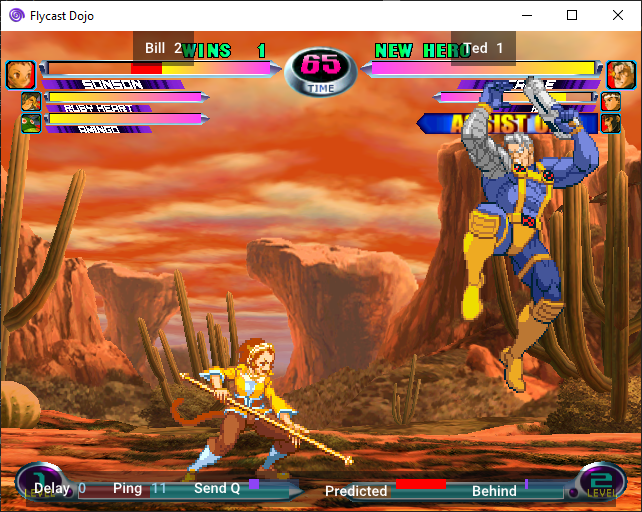


**Flycast Dojo 0.5.33 Release Notes**
* Controls: SOCD Resolution Options
* Diagonal Correction: SOCD Defaults to Last Input for X & Y
* GGPO: Increase Protocol Version
* Prevents players from connecting if they are on different versions. Prevents desyncs.
* Remove Diagonal Correction as Default, Keep as Toggle
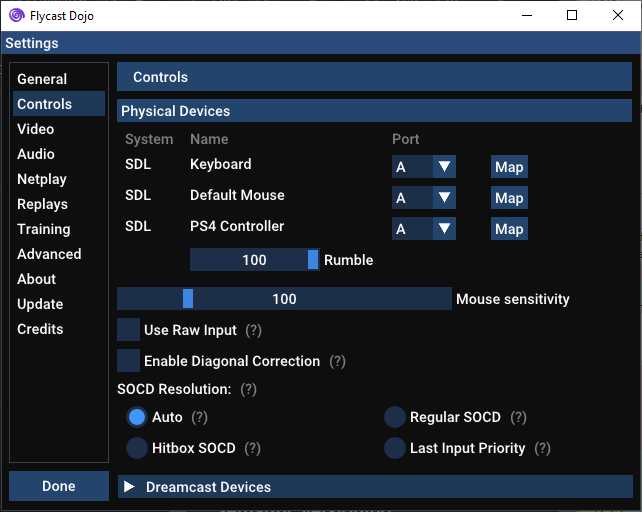
**Upstream Changes**
* dx11 oit: resize to null width and height when rendering to texture (@flyinghead )
* ui: allow horizontal screen stretching up to 250% (@flyinghead )
* dynarec: fix mov64 edge case when registers must be swapped (@flyinghead )
vdojo-6.3
**Flycast Dojo 6.3 Release Notes**
* Replays: Show Resume Button in Menu
* Replays: GGPO Sessions, Fix Post-Menu Toggle Resume
* External IP display, Switch to ipify API
* Should fix IPv4 external IP detection
**Flycast Dojo 6.2 Release Notes**
* Only send score changes to spectating server if explicitly toggled (Fightcade fix)
* Fixes spectating server closing game for games with score tracking enabled on wins. Affected players who used Flycast Dojo 6 on Fightcade before the service update. Thank you to Toast Rider and the Samurai Friends Discord for bringing this up. (Play SamSho 6! It's fun.)
**Flycast Dojo 6.1 Release Notes**
* Fix NAOMI 2 Vulkan Support
* Includes upstream changes and dependency upgrades. Special thanks to Jalapenocopter and @flyinghead for bringing it to my attention.
**Flycast Dojo 6 Release Notes**
_Dropping the "0." since version numbers are arbitrary and people were doing so already._
Happy 24th Anniversary to the Dreamcast! This edition of Flycast Dojo includes all of the fixes and optimizations made in the past year, as well as greater Fightcade integration, automatic score tracking for a variety of games, and custom training mode features for various games.
Users on older versions are encouraged to perform a fresh install.
* Score Tracking & Transmission (Used for FT games & Ranked)
* Akatsuki Blitzkampf Ausf Achse
* Capcom vs SNK
* Capcom vs SNK 2*
* Hokuto no Ken
* Jingi Storm
* Marvel vs Capcom 2
* Virtua Tennis 2
* King of Fighters XI
* Project Justice*
* Rumble Fish 2
* Samurai Shodown VI*
* Toy Fighter
* Project Justice
* Virtua Fighter 4 Final Tuned*
_* Netplay savestates updated for score tracking. Previously had Event Mode._
* "First To" Game Option
* Allows for automatic session close after set number of wins, with ~20 second cooldown period.
* Fightcade Match Start Player Information Sync
* Player Name & Score Text Output for Stream Overlays
* Training: Load Net State Button
* Training: Game-specific Overlays (Windows & Linux)
* Capcom vs SNK 2 (DC & NAOMI)
* Marvel vs Capcom 2 (DC)
* Extensible via Lua, add scripts to `training` folder
* Linux & Mac: Fix Bundled Game Definitions
* Gives access to Wiki links and features requirin ROM metadata



**Flycast Dojo 0.5.33 Release Notes**
* Controls: SOCD Resolution Options
* Diagonal Correction: SOCD Defaults to Last Input for X & Y
* GGPO: Increase Protocol Version
* Prevents players from connecting if they are on different versions. Prevents desyncs.
* Remove Diagonal Correction as Default, Keep as Toggle

**Upstream Changes**
* dx11 oit: resize to null width and height when rendering to texture (@flyinghead )
* ui: allow horizontal screen stretching up to 250% (@flyinghead )
* dynarec: fix mov64 edge case when registers must be swapped (@flyinghead )
**Flycast Dojo 0.5.32 Release Notes**
* Fixed Frequency: Demolish Fist, Force Audio Sync
* Linux: Copy arcade flash memory from shared dir if available
* Linux: Prepare for Linux packing, distinct binary name
* In preparation for Arch Linux build scripts. Cleanly compiles and does not conflict with `flycast` package in AUR.
**Flycast Dojo 0.5.31 Release Notes**
* Updater (Windows): Download & Switch Versions
You may now download and switch between the latest versions on each channel in the very same folder. Any versions you download from the updater, or release zip files you drop in to the folder, may be switched between on the fly.
To switch back to a previously used version of Flycast Dojo when the option isn't available, just delete the current `flycast.exe` and rename the `flycast_old.exe` to `flycast.exe`.

**Flycast Dojo 0.5.30 Release Notes**
* Updater (Windows): Add Stable & Preview Channels
This version now features "Stable" and "Preview" channels in the updater settings, so changing your version of Flycast Dojo between Fightcade releases should be greatly simplified going forward.. The version you are updating from will be renamed to `flycast_old.exe`, so it's easy to switch back. Next up, I'll have a button to switch versions on the fly.


**Flycast Dojo 0.5.29 Release Notes**
* Fix game speed from Test Game Menu launch
**Flycast Dojo 0.5.28 Release Notes**
* Fix Test Game Menu after GGPO Launch
**Flycast Dojo 0.5.27 Release Notes**
* In-game Menu: Fix mouse disappearing in fullscreen
**Flycast Dojo 0.5.26 Release Notes**
* Streaming Replays: Fix GGPO IP Entry Screen Bug
* Fixes bug where the "Connect to GGPO Opponent Screen" pops up instead of expected Replay
**Upstream Changes**
* bump libchdr to latest (@flyinghead)
* pvr: mask low address bits according to 32-bit vram access size (@flyinghead)
* mmu: don't crash when table full, just ignore (@flyinghead)
* pvr: don't wait if Present msg is already in the queue (@flyinghead)
* aica: proper write mask on aica dma address registers (@flyinghead)
* lr: build fix when USE_OPENGL=OFF (@flyinghead)
* vk: enable depth writing in oit pass so (@flyinghead)
**Flycast Dojo 0.5.25 Release Notes**
* LAN Lobby: Fix last seen beacon timestamp. Hosts now visible in Windows.
**Upstream Changes**
* Shin Nihon Pro Wrestling 4 crashes with RGB component; Force TV Composite instead (@flyinghead )
* aica: small dma transfer must be correctly scheduled (@flyinghead )
* oit: Can't discard pixel in pixel shader when using 2ndary accumulator (@flyinghead )
**Flycast Dojo 0.5.24 Release Notes**
* Replays: Fix Pause & Menu Toggle, Temporarily Disable Frame Stepping (Fixes regression from 0.5.9 onwards)
* Settings: Changed Fixed Frequency CPU Optimization Wording & Description
**Flycast Dojo 0.5.23 Release Notes**
**Upstream Changes**
* cdi: check each track sector size when opening (@flyinghead)
* reios: crash when CDDA play with no disk (@flyinghead)
* tex: ignore stride if 0. renderer: ignore invalid textures (@flyinghead)
* gl,vk,dx9,dx11: ignore invalid textures (@flyinghead)
* vk oit: reset all pipelines on init/reset (@flyinghead)
* Avoid validation errors when switching to/from RTT Copy to VRAM (@flyinghead)
* ui: reduce boxart image size. Avoid crash with invalid option values (@flyinghead)
* Enable RTT Copy to VRAM for ShenmueIssue #967 (@flyinghead)
* texture corruption after load state regression. wince depth scale change (@flyinghead)
* dx11,dx9: Force ignoreTexAlpha if texture doesn't have an alpha channel (@flyinghead)
**Flycast Dojo 0.5.22 Release Notes**
* Diagonal Correction SOCD: Use Last Input for X Axis (to aid in SNK fighting games inputs)
**Flycast Dojo 0.5.21 Release Notes**
* Match Codes: Force default port number on sessions
* LAN Lobby: Start beacon with game launch, clear beacon entries on host cancel
* Settings: Add LAN Lobby Multicast Address & Port fields
**Upstream Changes**
* dx11: dynamically load d3dcompiler_47/46.dll to avoid old versions (@flyinghead)
* in single threaded, only defer emu stop on android (@flyinghead)
* fixes disappearing mouse cursor in menu on fullscreen
* appimage: don't run checkrt on SteamOS (@flyinghead)
* win32 lr build fix (@flyinghead)
**Flycast Dojo 0.5.20 Release Notes**
* Settings: Add toggles to enable/disable automated Windows Firewall Policy & LAN Lobby
**Flycast Dojo 0.5.19 Release Notes**
* Programmatically add Windows Firewall Policy for GGPO & Match Codes/LAN Lobby
* Fix Savestate Download Screen on Lobby Host
**Flycast Dojo 0.5.18 Release Notes**
* Input: Diagonal Correction
* Enabled by default, option found under Controls settings
* Output player names & short game name to text file for use on streams
* Option found under Advanced -> Other -> Output Session Details to Text Files
* Text files saved to `flycast\out` directory
**Flycast Dojo 0.5.17 Release Notes**
* 2 Player LAN Lobbies
* Settings: Restore Broadcast Digital Outputs option
**Upstream Changes**
* bump libchdr to latest. add switch build fix (@flyinghead)
* oboe: device lost detection might be triggered while stopping (@flyinghead)
* aica: apply RAM mask to sample address (SA) (@flyinghead)
* naomi: report error if rom is invalid instead of crashing (@flyinghead)
* arcade ouput: send game name before any output (@flyinghead)
* sdl: don't add a joystick if its name can't be retrieved (@flyinghead)
**Flycast Dojo 0.5.16 Release Notes**
* Hotkey display: Hide when gamepad is undefined (Fixes crash)
* Quick Mapping: Hide button if Gamepad not found (Fixes crash)
* Replays: App Player # guard clause on frame insertion (Fixes crash)
**Upstream Changes**
* gl: don't use glIsProgram to avoid Adreno 308 random failures (@flyinghead)
* gl: vmu and lightgun xhair not rendered if switching renderer (@flyinghead)
* pvr: don't reset TA parser during soft reset (@flyinghead)
* reios: don't crash if system settngs can't be read from flash (@flyinghead)
* texcache: unprotect vram immediately even if actual Delete is delayed (@flyinghead)
* ci: update mathieu-bour/setup-sentry-cli (@scribam)
**Flycast Dojo 0.5.15 Release Notes**
* Linux: Fix broken Settings tabs
* Linux AppImage Dojo optimizations, allows for Linux desktop standards and portable install with FLYCAST_ROOT (for Fightcade)
* Enable automatic crash reporting (no more having to manually hand me dumps)
* Windows & Linux: Add "Open" buttons alongside Home/Data/Config directories for easy access from Settings menu
* Help button points to updated Documentation page
**Upstream Changes**
* Linux AppImage support ( @flyinghead )
* Force SDL build on Linux to include libdecor for Wayland ( @flyinghead )
* DX11 OIT: Render target and depth textures must have same dimensions ( @flyinghead )
* Pvr: increase index size for wild riders ( @flyinghead )
* CDI: Don't crash if file re-open fails ( @flyinghead )
* Oboe: Don't attempt to recover audio stream during init ( @flyinghead )
* Vulkan lower shader requirement (@scribam )
* Cmake: Improve compile options for VulkanMemoryAllocator (@scribam )
**Flycast Dojo 0.5.14 Release Notes**
* Replays: Fix Savestate loading on streaming (Fightcade) replays. (Thanks JKTwice for the report!)
**Upstream Changes**
* SDL: Handle Joystick & Gamepad API errors to avoid crashes
* HLE BIOS: Fix SF Rush, Jeremy McGrath, and The Grinch
* Config: Allow non per-game option to be overidden.
* Pvr: Fix sorted triangle count with multiple render passes
**Flycast Dojo 0.5.12 Release Notes**
* Maintain upstream parity with NAOMI 2 GGPO Fix
**Upstream Changes**
* Vulkan: Fix resizing on Wayland
* Pvr: Add dummy sorted triangle to signal that per triangle is in use
* AICA ARM: Stop CPU if setting illegal mode instead of crashing
**Flycast Dojo 0.5.11 Release Notes**
* GGPO: Fix on-screen flicker on rollback for NAOMI 2 games
**Flycast Dojo 0.5.10 Release Notes**
* Disable Fixed Frequency CPU optimizations by default, may be set manually if user desires
* Force Audio Sync in Fixed Frequency mode for Jingi Storm
* Remove additional CPU stop command in renderer when GGPO is enabled with Fixed Frequency.
**Upstream Changes**
* Force NTSC for some games (@flyinghead)
* GGPO memory safety & renderer fixes (@flyinghead)
* Pvr: increase rendering cycles for Marvel vs Capcom 2 (@flyinghead)
**Flycast Dojo 0.5.9 Release Notes**
* Fix Offline Replays
**Upstream Changes**
* AICA: Get rid of audio sample batching (fixes reported sound glitches) (@flyinghead)
* Widescren cheatcode for Virtua Fighter 3tb (courtesy of goddamn superhero)
* Emulation thread race condition fix (@flyinghead)
* PVR: Add more rendering cycles for MvC2 (@flyinghead)
* Atomiswave AICA RAM fix (@flyinghead)
* Vulkan: Don't sort triangles in per-strip mode (@flyinghead)
* VMEM: No more 4GB mode, only map elan RAM in NAOMI 2 mode (@flyinghead)
* GGPO: Don't call exit on assert, clean up logging (@flyinghead)
* GDB fixes & improvements (Matt Phillips)
* Update glslang, Vulkan, & SDL (@scribam)
* Widescreen chat for Fire ProWrestling (courtesy of Esppiral)
* DX9: recover after screen lock (@flyinghead)
* Holly: Log invalid pvr register access size, but don't crash (@flyinghead)
* UI & GDROM: Fix race condition when network times out while pressing start (@flyinghead)
* DX: Don't resize main framebuffer when rendering to texture (@flyinghead)
* Windows: Convert command line arguments to UTF8 (@flyinghead)
* SDL Audio: Convert from 44.1 to 48 kHz, fix crash on decreasing buffer size (@flyinghead)
* Fix THPS 1 & 2 PAL Disc IDs (@flyinghead)
* Widescreen cheat for Biohazard: Code Veronica Kanzenban (JP) (@flyinghead)
vdojo-6.2
**Flycast Dojo 6.2 Release Notes**
* Only send score changes to spectating server if explicitly toggled (Fightcade fix)
* Fixes spectating server closing game for games with score tracking enabled on wins. Affected players who used Flycast Dojo 6 on Fightcade before the service update. Thank you to Toast Rider and the Samurai Friends Discord for bringing this up. (Play SamSho 6! It's fun.)
**Flycast Dojo 6.1 Release Notes**
* Fix NAOMI 2 Vulkan Support
* Includes upstream changes and dependency upgrades. Special thanks to Jalapenocopter and @flyinghead for bringing it to my attention.
**Flycast Dojo 6 Release Notes**
_Dropping the "0." since version numbers are arbitrary and people were doing so already._
Happy 24th Anniversary to the Dreamcast! This edition of Flycast Dojo includes all of the fixes and optimizations made in the past year, as well as greater Fightcade integration, automatic score tracking for a variety of games, and custom training mode features for various games.
Users on older versions are encouraged to perform a fresh install.
* Score Tracking & Transmission (Used for FT games & Ranked)
* Akatsuki Blitzkampf Ausf Achse
* Capcom vs SNK
* Capcom vs SNK 2*
* Hokuto no Ken
* Jingi Storm
* Marvel vs Capcom 2
* Virtua Tennis 2
* King of Fighters XI
* Project Justice*
* Rumble Fish 2
* Samurai Shodown VI*
* Toy Fighter
* Project Justice
* Virtua Fighter 4 Final Tuned*
_* Netplay savestates updated for score tracking. Previously had Event Mode._
* "First To" Game Option
* Allows for automatic session close after set number of wins, with ~20 second cooldown period.
* Fightcade Match Start Player Information Sync
* Player Name & Score Text Output for Stream Overlays
* Training: Load Net State Button
* Training: Game-specific Overlays (Windows & Linux)
* Capcom vs SNK 2 (DC & NAOMI)
* Marvel vs Capcom 2 (DC)
* Extensible via Lua, add scripts to `training` folder
* Linux & Mac: Fix Bundled Game Definitions
* Gives access to Wiki links and features requirin ROM metadata



**Flycast Dojo 0.5.33 Release Notes**
* Controls: SOCD Resolution Options
* Diagonal Correction: SOCD Defaults to Last Input for X & Y
* GGPO: Increase Protocol Version
* Prevents players from connecting if they are on different versions. Prevents desyncs.
* Remove Diagonal Correction as Default, Keep as Toggle

**Upstream Changes**
* dx11 oit: resize to null width and height when rendering to texture (@flyinghead )
* ui: allow horizontal screen stretching up to 250% (@flyinghead )
* dynarec: fix mov64 edge case when registers must be swapped (@flyinghead )
**Flycast Dojo 0.5.32 Release Notes**
* Fixed Frequency: Demolish Fist, Force Audio Sync
* Linux: Copy arcade flash memory from shared dir if available
* Linux: Prepare for Linux packing, distinct binary name
* In preparation for Arch Linux build scripts. Cleanly compiles and does not conflict with `flycast` package in AUR.
**Flycast Dojo 0.5.31 Release Notes**
* Updater (Windows): Download & Switch Versions
You may now download and switch between the latest versions on each channel in the very same folder. Any versions you download from the updater, or release zip files you drop in to the folder, may be switched between on the fly.
To switch back to a previously used version of Flycast Dojo when the option isn't available, just delete the current `flycast.exe` and rename the `flycast_old.exe` to `flycast.exe`.

**Flycast Dojo 0.5.30 Release Notes**
* Updater (Windows): Add Stable & Preview Channels
This version now features "Stable" and "Preview" channels in the updater settings, so changing your version of Flycast Dojo between Fightcade releases should be greatly simplified going forward.. The version you are updating from will be renamed to `flycast_old.exe`, so it's easy to switch back. Next up, I'll have a button to switch versions on the fly.


**Flycast Dojo 0.5.29 Release Notes**
* Fix game speed from Test Game Menu launch
**Flycast Dojo 0.5.28 Release Notes**
* Fix Test Game Menu after GGPO Launch
**Flycast Dojo 0.5.27 Release Notes**
* In-game Menu: Fix mouse disappearing in fullscreen
**Flycast Dojo 0.5.26 Release Notes**
* Streaming Replays: Fix GGPO IP Entry Screen Bug
* Fixes bug where the "Connect to GGPO Opponent Screen" pops up instead of expected Replay
**Upstream Changes**
* bump libchdr to latest (@flyinghead)
* pvr: mask low address bits according to 32-bit vram access size (@flyinghead)
* mmu: don't crash when table full, just ignore (@flyinghead)
* pvr: don't wait if Present msg is already in the queue (@flyinghead)
* aica: proper write mask on aica dma address registers (@flyinghead)
* lr: build fix when USE_OPENGL=OFF (@flyinghead)
* vk: enable depth writing in oit pass so (@flyinghead)
**Flycast Dojo 0.5.25 Release Notes**
* LAN Lobby: Fix last seen beacon timestamp. Hosts now visible in Windows.
**Upstream Changes**
* Shin Nihon Pro Wrestling 4 crashes with RGB component; Force TV Composite instead (@flyinghead )
* aica: small dma transfer must be correctly scheduled (@flyinghead )
* oit: Can't discard pixel in pixel shader when using 2ndary accumulator (@flyinghead )
**Flycast Dojo 0.5.24 Release Notes**
* Replays: Fix Pause & Menu Toggle, Temporarily Disable Frame Stepping (Fixes regression from 0.5.9 onwards)
* Settings: Changed Fixed Frequency CPU Optimization Wording & Description
**Flycast Dojo 0.5.23 Release Notes**
**Upstream Changes**
* cdi: check each track sector size when opening (@flyinghead)
* reios: crash when CDDA play with no disk (@flyinghead)
* tex: ignore stride if 0. renderer: ignore invalid textures (@flyinghead)
* gl,vk,dx9,dx11: ignore invalid textures (@flyinghead)
* vk oit: reset all pipelines on init/reset (@flyinghead)
* Avoid validation errors when switching to/from RTT Copy to VRAM (@flyinghead)
* ui: reduce boxart image size. Avoid crash with invalid option values (@flyinghead)
* Enable RTT Copy to VRAM for ShenmueIssue #967 (@flyinghead)
* texture corruption after load state regression. wince depth scale change (@flyinghead)
* dx11,dx9: Force ignoreTexAlpha if texture doesn't have an alpha channel (@flyinghead)
**Flycast Dojo 0.5.22 Release Notes**
* Diagonal Correction SOCD: Use Last Input for X Axis (to aid in SNK fighting games inputs)
**Flycast Dojo 0.5.21 Release Notes**
* Match Codes: Force default port number on sessions
* LAN Lobby: Start beacon with game launch, clear beacon entries on host cancel
* Settings: Add LAN Lobby Multicast Address & Port fields
**Upstream Changes**
* dx11: dynamically load d3dcompiler_47/46.dll to avoid old versions (@flyinghead)
* in single threaded, only defer emu stop on android (@flyinghead)
* fixes disappearing mouse cursor in menu on fullscreen
* appimage: don't run checkrt on SteamOS (@flyinghead)
* win32 lr build fix (@flyinghead)
**Flycast Dojo 0.5.20 Release Notes**
* Settings: Add toggles to enable/disable automated Windows Firewall Policy & LAN Lobby
**Flycast Dojo 0.5.19 Release Notes**
* Programmatically add Windows Firewall Policy for GGPO & Match Codes/LAN Lobby
* Fix Savestate Download Screen on Lobby Host
**Flycast Dojo 0.5.18 Release Notes**
* Input: Diagonal Correction
* Enabled by default, option found under Controls settings
* Output player names & short game name to text file for use on streams
* Option found under Advanced -> Other -> Output Session Details to Text Files
* Text files saved to `flycast\out` directory
**Flycast Dojo 0.5.17 Release Notes**
* 2 Player LAN Lobbies
* Settings: Restore Broadcast Digital Outputs option
**Upstream Changes**
* bump libchdr to latest. add switch build fix (@flyinghead)
* oboe: device lost detection might be triggered while stopping (@flyinghead)
* aica: apply RAM mask to sample address (SA) (@flyinghead)
* naomi: report error if rom is invalid instead of crashing (@flyinghead)
* arcade ouput: send game name before any output (@flyinghead)
* sdl: don't add a joystick if its name can't be retrieved (@flyinghead)
**Flycast Dojo 0.5.16 Release Notes**
* Hotkey display: Hide when gamepad is undefined (Fixes crash)
* Quick Mapping: Hide button if Gamepad not found (Fixes crash)
* Replays: App Player # guard clause on frame insertion (Fixes crash)
**Upstream Changes**
* gl: don't use glIsProgram to avoid Adreno 308 random failures (@flyinghead)
* gl: vmu and lightgun xhair not rendered if switching renderer (@flyinghead)
* pvr: don't reset TA parser during soft reset (@flyinghead)
* reios: don't crash if system settngs can't be read from flash (@flyinghead)
* texcache: unprotect vram immediately even if actual Delete is delayed (@flyinghead)
* ci: update mathieu-bour/setup-sentry-cli (@scribam)
**Flycast Dojo 0.5.15 Release Notes**
* Linux: Fix broken Settings tabs
* Linux AppImage Dojo optimizations, allows for Linux desktop standards and portable install with FLYCAST_ROOT (for Fightcade)
* Enable automatic crash reporting (no more having to manually hand me dumps)
* Windows & Linux: Add "Open" buttons alongside Home/Data/Config directories for easy access from Settings menu
* Help button points to updated Documentation page
**Upstream Changes**
* Linux AppImage support ( @flyinghead )
* Force SDL build on Linux to include libdecor for Wayland ( @flyinghead )
* DX11 OIT: Render target and depth textures must have same dimensions ( @flyinghead )
* Pvr: increase index size for wild riders ( @flyinghead )
* CDI: Don't crash if file re-open fails ( @flyinghead )
* Oboe: Don't attempt to recover audio stream during init ( @flyinghead )
* Vulkan lower shader requirement (@scribam )
* Cmake: Improve compile options for VulkanMemoryAllocator (@scribam )
**Flycast Dojo 0.5.14 Release Notes**
* Replays: Fix Savestate loading on streaming (Fightcade) replays. (Thanks JKTwice for the report!)
**Upstream Changes**
* SDL: Handle Joystick & Gamepad API errors to avoid crashes
* HLE BIOS: Fix SF Rush, Jeremy McGrath, and The Grinch
* Config: Allow non per-game option to be overidden.
* Pvr: Fix sorted triangle count with multiple render passes
**Flycast Dojo 0.5.12 Release Notes**
* Maintain upstream parity with NAOMI 2 GGPO Fix
**Upstream Changes**
* Vulkan: Fix resizing on Wayland
* Pvr: Add dummy sorted triangle to signal that per triangle is in use
* AICA ARM: Stop CPU if setting illegal mode instead of crashing
**Flycast Dojo 0.5.11 Release Notes**
* GGPO: Fix on-screen flicker on rollback for NAOMI 2 games
**Flycast Dojo 0.5.10 Release Notes**
* Disable Fixed Frequency CPU optimizations by default, may be set manually if user desires
* Force Audio Sync in Fixed Frequency mode for Jingi Storm
* Remove additional CPU stop command in renderer when GGPO is enabled with Fixed Frequency.
**Upstream Changes**
* Force NTSC for some games (@flyinghead)
* GGPO memory safety & renderer fixes (@flyinghead)
* Pvr: increase rendering cycles for Marvel vs Capcom 2 (@flyinghead)
**Flycast Dojo 0.5.9 Release Notes**
* Fix Offline Replays
**Upstream Changes**
* AICA: Get rid of audio sample batching (fixes reported sound glitches) (@flyinghead)
* Widescren cheatcode for Virtua Fighter 3tb (courtesy of goddamn superhero)
* Emulation thread race condition fix (@flyinghead)
* PVR: Add more rendering cycles for MvC2 (@flyinghead)
* Atomiswave AICA RAM fix (@flyinghead)
* Vulkan: Don't sort triangles in per-strip mode (@flyinghead)
* VMEM: No more 4GB mode, only map elan RAM in NAOMI 2 mode (@flyinghead)
* GGPO: Don't call exit on assert, clean up logging (@flyinghead)
* GDB fixes & improvements (Matt Phillips)
* Update glslang, Vulkan, & SDL (@scribam)
* Widescreen chat for Fire ProWrestling (courtesy of Esppiral)
* DX9: recover after screen lock (@flyinghead)
* Holly: Log invalid pvr register access size, but don't crash (@flyinghead)
* UI & GDROM: Fix race condition when network times out while pressing start (@flyinghead)
* DX: Don't resize main framebuffer when rendering to texture (@flyinghead)
* Windows: Convert command line arguments to UTF8 (@flyinghead)
* SDL Audio: Convert from 44.1 to 48 kHz, fix crash on decreasing buffer size (@flyinghead)
* Fix THPS 1 & 2 PAL Disc IDs (@flyinghead)
* Widescreen cheat for Biohazard: Code Veronica Kanzenban (JP) (@flyinghead)
vdojo-6
**Flycast Dojo 6 Release Notes**
_Dropping the "0." since version numbers are arbitrary and people were doing so already._
Happy 24th Anniversary to the Dreamcast! This edition of Flycast Dojo includes all of the fixes and optimizations made in the past year, as well as greater Fightcade integration, automatic score tracking for a variety of games, and custom training mode features for various games.
Users on older versions are encouraged to perform a fresh install.
* Score Tracking & Transmission (Used for FT games & Ranked)
* Akatsuki Blitzkampf Ausf Achse
* Capcom vs SNK
* Capcom vs SNK 2*
* Hokuto no Ken
* Jingi Storm
* Marvel vs Capcom 2
* Virtua Tennis 2
* King of Fighters XI
* Project Justice*
* Rumble Fish 2
* Samurai Shodown VI*
* Toy Fighter
* Project Justice
* Virtua Fighter 4 Final Tuned*
_* Netplay savestates updated for score tracking. Previously had Event Mode._
* "First To" Game Option
* Allows for automatic session close after set number of wins, with ~20 second cooldown period.
* Fightcade Match Start Player Information Sync
* Player Name & Score Text Output for Stream Overlays
* Training: Load Net State Button
* Training: Game-specific Overlays (Windows & Linux)
* Capcom vs SNK 2 (DC & NAOMI)
* Marvel vs Capcom 2 (DC)
* Extensible via Lua, add scripts to `training` folder
* Linux & Mac: Fix Bundled Game Definitions
* Gives access to Wiki links and features requirin ROM metadata



**Flycast Dojo 0.5.33 Release Notes**
* Controls: SOCD Resolution Options
* Diagonal Correction: SOCD Defaults to Last Input for X & Y
* GGPO: Increase Protocol Version
* Prevents players from connecting if they are on different versions. Prevents desyncs.
* Remove Diagonal Correction as Default, Keep as Toggle

**Upstream Changes**
* dx11 oit: resize to null width and height when rendering to texture (@flyinghead )
* ui: allow horizontal screen stretching up to 250% (@flyinghead )
* dynarec: fix mov64 edge case when registers must be swapped (@flyinghead )
**Flycast Dojo 0.5.32 Release Notes**
* Fixed Frequency: Demolish Fist, Force Audio Sync
* Linux: Copy arcade flash memory from shared dir if available
* Linux: Prepare for Linux packing, distinct binary name
* In preparation for Arch Linux build scripts. Cleanly compiles and does not conflict with `flycast` package in AUR.
**Flycast Dojo 0.5.31 Release Notes**
* Updater (Windows): Download & Switch Versions
You may now download and switch between the latest versions on each channel in the very same folder. Any versions you download from the updater, or release zip files you drop in to the folder, may be switched between on the fly.
To switch back to a previously used version of Flycast Dojo when the option isn't available, just delete the current `flycast.exe` and rename the `flycast_old.exe` to `flycast.exe`.

**Flycast Dojo 0.5.30 Release Notes**
* Updater (Windows): Add Stable & Preview Channels
This version now features "Stable" and "Preview" channels in the updater settings, so changing your version of Flycast Dojo between Fightcade releases should be greatly simplified going forward.. The version you are updating from will be renamed to `flycast_old.exe`, so it's easy to switch back. Next up, I'll have a button to switch versions on the fly.


**Flycast Dojo 0.5.29 Release Notes**
* Fix game speed from Test Game Menu launch
**Flycast Dojo 0.5.28 Release Notes**
* Fix Test Game Menu after GGPO Launch
**Flycast Dojo 0.5.27 Release Notes**
* In-game Menu: Fix mouse disappearing in fullscreen
**Flycast Dojo 0.5.26 Release Notes**
* Streaming Replays: Fix GGPO IP Entry Screen Bug
* Fixes bug where the "Connect to GGPO Opponent Screen" pops up instead of expected Replay
**Upstream Changes**
* bump libchdr to latest (@flyinghead)
* pvr: mask low address bits according to 32-bit vram access size (@flyinghead)
* mmu: don't crash when table full, just ignore (@flyinghead)
* pvr: don't wait if Present msg is already in the queue (@flyinghead)
* aica: proper write mask on aica dma address registers (@flyinghead)
* lr: build fix when USE_OPENGL=OFF (@flyinghead)
* vk: enable depth writing in oit pass so (@flyinghead)
**Flycast Dojo 0.5.25 Release Notes**
* LAN Lobby: Fix last seen beacon timestamp. Hosts now visible in Windows.
**Upstream Changes**
* Shin Nihon Pro Wrestling 4 crashes with RGB component; Force TV Composite instead (@flyinghead )
* aica: small dma transfer must be correctly scheduled (@flyinghead )
* oit: Can't discard pixel in pixel shader when using 2ndary accumulator (@flyinghead )
**Flycast Dojo 0.5.24 Release Notes**
* Replays: Fix Pause & Menu Toggle, Temporarily Disable Frame Stepping (Fixes regression from 0.5.9 onwards)
* Settings: Changed Fixed Frequency CPU Optimization Wording & Description
**Flycast Dojo 0.5.23 Release Notes**
**Upstream Changes**
* cdi: check each track sector size when opening (@flyinghead)
* reios: crash when CDDA play with no disk (@flyinghead)
* tex: ignore stride if 0. renderer: ignore invalid textures (@flyinghead)
* gl,vk,dx9,dx11: ignore invalid textures (@flyinghead)
* vk oit: reset all pipelines on init/reset (@flyinghead)
* Avoid validation errors when switching to/from RTT Copy to VRAM (@flyinghead)
* ui: reduce boxart image size. Avoid crash with invalid option values (@flyinghead)
* Enable RTT Copy to VRAM for ShenmueIssue #967 (@flyinghead)
* texture corruption after load state regression. wince depth scale change (@flyinghead)
* dx11,dx9: Force ignoreTexAlpha if texture doesn't have an alpha channel (@flyinghead)
**Flycast Dojo 0.5.22 Release Notes**
* Diagonal Correction SOCD: Use Last Input for X Axis (to aid in SNK fighting games inputs)
**Flycast Dojo 0.5.21 Release Notes**
* Match Codes: Force default port number on sessions
* LAN Lobby: Start beacon with game launch, clear beacon entries on host cancel
* Settings: Add LAN Lobby Multicast Address & Port fields
**Upstream Changes**
* dx11: dynamically load d3dcompiler_47/46.dll to avoid old versions (@flyinghead)
* in single threaded, only defer emu stop on android (@flyinghead)
* fixes disappearing mouse cursor in menu on fullscreen
* appimage: don't run checkrt on SteamOS (@flyinghead)
* win32 lr build fix (@flyinghead)
**Flycast Dojo 0.5.20 Release Notes**
* Settings: Add toggles to enable/disable automated Windows Firewall Policy & LAN Lobby
**Flycast Dojo 0.5.19 Release Notes**
* Programmatically add Windows Firewall Policy for GGPO & Match Codes/LAN Lobby
* Fix Savestate Download Screen on Lobby Host
**Flycast Dojo 0.5.18 Release Notes**
* Input: Diagonal Correction
* Enabled by default, option found under Controls settings
* Output player names & short game name to text file for use on streams
* Option found under Advanced -> Other -> Output Session Details to Text Files
* Text files saved to `flycast\out` directory
**Flycast Dojo 0.5.17 Release Notes**
* 2 Player LAN Lobbies
* Settings: Restore Broadcast Digital Outputs option
**Upstream Changes**
* bump libchdr to latest. add switch build fix (@flyinghead)
* oboe: device lost detection might be triggered while stopping (@flyinghead)
* aica: apply RAM mask to sample address (SA) (@flyinghead)
* naomi: report error if rom is invalid instead of crashing (@flyinghead)
* arcade ouput: send game name before any output (@flyinghead)
* sdl: don't add a joystick if its name can't be retrieved (@flyinghead)
**Flycast Dojo 0.5.16 Release Notes**
* Hotkey display: Hide when gamepad is undefined (Fixes crash)
* Quick Mapping: Hide button if Gamepad not found (Fixes crash)
* Replays: App Player # guard clause on frame insertion (Fixes crash)
**Upstream Changes**
* gl: don't use glIsProgram to avoid Adreno 308 random failures (@flyinghead)
* gl: vmu and lightgun xhair not rendered if switching renderer (@flyinghead)
* pvr: don't reset TA parser during soft reset (@flyinghead)
* reios: don't crash if system settngs can't be read from flash (@flyinghead)
* texcache: unprotect vram immediately even if actual Delete is delayed (@flyinghead)
* ci: update mathieu-bour/setup-sentry-cli (@scribam)
**Flycast Dojo 0.5.15 Release Notes**
* Linux: Fix broken Settings tabs
* Linux AppImage Dojo optimizations, allows for Linux desktop standards and portable install with FLYCAST_ROOT (for Fightcade)
* Enable automatic crash reporting (no more having to manually hand me dumps)
* Windows & Linux: Add "Open" buttons alongside Home/Data/Config directories for easy access from Settings menu
* Help button points to updated Documentation page
**Upstream Changes**
* Linux AppImage support ( @flyinghead )
* Force SDL build on Linux to include libdecor for Wayland ( @flyinghead )
* DX11 OIT: Render target and depth textures must have same dimensions ( @flyinghead )
* Pvr: increase index size for wild riders ( @flyinghead )
* CDI: Don't crash if file re-open fails ( @flyinghead )
* Oboe: Don't attempt to recover audio stream during init ( @flyinghead )
* Vulkan lower shader requirement (@scribam )
* Cmake: Improve compile options for VulkanMemoryAllocator (@scribam )
**Flycast Dojo 0.5.14 Release Notes**
* Replays: Fix Savestate loading on streaming (Fightcade) replays. (Thanks JKTwice for the report!)
**Upstream Changes**
* SDL: Handle Joystick & Gamepad API errors to avoid crashes
* HLE BIOS: Fix SF Rush, Jeremy McGrath, and The Grinch
* Config: Allow non per-game option to be overidden.
* Pvr: Fix sorted triangle count with multiple render passes
**Flycast Dojo 0.5.12 Release Notes**
* Maintain upstream parity with NAOMI 2 GGPO Fix
**Upstream Changes**
* Vulkan: Fix resizing on Wayland
* Pvr: Add dummy sorted triangle to signal that per triangle is in use
* AICA ARM: Stop CPU if setting illegal mode instead of crashing
**Flycast Dojo 0.5.11 Release Notes**
* GGPO: Fix on-screen flicker on rollback for NAOMI 2 games
**Flycast Dojo 0.5.10 Release Notes**
* Disable Fixed Frequency CPU optimizations by default, may be set manually if user desires
* Force Audio Sync in Fixed Frequency mode for Jingi Storm
* Remove additional CPU stop command in renderer when GGPO is enabled with Fixed Frequency.
**Upstream Changes**
* Force NTSC for some games (@flyinghead)
* GGPO memory safety & renderer fixes (@flyinghead)
* Pvr: increase rendering cycles for Marvel vs Capcom 2 (@flyinghead)
**Flycast Dojo 0.5.9 Release Notes**
* Fix Offline Replays
**Upstream Changes**
* AICA: Get rid of audio sample batching (fixes reported sound glitches) (@flyinghead)
* Widescren cheatcode for Virtua Fighter 3tb (courtesy of goddamn superhero)
* Emulation thread race condition fix (@flyinghead)
* PVR: Add more rendering cycles for MvC2 (@flyinghead)
* Atomiswave AICA RAM fix (@flyinghead)
* Vulkan: Don't sort triangles in per-strip mode (@flyinghead)
* VMEM: No more 4GB mode, only map elan RAM in NAOMI 2 mode (@flyinghead)
* GGPO: Don't call exit on assert, clean up logging (@flyinghead)
* GDB fixes & improvements (Matt Phillips)
* Update glslang, Vulkan, & SDL (@scribam)
* Widescreen chat for Fire ProWrestling (courtesy of Esppiral)
* DX9: recover after screen lock (@flyinghead)
* Holly: Log invalid pvr register access size, but don't crash (@flyinghead)
* UI & GDROM: Fix race condition when network times out while pressing start (@flyinghead)
* DX: Don't resize main framebuffer when rendering to texture (@flyinghead)
* Windows: Convert command line arguments to UTF8 (@flyinghead)
* SDL Audio: Convert from 44.1 to 48 kHz, fix crash on decreasing buffer size (@flyinghead)
* Fix THPS 1 & 2 PAL Disc IDs (@flyinghead)
* Widescreen cheat for Biohazard: Code Veronica Kanzenban (JP) (@flyinghead)
vdojo-0.5.33
**Flycast Dojo 0.5.33 Release Notes**
* Controls: SOCD Resolution Options
* Diagonal Correction: SOCD Defaults to Last Input for X & Y
* GGPO: Increase Protocol Version
* Prevents players from connecting if they are on different versions. Prevents desyncs.
* Remove Diagonal Correction as Default, Keep as Toggle

**Upstream Changes**
* dx11 oit: resize to null width and height when rendering to texture (@flyinghead )
* ui: allow horizontal screen stretching up to 250% (@flyinghead )
* dynarec: fix mov64 edge case when registers must be swapped (@flyinghead )
**Flycast Dojo 0.5.32 Release Notes**
* Fixed Frequency: Demolish Fist, Force Audio Sync
* Linux: Copy arcade flash memory from shared dir if available
* Linux: Prepare for Linux packing, distinct binary name
* In preparation for Arch Linux build scripts. Cleanly compiles and does not conflict with `flycast` package in AUR.
**Flycast Dojo 0.5.31 Release Notes**
* Updater (Windows): Download & Switch Versions
You may now download and switch between the latest versions on each channel in the very same folder. Any versions you download from the updater, or release zip files you drop in to the folder, may be switched between on the fly.
To switch back to a previously used version of Flycast Dojo when the option isn't available, just delete the current `flycast.exe` and rename the `flycast_old.exe` to `flycast.exe`.

**Flycast Dojo 0.5.30 Release Notes**
* Updater (Windows): Add Stable & Preview Channels
This version now features "Stable" and "Preview" channels in the updater settings, so changing your version of Flycast Dojo between Fightcade releases should be greatly simplified going forward.. The version you are updating from will be renamed to `flycast_old.exe`, so it's easy to switch back. Next up, I'll have a button to switch versions on the fly.


**Flycast Dojo 0.5.29 Release Notes**
* Fix game speed from Test Game Menu launch
**Flycast Dojo 0.5.28 Release Notes**
* Fix Test Game Menu after GGPO Launch
vdojo-0.5.31
**Flycast Dojo 0.5.31 Release Notes**
* Updater (Windows): Download & Switch Versions
You may now download and switch between the latest versions on each channel in the very same folder. Any versions you download from the updater, or release zip files you drop in to the folder, may be switched between on the fly.
To switch back to a previously used version of Flycast Dojo when the option isn't available, just delete the current `flycast.exe` and rename the `flycast_old.exe` to `flycast.exe`.

**Flycast Dojo 0.5.30 Release Notes**
* Updater (Windows): Add Stable & Preview Channels
This version now features "Stable" and "Preview" channels in the updater settings, so changing your version of Flycast Dojo between Fightcade releases should be greatly simplified going forward.. The version you are updating from will be renamed to `flycast_old.exe`, so it's easy to switch back. Next up, I'll have a button to switch versions on the fly.


**Flycast Dojo 0.5.29 Release Notes**
* Fix game speed from Test Game Menu launch
**Flycast Dojo 0.5.28 Release Notes**
* Fix Test Game Menu after GGPO Launch
vdojo-0.5.30
**Flycast Dojo 0.5.30 Release Notes**
* Updater (Windows): Add Stable & Preview Channels
This version now features "Stable" and "Preview" channels in the updater settings, so changing your version of Flycast Dojo between Fightcade releases should be greatly simplified going forward.. The version you are updating from will be renamed to `flycast_old.exe`, so it's easy to switch back. Next up, I'll have a button to switch versions on the fly.


**Flycast Dojo 0.5.29 Release Notes**
* Fix game speed from Test Game Menu launch
**Flycast Dojo 0.5.28 Release Notes**
* Fix Test Game Menu after GGPO Launch
**Upstream Changes**
* dx11: enable depth writing in oit pass (@flyinghead)
* modem: don't crash on unexpected register writes (@flyinghead)
* net: don't reset naomi network on soft reset (maxspeed) (@flyinghead)
* vk: throw if vmaMapMemory fails (@flyinghead)
* mmu: avoid crash due to approximative fast mmu matching (@flyinghead)
**Flycast Dojo 0.5.27 Release Notes**
* In-game Menu: Fix mouse disappearing in fullscreen
**Flycast Dojo 0.5.26 Release Notes**
* Streaming Replays: Fix GGPO IP Entry Screen Bug
* Fixes bug where the "Connect to GGPO Opponent Screen" pops up instead of expected Replay
**Upstream Changes**
* bump libchdr to latest (@flyinghead)
* pvr: mask low address bits according to 32-bit vram access size (@flyinghead)
* mmu: don't crash when table full, just ignore (@flyinghead)
* pvr: don't wait if Present msg is already in the queue (@flyinghead)
* aica: proper write mask on aica dma address registers (@flyinghead)
* lr: build fix when USE_OPENGL=OFF (@flyinghead)
* vk: enable depth writing in oit pass so (@flyinghead)
**Flycast Dojo 0.5.25 Release Notes**
* LAN Lobby: Fix last seen beacon timestamp. Hosts now visible in Windows.
**Upstream Changes**
* Shin Nihon Pro Wrestling 4 crashes with RGB component; Force TV Composite instead (@flyinghead )
* aica: small dma transfer must be correctly scheduled (@flyinghead )
* oit: Can't discard pixel in pixel shader when using 2ndary accumulator (@flyinghead )
**Flycast Dojo 0.5.24 Release Notes**
* Replays: Fix Pause & Menu Toggle, Temporarily Disable Frame Stepping (Fixes regression from 0.5.9 onwards)
* Settings: Changed Fixed Frequency CPU Optimization Wording & Description
**Flycast Dojo 0.5.23 Release Notes**
**Upstream Changes**
* cdi: check each track sector size when opening (@flyinghead)
* reios: crash when CDDA play with no disk (@flyinghead)
* tex: ignore stride if 0. renderer: ignore invalid textures (@flyinghead)
* gl,vk,dx9,dx11: ignore invalid textures (@flyinghead)
* vk oit: reset all pipelines on init/reset (@flyinghead)
* Avoid validation errors when switching to/from RTT Copy to VRAM (@flyinghead)
* ui: reduce boxart image size. Avoid crash with invalid option values (@flyinghead)
* Enable RTT Copy to VRAM for ShenmueIssue #967 (@flyinghead)
* texture corruption after load state regression. wince depth scale change (@flyinghead)
* dx11,dx9: Force ignoreTexAlpha if texture doesn't have an alpha channel (@flyinghead)
**Flycast Dojo 0.5.22 Release Notes**
* Diagonal Correction SOCD: Use Last Input for X Axis (to aid in SNK fighting games inputs)
**Flycast Dojo 0.5.21 Release Notes**
* Match Codes: Force default port number on sessions
* LAN Lobby: Start beacon with game launch, clear beacon entries on host cancel
* Settings: Add LAN Lobby Multicast Address & Port fields
**Upstream Changes**
* dx11: dynamically load d3dcompiler_47/46.dll to avoid old versions (@flyinghead)
* in single threaded, only defer emu stop on android (@flyinghead)
* fixes disappearing mouse cursor in menu on fullscreen
* appimage: don't run checkrt on SteamOS (@flyinghead)
* win32 lr build fix (@flyinghead)
**Flycast Dojo 0.5.20 Release Notes**
* Settings: Add toggles to enable/disable automated Windows Firewall Policy & LAN Lobby
**Flycast Dojo 0.5.19 Release Notes**
* Programmatically add Windows Firewall Policy for GGPO & Match Codes/LAN Lobby
* Fix Savestate Download Screen on Lobby Host
**Flycast Dojo 0.5.18 Release Notes**
* Input: Diagonal Correction
* Enabled by default, option found under Controls settings
* Output player names & short game name to text file for use on streams
* Option found under Advanced -> Other -> Output Session Details to Text Files
* Text files saved to `flycast\out` directory
**Flycast Dojo 0.5.17 Release Notes**
* 2 Player LAN Lobbies
* Settings: Restore Broadcast Digital Outputs option
**Upstream Changes**
* bump libchdr to latest. add switch build fix (@flyinghead)
* oboe: device lost detection might be triggered while stopping (@flyinghead)
* aica: apply RAM mask to sample address (SA) (@flyinghead)
* naomi: report error if rom is invalid instead of crashing (@flyinghead)
* arcade ouput: send game name before any output (@flyinghead)
* sdl: don't add a joystick if its name can't be retrieved (@flyinghead)
**Flycast Dojo 0.5.16 Release Notes**
* Hotkey display: Hide when gamepad is undefined (Fixes crash)
* Quick Mapping: Hide button if Gamepad not found (Fixes crash)
* Replays: App Player # guard clause on frame insertion (Fixes crash)
**Upstream Changes**
* gl: don't use glIsProgram to avoid Adreno 308 random failures (@flyinghead)
* gl: vmu and lightgun xhair not rendered if switching renderer (@flyinghead)
* pvr: don't reset TA parser during soft reset (@flyinghead)
* reios: don't crash if system settngs can't be read from flash (@flyinghead)
* texcache: unprotect vram immediately even if actual Delete is delayed (@flyinghead)
* ci: update mathieu-bour/setup-sentry-cli (@scribam)
**Flycast Dojo 0.5.15 Release Notes**
* Linux: Fix broken Settings tabs
* Linux AppImage Dojo optimizations, allows for Linux desktop standards and portable install with FLYCAST_ROOT (for Fightcade)
* Enable automatic crash reporting (no more having to manually hand me dumps)
* Windows & Linux: Add "Open" buttons alongside Home/Data/Config directories for easy access from Settings menu
* Help button points to updated Documentation page
**Upstream Changes**
* Linux AppImage support ( @flyinghead )
* Force SDL build on Linux to include libdecor for Wayland ( @flyinghead )
* DX11 OIT: Render target and depth textures must have same dimensions ( @flyinghead )
* Pvr: increase index size for wild riders ( @flyinghead )
* CDI: Don't crash if file re-open fails ( @flyinghead )
* Oboe: Don't attempt to recover audio stream during init ( @flyinghead )
* Vulkan lower shader requirement (@scribam )
* Cmake: Improve compile options for VulkanMemoryAllocator (@scribam )
**Flycast Dojo 0.5.14 Release Notes**
* Replays: Fix Savestate loading on streaming (Fightcade) replays. (Thanks JKTwice for the report!)
**Upstream Changes**
* SDL: Handle Joystick & Gamepad API errors to avoid crashes
* HLE BIOS: Fix SF Rush, Jeremy McGrath, and The Grinch
* Config: Allow non per-game option to be overidden.
* Pvr: Fix sorted triangle count with multiple render passes
**Flycast Dojo 0.5.12 Release Notes**
* Maintain upstream parity with NAOMI 2 GGPO Fix
**Upstream Changes**
* Vulkan: Fix resizing on Wayland
* Pvr: Add dummy sorted triangle to signal that per triangle is in use
* AICA ARM: Stop CPU if setting illegal mode instead of crashing
**Flycast Dojo 0.5.11 Release Notes**
* GGPO: Fix on-screen flicker on rollback for NAOMI 2 games
**Flycast Dojo 0.5.10 Release Notes**
* Disable Fixed Frequency CPU optimizations by default, may be set manually if user desires
* Force Audio Sync in Fixed Frequency mode for Jingi Storm
* Remove additional CPU stop command in renderer when GGPO is enabled with Fixed Frequency.
**Upstream Changes**
* Force NTSC for some games (@flyinghead)
* GGPO memory safety & renderer fixes (@flyinghead)
* Pvr: increase rendering cycles for Marvel vs Capcom 2 (@flyinghead)
**Flycast Dojo 0.5.9 Release Notes**
* Fix Offline Replays
**Upstream Changes**
* AICA: Get rid of audio sample batching (fixes reported sound glitches) (@flyinghead)
* Widescren cheatcode for Virtua Fighter 3tb (courtesy of goddamn superhero)
* Emulation thread race condition fix (@flyinghead)
* PVR: Add more rendering cycles for MvC2 (@flyinghead)
* Atomiswave AICA RAM fix (@flyinghead)
* Vulkan: Don't sort triangles in per-strip mode (@flyinghead)
* VMEM: No more 4GB mode, only map elan RAM in NAOMI 2 mode (@flyinghead)
* GGPO: Don't call exit on assert, clean up logging (@flyinghead)
* GDB fixes & improvements (Matt Phillips)
* Update glslang, Vulkan, & SDL (@scribam)
* Widescreen chat for Fire ProWrestling (courtesy of Esppiral)
* DX9: recover after screen lock (@flyinghead)
* Holly: Log invalid pvr register access size, but don't crash (@flyinghead)
* UI & GDROM: Fix race condition when network times out while pressing start (@flyinghead)
* DX: Don't resize main framebuffer when rendering to texture (@flyinghead)
* Windows: Convert command line arguments to UTF8 (@flyinghead)
* SDL Audio: Convert from 44.1 to 48 kHz, fix crash on decreasing buffer size (@flyinghead)
* Fix THPS 1 & 2 PAL Disc IDs (@flyinghead)
* Widescreen cheat for Biohazard: Code Veronica Kanzenban (JP) (@flyinghead)
vdojo-0.5.29
**Flycast Dojo 0.5.29 Release Notes**
* Fix game speed from Test Game Menu launch
**Flycast Dojo 0.5.28 Release Notes**
* Fix Test Game Menu after GGPO Launch
**Upstream Changes**
* dx11: enable depth writing in oit pass (@flyinghead)
* modem: don't crash on unexpected register writes (@flyinghead)
* net: don't reset naomi network on soft reset (maxspeed) (@flyinghead)
* vk: throw if vmaMapMemory fails (@flyinghead)
* mmu: avoid crash due to approximative fast mmu matching (@flyinghead)
**Flycast Dojo 0.5.27 Release Notes**
* In-game Menu: Fix mouse disappearing in fullscreen
**Flycast Dojo 0.5.26 Release Notes**
* Streaming Replays: Fix GGPO IP Entry Screen Bug
* Fixes bug where the "Connect to GGPO Opponent Screen" pops up instead of expected Replay
**Upstream Changes**
* bump libchdr to latest (@flyinghead)
* pvr: mask low address bits according to 32-bit vram access size (@flyinghead)
* mmu: don't crash when table full, just ignore (@flyinghead)
* pvr: don't wait if Present msg is already in the queue (@flyinghead)
* aica: proper write mask on aica dma address registers (@flyinghead)
* lr: build fix when USE_OPENGL=OFF (@flyinghead)
* vk: enable depth writing in oit pass so (@flyinghead)
**Flycast Dojo 0.5.25 Release Notes**
* LAN Lobby: Fix last seen beacon timestamp. Hosts now visible in Windows.
**Upstream Changes**
* Shin Nihon Pro Wrestling 4 crashes with RGB component; Force TV Composite instead (@flyinghead )
* aica: small dma transfer must be correctly scheduled (@flyinghead )
* oit: Can't discard pixel in pixel shader when using 2ndary accumulator (@flyinghead )
**Flycast Dojo 0.5.24 Release Notes**
* Replays: Fix Pause & Menu Toggle, Temporarily Disable Frame Stepping (Fixes regression from 0.5.9 onwards)
* Settings: Changed Fixed Frequency CPU Optimization Wording & Description
**Flycast Dojo 0.5.23 Release Notes**
**Upstream Changes**
* cdi: check each track sector size when opening (@flyinghead)
* reios: crash when CDDA play with no disk (@flyinghead)
* tex: ignore stride if 0. renderer: ignore invalid textures (@flyinghead)
* gl,vk,dx9,dx11: ignore invalid textures (@flyinghead)
* vk oit: reset all pipelines on init/reset (@flyinghead)
* Avoid validation errors when switching to/from RTT Copy to VRAM (@flyinghead)
* ui: reduce boxart image size. Avoid crash with invalid option values (@flyinghead)
* Enable RTT Copy to VRAM for ShenmueIssue #967 (@flyinghead)
* texture corruption after load state regression. wince depth scale change (@flyinghead)
* dx11,dx9: Force ignoreTexAlpha if texture doesn't have an alpha channel (@flyinghead)
**Flycast Dojo 0.5.22 Release Notes**
* Diagonal Correction SOCD: Use Last Input for X Axis (to aid in SNK fighting games inputs)
**Flycast Dojo 0.5.21 Release Notes**
* Match Codes: Force default port number on sessions
* LAN Lobby: Start beacon with game launch, clear beacon entries on host cancel
* Settings: Add LAN Lobby Multicast Address & Port fields
**Upstream Changes**
* dx11: dynamically load d3dcompiler_47/46.dll to avoid old versions (@flyinghead)
* in single threaded, only defer emu stop on android (@flyinghead)
* fixes disappearing mouse cursor in menu on fullscreen
* appimage: don't run checkrt on SteamOS (@flyinghead)
* win32 lr build fix (@flyinghead)
**Flycast Dojo 0.5.20 Release Notes**
* Settings: Add toggles to enable/disable automated Windows Firewall Policy & LAN Lobby
**Flycast Dojo 0.5.19 Release Notes**
* Programmatically add Windows Firewall Policy for GGPO & Match Codes/LAN Lobby
* Fix Savestate Download Screen on Lobby Host
**Flycast Dojo 0.5.18 Release Notes**
* Input: Diagonal Correction
* Enabled by default, option found under Controls settings
* Output player names & short game name to text file for use on streams
* Option found under Advanced -> Other -> Output Session Details to Text Files
* Text files saved to `flycast\out` directory
**Flycast Dojo 0.5.17 Release Notes**
* 2 Player LAN Lobbies
* Settings: Restore Broadcast Digital Outputs option
**Upstream Changes**
* bump libchdr to latest. add switch build fix (@flyinghead)
* oboe: device lost detection might be triggered while stopping (@flyinghead)
* aica: apply RAM mask to sample address (SA) (@flyinghead)
* naomi: report error if rom is invalid instead of crashing (@flyinghead)
* arcade ouput: send game name before any output (@flyinghead)
* sdl: don't add a joystick if its name can't be retrieved (@flyinghead)
**Flycast Dojo 0.5.16 Release Notes**
* Hotkey display: Hide when gamepad is undefined (Fixes crash)
* Quick Mapping: Hide button if Gamepad not found (Fixes crash)
* Replays: App Player # guard clause on frame insertion (Fixes crash)
**Upstream Changes**
* gl: don't use glIsProgram to avoid Adreno 308 random failures (@flyinghead)
* gl: vmu and lightgun xhair not rendered if switching renderer (@flyinghead)
* pvr: don't reset TA parser during soft reset (@flyinghead)
* reios: don't crash if system settngs can't be read from flash (@flyinghead)
* texcache: unprotect vram immediately even if actual Delete is delayed (@flyinghead)
* ci: update mathieu-bour/setup-sentry-cli (@scribam)
**Flycast Dojo 0.5.15 Release Notes**
* Linux: Fix broken Settings tabs
* Linux AppImage Dojo optimizations, allows for Linux desktop standards and portable install with FLYCAST_ROOT (for Fightcade)
* Enable automatic crash reporting (no more having to manually hand me dumps)
* Windows & Linux: Add "Open" buttons alongside Home/Data/Config directories for easy access from Settings menu
* Help button points to updated Documentation page
**Upstream Changes**
* Linux AppImage support ( @flyinghead )
* Force SDL build on Linux to include libdecor for Wayland ( @flyinghead )
* DX11 OIT: Render target and depth textures must have same dimensions ( @flyinghead )
* Pvr: increase index size for wild riders ( @flyinghead )
* CDI: Don't crash if file re-open fails ( @flyinghead )
* Oboe: Don't attempt to recover audio stream during init ( @flyinghead )
* Vulkan lower shader requirement (@scribam )
* Cmake: Improve compile options for VulkanMemoryAllocator (@scribam )
**Flycast Dojo 0.5.14 Release Notes**
* Replays: Fix Savestate loading on streaming (Fightcade) replays. (Thanks JKTwice for the report!)
**Upstream Changes**
* SDL: Handle Joystick & Gamepad API errors to avoid crashes
* HLE BIOS: Fix SF Rush, Jeremy McGrath, and The Grinch
* Config: Allow non per-game option to be overidden.
* Pvr: Fix sorted triangle count with multiple render passes
**Flycast Dojo 0.5.12 Release Notes**
* Maintain upstream parity with NAOMI 2 GGPO Fix
**Upstream Changes**
* Vulkan: Fix resizing on Wayland
* Pvr: Add dummy sorted triangle to signal that per triangle is in use
* AICA ARM: Stop CPU if setting illegal mode instead of crashing
**Flycast Dojo 0.5.11 Release Notes**
* GGPO: Fix on-screen flicker on rollback for NAOMI 2 games
**Flycast Dojo 0.5.10 Release Notes**
* Disable Fixed Frequency CPU optimizations by default, may be set manually if user desires
* Force Audio Sync in Fixed Frequency mode for Jingi Storm
* Remove additional CPU stop command in renderer when GGPO is enabled with Fixed Frequency.
**Upstream Changes**
* Force NTSC for some games (@flyinghead)
* GGPO memory safety & renderer fixes (@flyinghead)
* Pvr: increase rendering cycles for Marvel vs Capcom 2 (@flyinghead)
**Flycast Dojo 0.5.9 Release Notes**
* Fix Offline Replays
**Upstream Changes**
* AICA: Get rid of audio sample batching (fixes reported sound glitches) (@flyinghead)
* Widescren cheatcode for Virtua Fighter 3tb (courtesy of goddamn superhero)
* Emulation thread race condition fix (@flyinghead)
* PVR: Add more rendering cycles for MvC2 (@flyinghead)
* Atomiswave AICA RAM fix (@flyinghead)
* Vulkan: Don't sort triangles in per-strip mode (@flyinghead)
* VMEM: No more 4GB mode, only map elan RAM in NAOMI 2 mode (@flyinghead)
* GGPO: Don't call exit on assert, clean up logging (@flyinghead)
* GDB fixes & improvements (Matt Phillips)
* Update glslang, Vulkan, & SDL (@scribam)
* Widescreen chat for Fire ProWrestling (courtesy of Esppiral)
* DX9: recover after screen lock (@flyinghead)
* Holly: Log invalid pvr register access size, but don't crash (@flyinghead)
* UI & GDROM: Fix race condition when network times out while pressing start (@flyinghead)
* DX: Don't resize main framebuffer when rendering to texture (@flyinghead)
* Windows: Convert command line arguments to UTF8 (@flyinghead)
* SDL Audio: Convert from 44.1 to 48 kHz, fix crash on decreasing buffer size (@flyinghead)
* Fix THPS 1 & 2 PAL Disc IDs (@flyinghead)
* Widescreen cheat for Biohazard: Code Veronica Kanzenban (JP) (@flyinghead)
vdojo-0.5.28
**Flycast Dojo 0.5.28 Release Notes**
* Fix Test Game Menu after GGPO Launch
**Upstream Changes**
* dx11: enable depth writing in oit pass (@flyinghead)
* modem: don't crash on unexpected register writes (@flyinghead)
* net: don't reset naomi network on soft reset (maxspeed) (@flyinghead)
* vk: throw if vmaMapMemory fails (@flyinghead)
* mmu: avoid crash due to approximative fast mmu matching (@flyinghead)
**Flycast Dojo 0.5.27 Release Notes**
* In-game Menu: Fix mouse disappearing in fullscreen
**Flycast Dojo 0.5.26 Release Notes**
* Streaming Replays: Fix GGPO IP Entry Screen Bug
* Fixes bug where the "Connect to GGPO Opponent Screen" pops up instead of expected Replay
**Upstream Changes**
* bump libchdr to latest (@flyinghead)
* pvr: mask low address bits according to 32-bit vram access size (@flyinghead)
* mmu: don't crash when table full, just ignore (@flyinghead)
* pvr: don't wait if Present msg is already in the queue (@flyinghead)
* aica: proper write mask on aica dma address registers (@flyinghead)
* lr: build fix when USE_OPENGL=OFF (@flyinghead)
* vk: enable depth writing in oit pass so (@flyinghead)
**Flycast Dojo 0.5.25 Release Notes**
* LAN Lobby: Fix last seen beacon timestamp. Hosts now visible in Windows.
**Upstream Changes**
* Shin Nihon Pro Wrestling 4 crashes with RGB component; Force TV Composite instead (@flyinghead )
* aica: small dma transfer must be correctly scheduled (@flyinghead )
* oit: Can't discard pixel in pixel shader when using 2ndary accumulator (@flyinghead )
**Flycast Dojo 0.5.24 Release Notes**
* Replays: Fix Pause & Menu Toggle, Temporarily Disable Frame Stepping (Fixes regression from 0.5.9 onwards)
* Settings: Changed Fixed Frequency CPU Optimization Wording & Description
**Flycast Dojo 0.5.23 Release Notes**
**Upstream Changes**
* cdi: check each track sector size when opening (@flyinghead)
* reios: crash when CDDA play with no disk (@flyinghead)
* tex: ignore stride if 0. renderer: ignore invalid textures (@flyinghead)
* gl,vk,dx9,dx11: ignore invalid textures (@flyinghead)
* vk oit: reset all pipelines on init/reset (@flyinghead)
* Avoid validation errors when switching to/from RTT Copy to VRAM (@flyinghead)
* ui: reduce boxart image size. Avoid crash with invalid option values (@flyinghead)
* Enable RTT Copy to VRAM for ShenmueIssue #967 (@flyinghead)
* texture corruption after load state regression. wince depth scale change (@flyinghead)
* dx11,dx9: Force ignoreTexAlpha if texture doesn't have an alpha channel (@flyinghead)
**Flycast Dojo 0.5.22 Release Notes**
* Diagonal Correction SOCD: Use Last Input for X Axis (to aid in SNK fighting games inputs)
**Flycast Dojo 0.5.21 Release Notes**
* Match Codes: Force default port number on sessions
* LAN Lobby: Start beacon with game launch, clear beacon entries on host cancel
* Settings: Add LAN Lobby Multicast Address & Port fields
**Upstream Changes**
* dx11: dynamically load d3dcompiler_47/46.dll to avoid old versions (@flyinghead)
* in single threaded, only defer emu stop on android (@flyinghead)
* fixes disappearing mouse cursor in menu on fullscreen
* appimage: don't run checkrt on SteamOS (@flyinghead)
* win32 lr build fix (@flyinghead)
**Flycast Dojo 0.5.20 Release Notes**
* Settings: Add toggles to enable/disable automated Windows Firewall Policy & LAN Lobby
**Flycast Dojo 0.5.19 Release Notes**
* Programmatically add Windows Firewall Policy for GGPO & Match Codes/LAN Lobby
* Fix Savestate Download Screen on Lobby Host
**Flycast Dojo 0.5.18 Release Notes**
* Input: Diagonal Correction
* Enabled by default, option found under Controls settings
* Output player names & short game name to text file for use on streams
* Option found under Advanced -> Other -> Output Session Details to Text Files
* Text files saved to `flycast\out` directory
**Flycast Dojo 0.5.17 Release Notes**
* 2 Player LAN Lobbies
* Settings: Restore Broadcast Digital Outputs option
**Upstream Changes**
* bump libchdr to latest. add switch build fix (@flyinghead)
* oboe: device lost detection might be triggered while stopping (@flyinghead)
* aica: apply RAM mask to sample address (SA) (@flyinghead)
* naomi: report error if rom is invalid instead of crashing (@flyinghead)
* arcade ouput: send game name before any output (@flyinghead)
* sdl: don't add a joystick if its name can't be retrieved (@flyinghead)
**Flycast Dojo 0.5.16 Release Notes**
* Hotkey display: Hide when gamepad is undefined (Fixes crash)
* Quick Mapping: Hide button if Gamepad not found (Fixes crash)
* Replays: App Player # guard clause on frame insertion (Fixes crash)
**Upstream Changes**
* gl: don't use glIsProgram to avoid Adreno 308 random failures (@flyinghead)
* gl: vmu and lightgun xhair not rendered if switching renderer (@flyinghead)
* pvr: don't reset TA parser during soft reset (@flyinghead)
* reios: don't crash if system settngs can't be read from flash (@flyinghead)
* texcache: unprotect vram immediately even if actual Delete is delayed (@flyinghead)
* ci: update mathieu-bour/setup-sentry-cli (@scribam)
**Flycast Dojo 0.5.15 Release Notes**
* Linux: Fix broken Settings tabs
* Linux AppImage Dojo optimizations, allows for Linux desktop standards and portable install with FLYCAST_ROOT (for Fightcade)
* Enable automatic crash reporting (no more having to manually hand me dumps)
* Windows & Linux: Add "Open" buttons alongside Home/Data/Config directories for easy access from Settings menu
* Help button points to updated Documentation page
**Upstream Changes**
* Linux AppImage support ( @flyinghead )
* Force SDL build on Linux to include libdecor for Wayland ( @flyinghead )
* DX11 OIT: Render target and depth textures must have same dimensions ( @flyinghead )
* Pvr: increase index size for wild riders ( @flyinghead )
* CDI: Don't crash if file re-open fails ( @flyinghead )
* Oboe: Don't attempt to recover audio stream during init ( @flyinghead )
* Vulkan lower shader requirement (@scribam )
* Cmake: Improve compile options for VulkanMemoryAllocator (@scribam )
**Flycast Dojo 0.5.14 Release Notes**
* Replays: Fix Savestate loading on streaming (Fightcade) replays. (Thanks JKTwice for the report!)
**Upstream Changes**
* SDL: Handle Joystick & Gamepad API errors to avoid crashes
* HLE BIOS: Fix SF Rush, Jeremy McGrath, and The Grinch
* Config: Allow non per-game option to be overidden.
* Pvr: Fix sorted triangle count with multiple render passes
**Flycast Dojo 0.5.12 Release Notes**
* Maintain upstream parity with NAOMI 2 GGPO Fix
**Upstream Changes**
* Vulkan: Fix resizing on Wayland
* Pvr: Add dummy sorted triangle to signal that per triangle is in use
* AICA ARM: Stop CPU if setting illegal mode instead of crashing
**Flycast Dojo 0.5.11 Release Notes**
* GGPO: Fix on-screen flicker on rollback for NAOMI 2 games
**Flycast Dojo 0.5.10 Release Notes**
* Disable Fixed Frequency CPU optimizations by default, may be set manually if user desires
* Force Audio Sync in Fixed Frequency mode for Jingi Storm
* Remove additional CPU stop command in renderer when GGPO is enabled with Fixed Frequency.
**Upstream Changes**
* Force NTSC for some games (@flyinghead)
* GGPO memory safety & renderer fixes (@flyinghead)
* Pvr: increase rendering cycles for Marvel vs Capcom 2 (@flyinghead)
**Flycast Dojo 0.5.9 Release Notes**
* Fix Offline Replays
**Upstream Changes**
* AICA: Get rid of audio sample batching (fixes reported sound glitches) (@flyinghead)
* Widescren cheatcode for Virtua Fighter 3tb (courtesy of goddamn superhero)
* Emulation thread race condition fix (@flyinghead)
* PVR: Add more rendering cycles for MvC2 (@flyinghead)
* Atomiswave AICA RAM fix (@flyinghead)
* Vulkan: Don't sort triangles in per-strip mode (@flyinghead)
* VMEM: No more 4GB mode, only map elan RAM in NAOMI 2 mode (@flyinghead)
* GGPO: Don't call exit on assert, clean up logging (@flyinghead)
* GDB fixes & improvements (Matt Phillips)
* Update glslang, Vulkan, & SDL (@scribam)
* Widescreen chat for Fire ProWrestling (courtesy of Esppiral)
* DX9: recover after screen lock (@flyinghead)
* Holly: Log invalid pvr register access size, but don't crash (@flyinghead)
* UI & GDROM: Fix race condition when network times out while pressing start (@flyinghead)
* DX: Don't resize main framebuffer when rendering to texture (@flyinghead)
* Windows: Convert command line arguments to UTF8 (@flyinghead)
* SDL Audio: Convert from 44.1 to 48 kHz, fix crash on decreasing buffer size (@flyinghead)
* Fix THPS 1 & 2 PAL Disc IDs (@flyinghead)
* Widescreen cheat for Biohazard: Code Veronica Kanzenban (JP) (@flyinghead)
vdojo-0.5.27
**Flycast Dojo 0.5.27 Release Notes**
* In-game Menu: Fix mouse disappearing in fullscreen
**Flycast Dojo 0.5.26 Release Notes**
* Streaming Replays: Fix GGPO IP Entry Screen Bug
* Fixes bug where the "Connect to GGPO Opponent Screen" pops up instead of expected Replay
**Upstream Changes**
* bump libchdr to latest (@flyinghead)
* pvr: mask low address bits according to 32-bit vram access size (@flyinghead)
* mmu: don't crash when table full, just ignore (@flyinghead)
* pvr: don't wait if Present msg is already in the queue (@flyinghead)
* aica: proper write mask on aica dma address registers (@flyinghead)
* lr: build fix when USE_OPENGL=OFF (@flyinghead)
* vk: enable depth writing in oit pass so (@flyinghead)
**Flycast Dojo 0.5.25 Release Notes**
* LAN Lobby: Fix last seen beacon timestamp. Hosts now visible in Windows.
**Upstream Changes**
* Shin Nihon Pro Wrestling 4 crashes with RGB component; Force TV Composite instead (@flyinghead )
* aica: small dma transfer must be correctly scheduled (@flyinghead )
* oit: Can't discard pixel in pixel shader when using 2ndary accumulator (@flyinghead )
**Flycast Dojo 0.5.24 Release Notes**
* Replays: Fix Pause & Menu Toggle, Temporarily Disable Frame Stepping (Fixes regression from 0.5.9 onwards)
* Settings: Changed Fixed Frequency CPU Optimization Wording & Description
**Flycast Dojo 0.5.23 Release Notes**
**Upstream Changes**
* cdi: check each track sector size when opening (@flyinghead)
* reios: crash when CDDA play with no disk (@flyinghead)
* tex: ignore stride if 0. renderer: ignore invalid textures (@flyinghead)
* gl,vk,dx9,dx11: ignore invalid textures (@flyinghead)
* vk oit: reset all pipelines on init/reset (@flyinghead)
* Avoid validation errors when switching to/from RTT Copy to VRAM (@flyinghead)
* ui: reduce boxart image size. Avoid crash with invalid option values (@flyinghead)
* Enable RTT Copy to VRAM for ShenmueIssue #967 (@flyinghead)
* texture corruption after load state regression. wince depth scale change (@flyinghead)
* dx11,dx9: Force ignoreTexAlpha if texture doesn't have an alpha channel (@flyinghead)
**Flycast Dojo 0.5.22 Release Notes**
* Diagonal Correction SOCD: Use Last Input for X Axis (to aid in SNK fighting games inputs)
**Flycast Dojo 0.5.21 Release Notes**
* Match Codes: Force default port number on sessions
* LAN Lobby: Start beacon with game launch, clear beacon entries on host cancel
* Settings: Add LAN Lobby Multicast Address & Port fields
**Upstream Changes**
* dx11: dynamically load d3dcompiler_47/46.dll to avoid old versions (@flyinghead)
* in single threaded, only defer emu stop on android (@flyinghead)
* fixes disappearing mouse cursor in menu on fullscreen
* appimage: don't run checkrt on SteamOS (@flyinghead)
* win32 lr build fix (@flyinghead)
**Flycast Dojo 0.5.20 Release Notes**
* Settings: Add toggles to enable/disable automated Windows Firewall Policy & LAN Lobby
**Flycast Dojo 0.5.19 Release Notes**
* Programmatically add Windows Firewall Policy for GGPO & Match Codes/LAN Lobby
* Fix Savestate Download Screen on Lobby Host
**Flycast Dojo 0.5.18 Release Notes**
* Input: Diagonal Correction
* Enabled by default, option found under Controls settings
* Output player names & short game name to text file for use on streams
* Option found under Advanced -> Other -> Output Session Details to Text Files
* Text files saved to `flycast\out` directory
**Flycast Dojo 0.5.17 Release Notes**
* 2 Player LAN Lobbies
* Settings: Restore Broadcast Digital Outputs option
**Upstream Changes**
* bump libchdr to latest. add switch build fix (@flyinghead)
* oboe: device lost detection might be triggered while stopping (@flyinghead)
* aica: apply RAM mask to sample address (SA) (@flyinghead)
* naomi: report error if rom is invalid instead of crashing (@flyinghead)
* arcade ouput: send game name before any output (@flyinghead)
* sdl: don't add a joystick if its name can't be retrieved (@flyinghead)
**Flycast Dojo 0.5.16 Release Notes**
* Hotkey display: Hide when gamepad is undefined (Fixes crash)
* Quick Mapping: Hide button if Gamepad not found (Fixes crash)
* Replays: App Player # guard clause on frame insertion (Fixes crash)
**Upstream Changes**
* gl: don't use glIsProgram to avoid Adreno 308 random failures (@flyinghead)
* gl: vmu and lightgun xhair not rendered if switching renderer (@flyinghead)
* pvr: don't reset TA parser during soft reset (@flyinghead)
* reios: don't crash if system settngs can't be read from flash (@flyinghead)
* texcache: unprotect vram immediately even if actual Delete is delayed (@flyinghead)
* ci: update mathieu-bour/setup-sentry-cli (@scribam)
**Flycast Dojo 0.5.15 Release Notes**
* Linux: Fix broken Settings tabs
* Linux AppImage Dojo optimizations, allows for Linux desktop standards and portable install with FLYCAST_ROOT (for Fightcade)
* Enable automatic crash reporting (no more having to manually hand me dumps)
* Windows & Linux: Add "Open" buttons alongside Home/Data/Config directories for easy access from Settings menu
* Help button points to updated Documentation page
**Upstream Changes**
* Linux AppImage support ( @flyinghead )
* Force SDL build on Linux to include libdecor for Wayland ( @flyinghead )
* DX11 OIT: Render target and depth textures must have same dimensions ( @flyinghead )
* Pvr: increase index size for wild riders ( @flyinghead )
* CDI: Don't crash if file re-open fails ( @flyinghead )
* Oboe: Don't attempt to recover audio stream during init ( @flyinghead )
* Vulkan lower shader requirement (@scribam )
* Cmake: Improve compile options for VulkanMemoryAllocator (@scribam )
**Flycast Dojo 0.5.14 Release Notes**
* Replays: Fix Savestate loading on streaming (Fightcade) replays. (Thanks JKTwice for the report!)
**Upstream Changes**
* SDL: Handle Joystick & Gamepad API errors to avoid crashes
* HLE BIOS: Fix SF Rush, Jeremy McGrath, and The Grinch
* Config: Allow non per-game option to be overidden.
* Pvr: Fix sorted triangle count with multiple render passes
**Flycast Dojo 0.5.12 Release Notes**
* Maintain upstream parity with NAOMI 2 GGPO Fix
**Upstream Changes**
* Vulkan: Fix resizing on Wayland
* Pvr: Add dummy sorted triangle to signal that per triangle is in use
* AICA ARM: Stop CPU if setting illegal mode instead of crashing
**Flycast Dojo 0.5.11 Release Notes**
* GGPO: Fix on-screen flicker on rollback for NAOMI 2 games
**Flycast Dojo 0.5.10 Release Notes**
* Disable Fixed Frequency CPU optimizations by default, may be set manually if user desires
* Force Audio Sync in Fixed Frequency mode for Jingi Storm
* Remove additional CPU stop command in renderer when GGPO is enabled with Fixed Frequency.
**Upstream Changes**
* Force NTSC for some games (@flyinghead)
* GGPO memory safety & renderer fixes (@flyinghead)
* Pvr: increase rendering cycles for Marvel vs Capcom 2 (@flyinghead)
**Flycast Dojo 0.5.9 Release Notes**
* Fix Offline Replays
**Upstream Changes**
* AICA: Get rid of audio sample batching (fixes reported sound glitches) (@flyinghead)
* Widescren cheatcode for Virtua Fighter 3tb (courtesy of goddamn superhero)
* Emulation thread race condition fix (@flyinghead)
* PVR: Add more rendering cycles for MvC2 (@flyinghead)
* Atomiswave AICA RAM fix (@flyinghead)
* Vulkan: Don't sort triangles in per-strip mode (@flyinghead)
* VMEM: No more 4GB mode, only map elan RAM in NAOMI 2 mode (@flyinghead)
* GGPO: Don't call exit on assert, clean up logging (@flyinghead)
* GDB fixes & improvements (Matt Phillips)
* Update glslang, Vulkan, & SDL (@scribam)
* Widescreen chat for Fire ProWrestling (courtesy of Esppiral)
* DX9: recover after screen lock (@flyinghead)
* Holly: Log invalid pvr register access size, but don't crash (@flyinghead)
* UI & GDROM: Fix race condition when network times out while pressing start (@flyinghead)
* DX: Don't resize main framebuffer when rendering to texture (@flyinghead)
* Windows: Convert command line arguments to UTF8 (@flyinghead)
* SDL Audio: Convert from 44.1 to 48 kHz, fix crash on decreasing buffer size (@flyinghead)
* Fix THPS 1 & 2 PAL Disc IDs (@flyinghead)
* Widescreen cheat for Biohazard: Code Veronica Kanzenban (JP) (@flyinghead)
vdojo-0.5.26
**Flycast Dojo 0.5.26 Release Notes**
* Streaming Replays: Fix GGPO IP Entry Screen Bug
* Fixes bug where the "Connect to GGPO Opponent Screen" pops up instead of expected Replay
**Upstream Changes**
* bump libchdr to latest (@flyinghead)
* pvr: mask low address bits according to 32-bit vram access size (@flyinghead)
* mmu: don't crash when table full, just ignore (@flyinghead)
* pvr: don't wait if Present msg is already in the queue (@flyinghead)
* aica: proper write mask on aica dma address registers (@flyinghead)
* lr: build fix when USE_OPENGL=OFF (@flyinghead)
* vk: enable depth writing in oit pass so (@flyinghead)
**Flycast Dojo 0.5.25 Release Notes**
* LAN Lobby: Fix last seen beacon timestamp. Hosts now visible in Windows.
**Upstream Changes**
* Shin Nihon Pro Wrestling 4 crashes with RGB component; Force TV Composite instead (@flyinghead )
* aica: small dma transfer must be correctly scheduled (@flyinghead )
* oit: Can't discard pixel in pixel shader when using 2ndary accumulator (@flyinghead )
**Flycast Dojo 0.5.24 Release Notes**
* Replays: Fix Pause & Menu Toggle, Temporarily Disable Frame Stepping (Fixes regression from 0.5.9 onwards)
* Settings: Changed Fixed Frequency CPU Optimization Wording & Description
**Flycast Dojo 0.5.23 Release Notes**
**Upstream Changes**
* cdi: check each track sector size when opening (@flyinghead)
* reios: crash when CDDA play with no disk (@flyinghead)
* tex: ignore stride if 0. renderer: ignore invalid textures (@flyinghead)
* gl,vk,dx9,dx11: ignore invalid textures (@flyinghead)
* vk oit: reset all pipelines on init/reset (@flyinghead)
* Avoid validation errors when switching to/from RTT Copy to VRAM (@flyinghead)
* ui: reduce boxart image size. Avoid crash with invalid option values (@flyinghead)
* Enable RTT Copy to VRAM for ShenmueIssue #967 (@flyinghead)
* texture corruption after load state regression. wince depth scale change (@flyinghead)
* dx11,dx9: Force ignoreTexAlpha if texture doesn't have an alpha channel (@flyinghead)
**Flycast Dojo 0.5.22 Release Notes**
* Diagonal Correction SOCD: Use Last Input for X Axis (to aid in SNK fighting games inputs)
**Flycast Dojo 0.5.21 Release Notes**
* Match Codes: Force default port number on sessions
* LAN Lobby: Start beacon with game launch, clear beacon entries on host cancel
* Settings: Add LAN Lobby Multicast Address & Port fields
**Upstream Changes**
* dx11: dynamically load d3dcompiler_47/46.dll to avoid old versions (@flyinghead)
* in single threaded, only defer emu stop on android (@flyinghead)
* fixes disappearing mouse cursor in menu on fullscreen
* appimage: don't run checkrt on SteamOS (@flyinghead)
* win32 lr build fix (@flyinghead)
**Flycast Dojo 0.5.20 Release Notes**
* Settings: Add toggles to enable/disable automated Windows Firewall Policy & LAN Lobby
**Flycast Dojo 0.5.19 Release Notes**
* Programmatically add Windows Firewall Policy for GGPO & Match Codes/LAN Lobby
* Fix Savestate Download Screen on Lobby Host
**Flycast Dojo 0.5.18 Release Notes**
* Input: Diagonal Correction
* Enabled by default, option found under Controls settings
* Output player names & short game name to text file for use on streams
* Option found under Advanced -> Other -> Output Session Details to Text Files
* Text files saved to `flycast\out` directory
**Flycast Dojo 0.5.17 Release Notes**
* 2 Player LAN Lobbies
* Settings: Restore Broadcast Digital Outputs option
**Upstream Changes**
* bump libchdr to latest. add switch build fix (@flyinghead)
* oboe: device lost detection might be triggered while stopping (@flyinghead)
* aica: apply RAM mask to sample address (SA) (@flyinghead)
* naomi: report error if rom is invalid instead of crashing (@flyinghead)
* arcade ouput: send game name before any output (@flyinghead)
* sdl: don't add a joystick if its name can't be retrieved (@flyinghead)
**Flycast Dojo 0.5.16 Release Notes**
* Hotkey display: Hide when gamepad is undefined (Fixes crash)
* Quick Mapping: Hide button if Gamepad not found (Fixes crash)
* Replays: App Player # guard clause on frame insertion (Fixes crash)
**Upstream Changes**
* gl: don't use glIsProgram to avoid Adreno 308 random failures (@flyinghead)
* gl: vmu and lightgun xhair not rendered if switching renderer (@flyinghead)
* pvr: don't reset TA parser during soft reset (@flyinghead)
* reios: don't crash if system settngs can't be read from flash (@flyinghead)
* texcache: unprotect vram immediately even if actual Delete is delayed (@flyinghead)
* ci: update mathieu-bour/setup-sentry-cli (@scribam)
**Flycast Dojo 0.5.15 Release Notes**
* Linux: Fix broken Settings tabs
* Linux AppImage Dojo optimizations, allows for Linux desktop standards and portable install with FLYCAST_ROOT (for Fightcade)
* Enable automatic crash reporting (no more having to manually hand me dumps)
* Windows & Linux: Add "Open" buttons alongside Home/Data/Config directories for easy access from Settings menu
* Help button points to updated Documentation page
**Upstream Changes**
* Linux AppImage support ( @flyinghead )
* Force SDL build on Linux to include libdecor for Wayland ( @flyinghead )
* DX11 OIT: Render target and depth textures must have same dimensions ( @flyinghead )
* Pvr: increase index size for wild riders ( @flyinghead )
* CDI: Don't crash if file re-open fails ( @flyinghead )
* Oboe: Don't attempt to recover audio stream during init ( @flyinghead )
* Vulkan lower shader requirement (@scribam )
* Cmake: Improve compile options for VulkanMemoryAllocator (@scribam )
**Flycast Dojo 0.5.14 Release Notes**
* Replays: Fix Savestate loading on streaming (Fightcade) replays. (Thanks JKTwice for the report!)
**Upstream Changes**
* SDL: Handle Joystick & Gamepad API errors to avoid crashes
* HLE BIOS: Fix SF Rush, Jeremy McGrath, and The Grinch
* Config: Allow non per-game option to be overidden.
* Pvr: Fix sorted triangle count with multiple render passes
**Flycast Dojo 0.5.12 Release Notes**
* Maintain upstream parity with NAOMI 2 GGPO Fix
**Upstream Changes**
* Vulkan: Fix resizing on Wayland
* Pvr: Add dummy sorted triangle to signal that per triangle is in use
* AICA ARM: Stop CPU if setting illegal mode instead of crashing
**Flycast Dojo 0.5.11 Release Notes**
* GGPO: Fix on-screen flicker on rollback for NAOMI 2 games
**Flycast Dojo 0.5.10 Release Notes**
* Disable Fixed Frequency CPU optimizations by default, may be set manually if user desires
* Force Audio Sync in Fixed Frequency mode for Jingi Storm
* Remove additional CPU stop command in renderer when GGPO is enabled with Fixed Frequency.
**Upstream Changes**
* Force NTSC for some games (@flyinghead)
* GGPO memory safety & renderer fixes (@flyinghead)
* Pvr: increase rendering cycles for Marvel vs Capcom 2 (@flyinghead)
**Flycast Dojo 0.5.9 Release Notes**
* Fix Offline Replays
**Upstream Changes**
* AICA: Get rid of audio sample batching (fixes reported sound glitches) (@flyinghead)
* Widescren cheatcode for Virtua Fighter 3tb (courtesy of goddamn superhero)
* Emulation thread race condition fix (@flyinghead)
* PVR: Add more rendering cycles for MvC2 (@flyinghead)
* Atomiswave AICA RAM fix (@flyinghead)
* Vulkan: Don't sort triangles in per-strip mode (@flyinghead)
* VMEM: No more 4GB mode, only map elan RAM in NAOMI 2 mode (@flyinghead)
* GGPO: Don't call exit on assert, clean up logging (@flyinghead)
* GDB fixes & improvements (Matt Phillips)
* Update glslang, Vulkan, & SDL (@scribam)
* Widescreen chat for Fire ProWrestling (courtesy of Esppiral)
* DX9: recover after screen lock (@flyinghead)
* Holly: Log invalid pvr register access size, but don't crash (@flyinghead)
* UI & GDROM: Fix race condition when network times out while pressing start (@flyinghead)
* DX: Don't resize main framebuffer when rendering to texture (@flyinghead)
* Windows: Convert command line arguments to UTF8 (@flyinghead)
* SDL Audio: Convert from 44.1 to 48 kHz, fix crash on decreasing buffer size (@flyinghead)
* Fix THPS 1 & 2 PAL Disc IDs (@flyinghead)
* Widescreen cheat for Biohazard: Code Veronica Kanzenban (JP) (@flyinghead)
vdojo-0.5.25
**Flycast Dojo 0.5.25 Release Notes**
* LAN Lobby: Fix last seen beacon timestamp. Hosts now visible in Windows.
**Upstream Changes**
* Shin Nihon Pro Wrestling 4 crashes with RGB component; Force TV Composite instead (@flyinghead )
* aica: small dma transfer must be correctly scheduled (@flyinghead )
* oit: Can't discard pixel in pixel shader when using 2ndary accumulator (@flyinghead )
**Flycast Dojo 0.5.24 Release Notes**
* Replays: Fix Pause & Menu Toggle, Temporarily Disable Frame Stepping (Fixes regression from 0.5.9 onwards)
* Settings: Changed Fixed Frequency CPU Optimization Wording & Description
**Flycast Dojo 0.5.23 Release Notes**
**Upstream Changes**
* cdi: check each track sector size when opening (@flyinghead)
* reios: crash when CDDA play with no disk (@flyinghead)
* tex: ignore stride if 0. renderer: ignore invalid textures (@flyinghead)
* gl,vk,dx9,dx11: ignore invalid textures (@flyinghead)
* vk oit: reset all pipelines on init/reset (@flyinghead)
* Avoid validation errors when switching to/from RTT Copy to VRAM (@flyinghead)
* ui: reduce boxart image size. Avoid crash with invalid option values (@flyinghead)
* Enable RTT Copy to VRAM for ShenmueIssue #967 (@flyinghead)
* texture corruption after load state regression. wince depth scale change (@flyinghead)
* dx11,dx9: Force ignoreTexAlpha if texture doesn't have an alpha channel (@flyinghead)
**Flycast Dojo 0.5.22 Release Notes**
* Diagonal Correction SOCD: Use Last Input for X Axis (to aid in SNK fighting games inputs)
**Flycast Dojo 0.5.21 Release Notes**
* Match Codes: Force default port number on sessions
* LAN Lobby: Start beacon with game launch, clear beacon entries on host cancel
* Settings: Add LAN Lobby Multicast Address & Port fields
**Upstream Changes**
* dx11: dynamically load d3dcompiler_47/46.dll to avoid old versions (@flyinghead)
* in single threaded, only defer emu stop on android (@flyinghead)
* fixes disappearing mouse cursor in menu on fullscreen
* appimage: don't run checkrt on SteamOS (@flyinghead)
* win32 lr build fix (@flyinghead)
**Flycast Dojo 0.5.20 Release Notes**
* Settings: Add toggles to enable/disable automated Windows Firewall Policy & LAN Lobby
**Flycast Dojo 0.5.19 Release Notes**
* Programmatically add Windows Firewall Policy for GGPO & Match Codes/LAN Lobby
* Fix Savestate Download Screen on Lobby Host
**Flycast Dojo 0.5.18 Release Notes**
* Input: Diagonal Correction
* Enabled by default, option found under Controls settings
* Output player names & short game name to text file for use on streams
* Option found under Advanced -> Other -> Output Session Details to Text Files
* Text files saved to `flycast\out` directory
**Flycast Dojo 0.5.17 Release Notes**
* 2 Player LAN Lobbies
* Settings: Restore Broadcast Digital Outputs option
**Upstream Changes**
* bump libchdr to latest. add switch build fix (@flyinghead)
* oboe: device lost detection might be triggered while stopping (@flyinghead)
* aica: apply RAM mask to sample address (SA) (@flyinghead)
* naomi: report error if rom is invalid instead of crashing (@flyinghead)
* arcade ouput: send game name before any output (@flyinghead)
* sdl: don't add a joystick if its name can't be retrieved (@flyinghead)
**Flycast Dojo 0.5.16 Release Notes**
* Hotkey display: Hide when gamepad is undefined (Fixes crash)
* Quick Mapping: Hide button if Gamepad not found (Fixes crash)
* Replays: App Player # guard clause on frame insertion (Fixes crash)
**Upstream Changes**
* gl: don't use glIsProgram to avoid Adreno 308 random failures (@flyinghead)
* gl: vmu and lightgun xhair not rendered if switching renderer (@flyinghead)
* pvr: don't reset TA parser during soft reset (@flyinghead)
* reios: don't crash if system settngs can't be read from flash (@flyinghead)
* texcache: unprotect vram immediately even if actual Delete is delayed (@flyinghead)
* ci: update mathieu-bour/setup-sentry-cli (@scribam)
**Flycast Dojo 0.5.15 Release Notes**
* Linux: Fix broken Settings tabs
* Linux AppImage Dojo optimizations, allows for Linux desktop standards and portable install with FLYCAST_ROOT (for Fightcade)
* Enable automatic crash reporting (no more having to manually hand me dumps)
* Windows & Linux: Add "Open" buttons alongside Home/Data/Config directories for easy access from Settings menu
* Help button points to updated Documentation page
**Upstream Changes**
* Linux AppImage support ( @flyinghead )
* Force SDL build on Linux to include libdecor for Wayland ( @flyinghead )
* DX11 OIT: Render target and depth textures must have same dimensions ( @flyinghead )
* Pvr: increase index size for wild riders ( @flyinghead )
* CDI: Don't crash if file re-open fails ( @flyinghead )
* Oboe: Don't attempt to recover audio stream during init ( @flyinghead )
* Vulkan lower shader requirement (@scribam )
* Cmake: Improve compile options for VulkanMemoryAllocator (@scribam )
**Flycast Dojo 0.5.14 Release Notes**
* Replays: Fix Savestate loading on streaming (Fightcade) replays. (Thanks JKTwice for the report!)
**Upstream Changes**
* SDL: Handle Joystick & Gamepad API errors to avoid crashes
* HLE BIOS: Fix SF Rush, Jeremy McGrath, and The Grinch
* Config: Allow non per-game option to be overidden.
* Pvr: Fix sorted triangle count with multiple render passes
**Flycast Dojo 0.5.12 Release Notes**
* Maintain upstream parity with NAOMI 2 GGPO Fix
**Upstream Changes**
* Vulkan: Fix resizing on Wayland
* Pvr: Add dummy sorted triangle to signal that per triangle is in use
* AICA ARM: Stop CPU if setting illegal mode instead of crashing
**Flycast Dojo 0.5.11 Release Notes**
* GGPO: Fix on-screen flicker on rollback for NAOMI 2 games
**Flycast Dojo 0.5.10 Release Notes**
* Disable Fixed Frequency CPU optimizations by default, may be set manually if user desires
* Force Audio Sync in Fixed Frequency mode for Jingi Storm
* Remove additional CPU stop command in renderer when GGPO is enabled with Fixed Frequency.
**Upstream Changes**
* Force NTSC for some games (@flyinghead)
* GGPO memory safety & renderer fixes (@flyinghead)
* Pvr: increase rendering cycles for Marvel vs Capcom 2 (@flyinghead)
**Flycast Dojo 0.5.9 Release Notes**
* Fix Offline Replays
**Upstream Changes**
* AICA: Get rid of audio sample batching (fixes reported sound glitches) (@flyinghead)
* Widescren cheatcode for Virtua Fighter 3tb (courtesy of goddamn superhero)
* Emulation thread race condition fix (@flyinghead)
* PVR: Add more rendering cycles for MvC2 (@flyinghead)
* Atomiswave AICA RAM fix (@flyinghead)
* Vulkan: Don't sort triangles in per-strip mode (@flyinghead)
* VMEM: No more 4GB mode, only map elan RAM in NAOMI 2 mode (@flyinghead)
* GGPO: Don't call exit on assert, clean up logging (@flyinghead)
* GDB fixes & improvements (Matt Phillips)
* Update glslang, Vulkan, & SDL (@scribam)
* Widescreen chat for Fire ProWrestling (courtesy of Esppiral)
* DX9: recover after screen lock (@flyinghead)
* Holly: Log invalid pvr register access size, but don't crash (@flyinghead)
* UI & GDROM: Fix race condition when network times out while pressing start (@flyinghead)
* DX: Don't resize main framebuffer when rendering to texture (@flyinghead)
* Windows: Convert command line arguments to UTF8 (@flyinghead)
* SDL Audio: Convert from 44.1 to 48 kHz, fix crash on decreasing buffer size (@flyinghead)
* Fix THPS 1 & 2 PAL Disc IDs (@flyinghead)
* Widescreen cheat for Biohazard: Code Veronica Kanzenban (JP) (@flyinghead)
vdojo-0.5.24
**Flycast Dojo 0.5.24 Release Notes**
* Replays: Fix Pause & Menu Toggle, Temporarily Disable Frame Stepping (Fixes regression from 0.5.9 onwards)
* Settings: Changed Fixed Frequency CPU Optimization Wording & Description
**Flycast Dojo 0.5.23 Release Notes**
**Upstream Changes**
* cdi: check each track sector size when opening (@flyinghead)
* reios: crash when CDDA play with no disk (@flyinghead)
* tex: ignore stride if 0. renderer: ignore invalid textures (@flyinghead)
* gl,vk,dx9,dx11: ignore invalid textures (@flyinghead)
* vk oit: reset all pipelines on init/reset (@flyinghead)
* Avoid validation errors when switching to/from RTT Copy to VRAM (@flyinghead)
* ui: reduce boxart image size. Avoid crash with invalid option values (@flyinghead)
* Enable RTT Copy to VRAM for ShenmueIssue #967 (@flyinghead)
* texture corruption after load state regression. wince depth scale change (@flyinghead)
* dx11,dx9: Force ignoreTexAlpha if texture doesn't have an alpha channel (@flyinghead)
**Flycast Dojo 0.5.22 Release Notes**
* Diagonal Correction SOCD: Use Last Input for X Axis (to aid in SNK fighting games inputs)
**Flycast Dojo 0.5.21 Release Notes**
* Match Codes: Force default port number on sessions
* LAN Lobby: Start beacon with game launch, clear beacon entries on host cancel
* Settings: Add LAN Lobby Multicast Address & Port fields
**Upstream Changes**
* dx11: dynamically load d3dcompiler_47/46.dll to avoid old versions (@flyinghead)
* in single threaded, only defer emu stop on android (@flyinghead)
* fixes disappearing mouse cursor in menu on fullscreen
* appimage: don't run checkrt on SteamOS (@flyinghead)
* win32 lr build fix (@flyinghead)
**Flycast Dojo 0.5.20 Release Notes**
* Settings: Add toggles to enable/disable automated Windows Firewall Policy & LAN Lobby
**Flycast Dojo 0.5.19 Release Notes**
* Programmatically add Windows Firewall Policy for GGPO & Match Codes/LAN Lobby
* Fix Savestate Download Screen on Lobby Host
**Flycast Dojo 0.5.18 Release Notes**
* Input: Diagonal Correction
* Enabled by default, option found under Controls settings
* Output player names & short game name to text file for use on streams
* Option found under Advanced -> Other -> Output Session Details to Text Files
* Text files saved to `flycast\out` directory
**Flycast Dojo 0.5.17 Release Notes**
* 2 Player LAN Lobbies
* Settings: Restore Broadcast Digital Outputs option
**Upstream Changes**
* bump libchdr to latest. add switch build fix (@flyinghead)
* oboe: device lost detection might be triggered while stopping (@flyinghead)
* aica: apply RAM mask to sample address (SA) (@flyinghead)
* naomi: report error if rom is invalid instead of crashing (@flyinghead)
* arcade ouput: send game name before any output (@flyinghead)
* sdl: don't add a joystick if its name can't be retrieved (@flyinghead)
**Flycast Dojo 0.5.16 Release Notes**
* Hotkey display: Hide when gamepad is undefined (Fixes crash)
* Quick Mapping: Hide button if Gamepad not found (Fixes crash)
* Replays: App Player # guard clause on frame insertion (Fixes crash)
**Upstream Changes**
* gl: don't use glIsProgram to avoid Adreno 308 random failures (@flyinghead)
* gl: vmu and lightgun xhair not rendered if switching renderer (@flyinghead)
* pvr: don't reset TA parser during soft reset (@flyinghead)
* reios: don't crash if system settngs can't be read from flash (@flyinghead)
* texcache: unprotect vram immediately even if actual Delete is delayed (@flyinghead)
* ci: update mathieu-bour/setup-sentry-cli (@scribam)
**Flycast Dojo 0.5.15 Release Notes**
* Linux: Fix broken Settings tabs
* Linux AppImage Dojo optimizations, allows for Linux desktop standards and portable install with FLYCAST_ROOT (for Fightcade)
* Enable automatic crash reporting (no more having to manually hand me dumps)
* Windows & Linux: Add "Open" buttons alongside Home/Data/Config directories for easy access from Settings menu
* Help button points to updated Documentation page
**Upstream Changes**
* Linux AppImage support ( @flyinghead )
* Force SDL build on Linux to include libdecor for Wayland ( @flyinghead )
* DX11 OIT: Render target and depth textures must have same dimensions ( @flyinghead )
* Pvr: increase index size for wild riders ( @flyinghead )
* CDI: Don't crash if file re-open fails ( @flyinghead )
* Oboe: Don't attempt to recover audio stream during init ( @flyinghead )
* Vulkan lower shader requirement (@scribam )
* Cmake: Improve compile options for VulkanMemoryAllocator (@scribam )
**Flycast Dojo 0.5.14 Release Notes**
* Replays: Fix Savestate loading on streaming (Fightcade) replays. (Thanks JKTwice for the report!)
**Upstream Changes**
* SDL: Handle Joystick & Gamepad API errors to avoid crashes
* HLE BIOS: Fix SF Rush, Jeremy McGrath, and The Grinch
* Config: Allow non per-game option to be overidden.
* Pvr: Fix sorted triangle count with multiple render passes
**Flycast Dojo 0.5.12 Release Notes**
* Maintain upstream parity with NAOMI 2 GGPO Fix
**Upstream Changes**
* Vulkan: Fix resizing on Wayland
* Pvr: Add dummy sorted triangle to signal that per triangle is in use
* AICA ARM: Stop CPU if setting illegal mode instead of crashing
**Flycast Dojo 0.5.11 Release Notes**
* GGPO: Fix on-screen flicker on rollback for NAOMI 2 games
**Flycast Dojo 0.5.10 Release Notes**
* Disable Fixed Frequency CPU optimizations by default, may be set manually if user desires
* Force Audio Sync in Fixed Frequency mode for Jingi Storm
* Remove additional CPU stop command in renderer when GGPO is enabled with Fixed Frequency.
**Upstream Changes**
* Force NTSC for some games (@flyinghead)
* GGPO memory safety & renderer fixes (@flyinghead)
* Pvr: increase rendering cycles for Marvel vs Capcom 2 (@flyinghead)
**Flycast Dojo 0.5.9 Release Notes**
* Fix Offline Replays
**Upstream Changes**
* AICA: Get rid of audio sample batching (fixes reported sound glitches) (@flyinghead)
* Widescren cheatcode for Virtua Fighter 3tb (courtesy of goddamn superhero)
* Emulation thread race condition fix (@flyinghead)
* PVR: Add more rendering cycles for MvC2 (@flyinghead)
* Atomiswave AICA RAM fix (@flyinghead)
* Vulkan: Don't sort triangles in per-strip mode (@flyinghead)
* VMEM: No more 4GB mode, only map elan RAM in NAOMI 2 mode (@flyinghead)
* GGPO: Don't call exit on assert, clean up logging (@flyinghead)
* GDB fixes & improvements (Matt Phillips)
* Update glslang, Vulkan, & SDL (@scribam)
* Widescreen chat for Fire ProWrestling (courtesy of Esppiral)
* DX9: recover after screen lock (@flyinghead)
* Holly: Log invalid pvr register access size, but don't crash (@flyinghead)
* UI & GDROM: Fix race condition when network times out while pressing start (@flyinghead)
* DX: Don't resize main framebuffer when rendering to texture (@flyinghead)
* Windows: Convert command line arguments to UTF8 (@flyinghead)
* SDL Audio: Convert from 44.1 to 48 kHz, fix crash on decreasing buffer size (@flyinghead)
* Fix THPS 1 & 2 PAL Disc IDs (@flyinghead)
* Widescreen cheat for Biohazard: Code Veronica Kanzenban (JP) (@flyinghead)
vdojo-0.5.23
**Flycast Dojo 0.5.23 Release Notes**
**Upstream Changes**
* cdi: check each track sector size when opening (@flyinghead)
* reios: crash when CDDA play with no disk (@flyinghead)
* tex: ignore stride if 0. renderer: ignore invalid textures (@flyinghead)
* gl,vk,dx9,dx11: ignore invalid textures (@flyinghead)
* vk oit: reset all pipelines on init/reset (@flyinghead)
* Avoid validation errors when switching to/from RTT Copy to VRAM (@flyinghead)
* ui: reduce boxart image size. Avoid crash with invalid option values (@flyinghead)
* Enable RTT Copy to VRAM for ShenmueIssue #967 (@flyinghead)
* texture corruption after load state regression. wince depth scale change (@flyinghead)
* dx11,dx9: Force ignoreTexAlpha if texture doesn't have an alpha channel (@flyinghead)
**Flycast Dojo 0.5.22 Release Notes**
* Diagonal Correction SOCD: Use Last Input for X Axis (to aid in SNK fighting games inputs)
**Flycast Dojo 0.5.21 Release Notes**
* Match Codes: Force default port number on sessions
* LAN Lobby: Start beacon with game launch, clear beacon entries on host cancel
* Settings: Add LAN Lobby Multicast Address & Port fields
**Upstream Changes**
* dx11: dynamically load d3dcompiler_47/46.dll to avoid old versions (@flyinghead)
* in single threaded, only defer emu stop on android (@flyinghead)
* fixes disappearing mouse cursor in menu on fullscreen
* appimage: don't run checkrt on SteamOS (@flyinghead)
* win32 lr build fix (@flyinghead)
**Flycast Dojo 0.5.20 Release Notes**
* Settings: Add toggles to enable/disable automated Windows Firewall Policy & LAN Lobby
**Flycast Dojo 0.5.19 Release Notes**
* Programmatically add Windows Firewall Policy for GGPO & Match Codes/LAN Lobby
* Fix Savestate Download Screen on Lobby Host
**Flycast Dojo 0.5.18 Release Notes**
* Input: Diagonal Correction
* Enabled by default, option found under Controls settings
* Output player names & short game name to text file for use on streams
* Option found under Advanced -> Other -> Output Session Details to Text Files
* Text files saved to `flycast\out` directory
**Flycast Dojo 0.5.17 Release Notes**
* 2 Player LAN Lobbies
* Settings: Restore Broadcast Digital Outputs option
**Upstream Changes**
* bump libchdr to latest. add switch build fix (@flyinghead)
* oboe: device lost detection might be triggered while stopping (@flyinghead)
* aica: apply RAM mask to sample address (SA) (@flyinghead)
* naomi: report error if rom is invalid instead of crashing (@flyinghead)
* arcade ouput: send game name before any output (@flyinghead)
* sdl: don't add a joystick if its name can't be retrieved (@flyinghead)
**Flycast Dojo 0.5.16 Release Notes**
* Hotkey display: Hide when gamepad is undefined (Fixes crash)
* Quick Mapping: Hide button if Gamepad not found (Fixes crash)
* Replays: App Player # guard clause on frame insertion (Fixes crash)
**Upstream Changes**
* gl: don't use glIsProgram to avoid Adreno 308 random failures (@flyinghead)
* gl: vmu and lightgun xhair not rendered if switching renderer (@flyinghead)
* pvr: don't reset TA parser during soft reset (@flyinghead)
* reios: don't crash if system settngs can't be read from flash (@flyinghead)
* texcache: unprotect vram immediately even if actual Delete is delayed (@flyinghead)
* ci: update mathieu-bour/setup-sentry-cli (@scribam)
**Flycast Dojo 0.5.15 Release Notes**
* Linux: Fix broken Settings tabs
* Linux AppImage Dojo optimizations, allows for Linux desktop standards and portable install with FLYCAST_ROOT (for Fightcade)
* Enable automatic crash reporting (no more having to manually hand me dumps)
* Windows & Linux: Add "Open" buttons alongside Home/Data/Config directories for easy access from Settings menu
* Help button points to updated Documentation page
**Upstream Changes**
* Linux AppImage support ( @flyinghead )
* Force SDL build on Linux to include libdecor for Wayland ( @flyinghead )
* DX11 OIT: Render target and depth textures must have same dimensions ( @flyinghead )
* Pvr: increase index size for wild riders ( @flyinghead )
* CDI: Don't crash if file re-open fails ( @flyinghead )
* Oboe: Don't attempt to recover audio stream during init ( @flyinghead )
* Vulkan lower shader requirement (@scribam )
* Cmake: Improve compile options for VulkanMemoryAllocator (@scribam )
**Flycast Dojo 0.5.14 Release Notes**
* Replays: Fix Savestate loading on streaming (Fightcade) replays. (Thanks JKTwice for the report!)
**Upstream Changes**
* SDL: Handle Joystick & Gamepad API errors to avoid crashes
* HLE BIOS: Fix SF Rush, Jeremy McGrath, and The Grinch
* Config: Allow non per-game option to be overidden.
* Pvr: Fix sorted triangle count with multiple render passes
**Flycast Dojo 0.5.12 Release Notes**
* Maintain upstream parity with NAOMI 2 GGPO Fix
**Upstream Changes**
* Vulkan: Fix resizing on Wayland
* Pvr: Add dummy sorted triangle to signal that per triangle is in use
* AICA ARM: Stop CPU if setting illegal mode instead of crashing
**Flycast Dojo 0.5.11 Release Notes**
* GGPO: Fix on-screen flicker on rollback for NAOMI 2 games
**Flycast Dojo 0.5.10 Release Notes**
* Disable Fixed Frequency CPU optimizations by default, may be set manually if user desires
* Force Audio Sync in Fixed Frequency mode for Jingi Storm
* Remove additional CPU stop command in renderer when GGPO is enabled with Fixed Frequency.
**Upstream Changes**
* Force NTSC for some games (@flyinghead)
* GGPO memory safety & renderer fixes (@flyinghead)
* Pvr: increase rendering cycles for Marvel vs Capcom 2 (@flyinghead)
**Flycast Dojo 0.5.9 Release Notes**
* Fix Offline Replays
**Upstream Changes**
* AICA: Get rid of audio sample batching (fixes reported sound glitches) (@flyinghead)
* Widescren cheatcode for Virtua Fighter 3tb (courtesy of goddamn superhero)
* Emulation thread race condition fix (@flyinghead)
* PVR: Add more rendering cycles for MvC2 (@flyinghead)
* Atomiswave AICA RAM fix (@flyinghead)
* Vulkan: Don't sort triangles in per-strip mode (@flyinghead)
* VMEM: No more 4GB mode, only map elan RAM in NAOMI 2 mode (@flyinghead)
* GGPO: Don't call exit on assert, clean up logging (@flyinghead)
* GDB fixes & improvements (Matt Phillips)
* Update glslang, Vulkan, & SDL (@scribam)
* Widescreen chat for Fire ProWrestling (courtesy of Esppiral)
* DX9: recover after screen lock (@flyinghead)
* Holly: Log invalid pvr register access size, but don't crash (@flyinghead)
* UI & GDROM: Fix race condition when network times out while pressing start (@flyinghead)
* DX: Don't resize main framebuffer when rendering to texture (@flyinghead)
* Windows: Convert command line arguments to UTF8 (@flyinghead)
* SDL Audio: Convert from 44.1 to 48 kHz, fix crash on decreasing buffer size (@flyinghead)
* Fix THPS 1 & 2 PAL Disc IDs (@flyinghead)
* Widescreen cheat for Biohazard: Code Veronica Kanzenban (JP) (@flyinghead)
vdojo-0.5.22
**Flycast Dojo 0.5.22 Release Notes**
* Diagonal Correction SOCD: Use Last Input for X Axis (to aid in SNK fighting games inputs)
**Flycast Dojo 0.5.21 Release Notes**
* Match Codes: Force default port number on sessions
* LAN Lobby: Start beacon with game launch, clear beacon entries on host cancel
* Settings: Add LAN Lobby Multicast Address & Port fields
**Upstream Changes**
* dx11: dynamically load d3dcompiler_47/46.dll to avoid old versions (@flyinghead)
* in single threaded, only defer emu stop on android (@flyinghead)
* fixes disappearing mouse cursor in menu on fullscreen
* appimage: don't run checkrt on SteamOS (@flyinghead)
* win32 lr build fix (@flyinghead)
**Flycast Dojo 0.5.20 Release Notes**
* Settings: Add toggles to enable/disable automated Windows Firewall Policy & LAN Lobby
**Flycast Dojo 0.5.19 Release Notes**
* Programmatically add Windows Firewall Policy for GGPO & Match Codes/LAN Lobby
* Fix Savestate Download Screen on Lobby Host
**Flycast Dojo 0.5.18 Release Notes**
* Input: Diagonal Correction
* Enabled by default, option found under Controls settings
* Output player names & short game name to text file for use on streams
* Option found under Advanced -> Other -> Output Session Details to Text Files
* Text files saved to `flycast\out` directory
**Flycast Dojo 0.5.17 Release Notes**
* 2 Player LAN Lobbies
* Settings: Restore Broadcast Digital Outputs option
**Upstream Changes**
* bump libchdr to latest. add switch build fix (@flyinghead)
* oboe: device lost detection might be triggered while stopping (@flyinghead)
* aica: apply RAM mask to sample address (SA) (@flyinghead)
* naomi: report error if rom is invalid instead of crashing (@flyinghead)
* arcade ouput: send game name before any output (@flyinghead)
* sdl: don't add a joystick if its name can't be retrieved (@flyinghead)
**Flycast Dojo 0.5.16 Release Notes**
* Hotkey display: Hide when gamepad is undefined (Fixes crash)
* Quick Mapping: Hide button if Gamepad not found (Fixes crash)
* Replays: App Player # guard clause on frame insertion (Fixes crash)
**Upstream Changes**
* gl: don't use glIsProgram to avoid Adreno 308 random failures (@flyinghead)
* gl: vmu and lightgun xhair not rendered if switching renderer (@flyinghead)
* pvr: don't reset TA parser during soft reset (@flyinghead)
* reios: don't crash if system settngs can't be read from flash (@flyinghead)
* texcache: unprotect vram immediately even if actual Delete is delayed (@flyinghead)
* ci: update mathieu-bour/setup-sentry-cli (@scribam)
**Flycast Dojo 0.5.15 Release Notes**
* Linux: Fix broken Settings tabs
* Linux AppImage Dojo optimizations, allows for Linux desktop standards and portable install with FLYCAST_ROOT (for Fightcade)
* Enable automatic crash reporting (no more having to manually hand me dumps)
* Windows & Linux: Add "Open" buttons alongside Home/Data/Config directories for easy access from Settings menu
* Help button points to updated Documentation page
**Upstream Changes**
* Linux AppImage support ( @flyinghead )
* Force SDL build on Linux to include libdecor for Wayland ( @flyinghead )
* DX11 OIT: Render target and depth textures must have same dimensions ( @flyinghead )
* Pvr: increase index size for wild riders ( @flyinghead )
* CDI: Don't crash if file re-open fails ( @flyinghead )
* Oboe: Don't attempt to recover audio stream during init ( @flyinghead )
* Vulkan lower shader requirement (@scribam )
* Cmake: Improve compile options for VulkanMemoryAllocator (@scribam )
**Flycast Dojo 0.5.14 Release Notes**
* Replays: Fix Savestate loading on streaming (Fightcade) replays. (Thanks JKTwice for the report!)
**Upstream Changes**
* SDL: Handle Joystick & Gamepad API errors to avoid crashes
* HLE BIOS: Fix SF Rush, Jeremy McGrath, and The Grinch
* Config: Allow non per-game option to be overidden.
* Pvr: Fix sorted triangle count with multiple render passes
**Flycast Dojo 0.5.12 Release Notes**
* Maintain upstream parity with NAOMI 2 GGPO Fix
**Upstream Changes**
* Vulkan: Fix resizing on Wayland
* Pvr: Add dummy sorted triangle to signal that per triangle is in use
* AICA ARM: Stop CPU if setting illegal mode instead of crashing
**Flycast Dojo 0.5.11 Release Notes**
* GGPO: Fix on-screen flicker on rollback for NAOMI 2 games
**Flycast Dojo 0.5.10 Release Notes**
* Disable Fixed Frequency CPU optimizations by default, may be set manually if user desires
* Force Audio Sync in Fixed Frequency mode for Jingi Storm
* Remove additional CPU stop command in renderer when GGPO is enabled with Fixed Frequency.
**Upstream Changes**
* Force NTSC for some games (@flyinghead)
* GGPO memory safety & renderer fixes (@flyinghead)
* Pvr: increase rendering cycles for Marvel vs Capcom 2 (@flyinghead)
**Flycast Dojo 0.5.9 Release Notes**
* Fix Offline Replays
**Upstream Changes**
* AICA: Get rid of audio sample batching (fixes reported sound glitches) (@flyinghead)
* Widescren cheatcode for Virtua Fighter 3tb (courtesy of goddamn superhero)
* Emulation thread race condition fix (@flyinghead)
* PVR: Add more rendering cycles for MvC2 (@flyinghead)
* Atomiswave AICA RAM fix (@flyinghead)
* Vulkan: Don't sort triangles in per-strip mode (@flyinghead)
* VMEM: No more 4GB mode, only map elan RAM in NAOMI 2 mode (@flyinghead)
* GGPO: Don't call exit on assert, clean up logging (@flyinghead)
* GDB fixes & improvements (Matt Phillips)
* Update glslang, Vulkan, & SDL (@scribam)
* Widescreen chat for Fire ProWrestling (courtesy of Esppiral)
* DX9: recover after screen lock (@flyinghead)
* Holly: Log invalid pvr register access size, but don't crash (@flyinghead)
* UI & GDROM: Fix race condition when network times out while pressing start (@flyinghead)
* DX: Don't resize main framebuffer when rendering to texture (@flyinghead)
* Windows: Convert command line arguments to UTF8 (@flyinghead)
* SDL Audio: Convert from 44.1 to 48 kHz, fix crash on decreasing buffer size (@flyinghead)
* Fix THPS 1 & 2 PAL Disc IDs (@flyinghead)
* Widescreen cheat for Biohazard: Code Veronica Kanzenban (JP) (@flyinghead)
vdojo-0.5.21
**Flycast Dojo 0.5.21 Release Notes**
* Match Codes: Force default port number on sessions
* LAN Lobby: Start beacon with game launch, clear beacon entries on host cancel
* Settings: Add LAN Lobby Multicast Address & Port fields
**Upstream Changes**
* dx11: dynamically load d3dcompiler_47/46.dll to avoid old versions (@flyinghead)
* in single threaded, only defer emu stop on android (@flyinghead)
* fixes disappearing mouse cursor in menu on fullscreen
* appimage: don't run checkrt on SteamOS (@flyinghead)
* win32 lr build fix (@flyinghead)
**Flycast Dojo 0.5.20 Release Notes**
* Settings: Add toggles to enable/disable automated Windows Firewall Policy & LAN Lobby
**Flycast Dojo 0.5.19 Release Notes**
* Programmatically add Windows Firewall Policy for GGPO & Match Codes/LAN Lobby
* Fix Savestate Download Screen on Lobby Host
**Flycast Dojo 0.5.18 Release Notes**
* Input: Diagonal Correction
* Enabled by default, option found under Controls settings
* Output player names & short game name to text file for use on streams
* Option found under Advanced -> Other -> Output Session Details to Text Files
* Text files saved to `flycast\out` directory
**Flycast Dojo 0.5.17 Release Notes**
* 2 Player LAN Lobbies
* Settings: Restore Broadcast Digital Outputs option
**Upstream Changes**
* bump libchdr to latest. add switch build fix (@flyinghead)
* oboe: device lost detection might be triggered while stopping (@flyinghead)
* aica: apply RAM mask to sample address (SA) (@flyinghead)
* naomi: report error if rom is invalid instead of crashing (@flyinghead)
* arcade ouput: send game name before any output (@flyinghead)
* sdl: don't add a joystick if its name can't be retrieved (@flyinghead)
**Flycast Dojo 0.5.16 Release Notes**
* Hotkey display: Hide when gamepad is undefined (Fixes crash)
* Quick Mapping: Hide button if Gamepad not found (Fixes crash)
* Replays: App Player # guard clause on frame insertion (Fixes crash)
**Upstream Changes**
* gl: don't use glIsProgram to avoid Adreno 308 random failures (@flyinghead)
* gl: vmu and lightgun xhair not rendered if switching renderer (@flyinghead)
* pvr: don't reset TA parser during soft reset (@flyinghead)
* reios: don't crash if system settngs can't be read from flash (@flyinghead)
* texcache: unprotect vram immediately even if actual Delete is delayed (@flyinghead)
* ci: update mathieu-bour/setup-sentry-cli (@scribam)
**Flycast Dojo 0.5.15 Release Notes**
* Linux: Fix broken Settings tabs
* Linux AppImage Dojo optimizations, allows for Linux desktop standards and portable install with FLYCAST_ROOT (for Fightcade)
* Enable automatic crash reporting (no more having to manually hand me dumps)
* Windows & Linux: Add "Open" buttons alongside Home/Data/Config directories for easy access from Settings menu
* Help button points to updated Documentation page
**Upstream Changes**
* Linux AppImage support ( @flyinghead )
* Force SDL build on Linux to include libdecor for Wayland ( @flyinghead )
* DX11 OIT: Render target and depth textures must have same dimensions ( @flyinghead )
* Pvr: increase index size for wild riders ( @flyinghead )
* CDI: Don't crash if file re-open fails ( @flyinghead )
* Oboe: Don't attempt to recover audio stream during init ( @flyinghead )
* Vulkan lower shader requirement (@scribam )
* Cmake: Improve compile options for VulkanMemoryAllocator (@scribam )
**Flycast Dojo 0.5.14 Release Notes**
* Replays: Fix Savestate loading on streaming (Fightcade) replays. (Thanks JKTwice for the report!)
**Upstream Changes**
* SDL: Handle Joystick & Gamepad API errors to avoid crashes
* HLE BIOS: Fix SF Rush, Jeremy McGrath, and The Grinch
* Config: Allow non per-game option to be overidden.
* Pvr: Fix sorted triangle count with multiple render passes
**Flycast Dojo 0.5.12 Release Notes**
* Maintain upstream parity with NAOMI 2 GGPO Fix
**Upstream Changes**
* Vulkan: Fix resizing on Wayland
* Pvr: Add dummy sorted triangle to signal that per triangle is in use
* AICA ARM: Stop CPU if setting illegal mode instead of crashing
**Flycast Dojo 0.5.11 Release Notes**
* GGPO: Fix on-screen flicker on rollback for NAOMI 2 games
**Flycast Dojo 0.5.10 Release Notes**
* Disable Fixed Frequency CPU optimizations by default, may be set manually if user desires
* Force Audio Sync in Fixed Frequency mode for Jingi Storm
* Remove additional CPU stop command in renderer when GGPO is enabled with Fixed Frequency.
**Upstream Changes**
* Force NTSC for some games (@flyinghead)
* GGPO memory safety & renderer fixes (@flyinghead)
* Pvr: increase rendering cycles for Marvel vs Capcom 2 (@flyinghead)
**Flycast Dojo 0.5.9 Release Notes**
* Fix Offline Replays
**Upstream Changes**
* AICA: Get rid of audio sample batching (fixes reported sound glitches) (@flyinghead)
* Widescren cheatcode for Virtua Fighter 3tb (courtesy of goddamn superhero)
* Emulation thread race condition fix (@flyinghead)
* PVR: Add more rendering cycles for MvC2 (@flyinghead)
* Atomiswave AICA RAM fix (@flyinghead)
* Vulkan: Don't sort triangles in per-strip mode (@flyinghead)
* VMEM: No more 4GB mode, only map elan RAM in NAOMI 2 mode (@flyinghead)
* GGPO: Don't call exit on assert, clean up logging (@flyinghead)
* GDB fixes & improvements (Matt Phillips)
* Update glslang, Vulkan, & SDL (@scribam)
* Widescreen chat for Fire ProWrestling (courtesy of Esppiral)
* DX9: recover after screen lock (@flyinghead)
* Holly: Log invalid pvr register access size, but don't crash (@flyinghead)
* UI & GDROM: Fix race condition when network times out while pressing start (@flyinghead)
* DX: Don't resize main framebuffer when rendering to texture (@flyinghead)
* Windows: Convert command line arguments to UTF8 (@flyinghead)
* SDL Audio: Convert from 44.1 to 48 kHz, fix crash on decreasing buffer size (@flyinghead)
* Fix THPS 1 & 2 PAL Disc IDs (@flyinghead)
* Widescreen cheat for Biohazard: Code Veronica Kanzenban (JP) (@flyinghead)
vdojo-0.5.20
**Flycast Dojo 0.5.20 Release Notes**
* Settings: Add toggles to enable/disable automated Windows Firewall Policy & LAN Lobby
**Flycast Dojo 0.5.19 Release Notes**
* Programmatically add Windows Firewall Policy for GGPO & Match Codes/LAN Lobby
* Fix Savestate Download Screen on Lobby Host
**Flycast Dojo 0.5.18 Release Notes**
* Input: Diagonal Correction
* Enabled by default, option found under Controls settings
* Output player names & short game name to text file for use on streams
* Option found under Advanced -> Other -> Output Session Details to Text Files
* Text files saved to `flycast\out` directory
**Flycast Dojo 0.5.17 Release Notes**
* 2 Player LAN Lobbies
* Settings: Restore Broadcast Digital Outputs option
**Upstream Changes**
* bump libchdr to latest. add switch build fix (@flyinghead)
* oboe: device lost detection might be triggered while stopping (@flyinghead)
* aica: apply RAM mask to sample address (SA) (@flyinghead)
* naomi: report error if rom is invalid instead of crashing (@flyinghead)
* arcade ouput: send game name before any output (@flyinghead)
* sdl: don't add a joystick if its name can't be retrieved (@flyinghead)
**Flycast Dojo 0.5.16 Release Notes**
* Hotkey display: Hide when gamepad is undefined (Fixes crash)
* Quick Mapping: Hide button if Gamepad not found (Fixes crash)
* Replays: App Player # guard clause on frame insertion (Fixes crash)
**Upstream Changes**
* gl: don't use glIsProgram to avoid Adreno 308 random failures (@flyinghead)
* gl: vmu and lightgun xhair not rendered if switching renderer (@flyinghead)
* pvr: don't reset TA parser during soft reset (@flyinghead)
* reios: don't crash if system settngs can't be read from flash (@flyinghead)
* texcache: unprotect vram immediately even if actual Delete is delayed (@flyinghead)
* ci: update mathieu-bour/setup-sentry-cli (@scribam)
**Flycast Dojo 0.5.15 Release Notes**
* Linux: Fix broken Settings tabs
* Linux AppImage Dojo optimizations, allows for Linux desktop standards and portable install with FLYCAST_ROOT (for Fightcade)
* Enable automatic crash reporting (no more having to manually hand me dumps)
* Windows & Linux: Add "Open" buttons alongside Home/Data/Config directories for easy access from Settings menu
* Help button points to updated Documentation page
**Upstream Changes**
* Linux AppImage support ( @flyinghead )
* Force SDL build on Linux to include libdecor for Wayland ( @flyinghead )
* DX11 OIT: Render target and depth textures must have same dimensions ( @flyinghead )
* Pvr: increase index size for wild riders ( @flyinghead )
* CDI: Don't crash if file re-open fails ( @flyinghead )
* Oboe: Don't attempt to recover audio stream during init ( @flyinghead )
* Vulkan lower shader requirement (@scribam )
* Cmake: Improve compile options for VulkanMemoryAllocator (@scribam )
**Flycast Dojo 0.5.14 Release Notes**
* Replays: Fix Savestate loading on streaming (Fightcade) replays. (Thanks JKTwice for the report!)
**Upstream Changes**
* SDL: Handle Joystick & Gamepad API errors to avoid crashes
* HLE BIOS: Fix SF Rush, Jeremy McGrath, and The Grinch
* Config: Allow non per-game option to be overidden.
* Pvr: Fix sorted triangle count with multiple render passes
**Flycast Dojo 0.5.12 Release Notes**
* Maintain upstream parity with NAOMI 2 GGPO Fix
**Upstream Changes**
* Vulkan: Fix resizing on Wayland
* Pvr: Add dummy sorted triangle to signal that per triangle is in use
* AICA ARM: Stop CPU if setting illegal mode instead of crashing
**Flycast Dojo 0.5.11 Release Notes**
* GGPO: Fix on-screen flicker on rollback for NAOMI 2 games
**Flycast Dojo 0.5.10 Release Notes**
* Disable Fixed Frequency CPU optimizations by default, may be set manually if user desires
* Force Audio Sync in Fixed Frequency mode for Jingi Storm
* Remove additional CPU stop command in renderer when GGPO is enabled with Fixed Frequency.
**Upstream Changes**
* Force NTSC for some games (@flyinghead)
* GGPO memory safety & renderer fixes (@flyinghead)
* Pvr: increase rendering cycles for Marvel vs Capcom 2 (@flyinghead)
**Flycast Dojo 0.5.9 Release Notes**
* Fix Offline Replays
**Upstream Changes**
* AICA: Get rid of audio sample batching (fixes reported sound glitches) (@flyinghead)
* Widescren cheatcode for Virtua Fighter 3tb (courtesy of goddamn superhero)
* Emulation thread race condition fix (@flyinghead)
* PVR: Add more rendering cycles for MvC2 (@flyinghead)
* Atomiswave AICA RAM fix (@flyinghead)
* Vulkan: Don't sort triangles in per-strip mode (@flyinghead)
* VMEM: No more 4GB mode, only map elan RAM in NAOMI 2 mode (@flyinghead)
* GGPO: Don't call exit on assert, clean up logging (@flyinghead)
* GDB fixes & improvements (Matt Phillips)
* Update glslang, Vulkan, & SDL (@scribam)
* Widescreen chat for Fire ProWrestling (courtesy of Esppiral)
* DX9: recover after screen lock (@flyinghead)
* Holly: Log invalid pvr register access size, but don't crash (@flyinghead)
* UI & GDROM: Fix race condition when network times out while pressing start (@flyinghead)
* DX: Don't resize main framebuffer when rendering to texture (@flyinghead)
* Windows: Convert command line arguments to UTF8 (@flyinghead)
* SDL Audio: Convert from 44.1 to 48 kHz, fix crash on decreasing buffer size (@flyinghead)
* Fix THPS 1 & 2 PAL Disc IDs (@flyinghead)
* Widescreen cheat for Biohazard: Code Veronica Kanzenban (JP) (@flyinghead)
vdojo-0.5.19
**Flycast Dojo 0.5.19 Release Notes**
* Programmatically add Windows Firewall Policy for GGPO & Match Codes/LAN Lobby
* Fix Savestate Download Screen on Lobby Host
**Flycast Dojo 0.5.18 Release Notes**
* Input: Diagonal Correction
* Enabled by default, option found under Controls settings
* Output player names & short game name to text file for use on streams
* Option found under Advanced -> Other -> Output Session Details to Text Files
* Text files saved to `flycast\out` directory
**Flycast Dojo 0.5.17 Release Notes**
* 2 Player LAN Lobbies
* Settings: Restore Broadcast Digital Outputs option
**Upstream Changes**
* bump libchdr to latest. add switch build fix (@flyinghead)
* oboe: device lost detection might be triggered while stopping (@flyinghead)
* aica: apply RAM mask to sample address (SA) (@flyinghead)
* naomi: report error if rom is invalid instead of crashing (@flyinghead)
* arcade ouput: send game name before any output (@flyinghead)
* sdl: don't add a joystick if its name can't be retrieved (@flyinghead)
**Flycast Dojo 0.5.16 Release Notes**
* Hotkey display: Hide when gamepad is undefined (Fixes crash)
* Quick Mapping: Hide button if Gamepad not found (Fixes crash)
* Replays: App Player # guard clause on frame insertion (Fixes crash)
**Upstream Changes**
* gl: don't use glIsProgram to avoid Adreno 308 random failures (@flyinghead)
* gl: vmu and lightgun xhair not rendered if switching renderer (@flyinghead)
* pvr: don't reset TA parser during soft reset (@flyinghead)
* reios: don't crash if system settngs can't be read from flash (@flyinghead)
* texcache: unprotect vram immediately even if actual Delete is delayed (@flyinghead)
* ci: update mathieu-bour/setup-sentry-cli (@scribam)
**Flycast Dojo 0.5.15 Release Notes**
* Linux: Fix broken Settings tabs
* Linux AppImage Dojo optimizations, allows for Linux desktop standards and portable install with FLYCAST_ROOT (for Fightcade)
* Enable automatic crash reporting (no more having to manually hand me dumps)
* Windows & Linux: Add "Open" buttons alongside Home/Data/Config directories for easy access from Settings menu
* Help button points to updated Documentation page
**Upstream Changes**
* Linux AppImage support ( @flyinghead )
* Force SDL build on Linux to include libdecor for Wayland ( @flyinghead )
* DX11 OIT: Render target and depth textures must have same dimensions ( @flyinghead )
* Pvr: increase index size for wild riders ( @flyinghead )
* CDI: Don't crash if file re-open fails ( @flyinghead )
* Oboe: Don't attempt to recover audio stream during init ( @flyinghead )
* Vulkan lower shader requirement (@scribam )
* Cmake: Improve compile options for VulkanMemoryAllocator (@scribam )
**Flycast Dojo 0.5.14 Release Notes**
* Replays: Fix Savestate loading on streaming (Fightcade) replays. (Thanks JKTwice for the report!)
**Upstream Changes**
* SDL: Handle Joystick & Gamepad API errors to avoid crashes
* HLE BIOS: Fix SF Rush, Jeremy McGrath, and The Grinch
* Config: Allow non per-game option to be overidden.
* Pvr: Fix sorted triangle count with multiple render passes
**Flycast Dojo 0.5.12 Release Notes**
* Maintain upstream parity with NAOMI 2 GGPO Fix
**Upstream Changes**
* Vulkan: Fix resizing on Wayland
* Pvr: Add dummy sorted triangle to signal that per triangle is in use
* AICA ARM: Stop CPU if setting illegal mode instead of crashing
**Flycast Dojo 0.5.11 Release Notes**
* GGPO: Fix on-screen flicker on rollback for NAOMI 2 games
**Flycast Dojo 0.5.10 Release Notes**
* Disable Fixed Frequency CPU optimizations by default, may be set manually if user desires
* Force Audio Sync in Fixed Frequency mode for Jingi Storm
* Remove additional CPU stop command in renderer when GGPO is enabled with Fixed Frequency.
**Upstream Changes**
* Force NTSC for some games (@flyinghead)
* GGPO memory safety & renderer fixes (@flyinghead)
* Pvr: increase rendering cycles for Marvel vs Capcom 2 (@flyinghead)
**Flycast Dojo 0.5.9 Release Notes**
* Fix Offline Replays
**Upstream Changes**
* AICA: Get rid of audio sample batching (fixes reported sound glitches) (@flyinghead)
* Widescren cheatcode for Virtua Fighter 3tb (courtesy of goddamn superhero)
* Emulation thread race condition fix (@flyinghead)
* PVR: Add more rendering cycles for MvC2 (@flyinghead)
* Atomiswave AICA RAM fix (@flyinghead)
* Vulkan: Don't sort triangles in per-strip mode (@flyinghead)
* VMEM: No more 4GB mode, only map elan RAM in NAOMI 2 mode (@flyinghead)
* GGPO: Don't call exit on assert, clean up logging (@flyinghead)
* GDB fixes & improvements (Matt Phillips)
* Update glslang, Vulkan, & SDL (@scribam)
* Widescreen chat for Fire ProWrestling (courtesy of Esppiral)
* DX9: recover after screen lock (@flyinghead)
* Holly: Log invalid pvr register access size, but don't crash (@flyinghead)
* UI & GDROM: Fix race condition when network times out while pressing start (@flyinghead)
* DX: Don't resize main framebuffer when rendering to texture (@flyinghead)
* Windows: Convert command line arguments to UTF8 (@flyinghead)
* SDL Audio: Convert from 44.1 to 48 kHz, fix crash on decreasing buffer size (@flyinghead)
* Fix THPS 1 & 2 PAL Disc IDs (@flyinghead)
* Widescreen cheat for Biohazard: Code Veronica Kanzenban (JP) (@flyinghead)
vdojo-0.5.18
**Flycast Dojo 0.5.18 Release Notes**
* Input: Diagonal Correction
* Enabled by default, option found under Controls settings
* Output player names & short game name to text file for use on streams
* Option found under Advanced -> Other -> Output Session Details to Text Files
* Text files saved to `flycast\out` directory
**Flycast Dojo 0.5.17 Release Notes**
* 2 Player LAN Lobbies
* Settings: Restore Broadcast Digital Outputs option
**Upstream Changes**
* bump libchdr to latest. add switch build fix (@flyinghead)
* oboe: device lost detection might be triggered while stopping (@flyinghead)
* aica: apply RAM mask to sample address (SA) (@flyinghead)
* naomi: report error if rom is invalid instead of crashing (@flyinghead)
* arcade ouput: send game name before any output (@flyinghead)
* sdl: don't add a joystick if its name can't be retrieved (@flyinghead)
**Flycast Dojo 0.5.16 Release Notes**
* Hotkey display: Hide when gamepad is undefined (Fixes crash)
* Quick Mapping: Hide button if Gamepad not found (Fixes crash)
* Replays: App Player # guard clause on frame insertion (Fixes crash)
**Upstream Changes**
* gl: don't use glIsProgram to avoid Adreno 308 random failures (@flyinghead)
* gl: vmu and lightgun xhair not rendered if switching renderer (@flyinghead)
* pvr: don't reset TA parser during soft reset (@flyinghead)
* reios: don't crash if system settngs can't be read from flash (@flyinghead)
* texcache: unprotect vram immediately even if actual Delete is delayed (@flyinghead)
* ci: update mathieu-bour/setup-sentry-cli (@scribam)
**Flycast Dojo 0.5.15 Release Notes**
* Linux: Fix broken Settings tabs
* Linux AppImage Dojo optimizations, allows for Linux desktop standards and portable install with FLYCAST_ROOT (for Fightcade)
* Enable automatic crash reporting (no more having to manually hand me dumps)
* Windows & Linux: Add "Open" buttons alongside Home/Data/Config directories for easy access from Settings menu
* Help button points to updated Documentation page
**Upstream Changes**
* Linux AppImage support ( @flyinghead )
* Force SDL build on Linux to include libdecor for Wayland ( @flyinghead )
* DX11 OIT: Render target and depth textures must have same dimensions ( @flyinghead )
* Pvr: increase index size for wild riders ( @flyinghead )
* CDI: Don't crash if file re-open fails ( @flyinghead )
* Oboe: Don't attempt to recover audio stream during init ( @flyinghead )
* Vulkan lower shader requirement (@scribam )
* Cmake: Improve compile options for VulkanMemoryAllocator (@scribam )
**Flycast Dojo 0.5.14 Release Notes**
* Replays: Fix Savestate loading on streaming (Fightcade) replays. (Thanks JKTwice for the report!)
**Upstream Changes**
* SDL: Handle Joystick & Gamepad API errors to avoid crashes
* HLE BIOS: Fix SF Rush, Jeremy McGrath, and The Grinch
* Config: Allow non per-game option to be overidden.
* Pvr: Fix sorted triangle count with multiple render passes
**Flycast Dojo 0.5.12 Release Notes**
* Maintain upstream parity with NAOMI 2 GGPO Fix
**Upstream Changes**
* Vulkan: Fix resizing on Wayland
* Pvr: Add dummy sorted triangle to signal that per triangle is in use
* AICA ARM: Stop CPU if setting illegal mode instead of crashing
**Flycast Dojo 0.5.11 Release Notes**
* GGPO: Fix on-screen flicker on rollback for NAOMI 2 games
**Flycast Dojo 0.5.10 Release Notes**
* Disable Fixed Frequency CPU optimizations by default, may be set manually if user desires
* Force Audio Sync in Fixed Frequency mode for Jingi Storm
* Remove additional CPU stop command in renderer when GGPO is enabled with Fixed Frequency.
**Upstream Changes**
* Force NTSC for some games (@flyinghead)
* GGPO memory safety & renderer fixes (@flyinghead)
* Pvr: increase rendering cycles for Marvel vs Capcom 2 (@flyinghead)
**Flycast Dojo 0.5.9 Release Notes**
* Fix Offline Replays
**Upstream Changes**
* AICA: Get rid of audio sample batching (fixes reported sound glitches) (@flyinghead)
* Widescren cheatcode for Virtua Fighter 3tb (courtesy of goddamn superhero)
* Emulation thread race condition fix (@flyinghead)
* PVR: Add more rendering cycles for MvC2 (@flyinghead)
* Atomiswave AICA RAM fix (@flyinghead)
* Vulkan: Don't sort triangles in per-strip mode (@flyinghead)
* VMEM: No more 4GB mode, only map elan RAM in NAOMI 2 mode (@flyinghead)
* GGPO: Don't call exit on assert, clean up logging (@flyinghead)
* GDB fixes & improvements (Matt Phillips)
* Update glslang, Vulkan, & SDL (@scribam)
* Widescreen chat for Fire ProWrestling (courtesy of Esppiral)
* DX9: recover after screen lock (@flyinghead)
* Holly: Log invalid pvr register access size, but don't crash (@flyinghead)
* UI & GDROM: Fix race condition when network times out while pressing start (@flyinghead)
* DX: Don't resize main framebuffer when rendering to texture (@flyinghead)
* Windows: Convert command line arguments to UTF8 (@flyinghead)
* SDL Audio: Convert from 44.1 to 48 kHz, fix crash on decreasing buffer size (@flyinghead)
* Fix THPS 1 & 2 PAL Disc IDs (@flyinghead)
* Widescreen cheat for Biohazard: Code Veronica Kanzenban (JP) (@flyinghead)
vdojo-0.5.17
**Flycast Dojo 0.5.17 Release Notes**
* 2 Player LAN Lobbies
* Settings: Restore Broadcast Digital Outputs option
**Upstream Changes**
* bump libchdr to latest. add switch build fix (@flyinghead)
* oboe: device lost detection might be triggered while stopping (@flyinghead)
* aica: apply RAM mask to sample address (SA) (@flyinghead)
* naomi: report error if rom is invalid instead of crashing (@flyinghead)
* arcade ouput: send game name before any output (@flyinghead)
* sdl: don't add a joystick if its name can't be retrieved (@flyinghead)
**Flycast Dojo 0.5.16 Release Notes**
* Hotkey display: Hide when gamepad is undefined (Fixes crash)
* Quick Mapping: Hide button if Gamepad not found (Fixes crash)
* Replays: App Player # guard clause on frame insertion (Fixes crash)
**Upstream Changes**
* gl: don't use glIsProgram to avoid Adreno 308 random failures (@flyinghead)
* gl: vmu and lightgun xhair not rendered if switching renderer (@flyinghead)
* pvr: don't reset TA parser during soft reset (@flyinghead)
* reios: don't crash if system settngs can't be read from flash (@flyinghead)
* texcache: unprotect vram immediately even if actual Delete is delayed (@flyinghead)
* ci: update mathieu-bour/setup-sentry-cli (@scribam)
**Flycast Dojo 0.5.15 Release Notes**
* Linux: Fix broken Settings tabs
* Linux AppImage Dojo optimizations, allows for Linux desktop standards and portable install with FLYCAST_ROOT (for Fightcade)
* Enable automatic crash reporting (no more having to manually hand me dumps)
* Windows & Linux: Add "Open" buttons alongside Home/Data/Config directories for easy access from Settings menu
* Help button points to updated Documentation page
**Upstream Changes**
* Linux AppImage support ( @flyinghead )
* Force SDL build on Linux to include libdecor for Wayland ( @flyinghead )
* DX11 OIT: Render target and depth textures must have same dimensions ( @flyinghead )
* Pvr: increase index size for wild riders ( @flyinghead )
* CDI: Don't crash if file re-open fails ( @flyinghead )
* Oboe: Don't attempt to recover audio stream during init ( @flyinghead )
* Vulkan lower shader requirement (@scribam )
* Cmake: Improve compile options for VulkanMemoryAllocator (@scribam )
**Flycast Dojo 0.5.14 Release Notes**
* Replays: Fix Savestate loading on streaming (Fightcade) replays. (Thanks JKTwice for the report!)
**Upstream Changes**
* SDL: Handle Joystick & Gamepad API errors to avoid crashes
* HLE BIOS: Fix SF Rush, Jeremy McGrath, and The Grinch
* Config: Allow non per-game option to be overidden.
* Pvr: Fix sorted triangle count with multiple render passes
**Flycast Dojo 0.5.12 Release Notes**
* Maintain upstream parity with NAOMI 2 GGPO Fix
**Upstream Changes**
* Vulkan: Fix resizing on Wayland
* Pvr: Add dummy sorted triangle to signal that per triangle is in use
* AICA ARM: Stop CPU if setting illegal mode instead of crashing
**Flycast Dojo 0.5.11 Release Notes**
* GGPO: Fix on-screen flicker on rollback for NAOMI 2 games
**Flycast Dojo 0.5.10 Release Notes**
* Disable Fixed Frequency CPU optimizations by default, may be set manually if user desires
* Force Audio Sync in Fixed Frequency mode for Jingi Storm
* Remove additional CPU stop command in renderer when GGPO is enabled with Fixed Frequency.
**Upstream Changes**
* Force NTSC for some games (@flyinghead)
* GGPO memory safety & renderer fixes (@flyinghead)
* Pvr: increase rendering cycles for Marvel vs Capcom 2 (@flyinghead)
**Flycast Dojo 0.5.9 Release Notes**
* Fix Offline Replays
**Upstream Changes**
* AICA: Get rid of audio sample batching (fixes reported sound glitches) (@flyinghead)
* Widescren cheatcode for Virtua Fighter 3tb (courtesy of goddamn superhero)
* Emulation thread race condition fix (@flyinghead)
* PVR: Add more rendering cycles for MvC2 (@flyinghead)
* Atomiswave AICA RAM fix (@flyinghead)
* Vulkan: Don't sort triangles in per-strip mode (@flyinghead)
* VMEM: No more 4GB mode, only map elan RAM in NAOMI 2 mode (@flyinghead)
* GGPO: Don't call exit on assert, clean up logging (@flyinghead)
* GDB fixes & improvements (Matt Phillips)
* Update glslang, Vulkan, & SDL (@scribam)
* Widescreen chat for Fire ProWrestling (courtesy of Esppiral)
* DX9: recover after screen lock (@flyinghead)
* Holly: Log invalid pvr register access size, but don't crash (@flyinghead)
* UI & GDROM: Fix race condition when network times out while pressing start (@flyinghead)
* DX: Don't resize main framebuffer when rendering to texture (@flyinghead)
* Windows: Convert command line arguments to UTF8 (@flyinghead)
* SDL Audio: Convert from 44.1 to 48 kHz, fix crash on decreasing buffer size (@flyinghead)
* Fix THPS 1 & 2 PAL Disc IDs (@flyinghead)
* Widescreen cheat for Biohazard: Code Veronica Kanzenban (JP) (@flyinghead)
vdojo-0.5.16
**Flycast Dojo 0.5.16 Release Notes**
* Hotkey display: Hide when gamepad is undefined (Fixes crash)
* Quick Mapping: Hide button if Gamepad not found (Fixes crash)
* Replays: App Player # guard clause on frame insertion (Fixes crash)
**Upstream Changes**
* gl: don't use glIsProgram to avoid Adreno 308 random failures (@flyinghead)
* gl: vmu and lightgun xhair not rendered if switching renderer (@flyinghead)
* pvr: don't reset TA parser during soft reset (@flyinghead)
* reios: don't crash if system settngs can't be read from flash (@flyinghead)
* texcache: unprotect vram immediately even if actual Delete is delayed (@flyinghead)
* ci: update mathieu-bour/setup-sentry-cli (@scribam)
**Flycast Dojo 0.5.15 Release Notes**
* Linux: Fix broken Settings tabs
* Linux AppImage Dojo optimizations, allows for Linux desktop standards and portable install with FLYCAST_ROOT (for Fightcade)
* Enable automatic crash reporting (no more having to manually hand me dumps)
* Windows & Linux: Add "Open" buttons alongside Home/Data/Config directories for easy access from Settings menu
* Help button points to updated Documentation page
**Upstream Changes**
* Linux AppImage support ( @flyinghead )
* Force SDL build on Linux to include libdecor for Wayland ( @flyinghead )
* DX11 OIT: Render target and depth textures must have same dimensions ( @flyinghead )
* Pvr: increase index size for wild riders ( @flyinghead )
* CDI: Don't crash if file re-open fails ( @flyinghead )
* Oboe: Don't attempt to recover audio stream during init ( @flyinghead )
* Vulkan lower shader requirement (@scribam )
* Cmake: Improve compile options for VulkanMemoryAllocator (@scribam )
**Flycast Dojo 0.5.14 Release Notes**
* Replays: Fix Savestate loading on streaming (Fightcade) replays. (Thanks JKTwice for the report!)
**Upstream Changes**
* SDL: Handle Joystick & Gamepad API errors to avoid crashes
* HLE BIOS: Fix SF Rush, Jeremy McGrath, and The Grinch
* Config: Allow non per-game option to be overidden.
* Pvr: Fix sorted triangle count with multiple render passes
**Flycast Dojo 0.5.12 Release Notes**
* Maintain upstream parity with NAOMI 2 GGPO Fix
**Upstream Changes**
* Vulkan: Fix resizing on Wayland
* Pvr: Add dummy sorted triangle to signal that per triangle is in use
* AICA ARM: Stop CPU if setting illegal mode instead of crashing
**Flycast Dojo 0.5.11 Release Notes**
* GGPO: Fix on-screen flicker on rollback for NAOMI 2 games
**Flycast Dojo 0.5.10 Release Notes**
* Disable Fixed Frequency CPU optimizations by default, may be set manually if user desires
* Force Audio Sync in Fixed Frequency mode for Jingi Storm
* Remove additional CPU stop command in renderer when GGPO is enabled with Fixed Frequency.
**Upstream Changes**
* Force NTSC for some games (@flyinghead)
* GGPO memory safety & renderer fixes (@flyinghead)
* Pvr: increase rendering cycles for Marvel vs Capcom 2 (@flyinghead)
**Flycast Dojo 0.5.9 Release Notes**
* Fix Offline Replays
**Upstream Changes**
* AICA: Get rid of audio sample batching (fixes reported sound glitches) (@flyinghead)
* Widescren cheatcode for Virtua Fighter 3tb (courtesy of goddamn superhero)
* Emulation thread race condition fix (@flyinghead)
* PVR: Add more rendering cycles for MvC2 (@flyinghead)
* Atomiswave AICA RAM fix (@flyinghead)
* Vulkan: Don't sort triangles in per-strip mode (@flyinghead)
* VMEM: No more 4GB mode, only map elan RAM in NAOMI 2 mode (@flyinghead)
* GGPO: Don't call exit on assert, clean up logging (@flyinghead)
* GDB fixes & improvements (Matt Phillips)
* Update glslang, Vulkan, & SDL (@scribam)
* Widescreen chat for Fire ProWrestling (courtesy of Esppiral)
* DX9: recover after screen lock (@flyinghead)
* Holly: Log invalid pvr register access size, but don't crash (@flyinghead)
* UI & GDROM: Fix race condition when network times out while pressing start (@flyinghead)
* DX: Don't resize main framebuffer when rendering to texture (@flyinghead)
* Windows: Convert command line arguments to UTF8 (@flyinghead)
* SDL Audio: Convert from 44.1 to 48 kHz, fix crash on decreasing buffer size (@flyinghead)
* Fix THPS 1 & 2 PAL Disc IDs (@flyinghead)
* Widescreen cheat for Biohazard: Code Veronica Kanzenban (JP) (@flyinghead)
vdojo-0.5.15
**Flycast Dojo 0.5.15 Release Notes**
* Linux: Fix broken Settings tabs
* Linux AppImage Dojo optimizations, allows for Linux desktop standards and portable install with FLYCAST_ROOT (for Fightcade)
* Enable automatic crash reporting (no more having to manually hand me dumps)
* Windows & Linux: Add "Open" buttons alongside Home/Data/Config directories for easy access from Settings menu
* Help button points to updated Documentation page
**Upstream Changes**
* Linux AppImage support ( @flyinghead )
* Force SDL build on Linux to include libdecor for Wayland ( @flyinghead )
* DX11 OIT: Render target and depth textures must have same dimensions ( @flyinghead )
* Pvr: increase index size for wild riders ( @flyinghead )
* CDI: Don't crash if file re-open fails ( @flyinghead )
* Oboe: Don't attempt to recover audio stream during init ( @flyinghead )
* Vulkan lower shader requirement (@scribam )
* Cmake: Improve compile options for VulkanMemoryAllocator (@scribam )
**Flycast Dojo 0.5.14 Release Notes**
* Replays: Fix Savestate loading on streaming (Fightcade) replays. (Thanks JKTwice for the report!)
**Upstream Changes**
* SDL: Handle Joystick & Gamepad API errors to avoid crashes
* HLE BIOS: Fix SF Rush, Jeremy McGrath, and The Grinch
* Config: Allow non per-game option to be overidden.
* Pvr: Fix sorted triangle count with multiple render passes
**Flycast Dojo 0.5.12 Release Notes**
* Maintain upstream parity with NAOMI 2 GGPO Fix
**Upstream Changes**
* Vulkan: Fix resizing on Wayland
* Pvr: Add dummy sorted triangle to signal that per triangle is in use
* AICA ARM: Stop CPU if setting illegal mode instead of crashing
**Flycast Dojo 0.5.11 Release Notes**
* GGPO: Fix on-screen flicker on rollback for NAOMI 2 games
**Flycast Dojo 0.5.10 Release Notes**
* Disable Fixed Frequency CPU optimizations by default, may be set manually if user desires
* Force Audio Sync in Fixed Frequency mode for Jingi Storm
* Remove additional CPU stop command in renderer when GGPO is enabled with Fixed Frequency.
**Upstream Changes**
* Force NTSC for some games (@flyinghead)
* GGPO memory safety & renderer fixes (@flyinghead)
* Pvr: increase rendering cycles for Marvel vs Capcom 2 (@flyinghead)
**Flycast Dojo 0.5.9 Release Notes**
* Fix Offline Replays
**Upstream Changes**
* AICA: Get rid of audio sample batching (fixes reported sound glitches) (@flyinghead)
* Widescren cheatcode for Virtua Fighter 3tb (courtesy of goddamn superhero)
* Emulation thread race condition fix (@flyinghead)
* PVR: Add more rendering cycles for MvC2 (@flyinghead)
* Atomiswave AICA RAM fix (@flyinghead)
* Vulkan: Don't sort triangles in per-strip mode (@flyinghead)
* VMEM: No more 4GB mode, only map elan RAM in NAOMI 2 mode (@flyinghead)
* GGPO: Don't call exit on assert, clean up logging (@flyinghead)
* GDB fixes & improvements (Matt Phillips)
* Update glslang, Vulkan, & SDL (@scribam)
* Widescreen chat for Fire ProWrestling (courtesy of Esppiral)
* DX9: recover after screen lock (@flyinghead)
* Holly: Log invalid pvr register access size, but don't crash (@flyinghead)
* UI & GDROM: Fix race condition when network times out while pressing start (@flyinghead)
* DX: Don't resize main framebuffer when rendering to texture (@flyinghead)
* Windows: Convert command line arguments to UTF8 (@flyinghead)
* SDL Audio: Convert from 44.1 to 48 kHz, fix crash on decreasing buffer size (@flyinghead)
* Fix THPS 1 & 2 PAL Disc IDs (@flyinghead)
* Widescreen cheat for Biohazard: Code Veronica Kanzenban (JP) (@flyinghead)
vdojo-0.5.14
**Flycast Dojo 0.5.14 Release Notes**
* Replays: Fix Savestate loading on streaming (Fightcade) replays. (Thanks JKTwice for the report!)
**Upstream Changes**
* SDL: Handle Joystick & Gamepad API errors to avoid crashes
* HLE BIOS: Fix SF Rush, Jeremy McGrath, and The Grinch
* Config: Allow non per-game option to be overidden.
* Pvr: Fix sorted triangle count with multiple render passes
**Flycast Dojo 0.5.12 Release Notes**
* Maintain upstream parity with NAOMI 2 GGPO Fix
**Upstream Changes**
* Vulkan: Fix resizing on Wayland
* Pvr: Add dummy sorted triangle to signal that per triangle is in use
* AICA ARM: Stop CPU if setting illegal mode instead of crashing
**Flycast Dojo 0.5.11 Release Notes**
* GGPO: Fix on-screen flicker on rollback for NAOMI 2 games
**Flycast Dojo 0.5.10 Release Notes**
* Disable Fixed Frequency CPU optimizations by default, may be set manually if user desires
* Force Audio Sync in Fixed Frequency mode for Jingi Storm
* Remove additional CPU stop command in renderer when GGPO is enabled with Fixed Frequency.
**Upstream Changes**
* Force NTSC for some games (@flyinghead)
* GGPO memory safety & renderer fixes (@flyinghead)
* Pvr: increase rendering cycles for Marvel vs Capcom 2 (@flyinghead)
**Flycast Dojo 0.5.9 Release Notes**
* Fix Offline Replays
**Upstream Changes**
* AICA: Get rid of audio sample batching (fixes reported sound glitches) (@flyinghead)
* Widescren cheatcode for Virtua Fighter 3tb (courtesy of goddamn superhero)
* Emulation thread race condition fix (@flyinghead)
* PVR: Add more rendering cycles for MvC2 (@flyinghead)
* Atomiswave AICA RAM fix (@flyinghead)
* Vulkan: Don't sort triangles in per-strip mode (@flyinghead)
* VMEM: No more 4GB mode, only map elan RAM in NAOMI 2 mode (@flyinghead)
* GGPO: Don't call exit on assert, clean up logging (@flyinghead)
* GDB fixes & improvements (Matt Phillips)
* Update glslang, Vulkan, & SDL (@scribam)
* Widescreen chat for Fire ProWrestling (courtesy of Esppiral)
* DX9: recover after screen lock (@flyinghead)
* Holly: Log invalid pvr register access size, but don't crash (@flyinghead)
* UI & GDROM: Fix race condition when network times out while pressing start (@flyinghead)
* DX: Don't resize main framebuffer when rendering to texture (@flyinghead)
* Windows: Convert command line arguments to UTF8 (@flyinghead)
* SDL Audio: Convert from 44.1 to 48 kHz, fix crash on decreasing buffer size (@flyinghead)
* Fix THPS 1 & 2 PAL Disc IDs (@flyinghead)
* Widescreen cheat for Biohazard: Code Veronica Kanzenban (JP) (@flyinghead)
vdojo-0.5.13
**Upstream Changes**
* SDL: Handle Joystick & Gamepad API errors to avoid crashes
* HLE BIOS: Fix SF Rush, Jeremy McGrath, and The Grinch
* Config: Allow non per-game option to be overidden.
* Pvr: Fix sorted triangle count with multiple render passes
**Flycast Dojo 0.5.12 Release Notes**
* Maintain upstream parity with NAOMI 2 GGPO Fix
**Upstream Changes**
* Vulkan: Fix resizing on Wayland
* Pvr: Add dummy sorted triangle to signal that per triangle is in use
* AICA ARM: Stop CPU if setting illegal mode instead of crashing
**Flycast Dojo 0.5.11 Release Notes**
* GGPO: Fix on-screen flicker on rollback for NAOMI 2 games
**Flycast Dojo 0.5.10 Release Notes**
* Disable Fixed Frequency CPU optimizations by default, may be set manually if user desires
* Force Audio Sync in Fixed Frequency mode for Jingi Storm
* Remove additional CPU stop command in renderer when GGPO is enabled with Fixed Frequency.
**Upstream Changes**
* Force NTSC for some games (@flyinghead)
* GGPO memory safety & renderer fixes (@flyinghead)
* Pvr: increase rendering cycles for Marvel vs Capcom 2 (@flyinghead)
**Flycast Dojo 0.5.9 Release Notes**
* Fix Offline Replays
**Upstream Changes**
* AICA: Get rid of audio sample batching (fixes reported sound glitches) (@flyinghead)
* Widescren cheatcode for Virtua Fighter 3tb (courtesy of goddamn superhero)
* Emulation thread race condition fix (@flyinghead)
* PVR: Add more rendering cycles for MvC2 (@flyinghead)
* Atomiswave AICA RAM fix (@flyinghead)
* Vulkan: Don't sort triangles in per-strip mode (@flyinghead)
* VMEM: No more 4GB mode, only map elan RAM in NAOMI 2 mode (@flyinghead)
* GGPO: Don't call exit on assert, clean up logging (@flyinghead)
* GDB fixes & improvements (Matt Phillips)
* Update glslang, Vulkan, & SDL (@scribam)
* Widescreen chat for Fire ProWrestling (courtesy of Esppiral)
* DX9: recover after screen lock (@flyinghead)
* Holly: Log invalid pvr register access size, but don't crash (@flyinghead)
* UI & GDROM: Fix race condition when network times out while pressing start (@flyinghead)
* DX: Don't resize main framebuffer when rendering to texture (@flyinghead)
* Windows: Convert command line arguments to UTF8 (@flyinghead)
* SDL Audio: Convert from 44.1 to 48 kHz, fix crash on decreasing buffer size (@flyinghead)
* Fix THPS 1 & 2 PAL Disc IDs (@flyinghead)
* Widescreen cheat for Biohazard: Code Veronica Kanzenban (JP) (@flyinghead)
vdojo-0.5.12
**Flycast Dojo 0.5.12 Release Notes**
* Maintain upstream parity with NAOMI 2 GGPO Fix
**Upstream Changes**
* Vulkan: Fix resizing on Wayland
* Pvr: Add dummy sorted triangle to signal that per triangle is in use
* AICA ARM: Stop CPU if setting illegal mode instead of crashing
**Flycast Dojo 0.5.11 Release Notes**
* GGPO: Fix on-screen flicker on rollback for NAOMI 2 games
**Flycast Dojo 0.5.10 Release Notes**
* Disable Fixed Frequency CPU optimizations by default, may be set manually if user desires
* Force Audio Sync in Fixed Frequency mode for Jingi Storm
* Remove additional CPU stop command in renderer when GGPO is enabled with Fixed Frequency.
**Upstream Changes**
* Force NTSC for some games (@flyinghead)
* GGPO memory safety & renderer fixes (@flyinghead)
* Pvr: increase rendering cycles for Marvel vs Capcom 2 (@flyinghead)
**Flycast Dojo 0.5.9 Release Notes**
* Fix Offline Replays
**Upstream Changes**
* AICA: Get rid of audio sample batching (fixes reported sound glitches) (@flyinghead)
* Widescren cheatcode for Virtua Fighter 3tb (courtesy of goddamn superhero)
* Emulation thread race condition fix (@flyinghead)
* PVR: Add more rendering cycles for MvC2 (@flyinghead)
* Atomiswave AICA RAM fix (@flyinghead)
* Vulkan: Don't sort triangles in per-strip mode (@flyinghead)
* VMEM: No more 4GB mode, only map elan RAM in NAOMI 2 mode (@flyinghead)
* GGPO: Don't call exit on assert, clean up logging (@flyinghead)
* GDB fixes & improvements (Matt Phillips)
* Update glslang, Vulkan, & SDL (@scribam)
* Widescreen chat for Fire ProWrestling (courtesy of Esppiral)
* DX9: recover after screen lock (@flyinghead)
* Holly: Log invalid pvr register access size, but don't crash (@flyinghead)
* UI & GDROM: Fix race condition when network times out while pressing start (@flyinghead)
* DX: Don't resize main framebuffer when rendering to texture (@flyinghead)
* Windows: Convert command line arguments to UTF8 (@flyinghead)
* SDL Audio: Convert from 44.1 to 48 kHz, fix crash on decreasing buffer size (@flyinghead)
* Fix THPS 1 & 2 PAL Disc IDs (@flyinghead)
* Widescreen cheat for Biohazard: Code Veronica Kanzenban (JP) (@flyinghead)
vdojo-0.5.11
**Flycast Dojo 0.5.11 Release Notes**
* GGPO: Fix on-screen flicker on rollback for NAOMI 2 games
**Flycast Dojo 0.5.10 Release Notes**
* Disable Fixed Frequency CPU optimizations by default, may be set manually if user desires
* Force Audio Sync in Fixed Frequency mode for Jingi Storm
* Remove additional CPU stop command in renderer when GGPO is enabled with Fixed Frequency.
**Upstream Changes**
* Force NTSC for some games (@flyinghead)
* GGPO memory safety & renderer fixes (@flyinghead)
* Pvr: increase rendering cycles for Marvel vs Capcom 2 (@flyinghead)
**Flycast Dojo 0.5.9 Release Notes**
* Fix Offline Replays
**Upstream Changes**
* AICA: Get rid of audio sample batching (fixes reported sound glitches) (@flyinghead)
* Widescren cheatcode for Virtua Fighter 3tb (courtesy of goddamn superhero)
* Emulation thread race condition fix (@flyinghead)
* PVR: Add more rendering cycles for MvC2 (@flyinghead)
* Atomiswave AICA RAM fix (@flyinghead)
* Vulkan: Don't sort triangles in per-strip mode (@flyinghead)
* VMEM: No more 4GB mode, only map elan RAM in NAOMI 2 mode (@flyinghead)
* GGPO: Don't call exit on assert, clean up logging (@flyinghead)
* GDB fixes & improvements (Matt Phillips)
* Update glslang, Vulkan, & SDL (@scribam)
* Widescreen chat for Fire ProWrestling (courtesy of Esppiral)
* DX9: recover after screen lock (@flyinghead)
* Holly: Log invalid pvr register access size, but don't crash (@flyinghead)
* UI & GDROM: Fix race condition when network times out while pressing start (@flyinghead)
* DX: Don't resize main framebuffer when rendering to texture (@flyinghead)
* Windows: Convert command line arguments to UTF8 (@flyinghead)
* SDL Audio: Convert from 44.1 to 48 kHz, fix crash on decreasing buffer size (@flyinghead)
* Fix THPS 1 & 2 PAL Disc IDs (@flyinghead)
* Widescreen cheat for Biohazard: Code Veronica Kanzenban (JP) (@flyinghead)
vdojo-0.5.10
**Flycast Dojo 0.5.10 Release Notes**
* Disable Fixed Frequency CPU optimizations by default, may be set manually if user desires
* Force Audio Sync in Fixed Frequency mode for Jingi Storm
* Remove additional CPU stop command in renderer when GGPO is enabled with Fixed Frequency.
**Upstream Changes**
* Force NTSC for some games (@flyinghead)
* GGPO memory safety & renderer fixes (@flyinghead)
* Pvr: increase rendering cycles for Marvel vs Capcom 2 (@flyinghead)
**Flycast Dojo 0.5.9 Release Notes**
* Fix Offline Replays
**Upstream Changes**
* AICA: Get rid of audio sample batching (fixes reported sound glitches) (@flyinghead)
* Widescren cheatcode for Virtua Fighter 3tb (courtesy of goddamn superhero)
* Emulation thread race condition fix (@flyinghead)
* PVR: Add more rendering cycles for MvC2 (@flyinghead)
* Atomiswave AICA RAM fix (@flyinghead)
* Vulkan: Don't sort triangles in per-strip mode (@flyinghead)
* VMEM: No more 4GB mode, only map elan RAM in NAOMI 2 mode (@flyinghead)
* GGPO: Don't call exit on assert, clean up logging (@flyinghead)
* GDB fixes & improvements (Matt Phillips)
* Update glslang, Vulkan, & SDL (@scribam)
* Widescreen chat for Fire ProWrestling (courtesy of Esppiral)
* DX9: recover after screen lock (@flyinghead)
* Holly: Log invalid pvr register access size, but don't crash (@flyinghead)
* UI & GDROM: Fix race condition when network times out while pressing start (@flyinghead)
* DX: Don't resize main framebuffer when rendering to texture (@flyinghead)
* Windows: Convert command line arguments to UTF8 (@flyinghead)
* SDL Audio: Convert from 44.1 to 48 kHz, fix crash on decreasing buffer size (@flyinghead)
* Fix THPS 1 & 2 PAL Disc IDs (@flyinghead)
* Widescreen cheat for Biohazard: Code Veronica Kanzenban (JP) (@flyinghead)
vdojo-0.5.9
**Flycast Dojo 0.5.8 Release Notes**
* Fix Offline Replays
**Upstream Changes**
* AICA: Get rid of audio sample batching (fixes reported sound glitches) (@flyinghead)
* Widescren cheatcode for Virtua Fighter 3tb (courtesy of goddamn superhero)
* Emulation thread race condition fix (@flyinghead)
* PVR: Add more rendering cycles for MvC2 (@flyinghead)
* Atomiswave AICA RAM fix (@flyinghead)
* Vulkan: Don't sort triangles in per-strip mode (@flyinghead)
* VMEM: No more 4GB mode, only map elan RAM in NAOMI 2 mode (@flyinghead)
* GGPO: Don't call exit on assert, clean up logging (@flyinghead)
* GDB fixes & improvements (Matt Phillips)
* Update glslang, Vulkan, & SDL (@scribam)
* Widescreen chat for Fire ProWrestling (courtesy of Esppiral)
* DX9: recover after screen lock (@flyinghead)
* Holly: Log invalid pvr register access size, but don't crash (@flyinghead)
* UI & GDROM: Fix race condition when network times out while pressing start (@flyinghead)
* DX: Don't resize main framebuffer when rendering to texture (@flyinghead)
* Windows: Convert command line arguments to UTF8 (@flyinghead)
* SDL Audio: Convert from 44.1 to 48 kHz, fix crash on decreasing buffer size (@flyinghead)
* Fix THPS 1 & 2 PAL Disc IDs (@flyinghead)
* Widescreen cheat for Biohazard: Code Veronica Kanzenban (JP) (@flyinghead)
vdojo-0.5.8
**Flycast Dojo 0.5.8 Release Notes**
**Upstream Changes**
* No AICA batching for Tony Hawk 1 & 2, fixes sound (@flyinghead)
* GGPO: Zero-init fixed on initial inputs (@flyinghead)
* Update SDL to version 2.26.0 (@scribam)
**Flycast Dojo 0.5.7 Release Notes**
* WWWF Royal Rumble (NAOMI) - Enable Audio Sync by default
* Ubuntu Linux 22.04 package compatibility
**Upstream Changes**
* Steam Deck DPI Fix (@vkedwardli)
* HLE BIOS: Fix PAL Detection for some WinCE games (Caesar's Palace 2K, The Next Tetris, KISS) (@flyinghead)
* Game Box Thumbnails on Main Menu (@flyinghead)
* GUI: Fix Divide by Zero crash when window is too small (@flyinghead)
* Dependencies: Update SDL to 2.24.1 (@scribam)
**Flycast Dojo 0.5.6 Release Notes**
* Replays: Fix filename to use correct opponent name
* Replays: correct replay save path when called outside working directory
* Savestate retrieval: fix savestate download paths, force to emulator home directory
* Command line game entry: fall back to Dreamcast CHD when arcade ZIP not present
* More easily support expanded Dreamcast library in lobby integration. Minimizes manual work for future DC game lobby suggestions
* New Game Defaults
* Sonic Adventure 2: Audio Sync & Full Analog Online
* Golf Shiyou Yo 2: Full Analog Online
**Flycast Dojo 0.5.5 Release Notes**
* Fixed Frequency
* CPU Optimization Tightening
* Toggle to turn off Optimizations
*Upstream Changes*
* Update default button names in NAOMI game inputs menu
vdojo-0.5.7
**Flycast Dojo 0.5.7 Release Notes**
* WWWF Royal Rumble (NAOMI) - Enable Audio Sync by default
* Ubuntu Linux 22.04 package compatibility
**Upstream Changes**
* Steam Deck DPI Fix (@vkedwardli)
* HLE BIOS: Fix PAL Detection for some WinCE games (Caesar's Palace 2K, The Next Tetris, KISS) (@flyinghead)
* Game Box Thumbnails on Main Menu (@flyinghead)
* GUI: Fix Divide by Zero crash when window is too small (@flyinghead)
* Dependencies: Update SDL to 2.24.1 (@scribam)
**Flycast Dojo 0.5.6 Release Notes**
* Replays: Fix filename to use correct opponent name
* Replays: correct replay save path when called outside working directory
* Savestate retrieval: fix savestate download paths, force to emulator home directory
* Command line game entry: fall back to Dreamcast CHD when arcade ZIP not present
* More easily support expanded Dreamcast library in lobby integration. Minimizes manual work for future DC game lobby suggestions
* New Game Defaults
* Sonic Adventure 2: Audio Sync & Full Analog Online
* Golf Shiyou Yo 2: Full Analog Online
**Flycast Dojo 0.5.5 Release Notes**
* Fixed Frequency
* CPU Optimization Tightening
* Toggle to turn off Optimizations
*Upstream Changes*
* Update default button names in NAOMI game inputs menu
**Flycast Dojo 0.5.4 Release Notes**
* Fixed Frequency
* CPU Usage Optimizations
* NAOMI 2: Fix render timing (fixes vf4tuned water effects)
* Add 30 Hz Option
* Windows: Make DirectX 11 Default
* Dreamcast Netplay & Replays: Force HLE BIOS by default to prevent desyncs. Add manual override toggle.
*Upstream Changes*
* Update Vulkan to 1.3.224.1 (@scribam)
* Mac: Correct Vulkan & MoltenVK information (@scribam)
* Mac: Handle Dock menu's Quit action (@vkedwardli)
**Flycast Dojo 0.5.3 Release Notes**
* Audio Sync for Variable Refresh Rate Games
* Tony Hawk's Pro Skater 2
* Spawn - In the Demon's Hand
* Star Wars - Episode I Racer)
* Fix Internal Updater making data folder Read Only, Savestates now writable
* Virtua Striker 2 Arcade Dipswitch (2 Player, Free Play)
* Added Dreamcast Game Lobby Definitions:
* Golf Shiyou yo 2 - Aratanaru Chousen (Japan)
* Spawn - In the Demon's Hand (USA)
* Star Wars - Episode I - Racer (USA)
**Flycast Dojo 0.5.2 Release Notes**
- Audio Sync for Variable Refresh Rate Games (Tech Romancer, Hokuto no Ken)
- Fix Savestate Slot Drop Down
- Settings: Fix Widescreen Toggle
**Flycast Dojo 0.5.1 Release Notes**
- [Fixed Frequency Video Rendering, Input Polling Enhancements](https://www.patreon.com/posts/fixed-video-68867417)
- [Settings Menu Simplification & Overhaul](https://www.patreon.com/posts/settings-68866966)
- [Replays w/ Input Display Toggle](https://www.patreon.com/posts/replay-input-68865831)
- [Input Display Icons](https://www.patreon.com/posts/replay-input-68865831)
- [Replay/Training Hotkeys Menu (Pause, Frame Step, Fast Forward)](https://www.patreon.com/posts/replay-input-68865831)
- [Controller Quick Mapping](https://www.patreon.com/posts/quick-button-68868894)
- Peer Savestate Validation on Session Start
- Button Check: Pre-game & Offline Access
- Keyboard SOCD: Match Hitbox Absolute Priority Resolution (Up + Down = Up)
- Input Display: Show already pressed buttons first
- Samurai Shodown VI (Samurai Spirits - Tenkaichi Kenkakuden) Support via Fightcade
- Mac OS: Fix Vulkan Support
vdojo-0.5.6
**Flycast Dojo 0.5.6 Release Notes**
* Replays: Fix filename to use correct opponent name
* Replays: correct replay save path when called outside working directory
* Savestate retrieval: fix savestate download paths, force to emulator home directory
* Command line game entry: fall back to Dreamcast CHD when arcade ZIP not present
* More easily support expanded Dreamcast library in lobby integration. Minimizes manual work for future DC game lobby suggestions
* New Game Defaults
* Sonic Adventure 2: Audio Sync & Full Analog Online
* Golf Shiyou Yo 2: Full Analog Online
**Flycast Dojo 0.5.5 Release Notes**
* Fixed Frequency
* CPU Optimization Tightening
* Toggle to turn off Optimizations
*Upstream Changes*
* Update default button names in NAOMI game inputs menu
**Flycast Dojo 0.5.4 Release Notes**
* Fixed Frequency
* CPU Usage Optimizations
* NAOMI 2: Fix render timing (fixes vf4tuned water effects)
* Add 30 Hz Option
* Windows: Make DirectX 11 Default
* Dreamcast Netplay & Replays: Force HLE BIOS by default to prevent desyncs. Add manual override toggle.
*Upstream Changes*
* Update Vulkan to 1.3.224.1 (@scribam)
* Mac: Correct Vulkan & MoltenVK information (@scribam)
* Mac: Handle Dock menu's Quit action (@vkedwardli)
**Flycast Dojo 0.5.3 Release Notes**
* Audio Sync for Variable Refresh Rate Games
* Tony Hawk's Pro Skater 2
* Spawn - In the Demon's Hand
* Star Wars - Episode I Racer)
* Fix Internal Updater making data folder Read Only, Savestates now writable
* Virtua Striker 2 Arcade Dipswitch (2 Player, Free Play)
* Added Dreamcast Game Lobby Definitions:
* Golf Shiyou yo 2 - Aratanaru Chousen (Japan)
* Spawn - In the Demon's Hand (USA)
* Star Wars - Episode I - Racer (USA)
**Flycast Dojo 0.5.2 Release Notes**
- Audio Sync for Variable Refresh Rate Games (Tech Romancer, Hokuto no Ken)
- Fix Savestate Slot Drop Down
- Settings: Fix Widescreen Toggle
**Flycast Dojo 0.5.1 Release Notes**
- [Fixed Frequency Video Rendering, Input Polling Enhancements](https://www.patreon.com/posts/fixed-video-68867417)
- [Settings Menu Simplification & Overhaul](https://www.patreon.com/posts/settings-68866966)
- [Replays w/ Input Display Toggle](https://www.patreon.com/posts/replay-input-68865831)
- [Input Display Icons](https://www.patreon.com/posts/replay-input-68865831)
- [Replay/Training Hotkeys Menu (Pause, Frame Step, Fast Forward)](https://www.patreon.com/posts/replay-input-68865831)
- [Controller Quick Mapping](https://www.patreon.com/posts/quick-button-68868894)
- Peer Savestate Validation on Session Start
- Button Check: Pre-game & Offline Access
- Keyboard SOCD: Match Hitbox Absolute Priority Resolution (Up + Down = Up)
- Input Display: Show already pressed buttons first
- Samurai Shodown VI (Samurai Spirits - Tenkaichi Kenkakuden) Support via Fightcade
- Mac OS: Fix Vulkan Support
vdojo-0.5.5
**Flycast Dojo 0.5.5 Release Notes**
* Fixed Frequency
* CPU Optimization Tightening
* Toggle to turn off Optimizations
*Upstream Changes*
* Update default button names in NAOMI game inputs menu
**Flycast Dojo 0.5.4 Release Notes**
* Fixed Frequency
* CPU Usage Optimizations
* NAOMI 2: Fix render timing (fixes vf4tuned water effects)
* Add 30 Hz Option
* Windows: Make DirectX 11 Default
* Dreamcast Netplay & Replays: Force HLE BIOS by default to prevent desyncs. Add manual override toggle.
*Upstream Changes*
* Update Vulkan to 1.3.224.1 (@scribam)
* Mac: Correct Vulkan & MoltenVK information (@scribam)
* Mac: Handle Dock menu's Quit action (@vkedwardli)
**Flycast Dojo 0.5.3 Release Notes**
* Audio Sync for Variable Refresh Rate Games
* Tony Hawk's Pro Skater 2
* Spawn - In the Demon's Hand
* Star Wars - Episode I Racer)
* Fix Internal Updater making data folder Read Only, Savestates now writable
* Virtua Striker 2 Arcade Dipswitch (2 Player, Free Play)
* Added Dreamcast Game Lobby Definitions:
* Golf Shiyou yo 2 - Aratanaru Chousen (Japan)
* Spawn - In the Demon's Hand (USA)
* Star Wars - Episode I - Racer (USA)
**Flycast Dojo 0.5.2 Release Notes**
- Audio Sync for Variable Refresh Rate Games (Tech Romancer, Hokuto no Ken)
- Fix Savestate Slot Drop Down
- Settings: Fix Widescreen Toggle
**Flycast Dojo 0.5.1 Release Notes**
- [Fixed Frequency Video Rendering, Input Polling Enhancements](https://www.patreon.com/posts/fixed-video-68867417)
- [Settings Menu Simplification & Overhaul](https://www.patreon.com/posts/settings-68866966)
- [Replays w/ Input Display Toggle](https://www.patreon.com/posts/replay-input-68865831)
- [Input Display Icons](https://www.patreon.com/posts/replay-input-68865831)
- [Replay/Training Hotkeys Menu (Pause, Frame Step, Fast Forward)](https://www.patreon.com/posts/replay-input-68865831)
- [Controller Quick Mapping](https://www.patreon.com/posts/quick-button-68868894)
- Peer Savestate Validation on Session Start
- Button Check: Pre-game & Offline Access
- Keyboard SOCD: Match Hitbox Absolute Priority Resolution (Up + Down = Up)
- Input Display: Show already pressed buttons first
- Samurai Shodown VI (Samurai Spirits - Tenkaichi Kenkakuden) Support via Fightcade
- Mac OS: Fix Vulkan Support
vdojo-0.5.4
**Flycast Dojo 0.5.4 Release Notes**
* Fixed Frequency
* CPU Usage Optimizations
* NAOMI 2: Fix render timing (fixes vf4tuned water effects)
* Add 30 Hz Option
* Windows: Make DirectX 11 Default
* Dreamcast Netplay & Replays: Force HLE BIOS by default to prevent desyncs. Add manual override toggle.
*Upstream Changes*
* Update Vulkan to 1.3.224.1 (@scribam)
* Mac: Correct Vulkan & MoltenVK information (@scribam)
* Mac: Handle Dock menu's Quit action (@vkedwardli)
**Flycast Dojo 0.5.3 Release Notes**
* Audio Sync for Variable Refresh Rate Games
* Tony Hawk's Pro Skater 2
* Spawn - In the Demon's Hand
* Star Wars - Episode I Racer)
* Fix Internal Updater making data folder Read Only, Savestates now writable
* Virtua Striker 2 Arcade Dipswitch (2 Player, Free Play)
* Added Dreamcast Game Lobby Definitions:
* Golf Shiyou yo 2 - Aratanaru Chousen (Japan)
* Spawn - In the Demon's Hand (USA)
* Star Wars - Episode I - Racer (USA)
**Flycast Dojo 0.5.2 Release Notes**
- Audio Sync for Variable Refresh Rate Games (Tech Romancer, Hokuto no Ken)
- Fix Savestate Slot Drop Down
- Settings: Fix Widescreen Toggle
**Flycast Dojo 0.5.1 Release Notes**
- [Fixed Frequency Video Rendering, Input Polling Enhancements](https://www.patreon.com/posts/fixed-video-68867417)
- [Settings Menu Simplification & Overhaul](https://www.patreon.com/posts/settings-68866966)
- [Replays w/ Input Display Toggle](https://www.patreon.com/posts/replay-input-68865831)
- [Input Display Icons](https://www.patreon.com/posts/replay-input-68865831)
- [Replay/Training Hotkeys Menu (Pause, Frame Step, Fast Forward)](https://www.patreon.com/posts/replay-input-68865831)
- [Controller Quick Mapping](https://www.patreon.com/posts/quick-button-68868894)
- Peer Savestate Validation on Session Start
- Button Check: Pre-game & Offline Access
- Keyboard SOCD: Match Hitbox Absolute Priority Resolution (Up + Down = Up)
- Input Display: Show already pressed buttons first
- Samurai Shodown VI (Samurai Spirits - Tenkaichi Kenkakuden) Support via Fightcade
- Mac OS: Fix Vulkan Support
vdojo-0.5.3
**Flycast Dojo 0.5.3 Release Notes**
* Audio Sync for Variable Refresh Rate Games
* Tony Hawk's Pro Skater 2
* Spawn - In the Demon's Hand
* Star Wars - Episode I Racer)
* Fix Internal Updater making data folder Read Only, Savestates now writable
* Virtua Striker 2 Arcade Dipswitch (2 Player, Free Play)
* Added Dreamcast Game Lobby Definitions:
* Golf Shiyou yo 2 - Aratanaru Chousen (Japan)
* Spawn - In the Demon's Hand (USA)
* Star Wars - Episode I - Racer (USA)
**Flycast Dojo 0.5.2 Release Notes**
- Audio Sync for Variable Refresh Rate Games (Tech Romancer, Hokuto no Ken)
- Fix Savestate Slot Drop Down
- Settings: Fix Widescreen Toggle
**Flycast Dojo 0.5.1 Release Notes**
- [Fixed Frequency Video Rendering, Input Polling Enhancements](https://www.patreon.com/posts/fixed-video-68867417)
- [Settings Menu Simplification & Overhaul](https://www.patreon.com/posts/settings-68866966)
- [Replays w/ Input Display Toggle](https://www.patreon.com/posts/replay-input-68865831)
- [Input Display Icons](https://www.patreon.com/posts/replay-input-68865831)
- [Replay/Training Hotkeys Menu (Pause, Frame Step, Fast Forward)](https://www.patreon.com/posts/replay-input-68865831)
- [Controller Quick Mapping](https://www.patreon.com/posts/quick-button-68868894)
- Peer Savestate Validation on Session Start
- Button Check: Pre-game & Offline Access
- Keyboard SOCD: Match Hitbox Absolute Priority Resolution (Up + Down = Up)
- Input Display: Show already pressed buttons first
- Samurai Shodown VI (Samurai Spirits - Tenkaichi Kenkakuden) Support via Fightcade
- Mac OS: Fix Vulkan Support
vdojo-0.5.2
Flycast Dojo 0.5.2 Release Notes
- Audio Sync for Variable Refresh Rate Games (Tech Romancer, Hokuto no Ken)
- Fix Savestate Slot Drop Down
- Settings: Fix Widescreen Toggle
Flycast Dojo 0.5.1 Release Notes
- [Fixed Frequency Video Rendering, Input Polling Enhancements](https://www.patreon.com/posts/fixed-video-68867417)
- [Settings Menu Simplification & Overhaul](https://www.patreon.com/posts/settings-68866966)
- [Replays w/ Input Display Toggle](https://www.patreon.com/posts/replay-input-68865831)
- [Input Display Icons](https://www.patreon.com/posts/replay-input-68865831)
- [Replay/Training Hotkeys Menu (Pause, Frame Step, Fast Forward)](https://www.patreon.com/posts/replay-input-68865831)
- [Controller Quick Mapping](https://www.patreon.com/posts/quick-button-68868894)
- Peer Savestate Validation on Session Start
- Button Check: Pre-game & Offline Access
- Keyboard SOCD: Match Hitbox Absolute Priority Resolution (Up + Down = Up)
- Input Display: Show already pressed buttons first
- Samurai Shodown VI (Samurai Spirits - Tenkaichi Kenkakuden) Support via Fightcade
- Mac OS: Fix Vulkan Support
vdojo-0.5.1
- [Fixed Frequency Video Rendering, Input Polling Enhancements](https://www.patreon.com/posts/fixed-video-68867417)
- [Settings Menu Simplification & Overhaul](https://www.patreon.com/posts/settings-68866966)
- [Replays w/ Input Display Toggle](https://www.patreon.com/posts/replay-input-68865831)
- [Input Display Icons](https://www.patreon.com/posts/replay-input-68865831)
- [Replay/Training Hotkeys Menu (Pause, Frame Step, Fast Forward)](https://www.patreon.com/posts/replay-input-68865831)
- [Controller Quick Mapping](https://www.patreon.com/posts/quick-button-68868894)
- Peer Savestate Validation on Session Start
- Button Check: Pre-game & Offline Access
- Keyboard SOCD: Match Hitbox Absolute Priority Resolution (Up + Down = Up)
- Input Display: Show already pressed buttons first
- Samurai Shodown VI (Samurai Spirits - Tenkaichi Kenkakuden) Support via Fightcade
- Mac OS: Fix Vulkan Support
vdojo-0.4.57
### 0.4.57 Release Notes
* Training Mode
* Fix Quick Load button for Multithreaded
* Start Recording on First Input Option

vdojo-0.4.56
### 0.4.56 Release Notes
* Linux Build: Revert to Ubuntu 20.04 environment (fixes Fightcade Flatpak and 20.04 compatibility)
* Add Fightcade Lobby Game Definition
* Dreamcast
* Snow Surfers: `flycast_dc_snowsurfers`
### 0.4.55 Release Notes
#### Upstream Flycast Changes
* Vulkan: Bump MoltenVk to 1.3.211.0
* ELAN: Disable texture for vertices without UV coordinates
* sdl: SDL_QuitSubsystem() on exit, likely fix for controller lockup outside of Flycast
* GGPO: Don't protect RTT Texture VRAM if GGPO is enabled, likely fix for water glitching online
### 0.4.54 Release Notes
* Chat: Disable Window timeout after you respond to message
* vf4tuned EEPROM changes: Disabled Network Check, added Stage Select, 3 matches @ 45 seconds
* Update CI Build Environment to Ubuntu 22.04 (should fix dependencies in current package manager, no backports needed)
* Expose EEPROM/NVMEM Restoration Toggle in Settings
* Fix chat application using proper op codes (by flyinghead, to be upstream)
#### Upstream Flycast Changes
* Mac OS: Statically link OpenMP (fixes external Mac OS dep requirement)
* Mac OS: Enable Texture Upscaling
* Vulkan: Invalid lightgun crosshair if Maple device A isn't a lightgun
* Fix DOA2 Limited Edition widescreen cheat
* Vulkan OIT: Fix temporary framebuffer dimensions
### 0.4.53 Release Notes
* Fix On/Off Toggle for Chat Window Timeout in Settings
#### Upstream Flycast Changes
* DX11 Fix: Render target and depth/stencil must have same dimensions
### 0.4.52 Release Notes
* Chat Window Timeout
* Chat window now automatically closes 10 seconds after last received message if not opened manually
#### Upstream Flycast Changes
* Pvr tweaks, performance improvements
* Widescreen cheats for Dynamite Deja 2 (JP), Zombie Revenge
* Vulkan: Fix NAOMI 2 Crash when lightModel is null
* ReiOS regression fix, flash ROM now returns 0 on success
### 0.4.51 Release Notes
* Add Fightcade Lobby Game Definitions (thanks crowspaceboy)
* Dreamcast
* `flycast_dc_ggram2`
* `flycast_dc_gram2000`
* `flycast_dc_ufc`
* `flycast_dc_ecwhr`
* `flycast_dc_ecwar`
* `flycast_dc_wwfa`
* `flycast_dc_wwfrr`
### 0.4.50 Release Notes
#### Upstream Flycast Changes
* OIT: Add max layers and pixel buffer size options
* DX11 OIT: TextureFiltering support
### 0.4.49 Release Notes
#### Upstream Flycast Changes
* DX11: Don't create device in debug mode
### 0.4.48 Release Notes
#### Upstream Flycast Changes
* Fix VF4FT DIMM cheat, Fixes SH4 exception when run with Mac OS
### 0.4.47 Release Notes
* Replays: Fix Multithreaded Frame Stepping
* Replays: Fix Multithreaded Stream Buffer Unpause
* Replays/Training: Fix Unintentional Slow Motion after multiple steps
* Training: Disable Multithreaded Frame Step
### 0.4.46 Release Notes
* Fix Training Mode Input Display Race Condition
* Add Fightcade Lobby Game Definition
* Dreamcast
* `flycast_dc_nflblitz2000`
### Upstream Flycast changes
* NAOMI: Emulate MIDI FFB drive board response
* Vulkan: ignore pipeline cache if loading fails
* GDROM: Generate Raw Subcode
* Pvr: Autosort needs empty passes to be accounted for
* ReiOS: Cancel G1 DMA interrupt in G1_DMA_END (fixes MSR, Psychic Force, Pro Pinball, Sega Swirl)
### 0.4.45 Release Notes
* Training Mode Input Display: Limit Input Backlog to 60
### Upstream Flycast changes
* NAOMI 2: Use diffuse/specular lighting before light routing
* NAOMI: Override Region settings if current region BIOS not found
### 0.4.44 Release Notes
* Training: Fix Random Playback crash when no input slots are recorded.
* Update `vf4tuned` and `vf4evo` dipswitches to have 2P cabinets by default.
### 0.4.43 Release Notes
* NAOMI 2 Support! (Thank you @flyinghead!)
* Restore Launch Game button when netplay savestate is not found
* Revert Disable Texture Filtering Toggle in favor of Upstream Texture Filter settings
* Add Fightcade Lobby Game Definitions
* NAOMI 2
* `flycast_vf4`
* `flycast_vf4evo`
* `flycast_vf4tuned`
* `flycast_beachspi`
* `flycast_vstrik3`
* Dreamcast
* `flycast_dc_aerowings`
* `flycast_dc_aerowings2`
### Upstream Flycast changes
* NAOMI Network refactor & improvements
* Texture: Support for Forced Point/Linear Texture Sampling
* Add 6x, 7x, 8x, 9x for Internal Resolution
vdojo-0.4.55
### 0.4.55 Release Notes
#### Upstream Flycast Changes
* Vulkan: Bump MoltenVk to 1.3.211.0
* ELAN: Disable texture for vertices without UV coordinates
* sdl: SDL_QuitSubsystem() on exit, likely fix for controller lockup outside of Flycast
* GGPO: Don't protect RTT Texture VRAM if GGPO is enabled, likely fix for water glitching online
### 0.4.54 Release Notes
* Chat: Disable Window timeout after you respond to message
* vf4tuned EEPROM changes: Disabled Network Check, added Stage Select, 3 matches @ 45 seconds
* Update CI Build Environment to Ubuntu 22.04 (should fix dependencies in current package manager, no backports needed)
* Expose EEPROM/NVMEM Restoration Toggle in Settings
* Fix chat application using proper op codes (by flyinghead, to be upstream)
#### Upstream Flycast Changes
* Mac OS: Statically link OpenMP (fixes external Mac OS dep requirement)
* Mac OS: Enable Texture Upscaling
* Vulkan: Invalid lightgun crosshair if Maple device A isn't a lightgun
* Fix DOA2 Limited Edition widescreen cheat
* Vulkan OIT: Fix temporary framebuffer dimensions
### 0.4.53 Release Notes
* Fix On/Off Toggle for Chat Window Timeout in Settings
#### Upstream Flycast Changes
* DX11 Fix: Render target and depth/stencil must have same dimensions
### 0.4.52 Release Notes
* Chat Window Timeout
* Chat window now automatically closes 10 seconds after last received message if not opened manually
#### Upstream Flycast Changes
* Pvr tweaks, performance improvements
* Widescreen cheats for Dynamite Deja 2 (JP), Zombie Revenge
* Vulkan: Fix NAOMI 2 Crash when lightModel is null
* ReiOS regression fix, flash ROM now returns 0 on success
### 0.4.51 Release Notes
* Add Fightcade Lobby Game Definitions (thanks crowspaceboy)
* Dreamcast
* `flycast_dc_ggram2`
* `flycast_dc_gram2000`
* `flycast_dc_ufc`
* `flycast_dc_ecwhr`
* `flycast_dc_ecwar`
* `flycast_dc_wwfa`
* `flycast_dc_wwfrr`
### 0.4.50 Release Notes
#### Upstream Flycast Changes
* OIT: Add max layers and pixel buffer size options
* DX11 OIT: TextureFiltering support
### 0.4.49 Release Notes
#### Upstream Flycast Changes
* DX11: Don't create device in debug mode
### 0.4.48 Release Notes
#### Upstream Flycast Changes
* Fix VF4FT DIMM cheat, Fixes SH4 exception when run with Mac OS
### 0.4.47 Release Notes
* Replays: Fix Multithreaded Frame Stepping
* Replays: Fix Multithreaded Stream Buffer Unpause
* Replays/Training: Fix Unintentional Slow Motion after multiple steps
* Training: Disable Multithreaded Frame Step
### 0.4.46 Release Notes
* Fix Training Mode Input Display Race Condition
* Add Fightcade Lobby Game Definition
* Dreamcast
* `flycast_dc_nflblitz2000`
### Upstream Flycast changes
* NAOMI: Emulate MIDI FFB drive board response
* Vulkan: ignore pipeline cache if loading fails
* GDROM: Generate Raw Subcode
* Pvr: Autosort needs empty passes to be accounted for
* ReiOS: Cancel G1 DMA interrupt in G1_DMA_END (fixes MSR, Psychic Force, Pro Pinball, Sega Swirl)
### 0.4.45 Release Notes
* Training Mode Input Display: Limit Input Backlog to 60
### Upstream Flycast changes
* NAOMI 2: Use diffuse/specular lighting before light routing
* NAOMI: Override Region settings if current region BIOS not found
### 0.4.44 Release Notes
* Training: Fix Random Playback crash when no input slots are recorded.
* Update `vf4tuned` and `vf4evo` dipswitches to have 2P cabinets by default.
### 0.4.43 Release Notes
* NAOMI 2 Support! (Thank you @flyinghead!)
* Restore Launch Game button when netplay savestate is not found
* Revert Disable Texture Filtering Toggle in favor of Upstream Texture Filter settings
* Add Fightcade Lobby Game Definitions
* NAOMI 2
* `flycast_vf4`
* `flycast_vf4evo`
* `flycast_vf4tuned`
* `flycast_beachspi`
* `flycast_vstrik3`
* Dreamcast
* `flycast_dc_aerowings`
* `flycast_dc_aerowings2`
### Upstream Flycast changes
* NAOMI Network refactor & improvements
* Texture: Support for Forced Point/Linear Texture Sampling
* Add 6x, 7x, 8x, 9x for Internal Resolution
vdojo-0.4.54
### 0.4.54 Release Notes
* Chat: Disable Window timeout after you respond to message
* vf4tuned EEPROM changes: Disabled Network Check, added Stage Select, 3 matches @ 45 seconds
* Update CI Build Environment to Ubuntu 22.04 (should fix dependencies in current package manager, no backports needed)
* Expose EEPROM/NVMEM Restoration Toggle in Settings
* Fix chat application using proper op codes (by flyinghead, to be upstream)
#### Upstream Flycast Changes
* Mac OS: Statically link OpenMP (fixes external Mac OS dep requirement)
* Mac OS: Enable Texture Upscaling
* Vulkan: Invalid lightgun crosshair if Maple device A isn't a lightgun
* Fix DOA2 Limited Edition widescreen cheat
* Vulkan OIT: Fix temporary framebuffer dimensions
### 0.4.53 Release Notes
* Fix On/Off Toggle for Chat Window Timeout in Settings
#### Upstream Flycast Changes
* DX11 Fix: Render target and depth/stencil must have same dimensions
### 0.4.52 Release Notes
* Chat Window Timeout
* Chat window now automatically closes 10 seconds after last received message if not opened manually
#### Upstream Flycast Changes
* Pvr tweaks, performance improvements
* Widescreen cheats for Dynamite Deja 2 (JP), Zombie Revenge
* Vulkan: Fix NAOMI 2 Crash when lightModel is null
* ReiOS regression fix, flash ROM now returns 0 on success
### 0.4.51 Release Notes
* Add Fightcade Lobby Game Definitions (thanks crowspaceboy)
* Dreamcast
* `flycast_dc_ggram2`
* `flycast_dc_gram2000`
* `flycast_dc_ufc`
* `flycast_dc_ecwhr`
* `flycast_dc_ecwar`
* `flycast_dc_wwfa`
* `flycast_dc_wwfrr`
### 0.4.50 Release Notes
#### Upstream Flycast Changes
* OIT: Add max layers and pixel buffer size options
* DX11 OIT: TextureFiltering support
### 0.4.49 Release Notes
#### Upstream Flycast Changes
* DX11: Don't create device in debug mode
### 0.4.48 Release Notes
#### Upstream Flycast Changes
* Fix VF4FT DIMM cheat, Fixes SH4 exception when run with Mac OS
### 0.4.47 Release Notes
* Replays: Fix Multithreaded Frame Stepping
* Replays: Fix Multithreaded Stream Buffer Unpause
* Replays/Training: Fix Unintentional Slow Motion after multiple steps
* Training: Disable Multithreaded Frame Step
### 0.4.46 Release Notes
* Fix Training Mode Input Display Race Condition
* Add Fightcade Lobby Game Definition
* Dreamcast
* `flycast_dc_nflblitz2000`
### Upstream Flycast changes
* NAOMI: Emulate MIDI FFB drive board response
* Vulkan: ignore pipeline cache if loading fails
* GDROM: Generate Raw Subcode
* Pvr: Autosort needs empty passes to be accounted for
* ReiOS: Cancel G1 DMA interrupt in G1_DMA_END (fixes MSR, Psychic Force, Pro Pinball, Sega Swirl)
### 0.4.45 Release Notes
* Training Mode Input Display: Limit Input Backlog to 60
### Upstream Flycast changes
* NAOMI 2: Use diffuse/specular lighting before light routing
* NAOMI: Override Region settings if current region BIOS not found
### 0.4.44 Release Notes
* Training: Fix Random Playback crash when no input slots are recorded.
* Update `vf4tuned` and `vf4evo` dipswitches to have 2P cabinets by default.
### 0.4.43 Release Notes
* NAOMI 2 Support! (Thank you @flyinghead!)
* Restore Launch Game button when netplay savestate is not found
* Revert Disable Texture Filtering Toggle in favor of Upstream Texture Filter settings
* Add Fightcade Lobby Game Definitions
* NAOMI 2
* `flycast_vf4`
* `flycast_vf4evo`
* `flycast_vf4tuned`
* `flycast_beachspi`
* `flycast_vstrik3`
* Dreamcast
* `flycast_dc_aerowings`
* `flycast_dc_aerowings2`
### Upstream Flycast changes
* NAOMI Network refactor & improvements
* Texture: Support for Forced Point/Linear Texture Sampling
* Add 6x, 7x, 8x, 9x for Internal Resolution
vdojo-0.4.53
### 0.4.53 Release Notes
* Fix On/Off Toggle for Chat Window Timeout in Settings
#### Upstream Flycast Changes
* DX11 Fix: Render target and depth/stencil must have same dimensions
### 0.4.52 Release Notes
* Chat Window Timeout
* Chat window now automatically closes 10 seconds after last received message if not opened manually
#### Upstream Flycast Changes
* Pvr tweaks, performance improvements
* Widescreen cheats for Dynamite Deja 2 (JP), Zombie Revenge
* Vulkan: Fix NAOMI 2 Crash when lightModel is null
* ReiOS regression fix, flash ROM now returns 0 on success
### 0.4.51 Release Notes
* Add Fightcade Lobby Game Definitions (thanks crowspaceboy)
* Dreamcast
* `flycast_dc_ggram2`
* `flycast_dc_gram2000`
* `flycast_dc_ufc`
* `flycast_dc_ecwhr`
* `flycast_dc_ecwar`
* `flycast_dc_wwfa`
* `flycast_dc_wwfrr`
### 0.4.50 Release Notes
#### Upstream Flycast Changes
* OIT: Add max layers and pixel buffer size options
* DX11 OIT: TextureFiltering support
### 0.4.49 Release Notes
#### Upstream Flycast Changes
* DX11: Don't create device in debug mode
### 0.4.48 Release Notes
#### Upstream Flycast Changes
* Fix VF4FT DIMM cheat, Fixes SH4 exception when run with Mac OS
### 0.4.47 Release Notes
* Replays: Fix Multithreaded Frame Stepping
* Replays: Fix Multithreaded Stream Buffer Unpause
* Replays/Training: Fix Unintentional Slow Motion after multiple steps
* Training: Disable Multithreaded Frame Step
### 0.4.46 Release Notes
* Fix Training Mode Input Display Race Condition
* Add Fightcade Lobby Game Definition
* Dreamcast
* `flycast_dc_nflblitz2000`
### Upstream Flycast changes
* NAOMI: Emulate MIDI FFB drive board response
* Vulkan: ignore pipeline cache if loading fails
* GDROM: Generate Raw Subcode
* Pvr: Autosort needs empty passes to be accounted for
* ReiOS: Cancel G1 DMA interrupt in G1_DMA_END (fixes MSR, Psychic Force, Pro Pinball, Sega Swirl)
### 0.4.45 Release Notes
* Training Mode Input Display: Limit Input Backlog to 60
### Upstream Flycast changes
* NAOMI 2: Use diffuse/specular lighting before light routing
* NAOMI: Override Region settings if current region BIOS not found
### 0.4.44 Release Notes
* Training: Fix Random Playback crash when no input slots are recorded.
* Update `vf4tuned` and `vf4evo` dipswitches to have 2P cabinets by default.
### 0.4.43 Release Notes
* NAOMI 2 Support! (Thank you @flyinghead!)
* Restore Launch Game button when netplay savestate is not found
* Revert Disable Texture Filtering Toggle in favor of Upstream Texture Filter settings
* Add Fightcade Lobby Game Definitions
* NAOMI 2
* `flycast_vf4`
* `flycast_vf4evo`
* `flycast_vf4tuned`
* `flycast_beachspi`
* `flycast_vstrik3`
* Dreamcast
* `flycast_dc_aerowings`
* `flycast_dc_aerowings2`
### Upstream Flycast changes
* NAOMI Network refactor & improvements
* Texture: Support for Forced Point/Linear Texture Sampling
* Add 6x, 7x, 8x, 9x for Internal Resolution
vdojo-0.4.52
### 0.4.52 Release Notes
* Chat Window Timeout
* Chat window now automatically closes 10 seconds after last received message if not opened manually
#### Upstream Flycast Changes
* Pvr tweaks, performance improvements
* Widescreen cheats for Dynamite Deja 2 (JP), Zombie Revenge
* Vulkan: Fix NAOMI 2 Crash when lightModel is null
* ReiOS regression fix, flash ROM now returns 0 on success
### 0.4.51 Release Notes
* Add Fightcade Lobby Game Definitions (thanks crowspaceboy)
* Dreamcast
* `flycast_dc_ggram2`
* `flycast_dc_gram2000`
* `flycast_dc_ufc`
* `flycast_dc_ecwhr`
* `flycast_dc_ecwar`
* `flycast_dc_wwfa`
* `flycast_dc_wwfrr`
### 0.4.50 Release Notes
#### Upstream Flycast Changes
* OIT: Add max layers and pixel buffer size options
* DX11 OIT: TextureFiltering support
### 0.4.49 Release Notes
#### Upstream Flycast Changes
* DX11: Don't create device in debug mode
### 0.4.48 Release Notes
#### Upstream Flycast Changes
* Fix VF4FT DIMM cheat, Fixes SH4 exception when run with Mac OS
### 0.4.47 Release Notes
* Replays: Fix Multithreaded Frame Stepping
* Replays: Fix Multithreaded Stream Buffer Unpause
* Replays/Training: Fix Unintentional Slow Motion after multiple steps
* Training: Disable Multithreaded Frame Step
### 0.4.46 Release Notes
* Fix Training Mode Input Display Race Condition
* Add Fightcade Lobby Game Definition
* Dreamcast
* `flycast_dc_nflblitz2000`
### Upstream Flycast changes
* NAOMI: Emulate MIDI FFB drive board response
* Vulkan: ignore pipeline cache if loading fails
* GDROM: Generate Raw Subcode
* Pvr: Autosort needs empty passes to be accounted for
* ReiOS: Cancel G1 DMA interrupt in G1_DMA_END (fixes MSR, Psychic Force, Pro Pinball, Sega Swirl)
### 0.4.45 Release Notes
* Training Mode Input Display: Limit Input Backlog to 60
### Upstream Flycast changes
* NAOMI 2: Use diffuse/specular lighting before light routing
* NAOMI: Override Region settings if current region BIOS not found
### 0.4.44 Release Notes
* Training: Fix Random Playback crash when no input slots are recorded.
* Update `vf4tuned` and `vf4evo` dipswitches to have 2P cabinets by default.
### 0.4.43 Release Notes
* NAOMI 2 Support! (Thank you @flyinghead!)
* Restore Launch Game button when netplay savestate is not found
* Revert Disable Texture Filtering Toggle in favor of Upstream Texture Filter settings
* Add Fightcade Lobby Game Definitions
* NAOMI 2
* `flycast_vf4`
* `flycast_vf4evo`
* `flycast_vf4tuned`
* `flycast_beachspi`
* `flycast_vstrik3`
* Dreamcast
* `flycast_dc_aerowings`
* `flycast_dc_aerowings2`
### Upstream Flycast changes
* NAOMI Network refactor & improvements
* Texture: Support for Forced Point/Linear Texture Sampling
* Add 6x, 7x, 8x, 9x for Internal Resolution
vdojo-0.4.51
### 0.4.51 Release Notes
* Add Fightcade Lobby Game Definitions (thanks crowspaceboy)
* Dreamcast
* `flycast_dc_ggram2`
* `flycast_dc_gram2000`
* `flycast_dc_ufc`
* `flycast_dc_ecwhr`
* `flycast_dc_ecwar`
* `flycast_dc_wwfa`
* `flycast_dc_wwfrr`
### 0.4.50 Release Notes
#### Upstream Flycast Changes
* OIT: Add max layers and pixel buffer size options
* DX11 OIT: TextureFiltering support
### 0.4.49 Release Notes
#### Upstream Flycast Changes
* DX11: Don't create device in debug mode
### 0.4.48 Release Notes
#### Upstream Flycast Changes
* Fix VF4FT DIMM cheat, Fixes SH4 exception when run with Mac OS
### 0.4.47 Release Notes
* Replays: Fix Multithreaded Frame Stepping
* Replays: Fix Multithreaded Stream Buffer Unpause
* Replays/Training: Fix Unintentional Slow Motion after multiple steps
* Training: Disable Multithreaded Frame Step
### 0.4.46 Release Notes
* Fix Training Mode Input Display Race Condition
* Add Fightcade Lobby Game Definition
* Dreamcast
* `flycast_dc_nflblitz2000`
### Upstream Flycast changes
* NAOMI: Emulate MIDI FFB drive board response
* Vulkan: ignore pipeline cache if loading fails
* GDROM: Generate Raw Subcode
* Pvr: Autosort needs empty passes to be accounted for
* ReiOS: Cancel G1 DMA interrupt in G1_DMA_END (fixes MSR, Psychic Force, Pro Pinball, Sega Swirl)
### 0.4.45 Release Notes
* Training Mode Input Display: Limit Input Backlog to 60
### Upstream Flycast changes
* NAOMI 2: Use diffuse/specular lighting before light routing
* NAOMI: Override Region settings if current region BIOS not found
### 0.4.44 Release Notes
* Training: Fix Random Playback crash when no input slots are recorded.
* Update `vf4tuned` and `vf4evo` dipswitches to have 2P cabinets by default.
### 0.4.43 Release Notes
* NAOMI 2 Support! (Thank you @flyinghead!)
* Restore Launch Game button when netplay savestate is not found
* Revert Disable Texture Filtering Toggle in favor of Upstream Texture Filter settings
* Add Fightcade Lobby Game Definitions
* NAOMI 2
* `flycast_vf4`
* `flycast_vf4evo`
* `flycast_vf4tuned`
* `flycast_beachspi`
* `flycast_vstrik3`
* Dreamcast
* `flycast_dc_aerowings`
* `flycast_dc_aerowings2`
### Upstream Flycast changes
* NAOMI Network refactor & improvements
* Texture: Support for Forced Point/Linear Texture Sampling
* Add 6x, 7x, 8x, 9x for Internal Resolution
vdojo-0.4.50
### 0.4.50 Release Notes
#### Upstream Flycast Changes
* OIT: Add max layers and pixel buffer size options
* DX11 OIT: TextureFiltering support
### 0.4.49 Release Notes
#### Upstream Flycast Changes
* DX11: Don't create device in debug mode
### 0.4.48 Release Notes
#### Upstream Flycast Changes
* Fix VF4FT DIMM cheat, Fixes SH4 exception when run with Mac OS
### 0.4.47 Release Notes
* Replays: Fix Multithreaded Frame Stepping
* Replays: Fix Multithreaded Stream Buffer Unpause
* Replays/Training: Fix Unintentional Slow Motion after multiple steps
* Training: Disable Multithreaded Frame Step
### 0.4.46 Release Notes
* Fix Training Mode Input Display Race Condition
* Add Fightcade Lobby Game Definition
* Dreamcast
* `flycast_dc_nflblitz2000`
### Upstream Flycast changes
* NAOMI: Emulate MIDI FFB drive board response
* Vulkan: ignore pipeline cache if loading fails
* GDROM: Generate Raw Subcode
* Pvr: Autosort needs empty passes to be accounted for
* ReiOS: Cancel G1 DMA interrupt in G1_DMA_END (fixes MSR, Psychic Force, Pro Pinball, Sega Swirl)
### 0.4.45 Release Notes
* Training Mode Input Display: Limit Input Backlog to 60
### Upstream Flycast changes
* NAOMI 2: Use diffuse/specular lighting before light routing
* NAOMI: Override Region settings if current region BIOS not found
### 0.4.44 Release Notes
* Training: Fix Random Playback crash when no input slots are recorded.
* Update `vf4tuned` and `vf4evo` dipswitches to have 2P cabinets by default.
### 0.4.43 Release Notes
* NAOMI 2 Support! (Thank you @flyinghead!)
* Restore Launch Game button when netplay savestate is not found
* Revert Disable Texture Filtering Toggle in favor of Upstream Texture Filter settings
* Add Fightcade Lobby Game Definitions
* NAOMI 2
* `flycast_vf4`
* `flycast_vf4evo`
* `flycast_vf4tuned`
* `flycast_beachspi`
* `flycast_vstrik3`
* Dreamcast
* `flycast_dc_aerowings`
* `flycast_dc_aerowings2`
### Upstream Flycast changes
* NAOMI Network refactor & improvements
* Texture: Support for Forced Point/Linear Texture Sampling
* Add 6x, 7x, 8x, 9x for Internal Resolution
vdojo-0.4.49
### 0.4.49 Release Notes
#### Upstream Flycast Changes
* DX11: Don't create device in debug mode
### 0.4.48 Release Notes
#### Upstream Flycast Changes
* Fix VF4FT DIMM cheat, Fixes SH4 exception when run with Mac OS
### 0.4.47 Release Notes
* Replays: Fix Multithreaded Frame Stepping
* Replays: Fix Multithreaded Stream Buffer Unpause
* Replays/Training: Fix Unintentional Slow Motion after multiple steps
* Training: Disable Multithreaded Frame Step
### 0.4.46 Release Notes
* Fix Training Mode Input Display Race Condition
* Add Fightcade Lobby Game Definition
* Dreamcast
* `flycast_dc_nflblitz2000`
### Upstream Flycast changes
* NAOMI: Emulate MIDI FFB drive board response
* Vulkan: ignore pipeline cache if loading fails
* GDROM: Generate Raw Subcode
* Pvr: Autosort needs empty passes to be accounted for
* ReiOS: Cancel G1 DMA interrupt in G1_DMA_END (fixes MSR, Psychic Force, Pro Pinball, Sega Swirl)
### 0.4.45 Release Notes
* Training Mode Input Display: Limit Input Backlog to 60
### Upstream Flycast changes
* NAOMI 2: Use diffuse/specular lighting before light routing
* NAOMI: Override Region settings if current region BIOS not found
### 0.4.44 Release Notes
* Training: Fix Random Playback crash when no input slots are recorded.
* Update `vf4tuned` and `vf4evo` dipswitches to have 2P cabinets by default.
### 0.4.43 Release Notes
* NAOMI 2 Support! (Thank you @flyinghead!)
* Restore Launch Game button when netplay savestate is not found
* Revert Disable Texture Filtering Toggle in favor of Upstream Texture Filter settings
* Add Fightcade Lobby Game Definitions
* NAOMI 2
* `flycast_vf4`
* `flycast_vf4evo`
* `flycast_vf4tuned`
* `flycast_beachspi`
* `flycast_vstrik3`
* Dreamcast
* `flycast_dc_aerowings`
* `flycast_dc_aerowings2`
### Upstream Flycast changes
* NAOMI Network refactor & improvements
* Texture: Support for Forced Point/Linear Texture Sampling
* Add 6x, 7x, 8x, 9x for Internal Resolution
vdojo-0.4.48
### 0.4.48 Release Notes
#### Upstream Flycast Changes
* Fix VF4FT DIMM cheat, Fixes SH4 exception when run with Mac OS
### 0.4.47 Release Notes
* Replays: Fix Multithreaded Frame Stepping
* Replays: Fix Multithreaded Stream Buffer Unpause
* Replays/Training: Fix Unintentional Slow Motion after multiple steps
* Training: Disable Multithreaded Frame Step
### 0.4.46 Release Notes
* Fix Training Mode Input Display Race Condition
* Add Fightcade Lobby Game Definition
* Dreamcast
* `flycast_dc_nflblitz2000`
### Upstream Flycast changes
* NAOMI: Emulate MIDI FFB drive board response
* Vulkan: ignore pipeline cache if loading fails
* GDROM: Generate Raw Subcode
* Pvr: Autosort needs empty passes to be accounted for
* ReiOS: Cancel G1 DMA interrupt in G1_DMA_END (fixes MSR, Psychic Force, Pro Pinball, Sega Swirl)
### 0.4.45 Release Notes
* Training Mode Input Display: Limit Input Backlog to 60
### Upstream Flycast changes
* NAOMI 2: Use diffuse/specular lighting before light routing
* NAOMI: Override Region settings if current region BIOS not found
### 0.4.44 Release Notes
* Training: Fix Random Playback crash when no input slots are recorded.
* Update `vf4tuned` and `vf4evo` dipswitches to have 2P cabinets by default.
### 0.4.43 Release Notes
* NAOMI 2 Support! (Thank you @flyinghead!)
* Restore Launch Game button when netplay savestate is not found
* Revert Disable Texture Filtering Toggle in favor of Upstream Texture Filter settings
* Add Fightcade Lobby Game Definitions
* NAOMI 2
* `flycast_vf4`
* `flycast_vf4evo`
* `flycast_vf4tuned`
* `flycast_beachspi`
* `flycast_vstrik3`
* Dreamcast
* `flycast_dc_aerowings`
* `flycast_dc_aerowings2`
### Upstream Flycast changes
* NAOMI Network refactor & improvements
* Texture: Support for Forced Point/Linear Texture Sampling
* Add 6x, 7x, 8x, 9x for Internal Resolution
vdojo-0.4.47
### 0.4.47 Release Notes
* Replays: Fix Multithreaded Frame Stepping
* Replays: Fix Multithreaded Stream Buffer Unpause
* Replays/Training: Fix Unintentional Slow Motion after multiple steps
* Training: Disable Multithreaded Frame Step
### 0.4.46 Release Notes
* Fix Training Mode Input Display Race Condition
* Add Fightcade Lobby Game Definition
* Dreamcast
* `flycast_dc_nflblitz2000`
### Upstream Flycast changes
* NAOMI: Emulate MIDI FFB drive board response
* Vulkan: ignore pipeline cache if loading fails
* GDROM: Generate Raw Subcode
* Pvr: Autosort needs empty passes to be accounted for
* ReiOS: Cancel G1 DMA interrupt in G1_DMA_END (fixes MSR, Psychic Force, Pro Pinball, Sega Swirl)
### 0.4.45 Release Notes
* Training Mode Input Display: Limit Input Backlog to 60
### Upstream Flycast changes
* NAOMI 2: Use diffuse/specular lighting before light routing
* NAOMI: Override Region settings if current region BIOS not found
### 0.4.44 Release Notes
* Training: Fix Random Playback crash when no input slots are recorded.
* Update `vf4tuned` and `vf4evo` dipswitches to have 2P cabinets by default.
### 0.4.43 Release Notes
* NAOMI 2 Support! (Thank you @flyinghead!)
* Restore Launch Game button when netplay savestate is not found
* Revert Disable Texture Filtering Toggle in favor of Upstream Texture Filter settings
* Add Fightcade Lobby Game Definitions
* NAOMI 2
* `flycast_vf4`
* `flycast_vf4evo`
* `flycast_vf4tuned`
* `flycast_beachspi`
* `flycast_vstrik3`
* Dreamcast
* `flycast_dc_aerowings`
* `flycast_dc_aerowings2`
### Upstream Flycast changes
* NAOMI Network refactor & improvements
* Texture: Support for Forced Point/Linear Texture Sampling
* Add 6x, 7x, 8x, 9x for Internal Resolution
vdojo-0.4.46
### 0.4.46 Release Notes
* Fix Training Mode Input Display Race Condition
* Add Fightcade Lobby Game Definition
* Dreamcast
* `flycast_dc_nflblitz2000`
### Upstream Flycast changes
* NAOMI: Emulate MIDI FFB drive board response
* Vulkan: ignore pipeline cache if loading fails
* GDROM: Generate Raw Subcode
* Pvr: Autosort needs empty passes to be accounted for
* ReiOS: Cancel G1 DMA interrupt in G1_DMA_END (fixes MSR, Psychic Force, Pro Pinball, Sega Swirl)
### 0.4.45 Release Notes
* Training Mode Input Display: Limit Input Backlog to 60
### Upstream Flycast changes
* NAOMI 2: Use diffuse/specular lighting before light routing
* NAOMI: Override Region settings if current region BIOS not found
### 0.4.44 Release Notes
* Training: Fix Random Playback crash when no input slots are recorded.
* Update `vf4tuned` and `vf4evo` dipswitches to have 2P cabinets by default.
### 0.4.43 Release Notes
* NAOMI 2 Support! (Thank you @flyinghead!)
* Restore Launch Game button when netplay savestate is not found
* Revert Disable Texture Filtering Toggle in favor of Upstream Texture Filter settings
* Add Fightcade Lobby Game Definitions
* NAOMI 2
* `flycast_vf4`
* `flycast_vf4evo`
* `flycast_vf4tuned`
* `flycast_beachspi`
* `flycast_vstrik3`
* Dreamcast
* `flycast_dc_aerowings`
* `flycast_dc_aerowings2`
### Upstream Flycast changes
* NAOMI Network refactor & improvements
* Texture: Support for Forced Point/Linear Texture Sampling
* Add 6x, 7x, 8x, 9x for Internal Resolution
vdojo-0.4.45
### 0.4.45 Release Notes
* Training Mode Input Display: Limit Input Backlog to 60
## Upstream Flycast changes
* NAOMI 2: Use diffuse/specular lighting before light routing
* NAOMI: Override Region settings if current region BIOS not found
### 0.4.44 Release Notes
* Training: Fix Random Playback crash when no input slots are recorded.
* Update `vf4tuned` and `vf4evo` dipswitches to have 2P cabinets by default.
### 0.4.43 Release Notes
* NAOMI 2 Support! (Thank you @flyinghead!)
* Restore Launch Game button when netplay savestate is not found
* Revert Disable Texture Filtering Toggle in favor of Upstream Texture Filter settings
* Add Fightcade Lobby Game Definitions
* NAOMI 2
* `flycast_vf4`
* `flycast_vf4evo`
* `flycast_vf4tuned`
* `flycast_beachspi`
* `flycast_vstrik3`
* Dreamcast
* `flycast_dc_aerowings`
* `flycast_dc_aerowings2`
### Upstream Flycast changes
* NAOMI Network refactor & improvements
* Texture: Support for Forced Point/Linear Texture Sampling
* Add 6x, 7x, 8x, 9x for Internal Resolution
vdojo-0.4.44
### 0.4.44 Release Notes
* Training: Fix Random Playback crash when no input slots are recorded.
* Update `vf4tuned` and `vf4evo` dipswitches to have 2P cabinets by default.
### 0.4.43 Release Notes
* NAOMI 2 Support! (Thank you @flyinghead!)
* Restore Launch Game button when netplay savestate is not found
* Revert Disable Texture Filtering Toggle in favor of Upstream Texture Filter settings
* Add Fightcade Lobby Game Definitions
* NAOMI 2
* `flycast_vf4`
* `flycast_vf4evo`
* `flycast_vf4tuned`
* `flycast_beachspi`
* `flycast_vstrik3`
* Dreamcast
* `flycast_dc_aerowings`
* `flycast_dc_aerowings2`
### Upstream Flycast changes
* NAOMI Network refactor & improvements
* Texture: Support for Forced Point/Linear Texture Sampling
* Add 6x, 7x, 8x, 9x for Internal Resolution
vdojo-0.4.43
### 0.4.43 Release Notes
* NAOMI 2 Support! (Thank you @flyinghead!)
* Restore Launch Game button when netplay savestate is not found
* Revert Disable Texture Filtering Toggle in favor of Upstream Texture Filter settings
* Add Fightcade Lobby Game Definitions
* NAOMI 2
* `flycast_vf4`
* `flycast_vf4evo`
* `flycast_vf4tuned`
* `flycast_beachspi`
* `flycast_vstrik3`
* Dreamcast
* `flycast_dc_aerowings`
* `flycast_dc_aerowings2`
### Upstream Flycast changes
* NAOMI Network refactor & improvements
* Texture: Support for Forced Point/Linear Texture Sampling
* Add 6x, 7x, 8x, 9x for Internal Resolution
vdojo-0.4.42
### 0.4.42 Release Notes
* Spectating/Replay Streams: Auto resume after stream buffering
* Fix Fightcade Replay Stream Transmission Headers
* Fixes game session detection in Fightcade lobbies
* Fix Replay v3 Transmission, adds savestate commit SHA to replay header
* Netplay Savestate Retrieval: Fix auto-download when no local state is present
* Disable Texture Filtering Toggle (credit to RossenX for initial logic)
vdojo-0.4.41
_This is the latest release included in Fightcade. If you wish to try out NAOMI 2 functionality which is early in development, download [Flycast Dojo 0.4.39 - NAOMI 2 Test 8](https://github.com/blueminder/flycast-dojo/releases/tag/dojo-0.4.39-naomi2-test8)._
_0.4.40 Updates: Fix Training Mode Overlay in Mac OS._
Random Input Slot playback in Training Mode (F10 by default) limited to already recorded slots, instead of possibly empty ones. Fix input display when leaving Training Mode without exiting emulator.
GGPO Network Stats bar is now more compact and at the bottom of the screen. For those of you who like to keep network stats on, this should be less intrusive while you play online games. The GGPO memory leak found in 0.4.26 has also been fixed (Thanks to Silentscope88 who found the issue, and to flyinghead for putting in a fix).

This release adds replay enhancements intended to make viewing spectated and recorded sessions more pleasant. You may now pause replays by pressing the assigned **Menu** button (TAB by default), and step through frames in both replay and Training Mode by pressing the **Step Frame** button (. by default).
When in a replay, you can hit the Menu button to pause the playback. You can also hit the "Frame Step" button (. by default) to step frame by frame in both replay and training mode.

For online spectating, the old behavior ended the replay entirely when it caught up with the end of a stream, which proved to be a pain when watching live matches. To solve this, Flycast Dojo now pauses on the last frame, showing a window with the current frame position and the total frames received. Once it has buffered longer, you can hit the **Menu** button to unpause, and the match will resume once more.

Also included in this release is Melty Blood style input display for Training Mode, introduced in 0.4.24. You can combine this with frame stepping and dummy recording to be able to analyze just what's going on during a training session.

### 0.4.41 Release Notes
* Add Fightcade Lobby Game Definitions
* `flycast_dc_ssf2x`
* `flycast_dc_sfiii3`
### 0.4.40 Release Notes
Apple: Optimize & Fix Crashing Training Mode Input Overlay
### 0.4.39 Release Notes
* Windows: Fix Auto-Updater
### 0.4.38 Release Notes
* Change `flycast_dc_sakura-wars-columns-2-english-v-1.1` lobby definition to `flycast_dc_sakurawarscolumns2eng`, update to 1.2
### 0.4.37 Release Notes
* Apple: Remove `.reicast` fallback to not interfere with old rei/flycast instances
### 0.4.36 Release Notes
* Apple: Increase Player Name Height
* Apple: Extend Offline Delay Widget
### 0.4.35 Release Notes
* Apple: Properly copy netplay savestates
* Apple: Fix Spectating Receiver Thread @ EOF
### 0.4.34 Release Notes
* Mac OS Support
* Enable Help & Wiki Game Links in Mac & Linux
* Fix Offline Delay & Player Name Assignment on Dropdown Change
### 0.4.33 Release Notes
* Add Fightcade Lobby Game Definitions
* `flycast_dc_bustamove4`
* `flycast_dc_chuchurocket`
* `flycast_dc_kof99evo`
* `flycast_dc_puyopuyoon`
* `flycast_dc_sakura-wars-columns-2-english-v-1.1`
* `flycast_dc_wetrix_plus`
### 0.4.32 Release Notes
* Training Mode: Fix Random Playback w/ Looping Enabled
* Training Mode: Hide Recording Slot # Display w/ Random Playback
* Disable Lua in Online Play
### 0.4.31 Release Notes
* Fixed NAOMI Offline Replays
### 0.4.30 Release Notes
* Training Mode: Limit random input play to recorded slots
* Training Mode: Reset Input display on Exit
### 0.4.28 Release Notes
* Training Mode: Play Random Input Slot Button (F10 by default)
#### Game dipswitch changes
* `ggxxac`: Enable Arcade Mode offline
* Cyber-Troopers Virtual-On: Oratorio Tangram unlocked VMU save
### 0.4.27 Release Notes
* Compact GGPO Stats Bar, move to bottom of screen
* Netplay savestate retrieval: Hide progress bar for savestate when not found
* C! build changes
### Upstream Flycast `net-rollback` branch changes
* GGPO: old netplay frames properly deleted on state load, fixes memory leak
* DX11 support
* Savestates: compatibility between nvmem & !nvmem savestates
* SDL: fix joystick rumble
### 0.4.26 Release Notes
* Merge latest upstream changes
### Upstream Flycast `net-rollback` branch changes
* DirectX 11 renderer support
* 7z: use fopen on all platforms
* Fix crash when starting game with non-default renderer
* update libchdr and remove patch (scribam)
### 0.4.25 Release Notes
* Exit emulator properly when called via menu in Test Game mode
* Add progress bar to session stream buffering
* New Pause Replay overlay, shows frame position
* Pauses on end of stream instead of ending replay outright
* Training Mode frame stepping
#### Game dipswitch changes
* `fotns`: Offline Arcade Mode, Free Play. One Match quit disabled.
### Upstream Flycast `net-rollback` branch changes
* More Vulkan tweaks
* Fix Vulkan/DX9 rendering in single-threaded mode on direct framebuffer access
* New save serialize framework
* Fix x64 stack alignment of memory handlers on Windows
* Allow override of flycast.lua file
### 0.4.24 Release Notes
* Fix gui_init interruption on video settings save & change
### Upstream Flycast `net-rollback` branch changes
* Vulkan tweaks & fixes
### 0.4.23 Release Notes
* Training Mode: Input Display
* X+Y+A Macro
* GitHub CI build automation
### Upstream Flycast `net-rollback` branch changes
* cue: ignore unrecognized REM entries. parse one line at a time
* vk oit: fix depth-only Tr pass
* ggpo lib: compile warnings, remove legacy chat
* vk: implement TranslucentPolygonDepthMask (Fixes Cosmic Smash)
* fix launching BIOS after playing a game
vdojo-0.4.40
_This is the latest release included in Fightcade. If you wish to try out NAOMI 2 functionality which is early in development, download [Flycast Dojo 0.4.39 - NAOMI 2 Test 8](https://github.com/blueminder/flycast-dojo/releases/tag/dojo-0.4.39-naomi2-test8)._
_0.4.40 Updates: Fix Training Mode Overlay in Mac OS._
Random Input Slot playback in Training Mode (F10 by default) limited to already recorded slots, instead of possibly empty ones. Fix input display when leaving Training Mode without exiting emulator.
GGPO Network Stats bar is now more compact and at the bottom of the screen. For those of you who like to keep network stats on, this should be less intrusive while you play online games. The GGPO memory leak found in 0.4.26 has also been fixed (Thanks to Silentscope88 who found the issue, and to flyinghead for putting in a fix).

This release adds replay enhancements intended to make viewing spectated and recorded sessions more pleasant. You may now pause replays by pressing the assigned **Menu** button (TAB by default), and step through frames in both replay and Training Mode by pressing the **Step Frame** button (. by default).
When in a replay, you can hit the Menu button to pause the playback. You can also hit the "Frame Step" button (. by default) to step frame by frame in both replay and training mode.

For online spectating, the old behavior ended the replay entirely when it caught up with the end of a stream, which proved to be a pain when watching live matches. To solve this, Flycast Dojo now pauses on the last frame, showing a window with the current frame position and the total frames received. Once it has buffered longer, you can hit the **Menu** button to unpause, and the match will resume once more.

Also included in this release is Melty Blood style input display for Training Mode, introduced in 0.4.24. You can combine this with frame stepping and dummy recording to be able to analyze just what's going on during a training session.

### 0.4.39 Release Notes
Apple: Optimize & Fix Crashing Training Mode Input Overlay
### 0.4.39 Release Notes
* Windows: Fix Auto-Updater
### 0.4.38 Release Notes
* Change `flycast_dc_sakura-wars-columns-2-english-v-1.1` lobby definition to `flycast_dc_sakurawarscolumns2eng`, update to 1.2
### 0.4.37 Release Notes
* Apple: Remove `.reicast` fallback to not interfere with old rei/flycast instances
### 0.4.36 Release Notes
* Apple: Increase Player Name Height
* Apple: Extend Offline Delay Widget
### 0.4.35 Release Notes
* Apple: Properly copy netplay savestates
* Apple: Fix Spectating Receiver Thread @ EOF
### 0.4.34 Release Notes
* Mac OS Support
* Enable Help & Wiki Game Links in Mac & Linux
* Fix Offline Delay & Player Name Assignment on Dropdown Change
### 0.4.33 Release Notes
* Add Fightcade Lobby Game Definitions
* `flycast_dc_bustamove4`
* `flycast_dc_chuchurocket`
* `flycast_dc_kof99evo`
* `flycast_dc_puyopuyoon`
* `flycast_dc_sakura-wars-columns-2-english-v-1.1`
* `flycast_dc_wetrix_plus`
### 0.4.32 Release Notes
* Training Mode: Fix Random Playback w/ Looping Enabled
* Training Mode: Hide Recording Slot # Display w/ Random Playback
* Disable Lua in Online Play
### 0.4.31 Release Notes
* Fixed NAOMI Offline Replays
### 0.4.30 Release Notes
* Training Mode: Limit random input play to recorded slots
* Training Mode: Reset Input display on Exit
### 0.4.28 Release Notes
* Training Mode: Play Random Input Slot Button (F10 by default)
#### Game dipswitch changes
* `ggxxac`: Enable Arcade Mode offline
* Cyber-Troopers Virtual-On: Oratorio Tangram unlocked VMU save
### 0.4.27 Release Notes
* Compact GGPO Stats Bar, move to bottom of screen
* Netplay savestate retrieval: Hide progress bar for savestate when not found
* C! build changes
### Upstream Flycast `net-rollback` branch changes
* GGPO: old netplay frames properly deleted on state load, fixes memory leak
* DX11 support
* Savestates: compatibility between nvmem & !nvmem savestates
* SDL: fix joystick rumble
### 0.4.26 Release Notes
* Merge latest upstream changes
### Upstream Flycast `net-rollback` branch changes
* DirectX 11 renderer support
* 7z: use fopen on all platforms
* Fix crash when starting game with non-default renderer
* update libchdr and remove patch (scribam)
### 0.4.25 Release Notes
* Exit emulator properly when called via menu in Test Game mode
* Add progress bar to session stream buffering
* New Pause Replay overlay, shows frame position
* Pauses on end of stream instead of ending replay outright
* Training Mode frame stepping
#### Game dipswitch changes
* `fotns`: Offline Arcade Mode, Free Play. One Match quit disabled.
### Upstream Flycast `net-rollback` branch changes
* More Vulkan tweaks
* Fix Vulkan/DX9 rendering in single-threaded mode on direct framebuffer access
* New save serialize framework
* Fix x64 stack alignment of memory handlers on Windows
* Allow override of flycast.lua file
### 0.4.24 Release Notes
* Fix gui_init interruption on video settings save & change
### Upstream Flycast `net-rollback` branch changes
* Vulkan tweaks & fixes
### 0.4.23 Release Notes
* Training Mode: Input Display
* X+Y+A Macro
* GitHub CI build automation
### Upstream Flycast `net-rollback` branch changes
* cue: ignore unrecognized REM entries. parse one line at a time
* vk oit: fix depth-only Tr pass
* ggpo lib: compile warnings, remove legacy chat
* vk: implement TranslucentPolygonDepthMask (Fixes Cosmic Smash)
* fix launching BIOS after playing a game
vdojo-0.4.39-naomi2-test8
_If you wish to use the latest release bundled with Fightcade, download [Flycast Dojo 0.4.42](https://github.com/blueminder/flycast-dojo/releases/tag/dojo-0.4.42). This version is intended to test out the new NAOMI 2 functionality and is currently early in development._
This release includes a widescreen patch for Virtua Fighter 4 Final Tuned care of **Esppiral**. Also fixes analog input bug on NAOMI games.
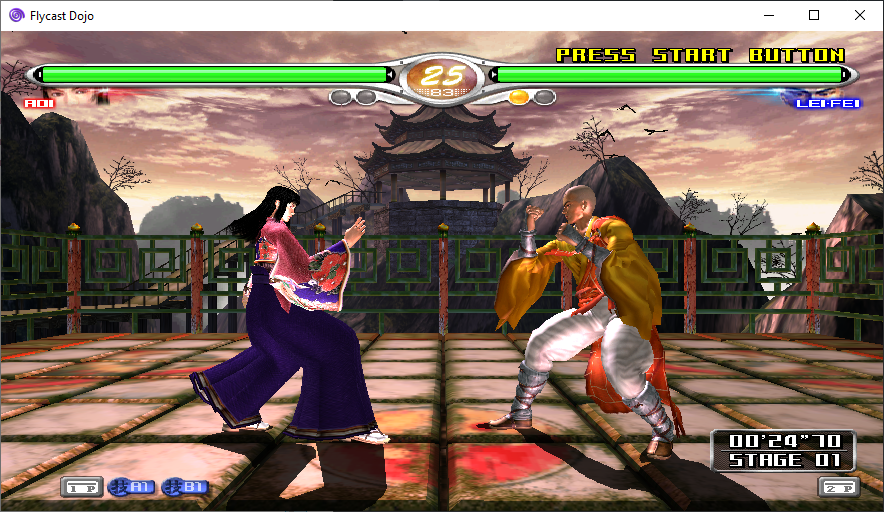
This is a test build for NAOMI 2 support thanks to the wonderful work of @flyinghead . This version has been tested with Virtua Fighter 4 Final Tuned (Ver. B).

**To play NAOMI 2 games, you must make sure the Graphics API is set to OpenGL, DirectX 11, or Vulkan.**
**To test with Virtua Fighter 4 Final Tuned, just add `naomi2.zip` BIOS, `vf4tuned.zip` , and a `vf4tuned` folder containing `gds-0036f.chd` to your `ROMs` folder. A valid savestate will be downloaded the first time you start an online match.**

### 0.4.39 Release Notes
* Windows: Fix Auto-Updater
### Upstream Flycast `dev` branch changes
* widescreen cheat for `vf4tuned`, care of Esppiral
### 0.4.38 Release Notes
* Change `flycast_dc_sakura-wars-columns-2-english-v-1.1` lobby definition to `flycast_dc_sakurawarscolumns2eng`, update to 1.2
### 0.4.37 Release Notes
* Apple: Remove `.reicast` fallback to not interfere with old rei/flycast instances
### Upstream Flycast `dev` branch changes
NAOMI 2: Vulkan: cache per-poly desc sets in map, avoid desc set pool exhaustion in per-triangle
### 0.4.36 Release Notes
* Apple: Increase Player Name Height
* Apple: Extend Offline Delay Widget
### Upstream Flycast `dev` branch changes
* NAOMI 2: Vulkan Support
* NAOMI 2: Boost lights by constant factor, simplify shaders
* NAOMI 2: Partial GLES 2 Compatibility
### 0.4.35 Release Notes
* Apple: Properly copy netplay savestates
* Apple: Fix Spectating Receiver Thread @ EOF
### 0.4.34 Release Notes
* Mac OS Support
* Enable Help & Wiki Game Links in Mac & Linux
* Fix Offline Delay & Player Name Assignment on Dropdown Change
### 0.4.33 Release Notes
* Add Fightcade Lobby Game Definitions
* `flycast_dc_bustamove4`
* `flycast_dc_chuchurocket`
* `flycast_dc_kof99evo`
* `flycast_dc_puyopuyoon`
* `flycast_dc_sakura-wars-columns-2-english-v-1.1`
* `flycast_dc_wetrix_plus`
### 0.4.32 Release Notes
* Training Mode: Fix Random Playback w/ Looping Enabled
* Training Mode: Hide Recording Slot # Display w/ Random Playback
* Disable Lua in Online Play
### 0.4.31 Release Notes
* Working Offline Replays for NAOMI & NAOMI 2
### Upstream Flycast `dev` branch changes
* NAOMI 2: DirectX 11 support
### 0.4.30 Release Notes
* Training Mode: Limit random input play to recorded slots
* Training Mode: Reset Input display on Exit
### Upstream Flycast `dev` branch changes
* NAOMI 2: Shader error in GLES. Invert clubjart wheel axis.
* NAOMI 2: Remove Geometry shader. Merge transparents polys. Bump mapping fix.
* NAOMI 2: Soulsurfer inputs, 2-volume UV, wrong TA parser selected
* NAOMI 2: ELAN v10 emulation, Texture DMA Transfers, 2-volume support (shadows)
* NAOMI 2: kingrt66: Map wiper button, initd gear up/down
vdojo-0.4.39
_This is the latest release included in Fightcade. If you wish to try out NAOMI 2 functionality which is early in development, download [Flycast Dojo 0.4.39 - NAOMI 2 Test 8](https://github.com/blueminder/flycast-dojo/releases/tag/dojo-0.4.39-naomi2-test8)._
_0.4.39 Updates: This update fixes the internal Auto-Updater in Windows. The naming scheme of the Mac OS package conflicted. With the target platforms supported and regex more precisely matching the release format, this should be corrected going forward._
Random Input Slot playback in Training Mode (F10 by default) limited to already recorded slots, instead of possibly empty ones. Fix input display when leaving Training Mode without exiting emulator.
GGPO Network Stats bar is now more compact and at the bottom of the screen. For those of you who like to keep network stats on, this should be less intrusive while you play online games. The GGPO memory leak found in 0.4.26 has also been fixed (Thanks to Silentscope88 who found the issue, and to flyinghead for putting in a fix).

This release adds replay enhancements intended to make viewing spectated and recorded sessions more pleasant. You may now pause replays by pressing the assigned **Menu** button (TAB by default), and step through frames in both replay and Training Mode by pressing the **Step Frame** button (. by default).
When in a replay, you can hit the Menu button to pause the playback. You can also hit the "Frame Step" button (. by default) to step frame by frame in both replay and training mode.

For online spectating, the old behavior ended the replay entirely when it caught up with the end of a stream, which proved to be a pain when watching live matches. To solve this, Flycast Dojo now pauses on the last frame, showing a window with the current frame position and the total frames received. Once it has buffered longer, you can hit the **Menu** button to unpause, and the match will resume once more.

Also included in this release is Melty Blood style input display for Training Mode, introduced in 0.4.24. You can combine this with frame stepping and dummy recording to be able to analyze just what's going on during a training session.

### 0.4.39 Release Notes
* Windows: Fix Auto-Updater
### 0.4.38 Release Notes
* Change `flycast_dc_sakura-wars-columns-2-english-v-1.1` lobby definition to `flycast_dc_sakurawarscolumns2eng`, update to 1.2
### 0.4.37 Release Notes
* Apple: Remove `.reicast` fallback to not interfere with old rei/flycast instances
### 0.4.36 Release Notes
* Apple: Increase Player Name Height
* Apple: Extend Offline Delay Widget
### 0.4.35 Release Notes
* Apple: Properly copy netplay savestates
* Apple: Fix Spectating Receiver Thread @ EOF
### 0.4.34 Release Notes
* Mac OS Support
* Enable Help & Wiki Game Links in Mac & Linux
* Fix Offline Delay & Player Name Assignment on Dropdown Change
### 0.4.33 Release Notes
* Add Fightcade Lobby Game Definitions
* `flycast_dc_bustamove4`
* `flycast_dc_chuchurocket`
* `flycast_dc_kof99evo`
* `flycast_dc_puyopuyoon`
* `flycast_dc_sakura-wars-columns-2-english-v-1.1`
* `flycast_dc_wetrix_plus`
### 0.4.32 Release Notes
* Training Mode: Fix Random Playback w/ Looping Enabled
* Training Mode: Hide Recording Slot # Display w/ Random Playback
* Disable Lua in Online Play
### 0.4.31 Release Notes
* Fixed NAOMI Offline Replays
### 0.4.30 Release Notes
* Training Mode: Limit random input play to recorded slots
* Training Mode: Reset Input display on Exit
### 0.4.28 Release Notes
* Training Mode: Play Random Input Slot Button (F10 by default)
#### Game dipswitch changes
* `ggxxac`: Enable Arcade Mode offline
* Cyber-Troopers Virtual-On: Oratorio Tangram unlocked VMU save
### 0.4.27 Release Notes
* Compact GGPO Stats Bar, move to bottom of screen
* Netplay savestate retrieval: Hide progress bar for savestate when not found
* C! build changes
### Upstream Flycast `net-rollback` branch changes
* GGPO: old netplay frames properly deleted on state load, fixes memory leak
* DX11 support
* Savestates: compatibility between nvmem & !nvmem savestates
* SDL: fix joystick rumble
### 0.4.26 Release Notes
* Merge latest upstream changes
### Upstream Flycast `net-rollback` branch changes
* DirectX 11 renderer support
* 7z: use fopen on all platforms
* Fix crash when starting game with non-default renderer
* update libchdr and remove patch (scribam)
### 0.4.25 Release Notes
* Exit emulator properly when called via menu in Test Game mode
* Add progress bar to session stream buffering
* New Pause Replay overlay, shows frame position
* Pauses on end of stream instead of ending replay outright
* Training Mode frame stepping
#### Game dipswitch changes
* `fotns`: Offline Arcade Mode, Free Play. One Match quit disabled.
### Upstream Flycast `net-rollback` branch changes
* More Vulkan tweaks
* Fix Vulkan/DX9 rendering in single-threaded mode on direct framebuffer access
* New save serialize framework
* Fix x64 stack alignment of memory handlers on Windows
* Allow override of flycast.lua file
### 0.4.24 Release Notes
* Fix gui_init interruption on video settings save & change
### Upstream Flycast `net-rollback` branch changes
* Vulkan tweaks & fixes
### 0.4.23 Release Notes
* Training Mode: Input Display
* X+Y+A Macro
* GitHub CI build automation
### Upstream Flycast `net-rollback` branch changes
* cue: ignore unrecognized REM entries. parse one line at a time
* vk oit: fix depth-only Tr pass
* ggpo lib: compile warnings, remove legacy chat
* vk: implement TranslucentPolygonDepthMask (Fixes Cosmic Smash)
* fix launching BIOS after playing a game
vdojo-0.4.38
_This is the latest release included in Fightcade. If you wish to try out NAOMI 2 functionality which is early in development, download [Flycast Dojo 0.4.37 - NAOMI 2 Test 7](https://github.com/blueminder/flycast-dojo/releases/tag/dojo-0.4.37-naomi2-test7)._
Random Input Slot playback in Training Mode (F10 by default) limited to already recorded slots, instead of possibly empty ones. Fix input display when leaving Training Mode without exiting emulator.
GGPO Network Stats bar is now more compact and at the bottom of the screen. For those of you who like to keep network stats on, this should be less intrusive while you play online games. The GGPO memory leak found in 0.4.26 has also been fixed (Thanks to Silentscope88 who found the issue, and to flyinghead for putting in a fix).

This release adds replay enhancements intended to make viewing spectated and recorded sessions more pleasant. You may now pause replays by pressing the assigned **Menu** button (TAB by default), and step through frames in both replay and Training Mode by pressing the **Step Frame** button (. by default).
When in a replay, you can hit the Menu button to pause the playback. You can also hit the "Frame Step" button (. by default) to step frame by frame in both replay and training mode.

For online spectating, the old behavior ended the replay entirely when it caught up with the end of a stream, which proved to be a pain when watching live matches. To solve this, Flycast Dojo now pauses on the last frame, showing a window with the current frame position and the total frames received. Once it has buffered longer, you can hit the **Menu** button to unpause, and the match will resume once more.

Also included in this release is Melty Blood style input display for Training Mode, introduced in 0.4.24. You can combine this with frame stepping and dummy recording to be able to analyze just what's going on during a training session.

Any testing would be of great help before we include it with the next Fightcade update! To try out in Fightcade, just replace the contents of the `Fightcade\emulator\flycast` folder with this release. You can immediately test out the replay features by spectating or loading a replay from the Fightcade site. Be sure to keep a copy of your old `flycast` folder if you want to play with others who are not using the pre-release.
### 0.4.38 Release Notes
* Change `flycast_dc_sakura-wars-columns-2-english-v-1.1` lobby definition to `flycast_dc_sakurawarscolumns2eng`, update to 1.2
### 0.4.37 Release Notes
* Apple: Remove `.reicast` fallback to not interfere with old rei/flycast instances
### 0.4.36 Release Notes
* Apple: Increase Player Name Height
* Apple: Extend Offline Delay Widget
### 0.4.35 Release Notes
* Apple: Properly copy netplay savestates
* Apple: Fix Spectating Receiver Thread @ EOF
### 0.4.34 Release Notes
* Mac OS Support
* Enable Help & Wiki Game Links in Mac & Linux
* Fix Offline Delay & Player Name Assignment on Dropdown Change
### 0.4.33 Release Notes
* Add Fightcade Lobby Game Definitions
* `flycast_dc_bustamove4`
* `flycast_dc_chuchurocket`
* `flycast_dc_kof99evo`
* `flycast_dc_puyopuyoon`
* `flycast_dc_sakura-wars-columns-2-english-v-1.1`
* `flycast_dc_wetrix_plus`
### 0.4.32 Release Notes
* Training Mode: Fix Random Playback w/ Looping Enabled
* Training Mode: Hide Recording Slot # Display w/ Random Playback
* Disable Lua in Online Play
### 0.4.31 Release Notes
* Fixed NAOMI Offline Replays
### 0.4.30 Release Notes
* Training Mode: Limit random input play to recorded slots
* Training Mode: Reset Input display on Exit
### 0.4.28 Release Notes
* Training Mode: Play Random Input Slot Button (F10 by default)
#### Game dipswitch changes
* `ggxxac`: Enable Arcade Mode offline
* Cyber-Troopers Virtual-On: Oratorio Tangram unlocked VMU save
### 0.4.27 Release Notes
* Compact GGPO Stats Bar, move to bottom of screen
* Netplay savestate retrieval: Hide progress bar for savestate when not found
* C! build changes
### Upstream Flycast `net-rollback` branch changes
* GGPO: old netplay frames properly deleted on state load, fixes memory leak
* DX11 support
* Savestates: compatibility between nvmem & !nvmem savestates
* SDL: fix joystick rumble
### 0.4.26 Release Notes
* Merge latest upstream changes
### Upstream Flycast `net-rollback` branch changes
* DirectX 11 renderer support
* 7z: use fopen on all platforms
* Fix crash when starting game with non-default renderer
* update libchdr and remove patch (scribam)
### 0.4.25 Release Notes
* Exit emulator properly when called via menu in Test Game mode
* Add progress bar to session stream buffering
* New Pause Replay overlay, shows frame position
* Pauses on end of stream instead of ending replay outright
* Training Mode frame stepping
#### Game dipswitch changes
* `fotns`: Offline Arcade Mode, Free Play. One Match quit disabled.
### Upstream Flycast `net-rollback` branch changes
* More Vulkan tweaks
* Fix Vulkan/DX9 rendering in single-threaded mode on direct framebuffer access
* New save serialize framework
* Fix x64 stack alignment of memory handlers on Windows
* Allow override of flycast.lua file
### 0.4.24 Release Notes
* Fix gui_init interruption on video settings save & change
### Upstream Flycast `net-rollback` branch changes
* Vulkan tweaks & fixes
### 0.4.23 Release Notes
* Training Mode: Input Display
* X+Y+A Macro
* GitHub CI build automation
### Upstream Flycast `net-rollback` branch changes
* cue: ignore unrecognized REM entries. parse one line at a time
* vk oit: fix depth-only Tr pass
* ggpo lib: compile warnings, remove legacy chat
* vk: implement TranslucentPolygonDepthMask (Fixes Cosmic Smash)
* fix launching BIOS after playing a game
vdojo-0.4.37
_This is the latest release included in Fightcade. If you wish to try out NAOMI 2 functionality which is early in development, download [Flycast Dojo 0.4.37 - NAOMI 2 Test 7](https://github.com/blueminder/flycast-dojo/releases/tag/dojo-0.4.37-naomi2-test7)._
_New in 0.4.37: Mac OS bug fixes & improvements._
Random Input Slot playback in Training Mode (F10 by default) limited to already recorded slots, instead of possibly empty ones. Fix input display when leaving Training Mode without exiting emulator.
GGPO Network Stats bar is now more compact and at the bottom of the screen. For those of you who like to keep network stats on, this should be less intrusive while you play online games. The GGPO memory leak found in 0.4.26 has also been fixed (Thanks to Silentscope88 who found the issue, and to flyinghead for putting in a fix).

This release adds replay enhancements intended to make viewing spectated and recorded sessions more pleasant. You may now pause replays by pressing the assigned **Menu** button (TAB by default), and step through frames in both replay and Training Mode by pressing the **Step Frame** button (. by default).
When in a replay, you can hit the Menu button to pause the playback. You can also hit the "Frame Step" button (. by default) to step frame by frame in both replay and training mode.

For online spectating, the old behavior ended the replay entirely when it caught up with the end of a stream, which proved to be a pain when watching live matches. To solve this, Flycast Dojo now pauses on the last frame, showing a window with the current frame position and the total frames received. Once it has buffered longer, you can hit the **Menu** button to unpause, and the match will resume once more.

Also included in this release is Melty Blood style input display for Training Mode, introduced in 0.4.24. You can combine this with frame stepping and dummy recording to be able to analyze just what's going on during a training session.

Any testing would be of great help before we include it with the next Fightcade update! To try out in Fightcade, just replace the contents of the `Fightcade\emulator\flycast` folder with this release. You can immediately test out the replay features by spectating or loading a replay from the Fightcade site. Be sure to keep a copy of your old `flycast` folder if you want to play with others who are not using the pre-release.
### 0.4.37 Release Notes
* Apple: Remove `.reicast` fallback to not interfere with old rei/flycast instances
### 0.4.36 Release Notes
* Apple: Increase Player Name Height
* Apple: Extend Offline Delay Widget
### 0.4.35 Release Notes
* Apple: Properly copy netplay savestates
* Apple: Fix Spectating Receiver Thread @ EOF
### 0.4.34 Release Notes
* Mac OS Support
* Enable Help & Wiki Game Links in Mac & Linux
* Fix Offline Delay & Player Name Assignment on Dropdown Change
### 0.4.33 Release Notes
* Add Fightcade Lobby Game Definitions
* `flycast_dc_bustamove4`
* `flycast_dc_chuchurocket`
* `flycast_dc_kof99evo`
* `flycast_dc_puyopuyoon`
* `flycast_dc_sakura-wars-columns-2-english-v-1.1`
* `flycast_dc_wetrix_plus`
### 0.4.32 Release Notes
* Training Mode: Fix Random Playback w/ Looping Enabled
* Training Mode: Hide Recording Slot # Display w/ Random Playback
* Disable Lua in Online Play
### 0.4.31 Release Notes
* Fixed NAOMI Offline Replays
### 0.4.30 Release Notes
* Training Mode: Limit random input play to recorded slots
* Training Mode: Reset Input display on Exit
### 0.4.28 Release Notes
* Training Mode: Play Random Input Slot Button (F10 by default)
#### Game dipswitch changes
* `ggxxac`: Enable Arcade Mode offline
* Cyber-Troopers Virtual-On: Oratorio Tangram unlocked VMU save
### 0.4.27 Release Notes
* Compact GGPO Stats Bar, move to bottom of screen
* Netplay savestate retrieval: Hide progress bar for savestate when not found
* C! build changes
### Upstream Flycast `net-rollback` branch changes
* GGPO: old netplay frames properly deleted on state load, fixes memory leak
* DX11 support
* Savestates: compatibility between nvmem & !nvmem savestates
* SDL: fix joystick rumble
### 0.4.26 Release Notes
* Merge latest upstream changes
### Upstream Flycast `net-rollback` branch changes
* DirectX 11 renderer support
* 7z: use fopen on all platforms
* Fix crash when starting game with non-default renderer
* update libchdr and remove patch (scribam)
### 0.4.25 Release Notes
* Exit emulator properly when called via menu in Test Game mode
* Add progress bar to session stream buffering
* New Pause Replay overlay, shows frame position
* Pauses on end of stream instead of ending replay outright
* Training Mode frame stepping
#### Game dipswitch changes
* `fotns`: Offline Arcade Mode, Free Play. One Match quit disabled.
### Upstream Flycast `net-rollback` branch changes
* More Vulkan tweaks
* Fix Vulkan/DX9 rendering in single-threaded mode on direct framebuffer access
* New save serialize framework
* Fix x64 stack alignment of memory handlers on Windows
* Allow override of flycast.lua file
### 0.4.24 Release Notes
* Fix gui_init interruption on video settings save & change
### Upstream Flycast `net-rollback` branch changes
* Vulkan tweaks & fixes
### 0.4.23 Release Notes
* Training Mode: Input Display
* X+Y+A Macro
* GitHub CI build automation
### Upstream Flycast `net-rollback` branch changes
* cue: ignore unrecognized REM entries. parse one line at a time
* vk oit: fix depth-only Tr pass
* ggpo lib: compile warnings, remove legacy chat
* vk: implement TranslucentPolygonDepthMask (Fixes Cosmic Smash)
* fix launching BIOS after playing a game
vdojo-0.4.37-naomi2-test7
_If you wish to use the latest release bundled with Fightcade, download [Flycast Dojo 0.4.37](https://github.com/blueminder/flycast-dojo/releases/tag/dojo-0.4.37). This version is intended to test out the new NAOMI 2 functionality and is currently early in development._
This is a test build for NAOMI 2 support thanks to the wonderful work of @flyinghead . This version has been tested with Virtua Fighter 4 Final Tuned (Ver. B).

**To play NAOMI 2 games, you must make sure the Graphics API is set to OpenGL, DirectX 11, or Vulkan.**
**To test with Virtua Fighter 4 Final Tuned, just add `naomi2.zip` BIOS, `vf4tuned.zip` , and a `vf4tuned` folder containing `gds-0036f.chd` to your `ROMs` folder. A valid savestate will be downloaded the first time you start an online match.**

### 0.4.37 Release Notes
* Apple: Remove `.reicast` fallback to not interfere with old rei/flycast instances
### Upstream Flycast `dev` branch changes
NAOMI 2: Vulkan: cache per-poly desc sets in map, avoid desc set pool exhaustion in per-triangle
### 0.4.36 Release Notes
* Apple: Increase Player Name Height
* Apple: Extend Offline Delay Widget
### Upstream Flycast `dev` branch changes
* NAOMI 2: Vulkan Support
* NAOMI 2: Boost lights by constant factor, simplify shaders
* NAOMI 2: Partial GLES 2 Compatibility
### 0.4.35 Release Notes
* Apple: Properly copy netplay savestates
* Apple: Fix Spectating Receiver Thread @ EOF
### 0.4.34 Release Notes
* Mac OS Support
* Enable Help & Wiki Game Links in Mac & Linux
* Fix Offline Delay & Player Name Assignment on Dropdown Change
### 0.4.33 Release Notes
* Add Fightcade Lobby Game Definitions
* `flycast_dc_bustamove4`
* `flycast_dc_chuchurocket`
* `flycast_dc_kof99evo`
* `flycast_dc_puyopuyoon`
* `flycast_dc_sakura-wars-columns-2-english-v-1.1`
* `flycast_dc_wetrix_plus`
### 0.4.32 Release Notes
* Training Mode: Fix Random Playback w/ Looping Enabled
* Training Mode: Hide Recording Slot # Display w/ Random Playback
* Disable Lua in Online Play
### 0.4.31 Release Notes
* Working Offline Replays for NAOMI & NAOMI 2
### Upstream Flycast `dev` branch changes
* NAOMI 2: DirectX 11 support
### 0.4.30 Release Notes
* Training Mode: Limit random input play to recorded slots
* Training Mode: Reset Input display on Exit
### Upstream Flycast `dev` branch changes
* NAOMI 2: Shader error in GLES. Invert clubjart wheel axis.
* NAOMI 2: Remove Geometry shader. Merge transparents polys. Bump mapping fix.
* NAOMI 2: Soulsurfer inputs, 2-volume UV, wrong TA parser selected
* NAOMI 2: ELAN v10 emulation, Texture DMA Transfers, 2-volume support (shadows)
* NAOMI 2: kingrt66: Map wiper button, initd gear up/down
vdojo-0.4.36-naomi2-test6
_If you wish to use the latest pre-release being tested for Fightcade, download [Flycast Dojo 0.4.36](https://github.com/blueminder/flycast-dojo/releases/tag/dojo-0.4.36). This version is intended to test out the new NAOMI 2 functionality and is currently early in development._
This is a test build for NAOMI 2 support thanks to the wonderful work of @flyinghead . This version has been tested with Virtua Fighter 4 Final Tuned (Ver. B).

**To play NAOMI 2 games, you must make sure the Graphics API is set to OpenGL or DirectX 11. Support for Vulkan is on its way.**
**To test with Virtua Fighter 4 Final Tuned, just add `naomi2.zip` BIOS, `vf4tuned.zip` , and a `vf4tuned` folder containing `gds-0036f.chd` to your `ROMs` folder. A valid savestate will be downloaded the first time you start an online match.**

### 0.4.36 Release Notes
* Apple: Increase Player Name Height
* Apple: Extend Offline Delay Widget
### Upstream Flycast `dev` branch changes
* NAOMI 2: Vulkan Support
* NAOMI 2: Boost lights by constant factor, simplify shaders
* NAOMI 2: Partial GLES 2 Compatibility
### 0.4.35 Release Notes
* Apple: Properly copy netplay savestates
* Apple: Fix Spectating Receiver Thread @ EOF
### 0.4.34 Release Notes
* Mac OS Support
* Enable Help & Wiki Game Links in Mac & Linux
* Fix Offline Delay & Player Name Assignment on Dropdown Change
### 0.4.33 Release Notes
* Add Fightcade Lobby Game Definitions
* `flycast_dc_bustamove4`
* `flycast_dc_chuchurocket`
* `flycast_dc_kof99evo`
* `flycast_dc_puyopuyoon`
* `flycast_dc_sakura-wars-columns-2-english-v-1.1`
* `flycast_dc_wetrix_plus`
### 0.4.32 Release Notes
* Training Mode: Fix Random Playback w/ Looping Enabled
* Training Mode: Hide Recording Slot # Display w/ Random Playback
* Disable Lua in Online Play
### 0.4.31 Release Notes
* Working Offline Replays for NAOMI & NAOMI 2
### Upstream Flycast `dev` branch changes
* NAOMI 2: DirectX 11 support
### 0.4.30 Release Notes
* Training Mode: Limit random input play to recorded slots
* Training Mode: Reset Input display on Exit
### Upstream Flycast `dev` branch changes
* NAOMI 2: Shader error in GLES. Invert clubjart wheel axis.
* NAOMI 2: Remove Geometry shader. Merge transparents polys. Bump mapping fix.
* NAOMI 2: Soulsurfer inputs, 2-volume UV, wrong TA parser selected
* NAOMI 2: ELAN v10 emulation, Texture DMA Transfers, 2-volume support (shadows)
* NAOMI 2: kingrt66: Map wiper button, initd gear up/down
vdojo-0.4.36
_This is the latest pre-release intended to be included in Fightcade. If you wish to try out NAOMI 2 functionality which is early in development, download [Flycast Dojo 0.4.36 - NAOMI 2 Test 6](https://github.com/blueminder/flycast-dojo/releases/tag/dojo-0.4.36-naomi2-test6)._
_New in 0.4.36: Mac OS bug fixes & improvements._
Random Input Slot playback in Training Mode (F10 by default) limited to already recorded slots, instead of possibly empty ones. Fix input display when leaving Training Mode without exiting emulator.
GGPO Network Stats bar is now more compact and at the bottom of the screen. For those of you who like to keep network stats on, this should be less intrusive while you play online games. The GGPO memory leak found in 0.4.26 has also been fixed (Thanks to Silentscope88 who found the issue, and to flyinghead for putting in a fix).

This release adds replay enhancements intended to make viewing spectated and recorded sessions more pleasant. You may now pause replays by pressing the assigned **Menu** button (TAB by default), and step through frames in both replay and Training Mode by pressing the **Step Frame** button (. by default).
When in a replay, you can hit the Menu button to pause the playback. You can also hit the "Frame Step" button (. by default) to step frame by frame in both replay and training mode.

For online spectating, the old behavior ended the replay entirely when it caught up with the end of a stream, which proved to be a pain when watching live matches. To solve this, Flycast Dojo now pauses on the last frame, showing a window with the current frame position and the total frames received. Once it has buffered longer, you can hit the **Menu** button to unpause, and the match will resume once more.

Also included in this release is Melty Blood style input display for Training Mode, introduced in 0.4.24. You can combine this with frame stepping and dummy recording to be able to analyze just what's going on during a training session.

Any testing would be of great help before we include it with the next Fightcade update! To try out in Fightcade, just replace the contents of the `Fightcade\emulator\flycast` folder with this release. You can immediately test out the replay features by spectating or loading a replay from the Fightcade site. Be sure to keep a copy of your old `flycast` folder if you want to play with others who are not using the pre-release.
### 0.4.35 Release Notes
* Apple: Increase Player Name Height
* Apple: Extend Offline Delay Widget
### 0.4.36 Release Notes
* Apple: Properly copy netplay savestates
* Apple: Fix Spectating Receiver Thread @ EOF
### 0.4.34 Release Notes
* Mac OS Support
* Enable Help & Wiki Game Links in Mac & Linux
* Fix Offline Delay & Player Name Assignment on Dropdown Change
### 0.4.33 Release Notes
* Add Fightcade Lobby Game Definitions
* `flycast_dc_bustamove4`
* `flycast_dc_chuchurocket`
* `flycast_dc_kof99evo`
* `flycast_dc_puyopuyoon`
* `flycast_dc_sakura-wars-columns-2-english-v-1.1`
* `flycast_dc_wetrix_plus`
### 0.4.32 Release Notes
* Training Mode: Fix Random Playback w/ Looping Enabled
* Training Mode: Hide Recording Slot # Display w/ Random Playback
* Disable Lua in Online Play
### 0.4.31 Release Notes
* Fixed NAOMI Offline Replays
### 0.4.30 Release Notes
* Training Mode: Limit random input play to recorded slots
* Training Mode: Reset Input display on Exit
### 0.4.28 Release Notes
* Training Mode: Play Random Input Slot Button (F10 by default)
#### Game dipswitch changes
* `ggxxac`: Enable Arcade Mode offline
* Cyber-Troopers Virtual-On: Oratorio Tangram unlocked VMU save
### 0.4.27 Release Notes
* Compact GGPO Stats Bar, move to bottom of screen
* Netplay savestate retrieval: Hide progress bar for savestate when not found
* C! build changes
### Upstream Flycast `net-rollback` branch changes
* GGPO: old netplay frames properly deleted on state load, fixes memory leak
* DX11 support
* Savestates: compatibility between nvmem & !nvmem savestates
* SDL: fix joystick rumble
### 0.4.26 Release Notes
* Merge latest upstream changes
### Upstream Flycast `net-rollback` branch changes
* DirectX 11 renderer support
* 7z: use fopen on all platforms
* Fix crash when starting game with non-default renderer
* update libchdr and remove patch (scribam)
### 0.4.25 Release Notes
* Exit emulator properly when called via menu in Test Game mode
* Add progress bar to session stream buffering
* New Pause Replay overlay, shows frame position
* Pauses on end of stream instead of ending replay outright
* Training Mode frame stepping
#### Game dipswitch changes
* `fotns`: Offline Arcade Mode, Free Play. One Match quit disabled.
### Upstream Flycast `net-rollback` branch changes
* More Vulkan tweaks
* Fix Vulkan/DX9 rendering in single-threaded mode on direct framebuffer access
* New save serialize framework
* Fix x64 stack alignment of memory handlers on Windows
* Allow override of flycast.lua file
### 0.4.24 Release Notes
* Fix gui_init interruption on video settings save & change
### Upstream Flycast `net-rollback` branch changes
* Vulkan tweaks & fixes
### 0.4.23 Release Notes
* Training Mode: Input Display
* X+Y+A Macro
* GitHub CI build automation
### Upstream Flycast `net-rollback` branch changes
* cue: ignore unrecognized REM entries. parse one line at a time
* vk oit: fix depth-only Tr pass
* ggpo lib: compile warnings, remove legacy chat
* vk: implement TranslucentPolygonDepthMask (Fixes Cosmic Smash)
* fix launching BIOS after playing a game
vdojo-0.4.35
_This is the latest pre-release intended to be included in Fightcade. If you wish to try out NAOMI 2 functionality which is early in development, download [Flycast Dojo 0.4.32 - NAOMI 2 Test 5](https://github.com/blueminder/flycast-dojo/releases/tag/dojo-0.4.32-naomi2-test5)._
_New in 0.4.35: Mac OS bug fixes._
Random Input Slot playback in Training Mode (F10 by default) limited to already recorded slots, instead of possibly empty ones. Fix input display when leaving Training Mode without exiting emulator.
GGPO Network Stats bar is now more compact and at the bottom of the screen. For those of you who like to keep network stats on, this should be less intrusive while you play online games. The GGPO memory leak found in 0.4.26 has also been fixed (Thanks to Silentscope88 who found the issue, and to flyinghead for putting in a fix).

This release adds replay enhancements intended to make viewing spectated and recorded sessions more pleasant. You may now pause replays by pressing the assigned **Menu** button (TAB by default), and step through frames in both replay and Training Mode by pressing the **Step Frame** button (. by default).
When in a replay, you can hit the Menu button to pause the playback. You can also hit the "Frame Step" button (. by default) to step frame by frame in both replay and training mode.

For online spectating, the old behavior ended the replay entirely when it caught up with the end of a stream, which proved to be a pain when watching live matches. To solve this, Flycast Dojo now pauses on the last frame, showing a window with the current frame position and the total frames received. Once it has buffered longer, you can hit the **Menu** button to unpause, and the match will resume once more.

Also included in this release is Melty Blood style input display for Training Mode, introduced in 0.4.24. You can combine this with frame stepping and dummy recording to be able to analyze just what's going on during a training session.

Any testing would be of great help before we include it with the next Fightcade update! To try out in Fightcade, just replace the contents of the `Fightcade\emulator\flycast` folder with this release. You can immediately test out the replay features by spectating or loading a replay from the Fightcade site. Be sure to keep a copy of your old `flycast` folder if you want to play with others who are not using the pre-release.
### 0.4.35 Release Notes
* Apple: Properly copy netplay savestates
* Apple: Fix Spectating Receiver Thread @ EOF
### 0.4.34 Release Notes
* Mac OS Support
* Enable Help & Wiki Game Links in Mac & Linux
* Fix Offline Delay & Player Name Assignment on Dropdown Change
### 0.4.33 Release Notes
* Add Fightcade Lobby Game Definitions
* `flycast_dc_bustamove4`
* `flycast_dc_chuchurocket`
* `flycast_dc_kof99evo`
* `flycast_dc_puyopuyoon`
* `flycast_dc_sakura-wars-columns-2-english-v-1.1`
* `flycast_dc_wetrix_plus`
### 0.4.32 Release Notes
* Training Mode: Fix Random Playback w/ Looping Enabled
* Training Mode: Hide Recording Slot # Display w/ Random Playback
* Disable Lua in Online Play
### 0.4.31 Release Notes
* Fixed NAOMI Offline Replays
### 0.4.30 Release Notes
* Training Mode: Limit random input play to recorded slots
* Training Mode: Reset Input display on Exit
### 0.4.28 Release Notes
* Training Mode: Play Random Input Slot Button (F10 by default)
#### Game dipswitch changes
* `ggxxac`: Enable Arcade Mode offline
* Cyber-Troopers Virtual-On: Oratorio Tangram unlocked VMU save
### 0.4.27 Release Notes
* Compact GGPO Stats Bar, move to bottom of screen
* Netplay savestate retrieval: Hide progress bar for savestate when not found
* C! build changes
### Upstream Flycast `net-rollback` branch changes
* GGPO: old netplay frames properly deleted on state load, fixes memory leak
* DX11 support
* Savestates: compatibility between nvmem & !nvmem savestates
* SDL: fix joystick rumble
### 0.4.26 Release Notes
* Merge latest upstream changes
### Upstream Flycast `net-rollback` branch changes
* DirectX 11 renderer support
* 7z: use fopen on all platforms
* Fix crash when starting game with non-default renderer
* update libchdr and remove patch (scribam)
### 0.4.25 Release Notes
* Exit emulator properly when called via menu in Test Game mode
* Add progress bar to session stream buffering
* New Pause Replay overlay, shows frame position
* Pauses on end of stream instead of ending replay outright
* Training Mode frame stepping
#### Game dipswitch changes
* `fotns`: Offline Arcade Mode, Free Play. One Match quit disabled.
### Upstream Flycast `net-rollback` branch changes
* More Vulkan tweaks
* Fix Vulkan/DX9 rendering in single-threaded mode on direct framebuffer access
* New save serialize framework
* Fix x64 stack alignment of memory handlers on Windows
* Allow override of flycast.lua file
### 0.4.24 Release Notes
* Fix gui_init interruption on video settings save & change
### Upstream Flycast `net-rollback` branch changes
* Vulkan tweaks & fixes
### 0.4.23 Release Notes
* Training Mode: Input Display
* X+Y+A Macro
* GitHub CI build automation
### Upstream Flycast `net-rollback` branch changes
* cue: ignore unrecognized REM entries. parse one line at a time
* vk oit: fix depth-only Tr pass
* ggpo lib: compile warnings, remove legacy chat
* vk: implement TranslucentPolygonDepthMask (Fixes Cosmic Smash)
* fix launching BIOS after playing a game
vdojo-0.4.34
_This is the latest pre-release intended to be included in Fightcade. If you wish to try out NAOMI 2 functionality which is early in development, download [Flycast Dojo 0.4.32 - NAOMI 2 Test 5](https://github.com/blueminder/flycast-dojo/releases/tag/dojo-0.4.32-naomi2-test5)._
_New in 0.4.34: Mac OS support. Game Wiki Links & Help available in Linux/Mac._
Random Input Slot playback in Training Mode (F10 by default) limited to already recorded slots, instead of possibly empty ones. Fix input display when leaving Training Mode without exiting emulator.
GGPO Network Stats bar is now more compact and at the bottom of the screen. For those of you who like to keep network stats on, this should be less intrusive while you play online games. The GGPO memory leak found in 0.4.26 has also been fixed (Thanks to Silentscope88 who found the issue, and to flyinghead for putting in a fix).

This release adds replay enhancements intended to make viewing spectated and recorded sessions more pleasant. You may now pause replays by pressing the assigned **Menu** button (TAB by default), and step through frames in both replay and Training Mode by pressing the **Step Frame** button (. by default).
When in a replay, you can hit the Menu button to pause the playback. You can also hit the "Frame Step" button (. by default) to step frame by frame in both replay and training mode.

For online spectating, the old behavior ended the replay entirely when it caught up with the end of a stream, which proved to be a pain when watching live matches. To solve this, Flycast Dojo now pauses on the last frame, showing a window with the current frame position and the total frames received. Once it has buffered longer, you can hit the **Menu** button to unpause, and the match will resume once more.

Also included in this release is Melty Blood style input display for Training Mode, introduced in 0.4.24. You can combine this with frame stepping and dummy recording to be able to analyze just what's going on during a training session.

Any testing would be of great help before we include it with the next Fightcade update! To try out in Fightcade, just replace the contents of the `Fightcade\emulator\flycast` folder with this release. You can immediately test out the replay features by spectating or loading a replay from the Fightcade site. Be sure to keep a copy of your old `flycast` folder if you want to play with others who are not using the pre-release.
### 0.4.34 Release Notes
* Mac OS Support
* Enable Help & Wiki Game Links in Mac & Linux
* Fix Offline Delay & Player Name Assignment on Dropdown Change
### 0.4.33 Release Notes
* Add Fightcade Lobby Game Definitions
* `flycast_dc_bustamove4`
* `flycast_dc_chuchurocket`
* `flycast_dc_kof99evo`
* `flycast_dc_puyopuyoon`
* `flycast_dc_sakura-wars-columns-2-english-v-1.1`
* `flycast_dc_wetrix_plus`
### 0.4.32 Release Notes
* Training Mode: Fix Random Playback w/ Looping Enabled
* Training Mode: Hide Recording Slot # Display w/ Random Playback
* Disable Lua in Online Play
### 0.4.31 Release Notes
* Fixed NAOMI Offline Replays
### 0.4.30 Release Notes
* Training Mode: Limit random input play to recorded slots
* Training Mode: Reset Input display on Exit
### 0.4.28 Release Notes
* Training Mode: Play Random Input Slot Button (F10 by default)
#### Game dipswitch changes
* `ggxxac`: Enable Arcade Mode offline
* Cyber-Troopers Virtual-On: Oratorio Tangram unlocked VMU save
### 0.4.27 Release Notes
* Compact GGPO Stats Bar, move to bottom of screen
* Netplay savestate retrieval: Hide progress bar for savestate when not found
* C! build changes
### Upstream Flycast `net-rollback` branch changes
* GGPO: old netplay frames properly deleted on state load, fixes memory leak
* DX11 support
* Savestates: compatibility between nvmem & !nvmem savestates
* SDL: fix joystick rumble
### 0.4.26 Release Notes
* Merge latest upstream changes
### Upstream Flycast `net-rollback` branch changes
* DirectX 11 renderer support
* 7z: use fopen on all platforms
* Fix crash when starting game with non-default renderer
* update libchdr and remove patch (scribam)
### 0.4.25 Release Notes
* Exit emulator properly when called via menu in Test Game mode
* Add progress bar to session stream buffering
* New Pause Replay overlay, shows frame position
* Pauses on end of stream instead of ending replay outright
* Training Mode frame stepping
#### Game dipswitch changes
* `fotns`: Offline Arcade Mode, Free Play. One Match quit disabled.
### Upstream Flycast `net-rollback` branch changes
* More Vulkan tweaks
* Fix Vulkan/DX9 rendering in single-threaded mode on direct framebuffer access
* New save serialize framework
* Fix x64 stack alignment of memory handlers on Windows
* Allow override of flycast.lua file
### 0.4.24 Release Notes
* Fix gui_init interruption on video settings save & change
### Upstream Flycast `net-rollback` branch changes
* Vulkan tweaks & fixes
### 0.4.23 Release Notes
* Training Mode: Input Display
* X+Y+A Macro
* GitHub CI build automation
### Upstream Flycast `net-rollback` branch changes
* cue: ignore unrecognized REM entries. parse one line at a time
* vk oit: fix depth-only Tr pass
* ggpo lib: compile warnings, remove legacy chat
* vk: implement TranslucentPolygonDepthMask (Fixes Cosmic Smash)
* fix launching BIOS after playing a game
vdojo-0.4.33
_This is the latest pre-release intended to be included in Fightcade. If you wish to try out NAOMI 2 functionality which is early in development, download [Flycast Dojo 0.4.32 - NAOMI 2 Test 5](https://github.com/blueminder/flycast-dojo/releases/tag/dojo-0.4.32-naomi2-test5)._
_New in 0.4.33: Update Fightcade lobby game definitions, Upstream changes_
Random Input Slot playback in Training Mode (F10 by default) limited to already recorded slots, instead of possibly empty ones. Fix input display when leaving Training Mode without exiting emulator.
GGPO Network Stats bar is now more compact and at the bottom of the screen. For those of you who like to keep network stats on, this should be less intrusive while you play online games. The GGPO memory leak found in 0.4.26 has also been fixed (Thanks to Silentscope88 who found the issue, and to flyinghead for putting in a fix).

This release adds replay enhancements intended to make viewing spectated and recorded sessions more pleasant. You may now pause replays by pressing the assigned **Menu** button (TAB by default), and step through frames in both replay and Training Mode by pressing the **Step Frame** button (. by default).
When in a replay, you can hit the Menu button to pause the playback. You can also hit the "Frame Step" button (. by default) to step frame by frame in both replay and training mode.

For online spectating, the old behavior ended the replay entirely when it caught up with the end of a stream, which proved to be a pain when watching live matches. To solve this, Flycast Dojo now pauses on the last frame, showing a window with the current frame position and the total frames received. Once it has buffered longer, you can hit the **Menu** button to unpause, and the match will resume once more.

Also included in this release is Melty Blood style input display for Training Mode, introduced in 0.4.24. You can combine this with frame stepping and dummy recording to be able to analyze just what's going on during a training session.

Any testing would be of great help before we include it with the next Fightcade update! To try out in Fightcade, just replace the contents of the `Fightcade\emulator\flycast` folder with this release. You can immediately test out the replay features by spectating or loading a replay from the Fightcade site. Be sure to keep a copy of your old `flycast` folder if you want to play with others who are not using the pre-release.
### 0.4.33 Release Notes
* Add Fightcade Lobby Game Definitions
* `flycast_dc_bustamove4`
* `flycast_dc_chuchurocket`
* `flycast_dc_kof99evo`
* `flycast_dc_puyopuyoon`
* `flycast_dc_sakura-wars-columns-2-english-v-1.1`
* `flycast_dc_wetrix_plus`
### 0.4.32 Release Notes
* Training Mode: Fix Random Playback w/ Looping Enabled
* Training Mode: Hide Recording Slot # Display w/ Random Playback
* Disable Lua in Online Play
### 0.4.31 Release Notes
* Fixed NAOMI Offline Replays
### 0.4.30 Release Notes
* Training Mode: Limit random input play to recorded slots
* Training Mode: Reset Input display on Exit
### 0.4.28 Release Notes
* Training Mode: Play Random Input Slot Button (F10 by default)
#### Game dipswitch changes
* `ggxxac`: Enable Arcade Mode offline
* Cyber-Troopers Virtual-On: Oratorio Tangram unlocked VMU save
### 0.4.27 Release Notes
* Compact GGPO Stats Bar, move to bottom of screen
* Netplay savestate retrieval: Hide progress bar for savestate when not found
* C! build changes
### Upstream Flycast `net-rollback` branch changes
* GGPO: old netplay frames properly deleted on state load, fixes memory leak
* DX11 support
* Savestates: compatibility between nvmem & !nvmem savestates
* SDL: fix joystick rumble
### 0.4.26 Release Notes
* Merge latest upstream changes
### Upstream Flycast `net-rollback` branch changes
* DirectX 11 renderer support
* 7z: use fopen on all platforms
* Fix crash when starting game with non-default renderer
* update libchdr and remove patch (scribam)
### 0.4.25 Release Notes
* Exit emulator properly when called via menu in Test Game mode
* Add progress bar to session stream buffering
* New Pause Replay overlay, shows frame position
* Pauses on end of stream instead of ending replay outright
* Training Mode frame stepping
#### Game dipswitch changes
* `fotns`: Offline Arcade Mode, Free Play. One Match quit disabled.
### Upstream Flycast `net-rollback` branch changes
* More Vulkan tweaks
* Fix Vulkan/DX9 rendering in single-threaded mode on direct framebuffer access
* New save serialize framework
* Fix x64 stack alignment of memory handlers on Windows
* Allow override of flycast.lua file
### 0.4.24 Release Notes
* Fix gui_init interruption on video settings save & change
### Upstream Flycast `net-rollback` branch changes
* Vulkan tweaks & fixes
### 0.4.23 Release Notes
* Training Mode: Input Display
* X+Y+A Macro
* GitHub CI build automation
### Upstream Flycast `net-rollback` branch changes
* cue: ignore unrecognized REM entries. parse one line at a time
* vk oit: fix depth-only Tr pass
* ggpo lib: compile warnings, remove legacy chat
* vk: implement TranslucentPolygonDepthMask (Fixes Cosmic Smash)
* fix launching BIOS after playing a game
vdojo-0.4.32
_New in 0.4.32: Random Playback supports looping. Recording slot now hidden by default in playback. Disable Lua for online play_
Random Input Slot playback in Training Mode (F10 by default) limited to already recorded slots, instead of possibly empty ones. Fix input display when leaving Training Mode without exiting emulator.
GGPO Network Stats bar is now more compact and at the bottom of the screen. For those of you who like to keep network stats on, this should be less intrusive while you play online games. The GGPO memory leak found in 0.4.26 has also been fixed (Thanks to Silentscope88 who found the issue, and to flyinghead for putting in a fix).

This release adds replay enhancements intended to make viewing spectated and recorded sessions more pleasant. You may now pause replays by pressing the assigned **Menu** button (TAB by default), and step through frames in both replay and Training Mode by pressing the **Step Frame** button (. by default).
When in a replay, you can hit the Menu button to pause the playback. You can also hit the "Frame Step" button (. by default) to step frame by frame in both replay and training mode.

For online spectating, the old behavior ended the replay entirely when it caught up with the end of a stream, which proved to be a pain when watching live matches. To solve this, Flycast Dojo now pauses on the last frame, showing a window with the current frame position and the total frames received. Once it has buffered longer, you can hit the **Menu** button to unpause, and the match will resume once more.

Also included in this release is Melty Blood style input display for Training Mode, introduced in 0.4.24. You can combine this with frame stepping and dummy recording to be able to analyze just what's going on during a training session.

Any testing would be of great help before we include it with the next Fightcade update! To try out in Fightcade, just replace the contents of the `Fightcade\emulator\flycast` folder with this release. You can immediately test out the replay features by spectating or loading a replay from the Fightcade site. Be sure to keep a copy of your old `flycast` folder if you want to play with others who are not using the pre-release.
### 0.4.32 Release Notes
* Training Mode: Fix Random Playback w/ Looping Enabled
* Training Mode: Hide Recording Slot # Display w/ Random Playback
* Disable Lua in Online Play
### 0.4.31 Release Notes
* Fixed NAOMI Offline Replays
### 0.4.30 Release Notes
* Training Mode: Limit random input play to recorded slots
* Training Mode: Reset Input display on Exit
### 0.4.28 Release Notes
* Training Mode: Play Random Input Slot Button (F10 by default)
#### Game dipswitch changes
* `ggxxac`: Enable Arcade Mode offline
* Cyber-Troopers Virtual-On: Oratorio Tangram unlocked VMU save
### 0.4.27 Release Notes
* Compact GGPO Stats Bar, move to bottom of screen
* Netplay savestate retrieval: Hide progress bar for savestate when not found
* C! build changes
### Upstream Flycast `net-rollback` branch changes
* GGPO: old netplay frames properly deleted on state load, fixes memory leak
* DX11 support
* Savestates: compatibility between nvmem & !nvmem savestates
* SDL: fix joystick rumble
### 0.4.26 Release Notes
* Merge latest upstream changes
### Upstream Flycast `net-rollback` branch changes
* DirectX 11 renderer support
* 7z: use fopen on all platforms
* Fix crash when starting game with non-default renderer
* update libchdr and remove patch (scribam)
### 0.4.25 Release Notes
* Exit emulator properly when called via menu in Test Game mode
* Add progress bar to session stream buffering
* New Pause Replay overlay, shows frame position
* Pauses on end of stream instead of ending replay outright
* Training Mode frame stepping
#### Game dipswitch changes
* `fotns`: Offline Arcade Mode, Free Play. One Match quit disabled.
### Upstream Flycast `net-rollback` branch changes
* More Vulkan tweaks
* Fix Vulkan/DX9 rendering in single-threaded mode on direct framebuffer access
* New save serialize framework
* Fix x64 stack alignment of memory handlers on Windows
* Allow override of flycast.lua file
### 0.4.24 Release Notes
* Fix gui_init interruption on video settings save & change
### Upstream Flycast `net-rollback` branch changes
* Vulkan tweaks & fixes
### 0.4.23 Release Notes
* Training Mode: Input Display
* X+Y+A Macro
* GitHub CI build automation
### Upstream Flycast `net-rollback` branch changes
* cue: ignore unrecognized REM entries. parse one line at a time
* vk oit: fix depth-only Tr pass
* ggpo lib: compile warnings, remove legacy chat
* vk: implement TranslucentPolygonDepthMask (Fixes Cosmic Smash)
* fix launching BIOS after playing a game
vdojo-0.4.32-naomi2-test5
_If you wish to use the latest pre-release being tested for Fightcade, download [Flycast Dojo 0.4.32](https://github.com/blueminder/flycast-dojo/releases/tag/dojo-0.4.32). This version is intended to test out the new NAOMI 2 functionality and is currently early in development._
This is a test build for NAOMI 2 support thanks to the wonderful work of @flyinghead . This version has been tested with Virtua Fighter 4 Final Tuned (Ver. B).

**To play NAOMI 2 games, you must make sure the Graphics API is set to OpenGL or DirectX 11. Support for Vulkan is on its way.**
**To test with Virtua Fighter 4 Final Tuned, just add `naomi2.zip` BIOS, `vf4tuned.zip` , and a `vf4tuned` folder containing `gds-0036f.chd` to your `ROMs` folder. A valid savestate will be downloaded the first time you start an online match.**

### 0.4.32 Release Notes
* Training Mode: Fix Random Playback w/ Looping Enabled
* Training Mode: Hide Recording Slot # Display w/ Random Playback
* Disable Lua in Online Play
### 0.4.31 Release Notes
* Working Offline Replays for NAOMI & NAOMI 2
### Upstream Flycast `dev` branch changes
* NAOMI 2: DirectX 11 support
### 0.4.30 Release Notes
* Training Mode: Limit random input play to recorded slots
* Training Mode: Reset Input display on Exit
### Upstream Flycast `dev` branch changes
* NAOMI 2: Shader error in GLES. Invert clubjart wheel axis.
* NAOMI 2: Remove Geometry shader. Merge transparents polys. Bump mapping fix.
* NAOMI 2: Soulsurfer inputs, 2-volume UV, wrong TA parser selected
* NAOMI 2: ELAN v10 emulation, Texture DMA Transfers, 2-volume support (shadows)
* NAOMI 2: kingrt66: Map wiper button, initd gear up/down
vdojo-0.4.31-naomi2-test4
_If you wish to use the latest pre-release being tested for Fightcade, download [Flycast Dojo 0.4.31](https://github.com/blueminder/flycast-dojo/releases/tag/dojo-0.4.31). This version is intended to test out the new NAOMI 2 functionality and is currently early in development._
This is a test build for NAOMI 2 support thanks to the wonderful work of @flyinghead . This version has been tested with Virtua Fighter 4 Final Tuned (Ver. B).

**To play NAOMI 2 games, you must make sure the Graphics API is set to OpenGL or DirectX 11. Support for Vulkan is on its way.**
**To test with Virtua Fighter 4 Final Tuned, just add `naomi2.zip` BIOS, `vf4tuned.zip` , and a `vf4tuned` folder containing `gds-0036f.chd` to your `ROMs` folder. A valid savestate will be downloaded the first time you start an online match.**

### 0.4.31 Release Notes
* Working Offline Replays for NAOMI & NAOMI 2
### Upstream Flycast `dev` branch changes
* NAOMI 2: DirectX 11 support
### 0.4.30 Release Notes
* Training Mode: Limit random input play to recorded slots
* Training Mode: Reset Input display on Exit
### Upstream Flycast `dev` branch changes
* NAOMI 2: Shader error in GLES. Invert clubjart wheel axis.
* NAOMI 2: Remove Geometry shader. Merge transparents polys. Bump mapping fix.
* NAOMI 2: Soulsurfer inputs, 2-volume UV, wrong TA parser selected
* NAOMI 2: ELAN v10 emulation, Texture DMA Transfers, 2-volume support (shadows)
* NAOMI 2: kingrt66: Map wiper button, initd gear up/down
vdojo-0.4.31
_New in 0.4.31: NAOMI Offline Replays have been fixed. Also works for Training Mode actions._
Random Input Slot playback in Training Mode (F10 by default) limited to already recorded slots, instead of possibly empty ones. Fix input display when leaving Training Mode without exiting emulator.
GGPO Network Stats bar is now more compact and at the bottom of the screen. For those of you who like to keep network stats on, this should be less intrusive while you play online games. The GGPO memory leak found in 0.4.26 has also been fixed (Thanks to Silentscope88 who found the issue, and to flyinghead for putting in a fix).

This release adds replay enhancements intended to make viewing spectated and recorded sessions more pleasant. You may now pause replays by pressing the assigned **Menu** button (TAB by default), and step through frames in both replay and Training Mode by pressing the **Step Frame** button (. by default).
When in a replay, you can hit the Menu button to pause the playback. You can also hit the "Frame Step" button (. by default) to step frame by frame in both replay and training mode.

For online spectating, the old behavior ended the replay entirely when it caught up with the end of a stream, which proved to be a pain when watching live matches. To solve this, Flycast Dojo now pauses on the last frame, showing a window with the current frame position and the total frames received. Once it has buffered longer, you can hit the **Menu** button to unpause, and the match will resume once more.

Also included in this release is Melty Blood style input display for Training Mode, introduced in 0.4.24. You can combine this with frame stepping and dummy recording to be able to analyze just what's going on during a training session.

Any testing would be of great help before we include it with the next Fightcade update! To try out in Fightcade, just replace the contents of the `Fightcade\emulator\flycast` folder with this release. You can immediately test out the replay features by spectating or loading a replay from the Fightcade site. Be sure to keep a copy of your old `flycast` folder if you want to play with others who are not using the pre-release.
### 0.4.31 Release Notes
* Fixed NAOMI Offline Replays
### 0.4.30 Release Notes
* Training Mode: Limit random input play to recorded slots
* Training Mode: Reset Input display on Exit
### 0.4.28 Release Notes
* Training Mode: Play Random Input Slot Button (F10 by default)
#### Game dipswitch changes
* `ggxxac`: Enable Arcade Mode offline
* Cyber-Troopers Virtual-On: Oratorio Tangram unlocked VMU save
### 0.4.27 Release Notes
* Compact GGPO Stats Bar, move to bottom of screen
* Netplay savestate retrieval: Hide progress bar for savestate when not found
* C! build changes
### Upstream Flycast `net-rollback` branch changes
* GGPO: old netplay frames properly deleted on state load, fixes memory leak
* DX11 support
* Savestates: compatibility between nvmem & !nvmem savestates
* SDL: fix joystick rumble
### 0.4.26 Release Notes
* Merge latest upstream changes
### Upstream Flycast `net-rollback` branch changes
* DirectX 11 renderer support
* 7z: use fopen on all platforms
* Fix crash when starting game with non-default renderer
* update libchdr and remove patch (scribam)
### 0.4.25 Release Notes
* Exit emulator properly when called via menu in Test Game mode
* Add progress bar to session stream buffering
* New Pause Replay overlay, shows frame position
* Pauses on end of stream instead of ending replay outright
* Training Mode frame stepping
#### Game dipswitch changes
* `fotns`: Offline Arcade Mode, Free Play. One Match quit disabled.
### Upstream Flycast `net-rollback` branch changes
* More Vulkan tweaks
* Fix Vulkan/DX9 rendering in single-threaded mode on direct framebuffer access
* New save serialize framework
* Fix x64 stack alignment of memory handlers on Windows
* Allow override of flycast.lua file
### 0.4.24 Release Notes
* Fix gui_init interruption on video settings save & change
### Upstream Flycast `net-rollback` branch changes
* Vulkan tweaks & fixes
### 0.4.23 Release Notes
* Training Mode: Input Display
* X+Y+A Macro
* GitHub CI build automation
### Upstream Flycast `net-rollback` branch changes
* cue: ignore unrecognized REM entries. parse one line at a time
* vk oit: fix depth-only Tr pass
* ggpo lib: compile warnings, remove legacy chat
* vk: implement TranslucentPolygonDepthMask (Fixes Cosmic Smash)
* fix launching BIOS after playing a game
vdojo-0.4.30-naomi2-test3
_If you wish to use the latest pre-release being tested for Fightcade, download [Flycast Dojo 0.4.30](https://github.com/blueminder/flycast-dojo/releases/tag/dojo-0.4.30). This version is intended to test out the new NAOMI 2 functionality and is currently early in development._
This is a test build for NAOMI 2 support thanks to the wonderful work of @flyinghead . This version has been tested with Virtua Fighter 4 Final Tuned (Ver. B).

**To play NAOMI 2 games, you must change the Graphics API to OpenGL. Support for other renderers is on its way.**

**To test with Virtua Fighter 4 Final Tuned, just add `naomi2.zip` BIOS, `vf4tuned.zip` , and a `vf4tuned` folder containing `gds-0036f.chd` to your `ROMs` folder. A valid savestate will be downloaded the first time you start an online match.**

NAOMI 2 Working Dojo Features:
* Netplay
* Automatic Netplay Savestate Retrieval
* Locally Captured Netplay Replays
* Changing Player Side in Training Mode
NAOMI 2 Dojo TODO:
* Replays of Offline Sessions
### 0.4.30 Release Notes
* Training Mode: Limit random input play to recorded slots
* Training Mode: Reset Input display on Exit
### Upstream Flycast `dev` branch changes
* NAOMI 2: Shader error in GLES. Invert clubjart wheel axis.
* NAOMI 2: Remove Geometry shader. Merge transparents polys. Bump mapping fix.
* NAOMI 2: Soulsurfer inputs, 2-volume UV, wrong TA parser selected
* NAOMI 2: ELAN v10 emulation, Texture DMA Transfers, 2-volume support (shadows)
* NAOMI 2: kingrt66: Map wiper button, initd gear up/down
vdojo-0.4.30-naomi2-test2
_If you wish to use the latest pre-release being tested for Fightcade, download [Flycast Dojo 0.4.30](https://github.com/blueminder/flycast-dojo/releases/tag/dojo-0.4.30). This version is intended to test out the new NAOMI 2 functionality and is currently early in development._
This is a test build for NAOMI 2 support thanks to the wonderful work of @flyinghead . This version has been tested with Virtua Fighter 4 Final Tuned (Ver. B).

**To play NAOMI 2 games, you must change the Graphics API to OpenGL. Support for other renderers is on its way.**

**To test with Virtua Fighter 4 Final Tuned, just add `naomi2.zip` BIOS, `vf4tuned.zip` , and a `vf4tuned` folder containing `gds-0036f.chd` to your `ROMs` folder. A valid savestate will be downloaded the first time you start an online match.**

NAOMI 2 Working Dojo Features:
* Netplay
* Automatic Netplay Savestate Retrieval
* Locally Captured Netplay Replays
* Changing Player Side in Training Mode
NAOMI 2 Dojo TODO:
* Replays of Offline Sessions
### 0.4.30 Release Notes
* Training Mode: Limit random input play to recorded slots
* Training Mode: Reset Input display on Exit
### Upstream Flycast `dev` branch changes
* NAOMI 2: ELAN v10 emulation, Texture DMA Transfers, 2-volume support (shadows)
* NAOMI 2: kingrt66: Map wiper button, initd gear up/down
vdojo-0.4.30
_New in 0.4.30: Random Input Slot playback in Training Mode (F10 by default) limited to already recorded slots, instead of possibly empty ones. Fix input display when leaving Training Mode without exiting emulator._
GGPO Network Stats bar is now more compact and at the bottom of the screen. For those of you who like to keep network stats on, this should be less intrusive while you play online games. The GGPO memory leak found in 0.4.26 has also been fixed (Thanks to Silentscope88 who found the issue, and to flyinghead for putting in a fix).

This release adds replay enhancements intended to make viewing spectated and recorded sessions more pleasant. You may now pause replays by pressing the assigned **Menu** button (TAB by default), and step through frames in both replay and Training Mode by pressing the **Step Frame** button (. by default).
When in a replay, you can hit the Menu button to pause the playback. You can also hit the "Frame Step" button (. by default) to step frame by frame in both replay and training mode.

For online spectating, the old behavior ended the replay entirely when it caught up with the end of a stream, which proved to be a pain when watching live matches. To solve this, Flycast Dojo now pauses on the last frame, showing a window with the current frame position and the total frames received. Once it has buffered longer, you can hit the **Menu** button to unpause, and the match will resume once more.

Also included in this release is Melty Blood style input display for Training Mode, introduced in 0.4.24. You can combine this with frame stepping and dummy recording to be able to analyze just what's going on during a training session.

Any testing would be of great help before we include it with the next Fightcade update! To try out in Fightcade, just replace the contents of the `Fightcade\emulator\flycast` folder with this release. You can immediately test out the replay features by spectating or loading a replay from the Fightcade site. Be sure to keep a copy of your old `flycast` folder if you want to play with others who are not using the pre-release.
### 0.4.30 Release Notes
* Training Mode: Limit random input play to recorded slots
* Training Mode: Reset Input display on Exit
### 0.4.28 Release Notes
* Training Mode: Play Random Input Slot Button (F10 by default)
#### Game dipswitch changes
* `ggxxac`: Enable Arcade Mode offline
* Cyber-Troopers Virtual-On: Oratorio Tangram unlocked VMU save
### 0.4.27 Release Notes
* Compact GGPO Stats Bar, move to bottom of screen
* Netplay savestate retrieval: Hide progress bar for savestate when not found
* C! build changes
### Upstream Flycast `net-rollback` branch changes
* GGPO: old netplay frames properly deleted on state load, fixes memory leak
* DX11 support
* Savestates: compatibility between nvmem & !nvmem savestates
* SDL: fix joystick rumble
### 0.4.26 Release Notes
* Merge latest upstream changes
### Upstream Flycast `net-rollback` branch changes
* DirectX 11 renderer support
* 7z: use fopen on all platforms
* Fix crash when starting game with non-default renderer
* update libchdr and remove patch (scribam)
### 0.4.25 Release Notes
* Exit emulator properly when called via menu in Test Game mode
* Add progress bar to session stream buffering
* New Pause Replay overlay, shows frame position
* Pauses on end of stream instead of ending replay outright
* Training Mode frame stepping
#### Game dipswitch changes
* `fotns`: Offline Arcade Mode, Free Play. One Match quit disabled.
### Upstream Flycast `net-rollback` branch changes
* More Vulkan tweaks
* Fix Vulkan/DX9 rendering in single-threaded mode on direct framebuffer access
* New save serialize framework
* Fix x64 stack alignment of memory handlers on Windows
* Allow override of flycast.lua file
### 0.4.24 Release Notes
* Fix gui_init interruption on video settings save & change
### Upstream Flycast `net-rollback` branch changes
* Vulkan tweaks & fixes
### 0.4.23 Release Notes
* Training Mode: Input Display
* X+Y+A Macro
* GitHub CI build automation
### Upstream Flycast `net-rollback` branch changes
* cue: ignore unrecognized REM entries. parse one line at a time
* vk oit: fix depth-only Tr pass
* ggpo lib: compile warnings, remove legacy chat
* vk: implement TranslucentPolygonDepthMask (Fixes Cosmic Smash)
* fix launching BIOS after playing a game
vdojo-0.4.29-naomi2-test1
_If you wish to use the latest pre-release being tested for Fightcade, download [Flycast Dojo 0.4.28](https://github.com/blueminder/flycast-dojo/releases/tag/dojo-0.4.28). This version is intended to test out the new NAOMI 2 functionality and is currently early in development._
This is the first test build for NAOMI 2 support thanks to the wonderful work of @flyinghead . This version has been tested with Virtua Fighter 4 Final Tuned (Ver. B).

**To play NAOMI 2 games, you must change the Graphics API to OpenGL. Support for other renderers is on its way.**

**To test with Virtua Fighter 4 Final Tuned, just add `naomi2.zip` BIOS, `vf4tuned.zip` , and a `vf4tuned` folder containing `gds-0036f.chd` to your `ROMs` folder. A valid savestate will be downloaded the first time you start an online match.**

NAOMI 2 Working Dojo Features:
* Netplay
* Automatic Netplay Savestate Retrieval
* Locally Captured Netplay Replays
* Changing Player Side in Training Mode
NAOMI 2 Dojo TODO:
* Replays of Offline Sessions
* Training Mode: Movement Recording & Playback
* Training Mode: Input Display
vdojo-0.4.28
_New in 0.4.28: Random Input Slot playback in Training Mode (F10 by default). Dipswitch changes for Arcade mode in GGXXAC, updated VMU for VOOT._
GGPO Network Stats bar is now more compact and at the bottom of the screen. For those of you who like to keep network stats on, this should be less intrusive while you play online games. The GGPO memory leak found in 0.4.26 has also been fixed (Thanks to Silentscope88 who found the issue, and to flyinghead for putting in a fix).

This release adds replay enhancements intended to make viewing spectated and recorded sessions more pleasant. You may now pause replays by pressing the assigned **Menu** button (TAB by default), and step through frames in both replay and Training Mode by pressing the **Step Frame** button (. by default).
When in a replay, you can hit the Menu button to pause the playback. You can also hit the "Frame Step" button (. by default) to step frame by frame in both replay and training mode.

For online spectating, the old behavior ended the replay entirely when it caught up with the end of a stream, which proved to be a pain when watching live matches. To solve this, Flycast Dojo now pauses on the last frame, showing a window with the current frame position and the total frames received. Once it has buffered longer, you can hit the **Menu** button to unpause, and the match will resume once more.

Also included in this release is Melty Blood style input display for Training Mode, introduced in 0.4.24. You can combine this with frame stepping and dummy recording to be able to analyze just what's going on during a training session.

Any testing would be of great help before we include it with the next Fightcade update! To try out in Fightcade, just replace the contents of the `Fightcade\emulator\flycast` folder with this release. You can immediately test out the replay features by spectating or loading a replay from the Fightcade site. Be sure to keep a copy of your old `flycast` folder if you want to play with others who are not using the pre-release.
### 0.4.28 Release Notes
* Training Mode: Play Random Input Slot Button (F10 by default)
#### Game dipswitch changes
* `ggxxac`: Enable Arcade Mode offline
* Cyber-Troopers Virtual-On: Oratorio Tangram unlocked VMU save
### 0.4.27 Release Notes
* Compact GGPO Stats Bar, move to bottom of screen
* Netplay savestate retrieval: Hide progress bar for savestate when not found
* C! build changes
### Upstream Flycast `net-rollback` branch changes
* GGPO: old netplay frames properly deleted on state load, fixes memory leak
* DX11 support
* Savestates: compatibility between nvmem & !nvmem savestates
* SDL: fix joystick rumble
### 0.4.26 Release Notes
* Merge latest upstream changes
### Upstream Flycast `net-rollback` branch changes
* DirectX 11 renderer support
* 7z: use fopen on all platforms
* Fix crash when starting game with non-default renderer
* update libchdr and remove patch (scribam)
### 0.4.25 Release Notes
* Exit emulator properly when called via menu in Test Game mode
* Add progress bar to session stream buffering
* New Pause Replay overlay, shows frame position
* Pauses on end of stream instead of ending replay outright
* Training Mode frame stepping
#### Game dipswitch changes
* `fotns`: Offline Arcade Mode, Free Play. One Match quit disabled.
### Upstream Flycast `net-rollback` branch changes
* More Vulkan tweaks
* Fix Vulkan/DX9 rendering in single-threaded mode on direct framebuffer access
* New save serialize framework
* Fix x64 stack alignment of memory handlers on Windows
* Allow override of flycast.lua file
### 0.4.24 Release Notes
* Fix gui_init interruption on video settings save & change
### Upstream Flycast `net-rollback` branch changes
* Vulkan tweaks & fixes
### 0.4.23 Release Notes
* Training Mode: Input Display
* X+Y+A Macro
* GitHub CI build automation
### Upstream Flycast `net-rollback` branch changes
* cue: ignore unrecognized REM entries. parse one line at a time
* vk oit: fix depth-only Tr pass
* ggpo lib: compile warnings, remove legacy chat
* vk: implement TranslucentPolygonDepthMask (Fixes Cosmic Smash)
* fix launching BIOS after playing a game
vdojo-0.4.27
_New in 0.4.27: GGPO Network Stats bar is now more compact and at the bottom of the screen. For those of you who like to keep network stats on, this should be less intrusive while you play online games. The GGPO memory leak found in 0.4.26 has also been fixed (Thanks to Silentscope88 who found the issue, and to flyinghead for putting in a fix)._

This release adds replay enhancements intended to make viewing spectated and recorded sessions more pleasant. You may now pause replays by pressing the assigned **Menu** button (TAB by default), and step through frames in both replay and Training Mode by pressing the **Step Frame** button (. by default).
When in a replay, you can hit the Menu button to pause the playback. You can also hit the "Frame Step" button (. by default) to step frame by frame in both replay and training mode.

For online spectating, the old behavior ended the replay entirely when it caught up with the end of a stream, which proved to be a pain when watching live matches. To solve this, Flycast Dojo now pauses on the last frame, showing a window with the current frame position and the total frames received. Once it has buffered longer, you can hit the **Menu** button to unpause, and the match will resume once more.

Also included in this release is Melty Blood style input display for Training Mode, introduced in 0.4.24. You can combine this with frame stepping and dummy recording to be able to analyze just what's going on during a training session.

Any testing would be of great help before we include it with the next Fightcade update! To try out in Fightcade, just replace the contents of the `Fightcade\emulator\flycast` folder with this release. You can immediately test out the replay features by spectating or loading a replay from the Fightcade site. Be sure to keep a copy of your old `flycast` folder if you want to play with others who are not using the pre-release.
### 0.4.27 Release Notes
* Compact GGPO Stats Bar, move to bottom of screen
* Netplay savestate retrieval: Hide progress bar for savestate when not found
* C! build changes
### Upstream Flycast `net-rollback` branch changes
* GGPO: old netplay frames properly deleted on state load, fixes memory leak
* DX11 support
* Savestates: compatibility between nvmem & !nvmem savestates
* SDL: fix joystick rumble
### 0.4.26 Release Notes
* Merge latest upstream changes
### Upstream Flycast `net-rollback` branch changes
* DirectX 11 renderer support
* 7z: use fopen on all platforms
* Fix crash when starting game with non-default renderer
* update libchdr and remove patch (scribam)
### 0.4.25 Release Notes
* Exit emulator properly when called via menu in Test Game mode
* Add progress bar to session stream buffering
* New Pause Replay overlay, shows frame position
* Pauses on end of stream instead of ending replay outright
* Training Mode frame stepping
#### Game dipswitch changes
* `fotns`: Offline Arcade Mode, Free Play. One Match quit disabled.
### Upstream Flycast `net-rollback` branch changes
* More Vulkan tweaks
* Fix Vulkan/DX9 rendering in single-threaded mode on direct framebuffer access
* New save serialize framework
* Fix x64 stack alignment of memory handlers on Windows
* Allow override of flycast.lua file
### 0.4.24 Release Notes
* Fix gui_init interruption on video settings save & change
### Upstream Flycast `net-rollback` branch changes
* Vulkan tweaks & fixes
### 0.4.23 Release Notes
* Training Mode: Input Display
* X+Y+A Macro
* GitHub CI build automation
### Upstream Flycast `net-rollback` branch changes
* cue: ignore unrecognized REM entries. parse one line at a time
* vk oit: fix depth-only Tr pass
* ggpo lib: compile warnings, remove legacy chat
* vk: implement TranslucentPolygonDepthMask (Fixes Cosmic Smash)
* fix launching BIOS after playing a game
vdojo-0.4.26
This release adds replay enhancements intended to make viewing spectated and recorded sessions more pleasant. You may now pause replays by pressing the assigned **Menu** button (TAB by default), and step through frames in both replay and Training Mode by pressing the **Step Frame** button (. by default).
When in a replay, you can hit the Menu button to pause the playback. You can also hit the "Frame Step" button (. by default) to step frame by frame in both replay and training mode.

For online spectating, the old behavior ended the replay entirely when it caught up with the end of a stream, which proved to be a pain when watching live matches. To solve this, Flycast Dojo now pauses on the last frame, showing a window with the current frame position and the total frames received. Once it has buffered longer, you can hit the **Menu** button to unpause, and the match will resume once more.

Also included in this release is Melty Blood style input display for Training Mode, introduced in 0.4.24. You can combine this with frame stepping and dummy recording to be able to analyze just what's going on during a training session.

Any testing would be of great help before we include it with the next Fightcade update! To try out in Fightcade, just replace the contents of the `Fightcade\emulator\flycast` folder with this release. You can immediately test out the replay features by spectating or loading a replay from the Fightcade site. Be sure to keep a copy of your old `flycast` folder if you want to play with others who are not using the pre-release.
### 0.4.26 Release Notes
* Merge latest upstream changes
### Upstream Flycast `net-rollback` branch changes
* DirectX 11 renderer support
* 7z: use fopen on all platforms
* Fix crash when starting game with non-default renderer
* update libchdr and remove patch (scribam)
### 0.4.25 Release Notes
* Exit emulator properly when called via menu in Test Game mode
* Add progress bar to session stream buffering
* New Pause Replay overlay, shows frame position
* Pauses on end of stream instead of ending replay outright
* Training Mode frame stepping
#### Game dipswitch changes
* `fotns`: Offline Arcade Mode, Free Play. One Match quit disabled.
### Upstream Flycast `net-rollback` branch changes
* More Vulkan tweaks
* Fix Vulkan/DX9 rendering in single-threaded mode on direct framebuffer access
* New save serialize framework
* Fix x64 stack alignment of memory handlers on Windows
* Allow override of flycast.lua file
### 0.4.24 Release Notes
* Fix gui_init interruption on video settings save & change
### Upstream Flycast `net-rollback` branch changes
* Vulkan tweaks & fixes
### 0.4.23 Release Notes
* Training Mode: Input Display
* X+Y+A Macro
* GitHub CI build automation
### Upstream Flycast `net-rollback` branch changes
* cue: ignore unrecognized REM entries. parse one line at a time
* vk oit: fix depth-only Tr pass
* ggpo lib: compile warnings, remove legacy chat
* vk: implement TranslucentPolygonDepthMask (Fixes Cosmic Smash)
* fix launching BIOS after playing a game
vdojo-0.4.25
This release adds replay enhancements intended to make viewing spectated and recorded sessions more pleasant. You may now pause replays by pressing the assigned **Menu** button (TAB by default), and step through frames in both replay and Training Mode by pressing the **Step Frame** button (. by default).
When in a replay, you can hit the Menu button to pause the playback. You can also hit the "Frame Step" button (. by default) to step frame by frame in both replay and training mode.

For online spectating, the old behavior ended the replay entirely when it caught up with the end of a stream, which proved to be a pain when watching live matches. To solve this, Flycast Dojo now pauses on the last frame, showing a window with the current frame position and the total frames received. Once it has buffered longer, you can hit the **Menu** button to unpause, and the match will resume once more.

Also included in this release is Melty Blood style input display for Training Mode, introduced in 0.4.24. You can combine this with frame stepping and dummy recording to be able to analyze just what's going on during a training session.

Any testing would be of great help before we include it with the next Fightcade update! To try out in Fightcade, just replace the contents of the `Fightcade\emulator\flycast` folder with this release. You can immediately test out the replay features by spectating or loading a replay from the Fightcade site. Be sure to keep a copy of your old `flycast` folder if you want to play with others who are not using the pre-release.
### 0.4.25 Release Notes
* Exit emulator properly when called via menu in Test Game mode
* Add progress bar to session stream buffering
* New Pause Replay overlay, shows frame position
* Pauses on end of stream instead of ending replay outright
* Training Mode frame stepping
#### Game dipswitch changes
* `fotns`: Offline Arcade Mode, Free Play. One Match quit disabled.
### Upstream Flycast `net-rollback` branch changes
* More Vulkan tweaks
* Fix Vulkan/DX9 rendering in single-threaded mode on direct framebuffer access
* New save serialize framework
* Fix x64 stack alignment of memory handlers on Windows
* Allow override of flycast.lua file
### 0.4.24 Release Notes
* Fix gui_init interruption on video settings save & change
### Upstream Flycast `net-rollback` branch changes
* Vulkan tweaks & fixes
### 0.4.23 Release Notes
* Training Mode: Input Display
* X+Y+A Macro
* GitHub CI build automation
### Upstream Flycast `net-rollback` branch changes
* cue: ignore unrecognized REM entries. parse one line at a time
* vk oit: fix depth-only Tr pass
* ggpo lib: compile warnings, remove legacy chat
* vk: implement TranslucentPolygonDepthMask (Fixes Cosmic Smash)
* fix launching BIOS after playing a game
vdojo-0.4.24
This release introduces Melty Blood-style input display for Training Mode, an X+Y+A Macro for throwing in Virtua Fighter 3tb, as well as some minor upstream Flycast fixes by @flyinghead.
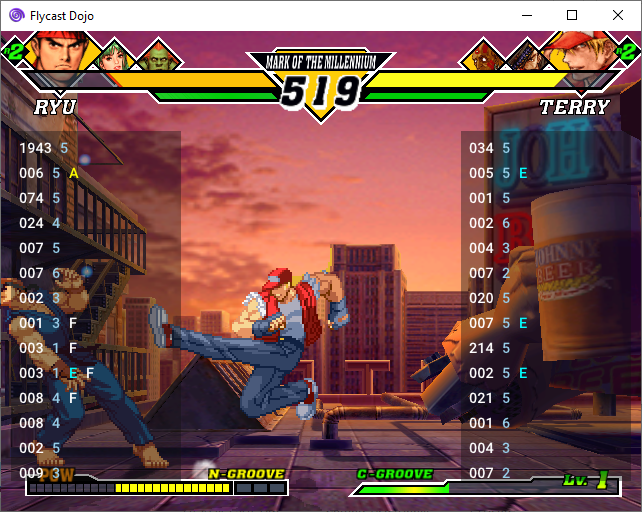
Input display uses numpad notation by default, but it may be disabled in favor of direction initials (U,D,L,R) if you would like. Actual arrow icons should be coming next once I get ImGui icon fonts embedded.
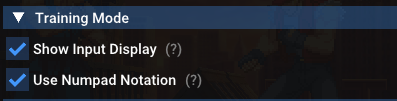
**X+Y+A Macro with Input Display**
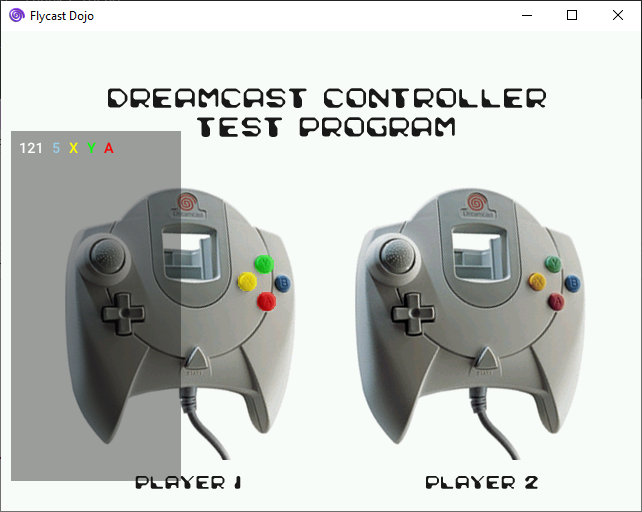
### 0.4.24 Release Notes
* Fix gui_init interruption on video settings save & change
### Upstream Flycast `net-rollback` branch changes
* Vulkan tweaks & fixes
### 0.4.23 Release Notes
* Training Mode: Input Display
* X+Y+A Macro
* GitHub CI build automation
### Upstream Flycast `net-rollback` branch changes
* cue: ignore unrecognized REM entries. parse one line at a time
* vk oit: fix depth-only Tr pass
* ggpo lib: compile warnings, remove legacy chat
* vk: implement TranslucentPolygonDepthMask (Fixes Cosmic Smash)
* fix launching BIOS after playing a game
vdojo-0.4.23
This release introduces Melty Blood-style input display for Training Mode, an X+Y+A Macro for throwing in Virtua Fighter 3tb, as well as some minor upstream Flycast fixes by @flyinghead.

Input display uses numpad notation by default, but it may be disabled in favor of direction initials (U,D,L,R) if you would like. Actual arrow icons should be coming next once I get ImGui icon fonts embedded.

**X+Y+A Macro with Input Display**

### 0.4.23 Release Notes
* Training Mode: Input Display
* X+Y+A Macro
* GitHub CI build automation
### Upstream Flycast `net-rollback` branch changes
* cue: ignore unrecognized REM entries. parse one line at a time
* vk oit: fix depth-only Tr pass
* ggpo lib: compile warnings, remove legacy chat
* vk: implement TranslucentPolygonDepthMask (Fixes Cosmic Smash)
* fix launching BIOS after playing a game
vdojo-0.4.22
* Fix Linux replay savestate retrieval
* Forces consistent replay transmission behavior
* Disable peer verification warning (to avoid emu.cfg issue)
* Per Game Controller Mapping
vdojo-0.4.21.1
This release adds bug fixes after the first week or so of GGPO support on Fightcade, GUI tweaks, and fixes/features by @flyinghead. Arcade lightgun and keyboard games are now supported, and replays have been modified to account for that. Chat support has also been added and may be disabled in the Dojo GGPO settings if need be. To open the chat in-game, just press *TAB*.
To prevent desyncs, when each opponent has different games detected when the connection starts, the following screen will show up if verification fails:
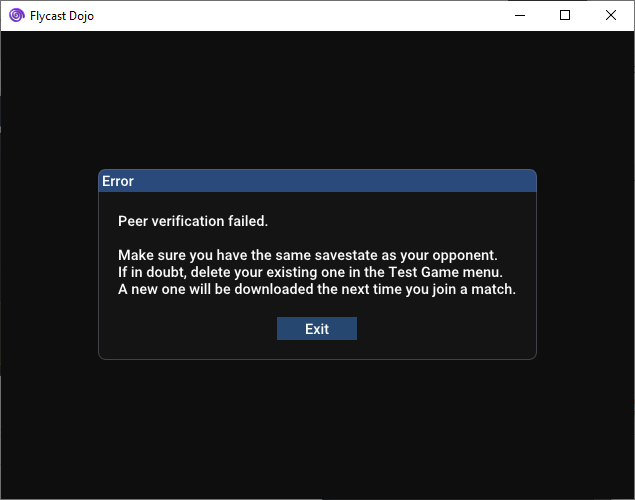
The Test Game menu has also been overhauled, allowing you to enter Flycast Dojo's built-in [Training Mode](http://flycast.dojo.ooo/faq.html#training-x), or to visit relevant game resource links when they are available:
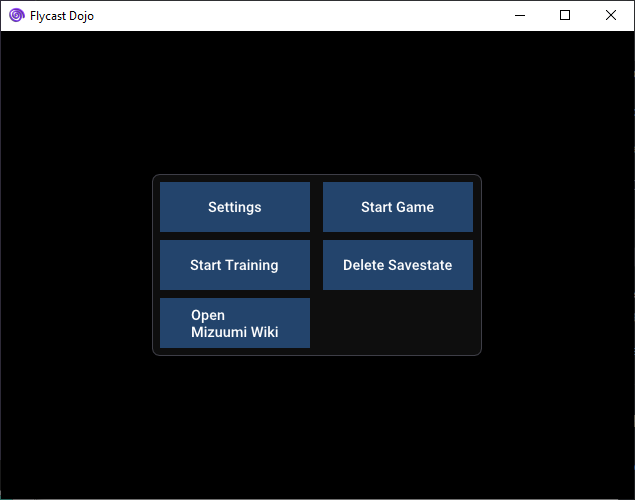
Specifies ROM name necessary when game entry is not found.
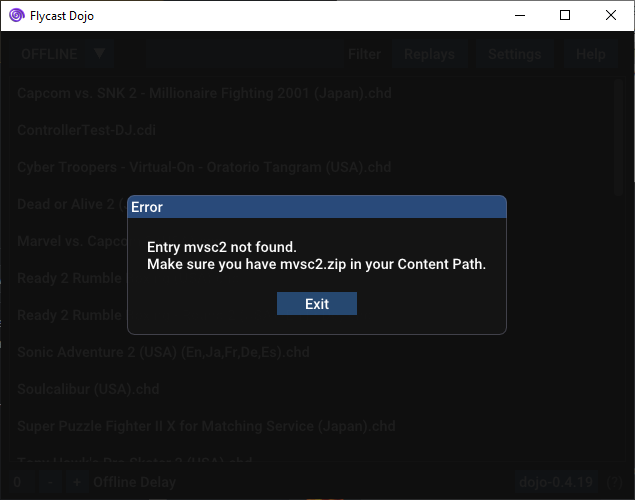
### 0.4.21.1 Release Notes
#### Updated Dipswitches
* Offline Free Play for samsptk & kofxi
### 0.4.21 Release Notes
* Remove Switch Player Logic to align with GGPO P1 changes
#### Dipswitch Changes
* Change pstone2 dipswitch to default to 2p/free play offline
### Upstream Flycast `net-rollback` branch changes
* ImGui: Fix crash when closing chat with DPad button down
* GGPO: Always use P1 input even if playing as P2
* look for BIOS files in Content Path folders if not found in data folder
### 0.4.20 Release Notes
* Limit offline delay features to first two players as default
* Save replay frames according to internally provided input size
#### New Lobby Game Entries
##### Dreamcast
* Vigilante 8 - 2nd Offense (USA) `flycast_dc_vigilante8_2o`
### 0.4.19 Release Notes
* Only record savestate checksum & commit when recording replay or sending transmission (Fixes Streaming Replays in Linux)
#### New Lobby Game Entries
##### NAOMI
* The Typing of the Dead (JP)
* Lupin the 3rd: The Typing
### Upstream Flycast `net-rollback` branch changes
* InputDescriptors for radirgyn and mamonoro (Thanks @LaercioMBR )
### 0.4.18 Release Notes
* Replay Savestate versioning
* Adjust Switch Player function to use all devices (fixes lightgun games)
* Add game resource links to Test Game menu
* Add Training Mode shortcut to Test Game menu
* Add "Delete Savestate" button to Test Game menu so people don't have to go into files
* Look for game entries in all content paths, not just `ROMs`
* Show expected game filename when entry is not found
* Delete Savestate button in Test Game menu
* Fix Player name assignment collisions when replays are started
#### New Lobby Game Entries
##### Dreamcast
* Ready 2 Rumble Boxing (USA) `flycast_dc_ready2rumbleboxing`
* Ready 2 Rumble Boxing - Round 2 (USA) `flycast_dc_ready2rumbleboxing_r2`
* Sonic Adventure 2 (USA) `flycast_dc_sonicadventure2`
* Super Puzzle Fighter II X for Matching Service (Japan) `flycast_dc_spf2x`
* Tony Hawk's Pro Skater 2 (USA) `flycast_dc_thps2`
* May require adjusting Left Thumbstick GGPO setting to "Full" for analog support
* Cyber Troopers - Virtual-On - Oratorio Tangram (USA) `flycast_dc_vonot`
### Upstream Flycast `net-rollback` branch changes
* In-game Chat
* Game Input label fixes (thanks @LaercioMBR !)
* Peer verification packet size fix
vdojo-0.4.21
This release adds bug fixes after the first week or so of GGPO support on Fightcade, GUI tweaks, and fixes/features by @flyinghead. Arcade lightgun and keyboard games are now supported, and replays have been modified to account for that. Chat support has also been added and may be disabled in the Dojo GGPO settings if need be. To open the chat in-game, just press *TAB*.
To prevent desyncs, when each opponent has different games detected when the connection starts, the following screen will show up if verification fails:

The Test Game menu has also been overhauled, allowing you to enter Flycast Dojo's built-in [Training Mode](http://flycast.dojo.ooo/faq.html#training-x), or to visit relevant game resource links when they are available:

Specifies ROM name necessary when game entry is not found.

### 0.4.21 Release Notes
* Remove Switch Player Logic to align with GGPO P1 changes
#### Dipswitch Changes
* Change pstone2 dipswitch to default to 3p/free play offline
### Upstream Flycast `net-rollback` branch changes
* ImGui: Fix crash when closing chat with DPad button down
* GGPO: Always use P1 input even if playing as P2
* look for BIOS files in Content Path folders if not found in data folder
### 0.4.20 Release Notes
* Limit offline delay features to first two players as default
* Save replay frames according to internally provided input size
#### New Lobby Game Entries
##### Dreamcast
* Vigilante 8 - 2nd Offense (USA) `flycast_dc_vigilante8_2o`
### 0.4.19 Release Notes
* Only record savestate checksum & commit when recording replay or sending transmission (Fixes Streaming Replays in Linux)
#### New Lobby Game Entries
##### NAOMI
* The Typing of the Dead (JP)
* Lupin the 3rd: The Typing
### Upstream Flycast `net-rollback` branch changes
* InputDescriptors for radirgyn and mamonoro (Thanks @LaercioMBR )
### 0.4.18 Release Notes
* Replay Savestate versioning
* Adjust Switch Player function to use all devices (fixes lightgun games)
* Add game resource links to Test Game menu
* Add Training Mode shortcut to Test Game menu
* Add "Delete Savestate" button to Test Game menu so people don't have to go into files
* Look for game entries in all content paths, not just `ROMs`
* Show expected game filename when entry is not found
* Delete Savestate button in Test Game menu
* Fix Player name assignment collisions when replays are started
#### New Lobby Game Entries
##### Dreamcast
* Ready 2 Rumble Boxing (USA) `flycast_dc_ready2rumbleboxing`
* Ready 2 Rumble Boxing - Round 2 (USA) `flycast_dc_ready2rumbleboxing_r2`
* Sonic Adventure 2 (USA) `flycast_dc_sonicadventure2`
* Super Puzzle Fighter II X for Matching Service (Japan) `flycast_dc_spf2x`
* Tony Hawk's Pro Skater 2 (USA) `flycast_dc_thps2`
* May require adjusting Left Thumbstick GGPO setting to "Full" for analog support
* Cyber Troopers - Virtual-On - Oratorio Tangram (USA) `flycast_dc_vonot`
### Upstream Flycast `net-rollback` branch changes
* In-game Chat
* Game Input label fixes (thanks @LaercioMBR !)
* Peer verification packet size fix
vdojo-0.4.20
This release adds bug fixes after the first week or so of GGPO support on Fightcade, GUI tweaks, and fixes/features by @flyinghead. Arcade lightgun and keyboard games are now supported, and replays have been modified to account for that. Chat support has also been added and may be disabled in the Dojo GGPO settings if need be. To open the chat in-game, just press *TAB*.
To prevent desyncs, when each opponent has different games detected when the connection starts, the following screen will show up if verification fails:

The Test Game menu has also been overhauled, allowing you to enter Flycast Dojo's built-in [Training Mode](http://flycast.dojo.ooo/faq.html#training-x), or to visit relevant game resource links when they are available:

Specifies ROM name necessary when game entry is not found.

### 0.4.20 Release Notes
* Limit offline delay features to first two players as default
* Save replay frames according to internally provided input size
#### New Lobby Game Entries
##### Dreamcast
* Vigilante 8 - 2nd Offense (USA) `flycast_dc_vigilante8_2o`
### 0.4.19 Release Notes
* Only record savestate checksum & commit when recording replay or sending transmission (Fixes Streaming Replays in Linux)
#### New Lobby Game Entries
##### NAOMI
* The Typing of the Dead (JP)
* Lupin the 3rd: The Typing
### Upstream Flycast `net-rollback` branch changes
* InputDescriptors for radirgyn and mamonoro (Thanks @LaercioMBR )
### 0.4.18 Release Notes
* Replay Savestate versioning
* Adjust Switch Player function to use all devices (fixes lightgun games)
* Add game resource links to Test Game menu
* Add Training Mode shortcut to Test Game menu
* Add "Delete Savestate" button to Test Game menu so people don't have to go into files
* Look for game entries in all content paths, not just `ROMs`
* Show expected game filename when entry is not found
* Delete Savestate button in Test Game menu
* Fix Player name assignment collisions when replays are started
#### New Lobby Game Entries
##### Dreamcast
* Ready 2 Rumble Boxing (USA) `flycast_dc_ready2rumbleboxing`
* Ready 2 Rumble Boxing - Round 2 (USA) `flycast_dc_ready2rumbleboxing_r2`
* Sonic Adventure 2 (USA) `flycast_dc_sonicadventure2`
* Super Puzzle Fighter II X for Matching Service (Japan) `flycast_dc_spf2x`
* Tony Hawk's Pro Skater 2 (USA) `flycast_dc_thps2`
* May require adjusting Left Thumbstick GGPO setting to "Full" for analog support
* Cyber Troopers - Virtual-On - Oratorio Tangram (USA) `flycast_dc_vonot`
### Upstream Flycast `net-rollback` branch changes
* In-game Chat
* Game Input label fixes (thanks @LaercioMBR !)
* Peer verification packet size fix
vdojo-0.4.19
This release adds minor bug fixes after the first week or so of GGPO support on Fightcade, GUI tweaks, and fixes/features by @flyinghead. Arcade lightgun and keyboard games are now supported, and replays have been modified to account for that. Chat support has also been added and may be disabled in the Dojo GGPO settings if need be. To open the chat in-game, just press *TAB*.
To prevent desyncs, when each opponent has different games detected when the connection starts, the following screen will show up if verification fails:

The Test Game menu has also been overhauled, allowing you to enter Flycast Dojo's built-in [Training Mode](http://flycast.dojo.ooo/faq.html#training-x), or to visit relevant game resource links when they are available:

Specifies ROM name necessary when game entry is not found.

### 0.4.19 Release Notes
* Only record savestate checksum & commit when recording replay or sending transmission (Fixes Streaming Replays in Linux)
#### New Lobby Game Entries
##### NAOMI
* The Typing of the Dead (JP)
* Lupin the 3rd: The Typing
### Upstream Flycast `net-rollback` branch changes
* InputDescriptors for radirgyn and mamonoro (Thanks @LaercioMBR )
### 0.4.18 Release Notes
* Replay Savestate versioning
* Adjust Switch Player function to use all devices (fixes lightgun games)
* Add game resource links to Test Game menu
* Add Training Mode shortcut to Test Game menu
* Add "Delete Savestate" button to Test Game menu so people don't have to go into files
* Look for game entries in all content paths, not just `ROMs`
* Show expected game filename when entry is not found
* Delete Savestate button in Test Game menu
* Fix Player name assignment collisions when replays are started
#### New Lobby Game Entries
##### Dreamcast
* Ready 2 Rumble Boxing (USA) `flycast_dc_ready2rumbleboxing`
* Ready 2 Rumble Boxing - Round 2 (USA) `flycast_dc_ready2rumbleboxing_r2`
* Sonic Adventure 2 (USA) `flycast_dc_sonicadventure2`
* Super Puzzle Fighter II X for Matching Service (Japan) `flycast_dc_spf2x`
* Tony Hawk's Pro Skater 2 (USA) `flycast_dc_thps2`
* May require adjusting Left Thumbstick GGPO setting to "Full" for analog support
* Cyber Troopers - Virtual-On - Oratorio Tangram (USA) `flycast_dc_vonot`
### Upstream Flycast `net-rollback` branch changes
* In-game Chat
* Game Input label fixes (thanks @LaercioMBR !)
* Peer verification packet size fix
vdojo-0.4.18
This release adds minor bug fixes after the first week or so of GGPO support on Fightcade, GUI tweaks, and fixes/features by @flyinghead. Lightgun and keyboard games are now supported, and replays have been modified to account for that. Chat support has also been added and may be disabled in the Dojo GGPO settings if need be. To open the chat in-game, just press *TAB*.
To prevent desyncs, when each opponent has different games detected when the connection starts, the following screen will show up if verification fails:

The Test Game menu has also been overhauled, allowing you to enter Flycast Dojo's built-in [Training Mode](http://flycast.dojo.ooo/faq.html#training-x), or to visit relevant game resource links when they are available:

### 0.4.18 Release Notes
* Replay Savestate versioning
* Adjust Switch Player function to use all devices (fixes lightgun games)
* Add game resource links to Test Game menu
* Add Training Mode shortcut to Test Game menu
* Add "Delete Savestate" button to Test Game menu so people don't have to go into files
* Look for game entries in all content paths, not just `ROMs`
* Show expected game filename when entry is not found
* Delete Savestate button in Test Game menu
* Fix Player name assignment collisions when replays are started
#### New Lobby Game Entries
##### Dreamcast
* Ready 2 Rumble Boxing (USA) `flycast_dc_ready2rumbleboxing`
* Ready 2 Rumble Boxing - Round 2 (USA) `flycast_dc_ready2rumbleboxing_r2`
* Sonic Adventure 2 (USA) `flycast_dc_sonicadventure2`
* Super Puzzle Fighter II X for Matching Service (Japan) `flycast_dc_spf2x`
* Tony Hawk's Pro Skater 2 (USA) `flycast_dc_thps2`
* May require adjusting Left Thumbstick GGPO setting to "Full" for analog support
* Cyber Troopers - Virtual-On - Oratorio Tangram (USA) `flycast_dc_vonot`
### Upstream Flycast `net-rollback` branch changes
* In-game Chat
* Game Input label fixes (thanks LaercioMBR!)
* Peer verification packet size fix
vdojo-0.4.17-ggpo-fightcade
Aucun détail pour cette version.
vdojo-0.4.16-ggpo-fightcade
Aucun détail pour cette version.
vdojo-0.4.15-ggpo-test-12A
_This release includes features to enable Fightcade integration, including separate target and listening ports to interface with its proxy, legacy game stream/replay support to watch old streams, and player name syncing with the service. After some backend changes for the new replay format is complete and final testing, it should be in the next Fightcade release._
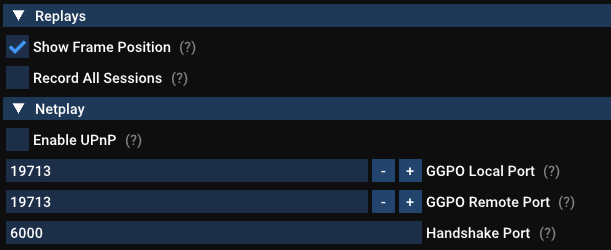
_Bug fixes, feature overhauls, and restorations are also a big part of this release. Player name display has now been overhauled, able to handle window resizing as well as properly text size for longer player names. Local replays & Quick Load have also been fully restored for offline games, as well as Training Mode sessions. You no longer have to click twice to exit, and cheats are now disabled when switching between different modes in the emulator._
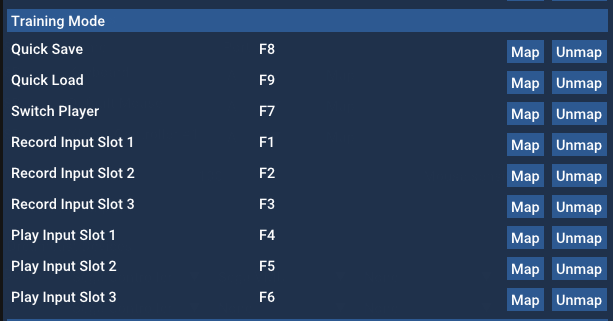
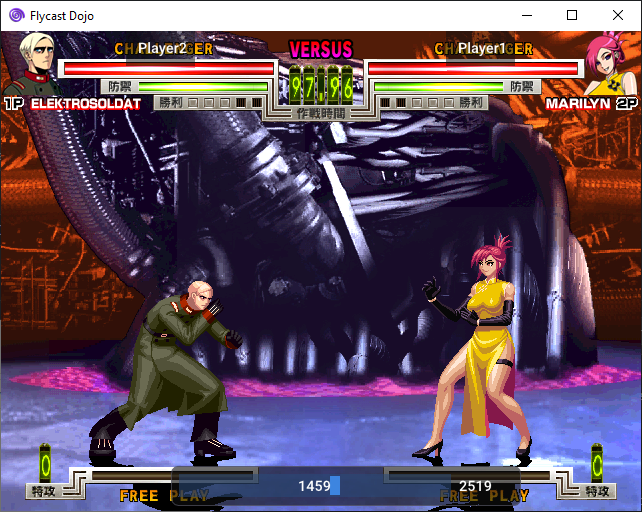
_For upstream changes, @flyinghead has introduced the beginnings of [Lua support](https://github.com/flyinghead/flycast/blob/net-rollback/core/lua/flycast.lua), allowing you to start scripting modifications in Fightcade. Improved game loading, as well as improvements to GGPO and the emulator itself are also present._
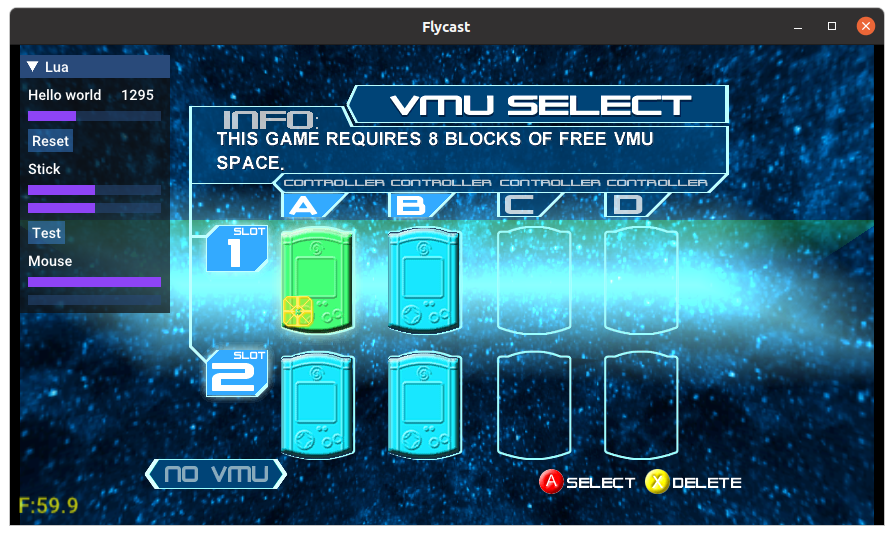
---
Flycast Dojo's GGPO test builds include the latest changes from the `net-rollback` branch of Flycast, along with customizations and easy savestate retrieval so that you can immediately start playing rollback netplay matches for games that are confirmed to work. This should serve as an easier way to get started with the changes found in the Flycast GGPO test builds. This will be updated as more changes are introduced upstream.
As a note, this will not integrate with Fightcade just yet. These builds exist to facilitate testing in the standalone client for now. Compatibility with Fightcade will be in future updates.
To get started with GGPO support:
1. Load your BIOS files (`naomi.zip`, `awbios.zip`), and your games in the included `ROMs` directory. Valid romset information can be found [here](http://flycast.dojo.ooo/faq.html#romset).
2. Map your controls by going to **Settings** -> **Controls**, and clicking **Map** by your input method of choice. Set **Port** to **A**. Be sure to set both **Dreamcast Controls** and **Arcade Controls** to account for all games.
> 
3. Head to the **Dojo** tab. Under **Netplay Method**, make sure **GGPO (experimental)** is selected and **Match Codes** is checked.
> 
4. To host a game, select **HOST** on the drop down menu on the right. To join a game, select **JOIN**. Then select your game from the list.
> 
5. If the game you want to play is in yellow, that means that there is no default savestate for netplay detected for it. If a savestate is available in the saves repo, one will automatically be downloaded for you as you start to host or join a game over GGPO. You may also right-click on a game and press **Download Savestate** if you do not wish to start the game just yet.
If one isn't detected, you are free to create a savestate of your own, rename it to `state.net` and place it in your `data/` folder. Send it to your opponent to do the same.
> 
6A. If you are hosting, you will be given a Match Code to send to your opponent. Just click **Copy Match Code** and paste it to your opponent.
> 
6B. If you are joining a game, copy your opponent's Match Code and press **Paste**. Press **Start Session** to head to start your GGPO Session.
> 
7. Select your frame delay, if applicable. To get a suggested delay value to minimize rollback artifacts, click on **Detect Delay**. You can press this several times to update the current ping response from your opponent. Increasing delay is recommended for ping rates above 100ms. Players typically set their frame delay values to match, but it is entirely your preference.
> 
From there, a game session should start once a connection is established.
If Match Codes don't work, just switch the Connection Method from **Match Code** to **Direct IP** and enter your opponent's IP address. If their Public IP doesn't work, consider using a Virtual LAN service like ZeroTier or Radmin VPN to simulate a local LAN. Once it is in Fightcade, we won't have to worry about these methods, since their tunnel will be used. These network connection options will always be available to you, if you wish.
If your game of choice is unsupported by GGPO, you can fall back to Dojo's delay netcode by selecting **Delay** under **Netplay Method**.
Flycast GGPO support is still experimental. Please let us know of any issues you encounter, with full details of your build and the steps you took, in the [Flycast Discord](https://discord.gg/X8YWP8w).
### 0.4.15 GGPO Test 12A Release Notes
* Fix Match Codes (remove excessive settings reload on ggpo network start)
### 0.4.15 GGPO Test 12 Release Notes
* Player Name Overlay overhaul, fix text size, allow for window resize
* P2P Player Name Exchange, Match Codes no longer necessary
* Player Info packet overwrites P2P Player Name Exchange, so Fightcade can inject player names without client intervention
* Legacy replay/match streaming support, properly reads and sends old replays/Fightcade match streams
* GGPO: Separate listening/target ports. Required for use with Fightcade proxy
* Training Mode: Restore Quick Load button
* Disable loaded cheats on start outside of Training Mode
* Remove Window Exit Disconnect Toggle, no more pressing X twice to close
* GGPO: Disable Stats overlay by default
* Loads savestate on new replays and streams, ignores savestate on legacy replays
### Upstream Flycast `net-rollback` branch changes
* Initial Lua support & bindings
* Improved background game loader
* GGPO: Introduce P2P Verification logic
* UI: Allow Cut & Paste on Linux, use SDL clipboard functions for imgui
* pvr: fix SPG_VBLANK_INT reset value
* Fix SH4 scheduler, use common cycle counter
vdojo-0.4.15-ggpo-test-11a
_This release is chock full of new features, bug fixes, and flyinghead's newest single-threaded emulation changes, which should help put the input latency closer to nullDC's. If you wish to disable these changes and go back to multi-threaded emulation for the sake of comparison, head to the "Advanced" settings and select "Multi-threaded emulation". Let us know how these changes work for you concerning input latency and reliability._
_Test Build 11A includes automatic savestate downloading when one isn't detected. So long as a game savestate is available in the [public repo](https://github.com/blueminder/flycast-netplay-savestates), all you need to do is start the game, and Flycast Dojo will retrieve the latest one for you and your opponent if the matching `state.net` file is not available in the `data/` directory. Otherwise, it will let you know if you need to manually generate a new one._
_For Windows users, you can now right-click on any game entry and get the relevant Wiki & Resource links for any game. This will allow you to instantly load up game tips, move lists, and community information for anything you want to play. If you used the auto-updater, you'll need to get the updated `flycast_roms.json` file from the latest release since the auto updater doesn't retrieve that in test 10. Starting from test build 11 onward, this will be automatically updated with each release._
_Last, but not least, replays now work for all GGPO sessions! To activate this, just click the **Replays** button and check **Record All Sessions**. Replay files will be saved in your `replays/` directory for you to watch again at any time. Session streaming, which is required for Fightcade's spectating and online replay infrastructure, is also now supported._
_We're nearly approaching the Fightcade release! With your continued testing, we're squashing bugs and making improvements so that it's the best experience we can make it once it's live on the service. Thank you for your continued support, and happy gaming!_
---
Flycast Dojo's GGPO test builds include the latest changes from the `net-rollback` branch of Flycast, along with customizations and easy savestate retrieval so that you can immediately start playing rollback netplay matches for games that are confirmed to work. This should serve as an easier way to get started with the changes found in the Flycast GGPO test builds. This will be updated as more changes are introduced upstream.
As a note, this will not integrate with Fightcade just yet. These builds exist to facilitate testing in the standalone client for now. Compatibility with Fightcade will be in future updates.
To get started with GGPO support:
1. Load your BIOS files (`naomi.zip`, `awbios.zip`), and your games in the included `ROMs` directory. Valid romset information can be found [here](http://flycast.dojo.ooo/faq.html#romset).
2. Map your controls by going to **Settings** -> **Controls**, and clicking **Map** by your input method of choice. Set **Port** to **A**. Be sure to set both **Dreamcast Controls** and **Arcade Controls** to account for all games.
> 
3. Head to the **Dojo** tab. Under **Netplay Method**, make sure **GGPO (experimental)** is selected and **Match Codes** is checked.
> 
4. To host a game, select **HOST** on the drop down menu on the right. To join a game, select **JOIN**. Then select your game from the list.
> 
5. If the game you want to play is in yellow, that means that there is no default savestate for netplay detected for it. If a savestate is available in the saves repo, one will automatically be downloaded for you as you start to host or join a game over GGPO. You may also right-click on a game and press **Download Savestate** if you do not wish to start the game just yet.
If one isn't detected, you are free to create a savestate of your own, rename it to `state.net` and place it in your `data/` folder. Send it to your opponent to do the same.
> 
6A. If you are hosting, you will be given a Match Code to send to your opponent. Just click **Copy Match Code** and paste it to your opponent.
> 
6B. If you are joining a game, copy your opponent's Match Code and press **Paste**. Press **Start Session** to head to start your GGPO Session.
> 
7. Select your frame delay, if applicable. To get a suggested delay value to minimize rollback artifacts, click on **Detect Delay**. You can press this several times to update the current ping response from your opponent. Increasing delay is recommended for ping rates above 100ms. Players typically set their frame delay values to match, but it is entirely your preference.
> 
From there, a game session should start once a connection is established.
If Match Codes don't work, just switch the Connection Method from **Match Code** to **Direct IP** and enter your opponent's IP address. If their Public IP doesn't work, consider using a Virtual LAN service like ZeroTier or Radmin VPN to simulate a local LAN. Once it is in Fightcade, we won't have to worry about these methods, since their tunnel will be used. These network connection options will always be available to you, if you wish.
If your game of choice is unsupported by GGPO, you can fall back to Dojo's delay netcode by selecting **Delay** under **Netplay Method**.
Flycast GGPO support is still experimental. Please let us know of any issues you encounter, with full details of your build and the steps you took, in the [Flycast Discord](https://discord.gg/X8YWP8w).
### 0.4.15 GGPO Test 11A Release Notes
* GGPO: Only decrement localhost port on default port number assignment (19713)
* Fix switched player port on exit, startup
* Disconnect screen toggle & Dojo settings cleanup on exit
### 0.4.15 GGPO Test 11 Release Notes
* Offline Replays for GGPO Sessions
* Replay Streaming for Fightcade Replay/Spectating Infrastructure
* Automatic Savestate Downloading on GGPO Netplay game launch
* Single-threaded emulation by default
* Auto-Updater: Replace Game Entry definition file on update
* Force Flycast close after network game sessions. (Matching behavior on Fightcade and minimizing unwanted behaviors)
### Upstream Flycast `net-rollback` branch changes
* Single-threaded mode, refactoring
* GGPO: Lightgun game support
* Refactor screen_width/height
* OpenGL, Vulkan: use VO_BORDER_COL for clear color
### 0.4.15 GGPO Test 10 Release Notes
* Macros: Add 1+2+3+4, 2+4, 1+5
* Fix Player port Switching by checking on Flycast launch & game exit
* Fix Match Code not resetting between game sessions
* Offline Replays: Working NAOMI/AW/Dreamcast replays sans analog
* Update input state on emulation thread instead of UI thread (Thanks RossenX!)
* Remove memory restoration before GGPO session, rely on savestates instead
* Updated dipswitches and savestates (Thanks to RadiantAnsel and The Cool Pup!)
### Upstream Flycast `net-rollback` branch changes
* GGPO Less logging
* Input: Fix arcade mode for on-screen gamepads
* NAOMI: Default free play eeproms embedded for many games
vdojo-0.4.15-ggpo-test-11
_This release is chock full of new features, bug fixes, and flyinghead's newest single-threaded emulation changes, which should help put the input latency closer to nullDC's. If you wish to disable these changes and go back to multi-threaded emulation for the sake of comparison, head to the "Advanced" settings and select "Multi-threaded emulation". Let us know how these changes work for you concerning input latency and reliability._
_Test Build 11 includes automatic savestate downloading when one isn't detected. So long as a game savestate is available in the [public repo](https://github.com/blueminder/flycast-netplay-savestates), all you need to do is start the game, and Flycast Dojo will retrieve the latest one for you and your opponent if the matching `state.net` file is not available in the `data/` directory. Otherwise, it will let you know if you need to manually generate a new one._
_For Windows users, you can now right-click on any game entry and get the relevant Wiki & Resource links for any game. This will allow you to instantly load up game tips, move lists, and community information for anything you want to play. If you used the auto-updater, you'll need to get the updated `flycast_roms.json` file from the latest release since the auto updater doesn't retrieve that in test 10. Starting from test build 11 onward, this will be automatically updated with each release._
_Last, but not least, replays now work for all GGPO sessions! To activate this, just click the **Replays** button and check **Record All Sessions**. Replay files will be saved in your `replays/` directory for you to watch again at any time. Session streaming, which is required for Fightcade's spectating and online replay infrastructure, is also now supported._
_We're nearly approaching the Fightcade release! With your continued testing, we're squashing bugs and making improvements so that it's the best experience we can make it once it's live on the service. Thank you for your continued support, and happy gaming!_
---
Flycast Dojo's GGPO test builds include the latest changes from the `net-rollback` branch of Flycast, along with customizations and easy savestate retrieval so that you can immediately start playing rollback netplay matches for games that are confirmed to work. This should serve as an easier way to get started with the changes found in the Flycast GGPO test builds. This will be updated as more changes are introduced upstream.
As a note, this will not integrate with Fightcade just yet. These builds exist to facilitate testing in the standalone client for now. Compatibility with Fightcade will be in future updates.
To get started with GGPO support:
1. Load your BIOS files (`naomi.zip`, `awbios.zip`), and your games in the included `ROMs` directory. Valid romset information can be found [here](http://flycast.dojo.ooo/faq.html#romset).
2. Map your controls by going to **Settings** -> **Controls**, and clicking **Map** by your input method of choice. Set **Port** to **A**. Be sure to set both **Dreamcast Controls** and **Arcade Controls** to account for all games.
> 
3. Head to the **Dojo** tab. Under **Netplay Method**, make sure **GGPO (experimental)** is selected and **Match Codes** is checked.
> 
4. To host a game, select **HOST** on the drop down menu on the right. To join a game, select **JOIN**. Then select your game from the list.
> 
5. If the game you want to play is in yellow, that means that there is no default savestate for netplay detected for it. If a savestate is available in the saves repo, one will automatically be downloaded for you as you start to host or join a game over GGPO. You may also right-click on a game and press **Download Savestate** if you do not wish to start the game just yet.
If one isn't detected, you are free to create a savestate of your own, rename it to `state.net` and place it in your `data/` folder. Send it to your opponent to do the same.
> 
6A. If you are hosting, you will be given a Match Code to send to your opponent. Just click **Copy Match Code** and paste it to your opponent.
> 
6B. If you are joining a game, copy your opponent's Match Code and press **Paste**. Press **Start Session** to head to start your GGPO Session.
> 
7. Select your frame delay, if applicable. To get a suggested delay value to minimize rollback artifacts, click on **Detect Delay**. You can press this several times to update the current ping response from your opponent. Increasing delay is recommended for ping rates above 100ms. Players typically set their frame delay values to match, but it is entirely your preference.
> 
From there, a game session should start once a connection is established.
If Match Codes don't work, just switch the Connection Method from **Match Code** to **Direct IP** and enter your opponent's IP address. If their Public IP doesn't work, consider using a Virtual LAN service like ZeroTier or Radmin VPN to simulate a local LAN. Once it is in Fightcade, we won't have to worry about these methods, since their tunnel will be used. These network connection options will always be available to you, if you wish.
If your game of choice is unsupported by GGPO, you can fall back to Dojo's delay netcode by selecting **Delay** under **Netplay Method**.
Flycast GGPO support is still experimental. Please let us know of any issues you encounter, with full details of your build and the steps you took, in the [Flycast Discord](https://discord.gg/X8YWP8w).
### 0.4.15 GGPO Test 11 Release Notes
* Offline Replays for GGPO Sessions
* Replay Streaming for Fightcade Replay/Spectating Infrastructure
* Automatic Savestate Downloading on GGPO Netplay game launch
* Single-threaded emulation by default
* Auto-Updater: Replace Game Entry definition file on update
* Force Flycast close after network game sessions. (Matching behavior on Fightcade and minimizing unwanted behaviors)
### Upstream Flycast `net-rollback` branch changes
* Single-threaded mode, refactoring
* GGPO: Lightgun game support
* Refactor screen_width/height
* OpenGL, Vulkan: use VO_BORDER_COL for clear color
### 0.4.15 GGPO Test 10 Release Notes
* Macros: Add 1+2+3+4, 2+4, 1+5
* Fix Player port Switching by checking on Flycast launch & game exit
* Fix Match Code not resetting between game sessions
* Offline Replays: Working NAOMI/AW/Dreamcast replays sans analog
* Update input state on emulation thread instead of UI thread (Thanks RossenX!)
* Remove memory restoration before GGPO session, rely on savestates instead
* Updated dipswitches and savestates (Thanks to RadiantAnsel and The Cool Pup!)
### Upstream Flycast `net-rollback` branch changes
* GGPO Less logging
* Input: Fix arcade mode for on-screen gamepads
* NAOMI: Default free play eeproms embedded for many games
vdojo-0.4.15-ggpo-test-10
_This release features input improvements by moving the polling from the UI thread, to the main emulation thread. In plain english, this means you should have less frame delay since it is captured in the same place the game is being controlled. Thanks to RossenX for the tip regarding this. More input tweaks to mitigate dropped inputs are coming very soon. Offline replays also work for all games sans analog controls. Once I am able to hook this up for server transmission and run this through some more testing (by you, our wonderful tester), Fightcade inclusion should be imminent. Macro additions and bug fixes also included._
---
Flycast Dojo's GGPO test builds include the latest changes from the `net-rollback` branch of Flycast, along with customizations and easy savestate retrieval so that you can immediately start playing rollback netplay matches for games that are confirmed to work. This should serve as an easier way to get started with the changes found in the Flycast GGPO test builds. This will be updated as more changes are introduced upstream.
As a note, this will not integrate with Fightcade just yet. These builds exist to facilitate testing in the standalone client for now. Compatibility with Fightcade will be in future updates.
To get started with GGPO support:
1. Load your BIOS files (`naomi.zip`, `awbios.zip`), and your games in the included `ROMs` directory. Valid romset information can be found [here](http://flycast.dojo.ooo/faq.html#romset).
2. Map your controls by going to **Settings** -> **Controls**, and clicking **Map** by your input method of choice. Set **Port** to **A**. Be sure to set both **Dreamcast Controls** and **Arcade Controls** to account for all games.
> 
3. Head to the **Dojo** tab. Under **Netplay Method**, make sure **GGPO (experimental)** is selected and **Match Codes** is checked.
> 
4. To host a game, select **HOST** on the drop down menu on the right. To join a game, select **JOIN**. Then select your game from the list.
> 
5. If the game you want to play is in yellow, that means that there is no default savestate for netplay detected for it. Just right click on the game itself and click "Download Savestate" to download the newest version of the game's savestate from the Flycast Netplay Savestate repository.
If one isn't detected, you are free to create a savestate of your own, rename it to `state.net` and place it in your `data/` folder. Send it to your opponent to do the same.
> 
6A. If you are hosting, you will be given a Match Code to send to your opponent. Just click **Copy Match Code** and paste it to your opponent.
> 
6B. If you are joining a game, copy your opponent's Match Code and press **Paste**. Press **Start Session** to head to start your GGPO Session.
> 
7. Select your frame delay, if applicable. To get a suggested delay value to minimize rollback artifacts, click on **Detect Delay**. You can press this several times to update the current ping response from your opponent. Increasing delay is recommended for ping rates above 100ms. Players typically set their frame delay values to match, but it is entirely your preference.
> 
From there, a game session should start once a connection is established.
If Match Codes don't work, just switch the Connection Method from **Match Code** to **Direct IP** and enter your opponent's IP address. If their Public IP doesn't work, consider using a Virtual LAN service like ZeroTier or Radmin VPN to simulate a local LAN.
If your game of choice is unsupported by GGPO, you can fall back to Dojo's delay netcode by selecting **Delay** under **Netplay Method**.
Flycast GGPO support is still experimental. Please let us know of any issues you encounter, with full details of your build and the steps you took, in the [Flycast Discord](https://discord.gg/X8YWP8w).
### 0.4.15 GGPO Test 10 Release Notes
* Macros: Add 1+2+3+4, 2+4, 1+5
* Fix Player port Switching by checking on Flycast launch & game exit
* Fix Match Code not resetting between game sessions
* Offline Replays: Working NAOMI/AW/Dreamcast replays sans analog
* Update input state on emulation thread instead of UI thread (Thanks RossenX!)
* Remove memory restoration before GGPO session, rely on savestates instead
* Updated dipswitches and savestates (Thanks to RadiantAnsel and The Cool Pup!)
### Upstream Flycast `net-rollback` branch changes
* GGPO Less logging
* Input: Fix arcade mode for on-screen gamepads
* NAOMI: Default free play eeproms embedded for many games
vdojo-0.4.15-ggpo-test-9a
_This release now features a simplified controller mapping menu, care of flyinghead! No more separate Buttons and Axes to confuse you. This also marks the [Return of the Mac(ros)](https://www.youtube.com/watch?v=uB1D9wWxd2w), along with a new macro added to the line up of 1+2+4. These features are fresh out the gate, so let us know if you run into any issues before our final release. Various bug fixes and UI tweaks are also present this round._
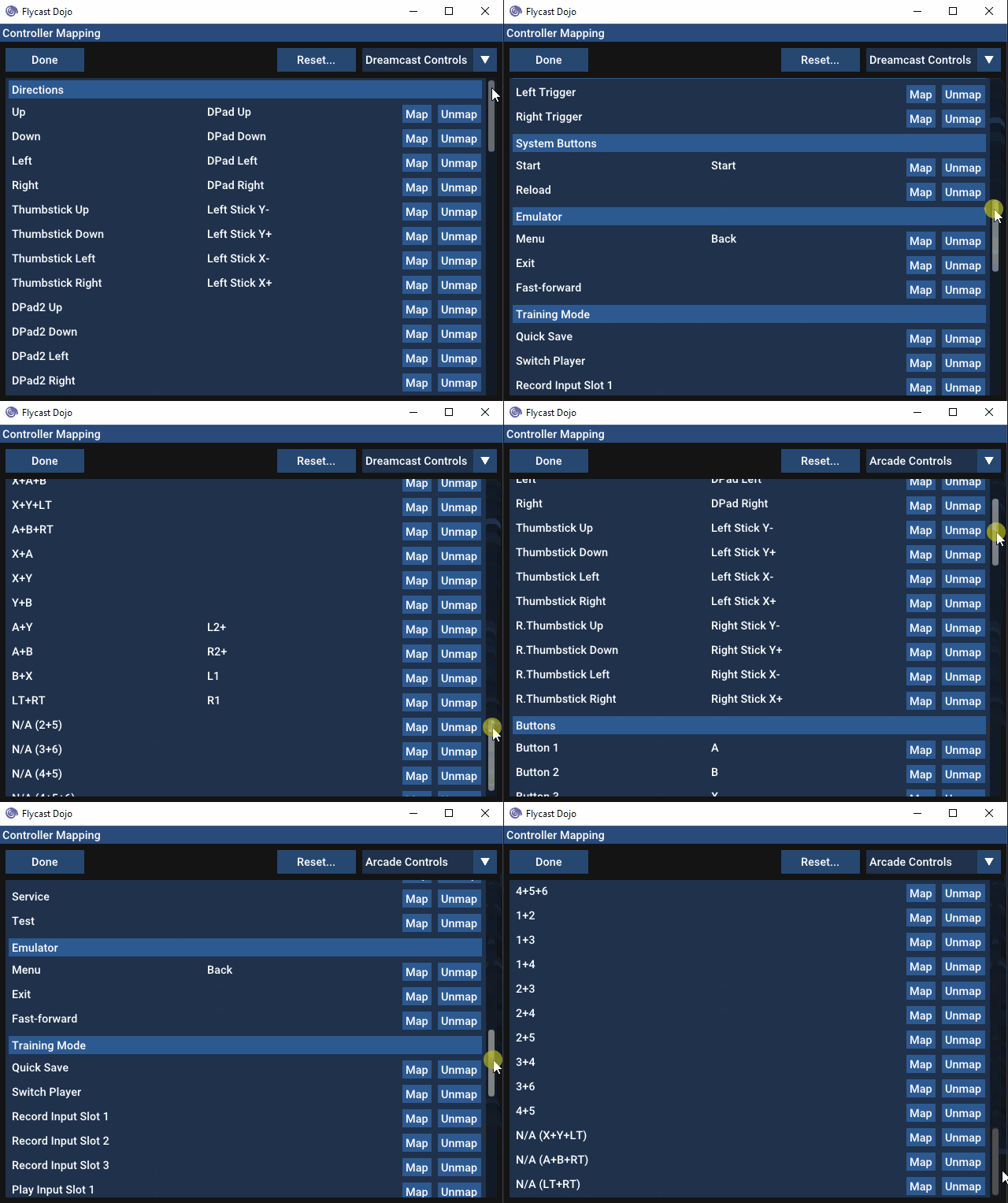
---
Flycast Dojo's GGPO test builds include the latest changes from the `net-rollback` branch of Flycast, along with customizations and easy savestate retrieval so that you can immediately start playing rollback netplay matches for games that are confirmed to work. This should serve as an easier way to get started with the changes found in the Flycast GGPO test builds. This will be updated as more changes are introduced upstream.
As a note, this will not integrate with Fightcade just yet. These builds exist to facilitate testing in the standalone client for now. Compatibility with Fightcade will be in future updates.
To get started with GGPO support:
1. Load your BIOS files (`naomi.zip`, `awbios.zip`), and your games in the included `ROMs` directory. Valid romset information can be found [here](http://flycast.dojo.ooo/faq.html#romset).
2. Map your controls by going to **Settings** -> **Controls**, and clicking **Map** by your input method of choice. Set **Port** to **A**. Be sure to set both **Dreamcast Controls** and **Arcade Controls** to account for all games.
> 
3. Head to the **Dojo** tab. Under **Netplay Method**, make sure **GGPO (experimental)** is selected and **Match Codes** is checked.
> 
4. To host a game, select **HOST** on the drop down menu on the right. To join a game, select **JOIN**. Then select your game from the list.
> 
5. If the game you want to play is in yellow, that means that there is no default savestate for netplay detected for it. Just right click on the game itself and click "Download Savestate" to download the newest version of the game's savestate from the Flycast Netplay Savestate repository.
If one isn't detected, you are free to create a savestate of your own, rename it to `state.net` and place it in your `data/` folder. Send it to your opponent to do the same.
> 
6A. If you are hosting, you will be given a Match Code to send to your opponent. Just click **Copy Match Code** and paste it to your opponent.
> 
6B. If you are joining a game, copy your opponent's Match Code and press **Paste**. Press **Start Session** to head to start your GGPO Session.
> 
7. Select your frame delay, if applicable. To get a suggested delay value to minimize rollback artifacts, click on **Detect Delay**. You can press this several times to update the current ping response from your opponent. Increasing delay is recommended for ping rates above 100ms. Players typically set their frame delay values to match, but it is entirely your preference.
> 
From there, a game session should start once a connection is established.
If Match Codes don't work, just switch the Connection Method from **Match Code** to **Direct IP** and enter your opponent's IP address. If their Public IP doesn't work, consider using a Virtual LAN service like ZeroTier or Radmin VPN to simulate a local LAN.
If your game of choice is unsupported by GGPO, you can fall back to Dojo's delay netcode by selecting **Delay** under **Netplay Method**.
Flycast GGPO support is still experimental. Please let us know of any issues you encounter, with full details of your build and the steps you took, in the [Flycast Discord](https://discord.gg/X8YWP8w).
### 0.4.15 GGPO Test 9a Release Notes
* Fix arcade macros, reorder mappings
### 0.4.15 GGPO Test 9 Release Notes
* Fix savestate retrieval for filenames with spaces
* Add yellow help market for games lacking netplay savestate
* UI: Player Name assigned on text change
* GGPO Direct IP Screen: Show Public IP on connect dialog (toggleable for streams)
* GGPO: Adjustable port assignment
* Move UPnP invocation, place in own thread to avoid slowdown on sequential actions
* Add Training Mode keyboard assignment defaults
* Return of the Mac(ros)
* Add 1+2+4 Macro
* Improve Detect Delay invocation
* Fix Player Name assignments with Match Codes, show on delay detection
### Upstream Flycast `net-rollback` branch changes
* New Controller Mapping Menu!
vdojo-0.4.15-ggpo-test-8
_This release implements a Player Name overlay for users on Match Codes, as well as a series of bug fixes for Offline Training, Replays, and ROM Validation features. Be sure to check the Release Notes below for details._
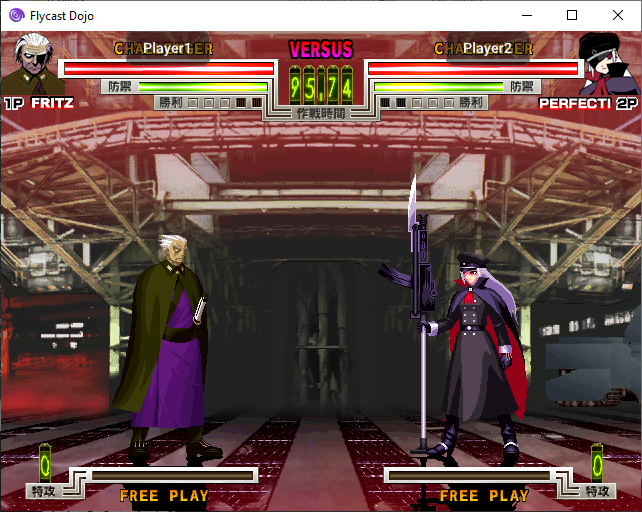
---
Flycast Dojo's GGPO test builds include the latest changes from the `net-rollback` branch of Flycast, along with customizations and easy savestate retrieval so that you can immediately start playing rollback netplay matches for games that are confirmed to work. This should serve as an easier way to get started with the changes found in the Flycast GGPO test builds. This will be updated as more changes are introduced upstream.
As a note, this will not integrate with Fightcade just yet. These builds exist to facilitate testing in the standalone client for now. Compatibility with Fightcade will be in future updates.
To get started with GGPO support:
1. Load your BIOS files (`naomi.zip`, `awbios.zip`), and your games in the included `ROMs` directory. Valid romset information can be found [here](http://flycast.dojo.ooo/faq.html#romset).
2. Map your controls by going to **Settings** -> **Controls**, and clicking **Map** by your input method of choice. Set **Port** to **A**. Be sure to set both **Dreamcast Controls** and **Arcade Controls** to account for all games.
> 
3. Head to the **Dojo** tab. Under **Netplay Method**, make sure **GGPO (experimental)** is selected and **Match Codes** is checked.
> 
4. To host a game, select **HOST** on the drop down menu on the right. To join a game, select **JOIN**. Then select your game from the list.
> 
5. If the game you want to play is in yellow, that means that there is no default savestate for netplay detected for it. Just right click on the game itself and click "Download Savestate" to download the newest version of the game's savestate from the Flycast Netplay Savestate repository.
If one isn't detected, you are free to create a savestate of your own, rename it to `state.net` and place it in your `data/` folder. Send it to your opponent to do the same.
> 
6A. If you are hosting, you will be given a Match Code to send to your opponent. Just click **Copy Match Code** and paste it to your opponent.
> 
6B. If you are joining a game, copy your opponent's Match Code and press **Paste**. Press **Start Session** to head to start your GGPO Session.
> 
7. Select your frame delay, if applicable. To get a suggested delay value to minimize rollback artifacts, click on **Detect Delay**. You can press this several times to update the current ping response from your opponent. Increasing delay is recommended for ping rates above 100ms. Players typically set their frame delay values to match, but it is entirely your preference.
> 
From there, a game session should start once a connection is established.
If Match Codes don't work, just switch the Connection Method from **Match Code** to **Direct IP** and enter your opponent's IP address. If their Public IP doesn't work, consider using a Virtual LAN service like ZeroTier or Radmin VPN to simulate a local LAN.
If your game of choice is unsupported by GGPO, you can fall back to Dojo's delay netcode by selecting **Delay** under **Netplay Method**.
Flycast GGPO support is still experimental. Please let us know of any issues you encounter, with full details of your build and the steps you took, in the [Flycast Discord](https://discord.gg/X8YWP8w).
### 0.4.15 GGPO Test 8 Release Notes
* Linux: Fix savestate retrieval/deletion
* Change "Enable Internet Matchmaking" to Match Code/Direct IP Radio Buttons
* GGPO: Add player name overlay with Match Codes
* Windows: Add Help button on main screen, links to FAQ
* BIOS & ROM Validation added for GGPO, disabled by default (for now, while we get Fightcade entries edited)
* Temporarily hide Quick Load, while working on fix
* Training Mode: Fix Player Switching
* Fix Offline Replay Recording
* GGPO: Force HLE BIOS on all Dreamcast games with exceptions for functionality (keeps file management and syncing easier)
* Hide Dreamcast BIOS entry when file does not exist or when netplay/recording is on
* Disable entering settings during online session
#### Upstream Flycast `net-rollback` branch changes
* GGPO: Detect input size mismatch and abort gracefully
* Renderer: Apply vscalefactor to scissor in 240p/480p (fixes SF3: 3S half-screen in 240p mode)
vdojo-0.4.15-ggpo-test-7A
_New in this release: When you have "HOST" or "JOIN" selected with GGPO enabled, any game entries that lack netplay savestates are marked in yellow. To retrieve the latest savestate from the [community repository](https://github.com/blueminder/flycast-netplay-savestates), just right click on the game entry and click "Download Savestate". Once the download is complete, the game title will be in white, indicating you are ready to start hosting or joining a game._

**[Windows Download Link](https://github.com/blueminder/flycast-dojo/releases/download/dojo-0.4.15-ggpo-test-7A/flycast-dojo-0.4.15-ggpo-test-7A.zip)**
**[Linux Download Link](https://github.com/blueminder/flycast-dojo/releases/download/dojo-0.4.15-ggpo-test-7A/linux-flycast-dojo-0.4.15-ggpo-test-7A.tar.gz)**
---
Flycast Dojo's GGPO test builds include the latest changes from the `net-rollback` branch of Flycast, along with customizations and easy savestate retrieval so that you can immediately start playing rollback netplay matches for games that are confirmed to work. This should serve as an easier way to get started with the changes found in the Flycast GGPO test builds. This will be updated as more changes are introduced upstream.
As a note, this will not integrate with Fightcade just yet. This first update is to facilitate testing in the standalone client for now. Compatibility with Fightcade, as well as firewall hole punching through the use of Match Codes will be in future updates.
To get started with GGPO support:
1. Load your BIOS files (`naomi.zip`, `awbios.zip`), and your games in the included `ROMs` directory. Valid romset information can be found [here](http://flycast.dojo.ooo/faq.html#romset).
2. Map your controls by going to **Settings** -> **Controls**, and clicking **Map** by your input method of choice. Set **Port** to **A**. Be sure to set both **Dreamcast Controls** and **Arcade Controls** to account for all games.
> 
3. Head to the **Dojo** tab. Under **Netplay Method**, make sure **GGPO (experimental)** is selected and **Enable Internet Matchmaking** is checked.
> 
4. To host a game, select **HOST** on the drop down menu on the right. To join a game, select **JOIN**. Then select your game from the list.
> 
5. If the game you want to play is in yellow, that means that there is no default savestate for netplay detected for it. Just right click on the game itself and click "Download Savestate" to download the newest version of the game's savestate from the Flycast Netplay Savestate repository.
If one isn't detected, you are free to create a savestate of your own, rename it to `state.net` and place it in your `data/` folder. Send it to your opponent to do the same.
> 
6A. If you are hosting, you will be given a Match Code to send to your opponent. Just click **Copy Match Code** and paste it to your opponent.
> 
6B. If you are joining a game, copy your opponent's Match Code and press **Paste**. Press **Start Session** to head to start your GGPO Session.
> 
7. Select your frame delay, if applicable. To get a suggested delay value to minimize rollback artifacts, click on "Detect Delay". You can press this several times to update the current ping response from your opponent. Increasing delay is recommended for ping rates above 100ms. Players typically set their frame delay values to match, but it is entirely your preference.
> 
From there, a game session should start once a connection is established.
If Match Codes don't work, just uncheck **Enable Internet Matchmaking** and enter your opponent's IP address. If their Public IP doesn't work, consider using a Virtual LAN service like ZeroTier or Radmin VPN to simulate a local LAN.
If your game of choice is unsupported by GGPO, you can fall back to Dojo's delay netcode by selecting **Delay** under **Netplay Method**.
Flycast GGPO support is still experimental. Please let us know of any issues you encounter, with full details of your build and the steps you took, in the [Flycast Discord](https://discord.gg/X8YWP8w).
### 0.4.15 GGPO Test 7A Release Notes
* UI: Fix Minimum GGPO Delay, now starts at 0
* Fix file download logic in same directory, fixes internal updater
* Temporarily disable Replay button for GGPO sessions
* Expose libcurl for use in Linux builds
### 0.4.15 GGPO Test 7 Release Notes
* Savestate retrieval via context menu
* Visual indicator for ROMs with missing savestates
* Fix file validation bug causing Dojo to close between non-exiting game sessions
* Restore internal updater
* Add toggle for GGPO UPnP rule (disabled by default)
* Temporarily disable macros while controller mapping is being overhauled
#### Upstream Flycast `net-rollback` branch changes
* GGPO: UI for Analog Axes Settings
* GGPO: Network Stats Display Toggle
* GGPO: Force AICA nobatch
vdojo-0.4.15-ggpo-test-6
_This release now includes automatic delay detection for games connected through the use of Match Codes. Once you have connected to an opponent using a Match Code, you will be presented with a "Detect Delay" button. Clicking it will ping your opponent, display the current ping, and calculate an estimate for the optimal amount of input delay required to minimize visual artifacts. You may then adjust the delay to your preference before starting a game._
> 
_Note: Due to the introduction of a UPnP rule for GGPO, the time between a session being initiated by Dojo, and a GGPO has increased slightly. This should be optimized in the next build. This was released now to keep everyone up to date with the latest GGPO fixes and move testing forward._
Flycast Dojo's GGPO test builds include the latest changes from the `net-rollback` branch of Flycast, along with customizations and preloaded savestates so that you can immediately start playing rollback netplay matches for games that are confirmed to work. This should serve as an easier way to get started with the changes found in the Flycast GGPO test builds. This will be updated as more changes are introduced upstream.
As a note, this will not integrate with Fightcade just yet. This first update is to facilitate testing in the standalone client for now. Compatibility with Fightcade, as well as firewall hole punching through the use of Match Codes will be in future updates.
To get started with GGPO support:
1. Load your BIOS files (`naomi.zip`, `awbios.zip`), and your games in the included `ROMs` directory. Valid romset information can be found [here](http://flycast.dojo.ooo/faq.html#romset).
2. Map your controls by going to **Settings** -> **Controls**, and clicking **Map** by your input method of choice. Set **Port** to **A**. Be sure to set both **Dreamcast Controls** and **Arcade Controls** to account for all games.
> 
3. Head to the **Dojo** tab. Under **Netplay Method**, make sure **GGPO (experimental)** is selected and **Enable Internet Matchmaking** is checked.
> 
4. To host a game, select **HOST** on the drop down menu on the right. To join a game, select **JOIN**. Then select your game from the list.
> 
5A. If you are hosting, you will be given a Match Code to send to your opponent. Just click **Copy Match Code** and paste it to your opponent.
> 
5B. If you are joining a game, copy your opponent's Match Code and press **Paste**. Press **Start Session** to head to start your GGPO Session.
> 
6. Select your frame delay, if applicable. To get a suggested delay value to minimize rollback artifacts, click on "Detect Delay". You can press this several times to update the current ping response from your opponent. Increasing delay is recommended for ping rates above 100ms. Players typically set their frame delay values to match, but it is entirely your preference.
> 
From there, a game session should start once a connection is established.
If Match Codes don't work, just uncheck **Enable Internet Matchmaking** and enter your opponent's IP address.
If your game of choice is unsupported by GGPO, you can fall back to Dojo's delay netcode by selecting **Delay** under **Netplay Method**.
Flycast GGPO support is still experimental. For best results, sharing a common savestate with your friends is recommended.
### Included Savestates
#### NAOMI
Akatsuki Blitzkampf Ausf Achse (`ausfache.state.net`)
Capcom vs. SNK (`capsnk.state.net`)
Capcom vs. SNK 2 (`cvs2.state.net`)
Dead or Alive 2 Millennium (`doa2m.state.net`)
Marvel vs. Capcom 2 (`mvsc2.state.net`)
Power Stone (`pstone.state.net`)
Project Justice (`pjustic.state.net`)
Street Fighter Zero 3 Upper (`sfz3ugd.state.net`)
Toy Fight (`toyfight.state.net`)
#### Atomiswave
Hokuto no Ken (`fotns.state.net`)
The King of Fighters XI (`kofxi.state.net`)
The Rumble Fish 2 (`rumblef2.state.net`)
Samurai Shodown VI (`samsptk.state.net`)
#### Dreamcast
KenJu - Atomiswave to Dreamcast conversion (`KenJu.state.net`)
Virtua Fighter 3tb (USA) (`Virtua Fighter 3tb (USA).state.net`)
If a savestate isn't available, you should be able to create one by starting an offline game and getting it to a starting state you would like (character select screen, unlocked characters, free play, etc). From there, open the Menu (**TAB** on the Keyboard by default) and click **Save State**. Head to the `data/` folder, and add `.net` to distinguish it from offline savestates and prevent future overwriting. You can then share this with your opponent to start at the same place.
Flycast Dojo also comes with a collection of arcade EEPROMs and select VMU saves with established settings. These should serve as useful defaults for games that already exist when you create a new state.
For more information, check out [Shiburizu's Flycast-GGPO guide](https://wiki.gbl.gg/w/User:Shiburizu/Flycast-GGPO) on the [Mizuumi Wiki](https://wiki.gbl.gg/).
Happy Testing!
### 0.4.15 GGPO Test 6 Release Notes
* Add Delay Detection in games initiated via Match Code
* Set default volume to 75
* Hide unimplemented netplay options according to selected Netplay Method
#### Upstream Flycast `net-rollback` branch changes
* GGPO: Analog Axes Support
* Fix Right Trigger
* Use MiniUPnP for GGPO port (UDP 19713)
* ReiOS: reset GDROM state at reset (should fix crashing between game sessions)
* UI: Show mouse cursor when emulator throws exception
### 0.4.15 GGPO Test 5 Release Notes
* GGPO Session Match Codes
* Set GGPO as default method for test builds
* Set match codes on by default
#### Upstream Flycast `net-rollback` branch changes
* GGPO: Always save delta RAM, disable cheats, fast forwarding, and savestates online
* GGPO: Fix common assert sync
### 0.4.15 GGPO Test 4 Release Notes
* Add Paste button to IP Address field
#### Upstream Flycast `net-rollback` branch changes
* Mutually exclusive buttons per controller, better digital to analog axes conversion
* DirectX 9: VSync toggle (on/off)
* Refactor LT/RT, Zero out joystick values if GGPO is active
* Serialize Modem, Atomiswave coin, Pvr framebuffer state, TA current context
### 0.4.15 GGPO Test 3 Release Notes
* Fix Control Mapping loading on game boot
* Restrict Offline Delay settings to Training Mode
* Add Atomiswave savestates
#### Upstream Flycast `net-rollback` branch changes
* Fix Atomiswave/Dreamcast issues (Protect all RAM, not just bottom half)
* Dreamcast: Transmit Right Trigger and Left Trigger as Digital Inputs
### 0.4.15 GGPO Test 2 Release Notes
* Fix IP assignment for Host & Guest
* Fix & Move Delay Selection to connect screen
### 0.4.15 GGPO Test 1 Release Notes
* Flycast Dojo GUI integration for GGPO functions
* Automatic loading of `state.net` savestates when GGPO is enabled
* Temporary Disabling of Match Codes by default. Still available for Delay.
* Disable Savestate deletion in Ignore Netplay Savestates option
* Set Delay Frame Swapping to false for optimal netplay settings
* Remove "Press Start" instruction on GGPO network prompt, due to lack of start button
#### Upstream Flycast `net-rollback` branch changes
* GGPO Support
* Input polling now on rendering thread
* Add Frame Delay to Settings
* Static RTC when GGPO is enabled (for games without savestates)
* UI: Use input from all keyboards
* Inputs: NAOMI buttons 5/6 & 7/8 shouldn't be mutually exclusive
* GGPO: Detect frame rate and use it to pause when ahead
vdojo-0.4.15-ggpo-test-5
This release now includes Match Codes, allowing you to start a match by simply sharing a code with your opponent generated by a matchmaking relay. This method should work with most home routers and allows you to play without the need to exchange IP addresses or the use Virtual LANs like Radmin VPN or ZeroTier.

Flycast Dojo's GGPO test builds include the latest changes from the `net-rollback` branch of Flycast, along with customizations and preloaded savestates so that you can immediately start playing rollback netplay matches for games that are confirmed to work. This should serve as an easier way to get started with the changes found in the Flycast GGPO test builds. This will be updated as more changes are introduced upstream.
As a note, this will not integrate with Fightcade just yet. This first update is to facilitate testing in the standalone client for now. Compatibility with Fightcade, as well as firewall hole punching through the use of Match Codes will be in future updates.
To get started with GGPO support:
1. Load your BIOS files (`naomi.zip`, `awbios.zip`), and your games in the included `ROMs` directory. Valid romset information can be found [here](http://flycast.dojo.ooo/faq.html#romset).
2. Map your controls by going to **Settings** -> **Controls**, and clicking **Map** by your input method of choice. Set **Port** to **A**. Be sure to set both **Dreamcast Controls** and **Arcade Controls** to account for all games.
> 
3. Head to the **Dojo** tab. Under **Netplay Method**, make sure **GGPO (experimental)** is selected and **Enable Internet Matchmaking** is checked.
> 
4. To host a game, select **HOST** on the drop down menu on the right. To join a game, select **JOIN**. Then select your game from the list.
> 
5A. If you are hosting, you will be given a Match Code to send to your opponent. Just click **Copy Match Code** and paste it to your opponent.
> 
5B. If you are joining a game, copy your opponent's Match Code and press **Paste**. Press **Start Session** to head to start your GGPO Session.
> 
6. Select your frame delay, if applicable. Increasing delay is recommended for ping rates above 100ms. Both you and your opponent should have the same frame delay set.
> 
From there, a game session should start once a connection is established.
If Match Codes don't work, just uncheck **Enable Internet Matchmaking** and enter your opponent's IP address.
If your game of choice is unsupported by GGPO, you can fall back to Dojo's delay netcode by selecting **Delay** under **Netplay Method**.
Flycast GGPO support is still experimental. For best results, sharing a common savestate with your friends is recommended.
### Included Savestates
#### NAOMI
Akatsuki Blitzkampf Ausf Achse (`ausfache.state.net`)
Capcom vs. SNK (`capsnk.state.net`)
Capcom vs. SNK 2 (`cvs2.state.net`)
Dead or Alive 2 Millennium (`doa2m.state.net`)
Marvel vs. Capcom 2 (`mvsc2.state.net`)
Power Stone (`pstone.state.net`)
Project Justice (`pjustic.state.net`)
Street Fighter Zero 3 Upper (`sfz3ugd.state.net`)
Toy Fight (`toyfight.state.net`)
#### Atomiswave
Hokuto no Ken (`fotns.state.net`)
The King of Fighters XI (`kofxi.state.net`)
The Rumble Fish 2 (`rumblef2.state.net`)
Samurai Shodown VI (`samsptk.state.net`)
#### Dreamcast
KenJu - Atomiswave to Dreamcast conversion (`KenJu.state.net`)
Virtua Fighter 3tb (USA) (`Virtua Fighter 3tb (USA).state.net`)
If a savestate isn't available, you should be able to create one by starting an offline game and getting it to a starting state you would like (character select screen, unlocked characters, free play, etc). From there, open the Menu (**TAB** on the Keyboard by default) and click **Save State**. Head to the `data/` folder, and add `.net` to distinguish it from offline savestates and prevent future overwriting. You can then share this with your opponent to start at the same place.
Flycast Dojo also comes with a collection of arcade EEPROMs and select VMU saves with established settings. These should serve as useful defaults for games that already exist when you create a new state.
For more information, check out [Shiburizu's Flycast-GGPO guide](https://wiki.gbl.gg/w/User:Shiburizu/Flycast-GGPO) on the [Mizuumi Wiki](https://wiki.gbl.gg/).
Happy Testing!
### 0.4.15 GGPO Test 5 Release Notes
* GGPO Session Match Codes
* Set GGPO as default method for test builds
* Set match codes on by default
#### Upstream Flycast `net-rollback` branch changes
* GGPO: Always save delta RAM, disable cheats, fast forwarding, and savestates online
* GGPO: Fix common assert sync
### 0.4.15 GGPO Test 4 Release Notes
* Add Paste button to IP Address field
#### Upstream Flycast `net-rollback` branch changes
* Mutually exclusive buttons per controller, better digital to analog axes conversion
* DirectX 9: VSync toggle (on/off)
* Refactor LT/RT, Zero out joystick values if GGPO is active
* Serialize Modem, Atomiswave coin, Pvr framebuffer state, TA current context
### 0.4.15 GGPO Test 3 Release Notes
* Fix Control Mapping loading on game boot
* Restrict Offline Delay settings to Training Mode
* Add Atomiswave savestates
#### Upstream Flycast `net-rollback` branch changes
* Fix Atomiswave/Dreamcast issues (Protect all RAM, not just bottom half)
* Dreamcast: Transmit Right Trigger and Left Trigger as Digital Inputs
### 0.4.15 GGPO Test 2 Release Notes
* Fix IP assignment for Host & Guest
* Fix & Move Delay Selection to connect screen
### 0.4.15 GGPO Test 1 Release Notes
* Flycast Dojo GUI integration for GGPO functions
* Automatic loading of `state.net` savestates when GGPO is enabled
* Temporary Disabling of Match Codes by default. Still available for Delay.
* Disable Savestate deletion in Ignore Netplay Savestates option
* Set Delay Frame Swapping to false for optimal netplay settings
* Remove "Press Start" instruction on GGPO network prompt, due to lack of start button
#### Upstream Flycast `net-rollback` branch changes
* GGPO Support
* Input polling now on rendering thread
* Add Frame Delay to Settings
* Static RTC when GGPO is enabled (for games without savestates)
* UI: Use input from all keyboards
* Inputs: NAOMI buttons 5/6 & 7/8 shouldn't be mutually exclusive
* GGPO: Detect frame rate and use it to pause when ahead
vdojo-0.4.15-ggpo-test-4
This release includes the latest changes from the `net-rollback` branch of Flycast, along with customizations and preloaded savestates so that you can immediately start playing rollback netplay matches for games that are confirmed to work. This should serve as an easier way to get started with the changes found in the Flycast GGPO test builds. This will be updated as more changes are introduced upstream.
As a note, this will not integrate with Fightcade just yet. This first update is to facilitate testing in the standalone client for now. Compatibility with Fightcade, as well as firewall hole punching through the use of Match Codes will be in future updates.
To get started with GGPO support:
1. Load your BIOS files (`naomi.zip`, `awbios.zip`), and your games in the included `ROMs` directory. Valid romset information can be found [here](http://flycast.dojo.ooo/faq.html#romset).
2. Map your controls by going to **Settings** -> **Controls**, and clicking **Map** by your input method of choice. Set **Port** to **A**. Be sure to set both **Dreamcast Controls** and **Arcade Controls** to account for all games.
> 
3. Head to the **Dojo** tab. Under **Netplay Method**, select **GGPO (experimental)**.
> 
4. To host a game, select **HOST** on the drop down menu on the right. To join a game, select **JOIN**. Then select your game from the list.
> 
5. Enter your opponent's IP address and select the frame delay, if applicable. Increasing delay is recommended for ping rates above 100ms. Both you and your opponent should have the same frame delay set.
> 
From there, a game session should start once a connection is established.
If your game of choice is unsupported by GGPO, you can fall back to Dojo's delay netcode by selecting **Delay** under **Netplay Method**.
Flycast GGPO support is still experimental. For best results, sharing a common savestate with your friends is recommended.
### Included Savestates
#### NAOMI
Akatsuki Blitzkampf Ausf Achse (`ausfache.state.net`)
Capcom vs. SNK (`capsnk.state.net`)
Capcom vs. SNK 2 (`cvs2.state.net`)
Dead or Alive 2 Millennium (`doa2m.state.net`)
Marvel vs. Capcom 2 (`mvsc2.state.net`)
Power Stone (`pstone.state.net`)
Project Justice (`pjustic.state.net`)
Street Fighter Zero 3 Upper (`sfz3ugd.state.net`)
Toy Fight (`toyfight.state.net`)
#### Atomiswave
Hokuto no Ken (`fotns.state.net`)
The King of Fighters XI (`kofxi.state.net`)
The Rumble Fish 2 (`rumblef2.state.net`)
Samurai Shodown VI (`samsptk.state.net`)
#### Dreamcast
KenJu - Atomiswave to Dreamcast conversion (`KenJu.state.net`)
Virtua Fighter 3tb (USA) (`Virtua Fighter 3tb (USA).state.net`)
If a savestate isn't available, you should be able to create one by starting an offline game and getting it to a starting state you would like (character select screen, unlocked characters, free play, etc). From there, open the Menu (**TAB** on the Keyboard by default) and click **Save State**. Head to the `data/` folder, and add `.net` to distinguish it from offline savestates and prevent future overwriting. You can then share this with your opponent to start at the same place.
Flycast Dojo also comes with a collection of arcade EEPROMs and select VMU saves with established settings. These should serve as useful defaults for games that already exist when you create a new state.
For more information, check out [Shiburizu's Flycast-GGPO guide](https://wiki.gbl.gg/w/User:Shiburizu/Flycast-GGPO) on the [Mizuumi Wiki](https://wiki.gbl.gg/).
Happy Testing!
### 0.4.15 GGPO Test 4 Release Notes
* Add Paste button to IP Address field
#### Upstream Flycast `net-rollback` branch changes
* Mutually exclusive buttons per controller, better digital to analog axes conversion
* DirectX 9: VSync toggle (on/off)
* Refactor LT/RT, Zero out joystick values if GGPO is active
* Serialize Modem, Atomiswave coin, Pvr framebuffer state, TA current context
### 0.4.15 GGPO Test 3 Release Notes
* Fix Control Mapping loading on game boot
* Restrict Offline Delay settings to Training Mode
* Add Atomiswave savestates
#### Upstream Flycast `net-rollback` branch changes
* Fix Atomiswave/Dreamcast issues (Protect all RAM, not just bottom half)
* Dreamcast: Transmit Right Trigger and Left Trigger as Digital Inputs
### 0.4.15 GGPO Test 2 Release Notes
* Fix IP assignment for Host & Guest
* Fix & Move Delay Selection to connect screen
### 0.4.15 GGPO Test 1 Release Notes
* Flycast Dojo GUI integration for GGPO functions
* Automatic loading of `state.net` savestates when GGPO is enabled
* Temporary Disabling of Match Codes by default. Still available for Delay.
* Disable Savestate deletion in Ignore Netplay Savestates option
* Set Delay Frame Swapping to false for optimal netplay settings
* Remove "Press Start" instruction on GGPO network prompt, due to lack of start button
#### Upstream Flycast `net-rollback` branch changes
* GGPO Support
* Input polling now on rendering thread
* Add Frame Delay to Settings
* Static RTC when GGPO is enabled (for games without savestates)
* UI: Use input from all keyboards
* Inputs: NAOMI buttons 5/6 & 7/8 shouldn't be mutually exclusive
* GGPO: Detect frame rate and use it to pause when ahead
vdojo-0.4.15-ggpo-test-3
_GGPO Integration now supports Dreamcast & Atomiswave games!
Only digital inputs and triggers at this time. Analog inputs are being worked on._
This release includes the latest changes from the `net-rollback` branch of Flycast, along with customizations and preloaded savestates so that you can immediately start playing rollback netplay matches for games that are confirmed to work. This should serve as an easier way to get started with the changes found in the Flycast GGPO test builds. This will be updated as more changes are introduced upstream.
As a note, this will not integrate with Fightcade just yet. This first update is to facilitate testing in the standalone client for now. Compatibility with Fightcade, as well as firewall hole punching through the use of Match Codes will be in future updates.
To get started with GGPO support:
1. Load your BIOS files (`naomi.zip`, `awbios.zip`), and your games in the included `ROMs` directory. Valid romset information can be found [here](http://flycast.dojo.ooo/faq.html#romset).
2. Map your controls by going to **Settings** -> **Controls**, and clicking **Map** by your input method of choice. Set **Port** to **A**. Be sure to set both **Dreamcast Controls** and **Arcade Controls** to account for all games.
> 
3. Head to the **Dojo** tab. Under **Netplay Method**, select **GGPO (experimental)**.
> 
4. To host a game, select **HOST** on the drop down menu on the right. To join a game, select **JOIN**. Then select your game from the list.
> 
5. Enter your opponent's IP address and select the frame delay, if applicable. Increasing delay is recommended for ping rates above 100ms. Both you and your opponent should have the same frame delay set.
> 
From there, a game session should start once a connection is established.
If your game of choice is unsupported by GGPO, you can fall back to Dojo's delay netcode by selecting **Delay** under **Netplay Method**.
Flycast GGPO support is still experimental. For best results, sharing a common savestate with your friends is recommended.
### Included Savestates
#### NAOMI
Akatsuki Blitzkampf Ausf Achse (`ausfache.state.net`)
Capcom vs. SNK (`capsnk.state.net`)
Capcom vs. SNK 2 (`cvs2.state.net`)
Dead or Alive 2 Millennium (`doa2m.state.net`)
Marvel vs. Capcom 2 (`mvsc2.state.net`)
Power Stone (`pstone.state.net`)
Project Justice (`pjustic.state.net`)
Street Fighter Zero 3 Upper (`sfz3ugd.state.net`)
Toy Fight (`toyfight.state.net`)
#### Atomiswave
Hokuto no Ken (`fotns.state.net`)
The King of Fighters XI (`kofxi.state.net`)
The Rumble Fish 2 (`rumblef2.state.net`)
Samurai Shodown VI (`samsptk.state.net`)
#### Dreamcast
KenJu - Atomiswave to Dreamcast conversion (`KenJu.state.net`)
Virtua Fighter 3tb (USA) (`Virtua Fighter 3tb (USA).state.net`)
If a savestate isn't available, you should be able to create one by starting an offline game and getting it to a starting state you would like (character select screen, unlocked characters, free play, etc). From there, open the Menu (**TAB** on the Keyboard by default) and click **Save State**. Head to the `data/` folder, and add `.net` to distinguish it from offline savestates and prevent future overwriting. You can then share this with your opponent to start at the same place.
Flycast Dojo also comes with a collection of arcade EEPROMs and select VMU saves with established settings. These should serve as useful defaults for games that already exist when you create a new state.
For more information, check out [Shiburizu's Flycast-GGPO guide](https://wiki.gbl.gg/w/User:Shiburizu/Flycast-GGPO) on the [Mizuumi Wiki](https://wiki.gbl.gg/).
Happy Testing!
### 0.4.15 GGPO Test 3 Release Notes
* Fix Control Mapping loading on game boot
* Restrict Offline Delay settings to Training Mode
* Add Atomiswave savestates
#### Upstream Flycast `net-rollback` branch changes
* Fix Atomiswave/Dreamcast issues (Protect all RAM, not just bottom half)
* Dreamcast: Transmit Right Trigger and Left Trigger as Digital Inputs
### 0.4.15 GGPO Test 2 Release Notes
* Fix IP assignment for Host & Guest
* Fix & Move Delay Selection to connect screen
### 0.4.15 GGPO Test 1 Release Notes
* Flycast Dojo GUI integration for GGPO functions
* Automatic loading of `state.net` savestates when GGPO is enabled
* Temporary Disabling of Match Codes by default. Still available for Delay.
* Disable Savestate deletion in Ignore Netplay Savestates option
* Set Delay Frame Swapping to false for optimal netplay settings
* Remove "Press Start" instruction on GGPO network prompt, due to lack of start button
#### Upstream Flycast `net-rollback` branch changes
* GGPO Support
* Input polling now on rendering thread
* Add Frame Delay to Settings
* Static RTC when GGPO is enabled (for games without savestates)
* UI: Use input from all keyboards
* Inputs: NAOMI buttons 5/6 & 7/8 shouldn't be mutually exclusive
* GGPO: Detect frame rate and use it to pause when ahead
vdojo-0.4.15-ggpo-test-2
This release includes the latest changes from the `net-rollback` branch of Flycast, along with customizations and preloaded savestates so that you can immediately start playing rollback netplay matches for games that are confirmed to work. This should serve as an easier way to get started with the changes found in the Flycast GGPO test builds. This will be updated as more changes are introduced upstream.
As a note, this will not integrate with Fightcade just yet. This first update is to facilitate testing in the standalone client for now. Compatibility with Fightcade, as well as firewall hole punching through the use of Match Codes will be in future updates.
To get started with GGPO support:
1. Load your BIOS files (`naomi.zip`, `awbios.zip`), and your games in the included `ROMs` directory. Valid romset information can be found [here](http://flycast.dojo.ooo/faq.html#romset).
2. Map your controls by going to **Settings** -> **Controls**, and clicking **Map** by your input method of choice. Set **Port** to **A**. Be sure to set both **Dreamcast Controls** and **Arcade Controls** to account for all games.
> 
3. Head to the **Dojo** tab. Under **Netplay Method**, select **GGPO (experimental)**.
> 
4. To host a game, select **HOST** on the drop down menu on the right. To join a game, select **JOIN**. Then select your game from the list.
> 
5. Enter your opponent's IP address and select the frame delay, if applicable. Increasing delay is recommended for ping rates above 100ms. Both you and your opponent should have the same frame delay set.
> 
From there, a game session should start once a connection is established.
If your game of choice is unsupported by GGPO, you can fall back to Dojo's delay netcode by selecting **Delay** under **Netplay Method**.
Flycast GGPO support is still experimental. At this stage, NAOMI games seem to work best, Dreamcast games are hit or miss, depending on the title, and Atomiswave games are subject to trippy graphics. For best results, sharing a common savestate with your friends is recommended.
### Included Savestates
#### NAOMI
Akatsuki Blitzkampf Ausf Achse (`ausfache.state.net`)
Capcom vs. SNK (`capsnk.state.net`)
Capcom vs. SNK 2 (`cvs2.state.net`)
Dead or Alive 2 Millennium (`doa2m.state.net`)
Marvel vs. Capcom 2 (`mvsc2.state.net`)
Project Justice (`pjustic.state.net`)
Street Fighter Zero 3 Upper (`sfz3ugd.state.net`)
Toy Fight (`toyfight.state.net`)
#### Dreamcast
KenJu - Atomiswave to Dreamcast conversion (`KenJu.state.net`)
Virtua Fighter 3tb (USA) (`Virtua Fighter 3tb (USA).state.net`)
If a savestate isn't available, you should be able to create one by starting an offline game and getting it to a starting state you would like (character select screen, unlocked characters, free play, etc). From there, open the Menu (**TAB** on the Keyboard by default) and click **Save State**. Head to the `data/` folder, and add `.net` to distinguish it from offline savestates and prevent future overwriting. You can then share this with your opponent to start at the same place.
Flycast Dojo also comes with a collection of arcade EEPROMs and select VMU saves with established settings. These should serve as useful defaults for games that already exist when you create a new state.
For more information, check out [Shiburizu's Flycast-GGPO guide](https://wiki.gbl.gg/w/User:Shiburizu/Flycast-GGPO) on the [Mizuumi Wiki](https://wiki.gbl.gg/).
Happy Testing!
### 0.4.15 GGPO Test 2 Release Notes
* Fix IP assignment for Host & Guest
* Fix & Move Delay Selection to connect screen
### 0.4.15 GGPO Test 1 Release Notes
* Flycast Dojo GUI integration for GGPO functions
* Automatic loading of `state.net` savestates when GGPO is enabled
* Temporary Disabling of Match Codes by default. Still available for Delay.
* Disable Savestate deletion in Ignore Netplay Savestates option
* Set Delay Frame Swapping to false for optimal netplay settings
* Remove "Press Start" instruction on GGPO network prompt, due to lack of start button
### Upstream Flycast `net-rollback` branch changes
* GGPO Support
* Input polling now on rendering thread
* Add Frame Delay to Settings
* Static RTC when GGPO is enabled (for games without savestates)
* UI: Use input from all keyboards
* Inputs: NAOMI buttons 5/6 & 7/8 shouldn't be mutually exclusive
* GGPO: Detect frame rate and use it to pause when ahead
vdojo-0.4.15-ggpo-test-1
This release includes the latest changes from the net-rollback branch of Flycast, along with customizations and preloaded savestates so that you can immediately start playing games for games that are confirmed to work. This should serve as an easier way to get started with the changes found in the Flycast GGPO test builds. This will be updated as more changes are introduced upstream.
As a note, this will not integrate with Fightcade just yet. This first update is to facilitate testing in the standalone client for now. Compatibility with Fightcade, as well as firewall hole punching through the use of Match Codes will be in future updates.
To get started with GGPO support:
1. Load your BIOS files (`naomi.zip`, `awbios.zip`), and your games in the included `ROMs` directory. Valid romset information can be found [here](http://flycast.dojo.ooo/faq.html#romset).
2. Map your controls by going to **Settings** -> **Controls**, and clicking **Map** by your input method of choice. Set **Port** to **A**. Be sure to set both **Dreamcast Controls** and **Arcade Controls** to account for all games.
> 
3. Head to the **Dojo** tab. Under **Netplay Method**, select **GGPO (experimental)**.
> 
4A. To host a game, select HOST on the drop down menu on the right, then select your game from the list.
> 
4B. To join a game, select JOIN on the drop down on the right, then select your game from the list. You will then be prompted to **Enter GGPO Host Details**. Enter the IP Address of your opponent, and press **Start Session**.
> 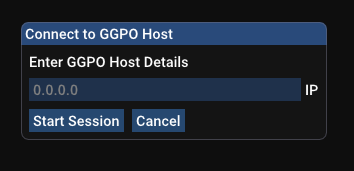
From there, a game session should start once a connection is established.
If your game of choice is unsupported by GGPO, you can fall back to Dojo's delay netcode by selecting **Delay** under **Netplay Method**.
Flycast GGPO support is still experimental. At this stage, NAOMI games seem to work best, Dreamcast games are hit or miss, depending on the title, and Atomiswave games are subject to trippy graphics. For best results, sharing a common savestate with your friends is recommended.
### Included Savestates
#### NAOMI
Akatsuki Blitzkampf Ausf Achse (`ausfache.state.net`)
Capcom vs. SNK (`capsnk.state.net`)
Capcom vs. SNK 2 (`cvs2.state.net`)
Dead or Alive 2 Millennium (`doa2m.state.net`)
Marvel vs. Capcom 2 (`mvsc2.state.net`)
Project Justice (`pjustic.state.net`)
Street Fighter Zero 3 Upper (`sfz3ugd.state.net`)
Toy Fight (`toyfight.state.net`)
#### Dreamcast
KenJu - Atomiswave to Dreamcast conversion (`KenJu.state.net`)
Virtua Fighter 3tb (USA) (`Virtua Fighter 3tb (USA).state.net`)
If a savestate isn't available, you should be able to create one by starting an offline game and getting it to a starting state you would like (character select screen, unlocked characters, free play, etc). From there, open the Menu (**TAB** on the Keyboard by default) and click **Save State**. Head to the `data/` folder, and add `.net` to distinguish it from offline savestates and prevent future overwriting. You can then share this with your opponent to start at the same place.
Flycast Dojo also comes with a collection of arcade EEPROMs and select VMU saves with established settings. These should serve as useful defaults for games that already exist when you create a new state.
For more information, check out [Shiburizu's Flycast-GGPO guide](https://wiki.gbl.gg/w/User:Shiburizu/Flycast-GGPO) on the [Mizuumi Wiki](https://wiki.gbl.gg/).
Happy Testing!
### 0.4.15 GGPO Test 1 Release Notes
* Flycast Dojo GUI integration for GGPO functions
* Automatic loading of `state.net` savestates when GGPO is enabled
* Temporary Disabling of Match Codes by default. Still available for Delay.
* Disable Savestate deletion in Ignore Netplay Savestates option
* Set Delay Frame Swapping to false for optimal netplay settings
* Remove "Press Start" instruction on GGPO network prompt, due to lack of start button
### Upstream Flycast `net-rollback` branch changes
* GGPO Support
* Input polling now on rendering thread
* Add Frame Delay to Settings
* Static RTC when GGPO is enabled (for games without savestates)
* UI: Use input from all keyboards
* Inputs: NAOMI buttons 5/6 & 7/8 shouldn't be mutually exclusive
* GGPO: Detect frame rate and use it to pause when ahead
vdojo-0.4.14
## 0.4.14 Release Notes
* Disable cheat loading in online games
* Fix game context menu (for verifying checksums)
* Merge with upstream Flycast changes
* Fix internal updater button
## Upstream Flycast Changes (As of 2021/9/1)
* Fix Delay Frame Swapping / Internal VSync
* Force even width rendering
* Audio Settings: Volume Slider
## NAOMI Game Entry Additions (For Fightcade Lobby Inclusion)
* Senko no Ronde Special (senkosp)
## Dreamcast Game Entry Additions (For Fightcade Lobby Inclusion)
* Psychic Force 2012
## Dipswitch / VMU Changes
* Senko no Ronde Special (senkosp) dipswitch settings
* Virtua Tennis 2 (vtennis2) - Change default match # to 6, Free Play
* Psychic Force 2012 (Dreamcast)
* Force Dreamcast BIOS for netplay
* Add VMU save
vdojo-0.4.13
## 0.4.13 Release Notes
* Fix internal updater button
## NAOMI Game Entry Additions (For Fightcade Lobby Inclusion)
* Senko no Ronde Special (senkosp)
## Dreamcast Game Entry Additions (For Fightcade Lobby Inclusion)
* Psychic Force 2012
## Dipswitch / VMU Changes
* Senko no Ronde Special (senkosp) dipswitch settings
* Virtua Tennis 2 (vtennis2) - Change default match # to 6, Free Play
* Psychic Force 2012 (Dreamcast)
* Force Dreamcast BIOS for netplay
* Add VMU save
vdojo-0.4.12
## 0.4.12 Release Notes
* Fixes keyboard controls for Atomiswave games
* Enable Quick Save/Load for offline games
### Platform Support Changes
* Linux ARM (Raspberry Pi 4)
* Raspbian GNU/Linux 10 Compatibility
* Plays synced games with Windows x64
## 0.4.11 Release Notes
### Platform Support Changes
* Windows x64
* Windows 7 64-bit Binary Compatibility
* DirectX 9 Support (from upstream changes)
* Linux x64
* Ubuntu 20.04 LTS 64-bit Binary Compatibility
* Binary also tested on Ubuntu 20.10 & Arch 2021.07.01
### Controller Improvements
* Fixes crashing on game boot when SDL joystick mapping definitions are not found
* Filename now falls back to Flycast default, generating new file when unavailable
* Disables mouse toggle by default, allowing Ultimarc J-PAC keyboard mappings to work
### Spectating
* Fightcade integration
* Spectating now uses new message streaming format
* Sends & receives match streams in batched stream format
* Spectating shows Player Name overlays
* Introduces `PLAYER_INFO` message type
* Accepts streaming message types in any order
### Replays
* New Replay file format (`.flyr`) identical to match stream
* Versioned old replays (`.flyreplay`) to maintain compatibility with past recordings
* Replay menu ignores non-replay files
* Generates `replays/` folder when one not found
### Memory Management & Validation
* Forces default controller/VMU configuration on netplay game boot
* VMU off by default
* May be disabled by enabling "Custom VMU" in Dojo settings
* VMU-supported games with default saves whitelisted
* Allows BIOS files to be detected from `ROMs/` directory instead of `data/`
### UI Adjustments
* Hide player overlay frame when name is blank
* Remove interactive RECEIVE option in GUI
* Fix overlapping filter box description with buttons
* Fix offline delay selection when switching back to OFFLINE from other modes
* Remove transmit replay file option
## Upstream Flycast Release Notes
* New DirectX 9 renderer (default on Windows)
* Full support for RawInput on windows
* Multiple Mice/Lightguns (Offline)
* Multiple Keyboards (Offline)
## Dreamcast Game Entry Additions (For Fightcade Lobby Inclusion)
* Tech Romancer `flycast_dc_techromancer`
* Vampire Chronicle (for Matching Service) `flycast_dc_vampirechronicle`
## Dipswitch / VMU Changes
* Metal Slug 6 - Change Difficulty 8 -> 4, Fix Buttons
* Plasma Sword Unlocked VMU
vdojo-0.4.11
## 0.4.11 Release Notes
### Platform Support Changes
* Windows
* Windows 7 64-bit Binary Compatibility
* DirectX 9 Support (from upstream changes)
* Linux
* Ubuntu 20.04 LTS 64-bit Binary Compatibility
* Binary also tested on Ubuntu 20.10 & Arch 2021.07.01
### Controller Improvements
* Fixes crashing on game boot when SDL joystick mapping definitions are not found
* Filename now falls back to Flycast default, generating new file when unavailable
* Disables mouse toggle by default, allowing Ultimarc J-PAC keyboard mappings to work
### Spectating
* Fightcade integration
* Spectating now uses new message streaming format
* Sends & receives match streams in batched stream format
* Spectating shows Player Name overlays
* Introduces `PLAYER_INFO` message type
* Accepts streaming message types in any order
### Replays
* New Replay file format (`.flyr`) identical to match stream
* Versioned old replays (`.flyreplay`) to maintain compatibility with past recordings
* Replay menu ignores non-replay files
* Generates `replays/` folder when one not found
### Memory Management & Validation
* Forces default controller/VMU configuration on netplay game boot
* VMU off by default
* May be disabled by enabling "Custom VMU" in Dojo settings
* VMU-supported games with default saves whitelisted
* Allows BIOS files to be detected from `ROMs/` directory instead of `data/`
### UI Adjustments
* Hide player overlay frame when name is blank
* Remove interactive RECEIVE option in GUI
* Fix overlapping filter box description with buttons
* Fix offline delay selection when switching back to OFFLINE from other modes
* Remove transmit replay file option
## Upstream Flycast Release Notes
* New DirectX 9 renderer (default on Windows)
* Full support for RawInput on windows
* Multiple Mice/Lightguns (Offline)
* Multiple Keyboards (Offline)
## Dreamcast Game Entry Additions (For Fightcade Lobby Inclusion)
* Tech Romancer `flycast_dc_techromancer`
* Vampire Chronicle (for Matching Service) `flycast_dc_vampirechronicle`
## Dipswitch / VMU Changes
* Metal Slug 6 - Change Difficulty 8 -> 4, Fix Buttons
* Plasma Sword Unlocked VMU
vdojo-0.4.10
## 0.4.10 Release Notes
### Platform Support Changes
* Windows
* Windows 7 64-bit Binary Compatibility
* DirectX 9 Support (from upstream changes)
* Linux
* Ubuntu 20.04 LTS 64-bit Binary Compatibility
* Binary also tested on Ubuntu 20.10 & Arch 2021.07.01
### Controller Improvements
* Fixes crashing on game boot when SDL joystick mapping definitions are not found
* Filename now falls back to Flycast default, generating new file when unavailable
* Disables mouse toggle by default, allowing Ultimarc J-PAC keyboard mappings to work
### Spectating
* Fightcade integration
* Spectating now uses new message streaming format
* Sends & receives match streams in batched stream format
* Spectating shows Player Name overlays
* Introduces `PLAYER_INFO` message type
### Replays
* New Replay file format (`.flyr`) identical to match stream
* Versioned old replays (`.flyreplay`) to maintain compatibility with past recordings
* Replay menu ignores non-replay files
* Generates `replays/` folder when one not found
### Memory Management & Validation
* Forces default controller/VMU configuration on netplay game boot
* VMU off by default
* May be disabled by enabling "Custom VMU" in Dojo settings
* VMU-supported games with default saves whitelisted
* Allows BIOS files to be detected from `ROMs/` directory instead of `data/`
### UI Adjustments
* Hide player overlay frame when name is blank
* Remove interactive RECEIVE option in GUI
* Fix overlapping filter box description with buttons
* Fix offline delay selection when switching back to OFFLINE from other modes
* Remove transmit replay file option
## Upstream Flycast Release Notes
* New DirectX 9 renderer (default on Windows)
* Full support for RawInput on windows
* Multiple Mice/Lightguns (Offline)
* Multiple Keyboards (Offline)
## Dreamcast Game Entry Additions (For Fightcade Lobby Inclusion)
* Tech Romancer `flycast_dc_techromancer`
* Vampire Chronicle (for Matching Service) `flycast_dc_vampirechronicle`
## Dipswitch / VMU Changes
* Metal Slug 6 - Change Difficulty 8 -> 4, Fix Buttons
* Plasma Sword Unlocked VMU
vdojo-0.4.9.1
## 0.4.9.1 Release Notes
### Platform Support Changes
* Windows
* Windows 7 64-bit Binary Compatibility
* DirectX 9 Support (from upstream changes)
* Linux
* Ubuntu 20.04 LTS 64-bit Binary Compatibility
* Binary also tested on Ubuntu 20.10 & Arch 2021.07.01
### Controller Improvements
* Fixes crashing on game boot when SDL joystick mapping definitions are not found
* Filename now falls back to Flycast default, generating new file when unavailable
* Disables mouse toggle by default, allowing Ultimarc J-PAC keyboard mappings to work
### Spectating
* Fightcade integration
* Spectating now uses new message streaming format
* Sends & receives match streams in batched stream format
* Spectating shows Player Name overlays
### Replays
* New Replay file format (`.flyr`) identical to match stream
* Versioned old replays (`.flyreplay`) to maintain compatibility with past recordings
* Replay menu ignores non-replay files
* Generates `replays/` folder when one not found
### Memory Management & Validation
* Forces default controller/VMU configuration on netplay game boot
* VMU off by default
* May be disabled by enabling "Custom VMU" in Dojo settings
* VMU-supported games with default saves whitelisted
* Allows BIOS files to be detected from `ROMs/` directory instead of `data/`
### UI Adjustments
* Hide player overlay frame when name is blank
* Remove interactive RECEIVE option in GUI
* Fix overlapping filter box description with buttons
* Fix offline delay selection when switching back to OFFLINE from other modes
* Remove transmit replay file option
## Upstream Flycast Release Notes
* New DirectX 9 renderer (default on Windows)
* Full support for RawInput on windows
* Multiple Mice/Lightguns (Offline)
* Multiple Keyboards (Offline)
## Dreamcast Game Entry Additions (For Fightcade Lobby Inclusion)
* Tech Romancer `flycast_dc_techromancer`
* Vampire Chronicle (for Matching Service) `flycast_dc_vampirechronicle`
## Dipswitch / VMU Changes
* Metal Slug 6 - Change Difficulty 8 -> 4, Fix Buttons
* Plasma Sword Unlocked VMU
vdojo-0.4.9
## 0.4.9 Release Notes
### Platform Support Changes
* Windows
* Windows 7 64-bit Binary Compatibility
* DirectX 9 Support (from upstream changes)
* Linux
* Ubuntu 20.04 LTS 64-bit Binary Compatibility
* Binary also tested on Ubuntu 20.10 & Arch 2021.07.01
### Controller Improvements
* Fixes crashing on game boot when SDL joystick mapping definitions are not found
* Filename now falls back to Flycast default, generating new file when unavailable
* Disables mouse toggle by default, allowing Ultimarc J-PAC keyboard mappings to work
### Spectating
* Fightcade integration
* Spectating now uses new message streaming format
* Sends & receives match streams in batched stream format
* Spectating shows Player Name overlays
### Replays
* New Replay file format (`.flyr`) identical to match stream
* Versioned old replays (`.flyreplay`) to maintain compatibility with past recordings
* Replay menu ignores non-replay files
* Generates `replays/` folder when one not found
### Memory Management & Validation
* Forces default controller/VMU configuration on netplay game boot
* VMU off by default
* May be disabled by enabling "Custom VMU" in Dojo settings
* VMU-supported games with default saves whitelisted
* Allows BIOS files to be detected from `ROMs/` directory instead of `data/`
### UI Adjustments
* Hide player overlay frame when name is blank
* Remove interactive RECEIVE option in GUI
* Fix overlapping filter box description with buttons
## Upstream Flycast Release Notes
* New DirectX 9 renderer (default on Windows)
* Full support for RawInput on windows
* Multiple Mice/Lightguns (Offline)
* Multiple Keyboards (Offline)
## Dreamcast Game Entry Additions (For Fightcade Lobby Inclusion)
* Tech Romancer `flycast_dc_techromancer`
* Vampire Chronicle (for Matching Service) `flycast_dc_vampirechronicle`
## Dipswitch / VMU Changes
* Metal Slug 6 - Change Difficulty 8 -> 4, Fix Buttons
* Plasma Sword Unlocked VMU
vdojo-0.4.9-rc4
## 0.4.9 RC4 Release Notes
* Removes soft reset after established connection
* Hide player overlay frame when name is blank
* Remove interactive RECEIVE option in GUI
* Fix overlapping filter box description with buttons
## 0.4.9 RC3 Release Notes
* Sends & receives match streams in batched stream format
* Replay files in batched stream format
* Controller Fixes
## Upstream Flycast Release Notes
* New DirectX9 renderer (default on Windows)
* Full support for RawInput on windows
* Multiple Mice/Lightguns (Offline)
* Multiple Keyboards (Offline)
## 0.4.9 RC2 Release Notes
* WIndows 7 64-bit Binary Compatibility
* Ubuntu 20.04 LTS 64-bit Binary Compatibility
* Forces default controller/VMU configuration on netplay game boot
* VMU-supported games whitelisted
* Allows BIOS files to be detected from `ROMs/` directory instead of `data/`
* Fixes crashing on game boot when SDL joystick mapping definitions are not found
* Filename now falls back to Flycast default, generating new file when unavailable
* Disables mouse toggle by default, allowing Ultimarc J-PAC keyboard mappings to work
* Spectating now uses new message streaming format
* Replay file format (`.flyr`) identical to match stream
* Versioned old replays (`.flyreplay`) to maintain compatibility with past recordings
* Replay menu ignores non-replay files
* Generates `replays/` folder when one not found
## Dreamcast Game Entry Additions (For Fightcade Lobby Inclusion)
* Tech Romancer `flycast_dc_techromancer`
* Vampire Chronicle (for Matching Service) `flycast_dc_vampirechronicle`
## Dipswitch / VMU Changes
* Metal Slug 6 - Change Difficulty 8 -> 4, Fix Buttons
* Plasma Sword Unlocked VMU
vdojo-0.4.9-rc3
## 0.4.9 RC3 Release Notes
* Sends & receives match streams in batched stream format
* Replay files in batched stream format
* Controller Fixes
## Upstream Flycast Release Notes
* New DirectX9 renderer (default on Windows)
* Full support for RawInput on windows
* Multiple Mice/Lightguns (Offline)
* Multiple Keyboards (Offline)
## 0.4.9 RC2 Release Notes
* WIndows 7 64-bit Binary Compatibility
* Ubuntu 20.04 LTS 64-bit Binary Compatibility
* Forces default controller/VMU configuration on netplay game boot
* VMU-supported games whitelisted
* Allows BIOS files to be detected from `ROMs/` directory instead of `data/`
* Fixes crashing on game boot when SDL joystick mapping definitions are not found
* Filename now falls back to Flycast default, generating new file when unavailable
* Disables mouse toggle by default, allowing Ultimarc J-PAC keyboard mappings to work
* Spectating now uses new message streaming format
* Replay file format (`.flyr`) identical to match stream
* Versioned old replays (`.flyreplay`) to maintain compatibility with past recordings
* Replay menu ignores non-replay files
* Generates `replays/` folder when one not found
## Dreamcast Game Entry Additions (For Fightcade Lobby Inclusion)
* Tech Romancer `flycast_dc_techromancer`
* Vampire Chronicle (for Matching Service) `flycast_dc_vampirechronicle`
## Dipswitch / VMU Changes
* Metal Slug 6 - Change Difficulty 8 -> 4, Fix Buttons
* Plasma Sword Unlocked VMU
vdojo-0.4.9-rc2
## 0.4.9 RC2 Release Notes
* WIndows 7 64-bit Binary Compatibility
* Ubuntu 20.04 LTS 64-bit Binary Compatibility
* Forces default controller/VMU configuration on netplay game boot
* VMU-supported games whitelisted
* Allows BIOS files to be detected from `ROMs/` directory instead of `data/`
* Fixes crashing on game boot when SDL joystick mapping definitions are not found
* Filename now falls back to Flycast default, generating new file when unavailable
* Disables mouse toggle by default, allowing Ultimarc J-PAC keyboard mappings to work
* Spectating now uses new message streaming format
* Replay file format (`.flyr`) identical to match stream
* Versioned old replays (`.flyreplay`) to maintain compatibility with past recordings
* Replay menu ignores non-replay files
* Generates `replays/` folder when one not found
## Dreamcast Game Entry Additions (For Fightcade Lobby Inclusion)
* Tech Romancer `flycast_dc_techromancer`
* Vampire Chronicle (for Matching Service) `flycast_dc_vampirechronicle`
## Dipswitch / VMU Changes
* Metal Slug 6 - Change Difficulty 8 -> 4, Fix Buttons
* Plasma Sword Unlocked VMU
vdojo-0.4.9-rc1
## 0.4.9 RC1 Release Notes
* Forces default controller/VMU configuration on netplay game boot
* VMU-supported games whitelisted
* Allows BIOS files to be detected from `ROMs/` directory instead of `data/`
* Fixes crashing on game boot when SDL joystick mapping definitions are not found
* Filename now falls back to Flycast default, generating new file when unavailable
* Disables mouse toggle by default, allowing Ultimarc J-PAC keyboard mappings to work
* Spectating now uses new message streaming format
* Replay file format (`.flyr`) identical to match stream
* Versioned old replays (`.flyreplay`) to maintain compatibility with past recordings
* Tech Romancer added to DC Game Entry for lobby inclusion
## Dipswitch / VMU Changes
* Metal Slug 6 - Change Difficulty 8 -> 4, Fix Buttons
* Plasma Sword Unlocked VMU
vdojo-0.4.8
## 0.4.8 Release Notes
* Merged upstream Flycast changes (06/06/2021)
* Controller Mapping gracefully falls back to defaults when system profiles not detected
* Add multiple save slots to Training Mode, Fixes savestate menus
* Load arcade games with default file format from GameEntry when not available in reference JSON
* Add definition for Plasma Sword
* VMU Updates
* Capcom vs SNK 2 Unlocked
* Fighting Vipers 2 Unlocked
* Mortal Kombat Gold Unlocked
* Power Stone 2 Unlocked
* Plasma Sword Unlocked
* Soulcalibur Unlocked
* Virtua Fighter 3tb History Cinematic Unlocked
vdojo-0.4.7
## 0.4.7 Release Notes
* Merged Upstream Flycast Changes (19/05/2021)
* Appends `flycast_` to beginning of Game Entry when entry not found
* Sends Quark ID as Spectator when specified in Command Line
## 0.4.5 Release Notes
* Controller Mapping
* Adds Unmap button to Inputs
* Separate Dreamcast & Arcade Button Mappings
* No longer have to worry about changing controls between games on different systems
* Spectating
* Sends Fightcade Quark ID in Match Transmission
* Reads Match Stream as Client instead of Host when `-config dojo:Receiving=yes -config dojo:ActAsServer=no` is called
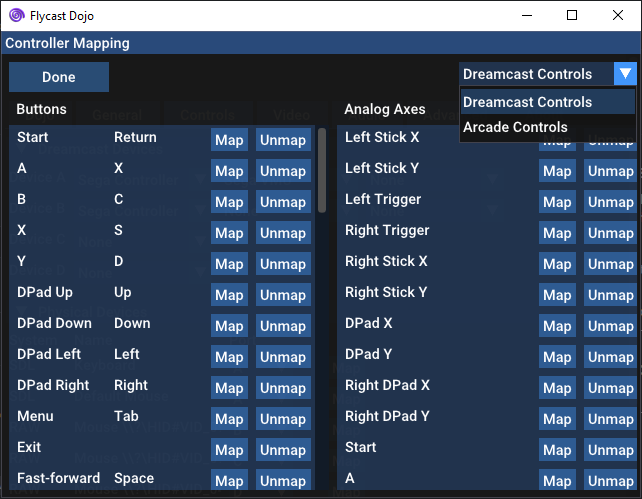
## 0.4.4.1 Release Notes
* Games may be launched accordinging to `flycast_roms.json` file by using `-config dojo:GameEntry` in command line launching
* BIOS & ROM check can be performed in **Test Game** mode, without having to connect to other player first
* KenJu DC entry update, nested directories
vdojo-0.4.6
## 0.4.6 Release Notes
* Merged Upstream Flycast Changes (19/05/2021)
* Sends Quark ID as Spectator when specified in Command Line
## 0.4.5 Release Notes
* Controller Mapping
* Adds Unmap button to Inputs
* Separate Dreamcast & Arcade Button Mappings
* No longer have to worry about changing controls between games on different systems
* Spectating
* Sends Fightcade Quark ID in Match Transmission
* Reads Match Stream as Client instead of Host when `-config dojo:Receiving=yes -config dojo:ActAsServer=no` is called

## 0.4.4.1 Release Notes
* Games may be launched accordinging to `flycast_roms.json` file by using `-config dojo:GameEntry` in command line launching
* BIOS & ROM check can be performed in **Test Game** mode, without having to connect to other player first
* KenJu DC entry update, nested directories
vdojo-0.4.5
## 0.4.5 Release Notes
* Controller Mapping
* Adds Unmap button to Inputs
* Separate Dreamcast & Arcade Button Mappings
* No longer have to worry about changing controls between games on different systems
* Spectating
* Sends Fightcade Quark ID in Match Transmission
* Reads Match Stream as Client instead of Host when `-config dojo:Receiving=yes -config dojo:ActAsServer=no` is called

## 0.4.4.1 Release Notes
* Games may be launched accordinging to `flycast_roms.json` file by using `-config dojo:GameEntry` in command line launching
* BIOS & ROM check can be performed in **Test Game** mode, without having to connect to other player first
* KenJu DC entry update, nested directories
vdojo-0.4.4.1
## 0.4.4.1 Release Notes
* Games may be launched accordinging to `flycast_roms.json` file by using `-config dojo:GameEntry` in command line launching
* BIOS & ROM check can be performed in **Test Game** mode, without having to connect to other player first
* KenJu DC entry update, nested directories
## 0.4.4 Release Notes
* Dipswitch & Metadata Changes
* Add Jingi Storm
* KenJu
* Event Mode
* 3 Rounds
* Timer 99 Seconds
* Mono 15 -> Stereo 10
* Working Training Mode for Dreamcast, Atomiswave, & NAOMI games.
* 3 Input Record / Play Slots
* F1-F3 Record SLots
* F4-F6 Play Slots
* F7 One-Button Player Change
* F8 Quick Save
* F9 Quick Load
* Disables Default Quick Load & Forced Save State after boot on Online Sessions
* May be optionally applied in Advanced Settings
* Fixes Atomiswave Test/Service button when playing offline
* Fixes a Match Code Connection issue for Join when stuck on paste screen
* Working Linux Build
### Training Mode
With the new Training Mode, you can enable game cheats while playing offline using RetroArch's `.cht` file format to adjust game parameters, quickly load states, save states, record, and play back user inputs for practice on any supported Dreamcast, NAOMI, or Atomiswave game. You can enter Training mode by selecting the **TRAIN** option in the drop-down menu on the top left of the Flycast main menu.
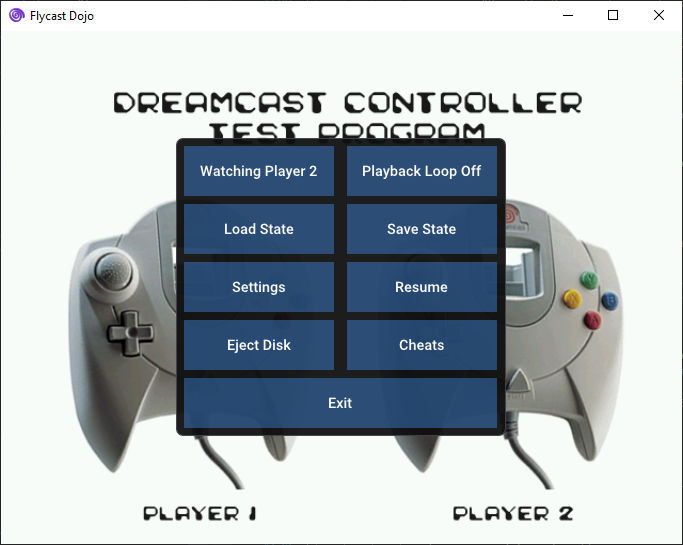
To target a specific player port or set playback loop settings, just press the **F7** key, or hit the **Menu** button (**TAB** by default) and click on the corresponding button to switch. Player 1 corresponds with Port A, while Player 2 corresponds with Port B. You can also switch players by pressing **F9** by default.
To record inputs, hit **F1**, and hit it again to stop recording. To play back the input, press **F4**. If the Playback Loop is enabled, the input will be repeated until the Play button is hit again. If it is disabled, playback will be invoked on demand. You also have two more slots to record on **F2** and **F3**, with playback on **F5**, and **F6**.
To save your current game state, hit, **F8** and to quickly load it again, hit **F9**.
All of the Training Mode controls can be assigned to any keyboard key or gamepad input in the Controls settings.
Defaults:
* **F1-F3** Record Slots
* **F4-F6** Play Slots
* **F7** One-Button Player Change
* **F8** Quick Save
* **F9** Quick Load
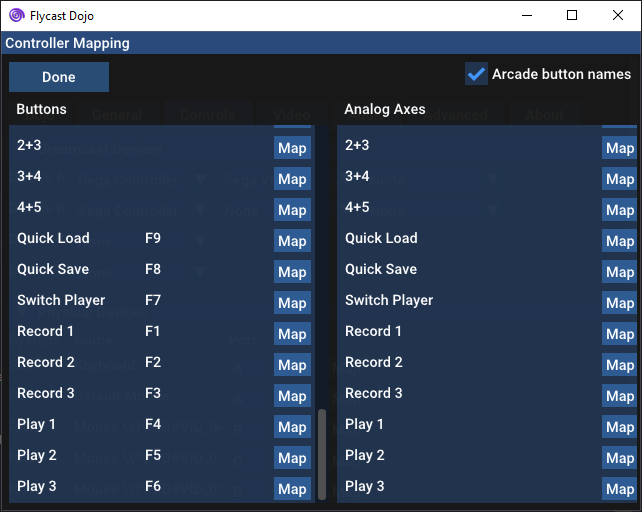
### Linux Build
Flycast Dojo is currently available as a `tar.gz` archive containing a 64-bit x86 binary `flycast.elf`. It can run self-contained from the same directory, with all user configurations and relevant game metadata kept in the same place. It has been tested to run on **Ubuntu 20.10**, as well as **Arch Linux 2021.04.01**. So long as you have the dependencies installed, you should be able to run `tar zxvf flycast-dojo-*.tar.gz`, enter the directory, and start using it immediately.
The following are the relevant dependencies:
* **Ubuntu 20.10** Dependencies
* `libcurl3-gnutls`
* `libzip5`
* **Arch Linux 2021.04.01** Dependencies
* `libcurl3-gnutls`
* `libzip`
## Introduced in 0.4.3
* Update BIOS definitions to correspond with RetroArch's [System.dat](https://github.com/libretro/libretro-database/blob/master/dat/System.dat) file
* NAOMI BIOSes in some installs in the wild found to be inconsistent
* Validates both ROM & BIOS checksum before every game to mitigate desyncs.
* Sets reasonable defaults when `emu.cfg` is generated, not dependent on provided file
* Safely add local ROMs directory by default (no filesystem special character issue any more)
* Shows legacy NAOMI ROMs by default for unreleased game prototypes to show up
* Add exceptions for DC games that require standard BIOS to function, adds KenJu DC Conversion
* Sets __match.dojo.ooo__ as default replay server when transmission is selected
* Hides default player names on Delay Selection screen if both are defaults
* `flycast_roms.json` now follows Fightcade's convention for entry names
* KenJu Arcade & DC Conversion both added to listing for the sake of choice
* Dipswitch Changes
* Samurai Shodown VI, English & Free Play
* KenJu Free Play
* Jingy Storm added, Free Play
*Note: Training Mode & Linux Support are still in the Test Builds, Will be merging changes with official releases soon*
__New Warning screen on session start when unmatched files are detected__
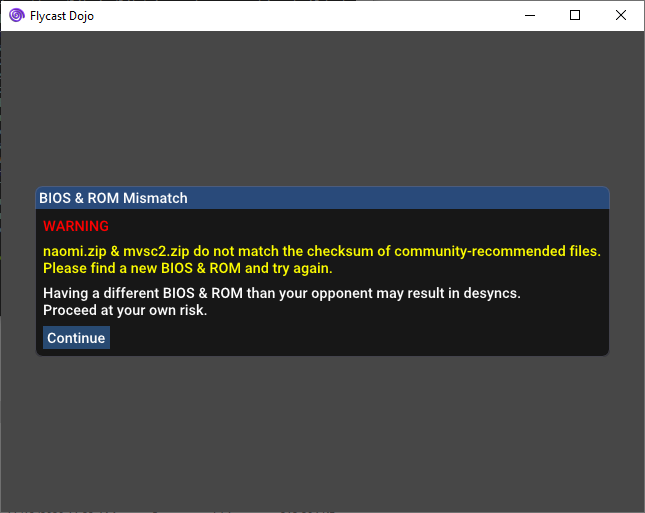
## Introduced in 0.4.2.0
* Macros
* Added 3+4 (X+Y)
* Added 4+5
* Fixed 4+5+6
* GUI Tweaks
* Move Dojo Settings tab to front
* Clarifies language to be "Ignore Existing Netplay Savestates" in Settings
* Hides name overlay when both player names are left as defaults
* Added KenJu to approved Flycast ROM listing
### Dipswitch Changes
* Fixed Neo Geo Battle Coliseum to add boss characters
* Special thanks to LC mai and Lichmassacre
## 0.4.1 Release Notes
*Upgrade Note:
If you are unable to use your mouse in the main menu or settings screen, delete your `emu.cfg` file so that it may be regenerated with new hardware definitions. This is caused by upstream changes in the emulator. Mouse & keyboard definitions are now included in the configuration file.*
### Dreamcast Support
* Defines & restores default Dreamcast VMU for netplay
* Marvel vs Capcom 2 - Unlocked Characters
* Adjust VMU defaults for faster boot on Dreamcast games
* Checksum Validation enabled for Dreamcast games
### Replays & Spectating
* Add Player Name Overlay to Netplay sessions, replays, and live streams
* Directly opens `.flyreplay` files when called as command or program association
* Fix TCP Transmission & Spectating (Tx/Rx)
* Allows transmission to replay servers to share game sessions with others
* External replay server support
### Savestate Features
* Adds Custom Savestate Loading by adding `[Game Name].state.net` to `data` folder.
* Be sure both players have it and "Ignore Netplay Savestates" is unchecked in the Settings.
* Autosave & Savestate rewind to just after boot sequence in netplay matches.
* "Jump" activated by pressing Backspace key.
### Bug Fixes
* Fix relative paths with supporting data folder when called from external launchers
### Project Maintenance
* GUI code refactor & cleanup
* Removes ROM folder auto-assign causing crashes in the past
* README changes
### Button Macros
* Dreamcast
* X + Y + A + B (All Face Buttons)
* X + Y + Left Trigger (3P)
* A + B + Right Trigger (3K)
* A + B + X
* X + A (LP + LK)
* Y + B (MP + MK)
* Left Trigger + Right Trigger (HP + HK)
* A + Y
* A + B
* Arcade
* 1 + 2 + 3 + 4
* 1 + 2 + 3 (3P)
* 4 + 5 + 6 (3K)
* 1 + 4 (LP + LK)
* 2 + 5 (MP + MK)
* 3 + 6 (HP + HK)
* 1 + 2
* 2 + 3
* 1 + 3
* 2 + 4
### Upstream Emulator Updates
__thanks @flyinghead!__
* Parity with Upstream Flycast changes (as of April 6, 2021). Improves game performance & increases compatibility
* Fixes polygon rendering in Project Justice
* Fixes graphical glitches in Neo Geo Battle Coliseum
* Fixes Dolphin Blue graphics
* Adds cheat support for offline games. Cheat files use RetroArch's `cht` file format.
Spectated Rumble Fish 2 game with **Player1** vs **Player2**

__Dreamcast Button Assignments__

__Arcade Button Assignments__

vdojo-0.4.4
## 0.4.4 Release Notes
* Dipswitch & Metadata Changes
* Add Jingi Storm
* KenJu
* Event Mode
* 3 Rounds
* Timer 99 Seconds
* Mono 15 -> Stereo 10
* Working Training Mode for Dreamcast, Atomiswave, & NAOMI games.
* 3 Input Record / Play Slots
* F1-F3 Record SLots
* F4-F6 Play Slots
* F7 One-Button Player Change
* F8 Quick Save
* F9 Quick Load
* Disables Default Quick Load & Forced Save State after boot on Online Sessions
* May be optionally applied in Advanced Settings
* Fixes Atomiswave Test/Service button when playing offline
* Fixes a Match Code Connection issue for Join when stuck on paste screen
* Working Linux Build
### Training Mode
With the new Training Mode, you can enable game cheats while playing offline using RetroArch's `.cht` file format to adjust game parameters, quickly load states, save states, record, and play back user inputs for practice on any supported Dreamcast, NAOMI, or Atomiswave game. You can enter Training mode by selecting the **TRAIN** option in the drop-down menu on the top left of the Flycast main menu.

To target a specific player port or set playback loop settings, just press the **F7** key, or hit the **Menu** button (**TAB** by default) and click on the corresponding button to switch. Player 1 corresponds with Port A, while Player 2 corresponds with Port B. You can also switch players by pressing **F9** by default.
To record inputs, hit **F1**, and hit it again to stop recording. To play back the input, press **F4**. If the Playback Loop is enabled, the input will be repeated until the Play button is hit again. If it is disabled, playback will be invoked on demand. You also have two more slots to record on **F2** and **F3**, with playback on **F5**, and **F6**.
To save your current game state, hit, **F8** and to quickly load it again, hit **F9**.
All of the Training Mode controls can be assigned to any keyboard key or gamepad input in the Controls settings.
Defaults:
* **F1-F3** Record Slots
* **F4-F6** Play Slots
* **F7** One-Button Player Change
* **F8** Quick Save
* **F9** Quick Load

### Linux Build
Flycast Dojo is currently available as a `tar.gz` archive containing a 64-bit x86 binary `flycast.elf`. It can run self-contained from the same directory, with all user configurations and relevant game metadata kept in the same place. It has been tested to run on **Ubuntu 20.10**, as well as **Arch Linux 2021.04.01**. So long as you have the dependencies installed, you should be able to run `tar zxvf flycast-dojo-*.tar.gz`, enter the directory, and start using it immediately.
The following are the relevant dependencies:
* **Ubuntu 20.10** Dependencies
* `libcurl3-gnutls`
* `libzip5`
* **Arch Linux 2021.04.01** Dependencies
* `libcurl3-gnutls`
* `libzip`
## Introduced in 0.4.3
* Update BIOS definitions to correspond with RetroArch's [System.dat](https://github.com/libretro/libretro-database/blob/master/dat/System.dat) file
* NAOMI BIOSes in some installs in the wild found to be inconsistent
* Validates both ROM & BIOS checksum before every game to mitigate desyncs.
* Sets reasonable defaults when `emu.cfg` is generated, not dependent on provided file
* Safely add local ROMs directory by default (no filesystem special character issue any more)
* Shows legacy NAOMI ROMs by default for unreleased game prototypes to show up
* Add exceptions for DC games that require standard BIOS to function, adds KenJu DC Conversion
* Sets __match.dojo.ooo__ as default replay server when transmission is selected
* Hides default player names on Delay Selection screen if both are defaults
* `flycast_roms.json` now follows Fightcade's convention for entry names
* KenJu Arcade & DC Conversion both added to listing for the sake of choice
* Dipswitch Changes
* Samurai Shodown VI, English & Free Play
* KenJu Free Play
* Jingy Storm added, Free Play
*Note: Training Mode & Linux Support are still in the Test Builds, Will be merging changes with official releases soon*
__New Warning screen on session start when unmatched files are detected__

## Introduced in 0.4.2.0
* Macros
* Added 3+4 (X+Y)
* Added 4+5
* Fixed 4+5+6
* GUI Tweaks
* Move Dojo Settings tab to front
* Clarifies language to be "Ignore Existing Netplay Savestates" in Settings
* Hides name overlay when both player names are left as defaults
* Added KenJu to approved Flycast ROM listing
### Dipswitch Changes
* Fixed Neo Geo Battle Coliseum to add boss characters
* Special thanks to LC mai and Lichmassacre
## 0.4.1 Release Notes
*Upgrade Note:
If you are unable to use your mouse in the main menu or settings screen, delete your `emu.cfg` file so that it may be regenerated with new hardware definitions. This is caused by upstream changes in the emulator. Mouse & keyboard definitions are now included in the configuration file.*
### Dreamcast Support
* Defines & restores default Dreamcast VMU for netplay
* Marvel vs Capcom 2 - Unlocked Characters
* Adjust VMU defaults for faster boot on Dreamcast games
* Checksum Validation enabled for Dreamcast games
### Replays & Spectating
* Add Player Name Overlay to Netplay sessions, replays, and live streams
* Directly opens `.flyreplay` files when called as command or program association
* Fix TCP Transmission & Spectating (Tx/Rx)
* Allows transmission to replay servers to share game sessions with others
* External replay server support
### Savestate Features
* Adds Custom Savestate Loading by adding `[Game Name].state.net` to `data` folder.
* Be sure both players have it and "Ignore Netplay Savestates" is unchecked in the Settings.
* Autosave & Savestate rewind to just after boot sequence in netplay matches.
* "Jump" activated by pressing Backspace key.
### Bug Fixes
* Fix relative paths with supporting data folder when called from external launchers
### Project Maintenance
* GUI code refactor & cleanup
* Removes ROM folder auto-assign causing crashes in the past
* README changes
### Button Macros
* Dreamcast
* X + Y + A + B (All Face Buttons)
* X + Y + Left Trigger (3P)
* A + B + Right Trigger (3K)
* A + B + X
* X + A (LP + LK)
* Y + B (MP + MK)
* Left Trigger + Right Trigger (HP + HK)
* A + Y
* A + B
* Arcade
* 1 + 2 + 3 + 4
* 1 + 2 + 3 (3P)
* 4 + 5 + 6 (3K)
* 1 + 4 (LP + LK)
* 2 + 5 (MP + MK)
* 3 + 6 (HP + HK)
* 1 + 2
* 2 + 3
* 1 + 3
* 2 + 4
### Upstream Emulator Updates
__thanks @flyinghead!__
* Parity with Upstream Flycast changes (as of April 6, 2021). Improves game performance & increases compatibility
* Fixes polygon rendering in Project Justice
* Fixes graphical glitches in Neo Geo Battle Coliseum
* Fixes Dolphin Blue graphics
* Adds cheat support for offline games. Cheat files use RetroArch's `cht` file format.
Spectated Rumble Fish 2 game with **Player1** vs **Player2**

__Dreamcast Button Assignments__

__Arcade Button Assignments__

vdojo-0.4.4-preview3
## New in 0.4.4 Preview 3
* One-Button Player Switch actually works on non-keyboard input
* Resets Training Mode settings on program exit or main menu invocation
* Linux Binary
* Ubuntu Dependencies
* `libcurl3-gnutls`
* `libzip5`
* Arch Dependencies
* `libcurl3-gnutls`
* `libzip`
## Introduced in 0.4.4 Preview 2
* Working Training Mode for Dreamcast, Atomiswave, & NAOMI games.
* 3 Input Record / Play Slots
* F1-F3 Record SLots
* F4-F6 Play Slots
* F7 One-Button Player Change
* F8 Quick Save
* F9 Quick Load
* Disables Default Quick Load & Forced Save State after boot on Online Sessions
* May be optionally applied in Advanced Settings
* Fixes Atomiswave Test/Service button when playing offline
* Fixes a Match Code Connection issue for Join when stuck on paste screen
* Working Linux Build
* Training Mode
* One-Button Player Switch
* Input Recording / Playback
* Playback Loop
* On-Demand Play
* 3 Slots
* Quick Save
* Quick Load
With the new Training Mode, you can enable game cheats in offline using RetroArch's `.cht` file format to adjust game parameters, record, and play back user inputs for practice.

To target a specific player port or set playback loop settings, just hit the "Menu" button (__TAB__ by default) and click on the corresponding button to switch. Player 1 corresponds with Port A, while Player 2 corresponds with Port B. You can also switch players by pressing __F9__ by default.
To record inputs, hit __F1__, and hit it again to stop recording. To play back the input, press __F4__. If the Playback Loop is enabled, the input will be repeated until the Play button is hit again. If it is disabled, playback will be invoked on demand. You also have two more slots to record on __F2__ and __F3__, with playback on __F5__, and __F6__
All of the Training Mode controls can be assigned to any keyboard key or gamepad input in the Controls settings.

## Introduced in 0.4.3
* Update BIOS definitions to correspond with RetroArch's [System.dat](https://github.com/libretro/libretro-database/blob/master/dat/System.dat) file
* NAOMI BIOSes in some installs in the wild found to be inconsistent
* Validates both ROM & BIOS checksum before every game to mitigate desyncs.
* Sets reasonable defaults when `emu.cfg` is generated, not dependent on provided file
* Safely add local ROMs directory by default (no filesystem special character issue any more)
* Shows legacy NAOMI ROMs by default for unreleased game prototypes to show up
* Add exceptions for DC games that require standard BIOS to function, adds KenJu DC Conversion
* Sets __match.dojo.ooo__ as default replay server when transmission is selected
* Hides default player names on Delay Selection screen if both are defaults
* `flycast_roms.json` now follows Fightcade's convention for entry names
* KenJu Arcade & DC Conversion both added to listing for the sake of choice
* Dipswitch Changes
* Samurai Shodown VI, English & Free Play
* KenJu Free Play
* Jingy Storm added, Free Play
*Note: Training Mode & Linux Support are still in the Test Builds, Will be merging changes with official releases soon*
__New Warning screen on session start when unmatched files are detected__

## Introduced in 0.4.2.0
* Macros
* Added 3+4 (X+Y)
* Added 4+5
* Fixed 4+5+6
* GUI Tweaks
* Move Dojo Settings tab to front
* Clarifies language to be "Ignore Existing Netplay Savestates" in Settings
* Hides name overlay when both player names are left as defaults
* Added KenJu to approved Flycast ROM listing
### Dipswitch Changes
* Fixed Neo Geo Battle Coliseum to add boss characters
* Special thanks to LC mai and Lichmassacre
## 0.4.1 release Notes
*Upgrade Note:
If you are unable to use your mouse in the main menu or settings screen, delete your `emu.cfg` file so that it may be regenerated with new hardware definitions. This is caused by upstream changes in the emulator. Mouse & keyboard definitions are now included in the configuration file.*
### Dreamcast Support
* Defines & restores default Dreamcast VMU for netplay
* Marvel vs Capcom 2 - Unlocked Characters
* Adjust VMU defaults for faster boot on Dreamcast games
* Checksum Validation enabled for Dreamcast games
### Replays & Spectating
* Add Player Name Overlay to Netplay sessions, replays, and live streams
* Directly opens `.flyreplay` files when called as command or program association
* Fix TCP Transmission & Spectating (Tx/Rx)
* Allows transmission to replay servers to share game sessions with others
* External replay server support
### Savestate Features
* Adds Custom Savestate Loading by adding `[Game Name].state.net` to `data` folder.
* Be sure both players have it and "Ignore Netplay Savestates" is unchecked in the Settings.
* Autosave & Savestate rewind to just after boot sequence in netplay matches.
* "Jump" activated by pressing Backspace key.
### Bug Fixes
* Fix relative paths with supporting data folder when called from external launchers
### Project Maintenance
* GUI code refactor & cleanup
* Removes ROM folder auto-assign causing crashes in the past
* README changes
### Button Macros
* Dreamcast
* X + Y + A + B (All Face Buttons)
* X + Y + Left Trigger (3P)
* A + B + Right Trigger (3K)
* A + B + X
* X + A (LP + LK)
* Y + B (MP + MK)
* Left Trigger + Right Trigger (HP + HK)
* A + Y
* A + B
* Arcade
* 1 + 2 + 3 + 4
* 1 + 2 + 3 (3P)
* 4 + 5 + 6 (3K)
* 1 + 4 (LP + LK)
* 2 + 5 (MP + MK)
* 3 + 6 (HP + HK)
* 1 + 2
* 2 + 3
* 1 + 3
* 2 + 4
### Upstream Emulator Updates
__thanks @flyinghead!__
* Parity with Upstream Flycast changes (as of April 6, 2021). Improves game performance & increases compatibility
* Fixes polygon rendering in Project Justice
* Fixes graphical glitches in Neo Geo Battle Coliseum
* Fixes Dolphin Blue graphics
* Adds cheat support for offline games. Cheat files use RetroArch's `cht` file format.
Spectated Rumble Fish 2 game with **Player1** vs **Player2**

__Dreamcast Button Assignments__

__Arcade Button Assignments__

vdojo-0.4.4-preview2
## New in 0.4.4 Preview 2
* Working Training Mode for Dreamcast, Atomiswave, & NAOMI games.
* 3 Input Record / Play Slots
* F1-F3 Record SLots
* F4-F6 Play Slots
* F7 One-Button Player Change
* F8 Quick Save
* F9 Quick Load
* Disables Default Quick Load & Forced Save State after boot on Online Sessions
* May be optionally applied in Advanced Settings
* Fixes Atomiswave Test/Service button when playing offline
* Fixes a Match Code Connection issue for Join when stuck on paste screen
* Working Linux Build
* Training Mode
* One-Button Player Switch
* Input Recording / Playback
* Playback Loop
* On-Demand Play
* 3 Slots
* Quick Save
* Quick Load
With the new Training Mode, you can enable game cheats in offline using RetroArch's `.cht` file format to adjust game parameters, record, and play back user inputs for practice.

To target a specific player port or set playback loop settings, just hit the "Menu" button (__TAB__ by default) and click on the corresponding button to switch. Player 1 corresponds with Port A, while Player 2 corresponds with Port B. You can also switch players by pressing __F9__ by default.
To record inputs, hit __F1__, and hit it again to stop recording. To play back the input, press __F4__. If the Playback Loop is enabled, the input will be repeated until the Play button is hit again. If it is disabled, playback will be invoked on demand. You also have two more slots to record on __F2__ and __F3__, with playback on __F7__, and __F8__
All of the Training Mode controls can be assigned to any keyboard key or gamepad input in the Controls settings.

## Introduced in 0.4.3
* Update BIOS definitions to correspond with RetroArch's [System.dat](https://github.com/libretro/libretro-database/blob/master/dat/System.dat) file
* NAOMI BIOSes in some installs in the wild found to be inconsistent
* Validates both ROM & BIOS checksum before every game to mitigate desyncs.
* Sets reasonable defaults when `emu.cfg` is generated, not dependent on provided file
* Safely add local ROMs directory by default (no filesystem special character issue any more)
* Shows legacy NAOMI ROMs by default for unreleased game prototypes to show up
* Add exceptions for DC games that require standard BIOS to function, adds KenJu DC Conversion
* Sets __match.dojo.ooo__ as default replay server when transmission is selected
* Hides default player names on Delay Selection screen if both are defaults
* `flycast_roms.json` now follows Fightcade's convention for entry names
* KenJu Arcade & DC Conversion both added to listing for the sake of choice
* Dipswitch Changes
* Samurai Shodown VI, English & Free Play
* KenJu Free Play
* Jingy Storm added, Free Play
*Note: Training Mode & Linux Support are still in the Test Builds, Will be merging changes with official releases soon*
__New Warning screen on session start when unmatched files are detected__

## Introduced in 0.4.2.0
* Macros
* Added 3+4 (X+Y)
* Added 4+5
* Fixed 4+5+6
* GUI Tweaks
* Move Dojo Settings tab to front
* Clarifies language to be "Ignore Existing Netplay Savestates" in Settings
* Hides name overlay when both player names are left as defaults
* Added KenJu to approved Flycast ROM listing
### Dipswitch Changes
* Fixed Neo Geo Battle Coliseum to add boss characters
* Special thanks to LC mai and Lichmassacre
## 0.4.1 release Notes
*Upgrade Note:
If you are unable to use your mouse in the main menu or settings screen, delete your `emu.cfg` file so that it may be regenerated with new hardware definitions. This is caused by upstream changes in the emulator. Mouse & keyboard definitions are now included in the configuration file.*
### Dreamcast Support
* Defines & restores default Dreamcast VMU for netplay
* Marvel vs Capcom 2 - Unlocked Characters
* Adjust VMU defaults for faster boot on Dreamcast games
* Checksum Validation enabled for Dreamcast games
### Replays & Spectating
* Add Player Name Overlay to Netplay sessions, replays, and live streams
* Directly opens `.flyreplay` files when called as command or program association
* Fix TCP Transmission & Spectating (Tx/Rx)
* Allows transmission to replay servers to share game sessions with others
* External replay server support
### Savestate Features
* Adds Custom Savestate Loading by adding `[Game Name].state.net` to `data` folder.
* Be sure both players have it and "Ignore Netplay Savestates" is unchecked in the Settings.
* Autosave & Savestate rewind to just after boot sequence in netplay matches.
* "Jump" activated by pressing Backspace key.
### Bug Fixes
* Fix relative paths with supporting data folder when called from external launchers
### Project Maintenance
* GUI code refactor & cleanup
* Removes ROM folder auto-assign causing crashes in the past
* README changes
### Button Macros
* Dreamcast
* X + Y + A + B (All Face Buttons)
* X + Y + Left Trigger (3P)
* A + B + Right Trigger (3K)
* A + B + X
* X + A (LP + LK)
* Y + B (MP + MK)
* Left Trigger + Right Trigger (HP + HK)
* A + Y
* A + B
* Arcade
* 1 + 2 + 3 + 4
* 1 + 2 + 3 (3P)
* 4 + 5 + 6 (3K)
* 1 + 4 (LP + LK)
* 2 + 5 (MP + MK)
* 3 + 6 (HP + HK)
* 1 + 2
* 2 + 3
* 1 + 3
* 2 + 4
### Upstream Emulator Updates
__thanks @flyinghead!__
* Parity with Upstream Flycast changes (as of April 6, 2021). Improves game performance & increases compatibility
* Fixes polygon rendering in Project Justice
* Fixes graphical glitches in Neo Geo Battle Coliseum
* Fixes Dolphin Blue graphics
* Adds cheat support for offline games. Cheat files use RetroArch's `cht` file format.
Spectated Rumble Fish 2 game with **Player1** vs **Player2**

__Dreamcast Button Assignments__

__Arcade Button Assignments__

vdojo-0.4.3
## New in 0.4.3
* Update BIOS definitions to correspond with RetroArch's [System.dat](https://github.com/libretro/libretro-database/blob/master/dat/System.dat) file
* NAOMI BIOSes in some installs in the wild found to be inconsistent
* Validates both ROM & BIOS checksum before every game to mitigate desyncs.
* Sets reasonable defaults when `emu.cfg` is generated, not dependent on provided file
* Safely add local ROMs directory by default (no filesystem special character issue any more)
* Shows legacy NAOMI ROMs by default for unreleased game prototypes to show up
* Add exceptions for DC games that require standard BIOS to function, adds KenJu DC Conversion
* Sets __match.dojo.ooo__ as default replay server when transmission is selected
* Hides default player names on Delay Selection screen if both are defaults
* `flycast_roms.json` now follows Fightcade's convention for entry names
* KenJu Arcade & DC Conversion both added to listing for the sake of choice
* Dipswitch Changes
* Samurai Shodown VI, English & Free Play
* KenJu Free Play
* Jingy Storm added, Free Play
*Note: Training Mode & Linux Support are still in the Test Builds, Will be merging changes with official releases soon*
__New Warning screen on session start when unmatched files are detected__

## Introduced in 0.4.2.0
* Macros
* Added 3+4 (X+Y)
* Added 4+5
* Fixed 4+5+6
* GUI Tweaks
* Move Dojo Settings tab to front
* Clarifies language to be "Ignore Existing Netplay Savestates" in Settings
* Hides name overlay when both player names are left as defaults
* Added KenJu to approved Flycast ROM listing
### Dipswitch Changes
* Fixed Neo Geo Battle Coliseum to add boss characters
* Special thanks to LC mai and Lichmassacre
## 0.4.1 release Notes
*Upgrade Note:
If you are unable to use your mouse in the main menu or settings screen, delete your `emu.cfg` file so that it may be regenerated with new hardware definitions. This is caused by upstream changes in the emulator. Mouse & keyboard definitions are now included in the configuration file.*
### Dreamcast Support
* Defines & restores default Dreamcast VMU for netplay
* Marvel vs Capcom 2 - Unlocked Characters
* Adjust VMU defaults for faster boot on Dreamcast games
* Checksum Validation enabled for Dreamcast games
### Replays & Spectating
* Add Player Name Overlay to Netplay sessions, replays, and live streams
* Directly opens `.flyreplay` files when called as command or program association
* Fix TCP Transmission & Spectating (Tx/Rx)
* Allows transmission to replay servers to share game sessions with others
* External replay server support
### Savestate Features
* Adds Custom Savestate Loading by adding `[Game Name].state.net` to `data` folder.
* Be sure both players have it and "Ignore Netplay Savestates" is unchecked in the Settings.
* Autosave & Savestate rewind to just after boot sequence in netplay matches.
* "Jump" activated by pressing Backspace key.
### Bug Fixes
* Fix relative paths with supporting data folder when called from external launchers
### Project Maintenance
* GUI code refactor & cleanup
* Removes ROM folder auto-assign causing crashes in the past
* README changes
### Button Macros
* Dreamcast
* X + Y + A + B (All Face Buttons)
* X + Y + Left Trigger (3P)
* A + B + Right Trigger (3K)
* A + B + X
* X + A (LP + LK)
* Y + B (MP + MK)
* Left Trigger + Right Trigger (HP + HK)
* A + Y
* A + B
* Arcade
* 1 + 2 + 3 + 4
* 1 + 2 + 3 (3P)
* 4 + 5 + 6 (3K)
* 1 + 4 (LP + LK)
* 2 + 5 (MP + MK)
* 3 + 6 (HP + HK)
* 1 + 2
* 2 + 3
* 1 + 3
* 2 + 4
### Upstream Emulator Updates
__thanks @flyinghead!__
* Parity with Upstream Flycast changes (as of April 6, 2021). Improves game performance & increases compatibility
* Fixes polygon rendering in Project Justice
* Fixes graphical glitches in Neo Geo Battle Coliseum
* Fixes Dolphin Blue graphics
* Adds cheat support for offline games. Cheat files use RetroArch's `cht` file format.
Spectated Rumble Fish 2 game with **Player1** vs **Player2**

__Dreamcast Button Assignments__

__Arcade Button Assignments__

vdojo-0.4.2.0
## New in 0.4.2.0
* Macros
* Added 3+4 (X+Y)
* Added 4+5
* Fixed 4+5+6
* GUI Tweaks
* Move Dojo Settings tab to front
* Clarifies language to be "Ignore Existing Netplay Savestates" in Settings
* Hides name overlay when both player names are left as defaults
* Added KenJu to approved Flycast ROM listing
### Dipswitch Changes
* Fixed Neo Geo Battle Coliseum to add boss characters
* Special thanks to LC mai and Lichmassacre
## 0.4.1 release Notes
*Upgrade Note:
If you are unable to use your mouse in the main menu or settings screen, delete your `emu.cfg` file so that it may be regenerated with new hardware definitions. This is caused by upstream changes in the emulator. Mouse & keyboard definitions are now included in the configuration file.*
### Dreamcast Support
* Defines & restores default Dreamcast VMU for netplay
* Marvel vs Capcom 2 - Unlocked Characters
* Adjust VMU defaults for faster boot on Dreamcast games
* Checksum Validation enabled for Dreamcast games
### Replays & Spectating
* Add Player Name Overlay to Netplay sessions, replays, and live streams
* Directly opens `.flyreplay` files when called as command or program association
* Fix TCP Transmission & Spectating (Tx/Rx)
* Allows transmission to replay servers to share game sessions with others
* External replay server support
### Savestate Features
* Adds Custom Savestate Loading by adding `[Game Name].state.net` to `data` folder.
* Be sure both players have it and "Ignore Netplay Savestates" is unchecked in the Settings.
* Autosave & Savestate rewind to just after boot sequence in netplay matches.
* "Jump" activated by pressing Backspace key.
### Bug Fixes
* Fix relative paths with supporting data folder when called from external launchers
### Project Maintenance
* GUI code refactor & cleanup
* Removes ROM folder auto-assign causing crashes in the past
* README changes
### Button Macros
* Dreamcast
* X + Y + A + B (All Face Buttons)
* X + Y + Left Trigger (3P)
* A + B + Right Trigger (3K)
* A + B + X
* X + A (LP + LK)
* Y + B (MP + MK)
* Left Trigger + Right Trigger (HP + HK)
* A + Y
* A + B
* Arcade
* 1 + 2 + 3 + 4
* 1 + 2 + 3 (3P)
* 4 + 5 + 6 (3K)
* 1 + 4 (LP + LK)
* 2 + 5 (MP + MK)
* 3 + 6 (HP + HK)
* 1 + 2
* 2 + 3
* 1 + 3
* 2 + 4
### Upstream Emulator Updates
__thanks @flyinghead!__
* Parity with Upstream Flycast changes (as of April 6, 2021). Improves game performance & increases compatibility
* Fixes polygon rendering in Project Justice
* Fixes graphical glitches in Neo Geo Battle Coliseum
* Fixes Dolphin Blue graphics
* Adds cheat support for offline games. Cheat files use RetroArch's `cht` file format.
Spectated Rumble Fish 2 game with **Player1** vs **Player2**

__Dreamcast Button Assignments__

__Arcade Button Assignments__

vdojo-0.4.2-test1
## New in 0.4.2 Test Build 1
* Native Linux Build
* Tested in Ubuntu 20.10 64-bit
* Ubuntu Dependencies
* `libcurl3-gnutls`
* `libzip5`
* Tested in Manjaro 64-bit
* Arch Dependencies
* `libcurl3-gnutls`
* `libzip`
Briefly tested against Windows opponents. Please let me know how it works out, this is the first Linux build, so some adjustments might need to happen. Thank you for testing!
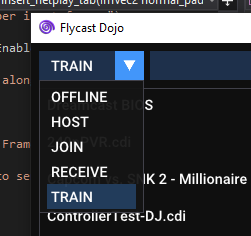
* Training Mode
* Input Recording / Playback
* Player Selection
* Playback Loop
* On-Demand Play
With the new Training Mode, you can enable game cheats in offline using RetroArch's `.cht` file format to adjust game parameters, record, and play back user inputs for practice.

To target a specific player port or set playback loop settings, just hit the "Menu" button (__TAB__ by default) and click on the corresponding button to switch. Player 1 corresponds with Port A, while Player 2 corresponds with Port B. You can also switch players by pressing __F9__ by default.
To record inputs, hit __F1__, and hit it again to stop recording. To play back the input, press __F2__. If the Playback Loop is enabled, the input will be repeated until the Play button is hit again. If it is disabled, playback will be invoked on demand.
All of the Training Mode controls can be assigned to any keyboard key or gamepad input in the Controls settings.
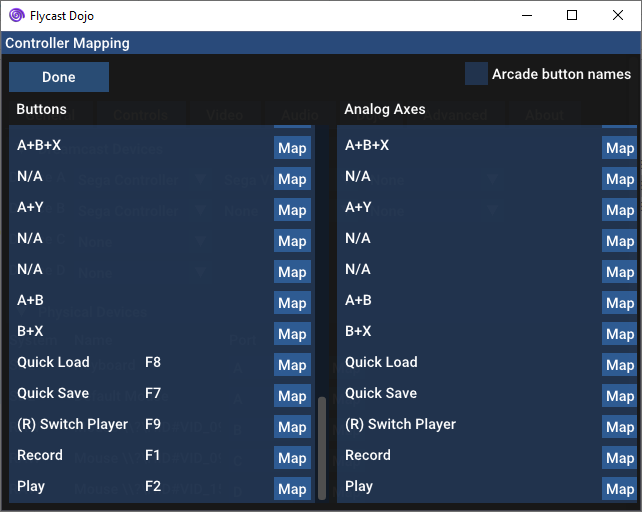
* __Jump State__ button renamed to __Quick Load__. Reassigned from __Backspace__ to __F8__.
## 0.4.1 Release Notes
*Upgrade Note:
If you are unable to use your mouse in the main menu or settings screen, delete your `emu.cfg` file so that it may be regenerated with new hardware definitions. This is caused by upstream changes in the emulator. Mouse & keyboard definitions are now included in the configuration file.*
### Dreamcast Support
* Defines & restores default Dreamcast VMU for netplay
* Marvel vs Capcom 2 - Unlocked Characters
* Adjust VMU defaults for faster boot on Dreamcast games
* Checksum Validation enabled for Dreamcast games
### Replays & Spectating
* Add Player Name Overlay to Netplay sessions, replays, and live streams
* Directly opens `.flyreplay` files when called as command or program association
* Fix TCP Transmission & Spectating (Tx/Rx)
* Allows transmission to replay servers to share game sessions with others
* External replay server support
### Savestate Features
* Adds Custom Savestate Loading by adding `[Game Name].state.net` to `data` folder.
* Be sure both players have it and "Ignore Netplay Savestates" is unchecked in the Settings.
* Autosave & Savestate rewind to just after boot sequence in netplay matches.
* "Jump" activated by pressing Backspace key.
### Bug Fixes
* Fix relative paths with supporting data folder when called from external launchers
### Project Maintenance
* GUI code refactor & cleanup
* Removes ROM folder auto-assign causing crashes in the past
* README changes
### Button Macros
* Dreamcast
* X + Y + A + B (All Face Buttons)
* X + Y + Left Trigger (3P)
* A + B + Right Trigger (3K)
* A + B + X
* X + A (LP + LK)
* Y + B (MP + MK)
* Left Trigger + Right Trigger (HP + HK)
* A + Y
* A + B
* Arcade
* 1 + 2 + 3 + 4
* 1 + 2 + 3 (3P)
* 4 + 5 + 6 (3K)
* 1 + 4 (LP + LK)
* 2 + 5 (MP + MK)
* 3 + 6 (HP + HK)
* 1 + 2
* 2 + 3
* 1 + 3
* 2 + 4
### Upstream Emulator Updates
__thanks @flyinghead!__
* Parity with Upstream Flycast changes (as of April 6, 2021). Improves game performance & increases compatibility
* Fixes polygon rendering in Project Justice
* Fixes graphical glitches in Neo Geo Battle Coliseum
* Fixes Dolphin Blue graphics
* Adds cheat support for offline games. Cheat files use RetroArch's `cht` file format.
Spectated Rumble Fish 2 game with **Player1** vs **Player2**

__Dreamcast Button Assignments__

__Arcade Button Assignments__

vdojo-0.4.1
*Upgrade Note:
If you are unable to use your mouse in the main menu or settings screen, delete your `emu.cfg` file so that it may be regenerated with new hardware definitions. This is caused by upstream changes in the emulator. Mouse & keyboard definitions are now included in the configuration file.*
### Dreamcast Support
* Defines & restores default Dreamcast VMU for netplay
* Marvel vs Capcom 2 - Unlocked Characters
* Adjust VMU defaults for faster boot on Dreamcast games
* Checksum Validation enabled for Dreamcast games
### Replays & Spectating
* Add Player Name Overlay to Netplay sessions, replays, and live streams
* Directly opens `.flyreplay` files when called as command or program association
* Fix TCP Transmission & Spectating (Tx/Rx)
* Allows transmission to replay servers to share game sessions with others
* External replay server support
### Savestate Features
* Adds Custom Savestate Loading by adding `[Game Name].state.net` to `data` folder.
* Be sure both players have it and "Ignore Netplay Savestates" is unchecked in the Settings.
* Autosave & Savestate rewind to just after boot sequence in netplay matches.
* "Jump" activated by pressing Backspace key.
### Bug Fixes
* Fix relative paths with supporting data folder when called from external launchers
### Project Maintenance
* GUI code refactor & cleanup
* Removes ROM folder auto-assign causing crashes in the past
* README changes
### Button Macros
* Dreamcast
* X + Y + A + B (All Face Buttons)
* X + Y + Left Trigger (3P)
* A + B + Right Trigger (3K)
* A + B + X
* X + A (LP + LK)
* Y + B (MP + MK)
* Left Trigger + Right Trigger (HP + HK)
* A + Y
* A + B
* Arcade
* 1 + 2 + 3 + 4
* 1 + 2 + 3 (3P)
* 4 + 5 + 6 (3K)
* 1 + 4 (LP + LK)
* 2 + 5 (MP + MK)
* 3 + 6 (HP + HK)
* 1 + 2
* 2 + 3
* 1 + 3
* 2 + 4
### Upstream Emulator Updates
__thanks @flyinghead!__
* Parity with Upstream Flycast changes (as of April 6, 2021). Improves game performance & increases compatibility
* Fixes polygon rendering in Project Justice
* Fixes graphical glitches in Neo Geo Battle Coliseum
* Fixes Dolphin Blue graphics
* Adds cheat support for offline games. Cheat files use RetroArch's `cht` file format.
Spectated Rumble Fish 2 game with **Player1** vs **Player2**

__Dreamcast Button Assignments__

__Arcade Button Assignments__

vdojo-0.4.1-test3
New in Test Build 3:
* Button Macros
* Dreamcast All Face Buttons / Arcade 1+2+3+4
* Now shows button equivalents between Dreamcast & Arcade when available
__Dreamcast Button Assignments__

__Arcade Button Assignments__

Introduced in Test Build 2:
* Saves macro assignments to controller mappings
Introduced in Test Build 1:
* Button Macros
* Dreamcast
* X + Y + Left Trigger (3P)
* A + B + Right Trigger (3K)
* X + A (LP + LK)
* Y + B (MP + MK)
* Left Trigger + Right Trigger (HP + HK)
* Arcade
* 1 + 2 + 3 (3P)
* 4 + 5 + 6 (3K)
* 1 + 4 (LP + LK)
* 2 + 5 (MP + MK)
* 3 + 6 (HP + HK)
* 1 + 2
* 2 + 3
## 0.4 Release Notes
*Upgrade Note:
If you are unable to use your mouse in the main menu or settings screen, delete your `emu.cfg` file so that it may be regenerated with new hardware definitions. This is caused by upstream changes in the emulator. Mouse & keyboard definitions are now included in the configuration file.*
### Dreamcast Support
* Defines & restores default Dreamcast VMU for netplay
* Marvel vs Capcom 2 - Unlocked Characters
* Adjust VMU defaults for faster boot on Dreamcast games
* Checksum Validation enabled for Dreamcast games
### Replays & Spectating
* Add Player Name Overlay to Netplay sessions, replays, and live streams
* Directly opens `.flyreplay` files when called as command or program association
* Fix TCP Transmission & Spectating (Tx/Rx)
* Allows transmission to replay servers to share game sessions with others
### Savestate Features
* Adds Custom Savestate Loading by adding `[Game Name].state.net` to `data` folder.
* Be sure both players have it and "Ignore Netplay Savestates" is unchecked in the Settings.
* Autosave & Savestate rewind to just after boot sequence in netplay matches.
* "Jump" activated by pressing Backspace key.
### Project Maintenance
* GUI code refactor & cleanup
* Removes ROM folder auto-assign causing crashes in the past
* README changes
### Upstream Emulator Updates
__thanks @flyinghead!__
* Parity with Upstream Flycast changes (as of April 6, 2021). Improves game performance & increases compatibility
* Fixes polygon rendering in Project Justice
* Fixes graphical glitches in Neo Geo Battle Coliseum
* Fixes Dolphin Blue graphics
* Adds cheat support for offline games. Cheat files use RetroArch's `cht` file format.
Spectated Rumble Fish 2 game with **Player1** vs **Player2**

vdojo-0.4.1-test2
New in Test Build 2:
* Saves macro assignments to controller mappings
Introduced in Test Build 1:
* Button Macros
* Dreamcast
* X + Y + Left Trigger (3P)
* A + B + Right Trigger (3K)
* X + A (LP + LK)
* Y + B (MP + MK)
* Left Trigger + Right Trigger (HP + HK)
* Arcade
* 1 + 2 + 3 (3P)
* 4 + 5 + 6 (3K)
* 1 + 4 (LP + LK)
* 2 + 5 (MP + MK)
* 3 + 6 (HP + HK)
* 1 + 2
* 2 + 3
__Dreamcast button assignments__
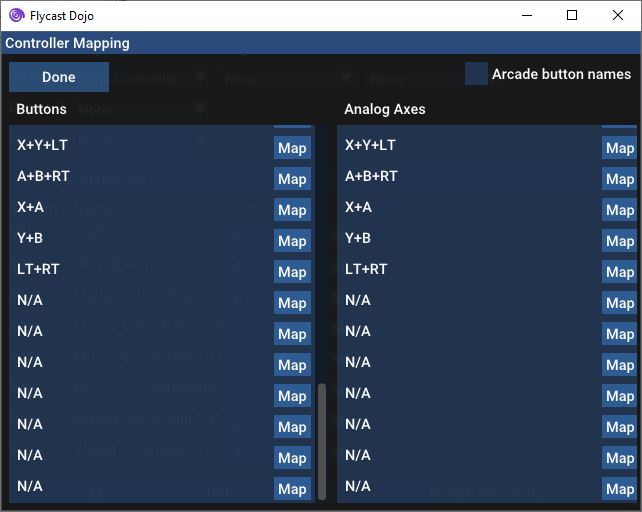
__Arcade button assignments__
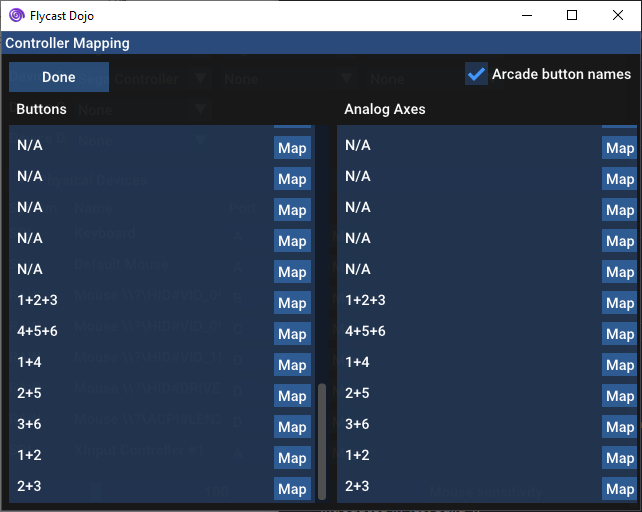
## 0.4 Release Notes
*Upgrade Note:
If you are unable to use your mouse in the main menu or settings screen, delete your `emu.cfg` file so that it may be regenerated with new hardware definitions. This is caused by upstream changes in the emulator. Mouse & keyboard definitions are now included in the configuration file.*
### Dreamcast Support
* Defines & restores default Dreamcast VMU for netplay
* Marvel vs Capcom 2 - Unlocked Characters
* Adjust VMU defaults for faster boot on Dreamcast games
* Checksum Validation enabled for Dreamcast games
### Replays & Spectating
* Add Player Name Overlay to Netplay sessions, replays, and live streams
* Directly opens `.flyreplay` files when called as command or program association
* Fix TCP Transmission & Spectating (Tx/Rx)
* Allows transmission to replay servers to share game sessions with others
### Savestate Features
* Adds Custom Savestate Loading by adding `[Game Name].state.net` to `data` folder.
* Be sure both players have it and "Ignore Netplay Savestates" is unchecked in the Settings.
* Autosave & Savestate rewind to just after boot sequence in netplay matches.
* "Jump" activated by pressing Backspace key.
### Project Maintenance
* GUI code refactor & cleanup
* Removes ROM folder auto-assign causing crashes in the past
* README changes
### Upstream Emulator Updates
__thanks @flyinghead!__
* Parity with Upstream Flycast changes (as of April 6, 2021). Improves game performance & increases compatibility
* Fixes polygon rendering in Project Justice
* Fixes graphical glitches in Neo Geo Battle Coliseum
* Fixes Dolphin Blue graphics
* Adds cheat support for offline games. Cheat files use RetroArch's `cht` file format.
Spectated Rumble Fish 2 game with **Player1** vs **Player2**

vdojo-0.4
*Upgrade Note:
If you are unable to use your mouse in the main menu or settings screen, delete your `emu.cfg` file so that it may be regenerated with new hardware definitions. This is caused by upstream changes in the emulator. Mouse & keyboard definitions are now included in the configuration file.*
### Dreamcast Support
* Defines & restores default Dreamcast VMU for netplay
* Marvel vs Capcom 2 - Unlocked Characters
* Adjust VMU defaults for faster boot on Dreamcast games
* Checksum Validation enabled for Dreamcast games
### Replays & Spectating
* Add Player Name Overlay to Netplay sessions, replays, and live streams
* Directly opens `.flyreplay` files when called as command or program association
* Fix TCP Transmission & Spectating (Tx/Rx)
* Allows transmission to replay servers to share game sessions with others
### Savestate Features
* Adds Custom Savestate Loading by adding `[Game Name].state.net` to `data` folder.
* Be sure both players have it and "Ignore Netplay Savestates" is unchecked in the Settings.
* Autosave & Savestate rewind to just after boot sequence in netplay matches.
* "Jump" activated by pressing Backspace key.
### Project Maintenance
* GUI code refactor & cleanup
* Removes ROM folder auto-assign causing crashes in the past
* README changes
### Upstream Emulator Updates
__thanks @flyinghead!__
* Parity with Upstream Flycast changes (as of April 6, 2021). Improves game performance & increases compatibility
* Fixes polygon rendering in Project Justice
* Fixes graphical glitches in Neo Geo Battle Coliseum
* Fixes Dolphin Blue graphics
* Adds cheat support for offline games. Cheat files use RetroArch's `cht` file format.
Spectated Rumble Fish 2 game with **Player1** vs **Player2**

vdojo-0.4.1-test1
New in Test Build 1:
* Button Macros
* Dreamcast
* X + Y + Left Trigger (3P)
* A + B + Right Trigger (3K)
* X + A (LP + LK)
* Y + B (MP + MK)
* Left Trigger + Right Trigger (HP + HK)
* Arcade
* 1 + 2 + 3 (3P)
* 4 + 5 + 6 (3K)
* 1 + 4 (LP + LK)
* 2 + 5 (MP + MK)
* 3 + 6 (HP + HK)
* 1 + 2
* 2 + 3
vdojo-0.4-test8
New in Test Build 8:
* Transmits match code with game session for replay server indexing
* Sets "Ignore Netplay Savestate" by default. Uncheck first to use custom savestate. Safer defaults.
Introduced in Test Build 7:
* Defines & restores default Dreamcast VMU for netplay
* Marvel vs Capcom 2 - Unlocked Characters
* Checksum Validation enabled for Dreamcast games
Introduced in Test Build 6:
* Directly opens `.flyreplay` files when called as command
* Fix Player name assignments in Replays
* Remove menu selections for features that conflict with netplay during online sessions
* Consistent BIOS settings when all matches are recorded, keeps replay behavior synced
* GUI code refactor & cleanup
* Merged with Upstream Flycast changes (as of April 6, 2021)
Introduced in Test Build 5:
* Consistent BIOS settings between Netplay & Replays
* Removes extraneous buffer frames from being transmitted
* Fix streaming graphical glitches caused by console output
Introduced In Test Build 4:
* Match streams transmit game name & player names as header
* Receive mode displays player name overlay after header is received
* Receive mode removes starting savestate on boot
* Adjust VMU defaults for faster boot on Dreamcast games
Spectated Rumble Fish 2 game with **Player1** vs **Player2**

Introduced in 0.4 Test Build 3:
* Parity with Upstream Flycast changes (as of April 1, 2021). Improves game performance & increases compatibility
* Fixes polygon rendering in Project Justice
* Fixes graphical glitches in Neo Geo Battle Coliseum
* Fixes Dolphin Blue graphics
* Add Player Name Overlay to Netplay sessions & replays
* Fixes TCP Spectating (Tx/Rx)
* Adds Custom Savestate Loading by adding `[Game Name].state.net` to `data` folder. Be sure both players have it
* Autosave & Savestate rewind to just after boot sequence in netplay matches. "Jump" activated by pressing Backspace key.
* README changes
vdojo-0.4-test7
New in Test Build 7:
* Defines & restores default Dreamcast VMU for netplay
* Marvel vs Capcom 2 - Unlocked Characters
* Checksum Validation enabled for Dreamcast games
Introduced in Test Build 6:
* Directly opens `.flyreplay` files when called as command
* Fix Player name assignments in Replays
* Remove menu selections for features that conflict with netplay during online sessions
* Consistent BIOS settings when all matches are recorded, keeps replay behavior synced
* GUI code refactor & cleanup
* Merged with Upstream Flycast changes (as of April 6, 2021)
Introduced in Test Build 5:
* Consistent BIOS settings between Netplay & Replays
* Removes extraneous buffer frames from being transmitted
* Fix streaming graphical glitches caused by console output
Introduced In Test Build 4:
* Match streams transmit game name & player names as header
* Receive mode displays player name overlay after header is received
* Receive mode removes starting savestate on boot
* Adjust VMU defaults for faster boot on Dreamcast games
Spectated Rumble Fish 2 game with **Player1** vs **Player2**

Introduced in 0.4 Test Build 3:
* Parity with Upstream Flycast changes (as of April 1, 2021). Improves game performance & increases compatibility
* Fixes polygon rendering in Project Justice
* Fixes graphical glitches in Neo Geo Battle Coliseum
* Fixes Dolphin Blue graphics
* Add Player Name Overlay to Netplay sessions & replays
* Fixes TCP Spectating (Tx/Rx)
* Adds Custom Savestate Loading by adding `[Game Name].state.net` to `data` folder. Be sure both players have it
* Autosave & Savestate rewind to just after boot sequence in netplay matches. "Jump" activated by pressing Backspace key.
* README changes
vdojo-0.4-test6
New in Test Build 6:
* Directly opens `.flyreplay` files when called as command
* Fix Player name assignments in Replays
* Remove menu selections for features that conflict with netplay during online sessions
* Consistent BIOS settings when all matches are recorded, keeps replay behavior synced
* GUI code refactor & cleanup
* Merged with Upstream Flycast changes (as of April 6, 2021)
New in Test Build 5:
* Consistent BIOS settings between Netplay & Replays
* Removes extraneous buffer frames from being transmitted
* Fix streaming graphical glitches caused by console output
Introduced In Test Build 4:
* Match streams transmit game name & player names as header
* Receive mode displays player name overlay after header is received
* Receive mode removes starting savestate on boot
* Adjust VMU defaults for faster boot on Dreamcast games
Spectated Rumble Fish 2 game with **Player1** vs **Player2**

Introduced in 0.4 Test Build 3:
* Parity with Upstream Flycast changes (as of April 1, 2021). Improves game performance & increases compatibility
* Fixes polygon rendering in Project Justice
* Fixes graphical glitches in Neo Geo Battle Coliseum
* Fixes Dolphin Blue graphics
* Add Player Name Overlay to Netplay sessions & replays
* Fixes TCP Spectating (Tx/Rx)
* Adds Custom Savestate Loading by adding `[Game Name].state.net` to `data` folder. Be sure both players have it
* Autosave & Savestate rewind to just after boot sequence in netplay matches. "Jump" activated by pressing Backspace key.
* README changes
vdojo-0.4-test5
New in Test Build 5:
* Consistent BIOS settings between Netplay & Replays
* Removes extraneous buffer frames from being transmitted
* Fix streaming graphical glitches caused by console output
Introduced In Test Build 4:
* Match streams transmit game name & player names as header
* Receive mode displays player name overlay after header is received
* Receive mode removes starting savestate on boot
* Adjust VMU defaults for faster boot on Dreamcast games
Spectated Rumble Fish 2 game with **Player1** vs **Player2**

Introduced in 0.4 Test Build 3:
* Parity with Upstream Flycast changes (as of April 1, 2021). Improves game performance & increases compatibility
* Fixes polygon rendering in Project Justice
* Fixes graphical glitches in Neo Geo Battle Coliseum
* Fixes Dolphin Blue graphics
* Add Player Name Overlay to Netplay sessions & replays
* Fixes TCP Spectating (Tx/Rx)
* Adds Custom Savestate Loading by adding `[Game Name].state.net` to `data` folder. Be sure both players have it
* Autosave & Savestate rewind to just after boot sequence in netplay matches. "Jump" activated by pressing Backspace key.
* README changes
vdojo-0.4-test4
New In Test Build 4:
* Match streams transmit game name & player names as header
* Receive mode displays player name overlay after header is received
* Receive mode removes starting savestate on boot
* Adjust VMU defaults for faster boot on Dreamcast games
Spectated Rumble Fish 2 game with **Player1** vs **Player2**

Introduced in 0.4 Test Build 3:
* Parity with Upstream Flycast changes (as of April 1, 2021). Improves game performance & increases compatibility
* Fixes polygon rendering in Project Justice
* Fixes graphical glitches in Neo Geo Battle Coliseum
* Fixes Dolphin Blue graphics
* Add Player Name Overlay to Netplay sessions & replays
* Fixes TCP Spectating (Tx/Rx)
* Adds Custom Savestate Loading by adding `[Game Name].state.net` to `data` folder. Be sure both players have it
* Autosave & Savestate rewind to just after boot sequence in netplay matches. "Jump" activated by pressing Backspace key.
* README changes
vdojo-0.4-test3
* Parity with Upstream Flycast changes (as of April 1, 2021). Improves game performance & increases compatibility
* Fixes polygon rendering in Project Justice
* Fixes graphical glitches in Neo Geo Battle Coliseum
* Fixes Dolphin Blue graphics
* Add Player Name Overlay to Netplay sessions & replays
* Fixes TCP Spectating (Tx/Rx)
* Adds Custom Savestate Loading by adding `[Game Name].state.net` to `data` folder. Be sure both players have it
* Autosave & Savestate rewind to just after boot sequence in netplay matches. "Jump" activated by pressing Backspace key.
* README changes
vdojo-0.3.2
Aucun détail pour cette version.
vdojo-0.3.1
This release of Flycast Dojo includes a built-in updater, and new ways to automatically validate ROMs/memory files to ensure that everyone has the same file, preventing desyncs.
## Updater
This version of Flycast Dojo now includes built-in updater. You no longer need to repeatedly hit the GitHub Releases page. All you need to do is go to **Settings -> About**, then hit the **Update** button to get the latest version at any time.
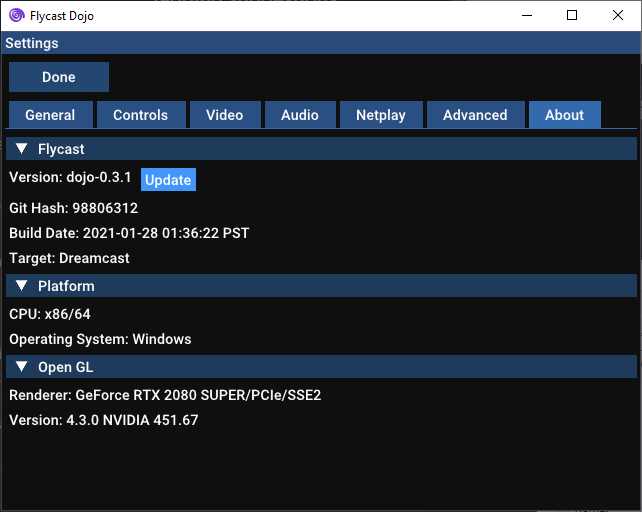
## Desync Protection
### NVMEM Validation & Replacement
Flycast Dojo will replace nvmem files before each game if it detects a change from the defaults in order to prevent desyncs. I also added support for the FRM json format within Flycast Dojo for MD5 checksum matching and easy ROM retrieval.
### MD5 Checksum Calculation & Validation
In order for netplay to work, both you and your opponent must have the same ROM on both computers. Players using different ROM variants can lead to desyncing. Oftentimes, verifying the validity of ROMs can be a pain, leading folks to reacquire them unnecessarily in a game of guess and check. To solve this issue, I have added built-in MD5 checksum calculation and validation to the Flycast Dojo menu.

To access this, just right click on any ROM name, and click "Calculate MD5 Checksum". A dialog will pop up showing the MD5 checksum of the selected ROM, and a button to easily copy it to the clipboard to share with your opponent.

To verify that you have the same ROM as your opponent, just copy the MD5 checksum given to you, and click the "Paste & Verify" button. If your ROMs match, you'll see a green "Verified!" by the Close button. If the hashes do not match, it will say "Mismatch." in red.

The latest version of Flycast Dojo now has an included `flycast_roms.json` file with the metadata for the approved Fightcade romset. By right-clicking on any game and calculating the MD5 checksum, Flycast Dojo can check this against the included file, making it easier to guarantee that you and your opponent have the same file.
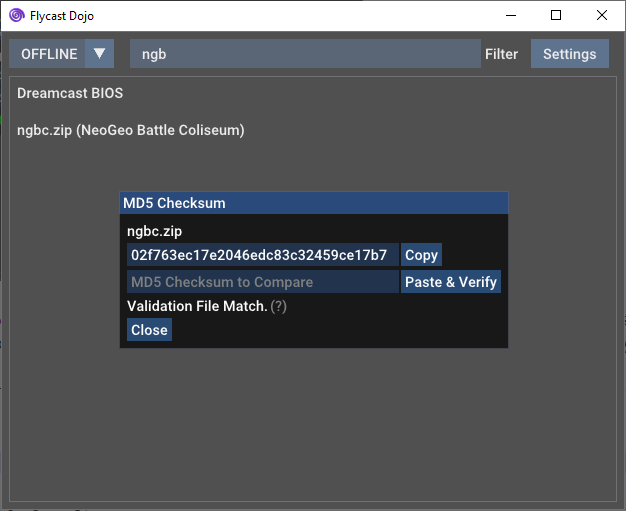
## UI Changes
You can now use a simple pull-down menu by the default game filter to switch between hosting a game, joining one, or playing offline. You no longer need to fiddle around in the settings to switch modes.

## Match Codes & Relays
Fightcade Dojo now features a way to play others without the need of Radmin or Fightcade, matchmaking relays! No need to sign up for any accounts or download additional software than Flycast Dojo itself. You should be able to play any games supported by Flycast, so long as you and your opponent have the same ROM.
To get around firewalls, Flycast Dojo will contact a matchmaking relay and receive a Match Code. Once your opponent enters the Match Code, a connection will be facilitated, then record of your fateful meeting is immediately wiped from the server.

The methods used by this feature should work with most consumer routers, but you may run into trouble over some cloud gaming services or corporate networks. (It is confirmed to work over Paperspace though, where I did much of my testing). In this case, you would need to adjust your firewall rules and explicitly forward ports.
From Release Candidate 1:
* Fixed stuttering, now mutes sound on repeated frame
* Frame timeout introduced to prevent Force Quit situation on lost connection
* Static RNG seed
* Increases game compatibility, making games with previously random game states deterministic across both clients
* UDP Ping & Delay Detection on host screen
* LAN Lobby P2P Spectating
* Refactoring, Lobbies & Spectating transferred to asio library
* Merged with current Flycast upstream changes
Dipswitch Updates:
* King of Fighters XI - Free Play
* King of Fighters Neowave - Free Play
* Metal Slug 6 - Uncensored Blood + Free Play
* Power Stone - Free Play
* Dead Or Alive 2 Millennium - Free Play
From Release Candidate 2:
* Guest player now requests repeat frame any time frame timeout exceeds delay
* Guest always adopts host payload settings
From Release Candidate 3:
* UI Changes
* Match Codes & Matchmaking Relays
Dipswitch Updates:
* The Rumble Fish 2: Volume Settings. Now in Stereo at a lower volume. Default settings were optimized to clip and blast ears.
From Release Candidate 4:
* MD5 Checksum Calculation/Validation in ROM menu
* Performance Improvements (fixes slowdown on older machines)
* Cancel buttons added to Wait screens
Dipswitch Updates:
* The King of Fighters XI dipswitches now work with `kofxi.zip`
From Release Candidate 5:
* Fixes Match Code Connection Sequence
Dipswitch Updates:
* The King of Fighters XI has all characters unlocked.
New in 0.3.1:
* Neo Geo Battle Coliseum has all characters unlocked.
vdojo-0.3.0-rc.5
This release fixes Match Codes after the last optimization release. It turned out that the same GCC optimizations that sped up KOFXI, were the same ones that kept a part of the match code sequence alive. This has been remedied. Many thanks for the bug reports!
KOFXI dipswitches have also been updated to include all unlocked characters. Thank you to ONTortita!
## MD5 Checksum Calculation & Validation
In order for netplay to work, both you and your opponent must have the same ROM on both computers. Players using different ROM variants can lead to desyncing. Oftentimes, verifying the validity of ROMs can be a pain, leading folks to reacquire them unnecessarily in a game of guess and check. To solve this issue, I have added built-in MD5 checksum calculation and validation to the Flycast Dojo menu.

To access this, just right click on any ROM name, and click "Calculate MD5 Checksum". A dialog will pop up showing the MD5 checksum of the selected ROM, and a button to easily copy it to the clipboard to share with your opponent.

To verify that you have the same ROM as your opponent, just copy the MD5 checksum given to you, and click the "Paste & Verify" button. If your ROMs match, you'll see a green "Verified!" by the Close button. If the hashes do not match, it will say "Mismatch." in red.

## UI Changes
You can now use a simple pull-down menu by the default game filter to switch between hosting a game, joining one, or playing offline. You no longer need to fiddle around in the settings to switch modes.

## Match Codes & Relays
Fightcade Dojo now features a way to play others without the need of Radmin or Fightcade, matchmaking relays! No need to sign up for any accounts or download additional software than Flycast Dojo itself. You should be able to play any games supported by Flycast, so long as you and your opponent have the same ROM.
To get around firewalls, Flycast Dojo will contact a matchmaking relay and receive a Match Code. Once your opponent enters the Match Code, a connection will be facilitated, then record of your fateful meeting is immediately wiped from the server.

The methods used by this feature should work with most consumer routers, but you may run into trouble over some cloud gaming services or corporate networks. (It is confirmed to work over Paperspace though, where I did much of my testing). In this case, you would need to adjust your firewall rules and explicitly forward ports.
From Release Candidate 1:
* Fixed stuttering, now mutes sound on repeated frame
* Frame timeout introduced to prevent Force Quit situation on lost connection
* Static RNG seed
* Increases game compatibility, making games with previously random game states deterministic across both clients
* UDP Ping & Delay Detection on host screen
* LAN Lobby P2P Spectating
* Refactoring, Lobbies & Spectating transferred to asio library
* Merged with current Flycast upstream changes
Dipswitch Updates:
* King of Fighters XI - Free Play
* King of Fighters Neowave - Free Play
* Metal Slug 6 - Uncensored Blood + Free Play
* Power Stone - Free Play
* Dead Or Alive 2 Millennium - Free Play
From Release Candidate 2:
* Guest player now requests repeat frame any time frame timeout exceeds delay
* Guest always adopts host payload settings
From Release Candidate 3:
* UI Changes
* Match Codes & Matchmaking Relays
Dipswitch Updates:
* The Rumble Fish 2: Volume Settings. Now in Stereo at a lower volume. Default settings were optimized to clip and blast ears.
From Release Candidate 4:
* MD5 Checksum Calculation/Validation in ROM menu
* Performance Improvements (fixes slowdown on older machines)
* Cancel buttons added to Wait screens
Dipswitch Updates:
* The King of Fighters XI dipswitches now work with `kofxi.zip`
New in Release Candidate 5:
* Fixes Match Code Connection Sequence
Dipswitch Updates:
* The King of Fighters XI has all characters unlocked.
vdojo-0.3.0-rc.4
This release fixes the reported slowdown found on HnK and KoFXI. It also runs much faster on older machines. Introduces MD5 checksum validation, so you and your opponent can verify that you have the same ROMs to mitigate desyncs.
## MD5 Checksum Calculation & Validation
In order for netplay to work, both you and your opponent must have the same ROM on both computers. Players using different ROM variants can lead to desyncing. Oftentimes, verifying the validity of ROMs can be a pain, leading folks to reacquire them unnecessarily in a game of guess and check. To solve this issue, I have added built-in MD5 checksum calculation and validation to the Flycast Dojo menu.

To access this, just right click on any ROM name, and click "Calculate MD5 Checksum". A dialog will pop up showing the MD5 checksum of the selected ROM, and a button to easily copy it to the clipboard to share with your opponent.

To verify that you have the same ROM as your opponent, just copy the MD5 checksum given to you, and click the "Paste & Verify" button. If your ROMs match, you'll see a green "Verified!" by the Close button. If the hashes do not match, it will say "Mismatch." in red.

## UI Changes
You can now use a simple pull-down menu by the default game filter to switch between hosting a game, joining one, or playing offline. You no longer need to fiddle around in the settings to switch modes.

## Match Codes & Relays
Fightcade Dojo now features a way to play others without the need of Radmin or Fightcade, matchmaking relays! No need to sign up for any accounts or download additional software than Flycast Dojo itself. You should be able to play any games supported by Flycast, so long as you and your opponent have the same ROM.
To get around firewalls, Flycast Dojo will contact a matchmaking relay and receive a Match Code. Once your opponent enters the Match Code, a connection will be facilitated, then record of your fateful meeting is immediately wiped from the server.

The methods used by this feature should work with most consumer routers, but you may run into trouble over some cloud gaming services or corporate networks. (It is confirmed to work over Paperspace though, where I did much of my testing). In this case, you would need to adjust your firewall rules and explicitly forward ports.
From Release Candidate 1:
* Fixed stuttering, now mutes sound on repeated frame
* Frame timeout introduced to prevent Force Quit situation on lost connection
* Static RNG seed
* Increases game compatibility, making games with previously random game states deterministic across both clients
* UDP Ping & Delay Detection on host screen
* LAN Lobby P2P Spectating
* Refactoring, Lobbies & Spectating transferred to asio library
* Merged with current Flycast upstream changes
Dipswitch Updates:
* King of Fighters XI - Free Play
* King of Fighters Neowave - Free Play
* Metal Slug 6 - Uncensored Blood + Free Play
* Power Stone - Free Play
* Dead Or Alive 2 Millennium - Free Play
From Release Candidate 2:
* Guest player now requests repeat frame any time frame timeout exceeds delay
* Guest always adopts host payload settings
From Release Candidate 3:
* UI Changes
* Match Codes & Matchmaking Relays
Dipswitch Updates:
* The Rumble Fish 2: Volume Settings. Now in Stereo at a lower volume. Default settings were optimized to clip and blast ears.
New in Release Candidate 4:
* MD5 Checksum Calculation/Validation in ROM menu
* Performance Improvements (fixes slowdown on older machines)
* Cancel buttons added to Wait screens
Dipswitch Updates:
* The King of Fighters XI dipswitches now work with `kofxi.zip`
vdojo-0.3.0-rc.3
You can now use a simple pull-down menu by the default game filter to switch between hosting a game, joining one, or playing offline. You no longer need to fiddle around in the settings to switch modes.

Fightcade Dojo now features a way to play others without the need of Radmin or Fightcade, matchmaking relays! No need to sign up for any accounts or download additional software than Flycast Dojo itself. You should be able to play any games supported by Flycast, so long as you and your opponent have the same ROM.
To get around firewalls, Flycast Dojo will contact a matchmaking relay and receive a Match Code. Once your opponent enters the Match Code, a connection will be facilitated, then record of your fateful meeting is immediately wiped from the server.

The methods used by this feature should work with most consumer routers, but you may run into trouble over some cloud gaming services or corporate networks. (It is confirmed to work over Paperspace though, where I did much of my testing). In this case, you would need to adjust your firewall rules and explicitly forward ports.
From Release Candidate 1:
* Fixed stuttering, now mutes sound on repeated frame
* Frame timeout introduced to prevent Force Quit situation on lost connection
* Static RNG seed
* Increases game compatibility, making games with previously random game states deterministic across both clients
* UDP Ping & Delay Detection on host screen
* LAN Lobby P2P Spectating
* Refactoring, Lobbies & Spectating transferred to asio library
* Merged with current Flycast upstream changes
Dipswitch Updates:
* King of Fighters XI - Free Play
* King of Fighters Neowave - Free Play
* Metal Slug 6 - Uncensored Blood + Free Play
* Power Stone - Free Play
* Dead Or Alive 2 Millennium - Free Play
From Release Candidate 2:
* Guest player now requests repeat frame any time frame timeout exceeds delay
* Guest always adopts host payload settings
New in Release Candidate 3:
* UI Changes
* Match Codes & Matchmaking Relays
Dipswitch Updates:
* The Rumble Fish 2: Volume Settings. Now in Stereo at a lower volume. Default settings were optimized to clip and blast ears.
vdojo-0.3.0-rc.2
This release is chock full of bug fixes and feature improvements. Once enough people have kicked the tires on it, it should be just about ready for an official release and Fightcade distribution.
From Release Candidate 1:
* Fixed stuttering, now mutes sound on repeated frame
* Frame timeout introduced to prevent Force Quit situation on lost connection
* Static RNG seed
* Increases game compatibility, making games with previously random game states deterministic across both clients
* UDP Ping & Delay Detection on host screen
* LAN Lobby P2P Spectating
* Refactoring, Lobbies & Spectating transferred to `asio` library
* Merged with current Flycast upstream changes
Dipswitch Updates:
* King of Fighters XI - Free Play
* King of Fighters Neowave - Free Play
* Metal Slug 6 - Uncensored Blood + Free Play
* Power Stone - Free Play
* Dead Or Alive 2 Millennium - Free Play
New in Release Candidate 2:
* Guest player now requests repeat frame any time frame timeout exceeds delay
* Guest always adopts host payload settings
vdojo-0.3.0-rc.1
This release is chock full of bug fixes and feature improvements. Once enough people have kicked the tires on it, it should be just about ready for an official release and Fightcade distribution.
* Fixed stuttering, now mutes sound on repeated frame
* Frame timeout introduced to prevent Force Quit situation on lost connection
* Static RNG seed
* Increases game compatibility, making games with previously random game states deterministic across both clients
* UDP Ping & Delay Detection on host screen
* LAN Lobby P2P Spectating
* Refactoring, Lobbies & Spectating transferred to `asio` library
* Merged with current Flycast upstream changes
Dipswitch Updates
* King of Fighters XI - Free Play
* King of Fighters Neowave - Free Play
* Metal Slug 6 - Uncensored Blood + Free Play
* Power Stone - Free Play
* Dead Or Alive 2 Millennium - Free Play
vdojo-0.2.5
* Disable ICMP Ping on Detect Delay
* Fixed Build
vdojo-0.2.4
* Temporarily restores ICMP ping for delay detection
* Allows initial delay to be assigned via command line
vdojo-0.2.3
* Fixes LAN Lobby crashing, closes beacon listener while in game
* Always shows current ping in delay selection & lobby
* Added KOFXI & KOF Neowave Dipswitches for free play
* Copied unlocked character dipswitches for Marvel vs Capcom 2 & Rumble Fish 2 for offline play so that people stop asking immediately after they test the game offline
vdojo-0.2.2
* Broadcasts lobby beacon to all LAN hosts
* Transmission setting lasts only for session
vdojo-0.2.1
* Pre-game Delay Selection & Detection
* Replay Menu w/ Automatic Session Recording
* TCP Frame Transmission/Receiving (Spectating)
* Explicit Dialogs for Connection Status
* Test Game Mode w/ Settings & Launch Game
Dipswitch Updates
* Marvel vs Capcom 2: Damage Scaling Fixed
* The Rumble Fish 2: All Characters Unlocked
Command Line Flags:
* Test Game: `-config maplenet:TestGame=yes`
* TCP Transmit `-config maplenet:Transmitting=yes -config maplenet:SpectatorIP= -config maplenet:SpectatorPort=`
* TCP Receive `-config maplenet:Receiving=yes -config maplenet:SpectatorPort=`
vdojo-0.1
As a quarantine project, I've been adding peer-to-peer netplay and replays to Flycast. I've been tweaking and poking at this project for a while now, and I finally think it is ready for testing. This is slightly newer than the version found on Fightcade, but should be exactly the same netcode-wise.
In addition to delay-based netplay & replays, I have implemented LAN Lobbies, making playtesting as easy as joining the same network as your friends and hosting a game instead of having to enter your opponent's network details every time. You can use a service like Radmin or ZeroTier to achieve this over the Internet.
Current features:
* UDP Delay Netplay
* Network Match Streaming
* Session Replays
* LAN Lobbies