DeSmuME
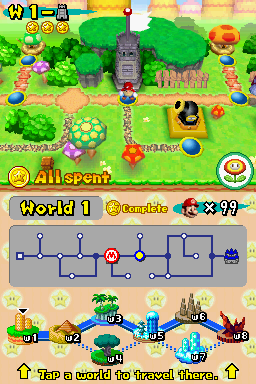
Émulateur de Nintendo DS (également utilisé comme cœur pour OpenEmu).
Si vous souhaitez compiler votre propre version, nous vous montrons comment faire mais nous expliquons aussi brièvement son utilisation dans notre guide. La dernière build connue pour OSX compatible PPC est la version 0.9.4.
Dernière mise à jour :
Plateformes
Architecture
 Mac OS X - macOS
 Intel x86
 Apple Silicon
 64 bits
Téléchargement et liens
- Télécharger DeSmuME
- Site officiel
- Code source
-
brew install --cask desmume
Historique des versions
vrelease_0_9_13
In this version we have added support for high-resolution 3D rendering. Try the new "GPU Scaling Factor" feature to
radical enhancements and while the Windows frontend sees some new incremental enhancements.
radical enhancements and while the Windows frontend sees some new incremental enhancements.
Changelog complet
In this version we have added support for high-resolution 3D rendering. Try the new "GPU Scaling Factor" feature to
increase the 3D resolution beyond the native resolution of 256x192 pixels. Also, the Cocoa frontend sees continued
radical enhancements and while the Windows frontend sees some new incremental enhancements.
vrelease_0_9_9a
To embed a sample into the movie, go to _Config_ - _Microphone Settings_, check _Use Microphone Sample_, select a wav file, and then start recording a new movie.
Release 0.9.9a is a maintenance and hacks release of a very old branch. For the actual "latest release" go to http://desmume.org/download/
This release adds the ability to embed microphone sample files into movies.
Release 0.9.9a is a maintenance and hacks release of a very old branch. For the actual "latest release" go to http://desmume.org/download/
This release adds the ability to embed microphone sample files into movies.
Changelog complet
Release 0.9.9a is a maintenance and hacks release of a very old branch. For the actual "latest release" go to http://desmume.org/download/
This release adds the ability to embed microphone sample files into movies.
Movie format has changed, although the emulation core is the same, so movie sync is not affected.
- To embed a sample into the movie, go to _Config_ - _Microphone Settings_, check _Use Microphone Sample_, select a wav file, and then start recording a new movie.
- To embed a series of samples, use the same base name for all of them, and to each of them add incrementing index starting with 0 and separated with an underscore, up to 255 sample files total. Example: `sample_0.wav` ... `sample_254.wav`. Alternatively, just name the files after digital indexes. Example: `0.wav` ... `254.wav`. Then select the 0th file in the series in the _Microphone Settings_, and all the other files will be loaded automatically.
- To select the needed sample, use the hotkeys for _Mic Next Sample_ and _Mic Prev Sample_.
Index of the currently selected sample is recorded at the corresponding movie frames.
Captures d'écran